A:AnswerHi, Techguy. Please get in touch at [email protected] as the guest network of our routers are not designed to act this way. Indicate your contact details and the link to this post s a reference so we can better assist and provide recommendations.
A:AnswerHi, Andy. For better recommendations, please get in touch at [email protected] with your contact details and the link to this post for reference. Let us take it from there.
A:AnswerHi, Tony. So long as you have an existing internet modem or gateway, then the Linksys MR8300 should allow you to connect and boost up your connection from your ISP. However, we would like to know more about your network setup by sharing it through email at [email protected] with your contact info and the link of this post for our reference.
A:AnswerUnfortunately, I'm having the same problem. The Linksis AC2200 set ups easily and can handle multiple devices, but the range isn't cutting it. I added a Velop node and it helped a little. I previously used the Netgear Nighthawk R8000 which had better range and speed but it started dropping the internet connection and Netgear has been unable to resolve the problem. If you are paying for 400 up and download your main router must be able to handle at least that much. In a 4,000 sq. ft home you will need a mesh system (don't believe the manufactures. there will be dead spots). The Linksys isn't bad but definitely get a better one than AC2200. As a side note, if you are looking to upgrade you might want to consider a wifi 6 router to future-proof your purchase. Good Luck!
A:AnswerHello, David. If your current device is only running as a router, then yes you may. However, if you use the AT&T device as a gateway (Modem and Router combination), then no, as the Linksys MR8300 doesn’t have a modem capabilities.
A:AnswerMine has a lot of range so it should broadcast to your basement. If you have a limited single just add a mesh network, that’s why I bought this particular model.
A:AnswerHi. You can add a Velop Tri-band Mesh Wi-Fi node to further improve your wireless coverage. You can check it out on this link: https://www.bestbuy.com/site/linksys-velop-ac2200-tri-band-mesh-wi-fi-system-white/5711616.p?skuId=5711616
Asked by ConnectingfreeSpectrum4freemobileSpectrum.
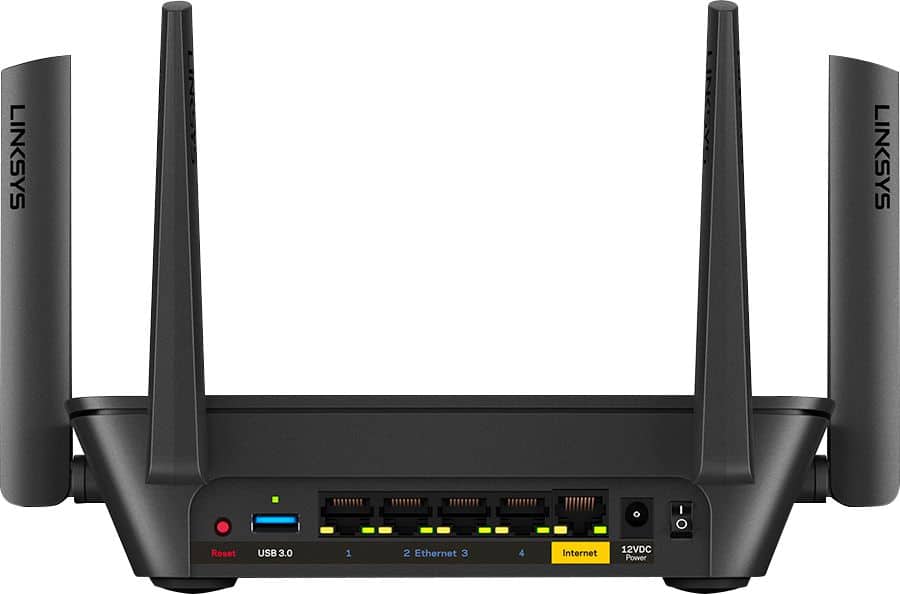
A:AnswerNo. The Linksys MR8300 router should be connected into a modem so it can acquire internet connection. Also, this unit is not yet designed to work with mobile hotspots.
A:AnswerHi. We're not sure what you mean. Please send us more details about your question at [email protected] so that we can provide you with the proper answer.
Don't forget to include the link to this post as a reference.
A:AnswerThe parental control option allows you to pick the specific device and pause internet for that device based on a schedule. If you want to do Pause internet for all devices, you may have to do it one by one per device. Do not believe you can block internet for all devices using a single click or schedule.
A:AnswerHonestly, from what I can tell, the only thing the router asks of it is internet access. Any modem that can provide an ethernet port with internet should work (and I'd be hard-pressed to find you one that couldn't accomplish this.)
As to which modem you should pick? It'd honestly depend on the internet speeds your ISP can provide you with. I could give recommendations here, but without knowing that, any modem I'd suggest would probably be either overkill or would be a bottleneck to your connection.
A:AnswerHi, Dawn. The Linksys MR8300 works with any ISP plan or modem and should provide combined speeds of up to 2.2 Gbps, so you can enjoy simultaneous 4K streaming, online gaming, and more.