Questions & Answers
- Model:
- 910-003120
- |
- SKU:
- 5422358
Q: Questionadjust speed on logitech m325 mouse
Asked by Anonymous.
- A:Answer There is a setting in the PC software - not the mouse itself. In windows 10, click on the icon that looks like a gear to open Windows settings. Next click on devices, mouse,.Related Settings, and pointer options. Other operating systems are similar.
Answered by OldBureaucrat
Q: QuestionIt appears that, rather than bluetooth, this mouse uses a plug-in piece. My 9-year-old has an Apple MacBook Pro MR9R2LL/A. I am concerned that the plug in portion may not fit in the MacBook, which I believe is USB C.
Asked by Gerry.
This question was asked about the related product: Logitech - M325 Wireless Optical Ambidextrous Mouse - Wireless - Silver
- A:Answer The M325 uses a USB receiver so you may need to get an adapter to give you additional standard USB ports to plug into.
Answered by Logitech
Q: QuestionWhat is the distance from the computer that the Logitech-M325 wireless optical mouse will continue to work? Thank You
Asked by A75S2112.
This question was asked about the related product: Logitech - M325 Wireless Optical Ambidextrous Mouse - Wireless - Silver
- A:Answer works even from the next room, about 18 feet apart
Answered by Olga
Q: QuestionDoes this work with Mac Air?
Asked by kristen.
This question was asked about the related product: Logitech - M325 Wireless Optical Ambidextrous Mouse - Wireless - Silver
- A:Answer If it has a USB type A port, then it should.
Answered by Katie
Q: Questionif i loose my mini dongle for the keyboard is it now useless ?
Asked by techdeck.
This question was asked about the related product: Logitech - M325 Wireless Optical Ambidextrous Mouse - Wireless - Silver
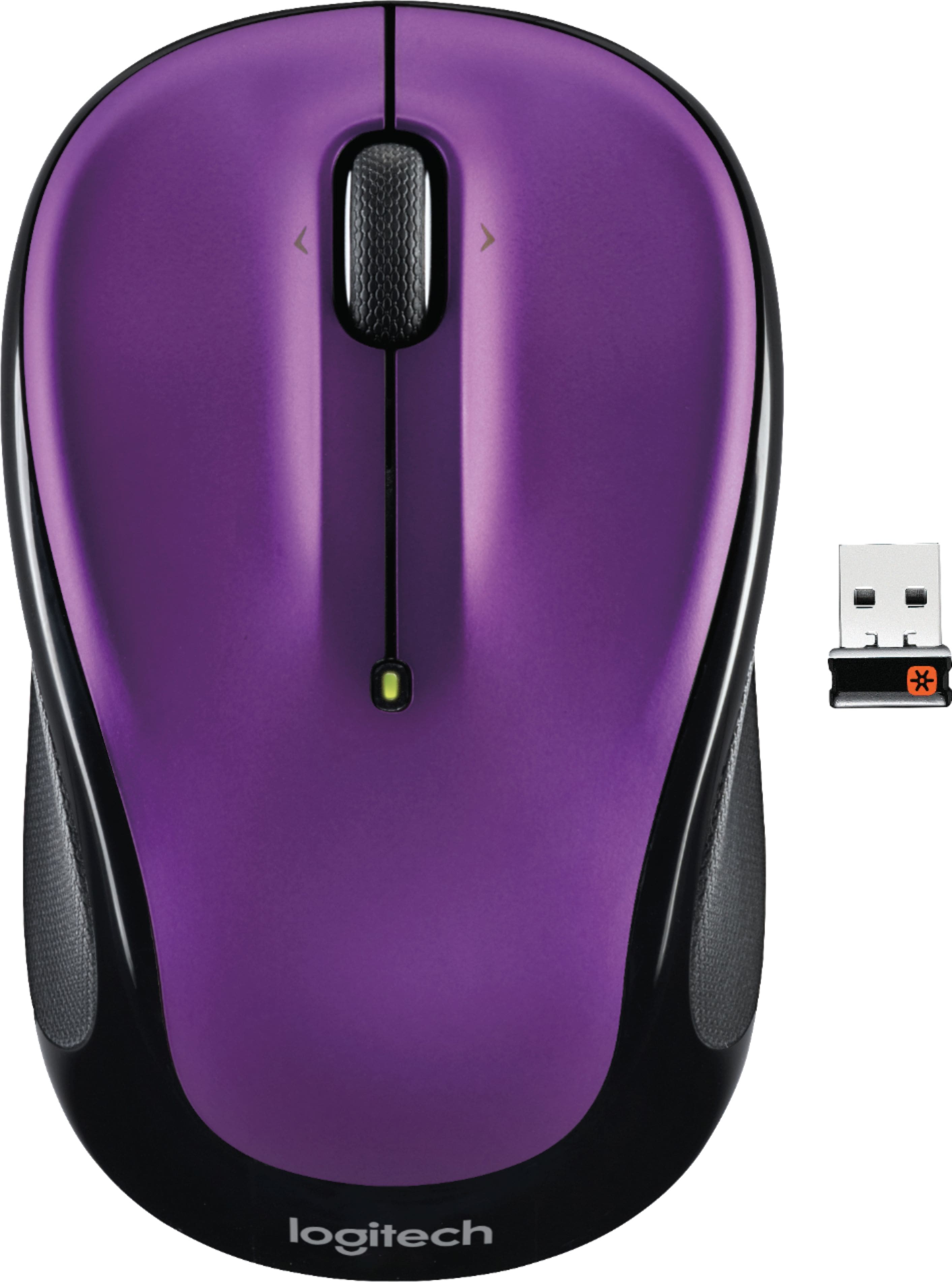
- A:Answer This question was posted on the Logitech M235 mouse product page - assuming you meant mouse in your question. Regardless, a person should look for the Logitech USB Unifying Receiver symbol (shown on the mini dongle to the right of the mouse in the main photo) on the Logitech keyboard or mouse. If the symbol matches (orange with a star-ish shape center), then the device uses Unifying tech. A replacement Logitech Unifying Receiver can be purchased through many vendors. There are instructions on Logitech's site on how to pair a device with a new mini dongle. If you already have another Logitech device that uses the same type receiver, it can also be paired with your device and supports up to 6 devices. Good luck!
Answered by brojunk
Q: QuestionCan the scroll wheel also be used as a double click?
Asked by kevinK.
This question was asked about the related product: Logitech - M325 Wireless Optical Ambidextrous Mouse - Wireless - Blue
- A:Answer No
Answered by linnel
Q: QuestionHi can my logitech m325 connect without the receive?
Asked by RAY.
This question was asked about the related product: Logitech - M325 Wireless Optical Ambidextrous Mouse - Wireless - Blue
- A:Answer Nope! It really needs that little dongle.
Answered by Bill
Q: Questiondoes this come with a unifying receiver
Asked by Anonymous.
- A:Answer Yes
Answered by Burkley
Q: QuestionI recently purchased and 'installed' my M325 mouse. Seems to be working fine, BUT I'm not getting any light, red or otherwise, from the little light underneath, when in use. Normal or is something amiss?
Asked by Anonymous.
This question was asked about the related product: Logitech - M325 Wireless Optical Ambidextrous Mouse - Wireless - Red
- A:Answer Hello, This is very much normal. The optical sensor that the M325 employs isn't visible to the human eye. With the optical sensor, it allows you to use it on virtually any surface including glass. - Richard from Logitech
Answered by Logitech
Q: QuestionDoes this mouse shut off to save battery if not used after a certain time period?
Asked by Anonymous.
This question was asked about the related product: Logitech - M325 Wireless Optical Ambidextrous Mouse - Wireless - Blue
- A:Answer no it does not
Answered by JustMe
Q: QuestionI left my logitech receiver for my Logitech Mx Master at home. Will the receiver that comes with this mouse work with my Mx Master?
Asked by karrun.
This question was asked about the related product: Logitech - M325 Wireless Optical Ambidextrous Mouse - Wireless - Silver
- A:Answer Hello, the M325 comes with a Unifying receiver. It will work with your MX Master. You will need to have Logitech Options installed on your computer to pair it with the MX Master.
Answered by Logitech
Q: QuestionWhat are the right and left arrows by the wheel for?
Asked by zephyr.
This question was asked about the related product: Logitech - M325 Wireless Optical Ambidextrous Mouse - Wireless - Silver
- A:Answer Hello Zephyr, Thank you for your question. The right and left arrows on the scroll wheel are the tilt wheel functions. The default functions are Internet back/forward. Further customization is available through the Logitech "Options" software. I have attached a link to the M325's "Getting Started" page where you will find product guides, software downloads and further support. Best regards, John at Logitech https://support.logi.com/hc/en-us/articles/360024159334--Getting-Started-Wireless-Mouse-M325
Answered by Logitech
Q: Questionis this a Bluetooth mouse? Can it pair with my Samsung tablet?
Asked by Jay.
This question was asked about the related product: Logitech - M325 Wireless Optical Ambidextrous Mouse - Wireless - Silver
- A:Answer Hi Jay, M325 is compatible with Windows 7,8,10 or later, macOS 10.5 or later and Chrome OS VIA USB Unifying connection. You can easily pair through the same receiver up to six compatible peripherals using Logitech Unifying™ technology. Perhaps a M350 Pebble or M590 Multi-Device Silent mice maybe a better option for you. They both use Bluetooth or USB receiver to connect with devices such as: Windows, macOS, iPadOS, Chrome OS™, Linux®, Android™ . If you ever have additional feedback or questions regarding Logitech products, feel free to visit https://support.logi.com/hc/en-us Thanks, -Logitech
Answered by Logitech
Q: QuestionDoes this work on glass
Asked by Anonymous.
This question was asked about the related product: Logitech - M325 Wireless Optical Ambidextrous Mouse - Wireless - Silver
- A:Answer Yes, it does work on glass
Answered by WirelessMouse
Q: QuestionIf I am using the mouse with a computer that has built-in bluetooth, such as a chromebook, is the USB dongle necessary?
Asked by davep.
This question was asked about the related product: Logitech - M325 Wireless Optical Ambidextrous Mouse - Wireless - Blue
- A:Answer Hello customer, unfortunately the M325 does not use Bluetooth to connect to devices, so you would still need to use the USB dongle.
Answered by Logitech
Q: QuestionI purchased a new hp envy laptop at Best Buy. I was also sold a Logitech M325 wireless mouse. How do I connect the mouse? There was nothing else in my package.
Asked by NewOwner.
This question was asked about the related product: Logitech - M325 Wireless Optical Ambidextrous Mouse - Wireless - Silver
- A:Answer When you take the mouse out of the package you need to open up its battery compartment. The dongle is plugged inside the battery compartment. Remove the dongle and plug it into the USB port of your device. Remove the tape that is sticking out of the mouse and close the battery compartment. There is an on/off switch on the bottom of the mouse. Turn it on, and it should be ready to go.
Answered by Jita
Q: QuestionThis mouse is draining new battery within few days. I have tried 3 different new batteries but same result. I do have same model of this mouse which is being used on other computers and battery easily last 1.5 years. What could be the problem?
Asked by finkhi.
This question was asked about the related product: Logitech - M325 Wireless Optical Ambidextrous Mouse - Wireless - Silver
- A:Answer Hello finkhi! The average battery longevity for the M325 Wireless Optiocal Mouse should be 1.5 years indeed. Your mouse should enter a standby mode to conserve power when it is not in usem but you can always flip the power switch under the mouse to preserve battery even more as needed. Here are some others things to check for: Use only alkaline batteries. Non-alkaline batteries (such as NiMH,or NiCd) operate at a lower voltage and may affect the battery life. Avoid working on transparent surfaces such as glass, as these surfaces cause the optical sensor to use more power. And make sure replacement batteries are new and within the manufacturer's expiration date. If that doesn't solve the issue, know that the M325 Mouse has a 3-year warranty from Logitech.
Answered by Logitech
Q: QuestionI lost the toggle to my mouse, can I just purchase a toggle for it?
Asked by Maxi.
This question was asked about the related product: Logitech - M325 Wireless Optical Ambidextrous Mouse - Wireless - Silver
- A:Answer Hello Maxi, yes, you are able to purchase a unifying receiver for the M325 mouse. Here is the link for it: https://www.logitech.com/en-us/product/unifying-receiver-usb
Answered by Logitech
Q: QuestionDoes this work with chrome book ASUS C 532 ?
Asked by 4321.
This question was asked about the related product: Logitech - M325 Wireless Optical Ambidextrous Mouse - Wireless - Blue
- A:Answer Yes, this will work with Chromebook Asus C532.
Answered by CommunityAnswer
Most-viewed items
- $119.99Your price for this item is $119.99
- $39.99Your price for this item is $39.99$49.99The comparable value for this item is $49.99
- $99.98Your price for this item is $99.98
- $119.99Your price for this item is $119.99
- $98.98Your price for this item is $98.98$119.99The comparable value for this item is $119.99
- $12.98Your price for this item is $12.98$22.99The comparable value for this item is $22.99
- $11.99Your price for this item is $11.99$14.99The comparable value for this item is $14.99
- $23.99Your price for this item is $23.99$25.99The comparable value for this item is $25.99
- $12.99Your price for this item is $12.99$22.99The comparable value for this item is $22.99
- Black Friday Deal$9.99Your price for this item is $9.99
- $37.99Your price for this item is $37.99
- $21.99Your price for this item is $21.99$29.99The comparable value for this item is $29.99
- $18.99Your price for this item is $18.99$60.02The comparable value for this item is $60.02
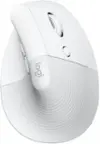
Logitech - Lift Vertical Wireless Ergonomic Mouse with 4 Customizable Buttons - Wireless - Off-White$79.99Your price for this item is $79.99- $29.99Your price for this item is $29.99
- $14.91Your price for this item is $14.91$22.99The comparable value for this item is $22.99