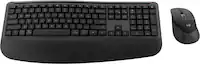
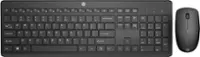
A:Answer No, this keyboard and mouse combination are not rechargeable. The mouse takes one AA style battery and the keyboard takes two AAA style batteries. I suppose you could use rechargeable batteries instead of the preinstalled non-rechargeable batteries, however, this combination advertises that traditional batteries will last for many months, meaning you won’t need to change batteries very often.
![Sure, here is the corrected and grouped text:
```
ESC F1 F2 F3 F4 F5 F6 F7 F8 F9 F10 F11 F12 1 2 3 logitech - - 1 2 # $ 4 % 5 6 & 7 8 9 0 - - back insert home page up num lock clear / . tab Q W E R T Y U I O P { [ } ] / delete end page down 7 home 8 A 9 P9 up + caps lock A S D F G H J K L : ; a enter 4 5 6 shift Z X C V B N M < > ? shift 1 end 2 3 pg dn enter ctrl fn start alt opt alt crnd x alt cmd x fn ctrl alt opt 0 ins del 1 logitech
```](https://pisces.bbystatic.com/image2/BestBuy_US/images/products/5761/5761911_sd.jpg)