A:AnswerOOMA only charges whatever your states taxes are and I am sure the fee for international calls is very low. Just call the toll free number or email them regarding your questions and they definitely will get back to you regarding your questions and concerns.
A:Answeri've never tried, but as with all electronics, the hotter you run them, the sooner you will have to replace them. electronics don't like excess heat.
A:AnswerThe unit label says 5 VDC, 3A - that's 15 W. So, it should draw about 0.125 A at 120 VAC. For comparison, a 75 W light bulb draws about 0.625 A at 120 VAC. Over a year (24/7/365), this unit will use about 131,400 Wh - 131.4 kWh.
A:AnswerWhen you sign up for your Ooma account, they will give you a block of numbers that are available. You also have the option of having your existing landline ported over for a fee. See the Ooma website for fees on porting an existing number.
A:AnswerYes. You receive a temporary number during the trial period. If you decide to keep Ooma you have the choice of keeping your old number or using the new one.
A:AnswerYou will be asked to choose a phone number and you will be able to, in settings, forward your calls to your cell. When your cell rings, it will say "To accept this call press 1". That's how you know its an incoming Ooma call and then you can decide if you want to accept it or go to VM.
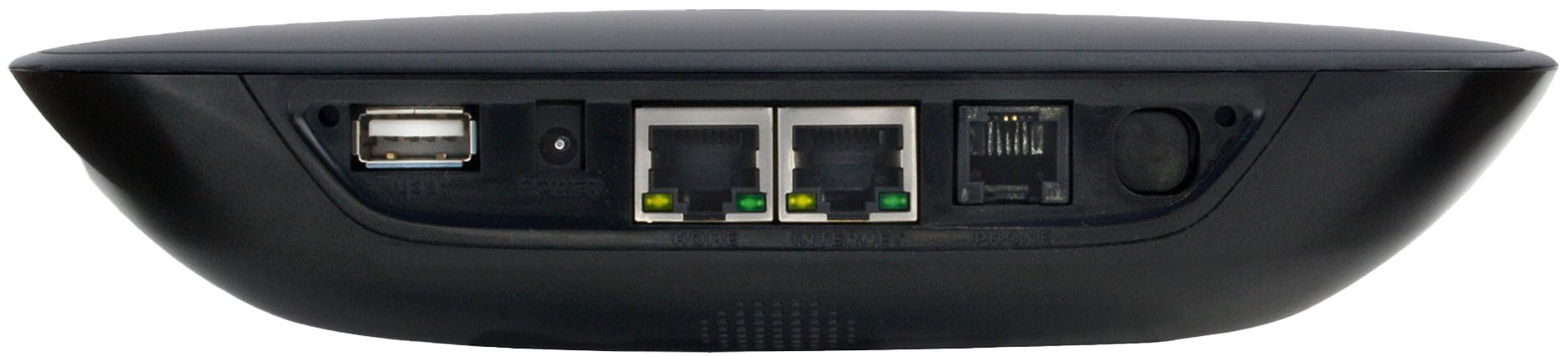
A:AnswerNot all that much, really. You obviously need internet service and the ability to get online to activate and register your device & select a temporary number (provided by Ooma) to use while your own number is being "ported." You'll need an available Ethernet port on your router (or, if you have a separate modem and router - pretty rare these days - an available Ethernet port on both modem and router). An Ethernet cable is provided in the Ooma package. If you need a second cable, you can easily get one at BB or any outlet that sells computer-related equipment. About the only things left to do are to connect everything together (including your phone, preferably directly into the device), power up and make your first call (the Ooma device may need a 5-10 minute software update before you can use it, but that happens automatically after you power up.)
If you're hesitating about buying an Ooma b/c you think it may be too hard to set up - don't. The setup is VERY simple and easy, and the Quick Start Guide (included in the box with the device) is very clear and easy to follow (the online registration also guides you through setup). It even shows how to do the alternate separate modem/router setup, if needed.
So, good luck, not that you'll need much of it.