Early Black Friday DealsNew Doorbusters every Friday.Shop now

Main Content

Questions & Answers

Your price for this item is $153.99
Clearance
The comparable value price is $339.99
Page Showing 181-200 of 437 questions
  • Questionwhat is the range of the cameras from the wi fi for the best video

    Asked by monte1.

    • Answer Hello monte1, Great question! The range of the cameras is dependent on the signal of your home wifi network equipment. Getting a wireless signal from the transmitter to the receiver can be like trying to talk to a friend at a rock concert. A variety of environmental factors may keep you from getting to clarity. RSSI stands for Received Signal Strength Indicator. The RSSI measurement is all the factors that are hurting your signal at the receiving point. While RSSI is measured on a scale of 0 to -99, there won't ever just be one cause that is the culprit for a low RSSI rating. You'll have to be a bit of a detective, tracing the wifi paths in your house and experimenting with possible sources of interference. Some larger homes with thick walls and floors may benefit from using a wired access point via ethernet or Ring Chime Pro to boost the signal. Here are two helpful articles to review to understand how to get the best signal to your Ring devices: https://support.ring.com/hc/en-us/articles/360020044511-How-to-Make-Wifi-Work-For-You https://support.ring.com/hc/en-us/articles/217271526-Understanding-RSSI-Values-and-Wireless-Signal-Strength If you have any additional questions please do not hesitate to visit our support site at https://community.ring.com/ to find the answers you need. Thank you, Alexis with Ring
      Answered by Ring

  • QuestionCan you tell me the greatest distance these can be from the wifi router & still work? I’d like to put one on our entrance gate to 3 acre property if possible. House is about 75-100 yards away from the gate. Will they work at that distance?

    Asked by RingInterested.

    • Answer Hello RingInterested, Great question! The range of the Spotlight Cameras is dependent on the signal of your home wifi network equipment. Getting a wireless signal from the transmitter to the receiver can be like trying to talk to a friend at a rock concert. A variety of environmental factors may keep you from getting to clarity. RSSI stands for Received Signal Strength Indicator. The RSSI measurement is all the factors that are hurting your signal at the receiving point. While RSSI is measured on a scale of 0 to -99, there won't ever just be one cause that is the culprit for a low RSSI rating. Some larger homes with thick walls and floors may benefit from using a wired access point via ethernet or Ring Chime Pro to boost the signal. Here are two helpful articles to review to understand how to get the best signal to your Ring devices: https://support.ring.com/hc/en-us/articles/360020044511-How-to-Make-Wifi-Work-For-You https://support.ring.com/hc/en-us/articles/217271526-Understanding-RSSI-Values-and-Wireless-Signal-Strength If you have any additional questions please do not hesitate to visit our support site at https://community.ring.com/ to find the answers you need. Thank you, Alexis with Ring
      Answered by Ring

  • QuestionCan you show a presentation on how to install the camera outside. Are the screws provided secure enough to withstand f wind, etc.

    Asked by Mark.

    • Answer I have this camera install on the South Gate of our Estate in a valley with high win gusts and the screws that were provided holds up perfectly fine.

      Answered by RingMan

  • QuestionDo Bestbuy install the Ring camera?

    Asked by Batman.

    • Answer Best Buy sets up the install with an outside company ( not the geek squad). Very happy with the company!

      Answered by Jill

  • QuestionWill this item record video prompted by the motion detector on a SD card without WI-FI or only when Wi-Fi is available? Will it pick up Wi-Fi from my phone?

    Asked by LOOKING2BUY.

    • Answer Sorry, unfortunately this camera is backed up by via cloud storage. N/A for SD card storage.

      Answered by RingMan

  • QuestionWhat is the maximum length each clip or recording captures and saves to the cloud?

    Asked by AnneRG.

    • Answer Hello AnneRG, Great question! The Ring Spotlight Camera's battery version recording clip length is customizable. The clip length options range from 15 seconds to 120 seconds. To adjust the video recording controls, follow these instructions: Login to the Ring App Tap on the three lines on the top left of the Dashboard screen. Tap on Devices. Tap on the device you wish to adjust. Tap Device Settings. Tap Video Recording Length. Tap Max Recording Length. When the list appears you can select: 15 seconds 20 seconds 25 seconds 30 seconds 60 seconds 90 seconds 120 seconds Here is a helpful article to review as well: https://support.ring.com/hc/en-us/articles/360040293791-Adjust-the-Video-Recording-Length-on-Your-Battery-Powered-Devices If you have any additional questions please do not hesitate to visit our support site at https://community.ring.com/ to find the answers you need. Thank you, Alexis with Ring
      Answered by Ring

  • QuestionCan I purchase only the Spotlight Cam or do I need to have other Ring products? Only wanting to install a camera at my garage.

    Asked by Debbie.

    • Answer Hello Debbie, Great question! Yes, you can purchase this item alone, and it will work for you. The Ring Spotlight Cam is a High Definition (HD) camera with spotlights designed to be mounted anyplace you need some extra security, like your garage. It is compatible with 802.11 b/g/n wifi networks operating on 2.4 gHz frequencies. For best streaming performance, we recommend 2 Mbps upload and download speeds, though the video will function at lower speeds. Here is more information on the different Ring Spotlight Camera models and their capabilities: https://support.ring.com/hc/en-us/articles/115003802183-Ring-Spotlight-Cam-Information If you have any additional questions please do not hesitate to visit our support site at https://community.ring.com/ to find the answers you need. Regards, Alexis with Ring

      Answered by Ring

  • QuestionHow far away house and router do they work can I put at driveway 300 or 400 feet from house

    Asked by Bama.

    • Answer Hello Bama, Great question! The range of the cameras is dependent on the signal strength of your home wifi network equipment. A variety of environmental factors may keep you from getting to clarity. Walls, floors, furniture, and appliances all block wifi signals. Even with the best wifi router and minimal obstructions, wifi signals get weaker as they travel. If your router is far away from your Ring products, consider moving it closer, or add a Ring Chime Pro or a mesh networking system to extend your wifi network. If many devices are connected to your wifi network (such as phones, computers, or TVs), they may slow your connection enough to affect your Ring products. To free up your wifi network, disconnect devices you seldom use, and connect heavy-use devices using Ethernet, when available. Here are two helpful articles to review to understand how to get the best signal to your Ring devices: https://support.ring.com/hc/en-us/articles/360020044511-How-to-Make-Wifi-Work-For-You https://support.ring.com/hc/en-us/articles/217271526-Understanding-RSSI-Values-and-Wireless-Signal-Strength If you have any additional questions please do not hesitate to visit our support site at https://community.ring.com/ to find the answers you need. Thank you, Alexis with Ring
      Answered by Ring

  • QuestionTo use these cameras do I need to purchase a base station? Or do these connect directly to my home WiFi? I will be subscribing basic Ring subscription if that matters. Wasn't sure if they are standalone or not.

    Asked by Wado66.

    • Answer Hello Wado66, Good question! A Ring Alarm Base Station is not needed for the Spotlight Camera device to function. The Alarm Base Station is only required for the Ring Alarm system, and it's accessories. The Ring App is required to use this device and walk through setup. The Ring app is free, but you may need your username and password for your mobile device's store page to download the app. You will also need a 802.11 b/g/n wifi network operating on 2.4 gHz frequency to connect this device. Here is a helpful link to get you started with your free Ring App download: https://support.ring.com/hc/en-us/articles/204384784-Downloading-and-Updating-the-Ring-App If you have any additional questions please do not hesitate to visit our community site at https://community.ring.com/ to find the answers you need. Thank you, Alexis with Ring

      Answered by Ring

  • QuestionDoes the camera work with the Echo?

    Asked by Chris.

    • Answer Yes

      Answered by NoRegret

  • QuestionHow does the siren function on the spotlight cam unit work? Auto or manual? Thanks

    Asked by Snoopy.

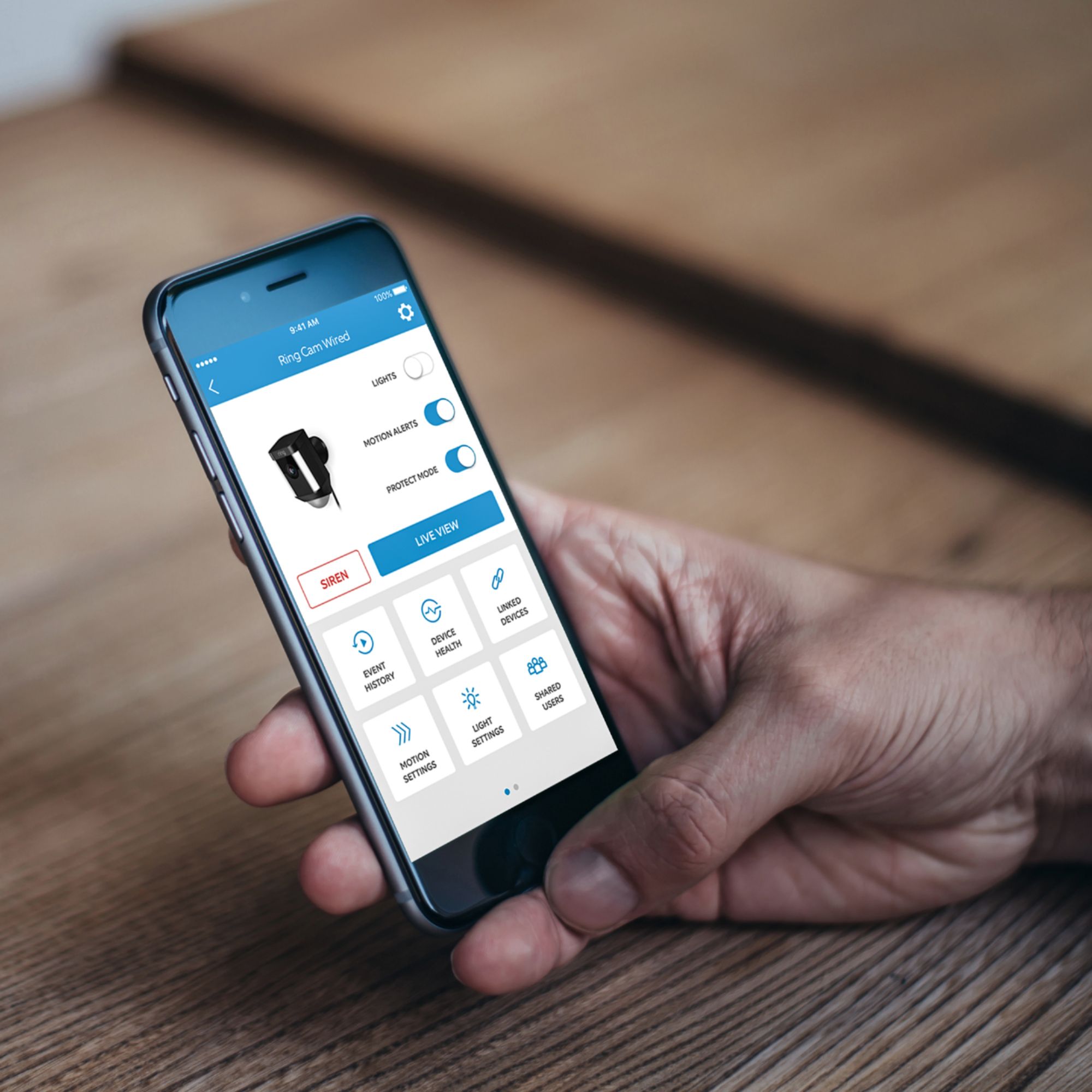
    • Answer Hello Snoopy, Good question! The Ring Spotlight Camera's siren is toggled on manually through the Ring Application. There are two ways to initiate the siren. One is through the device's main dashboard by clicking "siren". The other is while viewing a live video, you may click the siren icon to start the 110-decibel alarm. If you have any additional questions please do not hesitate to visit our community support site at https://community.ring.com/ to find the answers you need. Thank you, Alexis with Ring
      Answered by Ring

  • QuestionIs it easy to uninstall these in case you were to move? Will it leave any damage to the house once removed?

    Asked by Karen.

    • Answer Hello Karen, Good question! Installing your Ring Spotlight Camera Battery is intended to be a simple, do it yourself, process. Spotlight Cam comes with a mounting plate that, depending on its orientation, allows you to mount it on a wall or under an overhang. To mount a Spotlight Cam on a wall, insert the mounting plate with the ball socket pointing down. To mount on an overhang, insert the mounting plate with the ball socket pointing up. It's important when selecting a location to remember that Spotlight Cam is designed to be placed at an optimum height of nine feet with the motion detector parallel to the ground. This will put the motion sensor in a perfect position to detect human-sized objects at up to 30 feet. Here is a helpful article to review before your installation process: https://support.ring.com/hc/en-us/articles/115003340986-Ring-Spotlight-Cam-Battery-Installation For any additional questions, please feel free to reach out on our community forum at https://community.ring.com/. Thank you, Alexis at Ring

      Answered by Ring

  • QuestionI brought one of these ring spot lights, and once battery went dead. I charged it up until it was green but when put back in it's still saying that the battery ain't charged.. So i brought another new battery charge it and it still won't come on.

    Asked by Dee.

    • Answer Go solar and never worry about charging a battery again. That was my solution because just batteries was a pain in the you know where.

      Answered by Notthecableguy

  • QuestionI don't want the camera to record when I am home. Can I arm and disarm the system so it will only sense motion when I am not there?

    Asked by Curious.

    • Answer Hello Curious, Yes, this can be achieved through using the Modes function. Modes are settings in the Ring app that can control the behavior of all of your Ring devices. It’s an expansion of the “Modes” concept used by Ring Alarm. The idea is to configure your cameras to protect your home in different ways, depending on your current needs. Then, all of your devices will work as a single ecosystem with one tap of a button. In this case, you would select Away Mode to fully secure your house when you leave. You can set all of your cameras, both inside and out, to record your home in this mode. You can decide whether each of your cameras detects motion or not. Here is a helpful link which explains the Modes features, and it's performance: https://support.ring.com/hc/en-us/articles/360036107792-Control-All-your-Ring-Cameras-with-Modes For any additional questions regarding the Modes feature, please feel free to reach out on our community forum at https://community.ring.com/. Thank you, Alexis with Ring

      Answered by Ring

  • QuestionCan you attach to brick

    Asked by Curiousgirlwantstoknow.

    • Answer Hello Curiousgirlwantstoknow, Great question! Yes, the Spotlight Camera is able to be mounted to brick surfaces. If installing on a masonry surface like stucco or brick, use the provided drill bit to make your holes, then insert wall anchors before installing the screws. For further questions or support, please visit: https://community.ring.com/. Thanks, Alexis with Ring

      Answered by Ring

  • QuestionDo these come in black?

    Asked by Anonymous.

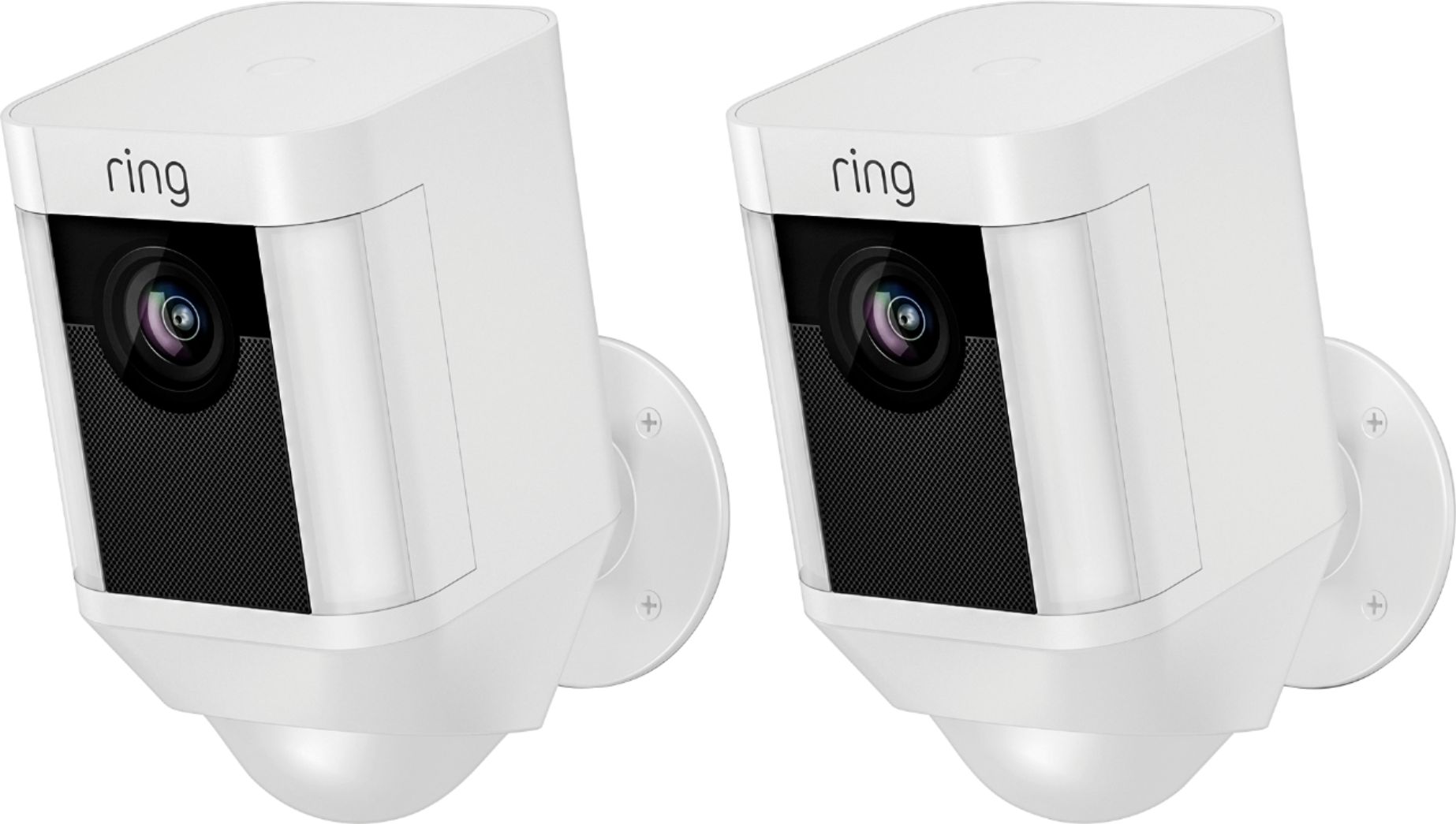
    • Answer Hello, Great question! The Ring Spotlight Camera is available in white or black color options. For further questions or support, please visit: https://community.ring.com/. Thank you, Alexis with Ring

      Answered by Ring

  • QuestionHow much/how long does the solar panel require direct sunlight to fully recharge the battery in the spotlight camera

    Asked by Anonymous.

    • Answer Hello, Great question! The Ring Solar Panel is designed to provide power for re-charging the Spotlight Camera's quick release battery. There are two important factors to consider when choosing solar, as a power option: Number of Motion Events per day: If your Ring device is in an area that detects more events every day than average (defined as 10+ events per day) then your battery will drain faster and require more power or recharging more often. Your Solar Environment: Warmer climates and areas that get less rain and cloud cover will get more kW of solar energy per day than rainier or cloudier zones. In such areas, having a larger solar panel may be a necessity for powering your Ring device. Here is a helpful article to review: https://support.ring.com/hc/en-us/articles/360027286272-Picking-the-Correct-Solar-Panel-for-Your-Environment For further questions or support, please visit: https://community.ring.com/. Thank you, Alexis with Ring

      Answered by Ring

  • QuestionHow easy is it to install the ring camera yourself?

    Asked by MomB.

    • Answer Hello LB, Good question! Installing your Ring Spotlight Camera is intended to be a very simple, do it yourself, process. Please follow this helpful article step by step: https://support.ring.com/hc/en-us/articles/115003340986-Ring-Spotlight-Cam-Battery-Installation For further installation questions or support, please visit: https://community.ring.com/. Thank you, Alexis with Ring

      Answered by Ring

  • QuestionDebating whether to get the standard outdoor stick up cam or the one with the spotlight. Both areas we want to view have outdoor lights that already go on with motion. Would the standard camera without the light be enough, since area already decently lit?

    Asked by Choops.

    • Answer You probably don’t need the added light, BUT you have the control of turning on/off the light through the APP.

      Answered by Ring

  • QuestionI live in an apartment bldg and my carport is not near my apartment; if this product runs only with wifi, i dont think my wifi will reach this product. What other alternative do i have to make this product works..?

    Asked by Anonymous.

    • Answer Hello, Great question! The range of the cameras is dependent on the signal strength of your home wifi network equipment. A variety of environmental factors may keep you from getting to clarity. Walls, floors, furniture, and appliances all block wifi signals. Even with the best wifi router and minimal obstructions, wifi signals get weaker as they travel. If your router is far away from your Ring products, consider moving it closer, or add a Ring Chime Pro or a mesh networking system to extend your wifi network. If many devices are connected to your wifi network (such as phones, computers, or TVs), they may slow your connection enough to affect your Ring products. To free up your wifi network, disconnect devices you seldom use, and connect heavy-use devices using Ethernet, when available. Here are two helpful articles to review to understand how to get the best signal to your Ring devices and alternate suggestions for you: https://support.ring.com/hc/en-us/articles/360020044511-How-to-Make-Wifi-Work-For-You https://support.ring.com/hc/en-us/articles/217271526-Understanding-RSSI-Values-and-Wireless-Signal-Strength If you have any additional questions please do not hesitate to visit our support site at https://community.ring.com/ to find the answers you need. Thank you, Alexis with Ring
      Answered by Ring