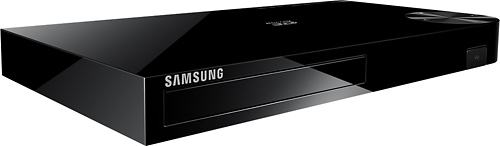
A:AnswerWell. It depends what you mean by restrictions, the web on the BD H6500 pretty much works identical to a smartphone's web browser but only a bit more sluggish when it comes to typing in the search bar with the remote using 1 letter at a time.
A:AnswerHave you tried upgrading the software. You can upgrade over your WiFi or directly connecting a land cable to you router/modem. The upgrade will correct a lot of your problems.
A:AnswerYou "technically" can't play 4K with either...the Blu Ray player has 4K "upscaling" so it attempts to get the quality up to 4K resolution as close as possible but not exact. I've only watched Blu Ray on it, but it's absolutely stunning
A:AnswerA "2-D movie" is basically just a movie that is not in 3-D. Most movies are in 2-D. If you don't have a 3-D TV, you don't need a 3-D Blu-Ray player. Any Blu-Ray player should work with your Smart TV -- including this one, but if you want to save money, a less expensive one than this could meet your needs just as well as it sounds like you just need something to play blu-ray discs (rather than needing 3D, UHD 4K, or smart features).
A:Answerfrenchie,
Absolutely. The 3-D player plays 3-D content in addition to 2-D Blu-Ray discs, and even DVDs and CDs.
3-D is just an added feature for some of the higher models of Samsung Blu-Ray players, and they will support all the Blu-Ray discs regular Blu-Ray players will play.
Thanks for your interest in Samsung products.
--Mr.Samsung
A:AnswerYES. On the front of the player between the disc tray and the USB port there is a 4 digit led screen. It displays the elapsed time of the feature film (Minutes : Seconds). If your film is longer than an hour the player switches from the "Minute : Second" format to "Hour : Minute" format.
A:AnswerHa, I kinda had the same question shortly after I hooked mine up too. Two solutions, both very simple: 1. find the remote control that came with the Blu-Ray player and install the two AAA batteries (also included). Then, point the remote towards the front of the player and press the eject button located directly beneath the red power button at the top LEFT corner of the remote. One time to open the tray, a second to close it. If that didn't work or you don't have a remote try this. 2. Find the only button on the top of the Blu-Ray player, located on the right side. It's a circular dial a little larger than a silver dollar with no writing on the surface. From the front of the machine, press the area of that circle that would be exactly 9 o'clock if we were checking the time. That is the open/close button. Tapping it once will open the player, another tap will close it. I hope this was helpful to y'all, good luck!
P.S. Please make sure the player is plugged in to a power source before you attempt to open the tray.
A:AnswerYes, this Samsung BD-H6500 DOES have the "RESUME PLAYBACK" feature as do most playback devices these days. If you power everything down and then turn it back on for playback the following day it "should", after loading the disc, ask if you would like to resume where you left off. The Blu-Ray player has memory storage space that it uses for streaming, web browsing, downloads (APPS) and also for disk playback landmarks. There is even an option to delete this memory cache to free up space. I went in and deleted mine a while back. I got tired of that resume playback question popping up for movies I hadn't watched in months/years (the original Lord of the Rings trilogy). Don't expect a performance boost from clearing the cache though. The largest mine ever got was around 700 Kb. The BD-H6500 is probably the best all around Blu-Ray player Samsung makes for FullHD playback. It can play pretty much any disc other than UHD and a few rarely used burn formats. I highly recommend you purchase the H6500. It goes on sale quite often so keep your eyes peeled and good luck!
A:AnswerThank you for reaching out with your question, Billy! The manufacturer's warranty is both parts and labor covered for 1 year. However, there are extra warranties through Best Buy for longer at additional fees. I hope that helped to answer your question. ^Viv