Questions & Answers
- Model:
- SM-X510NLGAXAR
- |
- SKU:
- 10410436
Q: QuestionDoes this tablet have pressure sensitivity for drawing?
Asked by FallenBones09.
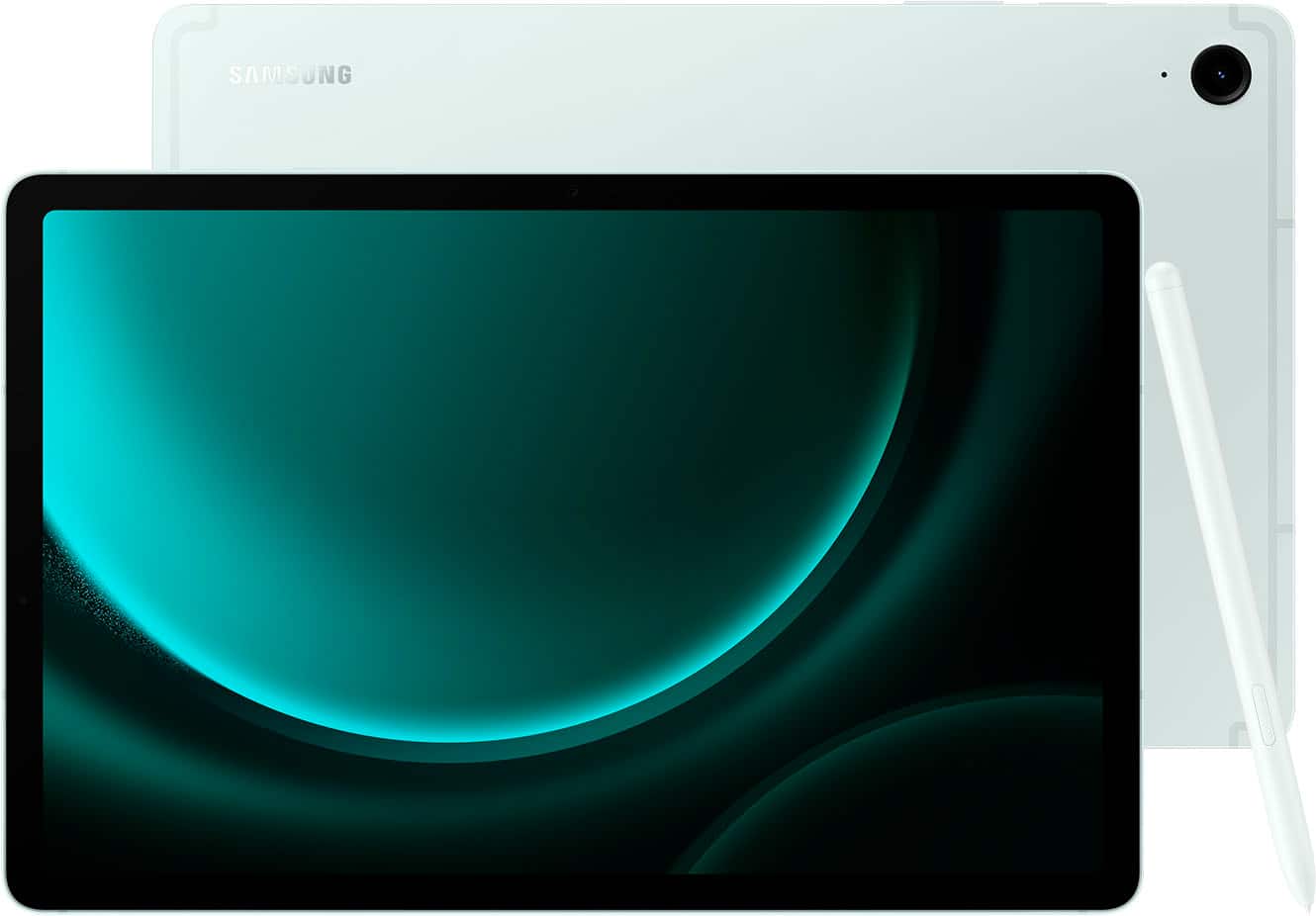
- A:Answer Thank you for reaching out to us, LKitty! We always appreciate the opportunity to assist our valued customers. We noticed that you inquired about the Galaxy Tab S9 FE. The S Pen allows you to go beyond basic touch interactions with your new Samsung tablet. It is designed to feel like a real pen and offers 4,096 levels of pressure sensitivity, enabling you to get creative with writing, drawing, and swiping. If you have any further questions, please don't hesitate to contact us at Support. -Kelvin
Answered by Samsung

Q: QuestionSpecs show "network connectivity- none". Does this connect to the internet?
Asked by Anonymous.
This question was asked about the related product: Samsung - Galaxy Tab S9 FE - 10.9" 128GB - Wi-Fi - with S-Pen - Gray
- A:Answer Hey! We appreciate you reaching out to us with your question regarding the Galaxy Tab S9 FE. This is a Wi-Fi tablet meaning it does not have LTE network connectivity. You can access the tablet via Wi-Fi as opposed to LTE. For any further questions, please reach out to us at Support. -Kelvin
Answered by Samsung

Q: QuestionWill this hook up to hdmi to watch on tv
Asked by RickS.
This question was asked about the related product: Samsung - Galaxy Tab S9 FE - 10.9" 128GB - Wi-Fi - with S-Pen - Gray
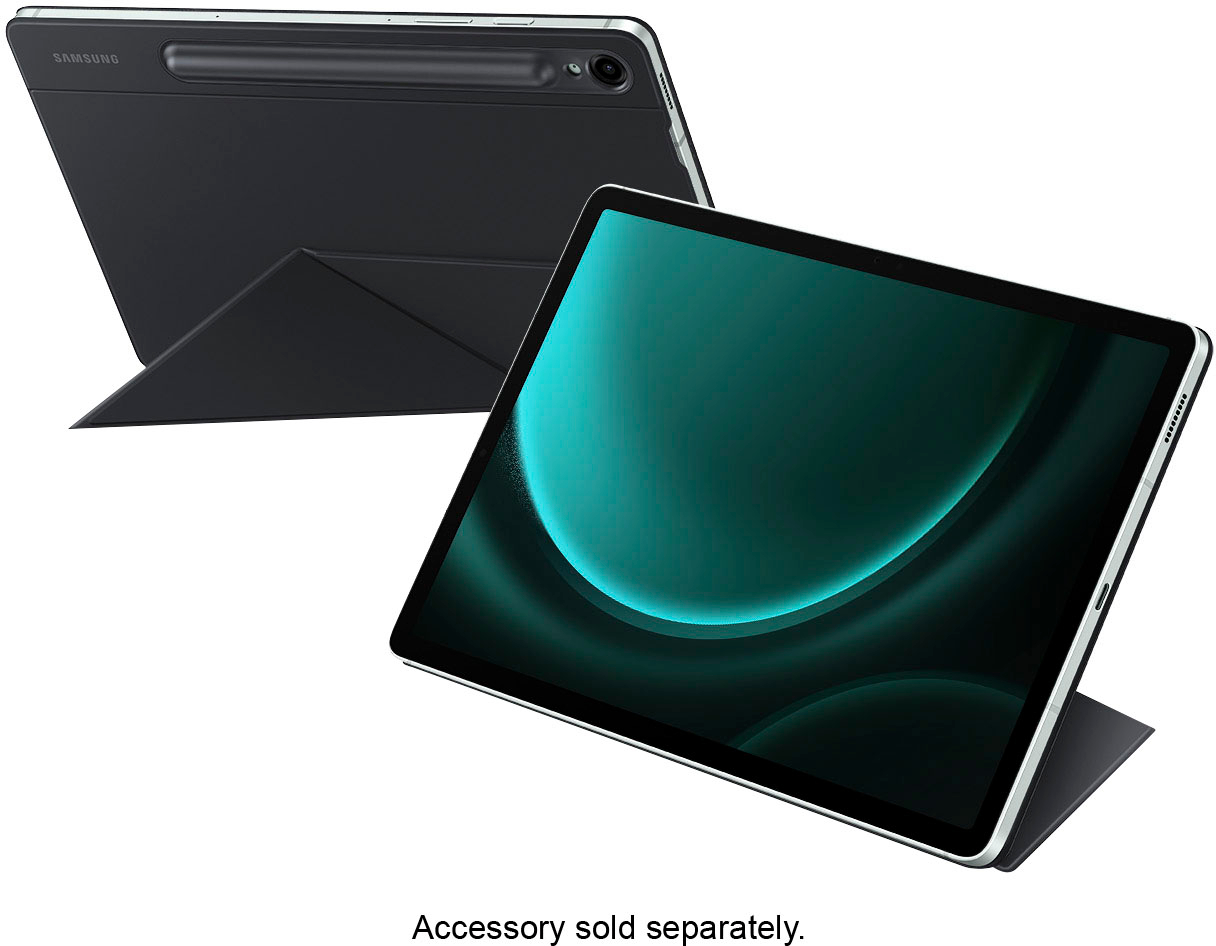
- A:Answer Thanks for reaching out with your inquiry, Rick. We see that you are interested in connecting the Galaxy Tab S9 FE to your TV. The Tab S9 FE series does not support DisplayPort Out, and therefore, it does not support wired or wireless DeX. However, you can utilize the standalone DeX mode found in Settings > Connected devices > Samsung DeX for an enhanced tablet experience when using a keyboard and mouse with the Book Cover keyboard connected. If you have any further questions, please do not hesitate to reach out to us at Support. -Kelvin
Answered by Samsung

Q: QuestionIs there a split screen feature?
Asked by Nicole.
- A:Answer Good day Nicole, thank you for finding the free time out of your busy day to ask us your question about the Samsung Galaxy Tab S9 FE. That's a good question! Yes, the Tab S9 FE does indeed have the multi window option available. If you have additional questions for us, let us know by reaching back out to Samsung Support at your leisure. Thanks for being a valued Samsung customer. - Debra
Answered by Samsung

Q: QuestionNow that both iFixit and Bestbuy have dropped Samsung repair where could you get a Samsung tablet repaired?
Asked by Lvnm.
This question was asked about the related product: Samsung - Galaxy Tab S9 FE - 10.9" 128GB - Wi-Fi - with S-Pen - Gray
- A:Answer Salutations Lvnm, thanks for taking the available time out of your busy day to ask us your question about the Samsung Galaxy Tab S9 FE. Without having more information available regarding what you may be experiencing with your Galaxy Tab S9 FE and without being able to ask you any follow up questions to probe further, I recommend reaching out to Samsung Support for further assistance at your earliest convenience. Samsung provides a 12-month warranty on our products for manufacturing defects in materials and workmanship. Thank you for being a faithful Samsung customer. - Debra
Answered by Samsung

Q: QuestionDoes the s9 fe need antivirus software? Will be used for solitaire, word games, email looking up items and info, basic searching?
Asked by handi10.
This question was asked about the related product: Samsung - Galaxy Tab S9 FE - 10.9" 128GB - Wi-Fi - with S-Pen - Gray
- A:Answer Thanks for the outreach, Handi10. We see that you inquired about the Galaxy Tab S9 FE. It’s unlikely that your phone or tablet will be affected by malware since all apps from the Galaxy and Play Stores are scanned before downloading. However, deceptive ads or emails might attempt to install harmful software. To protect your Galaxy device, only download apps from the Play Store or Galaxy Store, as they verify safety, and avoid using third-party anti-malware apps. Additionally, keep your device's software and operating system up to date and turn off Bluetooth and Wi-Fi when not in use. Managing app permissions is a reliable way to safeguard your device; if an app seems suspicious, it's best not to grant it access. For any other questions, please be sure to reach out to us at Support. -Kelvin
Answered by Samsung

Q: QuestionDoes it have Bluetooth?
Asked by John.
This question was asked about the related product: Samsung - Galaxy Tab S9 FE - 10.9" 128GB - Wi-Fi - with S-Pen - Gray
- A:Answer Hey John, thank you for finding the time out of your day to ask us your question about the Samsung Galaxy Tab S9 FE. That's a great question! Yes, the Galaxy Tab S9 Fe does indeed have Bluetooth. In fact, it has Bluetooth v5.3. If you think of any other questions that you may have for us or if you would like any further assistance, feel free to reach out to Samsung Support at your leisure. Thanks for being a valued Samsung customer. - Debra
Answered by Samsung

Q: QuestionCan I adjust the brightness setting?
Asked by MINA.
- A:Answer Good day Mina, thank you for finding the free time out of your busy day to ask us your question about the Samsung Galaxy Tab S9 FE. That's a great question! Of course you can! Here's how you can adjust the brightness of your screen according to lighting conditions or personal preference: 1. From Settings, tap Display. 2. Customize options under Brightness: - Drag the Brightness slider to set a custom brightness level. - Tap Adaptive brightness to automatically adjust the screen brightness based on the lighting conditions. * You can also adjust screen brightness from the Quick settings panel. If you think of any other questions that you have for us or if you would like any further assistance, please feel free to contact Samsung Support at your leisure. Thank you for being an unwavering Samsung customer. - Debra
Answered by Samsung

Q: QuestionIs a brand new tablet? Or a refurbished
Asked by Bautista.
This question was asked about the related product: Samsung - Galaxy Tab S9 FE - 10.9" 128GB - Wi-Fi - with S-Pen - Gray
- A:Answer Good day Bautista, thank you for finding the free time out of your busy day to ask us your question about the Samsung Galaxy Tab S9 FE. The advertised Galaxy Tab S9 FE is being sold brand-new. If you think of any other questions that you may have for us or if you would like any further assistance, please feel free to reach out to Samsung Support at your earliest convenience. Thank you for being an unwavering Samsung customer. - Debra
Answered by Samsung

Q: QuestionCan this tablet be enabled to work on verizon cell service as well as wifi
Asked by Anonymous.
This question was asked about the related product: Samsung - Galaxy Tab S9 FE - 10.9" 128GB - Wi-Fi - with S-Pen - Gray
- A:Answer Salutations, thanks for taking the available time out of your busy day to ask us your question about the Samsung Galaxy Tab S9 FE. The advertised Galaxy Tab S9 FE is a Wi-Fi version of this tablet, so it lacks the cellular capability needed in order to be added to any wireless carrier's network. This version of the Tab S9 FE lacks a SIM card tray as well. You are looking for an 5G/LTE/cellular version of this tablet if you are wanting a cellular carrier to provide mobile services to the tablet when you are not in the presence of a steady Wi-Fi connection. I hope all that information helps! Let us know if you have any other questions for us or if you would like any further assistance by contacting Samsung Support. Thank you for being a faithful Samsung customer. - Debra
Answered by Samsung

Q: QuestionCan the Samsung Galaxy Tab S9 FE be charged by plugging into a usb3 that’s built into a computer or wall outlet?
Asked by NeedATablet.
This question was asked about the related product: Samsung - Galaxy Tab S9 FE - 10.9" 128GB - Wi-Fi - with S-Pen - Gray
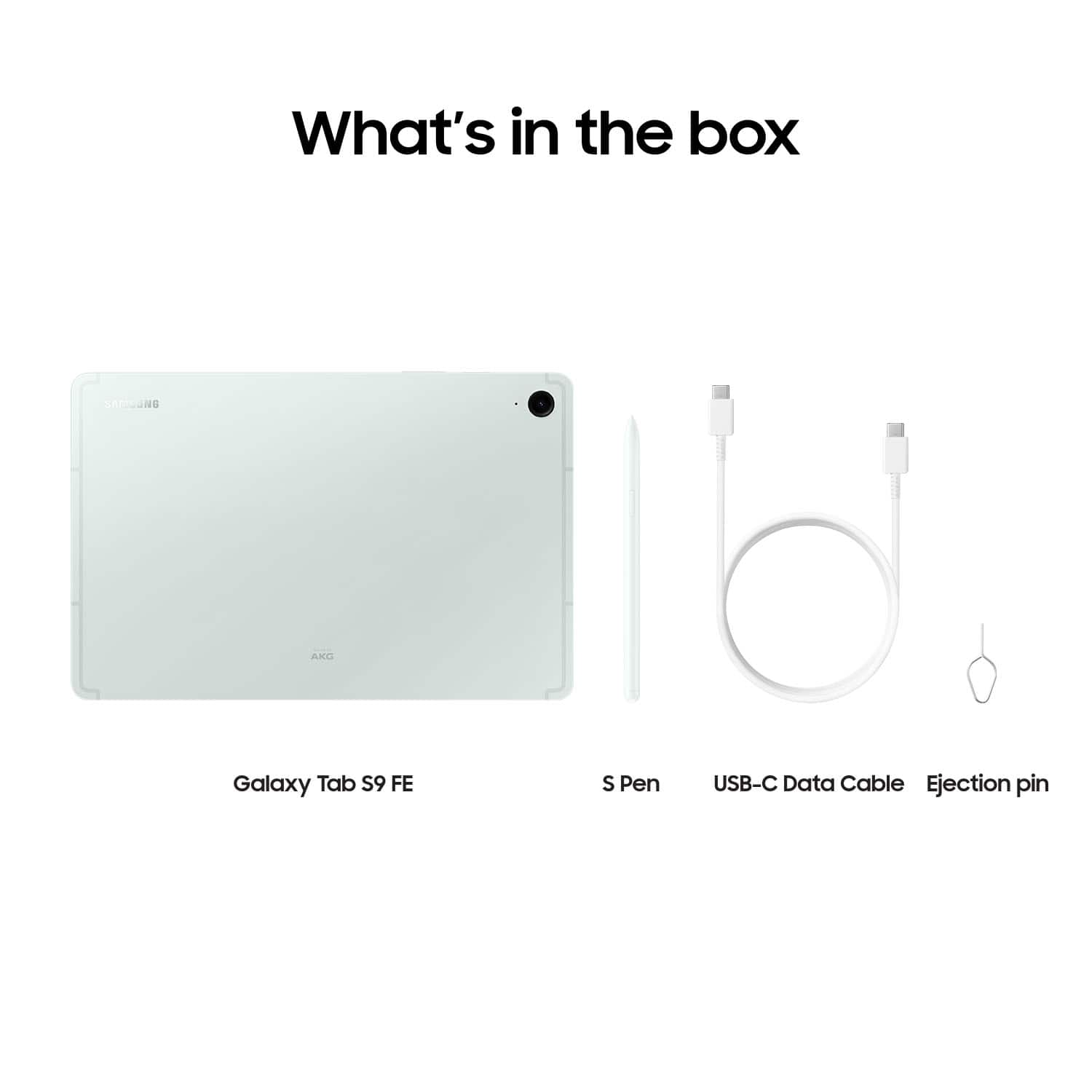
- A:Answer Thanks for reaching out to us! We see that you reached out to inquire about the Galaxy Tab S9 FE. The Samsung Galaxy Tab S9 FE can be charged by plugging it into a USB-C port on a computer or wall outlet. If you have any further questions, please do not hesitate to reach out to us at Support. -Kelvin
Answered by Samsung

Q: QuestionCan this device receive a camera's SD card to view photos stored on it?
Asked by Anonymous.
This question was asked about the related product: Samsung - Galaxy Tab S9 FE - 10.9" 128GB - Wi-Fi - with S-Pen - Gray
- A:Answer Hey! It's wonderful to hear from you. We noticed that you inquired about our Galaxy Tab S9 FE. Please note that the Galaxy Tab S9+ supports microSD memory cards, but the card must be formatted specifically for the S9 FE. An SD card that has been formatted on a computer may not work with the device. To format the SD card on the Galaxy Tab S9 FE, follow these steps: 1. Open Settings. 2. Tap Device care. 3. Select Storage. 4. Swipe left to access the SD card page. 5. Tap the three dots in the top right corner and choose Format. For any further questions, please do not hesitate to reach out to us at Support. -Kelvin
Answered by Samsung

Q: QuestionDoes this support commanding linux commands.
Asked by Mlulu.
This question was asked about the related product: Samsung - Galaxy Tab S9 FE - 10.9" 128GB - Wi-Fi - with S-Pen - Gray
- A:Answer How many hour can you use this tablet, before charging it?
Answered by Anonymous
Q: QuestionDoes this tablet have Bluetooth dual output? Like connect to 2 speakers output simultaneously? Like some of the galaxy phones can do?
Asked by JayC.
This question was asked about the related product: Samsung - Galaxy Tab S9 FE - 10.9" 128GB - Wi-Fi - with S-Pen - Gray
- A:Answer Yes
Answered by CedrickC
Q: QuestionDoes it have ID number (IMEI)?
Asked by Anonymous.
This question was asked about the related product: Samsung - Galaxy Tab S9 FE - 10.9" 128GB - Wi-Fi - with S-Pen - Gray
- A:Answer Greetings, thank you for finding the time out of your bustling day to ask us your question about the Samsung Galaxy Tab S9 FE. Yes, absolutely it does have IMEI information. You can review information about this device, including current status, legal information, hardware and software versions, and more by going to the Settings > tap About tablet for the model number, serial number, and IMEI information. > Tap additional items for more information about your device. If you think of any other questions for us, let us know by reaching out to Samsung Support at your earliest convenience. Thank you for being a dedicated Samsung customer. - Debra
Answered by Samsung

Q: QuestionCan the Samsung s9 fe access military sites with a c-type cac reader and how do I need to install something
Asked by Nono.
This question was asked about the related product: Samsung - Galaxy Tab S9 FE - 10.9" 128GB - Wi-Fi - with S-Pen - Gray
- A:Answer Yes
Answered by CedrickC
Q: Questioncan you add a sim card?
Asked by InquiringMind.
This question was asked about the related product: Samsung - Galaxy Tab S9 FE - 10.9" 128GB - Wi-Fi - with S-Pen - Gray
- A:Answer Hi there InquiringMind, thanks for taking the time out of your hectic day to ask us your question about the Samsung Galaxy Tab S9 FE. The advertised Galaxy Tab S9 FE is a Wi-Fi enabled tablet that lacks cellular capabilities; it would require a steady Wi-Fi signal in order for it to be fully functional. You may be looking for an LTE/cellular version of this tablet if you are wanting to add a SIM card which would require a cellular carrier to provide mobile services to the tablet when you are not in the presence of a Wi-Fi connection. If you have any other questions for us, feel free to reach out to Samsung Support at your earliest convenience. Thank you for being a loyal Samsung customer. - Debra
Answered by Samsung

Q: QuestionDoes this tablet need its own ĺine
Asked by Bill.
This question was asked about the related product: Samsung - Galaxy Tab S9 FE - 10.9" 128GB - Wi-Fi - with S-Pen - Gray
- A:Answer Hi Bill, thanks for taking the time out of your day to ask us your question about the Samsung Galaxy Tab S9 FE. The advertised Galaxy Tab S9 FE is a Wi-Fi enabled tablet that lacks the cellular capabilities necessary in order for it to need its own line of service with a cellular provider. It would require a steady Wi-Fi signal in order for it to be fully functional. Let us know if you have any other questions for us by reaching out to Samsung Support. Thank you for being a cherished Samsung customer. - Debra

Answered by Samsung

Q: QuestionDoes the s pen work with microsoft office apps? For example, can i handwrite numbers into excel spreadsheets and have them convert to data, as if i had typed the numbers in to the cell? I tried demoing in store, but demo tabs didn't have those apps.
Asked by JoeP.
This question was asked about the related product: Samsung - Galaxy Tab S9 FE - 10.9" 128GB - Wi-Fi - with S-Pen - Gray
- A:Answer Yes the spen works in office as well as google sheets. Etc
Answered by RussellS
Q: QuestionAs there is no included charger, what specs do do I need to look for to be sure I buy one that is quick charging and safe to use with this tablet?
Asked by Anolderuserat74.
This question was asked about the related product: Samsung - Galaxy Tab S9 FE - 10.9" 128GB - Wi-Fi - with S-Pen - Silver
- A:Answer Any USBC charger works great, I actually use the cord that came with it and my Apple usbc box and it charges quickly. As long as you have a usbc box that is 18 watts or more then you should have speedy charging.
Answered by RachaelM
Best-selling tablets
- Black Friday Deal$179.99Your price for this item is $179.99
- Black Friday Deal$149.99Your price for this item is $149.99
- Black Friday Deal$69.99Your price for this item is $69.99
- $249.99Your price for this item is $249.99$349.99The comparable value for this item is $349.99
- Black Friday Deal$79.99Your price for this item is $79.99
- Black Friday Deal$179.99Your price for this item is $179.99
- Black Friday Deal$54.99Your price for this item is $54.99
- Black Friday Deal$359.99Your price for this item is $359.99
- Black Friday Deal$499.99Your price for this item is $499.99
- Black Friday Deal$199.99Your price for this item is $199.99
- Black Friday Deal$799.99Your price for this item is $799.99
- Black Friday Deal$139.99Your price for this item is $139.99
- $249.00Your price for this item is $249.00$399.00The comparable value for this item is $399.00
- Black Friday Deal$49.99Your price for this item is $49.99
- $229.99Your price for this item is $229.99
- $399.99Your price for this item is $399.99
- $779.99Your price for this item is $779.99$999.99The comparable value for this item is $999.99
- $319.99Your price for this item is $319.99$419.99The comparable value for this item is $419.99
- $189.99Your price for this item is $189.99$279.99The comparable value for this item is $279.99
- $599.99Your price for this item is $599.99$799.99The comparable value for this item is $799.99