Questions & Answers
- Model:
- XL-HF102B
- |
- SKU:
- 7419031
Highly rated by customers for: Sound Quality, Bluetooth, Size
Page Showing 181-185 of 185 questions
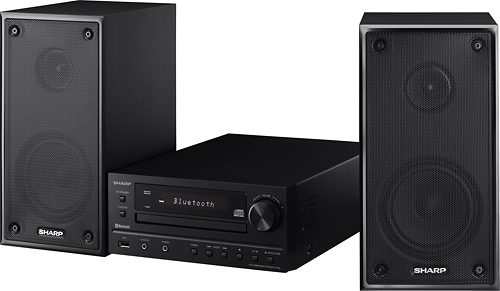
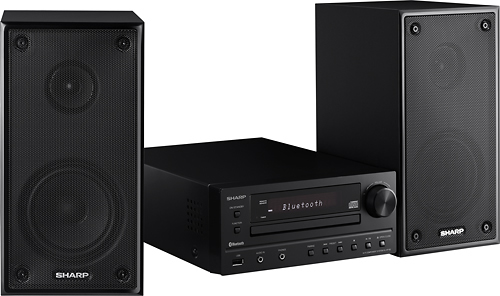
Q: Questionwhat are height and depth dimensions of unitdimensions are always vauge at best on units. I plan to mount in smaller wall cab in camper height and depth and width of unit itself. Type of fm antenna connection lenth of speaker wires if built into speakers. Thank's
Asked by Anonymous.
- A:Answer The dimensions of the unit are 8.5 inches W x 11.25 inches L.
Answered by CommunityAnswer
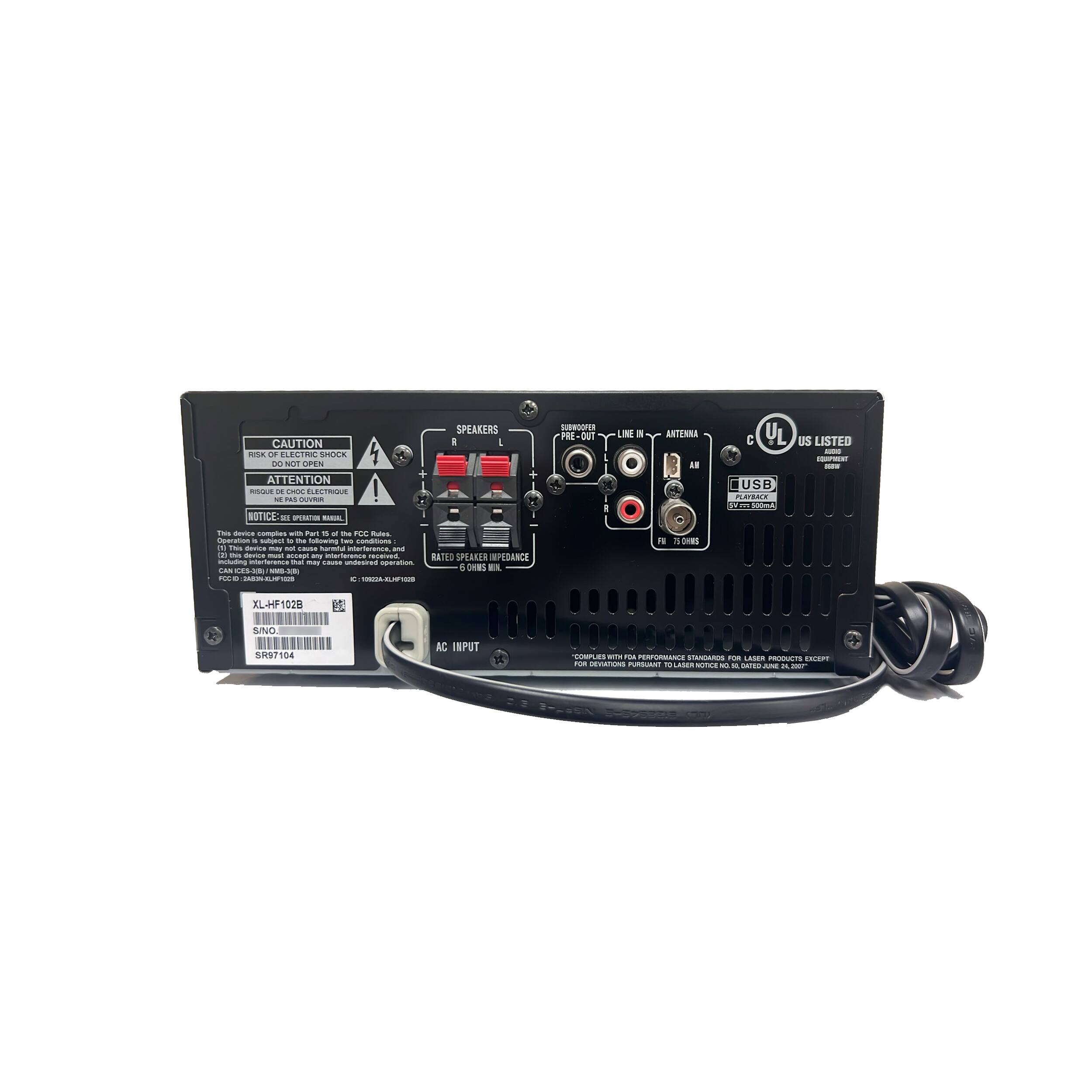
Q: Questionwhy do you not show back so you can see the Wireing Connection for antana and spekers
Asked by info.
- A:Answer Hello, the supplied FM antenna should be connected to the FM 75 ohms jack while the speakers should be connected to the right and left speaker port on the back of the unit. You may also email us at onlinesupport@sharpsec.com so we may provide you with a picture showing the back of the unit.
Answered by Sharp Advisor

Q: Questiondoes this unit have a remote with random play, and is there memory on MP3 playing?
Asked by rickmcdude.
- A:Answer Hello Rickmcduke, we are happy to assist. Please contact us at onlinesuppot@sharpsec.com at you earliest convenience.
Answered by Sharp Advisor

Q: QuestionSubwooferWhat kind of subwoofer can be connected? What is the Watt output of the sub out? Can you use a subwoofer from a computer speaker system?
Asked by mpicc.
- A:Answer Thank you for your recent inquiry in regards to the subwoofer output of the XL-HF102B. Here are the specifications for the subwoofer: Subwoofer Pre-out (audio signal): 200mV / 10k ohmsat 70 Hz. Please contact us at onlinesupport@sharpusa.com if we can be of any further assistance.
Answered by Sharp Advisor

Q: QuestionHow to turn off the scrolling Bluetooth standby when unit is turned offHow to turn off the scrolling Bluetooth standby from constant displaying on my sharp stereo, xl-hf102b, serial # 51113100. It never goes away, I turn it off and it keeps scrolling. This is highly annoying
Asked by Anonymous.
- A:Answer We are happy to help. Please press the ECO button on the Sharp remote to take your XL-HF102B out of Bluetooth standby mode. To put the audio system back in Bluetooth standby mode please press the ECO button again.
Answered by Sharp Advisor

Most-viewed items
- $169.00$169.00The price was $199.00
- $259.99$259.99The price was $459.99
Not yet reviewed
Not yet reviewed$349.99$349.99- $129.99$129.99The price was $209.99
- Top Deal$59.99$59.99