Deals Worth GiftingShop now

Main Content

Questions & Answers

Your price for this item is $712.99
Clearance
The comparable value price is $749.99
Page Showing 81-100 of 249 questions
  • QuestionWhat is the distance between the length of the legs .. Will it fit on a 26 inch in length table.

    Asked by Helen.

    • Answer Hi Helen, The distance between the two legs of the XBR49X800H is 21 7/8 inches. Yes, it will fit on the 26 inches table. However, for further protection, anchor the TV to the wall by using bolts, wall anchor, and chain (or rope). Refer to the link below on page 5/48 for more details: https://www.sony.com/electronics/support/res/manuals/5013/e051362c10273a783b6c6115a1557a7a/50131501M.pdf Thank you for the inquiry. Jay

      Answered by SonyListens

  • QuestionWhat is ana Android tv?

    Asked by Duke.

    • Answer Hi Duke, The Android TV is a Smart TV that uses an Android operating system. You can download compatible applications from over 5000+ to choose from in the Google Play Store. Thank you for the inquiry. Jay

      Answered by SonyListens

  • QuestionDoes this TV have a speaker for sound?

    Asked by al.

    • Answer Hi al, Yes, this TV has a built-in speaker. The speaker type of this TV is the Bass Reflex Speaker. For more details, please check the audio specs from the link below: http://sonypremiumhome.com/pdfs/product_XBR49X800H.pdf Thank you for the inquiry. Jay

      Answered by SonyListens

  • QuestionIs this a Class 7 or Class 8 TV?

    Asked by Shermie.

    • Answer Hi Shermie, This classification of class 7 or 8 is not how we specify the Android TVs. Please email the below information and clarify your question to [email protected] or chat with us from Sony’s e-support webpage. Apologies if you disclosed some of this information in your review and to customer service, we just want to ensure that we have your accurate details at the time of communication. Full Name: Best Buy Username: Telephone Number: Sony Model Number: Thank you for the inquiry. Jay

      Answered by SonyListens

  • Questionwhat is the size of the box this comes in?

    Asked by Duane.

    • Answer I would say the size of the box is a few inches larger in all directions (height, length, width) than the size of the 49 inch television screen. A streamlined box like the tv inside it. A bit bulky but not really heavy. I think it weighed about 35 pounds. tmc

      Answered by Wistful

  • QuestionIs this tv bluetooth enabled

    Asked by Burls.

    • Answer Hi Burls1059, Yes, you can enable the Bluetooth function of this TV. The Bluetooth profile of this TV is Version 4.2; HID (mouse/keyboard connectivity)/HOGP (Low Energy device connectivity)/SPP (Serial Port Profile). The TV does not natively support Bluetooth audio out. This feature may work with a compatible external USB Bluetooth Adapter or 3rd party Bluetooth applications that can be downloaded from the Google Play Store. Thank you for inquiring about the Bluetooth function on the XBR X800H series TVs. Jay

      Answered by SonyListens

  • QuestionTv looks and works great with one exception. Espn app will not play the content. Main screen downloads and updates content normally but selecting a game or original show and it goes back to main screen and does not play.

    Asked by JimTucson.

    • Answer Hello: I also love my Sony TV, however, I have had constant issues will all my apps, i.e. YouTube (mostly) not working, resulting in me having to constantly go into the settings, clear and force close the app, then I found that I also need to completely restart my tv. It is pretty much a pain the the rear, and I now have a routine when I get home in the evenings to prepare my TV for watching. Other than that! I love the picture. In my opinion Sony should have partnered with a better service than GOOGLE. They are sub par with their APP functions. Best of luck. We are pretty much stuck with a semi broke product, I know I am because I am SONY brand loyal. Doug.
      Answered by Doug

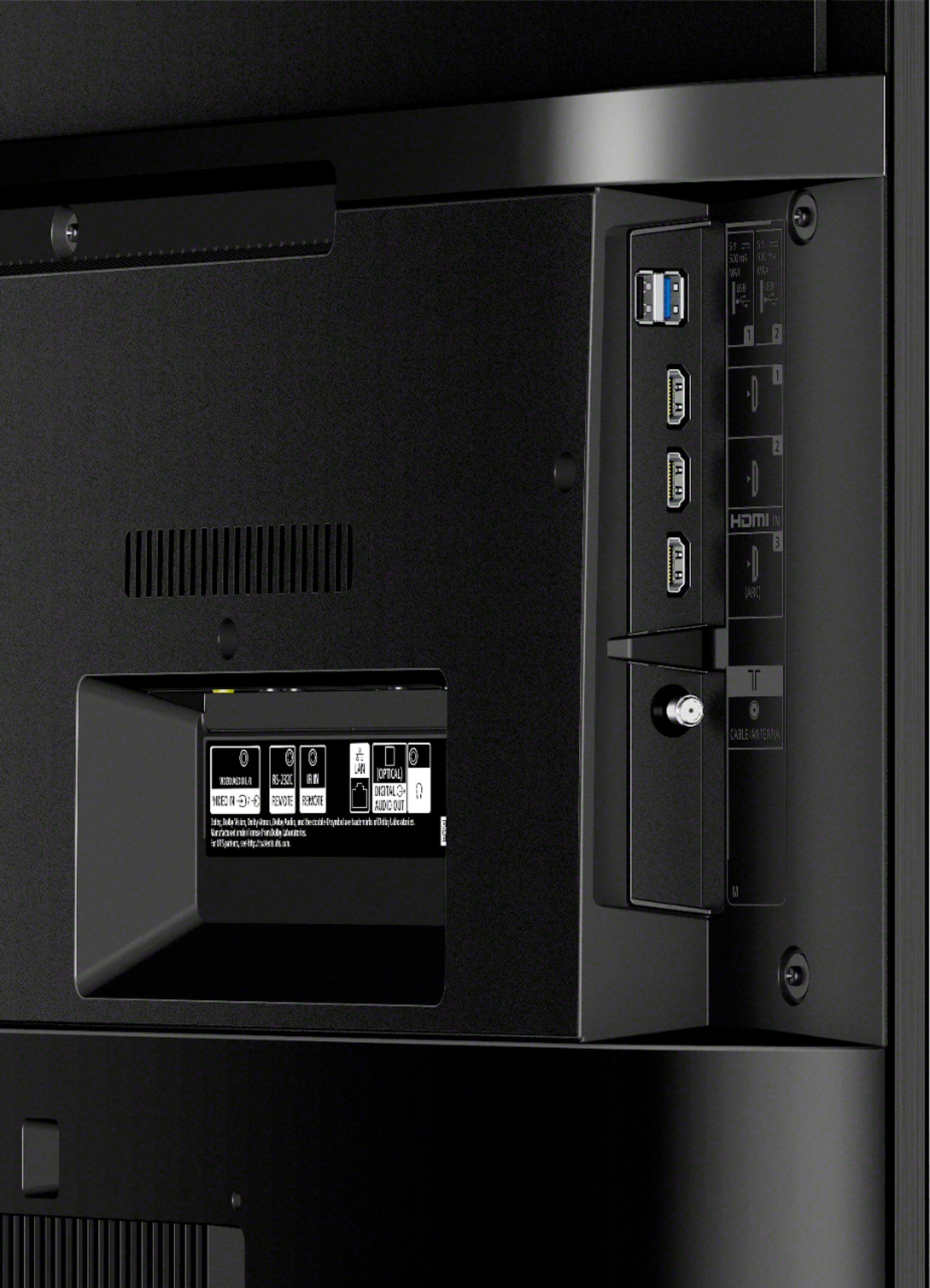
  • QuestionHow many ports does it have

    Asked by Anonymous.

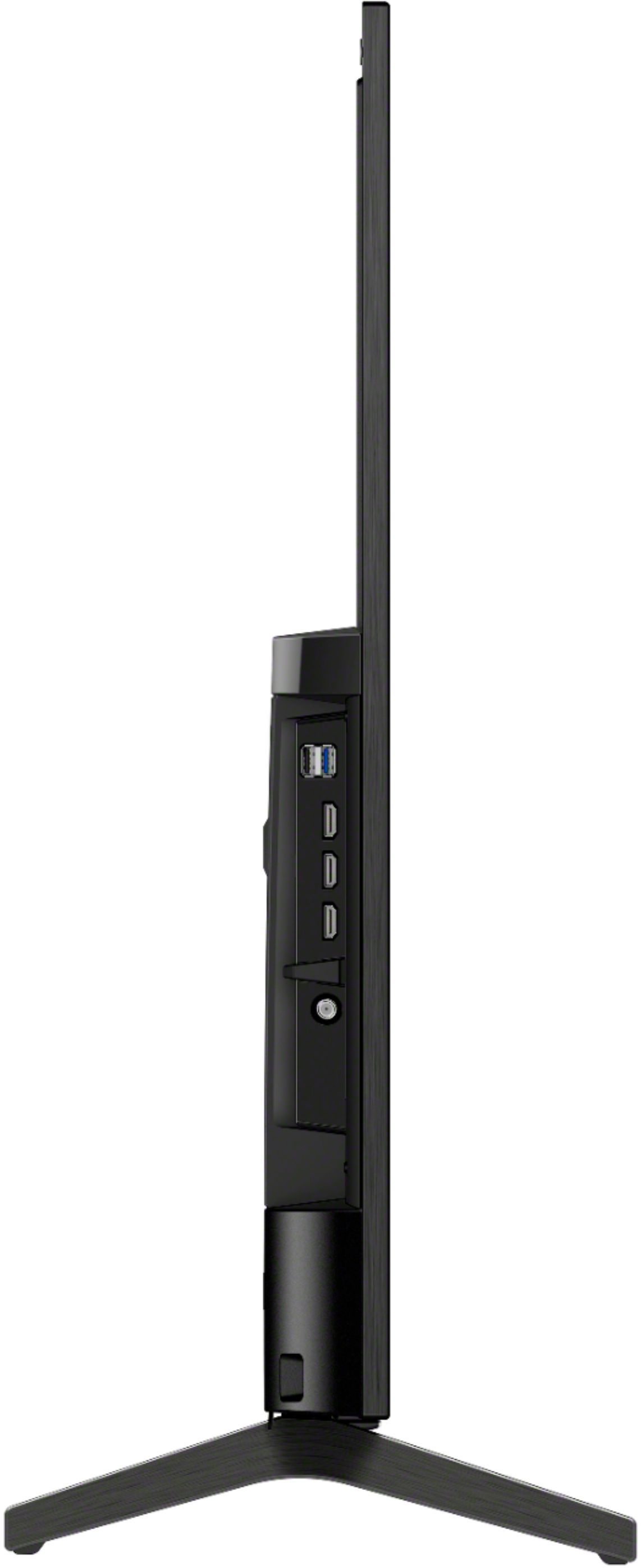
    • Answer Hello, This TV has 4 (3 side, 1 bottom) HDMI inputs. Thank you for choosing Sony. Jay

      Answered by SonyListens

  • QuestionCan I connect a Bose Home Theater system for better sound?

    Asked by WLM1.

    • Answer Hi WLM1, Yes, you can connect the Home Theater system to this TV using an HDMI, Coaxial Digital, Optical Digital, or Audio cable. Thank you for the inquiry. Jay

      Answered by SonyListens

  • QuestionCan I hook it up to a DVD player and do I need to get Apple TV separately or will it stream everything as is?

    Asked by curiousbuyer.

    • Answer Yes you can hook up DVD or Blue ray player. You down load your apps to run streaming services. It also comes with the ability to access Netflix with your remote, just need to setup your account. You Tube is already to go If you want Apple TV , I believe you would need the the Apple TV module to connect.

      Answered by Wash

  • QuestionDoes this tv record your conversations in the home. Can you turn off voice commands? What’s the deal about your privacy in the home? I don’t want my tv recording me.

    Asked by Ralphie.

    • Answer Hi Ralphie, No, this TV doesn't have a recording feature. The Voice Search function helps(only when pressed on the remote) you find the content you are looking for by listening to your vocalized (spoken) search words. You can turn off the voice command by turning off the Bluetooth or deactivate the microphone button. For more details, please check the link below. https://www.sony.com/electronics/support/televisions-projectors-lcd-tvs-android-/xbr-49x800h/articles/00127005 Thank you for the inquiry. Jay

      Answered by SonyListens

  • QuestionWhen I turn on the TV I get this message “Let try again and see if that fixes thing. Sorry that didn’t go as planned. XRE 10007” I click try again and the TV come on. TV installed Dec 10 2020 and I would like to know how to fix this problem.

    Asked by ZIPPER.

    • Answer Hi ZIPPER, we are really sorry for the inconvenience. The error message you are having seems to be from your Xfinity cable box. Some of these problems can be fixed by performing a power reset as it refreshes the content of the device. Please turn off your cable box & TV and unplug their power cord for two minutes before plugging back in and see if it resolves the error message. In case the issue persists, please contact Xfinity support as they are best equipped to respond to your concern. If there’s anything we can do to help, please email the below information to [email protected]. Apologies if you disclosed some of this information in your review and to customer service, we just want to ensure that we have your accurate details at the time of communication. Full Name: Best Buy Username: Telephone Number: Sony TV Model Number: Additional Information regarding your experience with the X800H: Thank you so much for choosing Sony! Sincerely, Romeo

      Answered by SonyListens

  • QuestionIs the Apple+ streaming app available on this TV? If not, suggestions for something 49" or smaller?

    Asked by Rich.

    • Answer Hi RBH, Yes, the Apple TV+ is available on the x800H and higher. Please ensure your TV has the latest firmware installed(v6.4960). Thank you for the inquiry. Jay

      Answered by SonyListens

  • QuestionThe INPUT button on the remote isn't working. The TV does recognize the signal from the remote (the light below SONY lights up). I can access INPUT options using voice command. Other buttons on the remote seem to work normally. Any ideas?

    Asked by Tim.

    • Answer Hi Tim, We regret to hear that the INPUT button on your remote control isn't working. Are all the buttons on the remote control working except for the INPUT button? To better isolate this issue, please try to press the INPUT button on the TV itself. In the meantime, please follow the troubleshooting steps on the link below: https://www.sony.com/electronics/support/televisions-projectors-lcd-tvs-android-/xbr-49x800h/articles/00030297?model=XBR-49X800H&category=televisions-projectors-lcd-tvs-android- May we contact you to help and get more information? If so, please email the below information to [email protected]. Apologies if you disclosed some of this information in your review and to customer service, we just want to ensure that we have your accurate details at the time of communication. Full Name: Best Buy Username: Telephone Number: Sony Model Number: Additional Information regarding your experience with the X800H: We are sorry for the inconvenience and hope to speak to you to resolve this matter. We appreciate you and thanks again for shopping Sony! Sincerely, Sam Thank you,

      Answered by SonyListens

  • QuestionWe're setting up new TV. Plugged power cord in, did initial set up. Can't get internet connection, says password invalid. Password is correct, was verified. Do we need additional hookups, cables? We have AT & T fire stick. No cable

    Asked by wonderboy.

    • Answer Hi wonderboy, Thank you for purchasing your new X800H. You don't need any additional hookups when connecting to your WiFi network. Contact the router manufacturer or your Internet Service Provider (ISP) to make sure you're typing the correct password. To isolate the issue, please try to connect via a wired connection. For a wired connection, you will need a LAN cable. Please refer to this link for instructions: https://helpguide.sony.net/tv/husltn1/v1/en-003/06_01.html For future reference, we can offer assistance on how to set up your internet connection by visiting our Sony Support website to download the help guide and look for additional information about your product. Also, you can reach out to one of our agents who would be glad to help. Please contact our product support team through this link: https://us.esupport.sony.com/support/s/service?language=en_US. Regards, Sam Thank you,

      Answered by SonyListens

  • QuestionWhat are dimensions ?

    Asked by Habibi.

    • Answer Here’s a link to this particular model. https://www.sony.com/electronics/support/televisions-projectors-lcd-tvs-android-/xbr-49x800h/specifications

      Answered by HTSfanatic2777

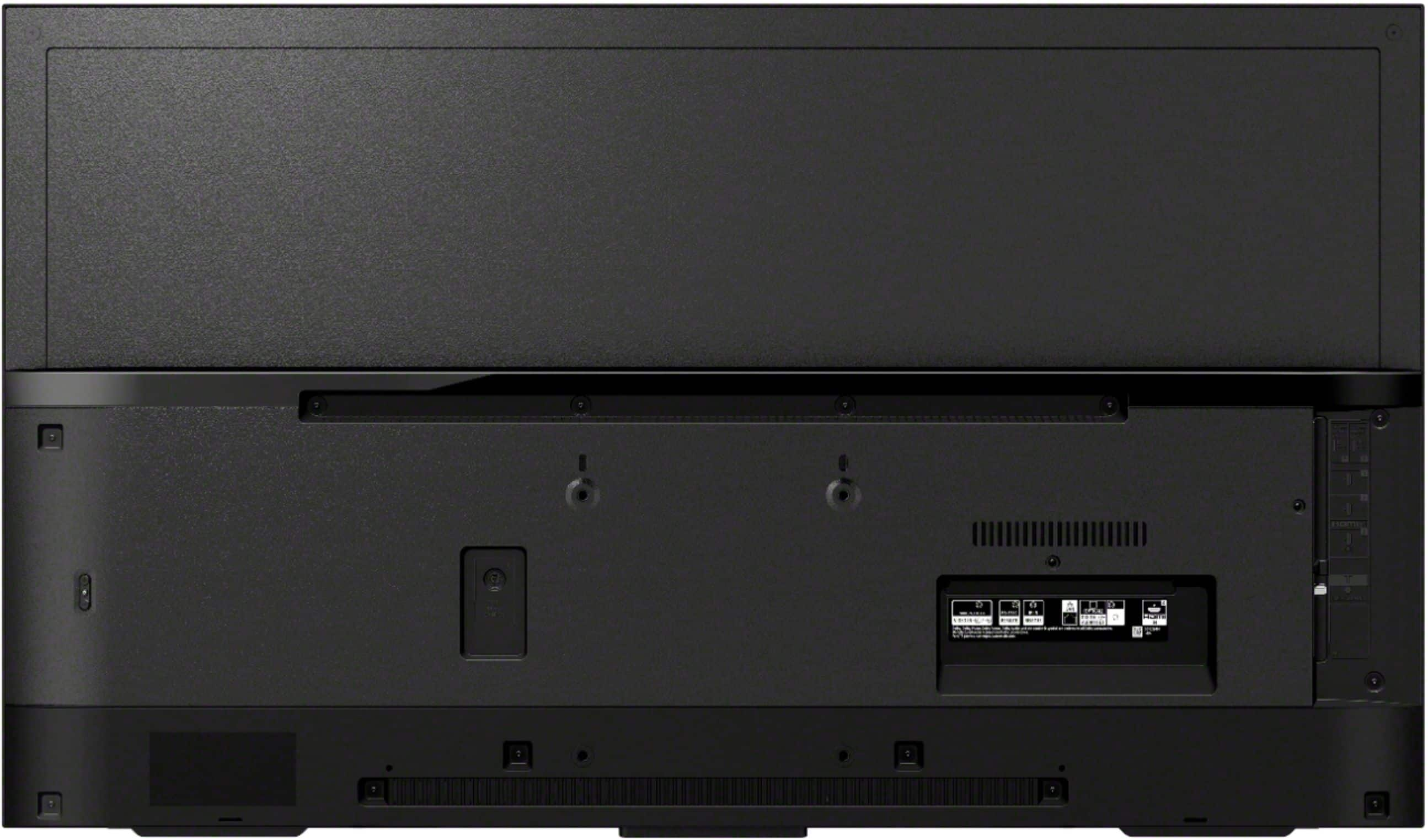
  • QuestionCan this be wall mounted?

    Asked by Anonymous.

    • Answer Yes. The mount is not included.

      Answered by grandpa

  • QuestionI just bought 49" sony tv... when I turn it on, it says "cable/satellite box is turned off....to turn it on, point remote at the box...." what-where is "the box"? it says check external input my active input is ATT what's going on?

    Asked by profbill.

    • Answer Hi profbill, Thank you for purchasing XBR49X800H. The cable/satellite box is the external input connected to the TV. In this case, please turn on your AT&T. When operating the TV’s remote control, point it at the AT&T and press the power button. I hope this helps! Jay

      Answered by SonyListens

  • Questionhow do i plug in a vcr to the tv

    Asked by Brittany.

    • Answer First determine which connections the vcr has, once you determine if the vcr has HDMI, composite or component simply make the connections change input as needed. HDMI = 1 cable composite = red, yellow, white (typically) component = red, green, blue (typically)

      Answered by FlintN

  • QuestionWill this tv work well with the new Xbox?

    Asked by Newxbox.

    • Answer Hi Newxbox, thank you so much for your inquiry. Yes, it will! The X800H series features HDR compatibility of HDR10, HLG, Dolby Vision, and supports Dynamic Contrast Enhancer, Object-based HDR remaster, contrast enhancement and the Game Mode setting in picture settings. I'm sure you will be having an enjoyable gaming experience with this TV! Thanks again for considering Sony! - Romeo

      Answered by SonyListens