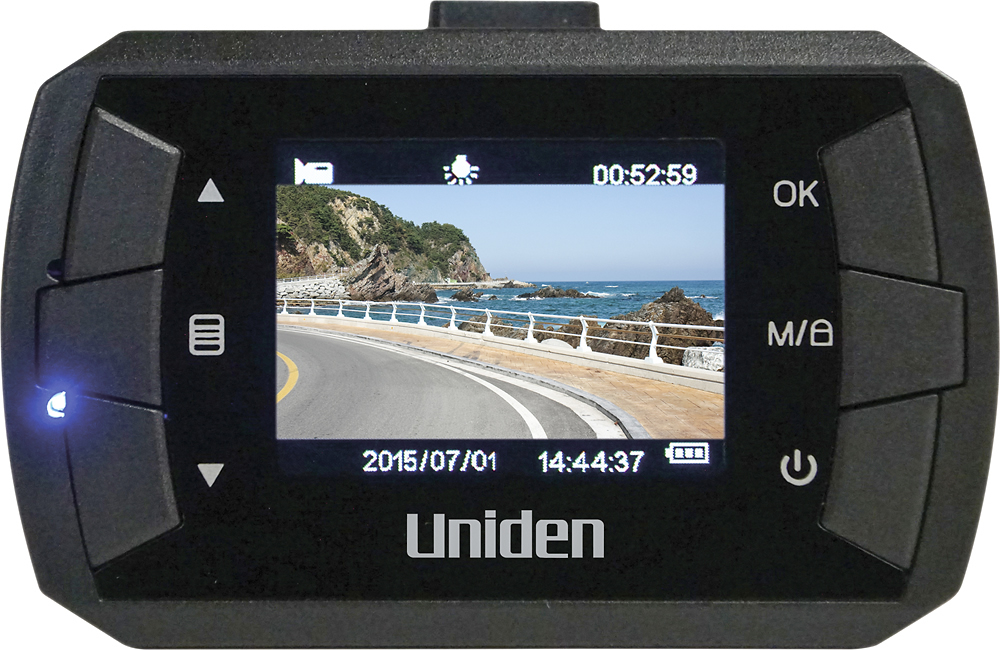
A:Answer On my DC1, with power on and not recording, I hit Menu twice (left middle button) which shows the Setup options. Use the arrow keys to select Date/Time, OK to confirm. Once in the Date/Time menu, press the arrows to change any number, OK to confirm and go to the next number, and once you're satisfied, press Menu again to exit.