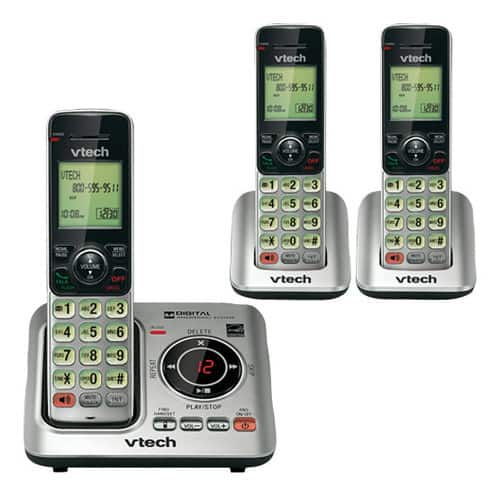
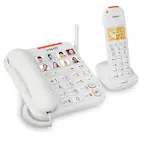
A:AnswerI had an older vtech phone with 1 additional phone & charger. The new one I purchased had 2 additional phones & chargers. It does NOT match up with the old one. So I cannot use the older phone & charger with the new one.
A:AnswerThat depends on your system model number. It it is CS6629-3, look for CS6609 accessory handset. That is the compatible handset for your system.
A:AnswerGary - The VTech CS6629-3 telephone base supports a maximum of five handsets only. You may check the model IS8151-3 which can be expanded up to 12 cordless handsets. The compatible accessory cordless handset is IS8101. Thank you! - VTech Support
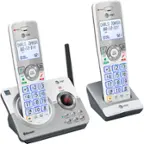
A:AnswerChera - Yes, you can remotely access the built-in answering system of the VTech CS6629-3. Here's the procedure to remotely access the answering system.
1. Dial your phone number on any touch tone phone.
2. Once the answering system answers, enter your unique remote access code.
3. Enter a remote command.
You may see the full list of commands in the manual under "Answering System" section.
Hope this helps! Thank you! - VTech Support

A:AnswerChera - The VTech CS6629-3 works with call forwarding as long as you are subscribed to the service from your Telephone Service Provider.
Thank you,
-VTech Support
A:AnswerTony - We are sorry to hear that you are having an issue with the VTech CS6629-3. Please make sure that the ringer volume is set to a higher level by pressing the VOL+ on the telephone base. You can also adjust the ringer volume on the handset by following this instructions.
1. Press MENU when the handset is not in use.
2. Press ▼ until the handset displays Ringers, then press SELECT.
3. The handset displays Ringer volume, then press SELECT again.
4. Press ▼ or ▲ to sample each ringer volume level.
5. Press SELECT to save your selection. You will hear a confirmation tone.
If this does not help, like many electronic devices, a system reboot may resolve the issue. You can try rebooting your phone system by disconnecting the power from the telephone base then unplugging the batteries on the cordless handsets for a minute. Reconnect and test. If the issue still persists, please contact VTech Customer Support for further assistance at 1-800-595-9511. We are open from 9:00 AM to 3:00 PM, Mondays through Fridays. When calling, please have your model number handy: CS6629-3. Thank you! - VTech Support