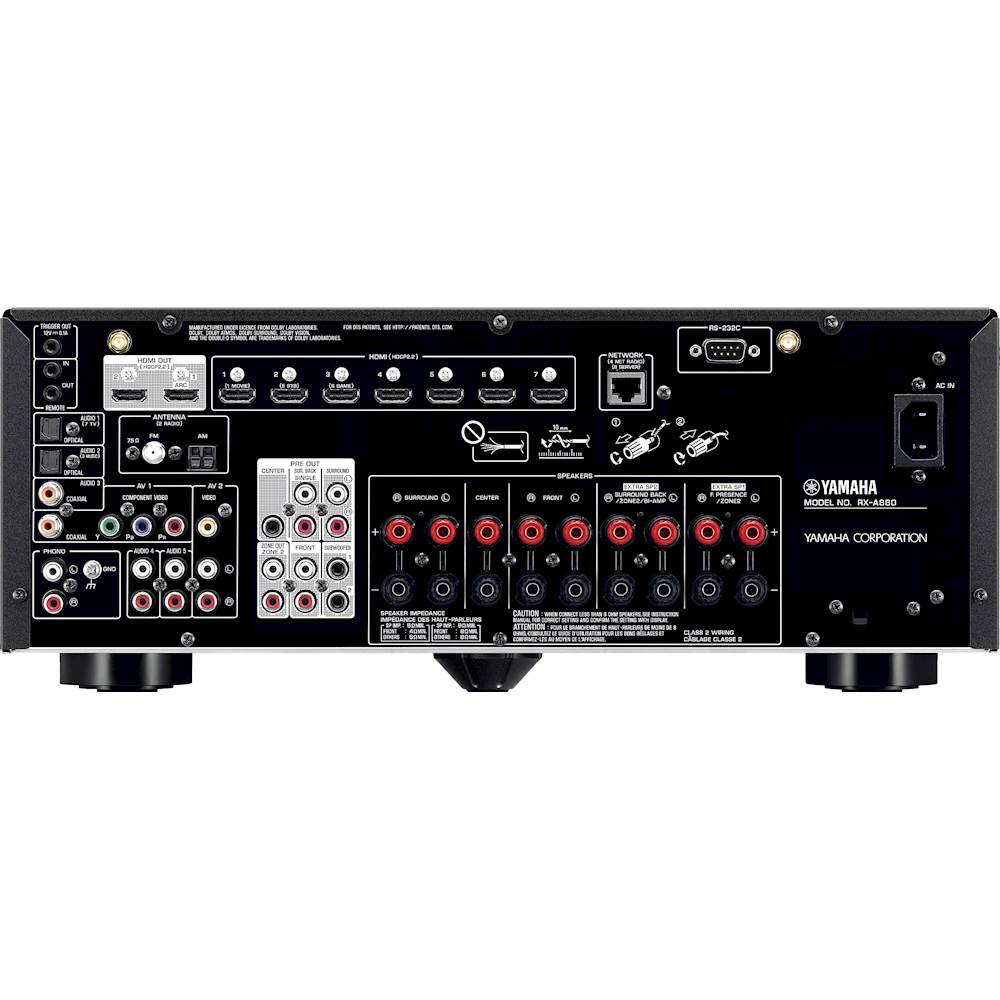
A:AnswerThe answer to your question is yes & no. There is a +12 volt DC “Trigger Out” port in the upper left of the back panel, however it will only allow a 0.1 amp load max. Since your cooling fan draws a lot more, you could not drive the fan directly, but you could use that signal to activate the coil of a 12v relay to carry the current load across it’s contacts to supply the 120v to the fan (if you feel ok wiring this up yourself). Maybe someone makes a device that uses the trigger to activate a 120v outlet. There is an outlet strip that you can plug your unit into, and once it turns on, and the strip sees that load, it turns on the other outlets on the strip. I Googled “Load activated outlet strip” and found a few, (Smart Strip LCG-3MVR 10-Outlet Adjustable Threshold Surge Protector with Autoswitching) Run it past the Best Buy team maybe they can help you. In the years past there was a plug in the back of most receivers and tuners that supplied 120v when the unit was turned on. It would be nice if they brought that back.
A:AnswerYes, you can play each of the zones together or separate with one on and one off, but you can’t play Something different on each of the zone at same time. Hope that helps answer your question.
A:AnswerI ended up purchasing this receiver. To answer my own question, no it does not come with a printed manual. Only a printed Quick Start Guide. The full manual is only available as a .pdf download.
A:AnswerNo, it does not. Looks like HD radio info tagging is dying. It does have "Internet Radio" where you can input a URL for your favorite raio station streaming via the net and experience HD radio like info in this manner.
A:AnswerAll that I can say is that I love my RX-880. The sound is perfectly crisp and clear at very high decibel levels with the right speakers. I have paired my receiver up with the Klipsch R-820's in front, 2- Klipsch 12" subs and a Klipsch R-34 Center. The sound is phenomenal. Im pretty sure I could blow my windows out with an AC/DC record and I can fill the room with the intricacies of classical on a Sunday morning. I hope that helps.
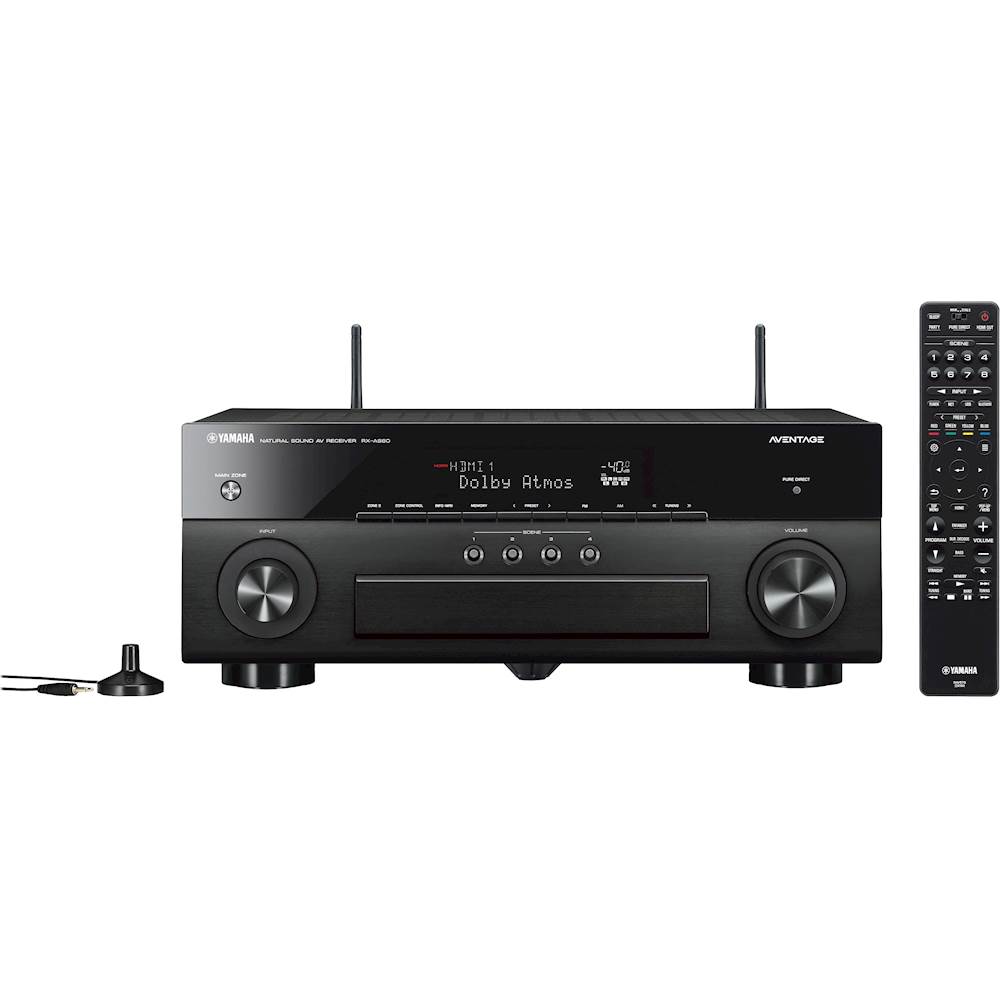
A:AnswerYes, you missed it. Look at the picture of the rear. There is a big white area with ten RCA outs. The are 2 outs for subwoofers at the bottom right of the box.
A:AnswerI have the Yamaha set up two ways. The first is with four Martin Logan surround sound speakers, two in front and two at the rear. There is a center channel speaker in the front. Those work fine. However, I tried to set up a second amplifier and preamplifier to run two Acoustat Model 2200 electrostatic speakers and two passive subwoofers to the Yamaha receiver all in the same room. This setup does not work. The technician called Yamaha customer service and they could not get my second amp/preamp and speakers to work. I had an older Yamaha 5990 receiver where this set up did work.
The Yamaha receiver has multiple HDMI ports and you can cycle one to another with the remote and well as different audio sources which can be accessed by the remote. But I don't think you can have more than one video source at one time. A call to Yamaha customer service and ask for Ken. As I recall he was their tech. Yamaha makes a lot or products so make sure you get to the customer service that handles Yamaha receivers.
A:AnswerIf you have only one wall (or straight eye shot) to the receiver from your 40 ft location, then yes you can send BT music to this receiver (via Apple airplay and a strong WIFI signal, you get better distance but works like BT). This has many variables that may make your situation impossible to reach that far. I have an older house with solid walls and most likely even lead paint in the deepest layers. I can't get that far without having a direct line of sight. I recently moved the receiver to the other side of the living room wall, which is my office, to not have the receiver taking over our clean simple living room look that the wife enjoys. Read on to see what made this possible.
Your best option is to do what I did and use the Yamaha phone app and WIFI from your phone to control the receiver. You can wire the receiver through LAN cable or also WIFI. As long as you have WIFI from your home network, then you can control the receiver. From their the app lets you use your phone in two way. One, like a basic remote with volume and other basic visual controls on the phone, Although, the setting menus are only visible via your TV attached to the receiver, it would be nice if the app displayed all these and you could tweak the sound, and other advanced settings, as you like. You could still use your phone as the remote but need the visual menus cast from your receiver to the TV for many advanced features. Second method is to start the receiver's built in music apps via your phone and chose your music in this manner.
All the main music apps are available like; Napster, SiriusXM, Pandora, Spotify, Qobuz, Deezer Amazon Music, and my favorite, Tidal. Keep in mind these are not the full blow music apps you normally find with the above mentioned services. It's limited but still lets you sign into them and search and play songs. The other way to steam this music is through Apple airplay (I only have iPhones so not sure how this works on Android but most likely just use the BT streaming). From within the full blown music app on your phone, you can choose to stream the music via Airplay to your receiver. So since I can do everything from my phone and TV, I don't even keep the receiver's remote in the living room. Also note that because I have the device control through HDMI feature turned on, I can actually use the TV remote to send a volume control signal to the receiver via the HDMI cable so I don't even need to open the Yamaha app on my phone to adjust or mute volume. Another tip is to make sure to use the HDMI labeled ARC to connect your TV. This send all the audio from your TV's built in video streaming apps (Netflix, Hulu etc.) to your receiver back through the same HDMI cable even though it's running the signal in the opposite direction as the video signal (ARC=Audio Return Channel). This works perfect. Technology is great in these class of receivers and this receiver was rolled out 3 years ago.
A:AnswerYes, I purchased this specifically to hook up two self powered front speakers and the rest powered by the receiver. This has full 7.1 surround pre-amp out puts.
A:AnswerNo, this is a 7.1.2 channels receiver. Very few content utilizes the .2 or .4 channels. Nothing I have played so far has been 7.1.2 or 7.1.4 only 5.1 and rarely 7.1