Customer Ratings & Reviews
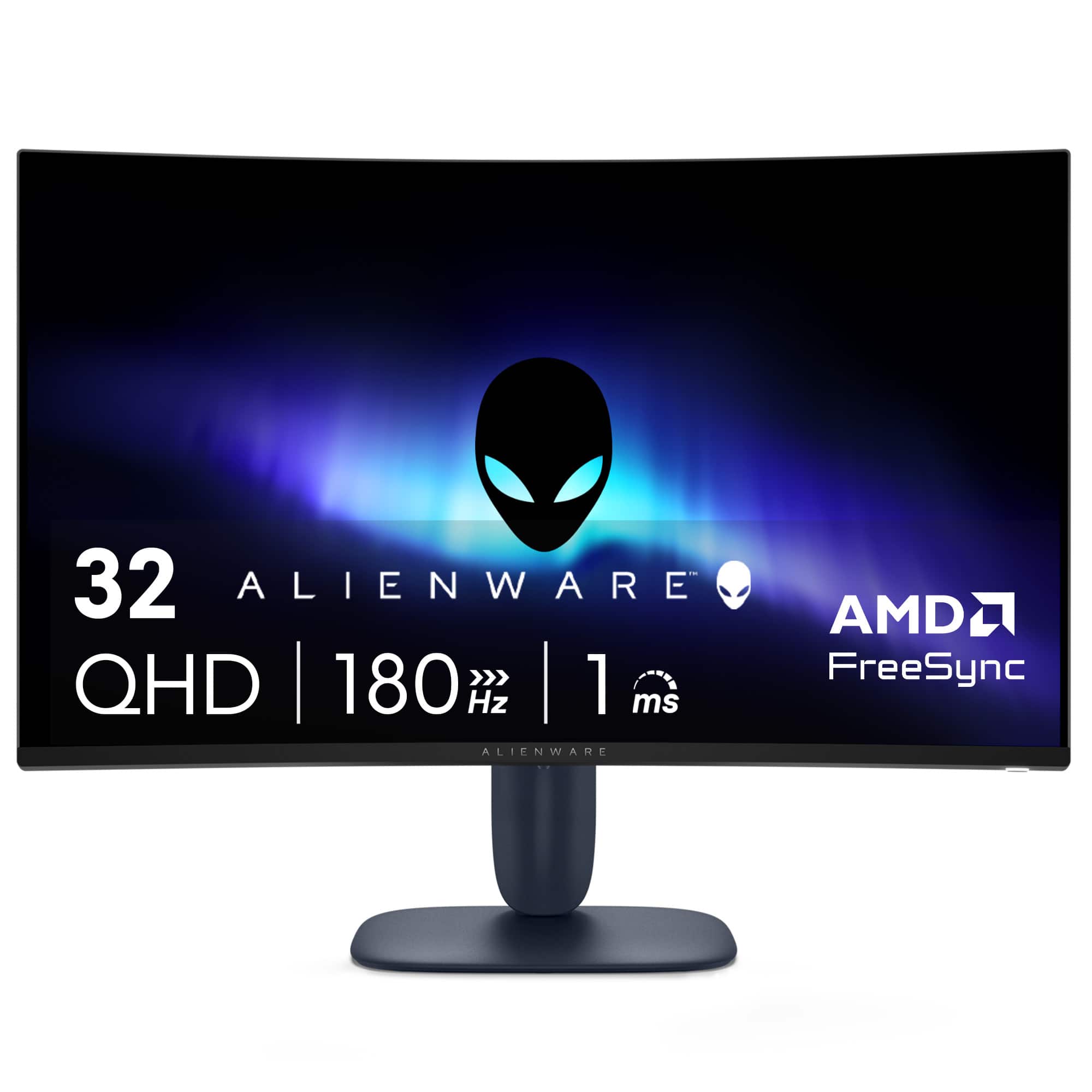
- Model:
- AW3225DM
- |
- SKU:
- 6619487
Customer reviews
Rating 4.8 out of 5 stars with 370 reviews
(370 customer reviews)Rating by feature
- Display Quality4.8
Rating 4.8 out of 5 stars
- Ease of Use4.8
Rating 4.8 out of 5 stars
- Features4.7
Rating 4.7 out of 5 stars
Customers are saying
Customers praise the AW3225DM monitor's vibrant color quality and smooth 180Hz refresh rate, making it ideal for gaming. Many appreciate the monitor's easy setup and sleek design. A common criticism, however, is the lack of integrated speakers.
This summary was generated by AI based on customer reviews.
Rated 5 out of 5 stars
Great display
||Posted . Owned for 1 month when reviewed.This reviewer received promo considerations or sweepstakes entry for writing a review.Bought 2 of these. Great upgrade from my last monitor. Picture in Picture mode is great.
I would recommend this to a friend- Pros mentioned:Design, Refresh rate, Screen size
Rated 5 out of 5 stars
The Only Monitor You Need
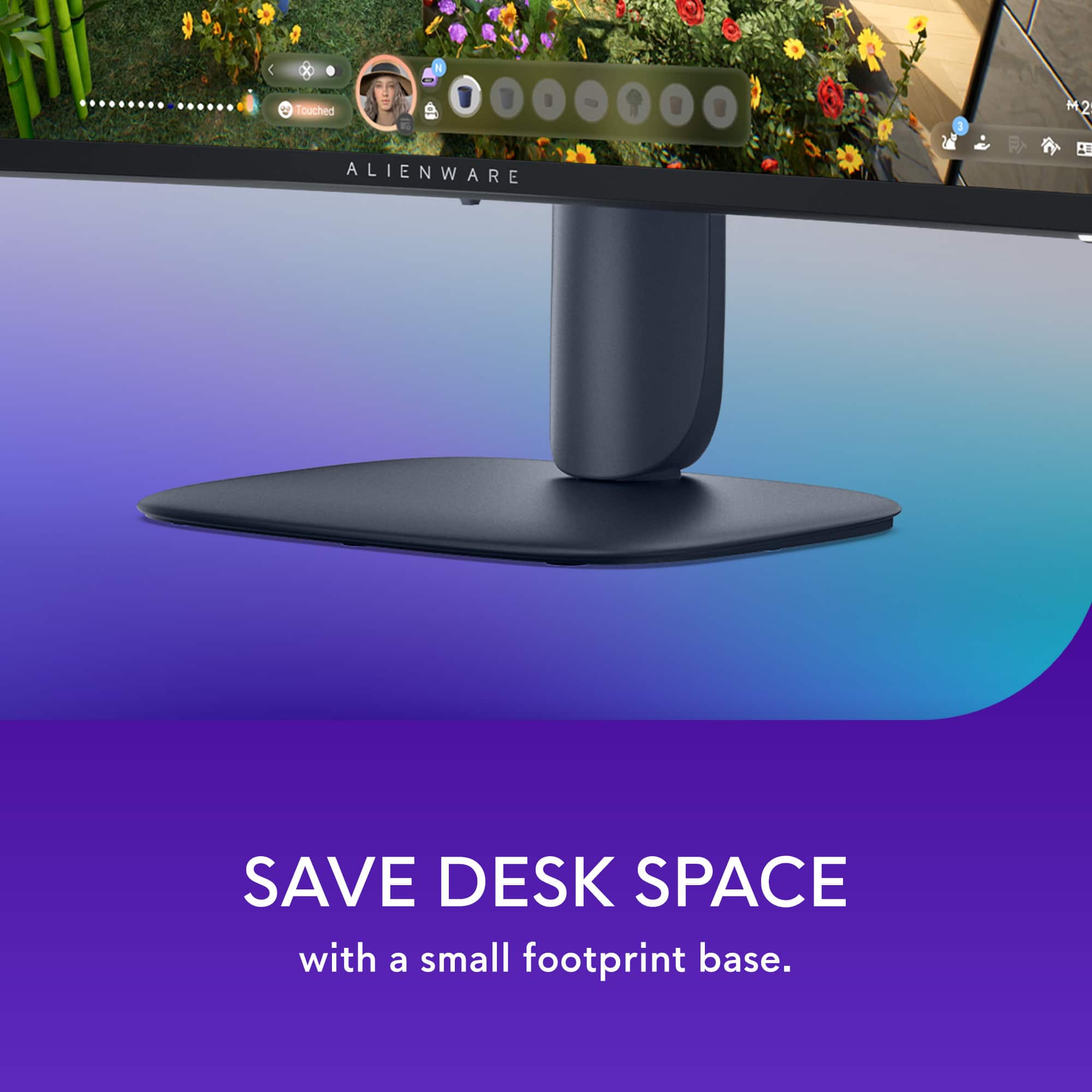
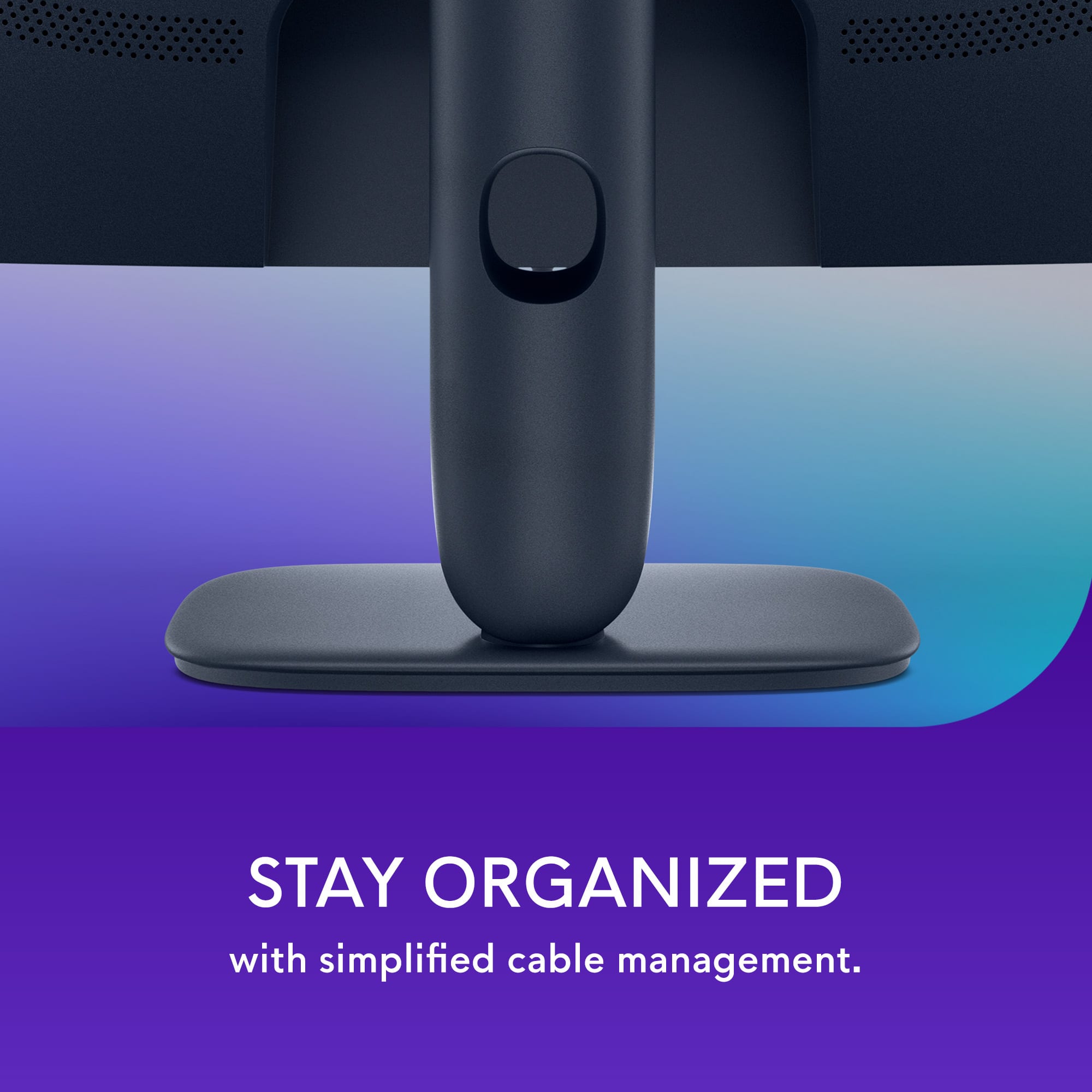
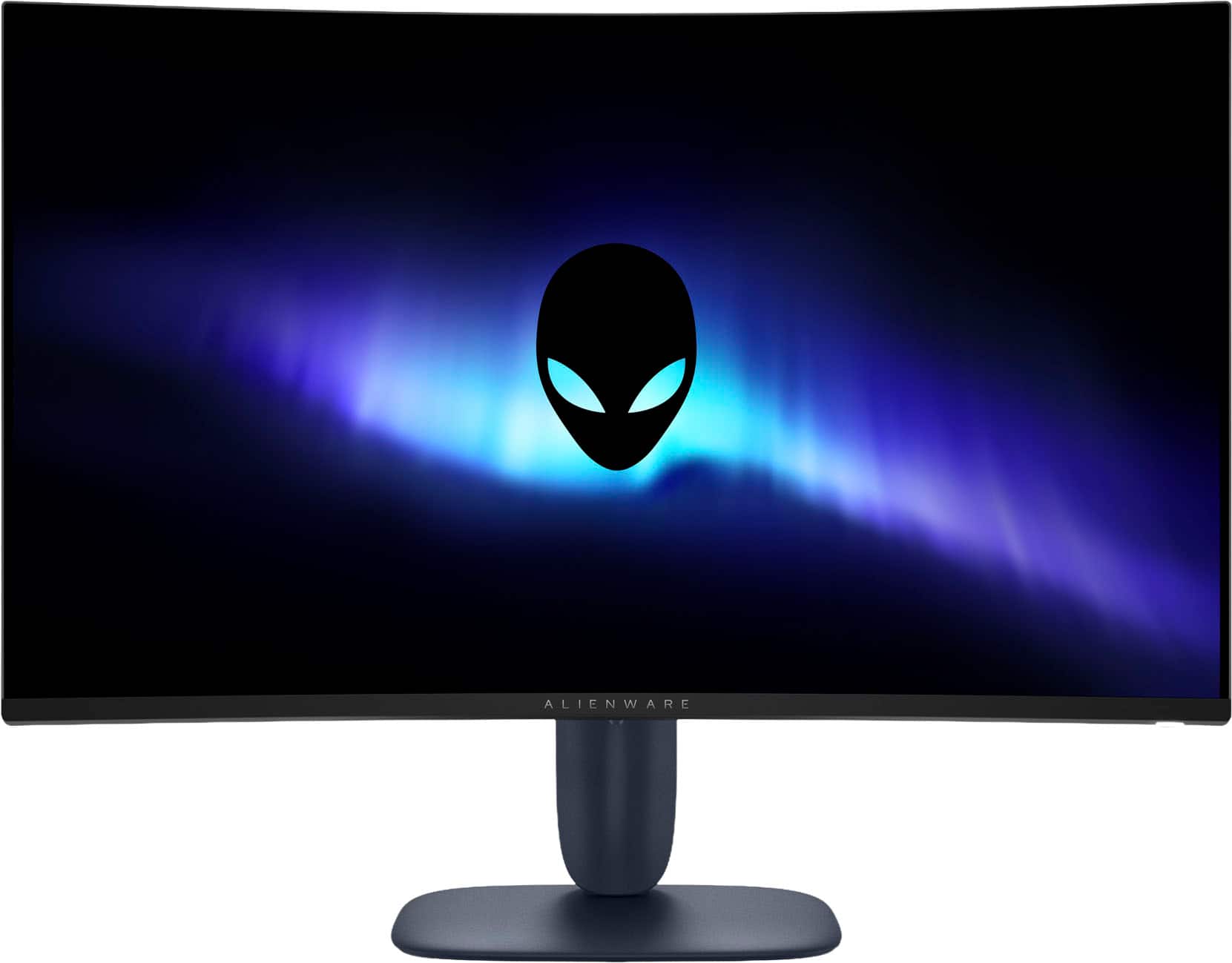
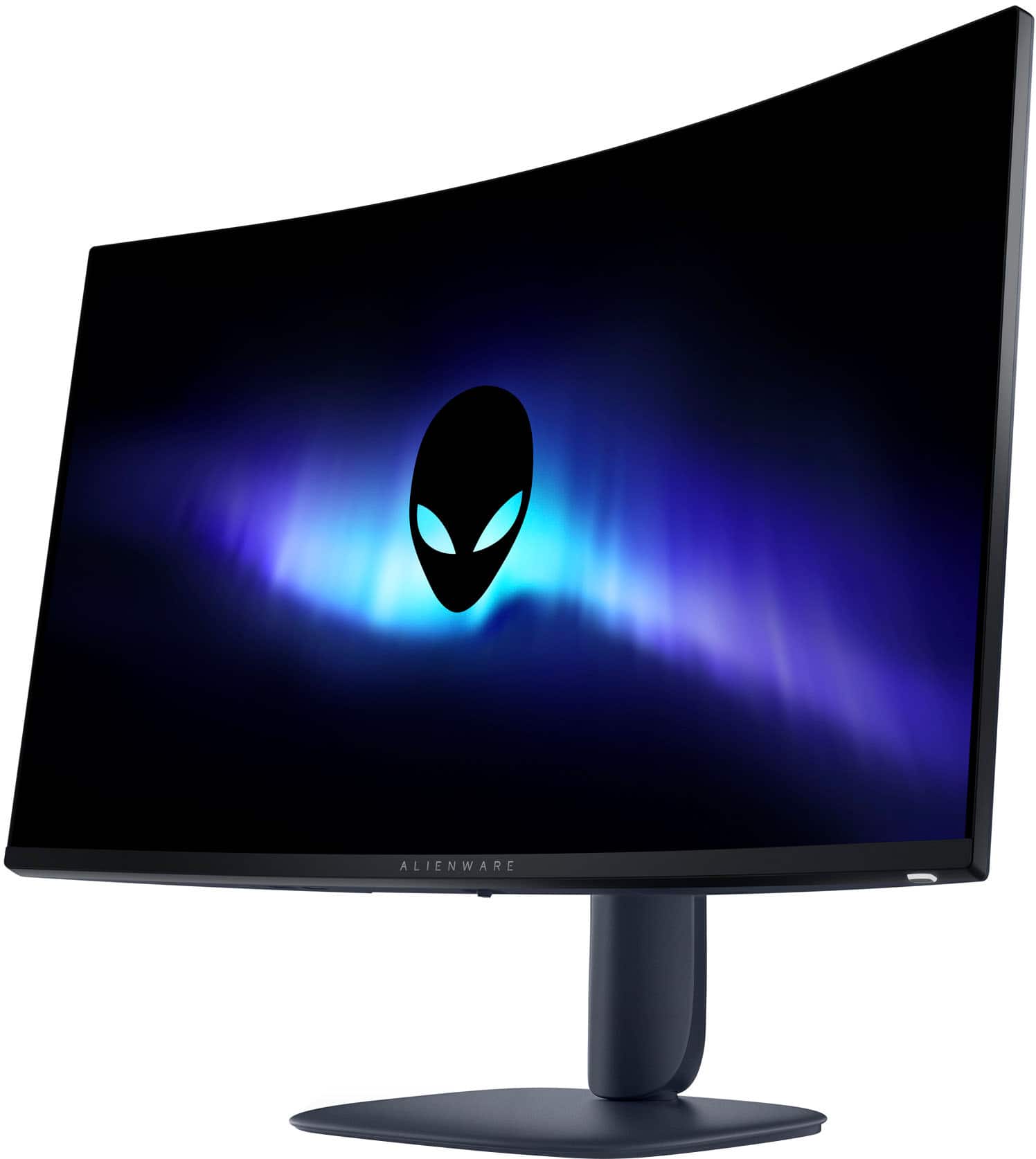
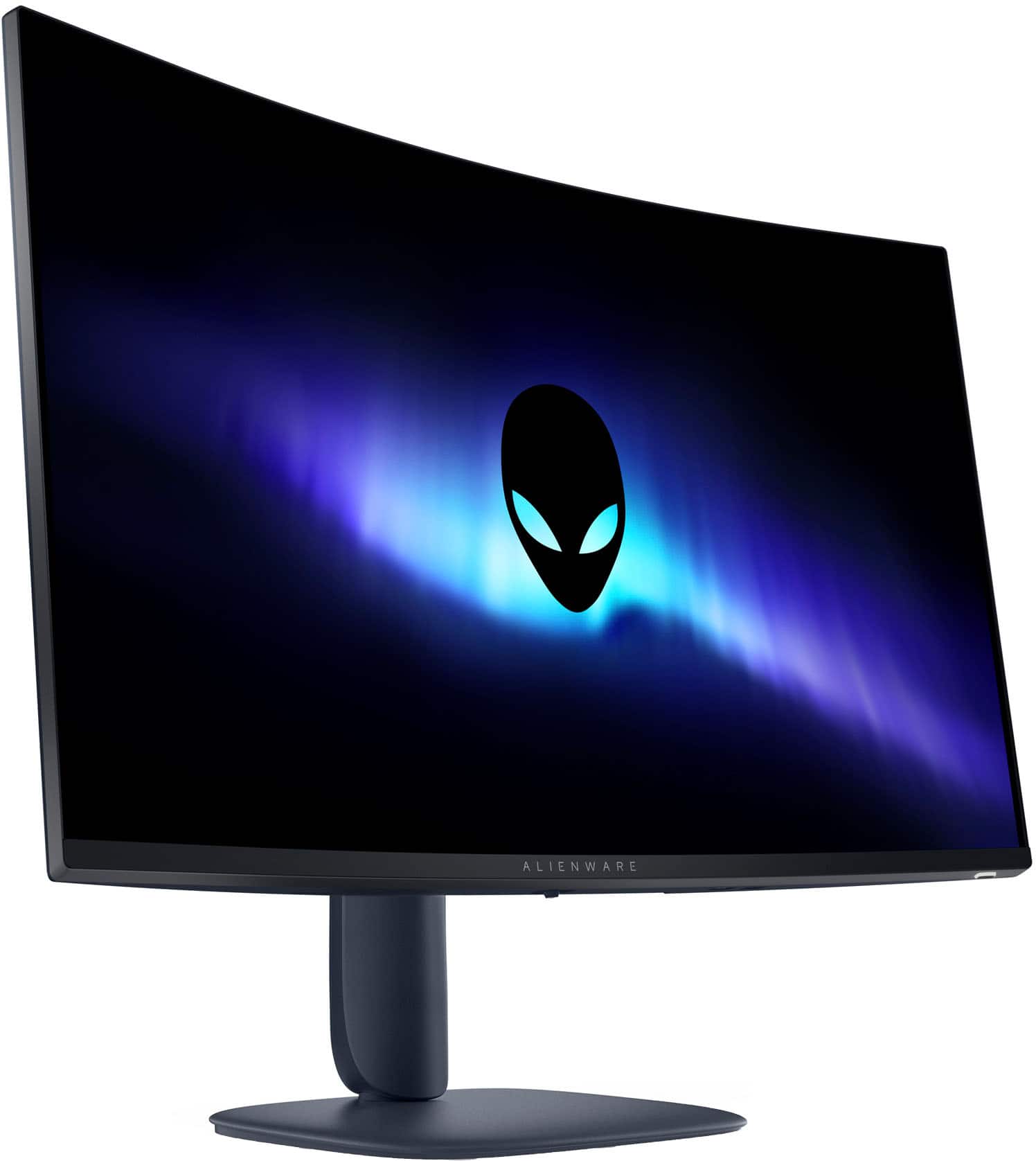
|Posted .This reviewer received promo considerations or sweepstakes entry for writing a review.I was looking forward to pairing the Alienware AW3225DM 32" 1440p Curved Gaming Monitor with my Desktop PC because I've had a lot of great memories with Alienware products over the past decade and the brand has never let me down. It’s a 32-inch curved monitor with a refresh rate of 180 and a clean design, so I was curious how it would fit into my daily gaming and work routine. I paired it with my RTX 4070 Super, and together they’ve been killing it. Whether I was gaming, working, editing videos, or just sitting back watching movies, this monitor handled it all easily. The size is just perfect for my desk and it's a little taller than my old setup so I feel like there's more screen to work with. I'll break down my experience and opinion after a couple of weeks. *Design and Build* This monitor has a clean, dark navy that almost looks black unless you look closely. It doesn't look to loud or scream "Gamer" so it looks great for work or play. The display is about 28" wide, 16" tall, and 5 inches in depth without the stand, about 9" in depth with the stand. There's no swivel so you have to move the base to go left or right. The stand is compact so it doesn't eat a lot of desk space. It has a built in cable routing hole so it keeps the setup clean. Assembly was very easy, no tools involved. *Specs and Features* The screen is a 1440p VA panel with a resolution of 2560 x 1440, which looks sharp. With my graphics card, I had no problem running it at the full 180 hertz using DisplayPort. HDMI maxes out at 144 hertz. The color coverage is about 95 percent DCI-P3, and contrast is deep, so games and videos look vibrant. It supports FreeSync, AdaptiveSync, and works fine with G-Sync too. You get two HDMI ports, one DisplayPort, and a USB 3.0 hub with two USB-A ports and one USB-B upstream. There’s no USB-C or built-in speakers, and it also doesn’t have a headphone jack, so audio needs to come from your system or external gear. That's fine because most of my sound comes from headphones, otherwise you'll need external speakers. The OSD offers a ton of features and preset modes. You will find game specific presets and a frame rate counter among other things. You can set 3 custom profiles which I did to dial in different work or gaming sessions. *Performance* This monitor performed really well with everything I threw at it. With my graphics card, I was able to hit high frame rates in most AAA titles, 1440p is the sweet spot for this card, and I rarely dropped below 120 FPS. The 180 hertz refresh rate made gameplay feel incredibly smooth. Fast motion stayed sharp, and aiming felt natural and quick. There was no noticeable input lag at all. I tested all the overdrive modes and settled on "Super Fast" because it gave the best balance with no ghosting. The contrast was great, especially in dark scenes/levels. The colors are bold by default, but you can make adjustments in the menu if you need to. If you're into content creation or photo editing, it might be worth switching to sRGB mode or calibrating the display. For general gaming and entertainment, the default colors look great. Brightness in SDR hits about 400 nits, but I usually lowered it to around 250 to 300 to save my eyes during longer gaming/work sessions. HDR is supported at the Display HDR 400 level, so it adds a little pop to bright areas, but it's not super dramatic. It looks great for gaming and streaming, just not on the level of OLED or mini-LED displays. For daily work and browsing, the screen space is exceptional. I can open two windows side by side and still have room to work. The curve really helps keep everything visible without making you need to move your head constantly. Text is typically clear, but if you're sitting super close, tiny fonts might not look really sharp. From about 2 or 3 feet back, I had no problems reading anything. Adaptive sync worked smoothly with no flickering or tearing and I didn't notice any light bleed. The menus give you full control so you can dial in exactly what you're looking for. Honestly, the performance surprised me in a good way. After a couple of weeks with this monitor, I'm happy with it. It works great with my graphics card. The larger size gives me more room to play and work. Build quality is solid, and the motion performance is better than I expected. There are a few tradeoffs like no speakers and Basic HDR but it still feels like the complete package. It delivers exactly what I need and I intend on keeping this as my main monitor. *Pros* * 180 Hz Refresh makes games look and feel smooth * No Input Lag * Strong Contrast/Bright Colors * Build Quality is solid with a sturdy stand * USB 3.0 hub with fast charging is useful * Curved monitor draws you into gaming and movies * Screen is large enough to split when doing work/productivity tasks *Suggestions/Needs Improvement* * Basic HDR * Text can look slightly soft * No Swivel, Speakers, or Audio Jack I highly recommend the Alienware AW3225DM for those that want a complete monitor without breaking the bank. If you're coming from a smaller monitor the AW3225DM is a game changer. It makes gaming feel incredibly better and makes those everyday tasks feel even bigger. You can get a big beautiful gaming monitor at a reasonable price and the Alienware AW3225DM is exactly that.
I would recommend this to a friend - Pros mentioned:Overall performance, Refresh rate, Screen size
Rated 5 out of 5 stars
Size almost takes out the need for 2 monitors!
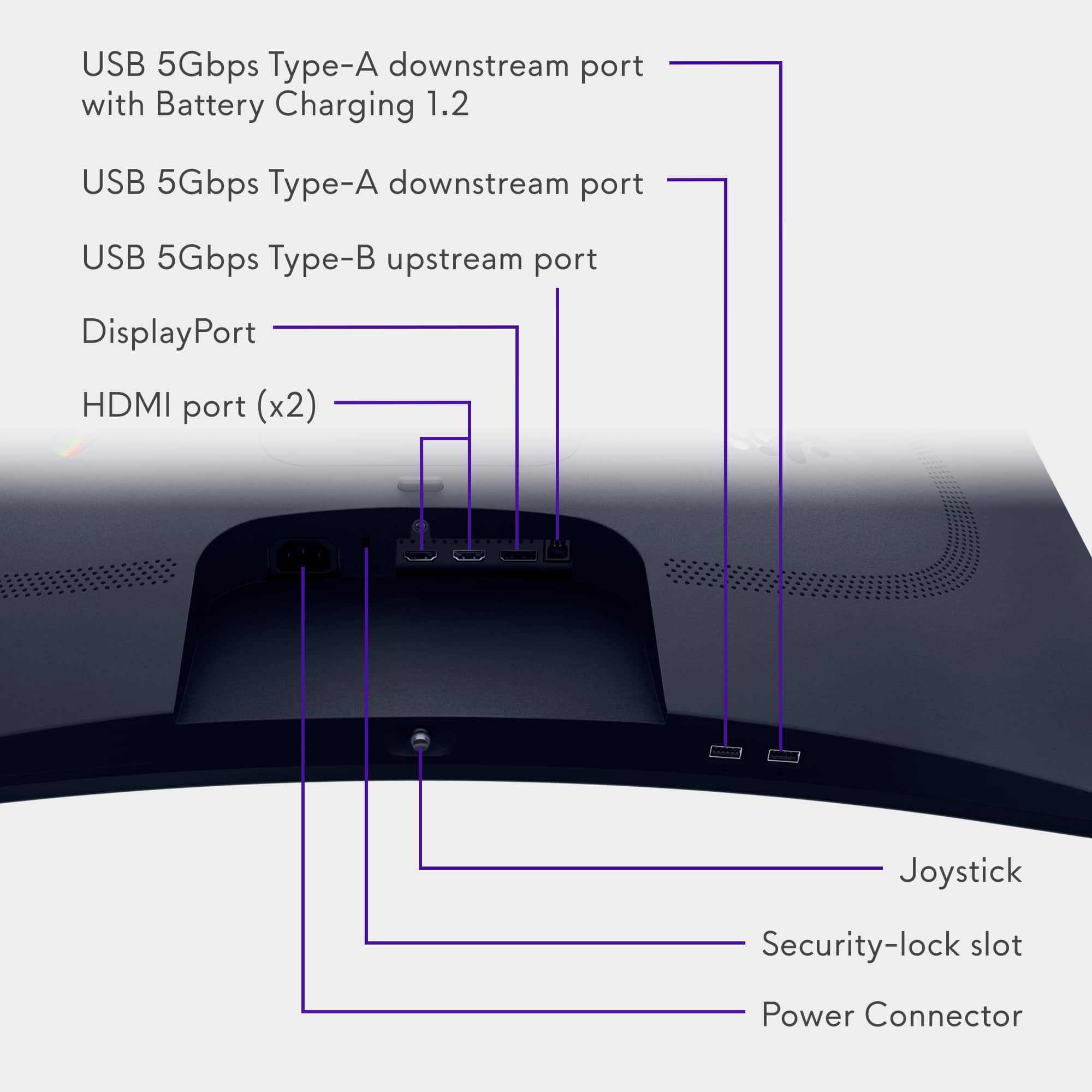
|Posted .This reviewer received promo considerations or sweepstakes entry for writing a review.This AW3225DM 32" VA LED Curved QHD 180Hz 1ms FreeSync Gaming Monitor isn’t offering everything there is to offer in a gaming monitor nowadays, but it offers more than enough to satisfy the casual gamer like myself. It’s not a 4K -OLED monitor, so the images don’t pop in that bright crisp way you’ve come to expect from OLED. The colors and presets are more than adequate, and I’m sorry , but there’s really no need for 240Hz refresh. The AW3225DM tops out at 180 Hz which is more than you need imo. I see absolutely zero lagging. This is the second Alienware monitor I’ve enjoyed owning. This is however the first time I’ve owned a 32”, let alone curved monitor. I’ve never experienced physically moving my head and neck so much to follow things on the screen. I recommend sitting back as a 32” curved screen is massive. You get too close and you feel like your at the movie theatre straining your neck to not miss anything. I use my gaming pc monitors for work as well, and I’m definitely in the failing vision category over 40 years old. If you’re like me, this monitor is a game changer for work. Especially if you work with blueprints and schematics at your job. This monitor has helped me see exponentially. Although not what this monitor was made for, it’s a great bonus. All the games I’ve thrown at this have been great. I feel like this being my first experience with a size 32” monitor, this is def the biggest I’ll go in the future. It almost feels too big some times. I have it mounted on movable arms next to my 27” curved monitor (see photo) If you like bigger screens and want an affordable mid-gaming monitor, you can’t go wrong here. This is the second Alienware monitor I’ve owned. The first one is 3 years old and going strong. They’re built solid and packaged well to avoid damage upon arrival and unboxing. (see photo). All in all I’m pretty blown away by the size and if you sit just right, the gaming experience is unbelievable with a screen this size. For it’s place in the gaming monitor market I would definitely recommend it and give it 5 stars. HDMI ports (2) (DP) DisplayPort (2) USB-A port (1) USB-B (1)
I would recommend this to a friend - Pros mentioned:Overall performance, Screen size
Rated 4 out of 5 stars
Good size/shape for FPS. USB hub would be nice.
|Posted .This reviewer received promo considerations or sweepstakes entry for writing a review.Alienware has found the right shape for intense gaming. It’s slightly wider than “standard” with a curve to reduce eyestrain. It’s large enough to have multiple applications side by side (during work time) and narrow enough to keep the focus on the game instead of the background (during game time). In comparing this shape to an ultra wide, it may depend on your primary task and the types of games you like. Racing games and Flight Simulator work well with the Ultrawide. FPS games are a bit better with the narrower screen. The colors are clear and accurate. Performance was consistent across a range of games. The monitor's stand offers flexible height adjustment, allowing for a viewing position that suits the day and the game I’m playing, Navigation and settings adjustments are made through a comfortable joystick that simplifies menu interaction compared to some other monitors. The power button features a clear indicator light, making it easy to determine whether the monitor is powered on. However, the built-in USB hub is limited to only two ports, which isn’t much. It’s really only one additional port, as the monitor takes up a USB port to make its connection. Ideally, the monitor would have included an upstream USB-C port to enable a true hub. Similarly, the ports on the monitor are only USB-A which excludes more recent peripherals which only come with the newer port.
I would recommend this to a friend - Pros mentioned:Design, Refresh rate, Resolution
Rated 5 out of 5 stars
best monitor
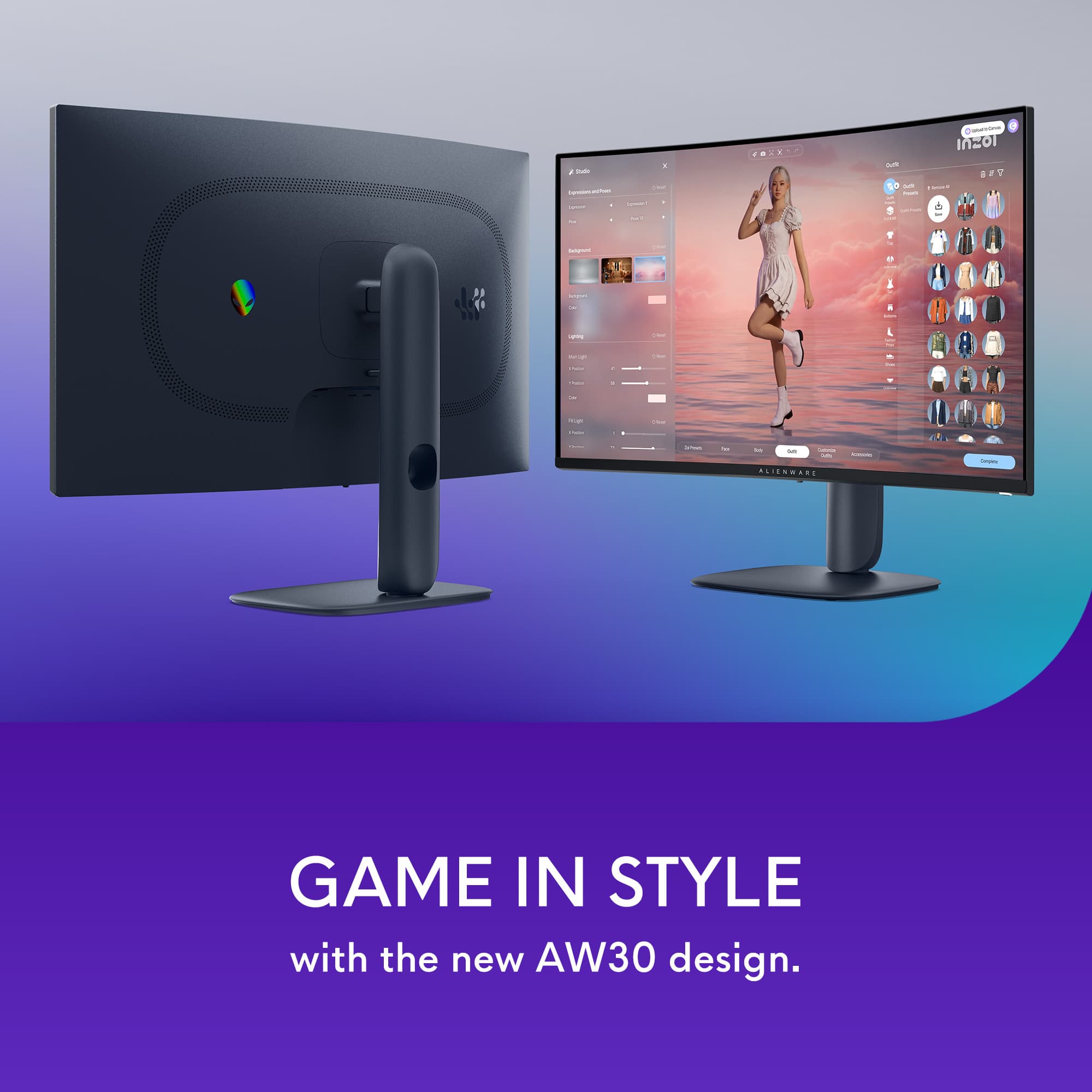
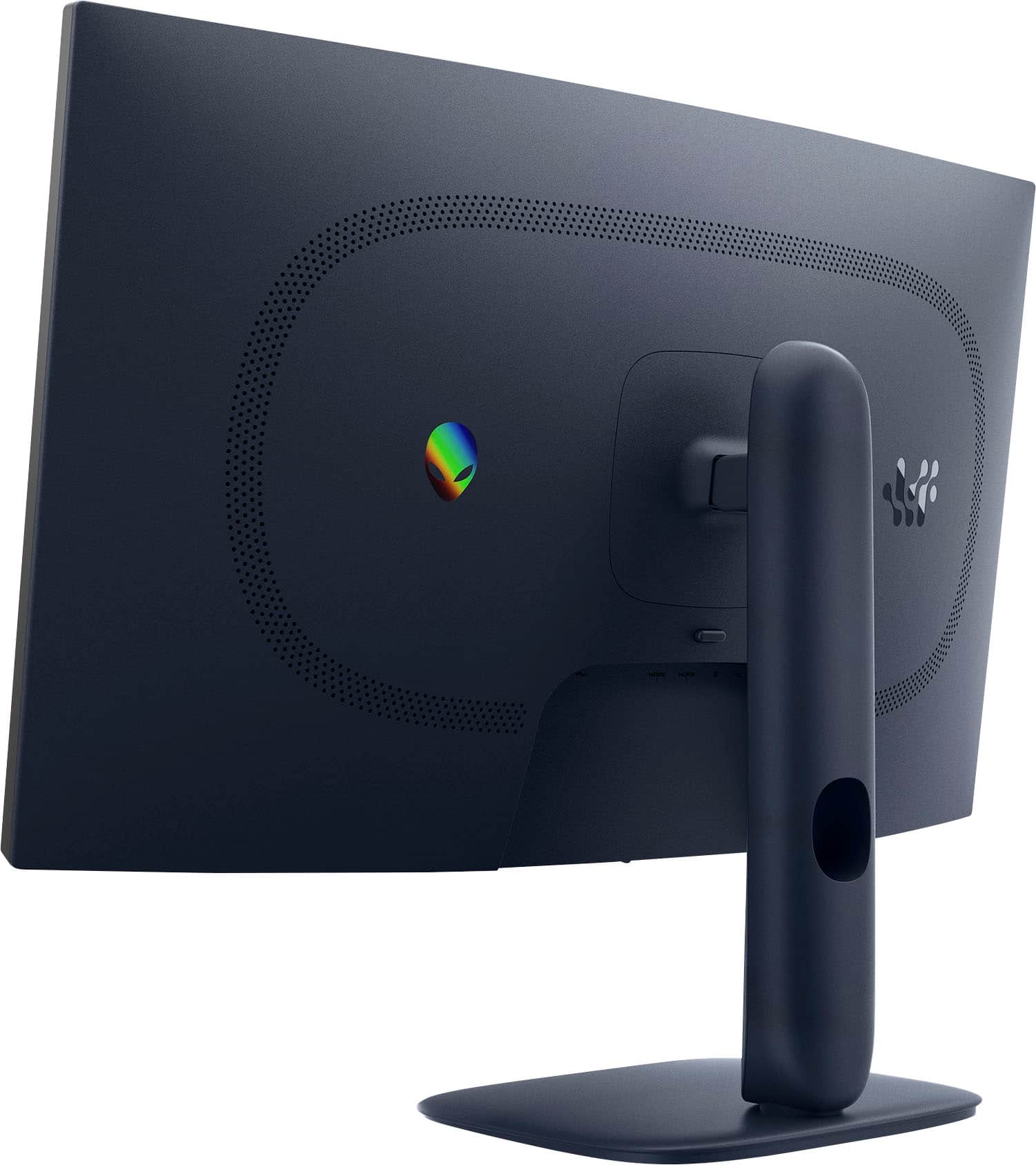
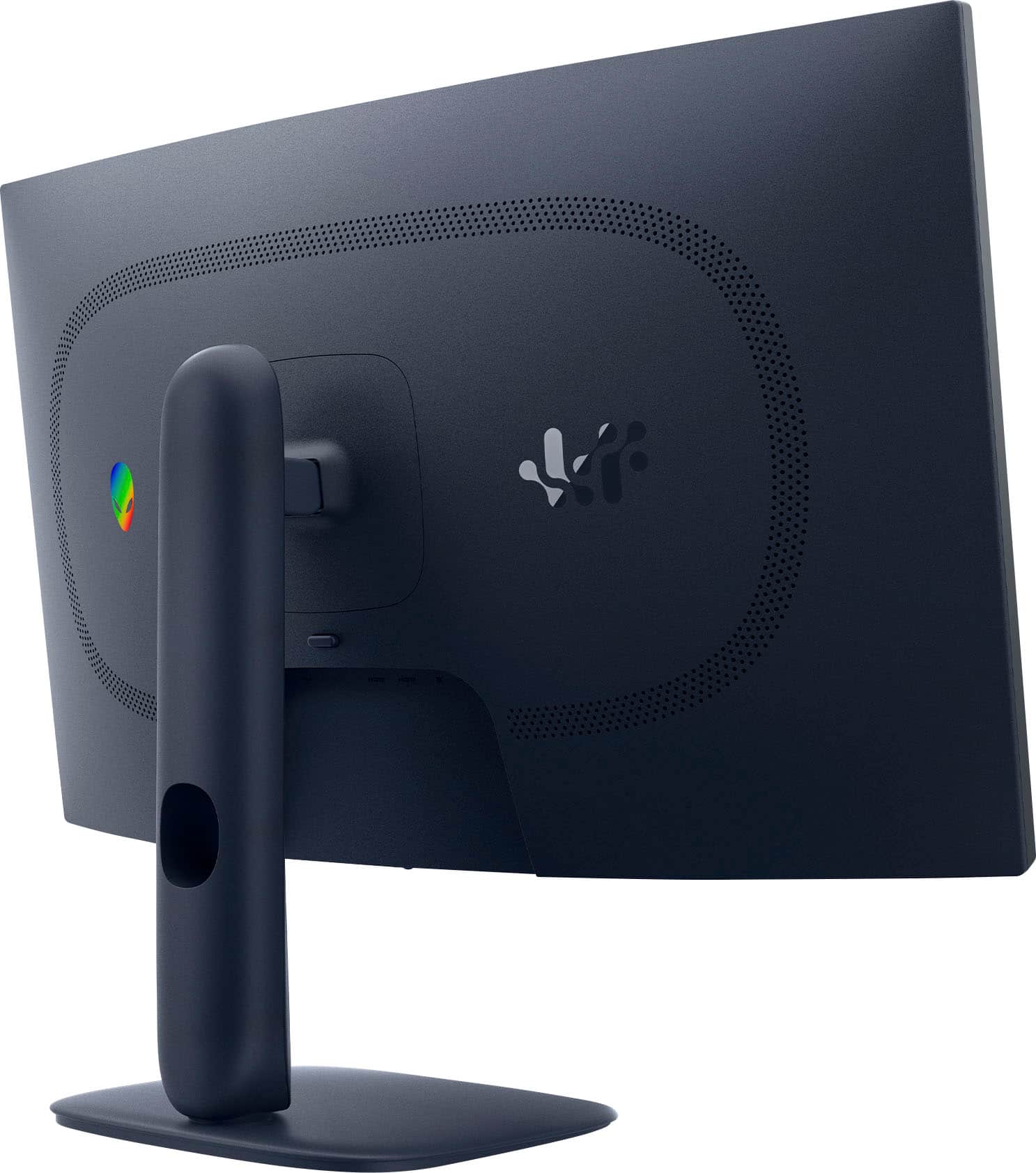
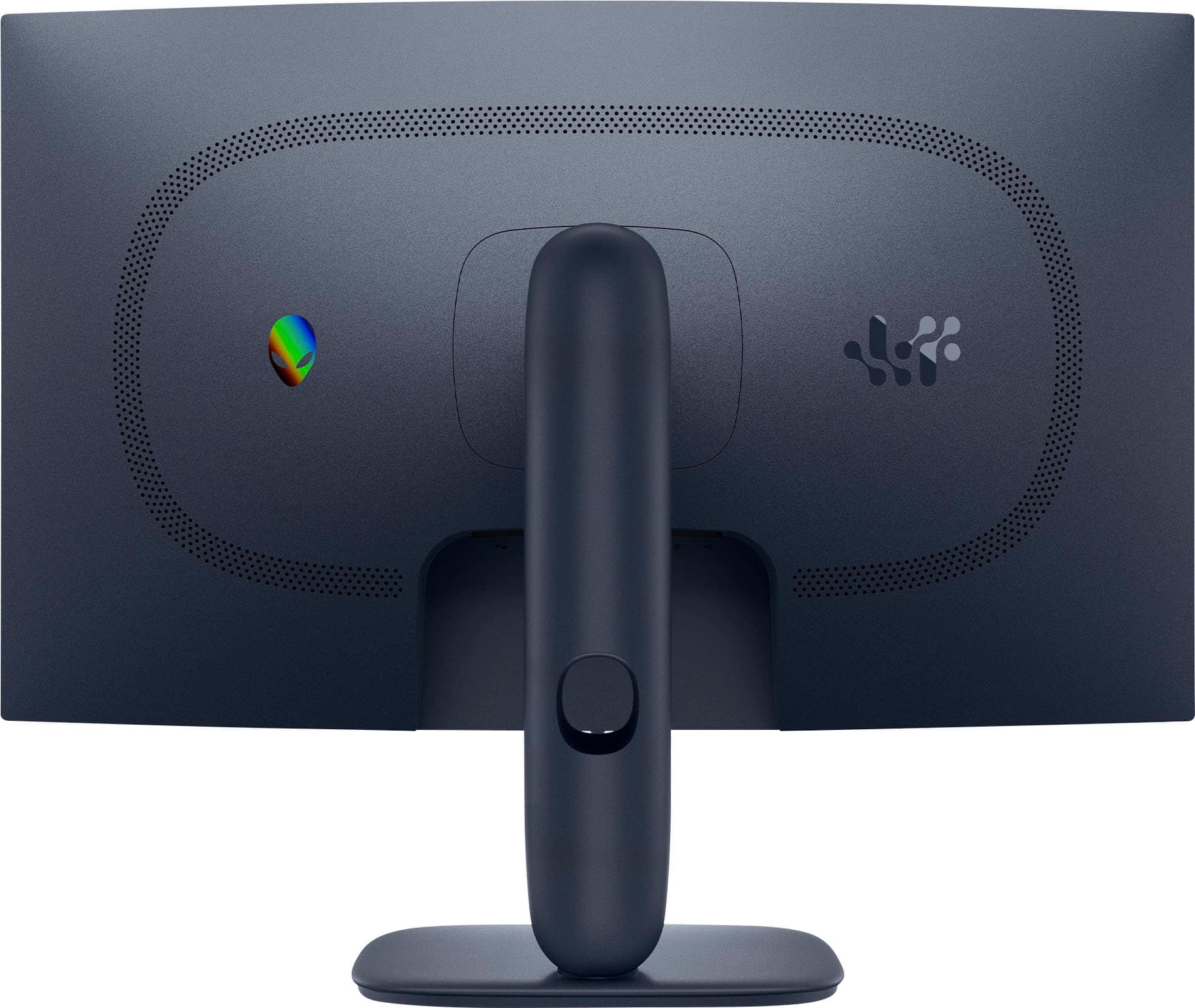
||Posted .This reviewer received promo considerations or sweepstakes entry for writing a review.As someone who's been gaming for over a decade, upgrading to the Alienware AW3225DM 32" Curved QHD Monitor was like unlocking a whole new level of immersion, clarity, and performance. Simply put: this monitor is a masterpiece. From the moment I powered it on, I was blown away by the vibrant colors, deep contrast, and razor-sharp resolution. The QHD resolution on a 32" curved VA panel is the perfect sweet spot—big enough to feel cinematic, yet crisp enough for competitive gaming. And that curve? It pulls you in. Whether I'm deep into a story-driven RPG or laser-focused in an FPS, it feels like the game world wraps around me. The 180Hz refresh rate and 1ms response time are a dream for competitive play. Games like Apex Legends, Valorant, and Warzone feel buttery smooth, with no ghosting or lag—just pure responsiveness. Add in FreeSync support, and you get tear-free, fluid visuals that make every session feel pro-level. What really sets it apart is the build quality and design. Alienware doesn’t cut corners. The sleek black chassis with customizable RGB lighting looks stunning on my setup. Even the back of the monitor screams premium. It's not just a monitor—it’s a centerpiece. And let’s not forget the HDR support. Watching HDR-compatible content or playing games like Cyberpunk 2077 with HDR turned on makes the visuals pop in a way I didn't think was possible outside of a high-end TV. Ports are plentiful—HDMI and DisplayPort options, and intuitive on-screen controls make setup and adjustments easy. In short, the Alienware AW3225DM is not just a monitor—it’s an experience. It’s redefined how I play, watch, and even work. If you're on the fence, just go for it. I did, and I haven’t looked back since.
I would recommend this to a friend - Pros mentioned:Refresh rate, Resolution
Rated 5 out of 5 stars
A mid-range monitor that rocks!
|Posted .This reviewer received promo considerations or sweepstakes entry for writing a review.The Alienware AW3225DM is one of the more recent models of Alienware gaming monitor. It is not to be confused with the premium AW3225QF. The price difference alone is staggering wherein the DM model is one fourth the price of the premium QF model. So, this DM model can be labeled as the kid brother of the QF. But the million-dollar question is “Can the DM hold up for gaming and general use?” This review aims to explore that. First, The AW3225DM is not a 4K monitor but a QHD monitor meaning it is a bit higher than standard 2K resolution. And while the more resolution the better, it is safe to say that 2K is fairly sufficient enough as most gaming laptops are only at 1080p resolution. Do note that the screen is VA and OLED as compared to the QF version. But then again, the DM is the kid brother. Also, refresh rate is rated at a max of 180hz whereas the QF has a max of 240hz. But then again a lot of gamers are still used at 144hz so for me this is moot. And given the lower specifications of the DM, power consumption is less for this monitor and also less strain on your GPU. The most obvious similarity between the DM and the QF are that both are 32” curved monitors. When it comes to connectivity, the DM has two HDMI ports, a Display Port, two USB-A ports and a USB-B port. I do not have a use case for these USB ports as I don’t have a use case for them though I understand they have pass through capabilities. But I wish it had a USB-C port instead as it is becoming more mainstream. I like the fact that two HDMI ports as these are the more popular ports for monitors. And that having two ports means there is no need for an HDMI switch. But by using HDMI, refresh rates are limited to only 144hz. It is only when you use a display port that you can get 180hz. But then again most users are still using 144hz. Lastly, the monitor has a Kensington lock slot – a feature slowly vanishing but still nice to have if you want to secure your device. The monitor has its own retractable and tiltable stand. And the base that comes with it has some heft in it as well as the stand itself. I like that the mounting plate of the stand is VESA compatible too giving it a streamlined appearance at the back. Accessories that come with the monitor include, a display port cable, an HDMI cable, a USB-B cable, a power cable and a regulations guide bundled with a sticker. There is no manual but if you need one, it is downloadable. But for the most part, you won’t need a manual. For a “budget” 32” curved monitor, this model is a solid device which can handle the needs of most users. The higher end QF models for me aims at a niche market and basically for regular guys like me, this already is a premium monitor.
I would recommend this to a friend - Pros mentioned:Overall performance, Refresh rate
Rated 5 out of 5 stars
Beautiful Matte Display, Beast of a Monitor
|Posted .This reviewer received promo considerations or sweepstakes entry for writing a review.Dell's Alienware brand monitors have always been known to be trusted, reliable, and performance based. The Alienware curved QHD monitor does not disappoint. It just looks stunning; with HDR on or off the colors look spectacular especially with nature photos and videos. I personally didn't know what to expect for the curvature of this monitor. I personally always thought of them as overrated and more curved than they need to be. Placing it on different sides of my desk and in different monitor configurations, it ended up in the corner of my desk and found the curved display to be perfect in it's cornered layout. This monitor is an absolute beast! I was easily able to have two windows open at the same time and found it definitely helped when writing research papers. When switching to gaming, the graphics were very fluid with its 180fps framerate and dark images were fantastic. Due to it's size and how it's curved, I found that at different angles, the colors don't look washed and the picture looks great. I found that it almost encases you and almost creates your own personal box of entertainment. To add on to this, one feature I particularly liked was the Picture-In-Picture mode. It allows for you to display video from another source and you can choose to use ⅓, ½, or even ¾ of the screen for the other source. At first I thought this would seem gimmicky to an extent but after connecting my Switch console and being able to work and play Mario Strikers, I found different use cases for it. One thing to note is that for the framerate to reach 180fps, you will need to change the display setting on your computer. (In my case, I have a computer with Windows 11 and went to Settings - System - Display - Select your Monitor - Advanced display - and below “Choose a refresh rate”, select the option you'd like). Although many of my personal boxes for a monitor were checked off, there were still a few features that I wish would've been added. To name a few, it lacked Nvidia G-Sync (having included AMD's Freesync instead but including G-Sync in a different 4K OLED model), USB C port for additional viewing capabilities, and does not include e-ARC capabilities. Lastly, and while a minor gripe but very surprising, the monitor's stand only allows you to tilt it up or down but not swivel side to side (horizontally). Overall, this is a great monitor and can recommend it to anyone looking for a 2k matte display. This is amazing at its size and make it more versatile, in my opinion, for that reason.
I would recommend this to a friend - Pros mentioned:Refresh rate, Resolution
Rated 4 out of 5 stars
Solid monitor - with just a few quirks - 4.5 stars
|Posted .This reviewer received promo considerations or sweepstakes entry for writing a review.TL;DR: The Alienware AW3225DM 32" monitor boasts impressive specs for a great gaming experience at a reasonable price point. In my testing, it has performed well displaying both my computer for work and gaming, as well as games on my Xbox Series X. I would highly recommend this monitor if this is the top of your budget as it provides solid value, an immersive experience with it's curved screen and only has minimal drawbacks. ++PROS +vibrant colors +1440p resolution and 180hz refresh rate make it great for fast paced games +great contrast thanks to VA type panel +great customization options to dial in your picture, and add virtual aim reticles +Supports HDR and looks good doing it (though could be brighter). +Console mode is welcome. Adjusts to console settings so that it can still output an image, even if the console can't be set to 1440p. +VRR works great. Don't notice any screen tearing. --CONS -Hard to calibrate as there are so many routes to tweak the image and it took forever to dial it in. Especially trying to match its color temp and brightness to my existing 2nd monitor. In my testing using a work PC, a gaming PC, and an Xbox, these are the various methods of image adjustment I ran into. NVIDIA control panel, intel graphics control panel, Xbox settings/HDR calibration, the Alienware app, and the onboard controls. Not to mention tweaks in specific games as well. Some of these offer much more control and customization than others. -App is confusing as it says USB not connected when it is. When USB does register, it says an update is found, but "download" is grayed out. -Onboard controls can be confusing to dial in picture. Some options disappear as modes change, some don't work (couldn't dial down green in one of the RGB brightness menus). I don't know what the difference is between movie HDR, desktop HDR, game HDR, smart HDR, or custom color HDR, or HDR400 are, but they're all available. Something in a manual would be nice. Game HDR struck me as very warm, but that was about it. -Not very bright in HDR. HDR400 is a lesser standard than some others, but still works. I believe the 400 is in reference to it being 400 nits at peak, which isn't very bright. Loses punch. SDR brightness is more than adequate. -VA panel leads to slight ghosting/tails behind moving text/objects. Would do 4.5 stars if I could. Just be patient setting it up and you'll enjoy using it.
I would recommend this to a friend - Pros mentioned:Design, Overall performance, Refresh rate
Rated 5 out of 5 stars
Amazing Quality and Performance!
||Posted . Owned for 1 week when reviewed.This reviewer received promo considerations or sweepstakes entry for writing a review.I recently purchased an Alienware monitor and I couldn’t be happier with it. The quality is outstanding — crystal-clear resolution, rich colors, and super smooth performance. Whether I’m gaming or working, the experience is next level. The refresh rate and response time make a noticeable difference, especially during fast-paced games. The design is sleek and modern, and it feels like a premium product from the moment you unbox it. Setup was quick and easy, and I really appreciate the thoughtful cable management features too. Overall, this Alienware monitor exceeded my expectations. If you’re looking for top-tier performance and excellent build quality, this is definitely worth the investment.
I would recommend this to a friend - Pros mentioned:Refresh rate, Screen sizeCons mentioned:Black levels
Rated 5 out of 5 stars
Big, fast, and immersive—great for QHD gaming
||Posted . Owned for 3 weeks when reviewed.This reviewer received promo considerations or sweepstakes entry for writing a review.I’ve been using the Alienware AW3225DM for a couple of weeks, and it nails what I wanted from a 32" curved QHD gaming monitor. The 180 Hz refresh rate plus 1 ms response makes fast shooters feel silky smooth, and FreeSync kept gameplay tear-free during big frame swings. The curve adds nice immersion without feeling extreme, and the stand is sturdy with easy height/tilt adjustments. Out of the box, colors looked punchy and the high native contrast of the VA panel makes dark scenes pop. Setup was simple—plug in DisplayPort, set 2560×1440 @ 180 Hz, done. A few realities: like most VA panels, there’s a bit of black smearing in very dark transitions if you crank the fastest overdrive. Dialing it back helps, but it’s still there if you’re sensitive. HDR works, but it’s more of a “nice to have” than a wow factor—think modest boost rather than OLED-level highlights. The on-screen menu is fine once you learn it, but presets could be named clearer. Overall, if you want an affordable path to big-screen, high-refresh QHD gaming, this is a strong pick. Excellent motion at 180 Hz, rich contrast, and an immersive curve outweigh the typical VA trade-offs for me. I’d buy it again.
I would recommend this to a friend - Pros mentioned:Overall performance, Refresh rate
Rated 4 out of 5 stars
For work and play
|Posted .This reviewer received promo considerations or sweepstakes entry for writing a review.The Alienware AW3225DM gives great performance without breaking the bank. I use this monitor for both work and gaming. The size and pixel density make for clear text and sharp images. The matte screens keeps me from staring at myself as I work - I like dark mode so reflections are very distracting on glossy screens. The biggest issue I have pertains to the work side. You can't turn of dynamic contrast where the screen adjusts dynamically based on the content of the screen. It wouldn't be so bad if it were truly dynamic, but even on static images I was getting bouncing numbers. It was such pain trying to calibrate it with an i1pro that I finally had to do a mix of the mechanical plus eyeballing it. It's not perfect, but far better than the standard setting. Gaming...this is where it shines. Don't expect OLED type blacks nor brightness, but it still looks sharp. HDR in Diablo 4 looks amazing. The refresh rate makes for smooth movement with minimal ghosting. I've attached a photo of Pixerpan (kinda like the UFO test) and using standard mode. You can see a trail, but the image of the car is clean. My pics don't do the monitor justice as the Diablo shot is rather washed out and "smudgy." Part of that is due to Samsung's poor post-processing with its camera app. Overall I'm enjoying the AW3225DM and hope it lasts for a long time. It gets around 10hrs of use a day, lol.
I would recommend this to a friend - Pros mentioned:Refresh rate
Rated 5 out of 5 stars
This Monitor Changed My Game
|Posted .This reviewer received promo considerations or sweepstakes entry for writing a review.I’ve had the Alienware AW3225DM 32" Gaming Monitor for about a week now, and to be honest—I'm hooked. This is my first time using a curved monitor, and while it took me about an hour to adjust, the immersive feel it brings is next-level. When I first turned it on, I felt like I was inside a bubble—but that sensation quickly faded, and now I can’t imagine going back. The curvature naturally pulls your focus toward the center of the screen, which has been a huge plus in FPS games. Features That Feel Like Cheats (In a Good Way) One standout feature is AlienVision—a built-in setting that lets you overlay a crosshair directly on the screen. You can choose from a few styles and colors (white, red, or green), and even opt for an adaptive setting that changes color based on your background. It's like having a built-in aim assist, but without needing to touch any game files. AlienVision also includes a “night vision” box mode that flips the screen’s colors in a way that highlights objects better in-game. It’s subtle, but makes a noticeable difference when scanning darker environments. It honestly feels like a legal aimbot baked into the monitor. Pro Tip: Check Your Settings One heads-up—don’t forget to tweak the settings right after setup. Mine defaulted to 65Hz, and I had to bump it up to the full 180Hz manually. Once I made that change, the entire experience leveled up. The fluidity is insane. Fast-paced games like Rocket League and Call of Duty feel way more responsive and precise now. Visuals That Pop The HDR support is incredible. It gives everything—games and movies alike—a more lifelike and vibrant feel. Colors are punchy, shadows are deep, and motion feels silky smooth. I’ve tested it with both my Xbox Series X and gaming PC, and both setups have never looked better. Ports, Build, and Design Connectivity is solid: 2× HDMI ports 1× DisplayPort (DP) 2× USB Type-A ports (one for charging) 1× USB Type-B 5Gbps upstream The assembly was super simple—took me about 3 minutes from box to desk. I really appreciate the small desk footprint, and the cable management hole built into the stand, which keeps things clean and clutter-free. From the front, you can’t even see the cables. Final Verdict This is hands-down the best monitor I’ve ever owned. The performance, features, and visual quality make this a steal for what it offers. Whether you're racing, fragging, or just vibing in HDR glory, the Alienware AW3225DM delivers. I highly recommend it to anyone looking for a serious gaming upgrade without blowing their budget.
I would recommend this to a friend - Pros mentioned:Overall performance
Rated 5 out of 5 stars
Excellent Color, Black Levels, Light Rejection
|Posted .This reviewer received promo considerations or sweepstakes entry for writing a review.For the last week, I've been testing the Dell Alienware W3225DM 32" VA LED Curved QHD Gaming monitor. Overall, this is a great monitor with excellent color reproduction, black levels, and reflection rejection. The W3225DM was easy to assemble. There is just one twist nut to attach the trunk of the stand to the base, and the monitor attaches with a simple snap-lock. The whole process took only 5 minutes. I like that the stand allows for raising and lowering the monitor, as well as tilting up and down. However, there is no ability to tilt left or right for a portrait mode. Also, if the monitor is on an uneven surface, the display will look slightly off-camber. It has a decent port selection: two HDMI, one DisplayPort, two USB-A, and one USB-B. However, accessing the ports is difficult for medium-sized fingers due to the lack of left and right tilt. The 32" 1500R curve is perfect for screen real estate and immersiveness. As for performance, the QHD VA panel of the monitor is excellent. It produces good black levels, vibrant colors, and it gets pretty bright. Also, the matte screen coating does a fantastic job of rejecting ambient light. Text is very crisp, and there are no noticeable pixelation issues. The settings menu is responsive, and there is a decent amount of picture settings that can be customized. There is also a gaming mode that displays the refresh rate, adds crosshairs to the screen, and even has a strange mode called "alien vision." While Gaming the monitor performs flawlessly and has fantastic response during quick movements, One drawback to the monitor appears when watching 4K content. I noticed some strange image processing artifacts in places with really fine lines, such as smaller windows on a cityscape scene. It's not a big deal but something worth mentioning. With all that said, I really like this monitor and definitely recommend it.
I would recommend this to a friend Rated 5 out of 5 stars
Decent specs, image quality, and value.
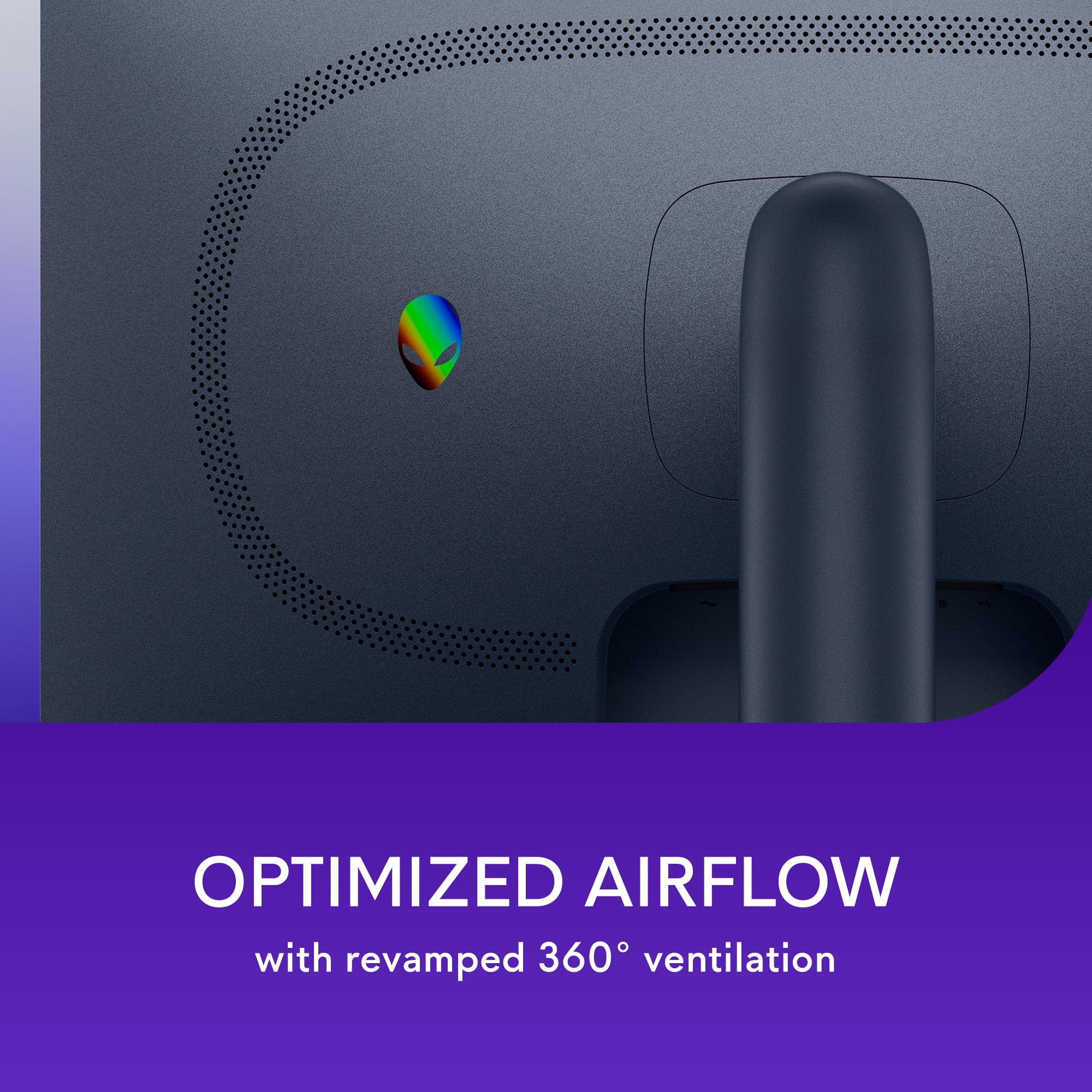
|Posted .This reviewer received promo considerations or sweepstakes entry for writing a review.The assembly involves a very intuitive and easy process; simply snap into place and it is ready to go. Once put together, I noticed how much of a small real state the base covers. The dark-blue finish is a welcome change for me. The build quality is what you’d expect from Alienware. Everything feels sturdy and durable, although a bit heavy topside. Nevertheless, it is very well balanced and placing it on a small monitor riser stand works rather nicely. I appreciate the cable management system that allows for hiding all cables neatly behind the monitor stand. The monitor has a decent number of ports for most use cases: 2 HDMI, 1 DP, and 2 USBs (much appreciated). However, I was disappointed that there is no 3.8mm AUX audio jack or monitor speakers and no ARC or e-ARC support. This is a bit of an issue for me as I have several devices connected (PC, Mac, and an XB Series S), and so I had to figure out how to hook them up independently to my sound system, as I don’t always like wearing headsets. The VA panel’s picture quality is much better than I had expected. While it cannot be compared to an OLED, this VA panel comes close displaying vibrant colors and detail at 1440p and lower resolutions. There are picture presets to accommodate any content and there is some room for tinkering in the menu, which is done with the well-placed joystick on the bottom of the monitor. HDR is OK on PC, but I could not get my Xbox to detect it. The high refresh rate ensures silky gameplay (depending on the PC or console’s capability), browsing, and scrolling. I have an AMD card, so FreeSync tech comes in handy. As with most curved monitors, the sense of immersion is great, but the viewing angles are not very good. So, the sweet spot in right in the middle. I do appreciate that there is plenty of tilt and height adjustability for the best viewing position. The monitor kept cool even during long gaming sessions and office work hours, and there was minimal noticeable heat dissipation. In the end, I am quite pleased with this monitor. Audio concerns aside, this is a very good deal and certainly worth the price in my opinion.
I would recommend this to a friend- Pros mentioned:Design, Overall performance, Refresh rate
Rated 5 out of 5 stars
Alienware ! Change the game
||Posted . Owned for 1 month when reviewed.This reviewer received promo considerations or sweepstakes entry for writing a review.Alienware monitors are among the best on the market, known for their sleek design, ultra-fast refresh rates, and stunning display quality. With features like QD-OLED panels, 240Hz+ refresh rates, and G-Sync/FreeSync support, they offer top-tier performance for gamers and creators alike. Perfect blacks, vibrant colors, and premium build make them a top choice for anyone seeking high-end visuals.
I would recommend this to a friend - Pros mentioned:Refresh rate, Resolution
Rated 5 out of 5 stars
Immersive Gaming Experience with Stunning Visuals
||Posted . Owned for 3 weeks when reviewed.This reviewer received promo considerations or sweepstakes entry for writing a review.The Alienware AW3225DM is a fantastic gaming monitor that delivers on both performance and aesthetics. The 32-inch curved VA panel offers a truly immersive experience, especially in fast-paced games where the 180Hz refresh rate and 1ms response time shine. Motion is incredibly smooth, and screen tearing is virtually nonexistent thanks to AMD FreeSync and VESA AdaptiveSync support. The QHD resolution (2560x1440) strikes a great balance between sharp visuals and high frame rates, and the HDR400 support adds vibrant colors and deeper contrast, making games and media look more lifelike. The 95% DCI-P3 color gamut ensures excellent color accuracy, which is also great for content creators. Build quality is solid, with a sleek, futuristic design that fits perfectly in any gaming setup. The adjustable stand and anti-glare screen add to the comfort during long sessions. Connectivity is generous with two HDMI ports, DisplayPort, and USB options. Overall, the AW3225DM is a top-tier choice for gamers looking for a high-performance, visually stunning monitor at a competitive price point.
I would recommend this to a friend - Cons mentioned:Black levels
Rated 3 out of 5 stars
Not Worthy of the Alienware Badge
|Posted .This reviewer received promo considerations or sweepstakes entry for writing a review.TLDR: Vibrant, saturated colors, but overall color accuracy is sub-par and non-correctable. CONNECTIONS 2 x HDMI 2.1 1 x DP 1.4 1 x USB 3.0 2 x USB-A 3.0 PROS Vibrant colors Just the right amount of curve HDR 400 with 95% DCI-P 2560 x 1440 Resolution @ 180Hz CONS Inaccurate color reproduction No speakers Ugly blue color Edge-lit VA Panel USE The new Alienware AW3225DM is a 1440p gaming monitor. It supports Variable Refresh Rates as well as AMD’s FreeSync. This monitor does not support nVidia’s G-Sync. Dell includes everything needed to hook up their Alienware monitor in the box, including an HDMI cable, DP cable, and a USB 3.0 cable. It is nice to see a manufacturer including all the necessary cabling with their product. The total time from unboxing to hook-up was about 2 minutes. It took longer to move the desk and plug in the power cord than it did to assemble and hook everything up. Assembling the monitor stand couldn’t get much easier. A single wingnut hidden under the base and the mounting arm snaps into the back of the monitor. A solution Dell has used for many years. Simple and effective. This is my first curved display. Being only 32” in size, I didn’t think a curve was necessary, but the more I use the Alienware, the more I’m liking the curvature. Text is very sharp and extremely legible, even at the extreme edges of the display. Colors are rich and vibrant. The Alienware can reproduce 95% of the color spectrum (95% DCI-P) and has a brightness rating of up to 400 nits in HDR. Plenty bright enough in any lighting condition I’ve encountered. Almost too bright during darkened gaming sessions. CONS The biggest con is the woefully inaccurate color reproduction. While technically the monitor supports 95% color reproduction, it can’t do it accurately. My colorimeter and open-source, freeware calibration software confirmed my suspicions. I have been unable to properly tune the color or the grayscale of the monitor. After spending more than two hours trying to get the colors dialed in, I threw in the towel. Attempting to correct the grayscale (aka white balance) throws off the colors. Attempting to get the color accuracy in line, throws off the white balance (this is illogical and not common). Usually once you can get the grayscale dialed in, a few tweaks are all that is needed for the primary and secondary colors. Not with this Alienware. FINAL THOUGHTS Not only is the color accuracy poor, but it is also one of the most inaccurate monitors, post calibration, to date. In addition to the inaccurate color reproduction, the edge-lit VA panel just can’t hold its own with the competition. Black levels are extremely poor and there is plenty of light bleed around the edges. This VA panel really struggles with blacks. There is no true black, only grays. This is extremely obvious when trying to play games like Indiana Jones and The Great Circle. Details in the caves and caverns are lost due to the monitor’s inability to control black levels. Often important details are impossible to distinguish from other background artifacts. I’ve used Dell monitors (Dell makes Alienware) for more than a decade. From their base models, up their coveted UltraSharps. As Alienware represents Dell’s premier gaming brand, I would, and did, expect more from this monitor. NOT RECOMMENDED
No, I would not recommend this to a friend - Pros mentioned:Design, Refresh rate
Rated 5 out of 5 stars
Gamers Need
||Posted . Owned for 2 weeks when reviewed.This reviewer received promo considerations or sweepstakes entry for writing a review.The Alienware AW3225DM is a gaming masterpiece: its 32" curved VA panel delivers stunning QHD visuals with vibrant colors, deep blacks, and immersive HDR. The 180Hz refresh and 1ms response ensure buttery-smooth, tear-free gameplay via FreeSync. Sleek design, easy setup, and unbeatable value make it a top-tier choice for epic sessions.
I would recommend this to a friend - Pros mentioned:Overall performance, Screen size
Rated 4 out of 5 stars
Excellent value at price point
||Posted . Owned for 3 weeks when reviewed.This reviewer received promo considerations or sweepstakes entry for writing a review.Solid state stand though not adjustable for height or swivel, good picture though not quite as crisp as I would like. Size is excellent particularly when gaming or reading on the monitor. Excellent value at the price point.
I would recommend this to a friend - Pros mentioned:Overall performance, Refresh rate
Rated 5 out of 5 stars
Great monitor for the price
||Posted .This reviewer received promo considerations or sweepstakes entry for writing a review.Probably the best monitor I have purchased to date. Fast refresh rate, beautiful graphics, and amazing quality overall. Would definitely recommend to anyone looking for a monitor.
I would recommend this to a friend