Customer Ratings & Reviews
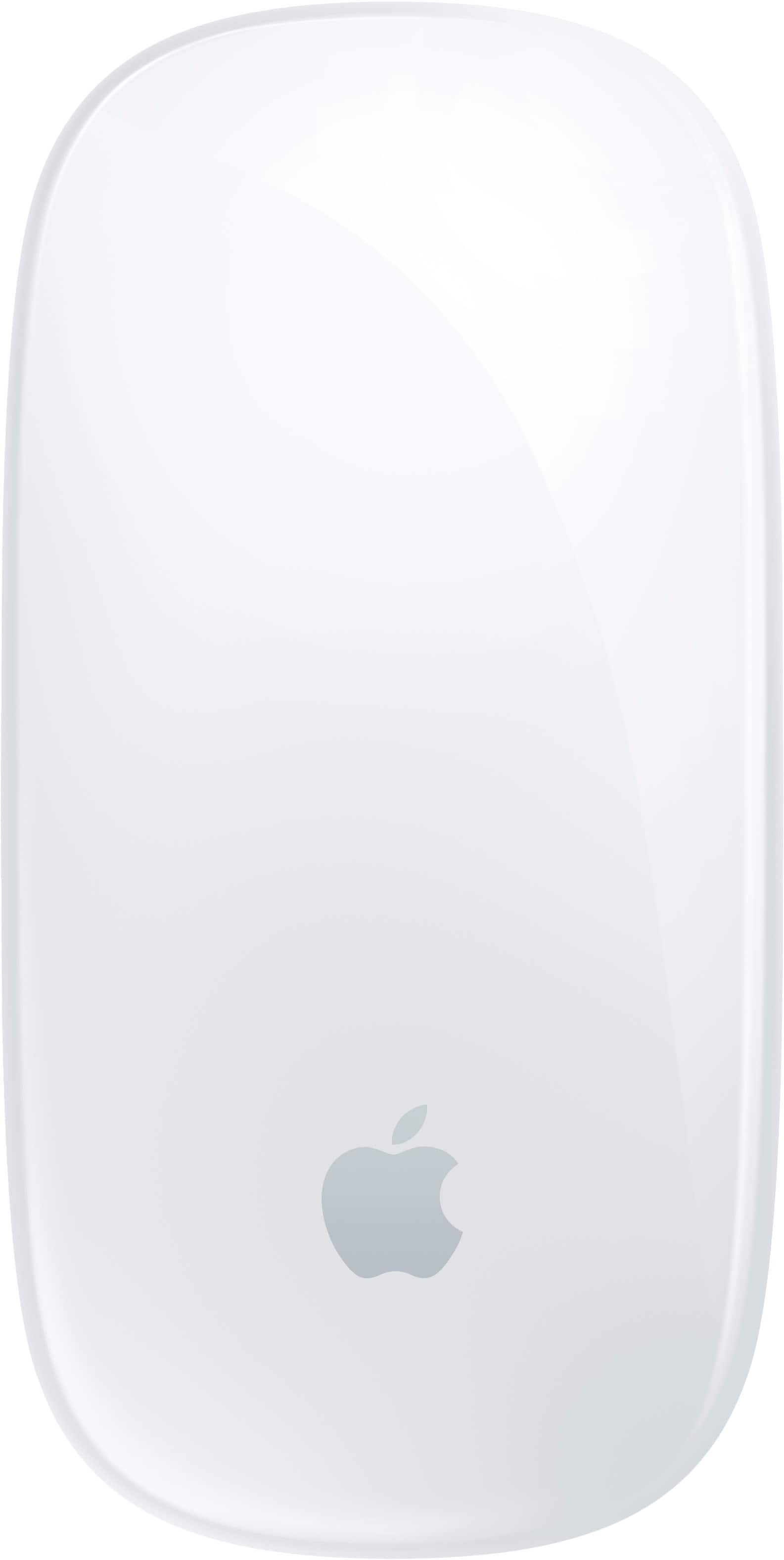
- Model:
- MXK53AM/A
- |
- SKU:
- 12078758
Customer reviews
Rating 4.6 out of 5 stars with 986 reviews
(986 customer reviews)Rating by feature
- Value4.5
Rating 4.5 out of 5 stars
- Quality4.8
Rating 4.8 out of 5 stars
- Ease of Use4.6
Rating 4.6 out of 5 stars
Rated 5 out of 5 stars
Black Mouse Apple
||Posted . Owned for 1 week when reviewed.This reviewer received promo considerations or sweepstakes entry for writing a review.This mouse was the best purchase, it is very simple to use and fast.
This review is from Apple - Magic Mouse - Multi-Touch Surface (USB-C) - Wireless - Black Multi-Touch Surface
I would recommend this to a friendRated 5 out of 5 stars
Great!
||Posted . Owned for 2 weeks when reviewed.This reviewer received promo considerations or sweepstakes entry for writing a review.Works smoothly connected right away very satisfied
This review is from Apple - Magic Mouse - Multi-Touch Surface (USB-C) - Wireless - White Multi-Touch Surface
I would recommend this to a friendRated 5 out of 5 stars
Great mouse
||Posted . Owned for 1 month when reviewed.This reviewer received promo considerations or sweepstakes entry for writing a review.It’s very comfortable to use and ergonomic, it makes easier to use my new Mac
This review is from Apple - Magic Mouse - Multi-Touch Surface (USB-C) - Wireless - White Multi-Touch Surface
I would recommend this to a friendRated 5 out of 5 stars
Mouse
||Posted .This reviewer received promo considerations or sweepstakes entry for writing a review.It was a great product. Fast Accurate All working Very handy
This review is from Apple - Magic Mouse - Multi-Touch Surface (USB-C) - Wireless - White Multi-Touch Surface
I would recommend this to a friendRated 5 out of 5 stars
Apple mouse
||Posted .This reviewer received promo considerations or sweepstakes entry for writing a review.Excellent!! Surpassed quality. Extra thin and very practical
This review is from Apple - Magic Mouse - Multi-Touch Surface (USB-C) - Wireless - White Multi-Touch Surface
I would recommend this to a friendRated 5 out of 5 stars
Beautiful and functional
||Posted .This reviewer received promo considerations or sweepstakes entry for writing a review.The product shows a great quality and it's easy to use
This review is from Apple - Magic Mouse - Multi-Touch Surface (USB-C) - Wireless - White Multi-Touch Surface
I would recommend this to a friendRated 4 out of 5 stars
Charge is still disappointing.
||Posted .This reviewer received promo considerations or sweepstakes entry for writing a review.I purchased this new mouse because my old one was not holding a charge for very long. The new is holding a charge longer but not as long as advertised.
This review is from Apple - Magic Mouse - Multi-Touch Surface (USB-C) - Wireless - White Multi-Touch Surface
I would recommend this to a friendRated 5 out of 5 stars
Magic mouse
||Posted .This reviewer received promo considerations or sweepstakes entry for writing a review.Paired well with my macbook air. smooth glide and efficient
This review is from Apple - Magic Mouse - Multi-Touch Surface (USB-C) - Wireless - White Multi-Touch Surface
I would recommend this to a friendRated 5 out of 5 stars
Apple mouse
||Posted . Owned for 3 weeks when reviewed.This reviewer received promo considerations or sweepstakes entry for writing a review.If you looking to try something from future this is it great and easy to use best part is touch sense unbelievable when browsing online and daily use
This review is from Apple - Magic Mouse - Multi-Touch Surface (USB-C) - Wireless - Black Multi-Touch Surface
I would recommend this to a friendRated 5 out of 5 stars
Magic mouse
||Posted . Owned for 3 weeks when reviewed.This reviewer received promo considerations or sweepstakes entry for writing a review.It works very well and a great option to choose is very good item
This review is from Apple - Magic Mouse - Multi-Touch Surface (USB-C) - Wireless - White Multi-Touch Surface
I would recommend this to a friendRated 5 out of 5 stars
Sarina j mouse review
||Posted . Owned for 3 weeks when reviewed.This reviewer received promo considerations or sweepstakes entry for writing a review.Love this mouse super handy feels nice on your hand charges, no batteries
This review is from Apple - Magic Mouse - Multi-Touch Surface (USB-C) - Wireless - Black Multi-Touch Surface
I would recommend this to a friendRated 5 out of 5 stars
Magic Mouse
||Posted . Owned for 1 month when reviewed.This reviewer received promo considerations or sweepstakes entry for writing a review.So. Far so great! I don’t understand why the Magic Mouse was so expensive, but still it’s a great mouse.
This review is from Apple - Magic Mouse - Multi-Touch Surface (USB-C) - Wireless - Black Multi-Touch Surface
I would recommend this to a friendRated 5 out of 5 stars
Used, like new
||Posted . Owned for 1 week when reviewed.This reviewer received promo considerations or sweepstakes entry for writing a review.I was hesitant to buy a used mouse, but I didn't notice any issues, and it works like new.
This review is from Apple - Magic Mouse - Multi-Touch Surface (USB-C) - Wireless - White Multi-Touch Surface
I would recommend this to a friendRated 5 out of 5 stars
Open box Magic Mouse
||Posted . Owned for 1 month when reviewed.This reviewer received promo considerations or sweepstakes entry for writing a review.Great value. Works perfeclty. Highly recommended !
This review is from Apple - Magic Mouse - Multi-Touch Surface (USB-C) - Wireless - Black Multi-Touch Surface
I would recommend this to a friendRated 5 out of 5 stars
Forever love apple
||Posted . Owned for 3 months when reviewed.This reviewer received promo considerations or sweepstakes entry for writing a review.Very good. I love it.thank apple company make everything for everyone. Love for
This review is from Apple - Magic Mouse - Multi-Touch Surface (USB-C) - Wireless - White Multi-Touch Surface
I would recommend this to a friendRated 5 out of 5 stars
Good mice
||Posted .This reviewer received promo considerations or sweepstakes entry for writing a review.Very good quality. I had to replace my old magic mouse as the glide became sticky on a cloth mouse pad after using it for 3 years. New one is very smooth on cloth and very rugged. Good for if you have small hands.
This review is from Apple - Magic Mouse - Multi-Touch Surface (USB-C) - Wireless - White Multi-Touch Surface
I would recommend this to a friendRated 3 out of 5 stars
Sort of weird
||Posted . Owned for 1 week when reviewed.This reviewer received promo considerations or sweepstakes entry for writing a review.This Magic Mouse is great if your browsing the web or editing videos, one thing I found difficult was how to right click on things. Tried looking it up but found nothing. How you charge the mouse is weirdly placed. Like Apple could have put the charge port on the top side but instead it’s on the bottom so you can’t use it while charging.
This review is from Apple - Magic Mouse - Multi-Touch Surface (USB-C) - Wireless - Black Multi-Touch Surface
No, I would not recommend this to a friendRated 5 out of 5 stars
Mousecatool
||Posted . Owned for 1 month when reviewed.This reviewer received promo considerations or sweepstakes entry for writing a review.This product is amazing I do not believe I can live without it may get the back one too
This review is from Apple - Magic Mouse - Multi-Touch Surface (USB-C) - Wireless - White Multi-Touch Surface
I would recommend this to a friendRated 5 out of 5 stars
Excellent product
||Posted . Owned for 2 months when reviewed.This reviewer received promo considerations or sweepstakes entry for writing a review.This is really a great product I love it. The mouse comes up with a user guide and a cable
This review is from Apple - Magic Mouse - Multi-Touch Surface (USB-C) - Wireless - Black Multi-Touch Surface
I would recommend this to a friendRated 5 out of 5 stars
Best mouse on the market
||Posted . Owned for 2 weeks when reviewed.This reviewer received promo considerations or sweepstakes entry for writing a review.I love this mouse it’s honestly the best one on the market
This review is from Apple - Magic Mouse - Multi-Touch Surface (USB-C) - Wireless - White Multi-Touch Surface
I would recommend this to a friend