Customer Ratings & Reviews

![Esc F1 F2 F3 F4 F5 F6 F7 F8 F9 F10 F11 F12 PrtSc ScrLk Pause
1 2 3 4 5 6 7 8 9 0 - = Backspace
Q W E R T Y U I O P [ ] \
A S D F G H J K L ; '
Z X C V B N M , . /
Caps Lock Shift
Ctrl Fn Alt Spacebar Alt
Insert Home PgUp NumLock 7 8 9 +
End PgDn 4 5 6 -
PgDn 1 2 3
0 Ins](https://pisces.bbystatic.com/image2/BestBuy_US/images/products/94c198b1-7216-4a06-8a33-f4b4d87a673c.jpg)
![F10 + F11 + F12 + PrtSc + ScrLk + Pause + {I ] + { / + Ctrl + I + Ins + Home + PgUp + Num + Del + End + PgDn + 1 + H + ASFW + 5 + F + H + M1 + M + A + + + .C.E + V + + + .E + O + Ins + E + Del +](https://pisces.bbystatic.com/image2/BestBuy_US/images/products/a573bec8-953f-426a-a906-fd8c40a8be98.jpg)
- Model:
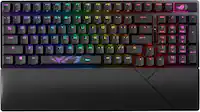
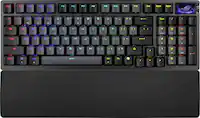
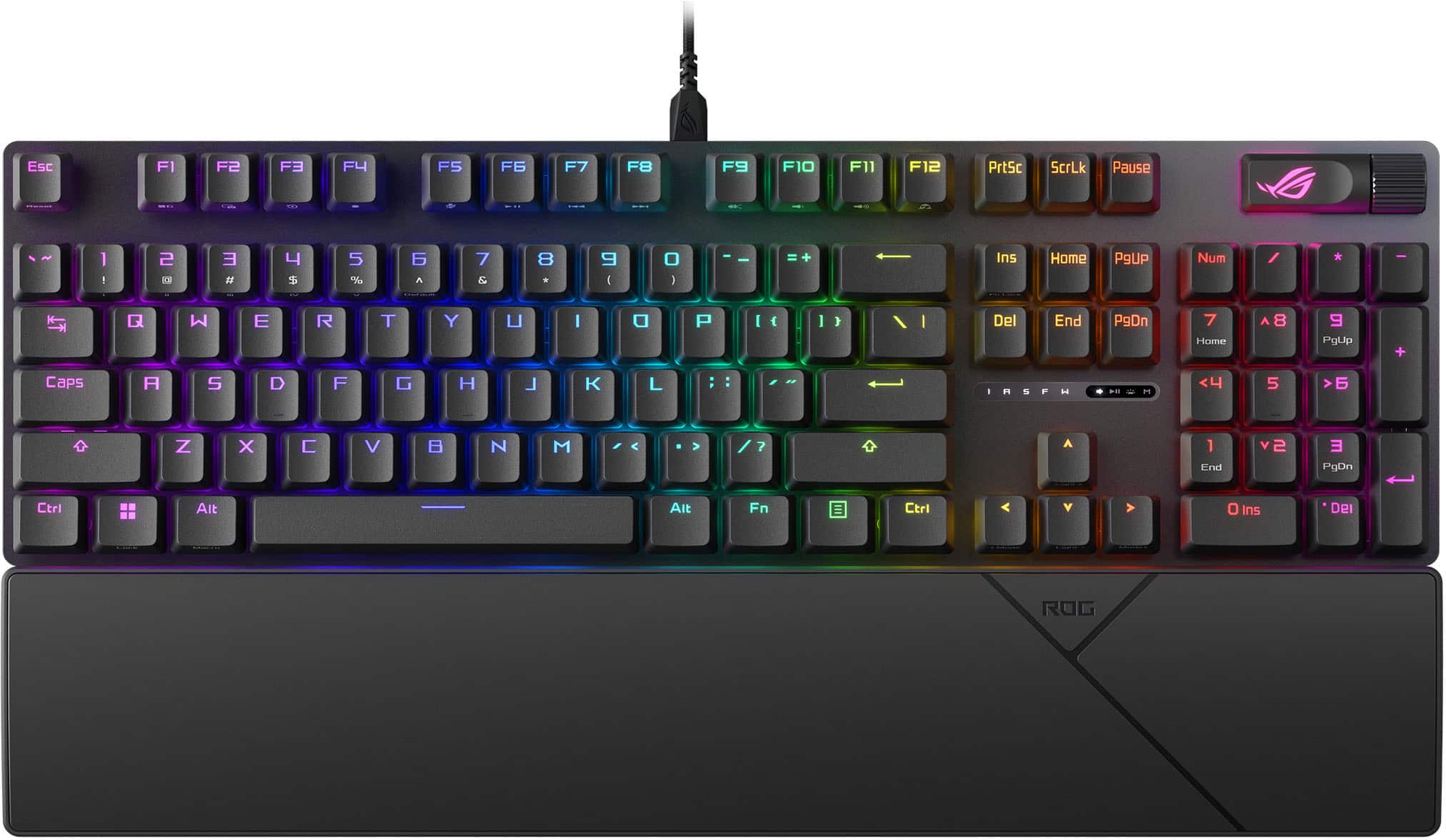
- XA14 ROG STRIX SCOPE II X/NXSW
- SKU:
- 6633432
to a friend
- Pros mentioned:Noise level, Rgb lighting
Awesome keyboard
||Posted . Owned for 2 months when reviewed.This reviewer received promo considerations or sweepstakes entry for writing a review.Love this mechanical keyboard. Not too noisy but has some satisfying sound. Pretty customizable rgb as well. Definitely worth it.
I would recommend this to a friend - Pros mentioned:Build quality, Rgb lighting, Switch performanceCons mentioned:Connectivity

solid all-around keyboard for gaming and typing
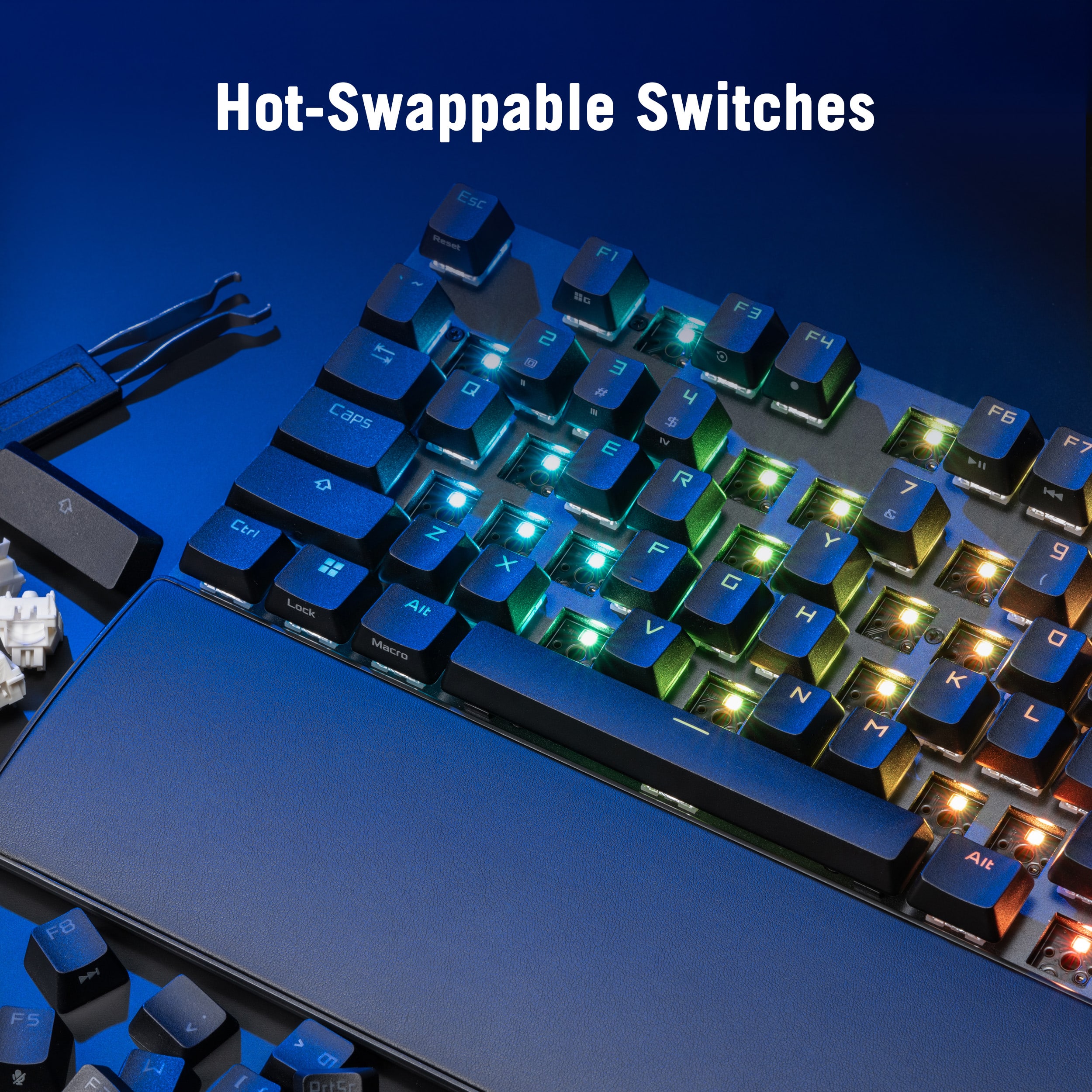
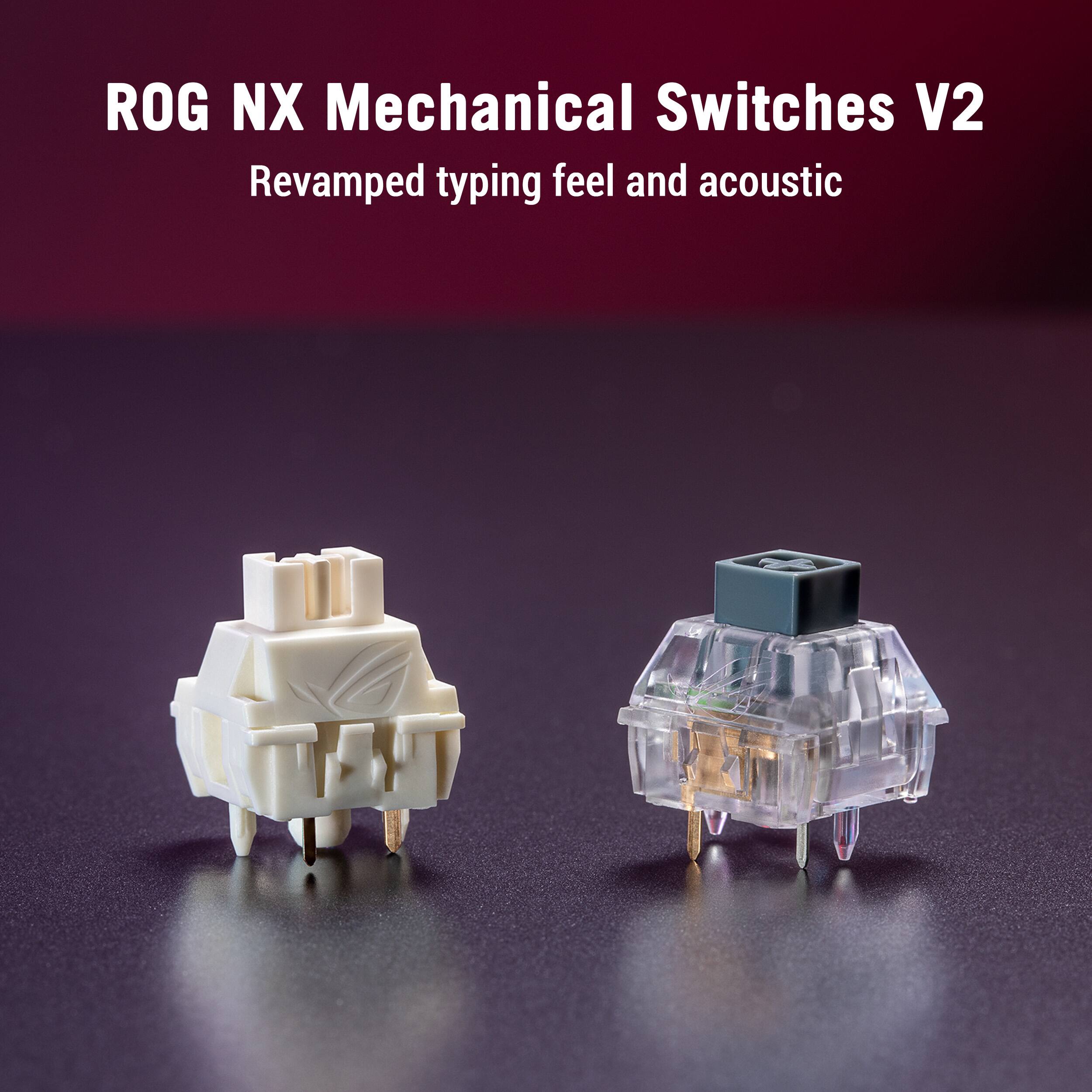
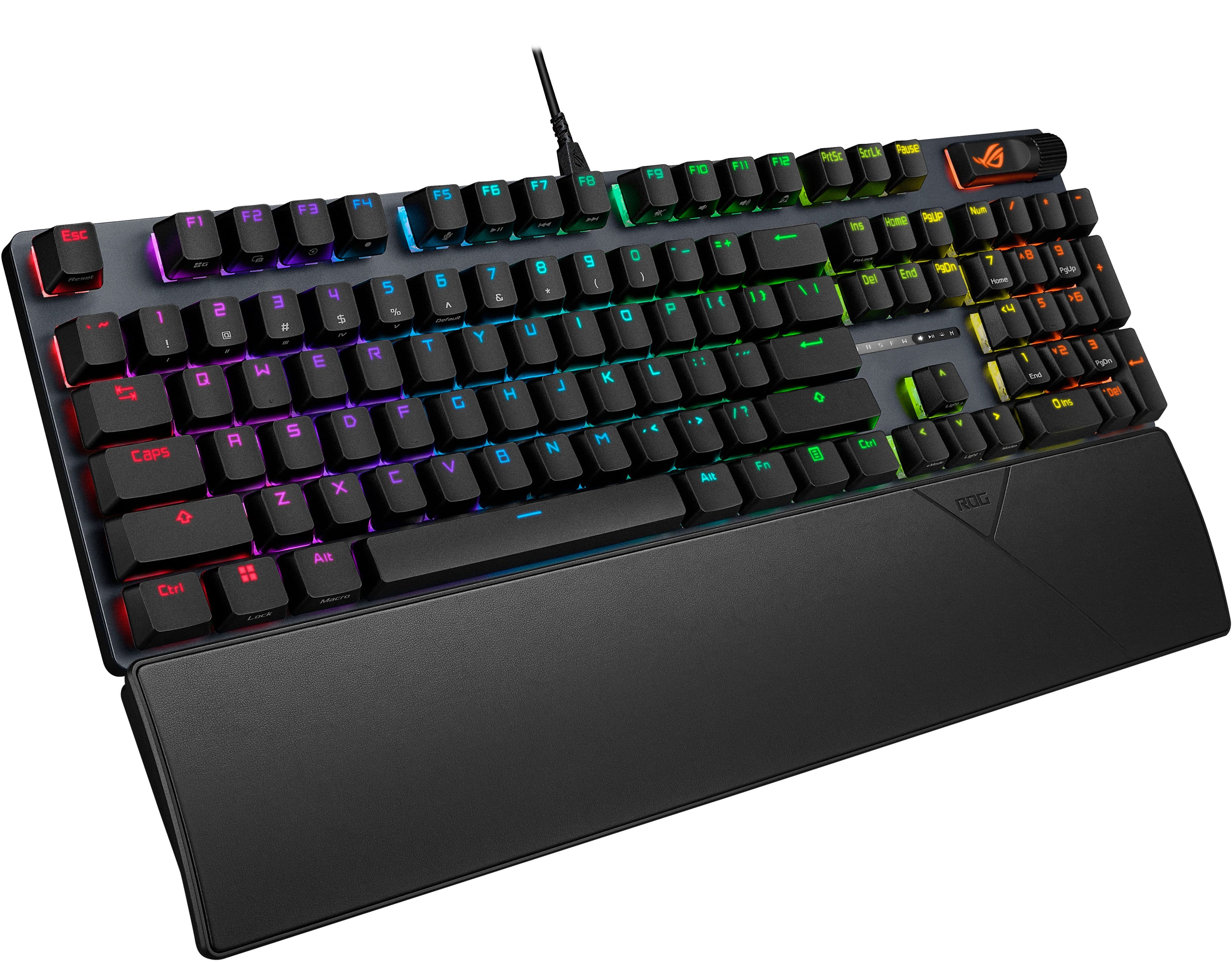
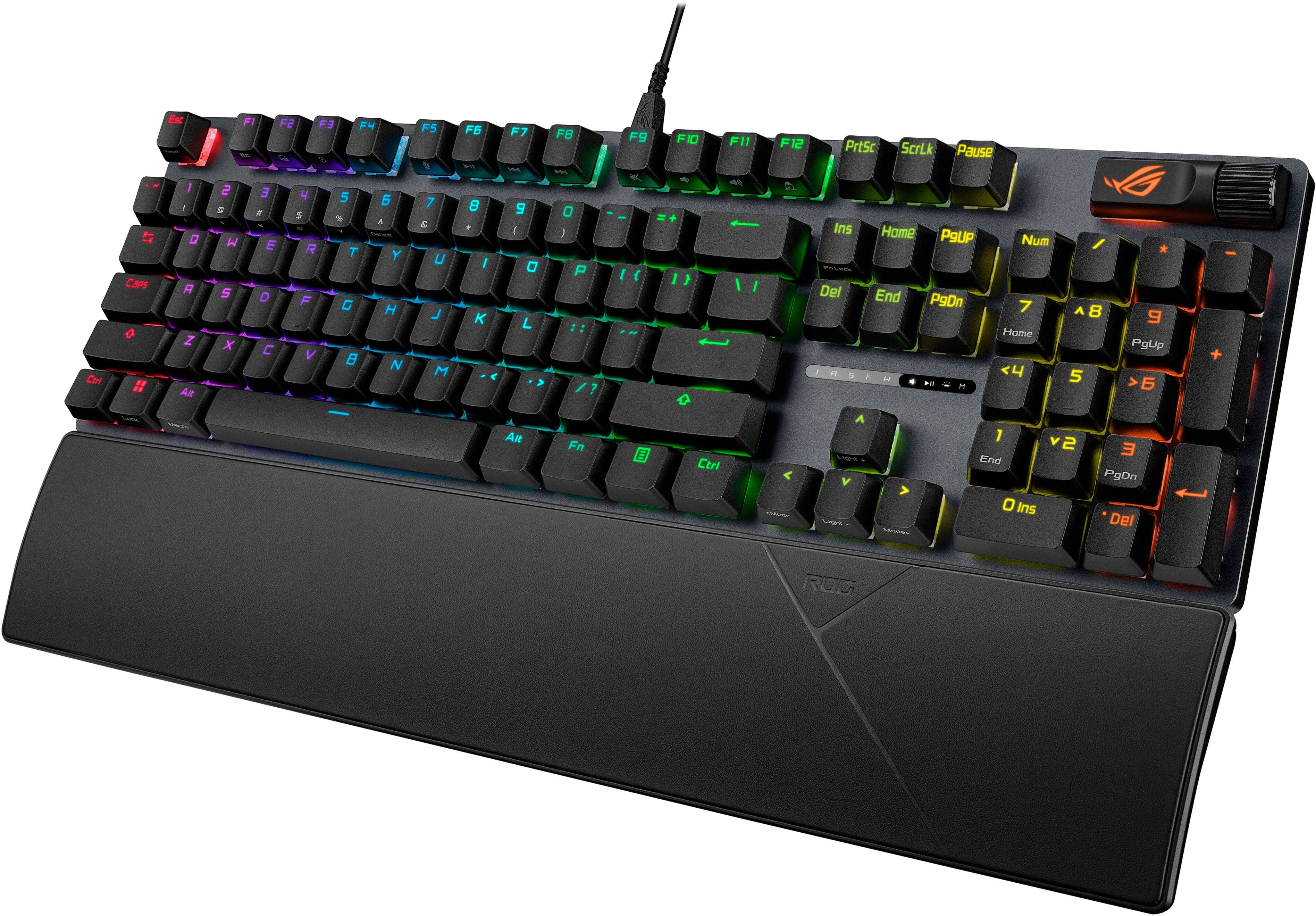
|Posted .This reviewer received promo considerations or sweepstakes entry for writing a review.so i picked up the ASUS ROG Strix Scope II X keyboard not too long ago and i’ve been using it for both gaming and work. first impression? honestly it feels premium and solid right out of the box. the full-size layout with numpad is perfect for me since i use spreadsheets and games equally, and the RGB lighting looks nice and bright under my desk lights. the thing that stood out most is the hot-swappable ROG NX Snow switches. they feel super smooth and have a clean linear feel that makes gaming and typing satisfying. they’re pre-lubed too, so it doesn’t feel crunchy or rough right away. i haven’t swapped them out yet, but just knowing i could swap them in the future if i want something clickier or quieter is cool. i like the detachable wrist rest it came with. after a couple hours gaming or typing, my wrists feel better than they do with my last keyboard. the keyboard also has three different tilt angles so i can raise it the way i like it best. the multifunction wheel and media controls are neat too. i can adjust volume or lighting without tabbing out of a game, which feels handy especially when i’m trying to stay immersed. the keycaps feel nice and solid. mine came with PBT doubleshot keycaps that don’t shine up like cheap plastic and feel good under my fingers. there’s also a themed spacebar with extra RGB details which looks pretty cool if you’re into that aesthetic. now the downsides. the software can be a bit clunky at first if you’re trying to make custom lighting or macros. it took me a few tries to figure out how to make simple profiles and map a few keys. the switches are also a bit loud compared to very quiet keyboards if you’re in a quiet room. it’s also a wired keyboard only, so if you prefer wireless setups this might not be for you. overall though i’m pretty happy with it. it’s a comfortable, customizable, and sturdy keyboard that’s great for long gaming sessions and everyday typing. if you’re upgrading from a basic membrane keyboard or even an older mechanical board, this one feels noticeably better. and the hot-swap support means it’s not a one-and-done purchase. you can tweak it later if you want.
I would recommend this to a friend - Pros mentioned:Build quality, Rgb lighting
Great Performance and Customization for the Price
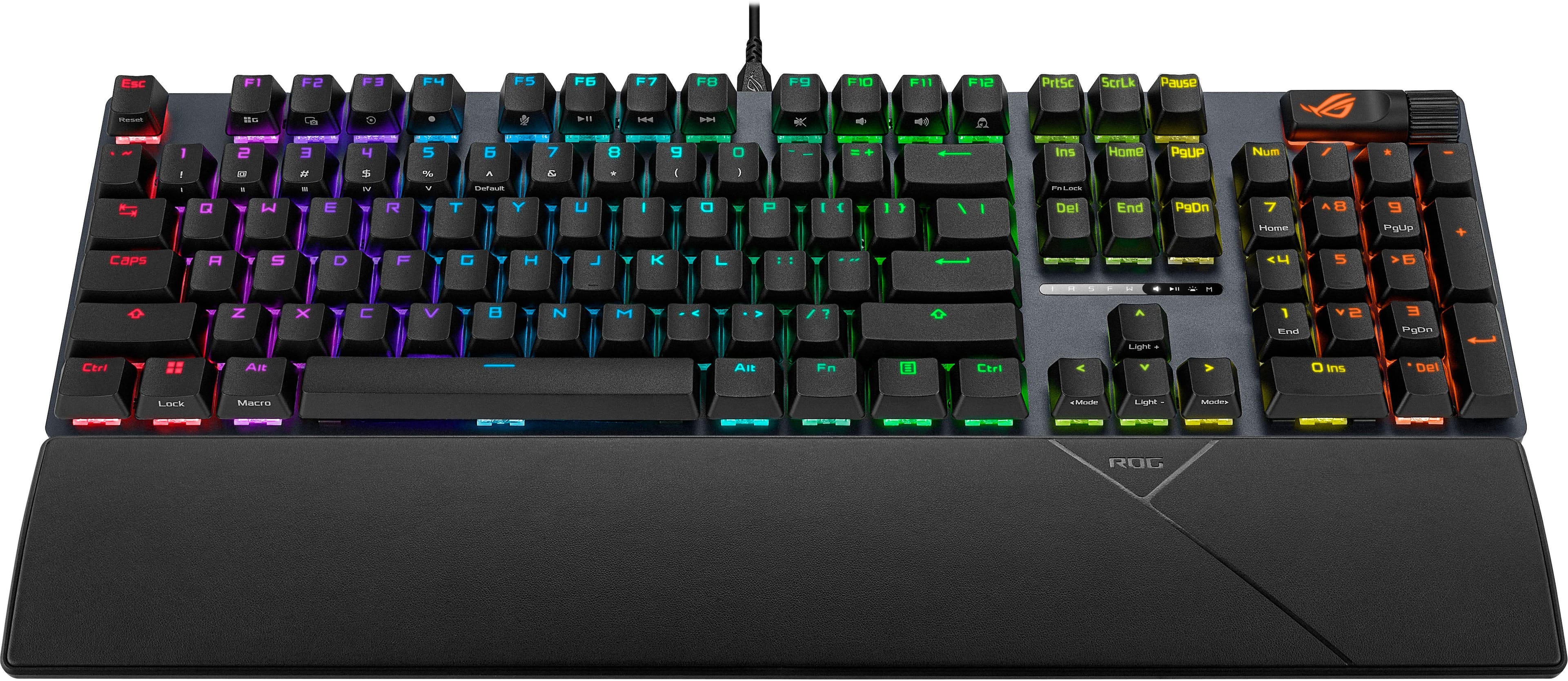
|Posted .This reviewer received promo considerations or sweepstakes entry for writing a review.I have had this keyboard for about a week now, and so far I am very happy with it. I love a full-size keyboard and have a hard time using anything without a full number pad. The keys are extremely responsive when gaming, and I have had zero issues with lag or input delay. I even used this keyboard for work during the first week in addition to gaming, and it performed great in both scenarios. One of my favorite details is the font on the keycaps. It looks fantastic and lights up bright with full RGB. This keyboard really shines when paired with the Armoury Crate app, which unlocks a lot of customization options and keeps the firmware up to date. While the RGB lighting looks great, I did find it a little odd that the special characters on the top row numbers do not light up. That can make them harder to see when typing in the dark. The typing experience is excellent. The keys have a satisfying clacking sound, and each key press feels solid and consistent all the way through. The weight is just right, slightly heavy but not overly so for a gaming keyboard. Build quality feels very strong with an aluminum top plate and a sturdy plastic bottom. The magnetic wrist rest is a nice addition. It attaches easily and stays in place. The surface feels like a thin layer of foam covered with a soft fabric, which is comfortable during longer sessions. I do wish the keyboard were a bit taller toward the back. An additional height option for the rear feet would have been nice. The multiwheel is extremely useful and can be mapped to a variety of functions such as volume control, media track skipping, keyboard brightness, Copilot, and more. It quickly became one of my favorite features. Overall, this is a great full-size gaming keyboard with tons of customization at a very fair price. It feels like a true workhorse for both gaming and everyday use without breaking the bank. In the box you get the keyboard, a USB-C cable, a key puller, and an extra spacebar with a cool ROG logo and design. I would absolutely recommend this keyboard to serious gamers who want a full-size, customizable RGB keyboard without spending a fortune.
I would recommend this to a friend Love it (but misled by Best Buy)
||Posted . Owned for 1 month when reviewed.This reviewer received promo considerations or sweepstakes entry for writing a review.This is a great keyboard. LEDs are bright, lots of customization. Heavy and just beautiful. The problem I had with it - isn’t ROGs fault at all… the product description said it was wireless and it ain’t. If you’re ok with a wired keyboard, then this one is hard to beat! Works really well with the Armor Crate software, and I highly recommend it!
I would recommend this to a friendA Bit Disappointed
||Posted . Owned for 2 weeks when reviewed.This reviewer received promo considerations or sweepstakes entry for writing a review.The upper case symbols do not light up on the keys so I had to buy replacement keys from Amazon. The symbols l.e. ! , @, %, etc.) were small and can barely be seen. Other than that, the keyboard is great. Note - The photo I took has the replacment keys.
I would recommend this to a friend- Pros mentioned:Build quality, Noise level
Surprisingly well priced quality Asus keyboard
|Posted .This reviewer received promo considerations or sweepstakes entry for writing a review.I go through a lot of mice and keyboards testing always looking for the "next best thing." The Asus Rog Strix Scope II X, referred to as the Scope from this point, is a viable candidate, but is it the next best thing? Arriving in very compact, modest package (for Asus that is) with classic Asus black and red design, inside you will find the keyboard, palm rest, USB-C to USB-A cable, a replacement ROG spacebar that is much more flashy than the pre-installed one and a small bundle of paperwork and s sticker. Hookup is as simple as connecting the USB cable to the keyboard and your chosen device and off you go. The keyboard does default to the rainbow pattern, so you will need to either run Armory Crate or hope a third party RGB controller software can reign in the rainbow. I do wish makers of RGB, well, anything would default to either a solid color that could represent their brand color (IE Red for Asus, Green for Razer, Orange for SteelSeries, etc...), white or default to off. Typing and responsiveness is very nice. It is definitely a step up over the asking price for the Scope. It is very sturdy and I like the Asus logo on the media control dial. The palm rest is firm and there is no softness at all. My favorite palm rest of all time is still EVGA's and that is because it is soft yet supportive. I spent several days using the Scope as my primary keyboard driver for work and play and it gets the job done. It isn't a top end mechanical keyboard and you can tell by the feedback and strike feel of the "snow switches" when typing but it is still a good keyboard. I do very much like that it isn't overly noisy when typing. Price wise, it is very competitively priced compared to similar models and I would say it is just as good if not better than the several Razer keyboards I've tried that cost much more. I like it better than the few Corsair, Cherry and EVGA keyboards I've tried and the only keyboard I like more happens to be my current SteelSeries Apex Pro Gen 3, but the SteelSeries is also almost 2x the price. I do not have many complaints about the Scope but one is the secondary functions do not light up for the horizontal number keys. The second is the rear elevation could be a fraction of an inch taller. Outside of those two complaints, the Asus Scope is surprisingly well priced for the quality of keyboard you receive and if I wasn't currently using my SteelSeries, I would most likely be using the Scope instead as my daily driver keyboard.
I would recommend this to a friend - Pros mentioned:Build quality, Key feel, Rgb lighting
Top tier for its class, bravo Asus
|Posted .This reviewer received promo considerations or sweepstakes entry for writing a review.Asus is a big enough company to have some duds, but this ROG Strix Scope II X has to be one of the best keyboards in its value class. While it has a terrible name, this keyboard feels incredibly solid the second you open the box. Great textured key feel, and just enough clicky to sound good, but not be obnoxious. (I am an extra clicky "blue switch"/loud keyboard enthusiast for the most part, so some may still consider this board a bit loud as the keys bottom out) The RGB has to be the smoothest I've seen in a while, in full "rainbow" mode, it seems to just glide by effortlessly. (Some Asus software is meh at best, but Armoury Crate/Aura Creator aren't awful) The multifunction button took some getting used to, but its such a smart idea, and works/is implemented well! I was getting by with a fancy 75% keyboard before this, and while I liked the size on my desk, I really missed having a full size keyboard. (On the plus side for this Scope II X, its not a giant full size keyboard, actually quite trim for being well spaced out) Playing DOTA2 online I felt like I was hitting the wrong keys when I first got it setup. Then I realized, due to the size difference, I was automatically putting my fingers over a whole key, but I then noticed the "w" key has a small dot/bump on it. Easily lines you back up, while being much smaller/subtle than the normal bumps on the F and J keys. Easily recommended, great keyboard overall, while being a good value!
I would recommend this to a friend - Pros mentioned:Build quality, Noise levelCons mentioned:Connectivity
An okay keyboard
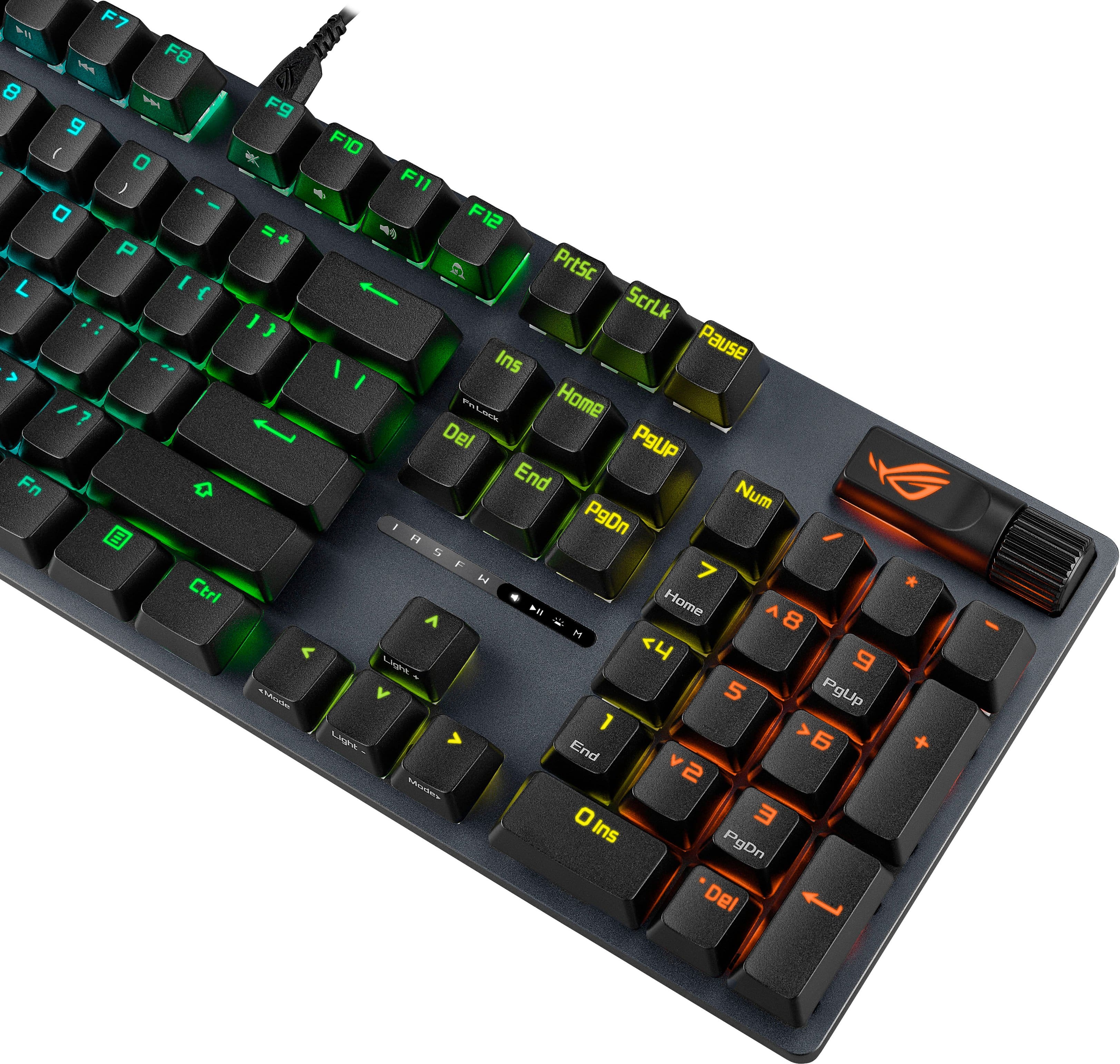
|Posted .This reviewer received promo considerations or sweepstakes entry for writing a review.This is a wired keyboard, not wireless. As much as I like the convenience of wireless keyboards, I still prefer wired keyboards. Maybe I’m just an old school person. The typing feels good. These have linear switches, so if you like the tactile with more clicky sound, this will not have that. It is not too loud, and I can use it late at night without making too much noise. The sound is there and it is good enough for me. The response is good. No delayed inputs. The lights are nice and bright. If you have existing ASUS ROG peripherals and accessories, you can use the existing Armoury Crate software. This software allows you to customize the colors and patterns along with other settings. You do not have to install the software. You can make adjustments from the keyboard itself. The ROG button on the top right next to the volume control can switch between different settings from volume, play options, brightness, etc. Then you use the volume scroll to adjust. If you want more tuning, then you will have to install the software. The ROG branding is even on the cables. Although, if the reason was cost to not have braided USB cables, I’d rather have less of the branding and in exchange for braided cables. I think it was a mistake there. Many keyboards at this price range have braided cables. The cable is also USB-A to USB-C. I guess it is more compatible, but newer computers are opting for USB-C ports. I like the scrolling style volume control. It is a different approach to what I normally see with dials. Overall, the keyboard is okay. I do prefer a more tactile sound. This sounds a little softer if that makes any sense. It still feels good typing on it. It is an okay keyboard.
I would recommend this to a friend - Pros mentioned:Build quality, Key feel
In love with this keyboard
|Posted .This reviewer received promo considerations or sweepstakes entry for writing a review.Finally the perfect mix between a gaming keyboard and an everyday keyboard! I love gaming keyboards in general but THIS is the keyboard that hit every check box for me. 10 key, lighting, solid yet light weight, comfortable wrist rest, key swapping and switch swapping tool, and a satisfying but not too loud key sound. I can't think of anything I would change on this keyboard. I love the sleek black look with the fun font on the keys. I love the 10 key and that the addition doesn't make the keyboard feel huge like others do. The wired connection is solid and the included cord will hold up to daily use with ease. The back lighting is vibrant and the colors are rich. Setup and connection was as easy as plug and play for basic use. I've been using it at my work from home job and also for gaming to see how it performs for both. Keys are responsive and snappy. No lag or timing concerns. Key presses feel solid and the sound is so satisfying. And the colors just make sitting down at the desk fun.
I would recommend this to a friend - Pros mentioned:Build quality, Key feel
A solid gaming keyboard with numpad
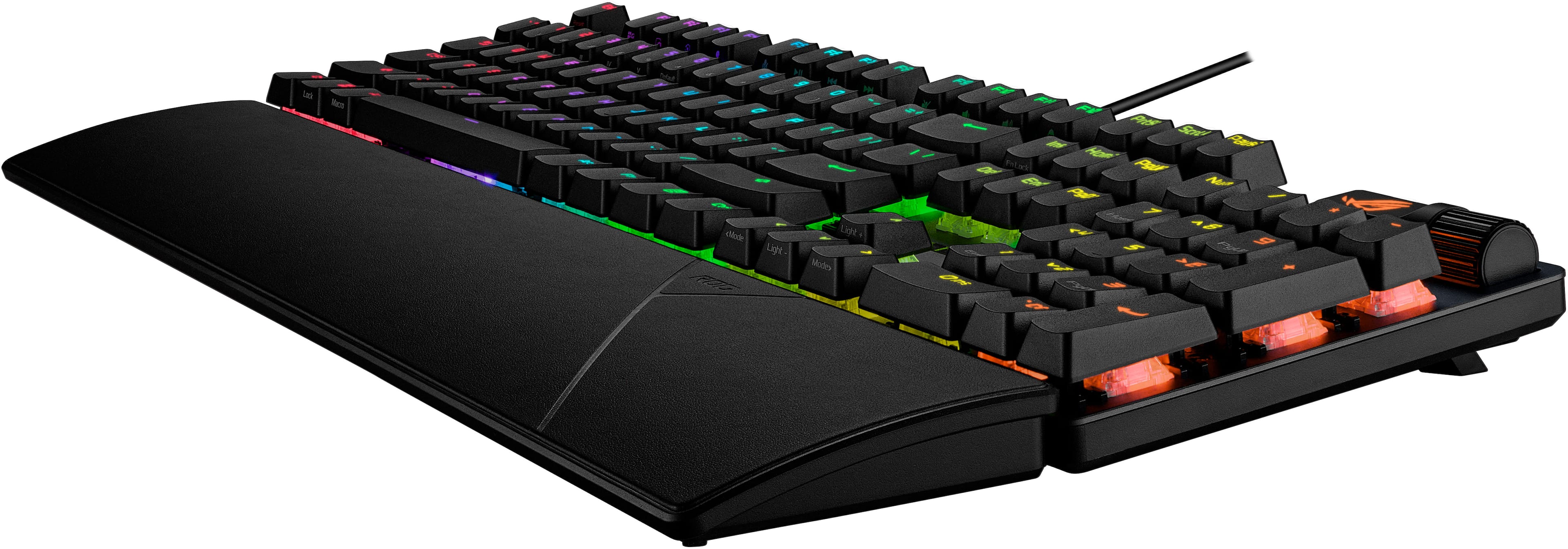
|Posted .This reviewer received promo considerations or sweepstakes entry for writing a review.The ASUS ROG Strix Scope II X is a well-made gaming keyboard that should please all but the pickiest gamer. There’s a lot to like here. I really like the shape and feel of the keys, and the texture on the key tops. Light bleed is minimal, which I prefer, though some people may want more. The scroll wheel is a nice touch with useful functions, but the grooves are a little slick and it can be accidentally pressed when you’re trying to use it. I keep it on the default volume mode, but switching modes is easy to toggle through with the button beside it. The multi‑LED status indicator above the cursor keys, with its simple shapes, is excellent design. The keys feel solid, move smoothly and quietly, and have no wiggle or play. I also really like the wrist rest, a hard, soft‑touch plastic piece that attaches magnetically. The only real downside is that the symbols on the number keys and certain others don’t illuminate. They’re small, medium‑gray, and hard to see even in good lighting. Of all the gaming keyboards I have used this one is on par with all of them as far as operation and feel goes. Anything beyond that will come down to personal preference for looks, options and with or without a keypad, and feel. The latter is pretty subtle, they all feel pretty good I took several photos with my camera’s white balance set to daylight – 5500K setting for a baseline. You can see the light bleed between the keys and how the colors look on each in one photo and without the keycaps on a few keys in two others. See photos. I compared the ROG Strix Scope II X to 3 other gaming keyboards. The Turtle Beach Vulcan II TKL Pro is the brightest and has the most pastel-ish colors, the ROG is a very close second in both areas. TB Vulcan is also the brightest with the most bleed around the keys. This keyboard uses hall-effect magnetic switches which allows you to set the key depth for 1mm to 4mm to register a contact. It’s also the quietest of the 4 and I prefer its feel the most. Wrist rest is a thick piece of neoprene with a logo. The Turtle Beach Vulcan II TKL has a brighter looking color - more "chromey" through transparent switch housings as opposed to the diffused housings the other TB and ROG have. It uses “hot swappable” mechanical switches as well. TB includes 3 spare switches as well as tools. ROG only includes a tool. Wrist rest is a thick piece of neoprene with a logo. Both TB keyboards are available with numeric keypads. The old Logitech 910 Spark has almost no light bleed, between the keys and the colors are only slightly pastel-ish. It also has 9 macro buttons with 3 memories for a total of 27 commands you can store. All the other keyboards lack anything like that. Plus, it has other custom buttons for mute, lighting, joystick - controller and media. It's nothing to sneeze at, old or not. Plastic wrist rest. NOTE: You can change the brightness, color schemes and even set colors per individual keys on ALL the keyboards above as well as the one I’m reviewing. All but the G910 have aluminum tops and plastic bottoms. Gaming performance was similar with all of them. I reviewed the Turtle Beach keyboards for Best Buy’s TIN. I bought the Logitech G910 about 6 or 7 years ago. The TB keyboards and ROG include a USB-A to USB-C cable. PROS: Has textured key tops, sculpted keys, minimal light bleed, magnetic wrist rest, multi-function scroll wheel, 3 height levels with 2 level feet, soft look of the LEDs, can change keycaps, hot swappable switches, Letters and number are large and easy to see and read. Great feel and build quality. CONS: As mentioned above, the symbols on the number keys and other keys do not illuminate as on all the others I’ve used and reviewed. This almost cost it a star. The scroll wheel is too easy to depress when using. At least my mine is. This could vary by unit. No spare switches like TB keyboard above, must use Asus Amory Crate software. The quick‑start guide is two pages of surface‑level info with no mention of switch replacement beyond the spacebar. No guidance as to where to buy replacement switches or keycaps. Yeah, a newbie can Google it, but it would have been nice for Asus to have included it. Conclusion: It’s solid, comfortable, and delivers lighting that looks good without bleeding all over the place. The sculpted caps and wrist rest make long sessions easy, and the build feels like it’ll hold up. Asus could rectify the minor flaws by changing the keycaps with symbols that light up and including a few spare switches. Recommended.
I would recommend this to a friend - Pros mentioned:Build qualityCons mentioned:Connectivity
Gaming, workstation, crunchy presses
|Posted .This reviewer received promo considerations or sweepstakes entry for writing a review.TL; DR ****PROS**** -Slim bezel, creating a cleaner look -Textured key-caps on the most used in gaming -Low travel presses -Magnetic armrest that can be adjusted -Matte metal top plate that can be easily cleaned -Crunchy key presses similar to brown but crunchier and not as loud ****CONS**** -Not wireless -Multi-function button could have been implemented a little better I had been looking to get another full-size Keyboard for a while and this ASUS Scope II X, appeared at the perfect time. The box presentation is great, not overdoing it but also looking good, and great quality packaging. In the box you get the keyboard, manuals, type C cable, armrest, and the extra Space bar key cap. Setting up is easy, just plug and play, since my desktop is ASUS branded, I had already installed their proprietary software and was able to change the colors right off the bat. The keystrokes SOUND and FEEL pretty good. I’m honestly not the biggest switch enthusiast so I am not sure what the NX Snow switches are based off. I know every company creates new switches, so I am lost here. The only thing I know was the original Blue, Brown, and Reds. I do feel they are based off the sensitivity of Reds, but sound crunchy like blues but cleaner. The armrest feels amazing and I like the idea of it being magnetic and being able to readjust or take it off without having to fear breaking something. The only thing that does feel lackluster is the multi-function button, you pretty much have a scroller and the big button that changes the functionality of that scroll wheel. It’s tedious if I am honest. Also, I feel like this keyboard should have been wireless with its coin to value ratio. When it comes to gaming, this has everything I need, which is, responsive, and low travel strokes. In CONCLUSION, I would recommend this keyboard if you want the crunch and a full-sized workstation keyboard. It is good for gaming if you can game in a full sized KB, and will say I do love the crunch on the OEM key caps, but that sound does get kind of lost once you change out the key caps.
I would recommend this to a friend - Pros mentioned:Switch performance
An outrageous amount of features for beginners!
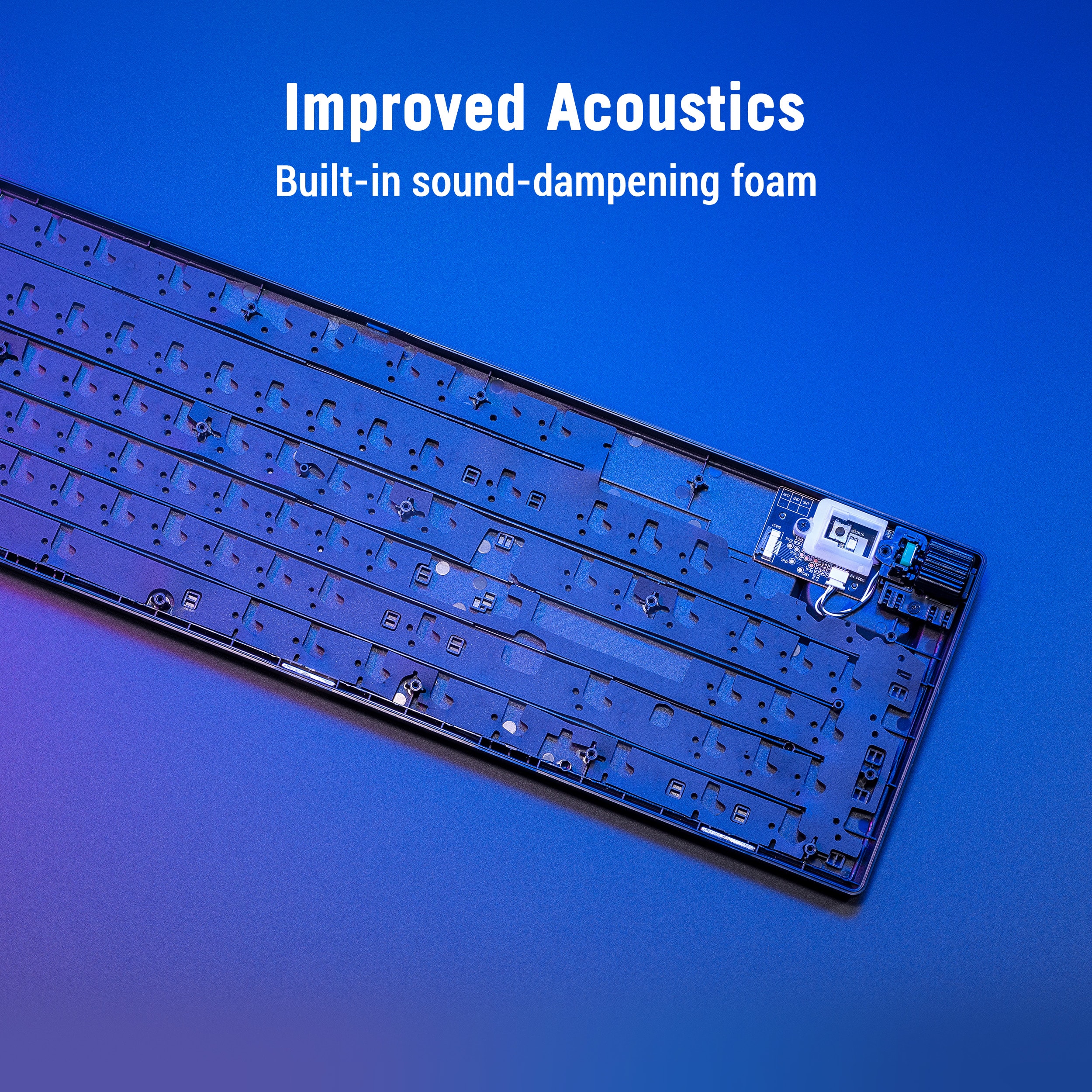
|Posted .This reviewer received promo considerations or sweepstakes entry for writing a review.This gaming keyboard is all about options while staying sensitive to a budget. I am utterly impressed here to find a keyboard that has so many outstanding features of higher keyboards, but without the expense! First of all, I truly appreciate having so many key features on a full size feature like this. The multibutton function is great and while it takes some getting used to, is certainly nice to have included as an option for controlling functions like keyboard brightness and volume. Another thing I really appreciate about Asus here is the included magnetically attached wrist rest. This is a feature that I am honestly astonished and irritated that gets excluded from so many keyboards now, especially higher end ones! When a keyboard has this thickness and normal height keycaps, a wrist rest is truly a must for optimal ergonomics. The included hot swabble switches are linear type that provide a seamless gaming experience. Arc Raiders feels great on this keyboard with all of my quick actions and mobility keys coming intuitively under my finger tips even during the most stressful combat scenarios. The keyboard delivers a reasonably good typing experience with dampening to absorb some of the noise of your typing, while the keys themselves have a good feel and tactility. I love having a full sized number pad for dedicated Excel spreadsheet work while I am doing our household budget and networth statements. This is a WIRED keyboard. I personally have no problem with this, as wired connection is reliable and I never have to worry about my keyboard running out of battery in the middle of a workday. Altogether, I am extremely happy with this keyboard and in an era of run-away prices on RAM and GPU’s, it is nice to see that at least one essential PC gaming accessory has awesome budget options available like this keyboard!
I would recommend this to a friend Responsive keyboard with cool light effects
|Posted .This reviewer received promo considerations or sweepstakes entry for writing a review.I really like this ROG full size wired keyboard. The cool light effects are, well, cool and I admit, I like that. But the keyboard also is very responsive and seems well built. What’s in the box: • LED equipped lighted Keyboard • USB connector cable • Wrist rest • QuickStart • Extra space bar key Honestly, the keyboard is plug and play unless you want to customize it. I leave it plugged into the docking station in my home office. So wired is fine. I actually prefer a wired keyboard for my setup. No recharging needed. No batteries to replace. No Bluetooth weirdness when I’m trying to meet a deadline. It just works. Now if you want to customize the keyboard, you are in for a treat. With the ROG software (Armoury Crate), you can map keys or change the light show (or turn it off if you really want to). One customizable item is the scroll wheel, located just above the number pad. I left mine on the default setting, volume control. But there are other options. The software is also used to update the keyboard firmware. It seems a lot of people I know are using the smaller form factor keyboards, without the number pad. Not me. I use that number pad all the time. It’s a requirement for me. This keyboard has that important feature too. The keyboard is responsive. The keys are cupped a bit. My previous keyboard had really flat keys so that took a few minutes to get used to. The keyboard also has a very light touch. For the first few minutes I typed a lot of repeated keys. But again, I got used to it. I really like it now. The keyboard also has a nice “heft” to it. I type like I’m attacking the keyboard. Flimsy light weight keyboards move around too much. This one stays put. There are a couple of small things that I don’t like. The keyboard is a bit noisy. Not bad. But with all the good things that come with mechanical switches, comes a bit of noise. The other thing is that the symbols don’t light up on the top row number keys. For example, shift +3 makes the # symbol. The 3 and the # are both on the key cap, but only the 3 lights up, not the #. Which is not terrible, but still a bit puzzling that the keys aren’t made so those symbols light up too. The same for the ALT Function keys. All in all, this is a really nice keyboard. Gamers will love the responsiveness and ability to map keys. It is nice to type on. Really comfortable. It feels like it’s well made and should last a really long time. Plus, what’s not to love about the ROG style light show!
I would recommend this to a friendGreat full keyboard with lots of features.
|Posted .This reviewer received promo considerations or sweepstakes entry for writing a review.Asus is definitely in the game zone. I was excited to test this full size keyboard as many other manufacturers have dropped the full size. Anyway. Setup was pretty straightforward. I had to go through Asus Armory Crate. I had to go through few updates that required about 3 reboots. Fast forward to post updates.... User interface on Armory was was super simple. The software recognized the device right away. I ended up having to do a few other updates on my Asus ROG laptop while I was here. All this took about 30 mins. After all that was done, I went back into Armory and into settings and messed with which light setting I wanted. I ended up selecting quicksand setting. There are about 10 presets. You can also be unique and program your own. But who has time for that... Let's get into game play and use. So this keyboard is in between crispy keys and squishy keys. Which is nice. Crispy keys tend to be loud. Which is ok. But can be annoying if you are gaming at night and you others that are sleeping around you. Too squishy is not for me. I need a little feed back and click. So this was right in my sweet zone. Reaction time is great. Not super sensitive but not too long of a key stroke. Also appearance is nice. Standard black. Overall lightweight. 10 KEY.... Yes... 10 KEY. I love 10 KEY because I do spreadsheets and 10 KEY always helps. Great keyboard. Great for gaming and great for spreadsheets use because of 10 KEY.
I would recommend this to a friendNice Features - Had Software Issues
|Posted .This reviewer received promo considerations or sweepstakes entry for writing a review.There is a lot to like about this keyboard. It has an overall "solid" feel. The keys have a nice linear press to them, but they are a little on the clicky side. Not overbearing but definitely noticeable. The keys are quick to register a push. They say 1.8mm actuation point, but it often seems like less. The wrist rest is a nice addition. I wish it could be fastened to the keyboard to keep it from shifting around on me, but any wrist rest is better than none. The keys that are illuminated can be very easy to read depending on the color you use. Darker colors can make them more difficult to read. When the illumination is off, the keys are very difficult to read. Default illumination is a sweeping rainbow. I wish it was a static white or grey out of the box but everyone else seems to love their rainbows. There are some function buttons that will illuminate keys randomly. To me this is just a distracting gimmick. I wish there was an easy way to just assign a static color without using Armoury Crate. Of the standard illumination profiles, I preferred the one that cycles through all the colors. One of my favorite features is the Multi-Function Button and Multi-wheel that controls volume, media playback, control the brightness / color of the keyboard’s illumination through Armoury Crate. This is well thought out and the action on the button and scroll wheel is very good. Documentation is minimal. Only a quick start guide. There are no instructions that I could find to explain how to make changes through Armoury Crate. My biggest issue with this keyboard is that it doesn’t have stand-alone software to control it. You must use Armoury Crate (A.C. from now on). A.C. is a large software suite that controls and updates Asus products. Many people consider it Bloatware that causes more problems than it solves. However, when it works, it can be very useful. When it fails, like it did on me, it can leave you a bit stranded. First, A.C. tried to do an update when I first opened it. For some reason, the update took a very long time to start and then it eventually failed. Despite this, I was still able to open A.C. and see the keyboard but it was grayed out. It seemed to have a conflict with Windows Dynamic Lighting (which was off on my system). Because of this, I could not change the RGB. After trying to update again, I got a message from the installer telling me to uninstall and reinstall A.C. to correct the installation issues. I did many times and several ways, but it keeps on failing. I’ve been in contact with ASUS via email, but their suggestions haven’t helped up to the time of this review. Eventually I will try this keyboard on a different PC. Hopefully it will work with that one. For now, I live with rainbow illumination. With the issues I’ve had, it’s hard to recommend this keyboard. If you have an ASUS PC or an ASUS based system, that already has Armoury Crate installed, I might recommend it. If you need to install Armoury Crate just for this keyboard, I say stay away. It’s too much to install on a system just to control a keyboard.
No, I would not recommend this to a friendBrand response from ASUS Answers
Posted .Dear Rob R,
Thank you for sharing your experience with the ASUS ROG Strix Scope II X Gaming Keyboard. We are pleased to hear that you found the keyboard to have a solid build, responsive keys, a useful wrist rest, and appreciated the Multi-Function Button and scroll wheel design. However, we sincerely apologize for the difficulties you encountered with Armoury Crate, including installation failures, conflicts with Windows Dynamic Lighting, and limited documentation. We understand how frustrating this has been and regret the inconvenience caused.
Your detailed feedback regarding illumination defaults, wrist rest stability, documentation, and software usability will be passed along to our product team for further evalulation.
We stand behind our products and continuously strive to improve our products and processes to achieve customer service excellence. If you require any further assistance, please email us at [email protected] and include the case number "N2601033382-0001" as a reference. We will do our best to resolve your case quickly. Your feedback is very important to us, and it enables us to improve our support channels. Thank you for choosing ASUS.
Best Regards,
Chantae
ASUS Customer Loyalty US Support
- Pros mentioned:Build qualityCons mentioned:Connectivity
Good - if it works
||Posted . Owned for 1 week when reviewed.This reviewer received promo considerations or sweepstakes entry for writing a review.Great keyboard, responsive enough for games like geometry dash without being too expensive .Unfortunately, one key was not functioning so i'm exchanging for a replacement (same model) Apart from that, good feel and appears to be quality - for now.
I would recommend this to a friend - Pros mentioned:Noise level
the mouse was the problem
||Posted .This reviewer received promo considerations or sweepstakes entry for writing a review.i liked this keyboard but the mouse from asus didnt like so i returned it has loud keys though . i settled on a different brand because asus didnt have the mouse i liked. i like to have the same make for the lighting software and key bindings to work in the software properly .
I would recommend this to a friend - Pros mentioned:Noise level
Worth the money.
||Posted .This reviewer received promo considerations or sweepstakes entry for writing a review.My first asus keyboard and I'm very happy with it. The keys are very tactile, but not super loud like some mechanical keyboards. No issues with imput like my previous razer keyboard.
I would recommend this to a friend Cool looking
||Posted .This reviewer received promo considerations or sweepstakes entry for writing a review.It ligth for it full size and easy to use it programable buttons.
I would recommend this to a friendnice keyboard
||Posted .This reviewer received promo considerations or sweepstakes entry for writing a review.nice keyboard, has everything I wanted. It does take time to get used to but, most of that is human error (ME)
I would recommend this to a friend