The vast majority of our reviews come from verified purchases. Reviews from customers may include My Best Buy members, employees, and Tech Insider Network members (as tagged). Select reviewers may receive discounted products, promotional considerations or entries into drawings for honest, helpful reviews.
Page 2 Showing 21-40 of 283 reviews
Rated 5 out of 5 stars
Asus Tuf Laptop
|
|
Posted . Owned for 2 weeks when reviewed.
This reviewer received promo considerations or sweepstakes entry for writing a review.
Great machine and we got a killer Black Friday deal on it.
This reviewer received promo considerations or sweepstakes entry for writing a review.
I purchased this Laptop for myself a few weeks ago and I haven’t regretted it! It’s only a laptop and yet it runs modern games like a dream. For anyone who needs a strong laptop that’s up to date, this one is for you
This reviewer received promo considerations or sweepstakes entry for writing a review.
The ASUS TUF A16 is a decent budget friendly gaming laptop. I've used other brands like Alienware, MSI, and Omen, but I gotta say I am a big fan of ASUS and have had many of their products over the years, whether its their line of Ultrabooks, ROG Towers, Zephyrus, and STRIX, so I was expecting excellent results from the TUF A16 and I'm happy to say I was impressed. Aesthetically, it looks great in its Jaeger Grey shell and RGB lighting, which is like a matte gunmetal grey. The bottom vents are nice and allow for pretty good airflow, it didn't get hot or quickly build up heat when it was used on flat surfaces and the fans were not insanely noisey or loud, you hear them but its more like a soft hum. Battery life is average for a gaming laptop, on Performance mode I was getting about 2-2.5hrs, which I saw was roughly normal when doing the same on my STRIX G18. Under the hood its got a FHD (1920x1080) 165hz screen which is nice snappy. The Nvidia RTX 5070 is a solid performer GPU, ideal for 1440p gaming, however based on specs its only a small upgrade overall from its previous 40series but will be a big improvement if upgrading from a 30 or 20series. It has 32gb of RAM, which is excellent for processing that 165hz refresh rate and getting games to load up very quickly. Internal storage is 1TB SSD which is nice but kinda the norm these days so yeah. Overall, I like the ASUS TUF A16, I was able to play some games without issue and it is capable of being used for work so I can game on down time.
This reviewer received promo considerations or sweepstakes entry for writing a review.
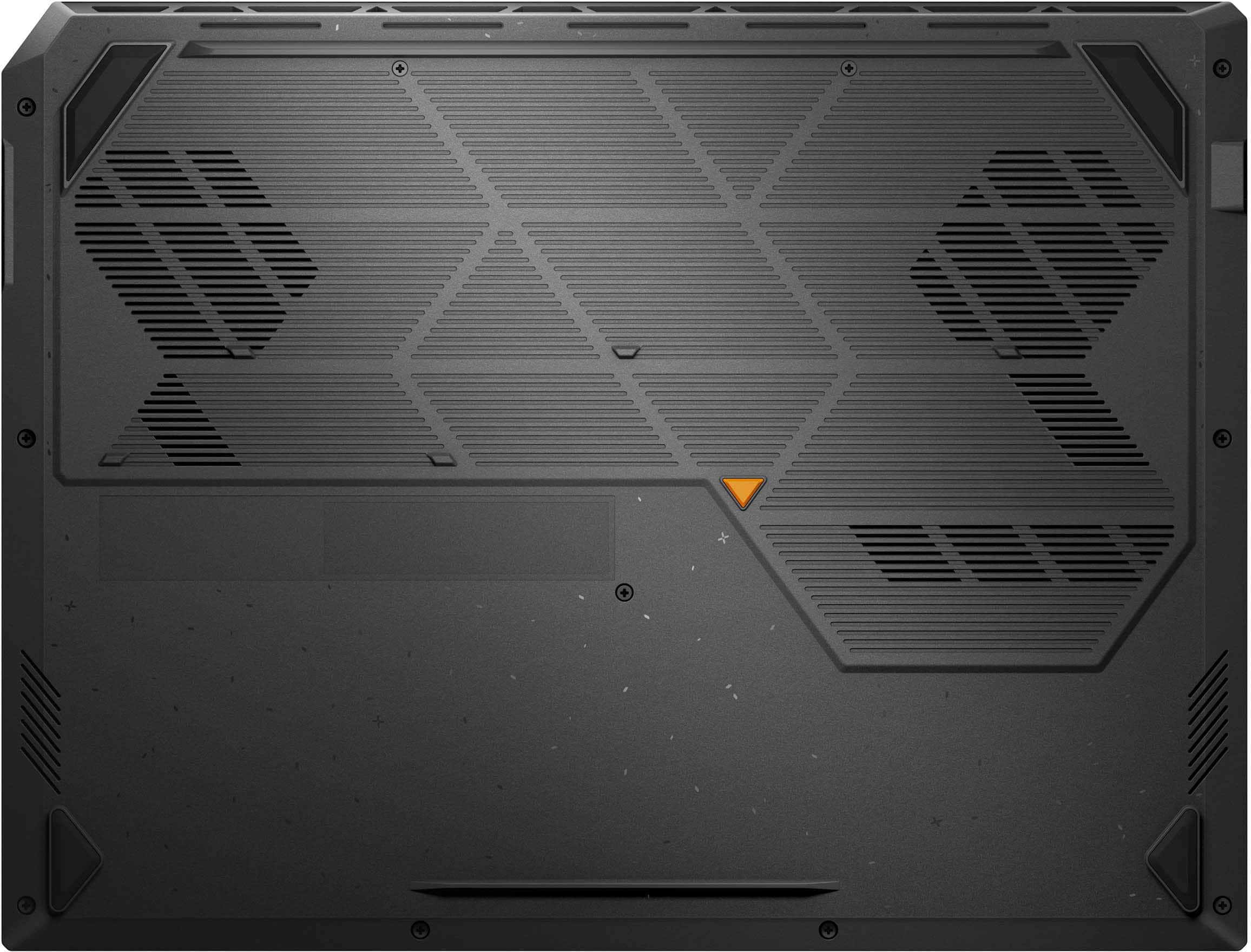
The Asus TUF Gaming A16 is a solid mid-range gaming laptop. The Asus ROG series are the top of the line for Asus, but this TUF series is a good gaming machine at a lower price point. This one comes with a 1920x1200 16:10 monitor. For adding onto the laptop, you have HDMI, USB-C, USB-A , 1GB LAN, and a power adapter. All of the connections you need for accessories. It has Wi-Fi 6E, 32GB RAM, an 8 core/16 thread CPU, 1080p camera, and a 1TB M.2 (Gen 4 slot) installed. The unit has a plastic bottom that is easily removable for upgrades or changes.
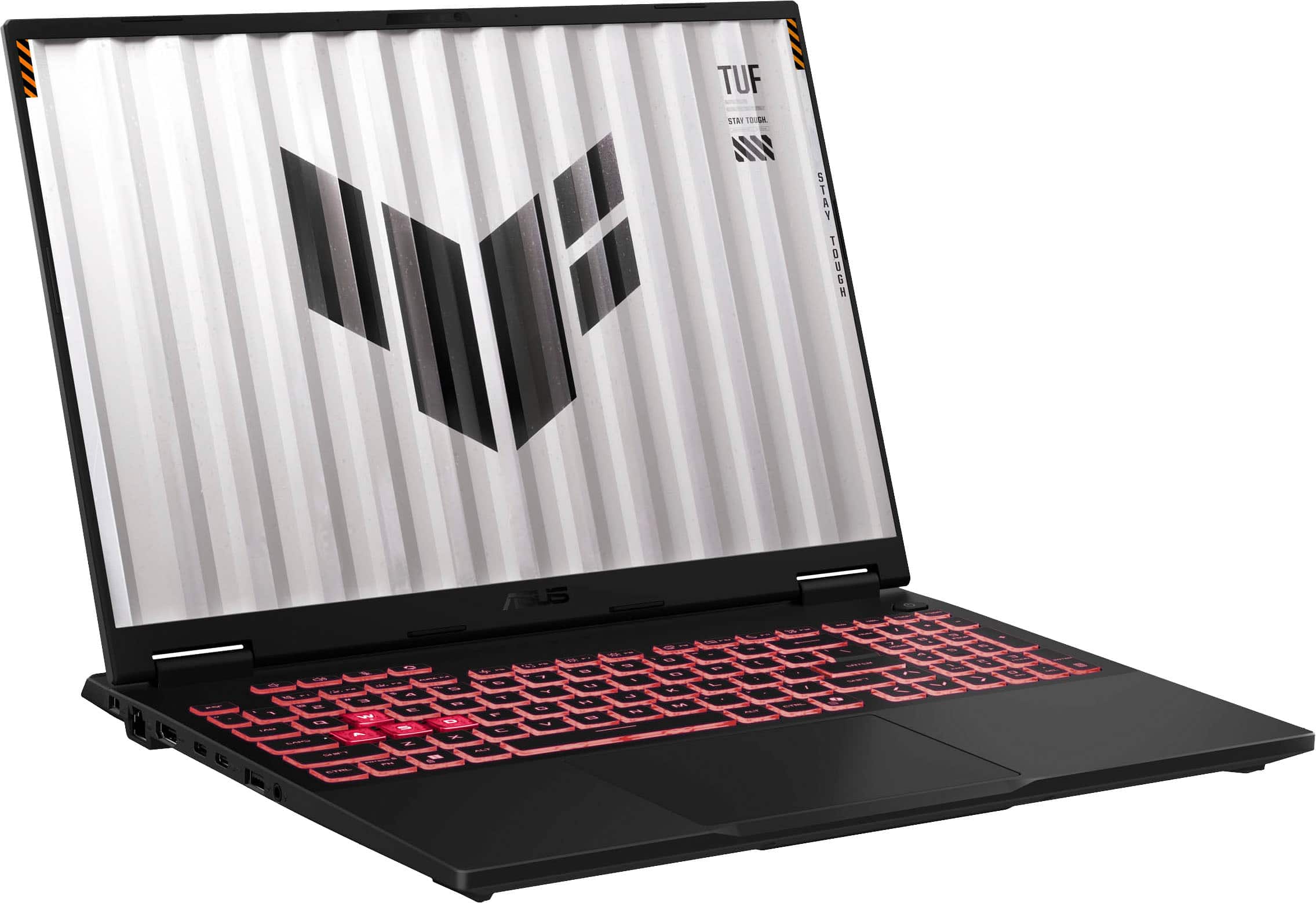
The laptop looks good in a nice gray. The screen is hinged before the end of the laptop so there is a small lip in the back. This is where they placed the power and use indicator lights, so if the screen is up, you can’t see them. The unit is powered by a 240w power supply for full power. On full power the laptop does well, games are smooth with decent settings on them. Coming with 32GB or RAM, you won’t need to upgrade it. For more storage space, there is another M.2 slot available under the machine. Taking off the bottom cover provides easy access to the slot. The Nvidia RTX5070 does a good job even at the higher refresh rates. For testing with the 3Dmark program it did well for what it has. In Speed way it got 3383, Steel Nomad 2966 and Steel Nomad light 13809. With only running on battery the Steel Nomad score fell to 1934. The battery life seems decent. Once unplugged, the laptop reported 6 hours of use in normal mode. Switching to gaming and turning off or down some functions it went to 1.5 hours or less. 10 hours is claimed and seem possible if you turn off functions or use eco modes. The keyboard is backlit, and the WASD keys can be emphasized. You can go through Armory Crate to make adjustments to the colors as you like.
With a 16” screen the laptop is little smaller than some other gaming laptops, but that also means less weight. It is heavier than a non-gaming laptop, at 4.85 pounds. But it’ll fit in more bags and can be easy to carry around. The laptop came with no bloatware, just Asus Armory Crate. I found Armory Crate to have gotten better and a good center to control and monitor Asus products. The monitor is good and displays colors nicely with great refresh rates. Using a secondary screen via the HDMI port and the RTX5070 also rendered nicely. The laptop can get loud under sustained loads as the fans kick in to keep it cool. The laptop has a full sized keyboard with a numpad. With only a 16” screen this means the spacing is cramped. A lot of keys are crammed in the space. The touchpad completes the bottom of the keyboard area. It reacted well and worked as expected.
This is a solid mid-range gaming laptop. The advantages are you don’t need to add anything to it like RAM, and the CPU and GPU provide enough power to play games with decent graphic settings when plugged in. You won’t get every bell and whistle, but if you’re on the go, it’s more than enough to pass the time. The cramped keyboard and numpad are the only concessions on the laptop, if you have larger hands. Everything else is good for the price point.
This reviewer received promo considerations or sweepstakes entry for writing a review.
Hands down the best laptop I've had. In the past, I had the idea that the TUF line from Asus was a cheap one with a lot a cut corners for pricing. Not anymore, I recently have had the chance to use their other PC parts (like motherboard and video card) and I was greatly surprised by the quality for the price, they really are "TUF". Having that in mind, this laptop did not disappoint me.
It came nicely tucked in a briefcase style cardboard box. Inside was the laptop and a large AC brick adapter and power cable.
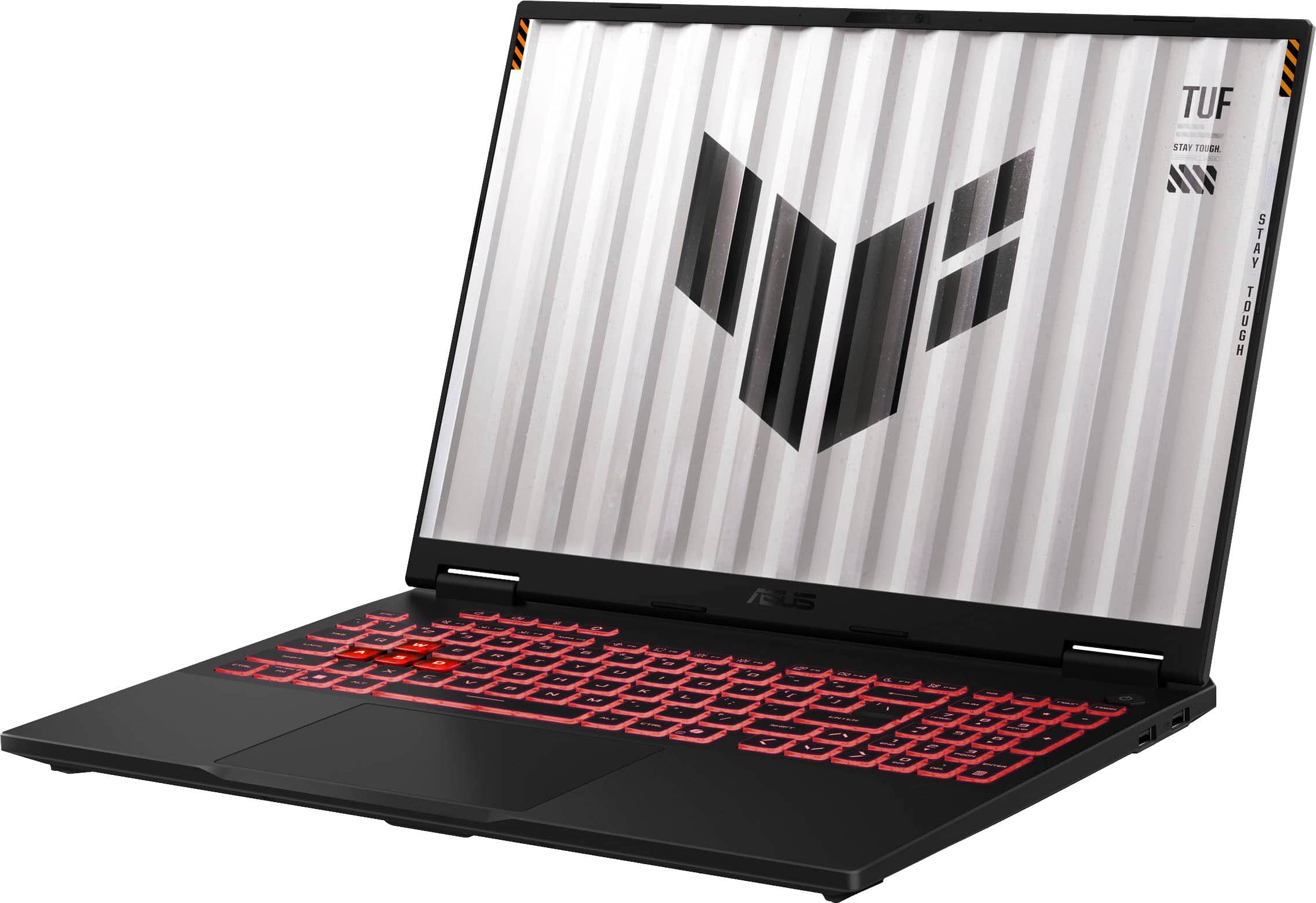
Upon turning the laptop on, I went through the steps of signing on my Windows account and there were some OS updates. After that I was on the desktop screen. I first browsed around to see if there were some bloatware installed around. I saw their Armory crate and MyAsus software (this one lets you update drivers, bios, register etc). I was worried, as in the past I loathed their Armory Crate one for being resource heavy, however I was pleasantly surprised to see they have worked on it since I last saw it long time ago. It felt quick and not bloated. I was just "to the point". It let me monitor temps, fan speeds and change them. Also control their RGB. On this last point, the RGB backlit keyboard is gorgeous. It feels super nice and responsive, it appears their are using some type of gasket or something akin to it like desktop mechanical keyboards (granted they keycaps themselves are still the clichet type, just fyi). The WASD keys are more transparent, kind of making clear their intent (aka, gaming!).
The screen is great and the refresh rate is fast and also supports variable refresh rate, in the form of G-sysnc, this is great as being a laptop style GPU not all games are going to run at the full 165hz, so if there are any dips in the framerate, they would not be as harsh as a fixed refresh rate display.
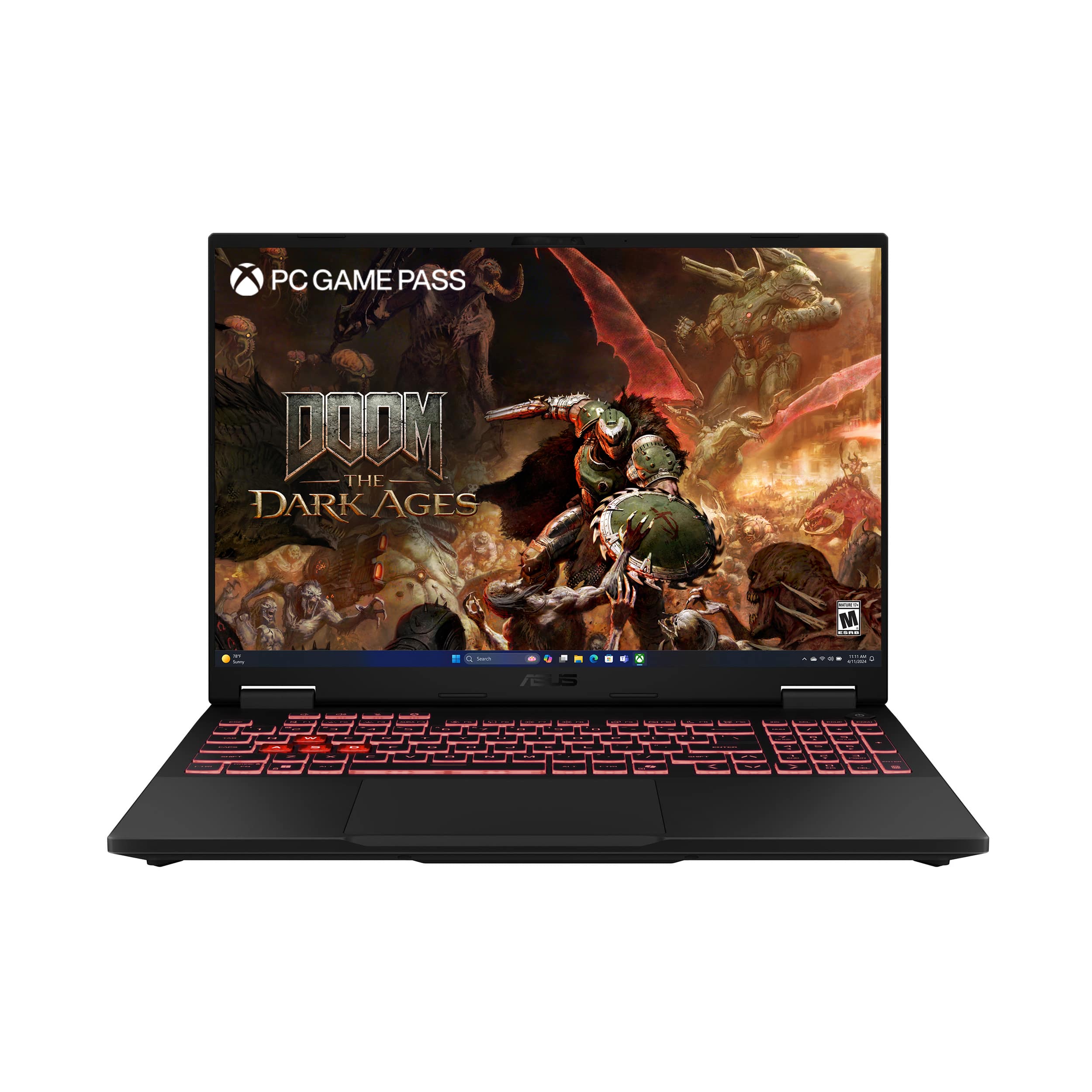
The CPU is a laptop style AMD Ryzen one, although it has the "9" suffix, its not like the desktop counterparts (9 series on desktops are either 12 or 16 cores, with a wimpy integrated GPU). This one is a 8 core 16 threads one and has good integrated GPU (780M), thus being more like an APU plus it has a NPU too for Ai tasks. This integrated GPU runs the desktop and you can make it run also low power games (like indie games, or games that not require that much power). However, the laptop has a discrete laptop version of the nVidia RTX 5070 GPU with 8GB of video ram. With nVidia optimus and the OS being aware of it, it should switch automatically to it when you are running demanding games (you can choose this manually too). The nVidia GPU is great and ran most single player games at maxed out settings, however with the help of upscaling (Nvidia's DLSS 4 is like black magic). I was running Doom the Dark Ages, Alan wake 2 and Silent hill 2 remake all maxed out even with ray tracing on (but with DLSS) and frame rates were around 60fps and above.
The laptop stayed cool on my plugged on AC power gaming sessions and you can definitely tell when the fans ramp up, but they were not annoying or anything. I did not test the sound on games because I use a headphones, but it supports Dolby atmos just fine and the speakers sounded good when watching some youtube videos.
Battery life was great and I used it through the day with just some light gaming, but definitely if you want to game at max performance, plug it in. It also has plenty of USB ports and more importantly for me an HDMI port so I can take it to my room and game on my big screen TV. It worked good this way too. I also liked you can upgrade the storage and ram in the future since it has an extra nvme slot and the RAM is replaceable.
If you are looking for a laptop with amazing performance and very well built, this is the one. I can play any modern game out there at full settings no problem (with DLSS)!!!!
This reviewer received promo considerations or sweepstakes entry for writing a review.
Got this as I wanted to check out the new RTX 50 series cards. While it's not going to have the performance of a desktop version of the 5070, it still carries over all the new features like Multi-Frame Generation, DLSS4 and it's new Transformer model.
I'm going to use Cyberpunk 2077 solely as this is one of the few games (that I own) that supports the newer features on the 50 series.
In terms of generational gains, in my review of the 2024 TUF Dash I was seeing around 45 fps on the Ray Tracing Ultra preset. Running at the same resolution and settings with the old CNN model, I saw an average of 60 FPS. The only thing I changed was setting DLSS to Quality. I don't know if there's an issue with Transformer Model DLSS, but it seems there's about 5% decrease in performance. Now given this is only a 16" display and 1200p, it's harder to pick out the really fine details. On a larger display this will be easier to distinguish. I did notice in the benchmark in the part where it goes into the alley with the puddle, there wasn't any artifacting or shimmering.
With 2x Multi-Frame Gen, I was seeing FPS at 103 for an average. Enabling Ray Reconstruction and Path Tracing, I saw an average of around 40. Some spots I saw as much as 75 FPS and the lowest was a reported 30. It did look and feel a lot smoother than 40 FPS though. I think the result is skewed though. I don't recall it being below 55 fps but for a few seconds throughout the benchmark, it was mostly around 60 for the duration.
One thing that is an issue, foliage behaves odd, there's shimmering and artifacting. Without RT enabled, namely Path Tracing or Ray Reconstruction, there's a lot of flickering with the Transformer Model, but CNN is not affected by this. Once you turn on RT and PT with Ray Reconstruction, the flickering goes away and both models look identical.
Noise level's seem more subdued this go. It does get loud, it doesn't seem near as loud as the 2024 model. This is good of course given if you're not using headphones, you'll actually be able to hear things from the speakers. As for the speakers themselves, they get loud, but again, they're laptop speakers, they'll never be able to match the definition and clarity you'd get from a pair of headphones.
Storage is a WD SN5000S Gen 4 drive. Speeds are good, 6345 Read and 5300 Write. I'm disappointed as it's a QLC drive. Even with just installing one game and some running some benchmarks, plus whatever was done at the factory, the drive already shows there being just under 1TB written and the drive is only good for 300TB. This is concerning to me. I would highly suggest either replacing the drive, or purchase a secondary and load all your games to that drive. There really should be at least a TLC based drive in here, even an older model like an SN770 or SN850/SN850X which is equally as fast but with at least double the longevity.
Temperatures here are about what you'd expect in a laptop. While running Cyberpunk and using the built in monitoring through Armory crate, the CPU and GPU were both averaging in the mid 70's. I think there was a brief moment it did get to the 80's but it didn't remain there for long. Even my older TUF Dash ran warmer than this and got quite a bit louder. Something I noticed that's a welcome addition over the earlier models, under the bottom panel towards the rear, there copper plate that runs the width of the panel that makes contact with the Heatpipes. I don't know how much of a difference this makes, but the more surface area for cooling the better. I think coupled with a cooling pad you might be able to shed a few degrees given that this plate is attached to the bottom cover since there would be closer contact and faster heat dissipation. Without testing this firsthand it's hard to say though. I don't know what they're doing in terms of heat transfer here, whether this is vapor chambers or if this is just your standard fare heatpipes, but compared with my other TUF and some of my other gaming based laptops, this has to be the coolest running system I've ever used.
The Keyboard is good. It gets quite bright so it's ideal for those night time gaming sessions. I also appreciate it having a 10-key as well. It seems more and more smaller systems are getting 10 Keys again after them being absent for so long. Typing on it is fine, but I will always defer to an external keyboard. The Touchpad is responsive and accurate, again though, external ones are my preference.
The display is nice. 1900x1200, so it's slightly higher resolution that my older TUF Dash. It's a 165HZ display as well. It gets plenty bright so I don't forsee any issues with using it during the daytime to overcome any direct or indirect sunlight. I am a bit surprised to not see any HDR support here. I think that would have been a pleasant addition especially when a lot of games are now taking advantage of it.
Battery life is about average. I didn't test it extensively, but I would say you can expect 60-90 minutes in a demanding game otherwise for media, you can probably expect to make it through a 2-2.5 hour movie. It's got a 240W Adapter so it definitely will eat up some power when it's running full tilt.
It's a bit portly though with it's weight. I want to say the majority of that is due to the cooling. This is a trade off I'm more than happy to make. I don't mind a heavier laptop, especially if it's not being moved frequently if it keeps it much cooler as that also in turn leads to longer life.
Overall, it's a good option for those that don't have the room for a desktop and want something that's going to be able to push most current games out there. Aside from benefitting from better storage and maybe a cooling pad, you really can't go wrong here.
This reviewer received promo considerations or sweepstakes entry for writing a review.
The Asus TUF A16 Gaming laptop is a beast of a machine. There is a lot packed into this 16" laptop's frame.
The AMD Ryzen 9 270 CPU is a phenomenal CPU for gaming. It can easily power the most demanding games. It has a built in GPU as well that allows you to maximize your battery power. It does this by deactivating the dedicated GPU while handling non GPU intensive tasks like browsing, or watching videos.
The Nvidia RTX 5070 mobile GPU is what really makes the TUF A16 shine. Running at the built in screen's 1920x1200 (Full HD+) resolution, you can run every game at max settings and they will run flawlessly. The DLSS x4 does a great job at boosting the frame rates to make gaming buttery smooth, and look amazing while doing it. The Crew Motorfest runs flawlessly at max settings running a constant 60FPS(game capped), and with Monster Hunter Wilds using ultra settings and the high resolution texture pack DLC, I was getting 120 DLSS or higher. The Gameplay was flawless.
The 32GB of DDR5 RAM is more than enough for everything you could throw at this machine, and it makes multitasking easy.
The built in screen is fantastic. There is no backlight bleed through on my example, and the 165Hz display with NVIDIA G-SYNC looks stunning while gaming and watching videos.
It comes with a 1TB SSD drive, which is an excellent starting point, and if you remove the back, you will be pleasantly surprised to find another spot available for an additional drive.
The A16 has a full keyboard, which is becoming a rare option.
The RGB lighting is pretty basic. it's either all or nothing type of thing. You can not customize individual keys. You can have Windows control the keyboard RGB color, or use Aura Sync. There are definitely more options available in Aura Sync.
As far a cooling and fan noise goes, this is the quietest laptop I have used recently. Yes, it does get loud, but all gaming laptops with this level of performance are going to be making fan noises. It's very quiet while browsing the internet or watching videos. But once you get a game going the fans do spin up and make noise.
It also has a 100W USB-C charge port for your personal devices. I use it to rapid charge my phone.
This reviewer received promo considerations or sweepstakes entry for writing a review.
I find gaming laptops to be good for the casual gamer - of which I fit the bill. Casual gaming aside, I seem to upgrade my gaming laptop every year and this new ASUS TUF Gaming A16 laptop has some long overdue upgrades and I’m glad I made the move.
Some quick points here to help with things I like / don’t like - followed by the write up.
Good:
Setup stability
32GB RAM
USB4 ports
RGB
Screen / refresh / finish
5070 Mobile
Cooling (noise, etc)
Software customizations
USB4
Armory Crate Software
Meh:
1TB of Storage
Webcam (with lower light)
Clear Design WASD keys
Tough to read port labels
Bad:
Power Adapter Design
No webcam cover still
Must I say - FINALLY - 32GB of RAM. But I must also say, 1TB of storage - sigh. Specs aside, when we get into the ‘latest and greatest’ graphics cards - we should also see supporting storage hardware to allow us to take advantage of all of this new greatness.
Now, onto the review!
A new power adapter! No more right-angled circular pinned power adapter - but more of a square larger USB-C style adapter. This is questionable for me, as it sticks straight out and the cable weighs down the connection causing it to dip a bit. If you’re flat on a desk, you’ll have the ability to stick have a post-it note stack under it, but if there’s any lift - say a stand, then you need to get creative with it to stop the flex. Me? I routed it through my desk and made it so the cable lifts a bit to keep the slack off the connector and it seems to be good.
I’m an ASUS fan - I’m onto my 4th gaming laptop from Best Buy and every time, their Armoury Crate software has been great. I spent the first hour or so doing updates on Windows, NVidia & the ASUS software - and didn’t experience any issues that needed any time dedicated to troubleshooting. There are even ways to free up memory now, which should help when running low on memory during gaming.
It was easy to notice the WASD keys were clear - but for me, I don't use those keys - I use EDAF - so they don't really line up with my use, but cool nonetheless. I did fight a bit with Windows' Dynamic Lighting because I wanted to use the ASUS software - and I am still not winning the battle.
USB4 is a nice upgrade - 40GB/s for the speed needs for external devices. A Display Port via USB-C connection, connected to my Samsung G8 32“ 240Hz OLED without any issue. However seeing which USB-C port was the display port, resulted in my needing to take a photo & zoom in; was a little small for my eyes. Beyond the hinge for the screen, is a fan bay that reminds me of Alienware for, what I have now experienced with this TUF laptop, is a way better cooling system. In past laptops, even with a 4070 mobile, the fans always appeared to be at 100% and noisy. During the entirety of the software updates, downloads and whatnot - I never heard this laptop and totally forgot I was being worked on just a few feet away. While the cooling does kick in, the fact it's blown out the rear with the display serving as a sound barrier is fantastic.
I did notice that the webcam, still doesn’t have a cover slider; even their super thin bezel'd OLED laptop of mine has one so I know they can do it. And with the camera, the quality is still … meh. While it says it’s “HD” in the settings - that seems to be the dimension. I found that the color, clarity and the refresh/responsiveness of it just isn’t great. I mean, it works fine when all the guys hop on camera during PGA2k25 but I can’t see ever using it for more than something like that - I’d even go so far as to say don’t even use it for Zoom; it's even worse with low-light.
During game play, I found I was able to sit at 240fps during certain graphics intensive scenes. During game play it was easy to sit around 180fps with around with latency numbers that float around with game being played. For example I found PGA 2k25 & PUBG: 0ms latency, THE FINALS: 20-50ms latency & Forza: 15-40ms; others varied as well - but these were the ones I played the most and not likely related to the laptop at all.
After a few weeks of playing, I did find the laptop held onto finger prints pretty well. Not an issue for me, but I did notice it. I must say, for the 4th ASUS laptop - this is by far my favorite, minute the number pad.
Recommended!
This reviewer received promo considerations or sweepstakes entry for writing a review.
This laptop is a lot slimmer than most of the gaming laptops I've owned in the past. It feels just like a well built Dell or HP office laptop, but has great gaming potential. I use it on the "silent" mode at work, and I have been averaging about 12 hours of battery life doing work stuff on it, which is WAY better than my previous "gaming" laptop that lasted me 3 hours. The aesthetics don't make me stand out in the office at all, especially if I set my keyboard backlight to a white color.
The main reason I got it is the USB-C Power Delivery function. 100 watt charging is above the maximum the laptop can use without the GPU, making it enough to dock the laptop and even enable the turbo function and still have it charge. Being able to dock it like a work laptop on USBC is game changing. You're also able to use PCIE tunneling over USB4, which has allowed me to use external thunderbolt 3 nvme enclosures. I assume other thunderbolt 3 devices would work as well.
The "Ryzen 9 270" is an incredible performer at this price point, even if it's a rebadged Zen 4 Ryzen 9 8945HS from 2 years back. The integrated graphics are also crazy strong for when you're on battery or USBC PD.
General gaming performance on the included power brick at 240 watts is actually really good, but in newer titles that VRAM limit is going to be noticable, especially if you're docked to a display higher than 1080P. The included 1080P 165hz panel I think is appropriate for the 5070 mobile, which is the same die as the 5060Ti 8GB desktop.
One thing I don't like about purchasing through best buy is the fact that you can't extend your warranty through ASUS. They said they are barred from doing so due to deals with best buy. I would buy a year of the best buy total membership as it's significantly cheaper than the 2 year warranty cost best buy offers.
This reviewer received promo considerations or sweepstakes entry for writing a review.
If you’re looking for a solid mid-range gaming laptop that balances performance, battery life, and build quality without breaking the bank, the ASUS TUF A16 is a strong contender. It packs impressive hardware capable of handling modern games, while still maintaining decent battery life for non gaming tasks.
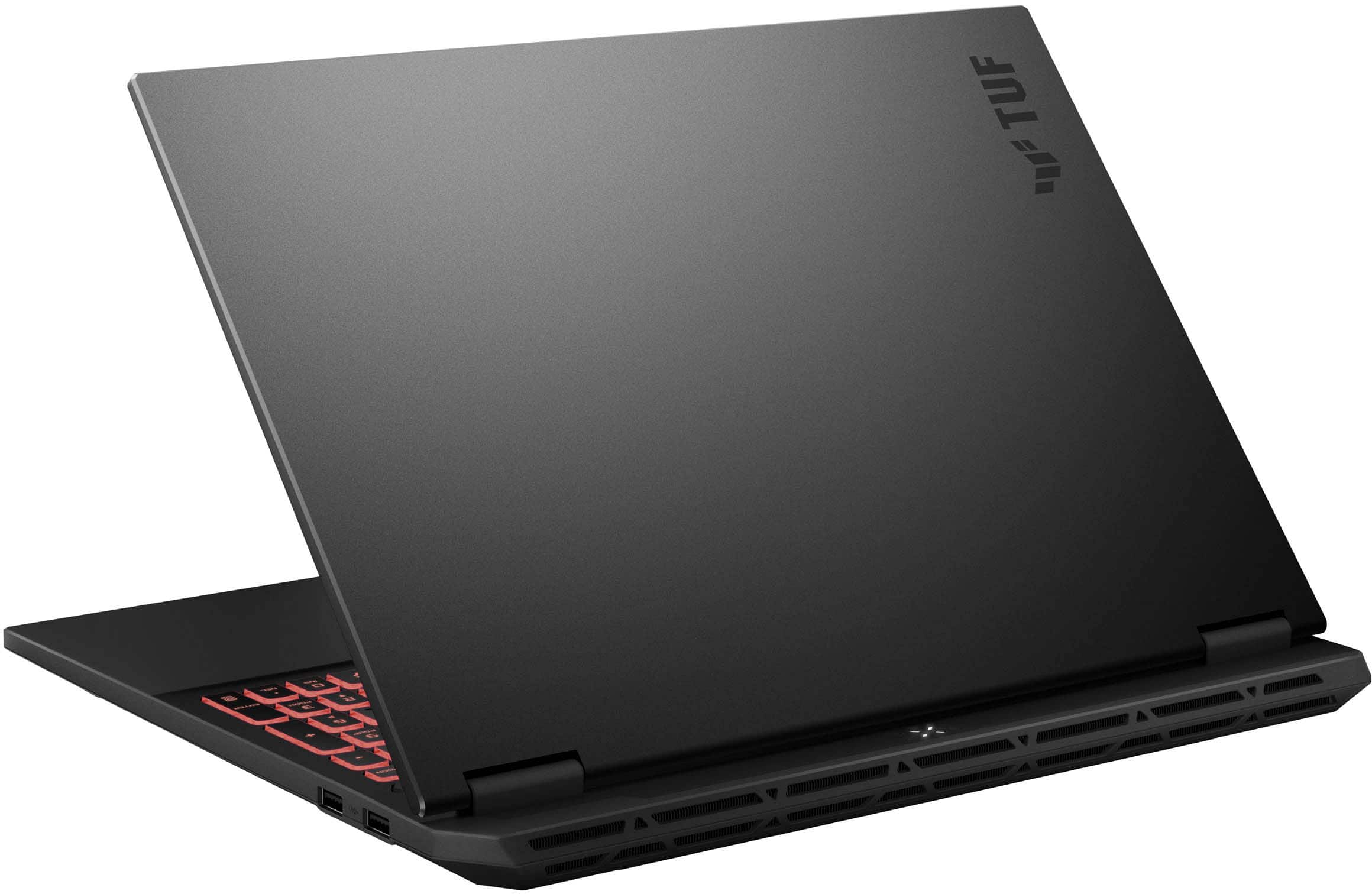
Build quality is excellent, even though the majority of the laptop is made of plastic aside from the top metal lid. It feels solid with no creaks or flex when held from one corner. At this price point, there are no complaints about the construction.
The speakers are decent—they’re loud enough for media consumption or casual gaming without headphones.
Battery life on most gaming laptops tends to be underwhelming, but AMD chipsets tend to perform better in this area, especially during non-gaming tasks. Using the silent profile and locking the refresh rate to 60Hz, I estimated around 8–10 hours of general usage. ASUS Armoury Crate does a good job of adjusting system settings automatically when on battery, helping to extend battery life further.
Now for some performance data.
I tested two games: Doom: The Dark Ages and Forza Motorsport with the performance profile.
Doom: The Dark Ages (Ray Tracing Off)
FPS: ~140–165
Settings:
Resolution: 1080p
Vertical Sync: On
Upscaler: DLSS
DLSS Super Resolution: Balanced
DLSS Frame Generation: Off
Nvidia Reflex Mode: On
Overall Quality: Ultra Nightmare (Note: I adjusted the Texture Pool size slightly lower to avoid maxing out VRAM.)
Gameplay was smooth with rich detail. I recommend monitoring VRAM usage—going over 8GB can result in performance drops.
Doom: The Dark Ages (Ray Tracing On)
Settings stayed mostly the same, except:
Overall Quality: High
Path Tracing: On
Denoiser: DLSS Ray Reconstruction
Ray Traced Transparency: On
Path Traced Water Reflections: On
FPS ranged from 40–60, with minor dips during heavy combat scenes. With V-Sync on, gameplay remained fluid and those dips didn’t noticeably affect performance. Lowering the quality slider to medium could improve frame rates, but I found this to be a good balance between visual fidelity and smooth gameplay.
Forza Motorsport
Using a mix of dynamic render quality set to High and auto settings, the built-in benchmark returned an average of 79 FPS. I included a screenshot showing the specific settings and results. Gameplay was consistently smooth with excellent visuals.
If there’s one con, it’s the onboard 8GB of VRAM. It may become a limiting factor as future AAA titles continue to demand more. This won’t prevent you from playing them, but you may need to reduce certain settings to maintain your preferred balance between quality and frame rate. Personally, I prefer maintaining higher visual settings while staying around 60 FPS. For esports titles, expect high refresh rates without issue.
The ASUS TUF A16 has more than enough power to handle future AAA games. Its 1080p display is a perfect match for the RTX 4070, offering bright and vibrant visuals. While not OLED, it still delivers an excellent experience for high-quality 1080p gaming. If you’re coming from an OLED panel, the downgrade might be noticeable, but still respectable. Hopefully, future Nvidia laptop GPUs will come with at least 16GB of VRAM, as 8GB is starting to show its limitations.
Overall, I highly recommend the ASUS TUF A16 gaming laptop. It offers the right mix of build quality, performance, and value—perfect for gamers seeking a capable mid-range system that doesn’t sacrifice too much or cost a fortune.
This reviewer received promo considerations or sweepstakes entry for writing a review.
ASUS - TUF Gaming A16 16" FHD+ 165Hz Gaming Laptop - AMD Ryzen 9 - 32GB RAM
Summary: Performance gaming laptop.
Use: I play a variety of games from StarCraft, ESO, WoW, Fortnight, Hogwarts Legacies to Destiny 2 and Overwatch. Though the graphic styles for these games vary wildly, their capacity to take advantage of premium performance specifications for premium detail, fidelity, and performance do not.
I use this laptop now for work and for play. For work (and play), I previously used two G8 Neo 32". But due to changes in vision and available workspace, I have replaced them with a single Samsung Odyssey G91F. While, from a gaming perspective, the monitor is a step back, it still offers a much broader and cohesive working experience at the cost of much higher refresh rate.
This laptop can drive the large screen just fine and operating at 5120x1440 I can still play games at near ultimate/maximum settings. Without VSync enabled, FPS easily surpasses 150 FPS and is consistent even with a lot of objects/action on screen and with very little noticeable tear or artifacts while moving quickly. This performance is consistent across games such as WoW and Destiny 2.
The CPU and memory allow for improved performance of running a diverse workload. From development and programming, to video processing, to gaming. Even browsing with a million tabs open.
This laptop shines and enable this diverse workload via the dual USB-C ports which allow you to connect monitors via USB-C/DisplayPort/HDMI. Use the secondary port for charging, or additional accessories via a USB hub. In my case, mouse, keyboard, LAN, DVD-writer, web cam, photo scanner, etc.
The laptop itself comes equipped with a wired LAN port for performance, a few regular USB ports, and an HDMI and audio port. The power cable is a proprietary cable. It also features a Windows Hello capable webcam for your teleconference calls and Discord gaming chats. The facial recognition is top notch with a surprisingly quick response time.
It is small, but packs a lot of hardware. Aesthetically, it looks great. It offers chroma type light customization via its keyboard and its robust ASUS apps. Speaking of which, if you're into advanced tuning of your gaming rig, ASUS and AMD make that possible via provided GUI toolkits that are easy to navigate and configure.
Except when I'm not in my office, I exclusively use this unit with an external monitor, with the lid closed and the vents facing up. During the heaviest of gaming sessions you can hear the fans spin up, but only barely. The unit silently moves a lot of air to keep it cool and its easy to tell by placing your hands anywhere near the vents or typically warm spots (i.e. where CPU/GPU reside).
Pros:
* Performance. The performance of this unit is top notch for its generation.
* Svelte. This unit looks great and feels great. Well made and solid, but a bit heavy/dense (~5 lbs).
* Connectivity. The unit provides several ports for connectivity - with a second USB-C port to easily add a plethora of additional accessories, displays, etc.
* Price Point. The unit provides great value in a competitive market. Given the brand and reputation, it is a safe and affordable buy.
Cons:
* Bloatware. Unfortunately, I had to disable approximately 90% of all of the start-up software that comes on this unit via msconfig. It was causing strange issues with my attached mouse (via USB hub OR directly connected). It did this for a wireless Razer DeathAdder mouse, and also an Alienware gaming mouse. The mouse simply wasn't usable while this software was running. I imagine the issue is conflicting software between the internal mouse drivers and the external ones (Razer/ Alienware). For now, I have to allow stuff to specifically start if and when something complains. I'm okay with that, as disabling everything non-OS related is something I normally do anyway.
* Power cable. I know these units can get power hungry and that wattage requirements become a limiting factor, but I wish companies would settle on a standardized and smart power cable for their power bricks. At least this power brick is not as bulk as some others.
This reviewer received promo considerations or sweepstakes entry for writing a review.
This gaming computer meets the minimum requirements for 100% of today’s games. Screen is sharp and detailed. Framerates are good, and it takes only about an hour to set up upon opening (there are a LOT of driver and bios updates). Keyboard is clicky and responsive. Keys are small, but still feel adequate for productivity as well as gaming. Plenty of inputs for all your peripherals. For all its premium feel, the fact it doesn’t use a magnetic attachment for the charging seems like a huge misstep. Instead it uses a custom port, even worse, as that makes replacing a headache. Fortunately usbC charging is available, although slower. Really the only downside is the much maligned rtx5070 gpu. While it services today’s games well enough, its 8GB vram barely meets the minimum of AAA titles today. There is no reason why a 12gb vram wasn’t used. As such, this will only have a useful life of two, maybe 3 years tops before being woefully inadequate. This can most plainly be felt in busy games like Doom the Dark Ages. You have a screen of demons and the game starts to have frame drops. The DLSS frame generation helps to mitigate that, but it’s still a stutter. Otherwise it’s a great pc. The AI of copilot is seamlessly integrated, webcam is great and the build quality is superb. Gets plenty hot, so have a cooling platform or table if you want your legs to not be fried like bacon. Definitely will get a student through highschool or 4 years of college.
This reviewer received promo considerations or sweepstakes entry for writing a review.
The ASUS TUF Gaming A16 laptop is a blast. I love this laptop for gaming. Games from “Star Wars: Outlaws” to “Helldivers 2” have played well. The screen looks great: no ghosting or light bleed in my experience. The keyboard and the trackpad exceed my expectations. The setup experience was good. This is a good gaming machine.
Unboxing: Asus includes what you would expect: the laptop, the power brick, and the extension cable for the brick.
Experience: Setup was quick and easy. I was into Windows and downloading games within a few minutes. As I said, the machine excels at the basics. It performs well out of the box without many updates needed beyond the traditional Windows updates. The screen looks great. The build quality feels very solid.
The keyboard is very solid and I appreciate the included number pad. The touchpad feels good with great tracking and excellent click response.
The Steel Nomad Benchmark on 3D Mark showed a machine that benchmarks well. However, temperatures on the GPU could spike up to 80 degrees Celsius. The machine is not loud on its own even during situations where the fans have picked up. I would recommend a chill pad or mat to help lower temperatures while gaming. This is especially true if you intend to keep the machine docked to a monitor, keyboard, and mouse.
Buyers should know that this has the NVIDIA 5070 GTX as opposed to the 5070ti. The 5070ti would perform a bit better, but the most noticeable difference between the two cards is the increased graphics memory on the 5070ti. (Usually 5070ti have 12GB versus the 8GB on the standard 5070 GTX.)
The machine has a few features that were new to me and native to the hardware. For instance, the processor has discreet graphics built in. But the PC also has the 5070 GTX NVIDIA graphics card. The machine, by default, will try to balance this out with the discreet graphics managing everyday tasks and the 5070 taking over for gaming tasks. This is the Optimus feature. It works fine, but occasionally random pieces of software will interfere with the switch. For instance, the Windows phone connect application would occasionally pop an error message when the machine was switching from discreet graphics to gaming mode. Not sure why. A quick online lookup shows other people with other hardware also running Optimus style machines having difficulties. Again, this was an occasional problem, and it is solved by simply running the machine with the 5070 GPU always running in Ultra mode. Alternatively, you just close the offending application. Asus advertises Ultra mode as having more power, but I should note that I did not notice any framerate boosts to speak of in my benchmarks.
My biggest nitpicks come down to Asus’ Armory Crate software and the fact that the case can be a bit of a fingerprint magnet. Armory crate controls the keyboard lighting and software updates from Asus. It is meant to be Asus control center for the machine. But, without fail, changes to lighting would often not appear right away. I would have to restart the machine for the changes to register.
Upgradability: There are currently two sticks of Crucial SODIMM RAM operating in the machine. It might be possible to upgrade, but tear downs that I have checked out have indicated that the RAM might be located behind a heatsink. Also, there appears to be a second Gen 4 NVME Slot, but it looks like it overlaps with the NVME slot for the wireless networking card. It would behoove you to research the upgrades before purchasing components and tearing the machine down. Personally, 1TB hard drive and 32GB of RAM is enough for a gaming laptop and I do not see myself upgrading this machine soon. But, if this is your sole gaming computer, I could see wanting another hard drive sooner rather than later.
Conclusion: This is a solid gaming machine. I really like it. I have had gaming laptops that are not near as stable, efficient, or operational out of the box. It is amazingly easy for me to recommend. I look forward to gaming on it for years to come. 5/5
This reviewer received promo considerations or sweepstakes entry for writing a review.
This TUF Gaming A16 is a solid gamer’s build out-of-the-box and offers high-end performance with its AMD Ryzen AI 9 270 CPU, 32GB DDR5 5600MHz RAM (expandable to 64GB), and discrete NVIDIA GeForce RTX 5070 GPU. It comes with a 240Watt power brick that has a proprietary reversible connector, but can also be charged via USB-C Power Delivery (PD), albeit at a slower rate of 100Watts. It weighs just under 5 lbs on its own, but the charger and cable add an additional 1.5lbs. The lid is matte gray aluminum with minimal branding, and I appreciate that it doesn’t pickup fingerprints easily.
The laptop has a 16” diagonal display with 165Hz max refresh rate, 300 nits brightness, and max resolution of 1920x1200 FHD+. It opens 180° to a full lay-flat position and has thin bezels at the sides and top. The status LEDs sit behind the screen, so they are not visible when the screen lid is open. At the top of the screen there is an integrated 1080p webcam with dual-array microphone that is great for video chat, live streaming, and is compatible with Windows Hello facial recognition to log in. Note though that it does not have a built-in privacy cover. The display is G-Sync compatible when using the discrete GPU, which you can use exclusively by changing the setting in NVIDIA’s control panel, however, this will consume more power than using integrated graphics for tasks that don’t require the additional performance.
The power port is located at the back corner of the left-hand side along with an Ethernet, HDMI 2.1, USB4, USB-C 3.2 Gen2 with DP, USB-A 3.2 Gen2, and combo mic/headphone ports. On the right-hand side are two additional USB-A ports, though only one is USB3.2 Gen2 while the other is USB2.0. I was a bit surprised to find that a Kensington security lock slot was omitted. There are no ports along the back of the machine as it is all dedicated to the full-width heatsink for cooling. The underside has several vents, rubber feet to ensure stability and air flow, as well as stereo speakers powered by Dolby Atmos in the corners towards the front.
You’ll need to setup Windows 11 the first time its powered on, which takes about 15 minutes. The RGB backlit keyboard is full-sized with highlighted WASD keys, full-size arrow keys, and includes a numpad on the right-hand side. The power button is located in the upper right-hand corner, and the mouse trackpad is generously sized.
Just above the keyboard are dedicated volume adjustment keys, mic mute, and “Armoury Crate” button. Armoury Crate is ASUS’s control console, and you’ll be able to quickly change the power profile between Windows, Silent, Performance, and Turbo with the last one only available while the laptop is plugged in. You can also define custom manual profiles for battery or AC power. As for battery life, when set to ‘Silent’ and ‘Best Power Efficiency,’ the 90Wh battery gave me an estimated runtime of 8.5 hours of casual, non-intensive use, while changing the settings to ‘Best Performance’ for gaming reduced that to 2.5 hours.
You can also use the app to customize the RGB backlight effect with different animated patterns or solid colors and change the speed or brightness, however, it is single zone only and the keys are not individually addressable. The speakers are actually not bad, and with the fans running at full speed during high-powered gaming or performing resource intensive tasks like rendering video and 3D models, GPU temps didn’t exceed the low 70s °C. The speakers also produced enough volume to overcome the fan noise, but you’ll have a better listening experience with the laptop power profile set to ‘Silent’ or with a decent pair of headphones.
As for gaming performance, the panel produces very nice visuals at high to ultra settings, and I saw consistently high framerates, above 130fps, in games like Warframe, CS2, and Path of Exile. However, I did notice occasional dropped frames, stuttering, and loading lag, more than I’d expected with the CPU and GPU combination. Watching video and creating content on the laptop is excellent as the screen is plenty bright, has good contrast, and the colors are accurate as the panel covers 100% of the sRGB color space. Alternatively, you can opt to use an external display via the HDMI and DP (USB-C) out. Just note that on battery power the native screen’s refresh rate may be capped at 60Hz.
Overall, as a gaming laptop, this A16 build has plenty of power to run games in high or ultra video modes pretty smoothly. It also performed well for work and casual use, whether you’re a content creator, rendering 3D models, or just web browsing. You’re also able to upgrade the RAM, add more storage, or swap the pre-installed 1TB SSD to a larger capacity.
This reviewer received promo considerations or sweepstakes entry for writing a review.
Asus has really swung for the fences with this lineup and I am here for it. Great specs, solid build, decent battery life and thermals.
It’s one drawback (but is also understandable with its 8GB of vram) is its FHD screen. Around 300 nits, it’s just not bright enough for taking anywhere with direct sunlight or windows. Color accuracy is okay and refresh rate is excellent. Just doesn’t get super bright so this laptop is best for a general bedroom/ office setting.
Not a lot of flash to this laptop and that’s okay. Not everyone wants to be known as “that guy” at your local coffee shop. Once you turn off the RGB key lights, you can fit right in.
Performance is solid and I really feel the 5070 does its best work in the FHD range. Asus gives this 5070 its full power under load so you don’t feel you are missing out on extra gains from missing watts. 16 inches isn’t too big for sticking with standard HD panels so pixel peeping won’t be at the forefront.
Processor feels a bit underpowered at times but it seems fairly balanced for everyday tasks and handles games well enough to not have many issues.
Gaming on battery is doable but not recommended. Might get an hour tops and you will be extremely limited in graphically intense scenarios. Thankfully battery life outside of gaming is acceptable.
Overall I feel this laptop will not only fit the budget for most, but also is a smart buy for those not willing to spend 5070ti or 5080 money. 1080p (or 1200p) gaming is definitely doable on 8GB of vram. Even tho I would like the screen to be a bit better, I see why Asus paired it in this device as it doesn’t feel like a reach for the hardware like most brands and their 2.5k or 3k resolution monitors.
This reviewer received promo considerations or sweepstakes entry for writing a review.
Another great product from ASUS! I have an older (about 7 years old) ASUS gaming laptop and still use it regularly. It has stood up to aging very well. When I started looking for a replacement, this one came up and seemed to tick all the checkboxes.
The keyboard is very comfortable and the backlighting is adjustable so if you have a dimly lit room, it is not going to glare in your face! It also has the WASD keys in a more transparent material, so they stand out while gaming without having to concentrate on them.
The screen is pretty amazing also, it has very good lighting and goes clear out to the edges, allowing the bezel to be very thin all the way around. For a 16" screen, the laptop is actually smaller than my older 15.6"! With the high refresh rate, it provides clear, flicker-free gaming even at high resolutions that the RTX 5070 provides in my games. I haven't noticed the laptop getting as hot as my older machines, even with settings turned up very high - I think they have figured out how to get enough air through the body to keep things cool.
There are all the normal ports and connections you might expect and the shape of the machine allows them to be used as well. With the entire back edge full of vents, all the ports have to be on the sides but ASUS has positioned them in just the right places. Sometimes, I wonder how some companies thought putting a USB port clear out at the front on the side so you are bumping the plug while trying to use a mouse was a good idea but ASUS didn't do any of that. The ports are set back far enough to be out of the way of everything you need to do.
The huge power brick is pretty hefty, since it delivers enough power to run this beast. It is in the middle of a nice long cable, so it can be tucked under the desk and away from any other sources of heat. Hopefully, it will last a long time, like my old ASUS has.
I am looking forward to trying more games and see what this thing can really do, it has impressed me so far and I am looking forward to playing a few I have held off on because of the advanced age of my old machine.
If you can find it on sale, I wouldn't hesitate to recommend this machine to anyone looking for a portable yet capable gaming rig. It is nice to be able to sit in my comfy chair and play games instead of hiding in the game room away from everyone!