Customer Ratings & Reviews
- Model:
- HL-L3210CW
- SKU:
- 6296011
to a friend
Customers are saying
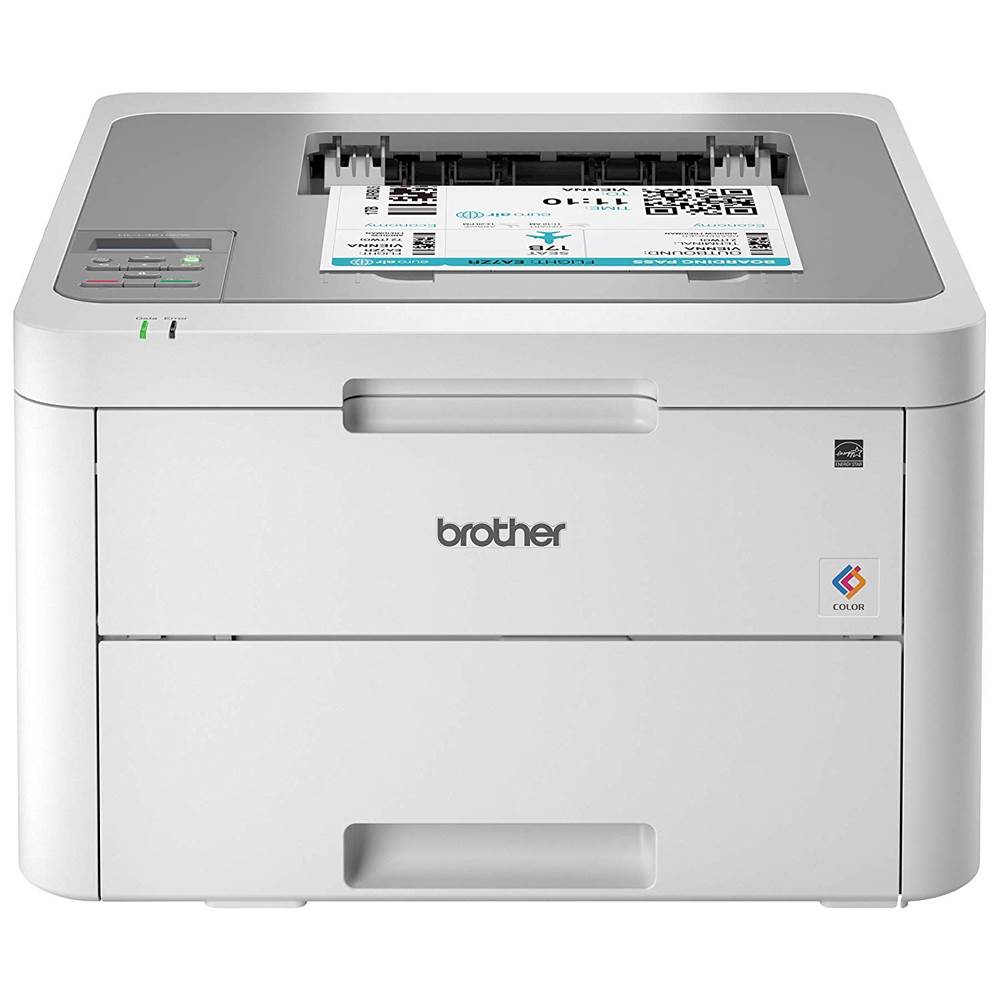
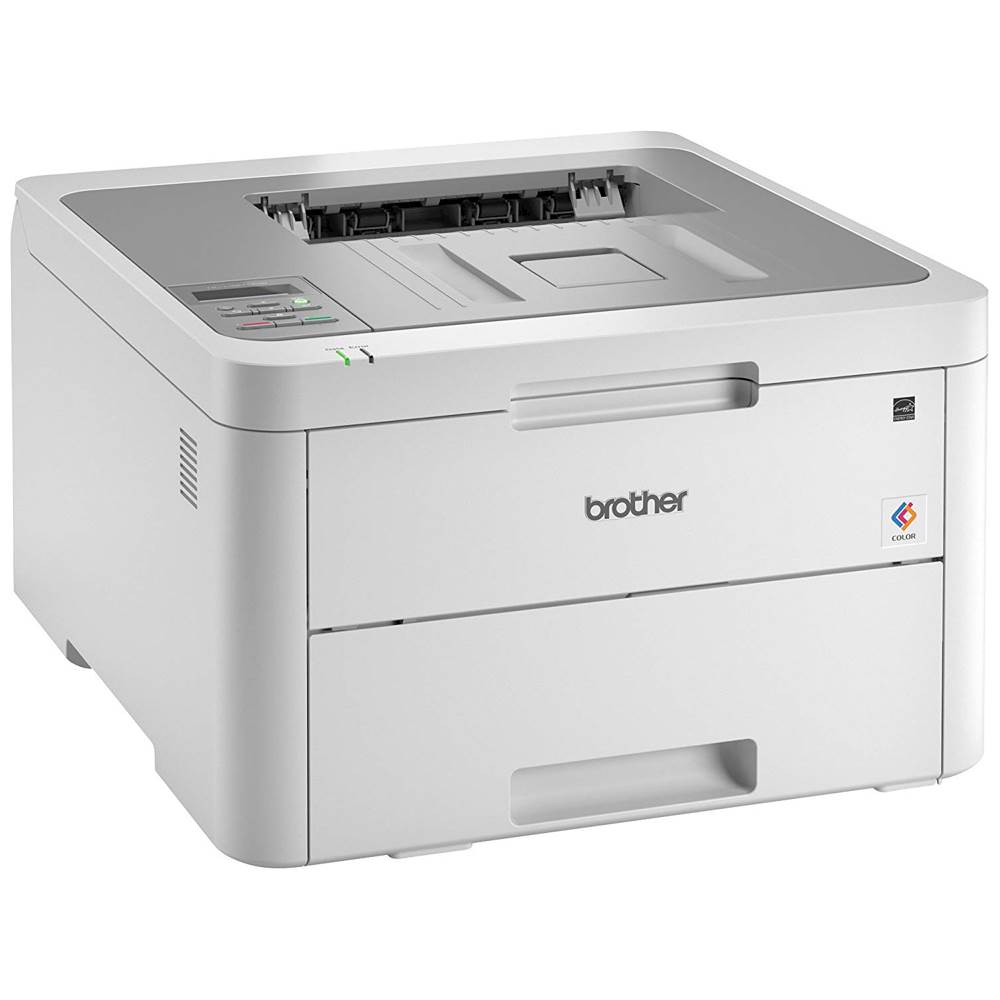
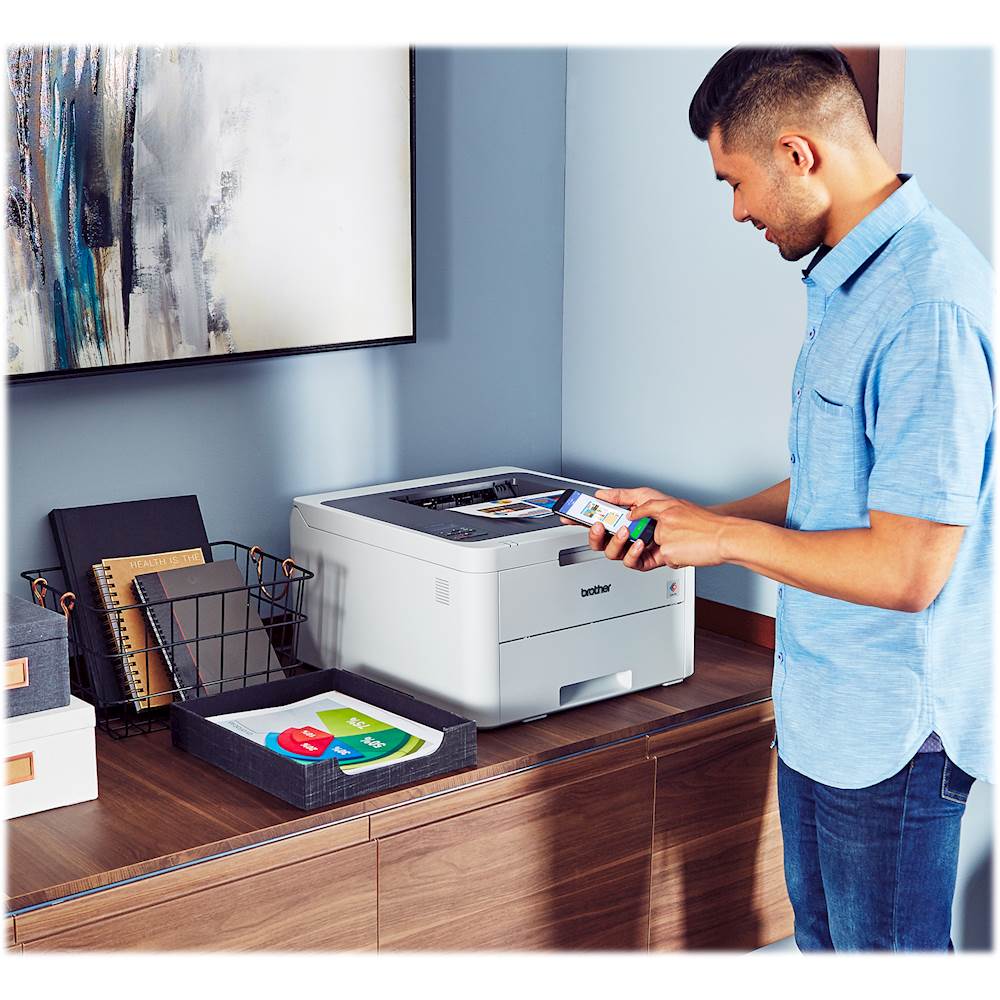
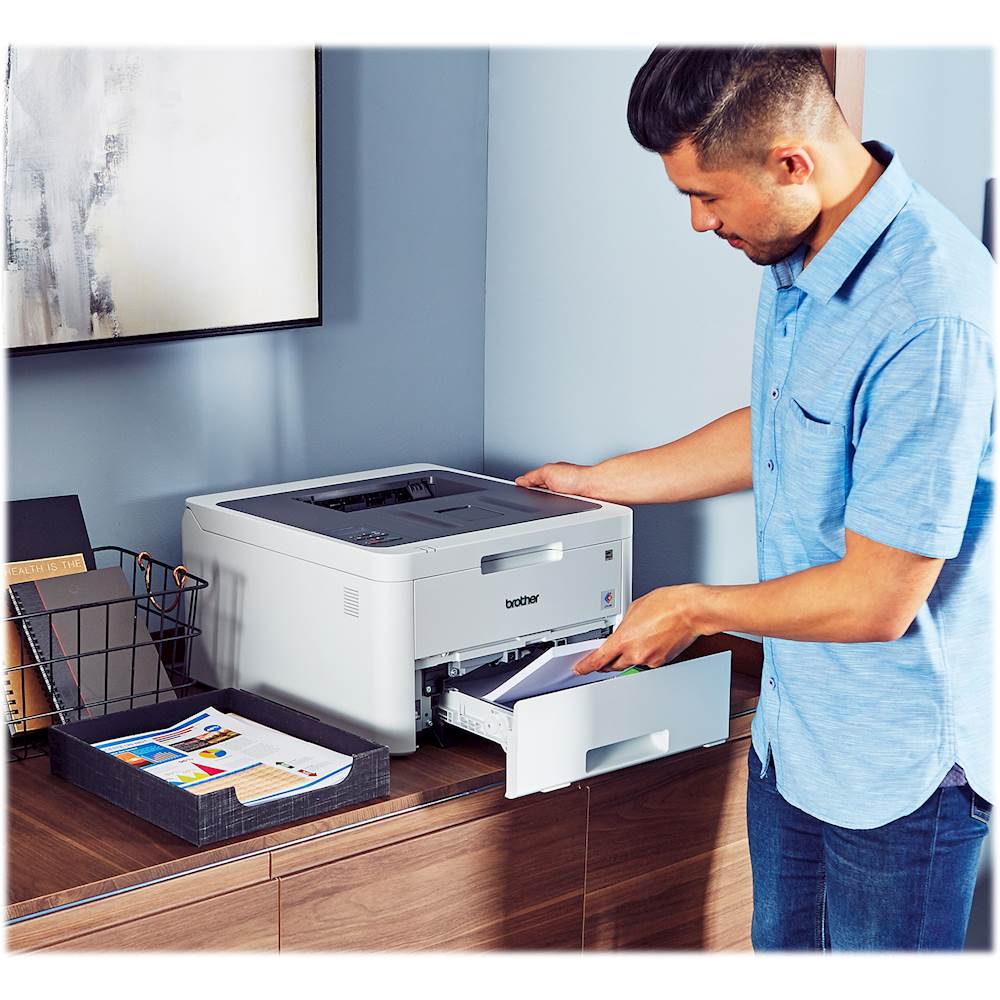
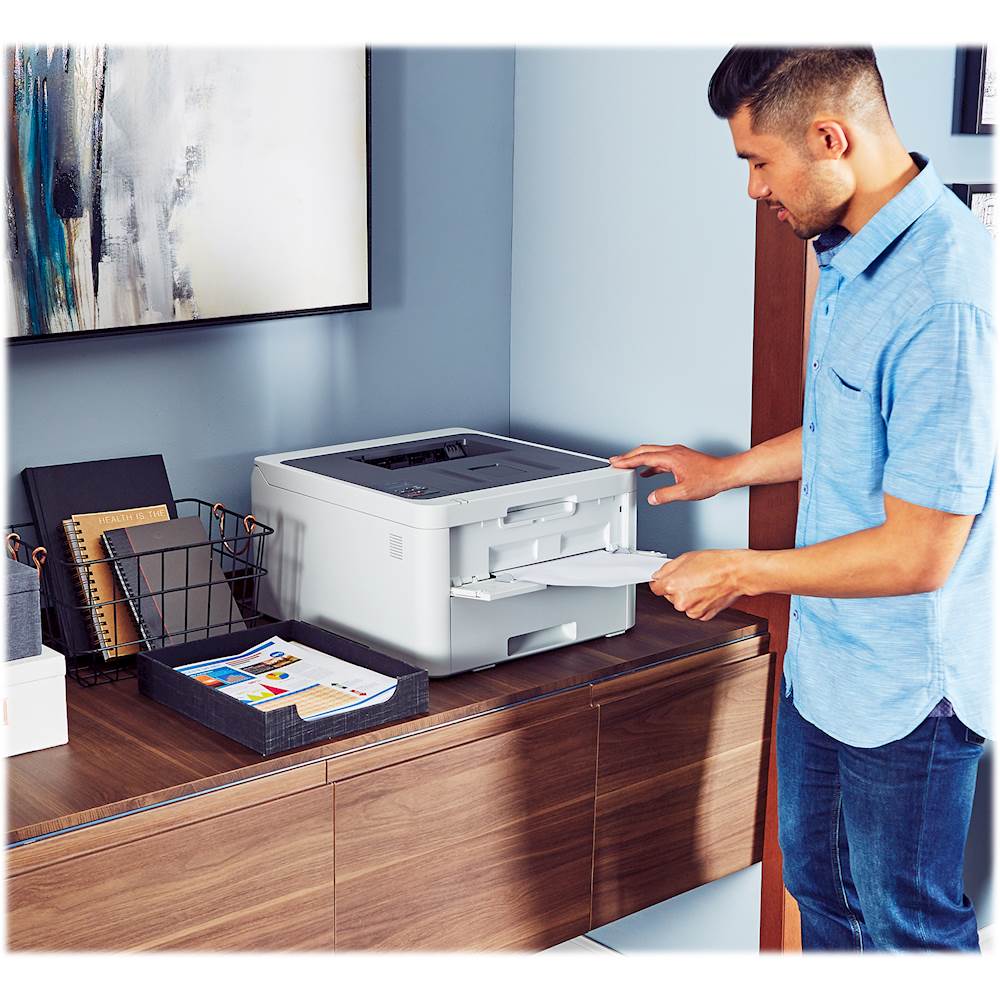
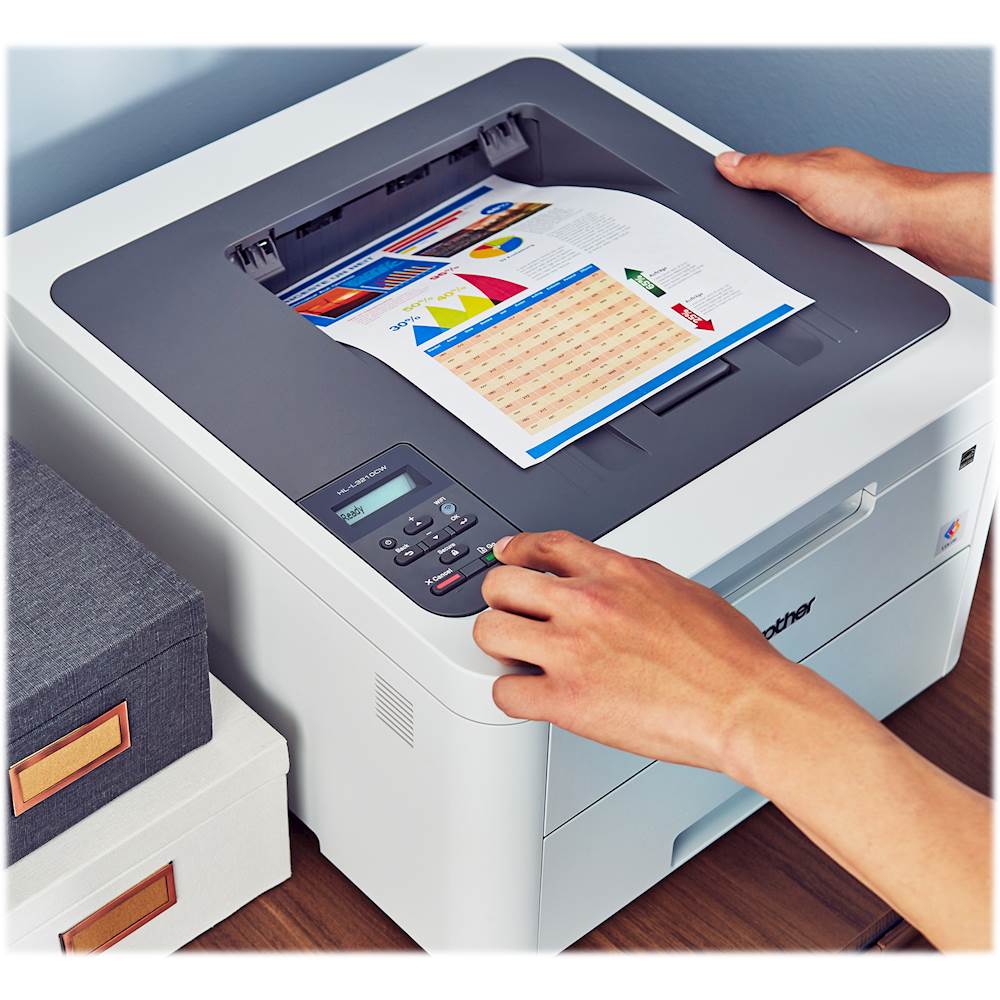
Customers frequently mention the impressive print quality of the HL-L3210CW Wireless Color Laser Printer. They also appreciate its wireless capabilities and easy setup process.
This summary was generated by AI based on customer reviews.
- Pros mentioned:Ease of use, Price, Print quality

Laser Color printing for Everyone
|Posted .This reviewer received promo considerations or sweepstakes entry for writing a review.Brother - HL-L3210CW Wireless Color Printer: The Brother laser printer’s biggest surprise is its low price. I never thought I would own a color laser, but this new LED technology apparently lowers the bar to entry into the world of laser printing. SETUP: This Brother L3210CW is no lightweight. I’m a real fan of Brother printers, having found them to be very reliable. The weight and quality of build suggest this printer may last awhile. Getting the printer ready for connecting to my computer and phone took no more than a few minutes of removing plastic protectors and a little bit of blue tape. Before your purchase, be aware that this model, HL-L3210CW is either WIRELESS or USB direct to the computer. NO ETHERNET. NONE. NO ADAPTER. I was not surprised, but just be aware of the implications for you. Connecting to my laptop was relatively fast, but not at all intuitive or according to the directions. I usually have an easy time with Brother printers. But …. Following the wireless-to-computer directions explicitly, the Brother Installation Software could not find my printer. After a few failed attempts I was directed to connect using the USB cable, if only to get installed. OK. But, the Install Software still did not see the printer. The installation software never acknowledged the printer-computer connection using my Wi-Fi or the USB cable. The next troubleshooting instructions were frightening: simply undo, redo, re-configure my entire network and router. Whaaaat? No way. It’s here I decided none of this made any sense and I bailed out of the Installation and tried sending a page to the printer. PRINTING. My computer is printing successfully, and all programs print successfully. I can’t explain it. Next STEP, setup my iPhone. Well. no setup required. My phone had no trouble seeing and printing to the Brother. No issues at all. So, is the installation process a fail or a success? I’m happy with the outcome, not so happy with the process. RESULTS: A printout of a few emails with text and colorful images were delivered quickly, not much slower than a black & white page on my older but monotone laser printer. An attempt to print out a full color, full page (8.5 x 11) photo took much longer. I actually wondered if the printer had given up, but, no, a print followed up eventually. Those first mixed media print-outs were fine on standard paper, but they were not photo-quality. On the same standard paper, my colorful real Photo images created a nice color picture, but not a rich professional looking print. Close inspection revealed nice, smooth, fairly accurate colors. It only seemed fair that I try using higher quality photo paper. (Paper quality makes a huge difference with ink jets also.) Now, my photos were richer, more colorful and detailed. Were they as contrasty and rich looking as a photo ink jet? Would they match a drug store photo? Close. Photo inkjet printers (home and professional) have brighter colors with wider contrast. For graphics, mixed images and text, and especially high volume printing, nothing beats a laser printer for speed and supply costs. This Brother looks like it will be reliable, easy-to-use, with acceptable replenishment costs.. Keep in mind, my photo results are not that surprising for any laser printer. SUMMARY: This is not a perfect printer. It’s only fair to note that the feature set is limited. No auto double-sided printing. No Ethernet connection. An old fashioned minimalist LCD screen. Doesn’t scan. If it’s like most printers, you’ll want to ignore (or force reset) the low toner warnings. The warnings are almost always premature and will waste toner if you follow them. This is still a compelling printer for me. I like the Brother HL-L3210CW Color Laser Printer quite a bit. The price is super. If it inherits the reliability of the typical Brother printer, you’ll own if for years with no problems. It couldn’t be easier to use (even if setup is confounding). Text is perfectly legible. Graphics with gradients were very smooth on my printouts. It’s always ready to print with its 250-sheet tray. I’ve not had a single printer jam and I’ve fed it different size and weight papers. Owning a color laser printer always seemed out of reach. Not any more. I can recommend this printer.
I would recommend this to a friend - Pros mentioned:Print qualityCons mentioned:Size
fast prints with great text color and detail
|Posted .This reviewer received promo considerations or sweepstakes entry for writing a review.This LASER printer might not be as fast as some of the more expensive laser printers, but it's still faster than most inkjet printers with 19ppm for color or black&white prints.Even full page photos print just as quick. I have noticed some banding in full size prints on plain paper and thicker matte paper, but to be fair laser printers are not really known for their photo printing. For best photo prints with a laser printer, make sure to buy photo paper designed for laser printers, as there is a big difference in how inkjet and laser printers print. Inkjet printers use liquid ink, that needs to soak into the media to create the images. Laser printers use a laser to heat up powdered ink off a roller, to create the image on the media. Using the wrong type of photo paper will not turn out favorable results with either type of printer. While inkjet printers usually have more of an assortment in printing media, you can still find some decent options for laser printers, including waterproof, labels and photo papers.Where laser printers really excel is with volume and overall price per prints. The standard cartridges can yield 1300 to 1400 prints, while the high yield cartridges put out about 3000 pages. Printing per page is usually less than half the cost of inkjet printers. Although when you are first setting up your laser printer, it might seem a lot more expensive, because most of the expenses are up front. Just keep in mind that it will be a lot longer till your need for more toner. Inkjets typically yield between 300 pages for standard and 600 pages for high yield, which is partially why the hardware and ink tanks are a lot cheaper. Even though this model does put out some good fast prints, it lacks some of the higher end features, like a lcd touch screen. The display on this printer is very small, and only one line. The buttons are just as limited as the screen, with basic functionality. You can still access the wifi settings, and general options, but it seems a little tedious. Especially using the manual paper feeder. First off, you have to access the general settings, then the paper tray settings, and finally the "manual tray" option. Here you need to scroll to "on" , and then exit the menu. From here anytime I pre-loaded my piece of paper into the paper feeder, I would forever get an error, saying there is a paper jam in the manual paper tray. I even called customer support, but they were not much help, as they wanted to sync up through my laptop with the printer to try to diagnose the problem. I eventually figured out that it would print from the manual tray, if I didn't try to pre-load the piece of paper. So, just to re-iterate, the settings were set to print from the manual tray, but would only do it, if I left the manual paper tray empty while I hit print. then the printer would ask for the paper to be loaded. I would then load the paper and insert it into the machine as far as it would go, without bending the paper up. The printer would notice the paper, and then take it for printing. Overall I am still pleased with this printer for my needs, it gets the job done pretty good, and there will not be much of a need to constantly change any settings or use the manual paper feed. So the two negatives, about this printer shouldn't pop up very often. ( I am including some prints for quality purposes, everything is on plain paper)
I would recommend this to a friend - Pros mentioned:Print qualityCons mentioned:Duplex
Very good basic color laser
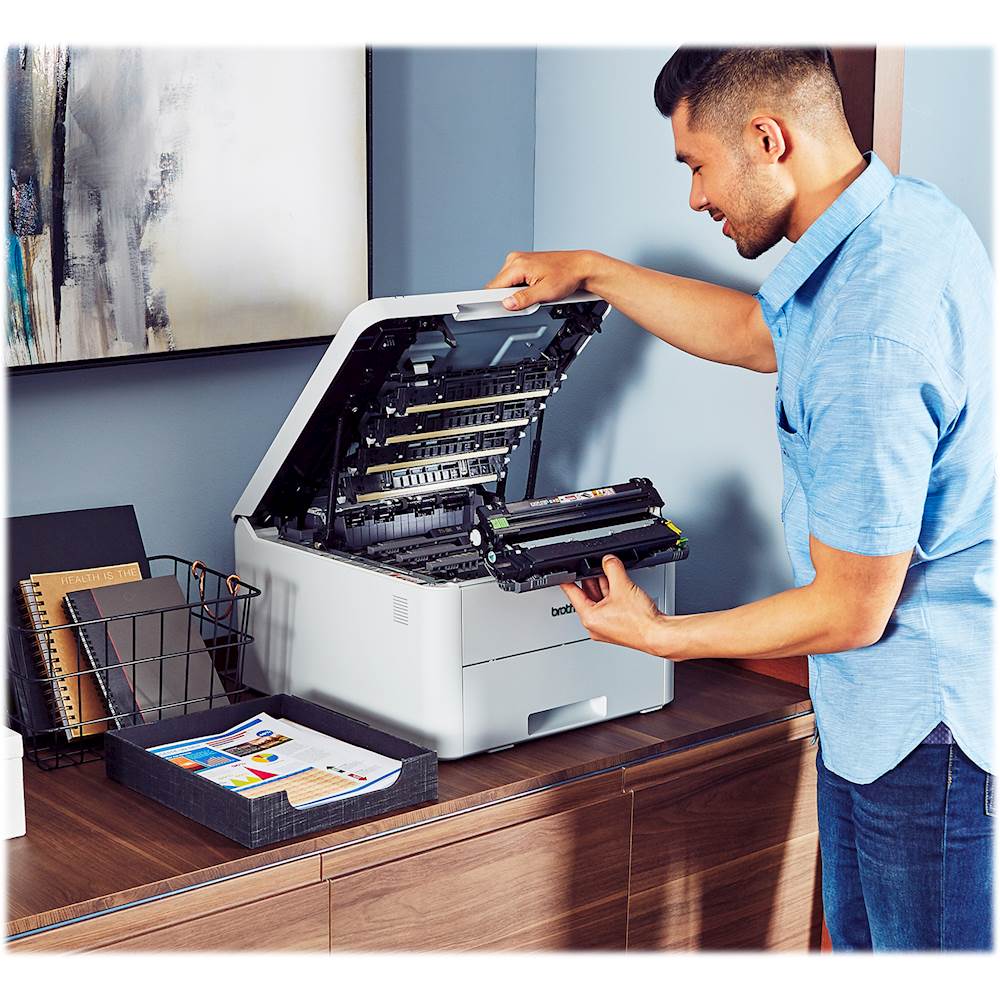
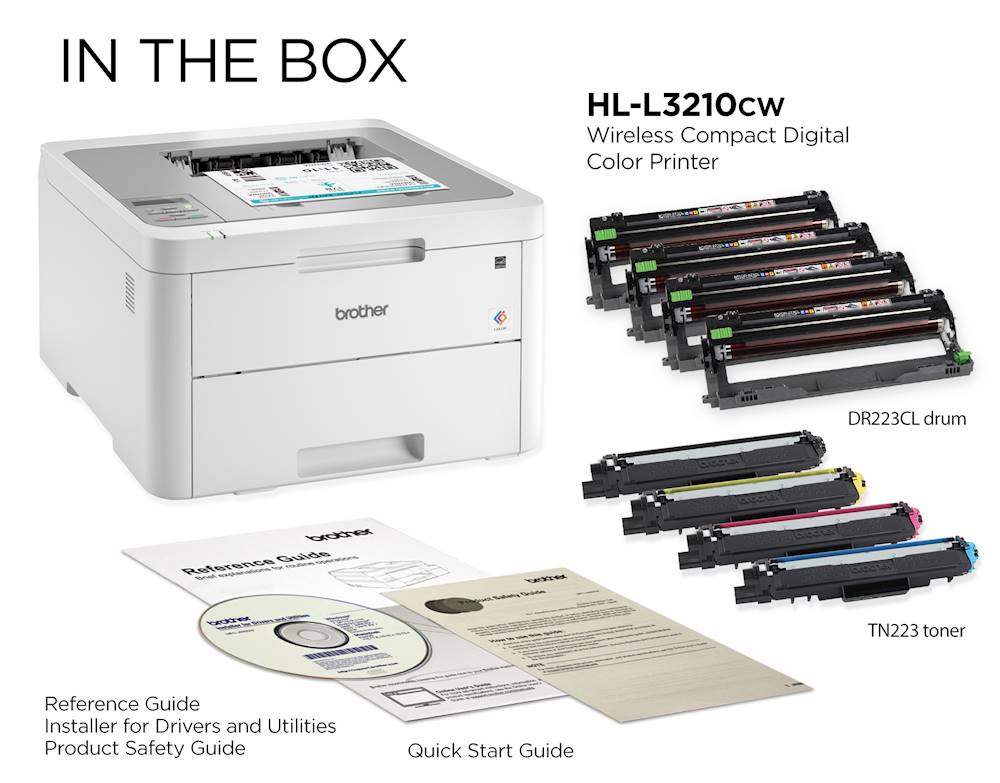
|Posted .This reviewer received promo considerations or sweepstakes entry for writing a review.When we decided to move a few months ago I sold my color laser printer we had as I didn’t think it would make the trip “and didn’t want toner spilled everywhere”, really missed having a color laser but we had a color inkjet also, “easier to pack up” and a plain Brother B&W printer, “smaller and needed a new toner, so no worry about spilling that”. When I saw Brother had a color laser that was very reasonably priced I wanted to give it a try. Unpacking: This thing came in a really big box, and even the UPS guy commented it was pretty heavy. I was surprised at the size of the box and wondered how big the printer actually is. Luckily inside the box is a heavy frame of Styrofoam surrounding the printer protecting it very well, the printer itself is smaller than the box fortunately. Inside the box you will find the printer, manual with CD, power cord, and that’s it, the cartridges are already installed but you have to prepare the unit before the first use. While the printer is bigger than the B&W Brother we already have its understandable why. 4 colors means 4 toner cartridges and 4 drum units, so they take up a good bit of room, you’ll have to plan accordingly if you are limited on desk space. Setting up: After unpacking and finding a good sturdy spot for the printer I removed the blue tape that held the back and front covers down, then followed the instruction sheet hanging from the front of the printer. First you have to open the top, remove all the cartridges, “yep take them all out or you can’t remove the shipping protector underneath”, you have to slide a switch on each end of the toner cartridge to remove it, and then remove the sheet with the foam pad from underneath them. Then carefully remove the protective orange cover from each toner cartridge and place each one back in their corresponding slot and close the top. Now that all the cartridges are in place I turned on the unit after connecting power, notice there’s only a USB port on the back, no Ethernet port, and it does not come with a USB cable either. Once powered on the single line display asked about setting up Wi-Fi which answered yes. Now here it’s a little difficult being that it’s a single line display and you are using arrow keys to enter everything. I scrolled down through the available Wi-Fi connections and found mine. Entering the password took the longest as I have a very long key, it’s not hard but it takes time, don’t rush it, and once entered the printer connected right away. Instead of using the included CD I went to the Brother website and downloaded the driver suite there as those are usually the most up to date. After downloading and running the installation the setup found the printer on my network and set it up. It’s using a default IP address and I ended up going into the advanced section of the interface and changing it to a fixed IP address. You can directly access the printer by its IP address and the admin password is listed in the startup guide, you’ll want to change that also while in the admin page. That’s about all to the setup, apparently Brother really wants you to use the Wi-Fi connection as they don’t even include a USB cable and show that it’s “optional” in the manual. I installed the drive package on all our other computers around the house and it’s was easy to do. The software package found the printer every time and I didn’t run into any problems setting it up. I even downloaded the Brother app for my Android phone and it had no problems finding the printer on our network. Not often I have something that installs this smoothly. Actual Use: Now for actually using the printer, it works, and works very well. For the price range I really can’t expect more from it. Black text is super sharp like our other B&W Brother laser and pretty fast. I also have a HP laser printer and it takes forever to start printing after sitting on standby. The brother only takes a few seconds and it’s up and running. This is a full color printer, but it’s not really for printing photos, it works very well for full color graphics but photos came out duller/faded looking over our color inkjet, but the inkjet is also considered a photo printer there so there’s really no contest. This one does really good at color text and graphics, and is perfect for flyers, business cards, letter head, and things of that nature. If I want good color photos I’ll use the inkjet along with photo paper. Speed wise this one is just as fast as our older Brother B&W printer, the only thing it is lacking is a Ethernet port and automatic duplex printing, but for this price range I guess I wasn’t really expecting those. An Ethernet port would have been nice but I haven’t had any problems printing and it does leave only one cable “power” hanging out the back of the unit. Final Thoughts: If you are looking for a color laser printer that prints very sharp txt, plain graphics and very quick to do so then this may be all you need. But if you are looking for something that prints photos, and automatic duplex printing you’ll have to keep looking as the photo printing is ok just not great, “would be good for handouts or flyers”. And remember if you don’t want to use this on your wireless network you’ll have to purchase a USB printer cable to directly connect it to your computer, not sure why they didn’t just include it with the package. I really liked that I could easily print with the app on my Android phone, I had a couple PDF files emailed to me that I wanted printed and had no problem doing so. I also printed a picture I had taken earlier of a concert we attended and wasn’t impressed with the quality, I’ll have to experiment with some better paper and see if that makes a difference for photos, but our old HP color would print really good looking photos on just about any paper I threw at it. If you keep the limitations of this printer in mind it will be a great printer for your home or small office.
I would recommend this to a friend - Pros mentioned:Print qualityCons mentioned:Duplex, Size
Excellent Print Quality and Speed, Silent
|Posted .This reviewer received promo considerations or sweepstakes entry for writing a review.Pros: * Great print quality for a color laser printer * Fast printouts * Easy to set up for wireless printing (Mac, iOS tested) * Nearly silent while printing * Included toner prints a lot of pages Cons: * Larger than average might not fit everywhere * WiFi or USB - no wired ethernet * Doesn’t duplex * Expensive consumables My Review: This is a really great value for a color laser printer. Print quality is what one would expect for a modern color laser printer, and it was faster than some other brands that I’ve tried. But what surprised me most was how quiet it is! Other laser printers have clicks and whirs while feeding the paper, but this Brother printer just silently spits out finished pages. Set up was as easy as one could expect. Unbox the beast (over 40 pounds of heft) and remove all of the blue tape and orange protective plastic bits. Add paper. Go through the on-unit wireless setup wizard to select an access point and (laboriously) enter the network key. Done. Next step was getting my Mac to use the printer. This, too, was easy. Select to add a printer, choose the Brother unit from the list and done. You can optionally download the full driver package from the Brother web site listed on the setup poster to get more printing options. Last was printing from my iPhone and iPad; both recognized the printer on my network via AirPrint and worked without fuss. The tabletop footprint is on the larger side, and it doesn’t help that the power cord comes out of the back and needs additional depth on a counter. This printer definitely commands space on a desk or shelf. This is Brother’s more basic unit so it has a simple one-line LCD display with buttons rather than a touchscreen, there’s no Ethernet adapter for wired networking and there’s no duplexing. If you’re OK with these limitations, then this is a great value option for you! Sadly, as with nearly all printers these days, the cost of replacing the bundled toner (or ink in the case of ink-jet printer), far exceeds the cost of the unit’s original purchase. This printer’s bundled toner is good for about 1000 pages after which it costs nearly twice the original price of the printer to replace all four with new ones. While not ecologically correct, it’s typically cheaper to replace the printer (and get another set of bundled toner or ink), than it is to keep the printer and replace just the toner or ink. Overall, this is a great color laser printer for home or small office use. As long as WiFi connectivity works for you and you don’t need to duplex, this printer will serve you well for a lot of prints.
I would recommend this to a friend - Pros mentioned:Print qualityCons mentioned:Size
Affordable Color Laser, but some compromises
|Posted .This reviewer received promo considerations or sweepstakes entry for writing a review.Thie Brother HL-L3210CW is an incredibly affordable Color Laser for the home office to the point this is better value than an Inkjet. I am only giving this 3 stars though, as there are some limitations you need to be aware of before you buy - but I can guarantee the print quality and speed is impressive. Setup - I don't understand why but Brother ship the HL-L3210CW with a CD of the drivers you need (yes, it's 2019 and they incude a CD). Not sure about you, but I don't even have a computer with a CD since the 1990s so you will need to download drivers. If you are like me, you can download the drivers you need here. https://support.brother.com/g/b/downloadlist.aspx?c=us&lang=en&prod=hll3210cw_us_eu_as&os=10013 The next limitation is setup. There's no Printer USB cable included (but hey, you get the useless CD!). Fortunately, the printer has WiFi and you can smart connect to your router or VERY slowly key in the password on the LCD screen. In our office, we have WPS disabled, so it was a case of keying in one letter at a time on the black and white screen like an old-school phone (making me want a cable even more). Fortunately, it paired to my WiFi but honestly setup on a small LCD screen is not the best user experience. Once you're on WiFi, then you can connect to the printer from your PC via the wireless LAN. From there you can configure everything else you need from paper size, print quality, time out, to Google cloud print. Mobile printing supports iOS AirPrint which worked perfectly for me. They also have a standalone Brother printing app "Brother iPrint". Sadly this app is a UI nightmare. Brother really need to work on the quality of their app. And that's not just me, there's a 2.8 AppStore rating that backs that view. Brother position the HL-L3210CW as compact but it is bigger and heavier than expected. I don't have a scale in the office, but size-wise it's 16" wide, 17.5" deep, 10" high. We placed it on a separate desk as it was too big to share space with our monitor. The PLUS side is that Brother don't go cheap on the size of the ink cartridges. The HL-L3210CW ships with 4 color starter rated for 1000 pages each (see photo). If you're wondering, the drum is rated for 18,000 pages I really want to love the Brother HL-L3210CW. It's affordable, fast, and the color printing is great but there's just something that stops me using it as the everyday printer - maybe it's the size, the black & white LCD UI, or the huge size. The HL-L3210CW will have a permanent home and will be my color printer replacing an aging inkjet but I do plan to buy a truly compact black and white laser printer that I can keep on my desk, especially for when I need to print confidential material (finance, HR docs) and I think that really sums up my problem, the HL-L3210CW is just not as compact as I hoped and would like. I would recommend to a friend with caveats but there are definitely no complaints about the color print quality (or affordability). Would suggest you see it in store first before you buy, just so you know the size.
I would recommend this to a friend - Pros mentioned:Print quality
Prints fast, Good Quality Print
|Posted .This reviewer received promo considerations or sweepstakes entry for writing a review.This Brother wireless color digital printer prints high quality (sharp/dark print) content at a high page-per-minute rate. If there were any negatives it is that it's not a duplexing printer (doesn't print two sided) - which I won't hold against it because it's as-advertised, but note that a duplexing model could save you a lot of paper (used properly) and would be more environmentally friendly (less paper used would ALSO mean that much less time repurchasing paper supplies). I printed a test page from a Samsung Note 10+ android phone and right away the phone detected the printer by being on the same WiFi and was ready to print. With Windows (desktop/laptop), interacting with network printers has become very easy in recent years, generally very little set up is required and it may even autodetect the printer without you doing anything. In the case of my windows 10 pc, I did need to manually go into windows settings, devices, printers and add device -- but it autodetected the printer and installed the driver and was good to go. On an older Windows 7 PC, though, the driver would not auto-install from control panel, so I needed to go to support.brother.com site to download the full driver. I just want to note that from what I've seen the "genuine" (Brother) toner cartridges "seem" way high in terms of price (though not out of touch with other manufacturer-brand cartridges), and will note that if that scares you please consider researching the generic equivalent cartridges because they can save you more than the price of the printer itself when buying all 4 cartridges.
I would recommend this to a friend Printer for Home Office/Small Business.
|Posted .This reviewer received promo considerations or sweepstakes entry for writing a review.I still find myself working from home frequently (not a SOHO or business, just catching up). I work as a mechanical engineer, so I find myself frequently printing items off to review. Before the Brother HL-L3210CW I had its big Brother (terrible pun intended) HL-L3270CDW laser color printer. Prior to these laser printers I had inkjets, which I will never go back to following my experience with these Brother color lasers. Both printers use the same toner cartrigdes (TN-223 or high capacity TN-227). Setup Setup for this printer pretty easy. Connecting the printer requires hooking up a USB type B cable or connecting it to the Wi-Fi through the setup wizard. I hooked it up through my network and detected it with my Windows 10 PC. There is a little bit of prep with the toner trays – you have to remove them to pull off the plastic shipping protectors. As far as paper goes I loaded standard 8.5" x 11" paper into the tray and it was ready. Just like my other printer, 8.5" is the widest you can go. You can print on legal (8.5" x 14") via the fold down front tray. The main tray can accommodate paper down to A6 (4.1" wide) and the fold down tray can go down to 2.5" wide paper. I already had the Brother App on my phone to allow WiFi direct printing. Interface The interface for this printer are a small grouping of buttons below the small screen. So far my only real interaction with these buttons was for the initial Wi-Fi setup. Following that I haven’t had a need to fiddle with the buttons. However, with the buttons you can navigate through the menus, check toner levels, see the status of the printer, etc. It’s pretty straight forward without any additional frills. Ease of Use Just like with the more robustly equipped 3270, the 3210 is super easy to use. From Wi-Fi connecting to printing in just a couple of minutes. This stands with the 3270 as being very user friendly with a very limited learning curve. I haven’t experience any jams or connection issues. I’ve printed a number of different projects on it so far. Birthday party invites, spreadsheets, and regular word docs. I printe the same 25 page double sided document on the 3210 as I did on the 3270. Aside from printing a little slower, it had no issues. I have printed from 4 different devices - wired, wireless, Windows 10, Android, and Chrome OS. No issues have cropped up. Print Performance and Quality Print performance is still pretty good for my usage. I printed a couple of larger documents (black and color), and I was able to hold right around the advertised 19ppm (the 3270 does 25ppm). Print quality matched the 3270 (both have 2400 x 600 DPI print resolution). Print quality of text is very sharp, along with solid-colored graphics. You will not get very good picture or photo quality prints with this unit, but its serviceable. Not even the more expensive 3270 do you see much change in that kind of print quality Overall I am pretty happy with the Brother HL-L3210CW color laser printer. It performs admirably well for its price range, and I think its packs good value. If you don’t need the extra speed or features of something like the 3270, then the 3210 is as really solid choice. It works well for me in my small home office setup. My only gripe with this printer involved typing in my 22-character Wi-Fi password – took forever. Everything after that has been a breeze.
I would recommend this to a friend- Pros mentioned:Print quality
Good printer
||Posted . Owned for 3 weeks when reviewed.This reviewer received promo considerations or sweepstakes entry for writing a review.The printer works well but it will only find my lower speed wi-fi connection, which forces me to change between connections to get it to print. It doesnt wake up as quickly as I would like when sending a print either. The quality is very good for the price.
I would recommend this to a friend - Pros mentioned:Noise level, Price, Print quality
Another Home Run from Brother!
|Posted .This reviewer received promo considerations or sweepstakes entry for writing a review.Oh Brother! Another excellent color laser printer! A home run! This is the second color printer I’ve obtained from the manufacturer Brother. This one impresses me as much as the first one did, and I’m happy to recommend it. I use my printer for SOHO purposes, it gets used for a variety of things from printing letters, printing cards, printing photos, and more. I use all types of paper, from the cheapest stuff I can find to print drafts, to expensive heavy weight and costly photo quality paper. I’ve also manually put through and printed on business envelopes. I have not been disappointed once using the HL-L3210CW printer. It’s fast, it’s quiet and it doesn’t take up much space on my desk. Setup was simple, I started with it tethered to my PC then eventually switched over to WIFI. This allowed me to move it to the most convenient location in my office. I’m at my day job during the week, so it doesn’t get much use until the weekends. What’s nice is I can keep it powered on in standby mode. It’s drawing a very small amount of electricity, but when I do need to print something it comes back up very fast and I’m printing right away. But do be aware that if you don’t use the printer for a long period of time it will pass through standard Sleep mode into a Deep Sleep. This is an ultra low power mode, and when it goes into that mode the printer needs to be awoken in person (in other words you can wake it up remotely). It’s not an issue for me, but just be aware of this in case you use the printer very infrequently. The print speed is rated at 19 pages per minute. I’ve never actually timed it (hahaha), but I can attest to the speed is impressive. No lag, it burns through the print jobs I send it. I’ve always found it very convenient to use the mobile printing functionality. I can print directly from my mobile phone, or tablet. I’ve even printed through the cloud, using Google Cloud Print. Like all Brother products I’ve owned, this printer has been very reliable and I expect it will remain that way. Each cartridge is rated to last up to a thousand pages, and the tone drum up to 18,000 pages. Given my small need for printing, perhaps 50 pages a week maximum, costs will remain low for consumables (the tray holds up to 250 pages depending on the paper stock). The actual print mechanism is LED, which is essentially going to last for the life of the product. A one year warranty is provided, which is good coverage for a low-cost color laser printer. My devices run the gamut from Windows-based PC’s, Linux tablets, to mobile device - all are supported and work consistently well. I haven’t yet had to replace the toner cartridges, and I’ve been using the printer a lot in recent weeks. The cost per page of this printer is really impressive! I’ve used the duplex printing feature to print both sides of a single sheet of paper, which saves money and reduces waste. I’m very impressed with the HL-L3210CW printer, it has been working great and handles everything I’ve thrown at it. If you want to upgrade from black and white prints, to rich color prints you can do it with this printer for a price that a mono printer would have cost years ago. It’s a bargain, grab one. Oh one more bit of advice, buy only Brother genuine cartridges. I tried refilling in the past with other printers I’ve owned. That was always a disaster and ended up ruining print jobs, wasting paper, and eventually ruining the printer. Treat your printer well, feed it good toner and it will treat you to a long useful life. Highly recommended!
I would recommend this to a friend - Pros mentioned:Noise level, Print qualityCons mentioned:Size
A welcome addition to my office
|Posted .This reviewer received promo considerations or sweepstakes entry for writing a review.For people who do a lot of printing it just makes sense to use a laser printer over a inkjet printer. Ive always wanted one and after going through a few different inkjet models I felt it was time. After I got it on wifi all of my my computers were able to connect up to it without any issues. Windows 10 was able to just scan and find it. For linux I had to install the drivers from Brothers website and the printer was auto added. So connecting went very smooth. As for the actual printing it does a pretty good job. Very clear, sharp, and professional looking. Lot better than my inkjet. The color quality is ok. Its not as vibrant as a photo printer but its still good enough for day to day use. Once thing to note is that its compact for a laser printer but its still bigger than your typical inkjet printer. Keep that in mind here because that also makes it a lot heavier as well. I did notice that it draws a lot of power when its printing. Causes my office lights to flicker a bit. Might have to move it to a different room. The display is very tiny so it was a bit tedious connecting to wifi the first time but it did work first try. There is a upgraded model that has a touch screen but if you don't need that this model will save you some money. Below is a list of pros and cons based on my personal use. Pros: easy to assemble does black/white and color prints look very sharp and professional prints faster than inkjet quieter than a inkjet holds quite a bit of paper supports windows, mac, linux, and mobile supports wifi and direct connect Cons: small display large power draw when printing no network port does not support 5ghz wifi frequencies heavy I would say in all I think this would make a good printer for small business and home applications. If you do a lot of standard printing this is the way to go.
I would recommend this to a friend - Pros mentioned:Print qualityCons mentioned:Duplex, Size
Good Color Printer, But Rough Around the Edges
|Posted .This reviewer received promo considerations or sweepstakes entry for writing a review.The Brother HL-L3210CW is a solid color printer as far as print quality and affordability goes. However, as I'll discuss, it is lacking in some seriously useful features which caused me to drop my rating. First, this printer is not compact in any shape, form, or fashion. Being a color laser printer, it uses four separate toner cartridges which is ideal since you can replace them individually instead of having to buy a new combined cartridge just because one color is out. These four cartridges take up a lot of space which is why this printer is so big. It's not huge, but it's bigger than your average printer and even some multi-functions. Keep this in mind as you explore your options. Out of the box, the printer feels solid and well built. Panels open smoothly without feeling too flimsy or delicate. All of that said, the control panel feels like it's straight out of 1999 with it's rubber buttons and one-line monochromatic display. I have an inkjet with color touch screen display that is far more functional and modern than this one. If you need to connect to a WiFI and enter a password, this will take you a while as you scroll through the alphanumeric list one character at a time. What's that? You're just going to connect directly to your computer? Not so fast. They don't include the required USB cable. That cable costs next to nothing so I fail to understand why they aren't included. Depending on how you plan to connect/use the printer, setup can be quick or take a while. Obviously, USB is the fastest and my Windows 10 computer found it instantly. I still downloaded the latest drivers from the Brother's website instead of using the included CD and recommend you do the same. Connecting the printer to your WiFi will take a while as I explained earlier. Once connected, my computer was able to find it and I was able to use the AirPrint function from my iPhone connected to the same WiFi. Most settings can be configured from the printer settings on your computer. This is good since the Brother iPrint app is clunky and not very useful. I harp on this a lot. If you're going to develop a companion app, actually develop it and do it right! Let's just say, this app didn't take up space on my phone for long. Once you're up and running, printing is quick, quiet, and quality. I found the blacks and colors to be bright and crisp. Prints are more than sufficient for business uses such as printing graphics, flyers, and marketing material. This printer will print pictures, but I wouldn't recommend it if you are needing high quality prints as it's just not what it is meant for. My inkjet is a photo printer and it does a much better job on pictures--especially with photo paper. One VERY noticeable feature lacking from this printer is it's ability to duplex print. Duplex printing is a cost and time saver. For me, a printer that can't duplex isn't a printer for me. In conclusion, I will say this printer does a good job for what it is designed to do. It prints good to great quality texts with basic graphics. It's quiet. It's fast. However, there are some big drawbacks (the control panel on the printer itself) and the lack of a duplexing feature. If these aren't things that matter to you, this printer could be a great option because I do think it is a bargain. The individual toner cartridges are also cheaper than my office's current color printer from HP. Pros: -Cost -Print speed -Print quality -Build quality Cons: -Outdated and barely functional control panel -Lack of duplex feature -Size/weight
I would recommend this to a friendBrand response from Brother
Posted .Hi, Thank you for being a Brother Customer. Your feedback is very important to us.
A USB cable is not included with the purchase of your Brother machine. A list of components included with the machine is printed on the outside of the carton.
Brother doesn't include USB cables with its printers, fax machines, or Multi-function Centers (MFC) because there are often multiple ways to connect these machines to a computer or network, and we are unable to anticipate which of these connection methods you will use. Including multiple cables for multiple connection types would unnecessarily contribute to environmental waste. Brother is committed to conserving the global environment.
If your Brother machine is wireless-capable and you require a USB cable to initially connect the machine to a wireless network, you may be able to 'borrow' a USB cable from another device, use it to connect your machine to the network, and then reconnect the cable to the original device.
The Brother machine has a Standard-B USB port, so you must use type A/B USB cable. We recommend the cable be 6 feet or less.
Your machine doesn't support automatic duplex printing. However, you can print on both sides of the paper, by manually flipping the paper. Here is a FAQ that may help.
https://help.brother-usa.com/app/answers/detail/a_id/157995?R3ModelID=HLL3210CW
Please let us know if we can be some of assistance in the future. You may contact us by Email or Live Chat. https://www.brother-usa.com/support/hll3210cw
- Pros mentioned:Print quality
Bang for the Buck
||Posted . Owned for 7 months when reviewed.This reviewer received promo considerations or sweepstakes entry for writing a review.I love this color laser printer. It meets all my needs, the color is great, and the blue tooth allows me to print from anywhere in my house. At first I had to keep loading in my wifi password. If this happens, it needs a stronger wifi connection. I ended up getting a wifi extender and that resolved all my other IT issues as well.
I would recommend this to a friend - Pros mentioned:Print quality
Mr.
||Posted . Owned for 1 year when reviewed.This reviewer received promo considerations or sweepstakes entry for writing a review.This is a great printer for the money. My mother loves the quality of the pictures she can print that she gets from her grandchildren.
I would recommend this to a friend - Pros mentioned:Price, Print quality, WirelessCons mentioned:Size
Excellent SOHO Color Laser Printer
|Posted .This reviewer received promo considerations or sweepstakes entry for writing a review.The Brother - HL-L3210CW Wireless Color Printer is an excellent, entry-level Small Office/Home Office Color Laser Printer. Brother advertises this printer as a compact digital color printer that is ideal for home or small offices. The printer retails for $199.99. This printer has the following features and specifications: • Rated at up to 19 ppm for its print speed and this is for both color and black and white printing. • 250-Sheet capacity tray • Manual feed tray with a capacity of 1 sheet. • Mobile printing - AirPrint®, Google Cloud Print™, Brother iPrint&Scan, Mopria®, Wi-Fi Direct® • USB and wireless connection options - Wireless 802.11 b/g/n, Hi-Speed USB 2.0 • 1-year Limited Warranty and free online, call or live chat support for the life of the printer. • Dependable, durable, and compact design. • Starter cartridges rated at 1,000 pages. The rest of this review will be done in 4 parts – set-up, usage impressions, cost analysis, and pros/cons. You may see a companion review at https://youtu.be/-SJjnfSOw9M. Set-up: Set- up of this printer is very straight forward. The included Quick Setup Guide is detailed and walks one thought process very quick and has instructions for each of the connection types (USB 2, Wi-Fi Direct, and the many mobile options. The unit has a single line LCD for set up on the device’s control panel. The device software comes with the Brother Utilities App that allows one to update the system firmware, check the status of the printer, download additional software, repair the printer’s network connection, and contact support. Using the network panel in Windows 10 one can also access the devices onboard web page that allows you to see the status, maintenance info, configure some settings, and reports. Usage Impressions: The usage of this printer is very straight forward as it is with any printer. The system’s driver does allow for manual duplex printing and this uses a combination of the manual feed tray and the main tray to accomplish this. The printer can handle up to legal-size paper in the main train. The system allow allows for mobile printing and has options for AirPrint for supported iOS devices, the Mopria Print Service app from Google Play for Android devices, and the Brother iPrint&Scan from brother. For testing purposes, I used the Brother iPrint&Scan software and it was very useful to print both pictures and emails. The only downside for this app that I found was printing from Gmail had an extremely large font size and I could not find a way to change this in the application. Cost Analysis: The $199.99 price for this printer is certainly attractive the real cost that one needs to look at is the price per page cost for the consumables. I use a simple system of dividing that the cost of each cartridge by how many pages the cartridge can print. The best cost per page comes by using the higher capacity cartridges that can be purchased for the device. Doing this analysis results in a cost per page of $0.02 per page in black and $0.12 per page in color (assumes each color used equally). This cost is in line with the cost per page of my other laser printer with its high capacity cartridges. Using an annual printing rate of 12,000 pages this printer would have an annual toner cost of $1755.09 (MSRP for all toner cartridges) assuming equal uses of all 4 toner colors on each page. This again is in line, and technically cheaper by $44.82 than my other laser printer. The Brother MFC-J895DW Inkjet printer has a $0.06 per page for black and $0.03 cents per page for color (interesting that this is cheaper) when using the high capacity ink cartridges. Using the same annual print capacity is would have a cost of $1,843.80 for the Ink Cartridges. Summary: Overall this is a very nice office/home office printer. Some of my image prints had some banding on them but this could be that the cartridges were new. The text was crisp and good. While this printer is advertised as a compact printer, I find it to be of a regular size at 16.1” W x 18.1” D x 9.9” H and the unit weighs 37.8 lbs. Pros: Connectivity options, cost, speed Cons: Quality may not be as good as other laser printers, inability to select a font size for Gmail print from mobile app,
I would recommend this to a friend - Pros mentioned:Ease of use, Noise level, Print qualityCons mentioned:Size
Solid printer and a great value
|Posted .This reviewer received promo considerations or sweepstakes entry for writing a review.I typically use a multi-function inkjet printer for everyday use like printing directions and recipes or scanning and copying documents. But sometimes I need to print documents that look clean and professional, which is more of a challenge for inkjet printers. That’s where a good, inexpensive laser printer is very useful. Brother describes this printer as compact, but it’s got a pretty big footprint and it is a bit heavy. If you’ve got a good place for it though it’s not a big deal and you’ll only have to life this once to put it in place, so overall size is not a big issue. Setup was very easy. The picture instructions are very easy to follow. One thing I really liked is that it ships with the toner cartridges in place. All you have to do is pull them out one at a time and remove the protective strip on top, then push them back in. Once all the protective taps and paper was removed, I went to the link on the instructions and downloaded the installation software. The most important thing to remember is to follow the instructions in order to avoid having to go back and start over (I made that mistake). Installation was fairly quick once I carefully followed the instructions. Now the important part, printing. The first thing I did was print out a MS Word document. After just a few seconds, the data light started flashing and out came a very professional, crisply printed document. I was very impressed with just how quiet this printer is. I am so used to how my inkjet printer vibrates, wobbles and loudly grinds out paper that I wasn’t sure it actually was printing until the paper floated out. The next thing I did was print a picture of our very large family at a holiday dinner. I selected that photo because of its complexity of colors, textures and objects in the picture. It took just slightly longer to print. It was very clear and crisp although colors did seem slightly muted. Still for a non-photo quality printer it did a serviceable job. I won’t quote all the specs as you can see them for yourself in the printer description, but to me, it printed very quickly and quietly. One thing to remember is that this is not a multi-function printer, so if you need copying and scanning, you won’t get that with this. But for pure professional printing, you can’t go wrong with this printer. Especially at this price point.
I would recommend this to a friend - Pros mentioned:Print quality
not bad
||Posted .This reviewer received promo considerations or sweepstakes entry for writing a review.Prints quickly. I've only printed 3 items out so far. Pictures look ok, but the print seems to be a bit light. It could be my settings, not sure as I haven't had a chance to check them out yet. On recommending this to a friend? I'm not sure yet, but a yes or no answer is required
I would recommend this to a friend Works fine. If using VDI, get a cable
||Posted . Owned for 3 months when reviewed.This reviewer received promo considerations or sweepstakes entry for writing a review.We ordered this for our employees working remotely. Because we use a VDI, we needed to hard wire the printer because it didn't work well wirelessly with our system. I had to order a printer cable and USB hub to allow our team enough ports for their devices. Once connected it worked just fine. No problems.
I would recommend this to a friend- Pros mentioned:Ease of use
easy setup and ease of use, would recommend to any
||Posted . Owned for 7 months when reviewed.This reviewer received promo considerations or sweepstakes entry for writing a review.easy setup and ease of use, would recommend to any user.
I would recommend this to a friend - Pros mentioned:Ease of use
Great color piinter
||Posted . Owned for 1 month when reviewed.This reviewer received promo considerations or sweepstakes entry for writing a review.The printer was easy to install and works perfectly.
I would recommend this to a friend - Pros mentioned:Print quality
Good printer
||Posted . Owned for 2 months when reviewed.This reviewer received promo considerations or sweepstakes entry for writing a review.This is the best printer to get if you're into crafts.
I would recommend this to a friend



















