Customer Ratings & Reviews
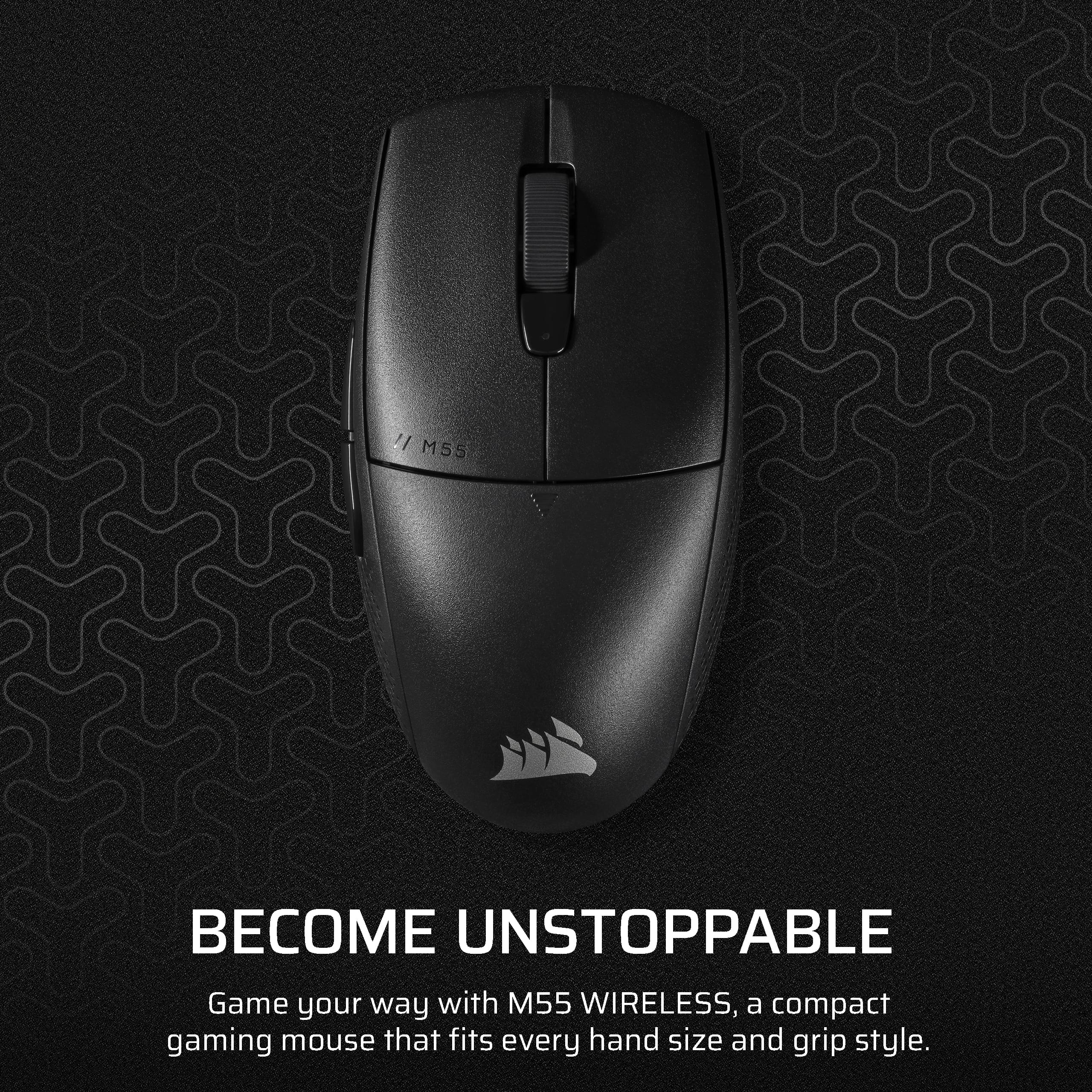
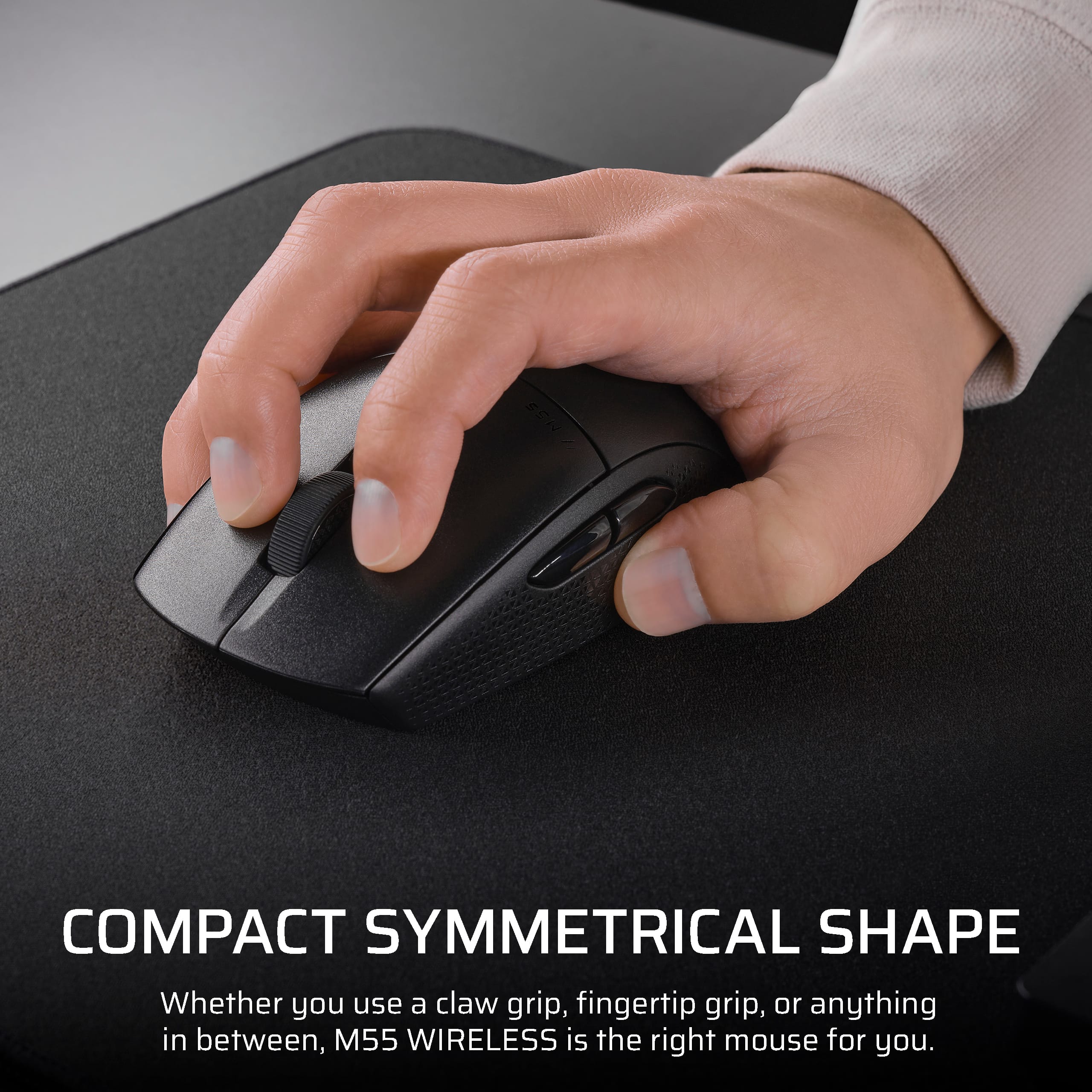

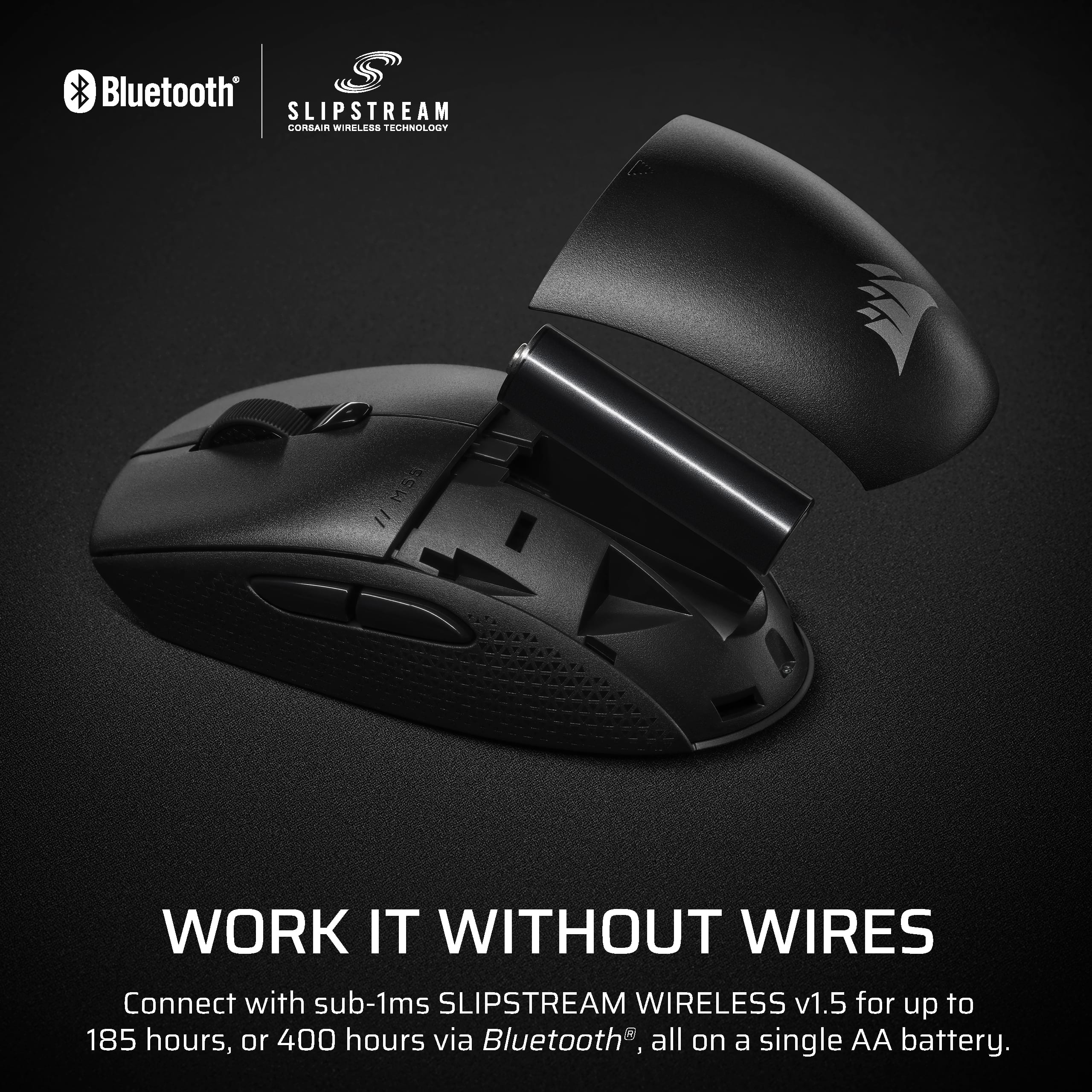
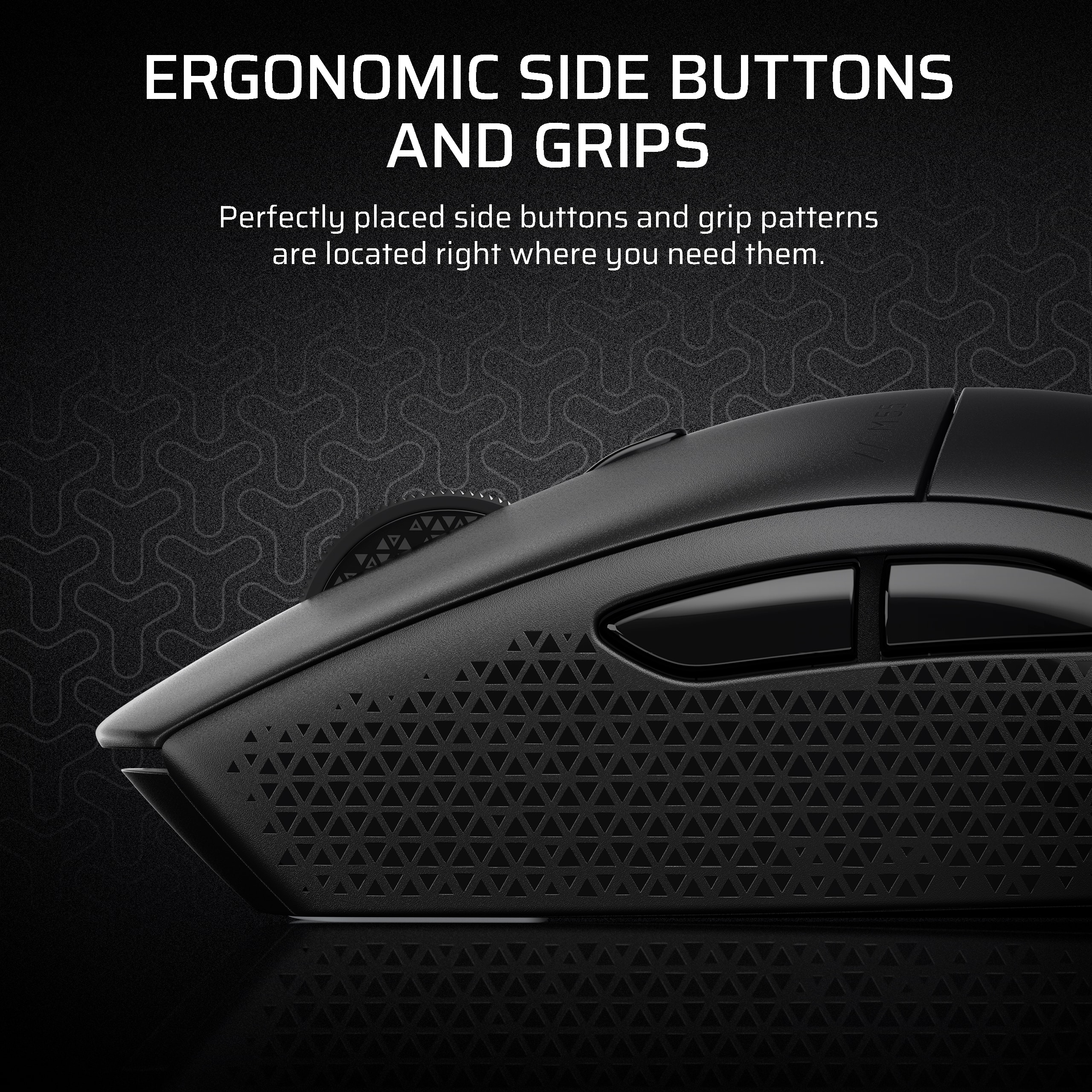
- Model:
- CH-931F000-WW
- SKU:
- 6604495
Rating by feature
- Value
Rating 4.5 out of 5 stars
- Quality
Rating 4.6 out of 5 stars
- Ease of Use
Rating 4.7 out of 5 stars
Customers are saying
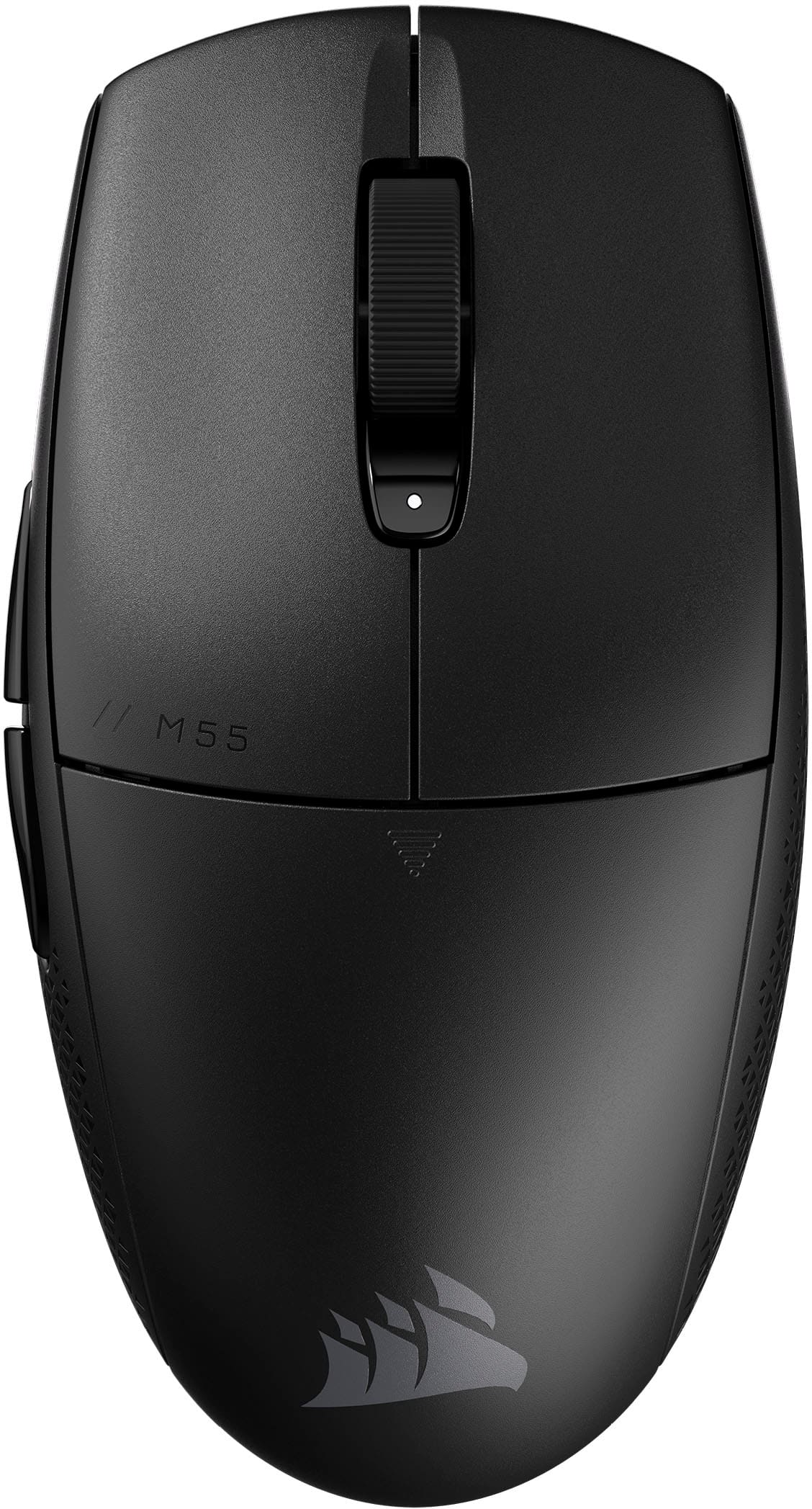
Customers have good things to say about the M55 Wireless Optical Gaming Mouse, especially its portability, weight, and battery life. Users appreciate the reliable connectivity and sturdy build quality. The mouse's effortless glide and comfortable grip are also well-received, along with its precise tracking and responsive sensor. However, some customers feel the mouse is undersized.
This summary was generated by AI based on customer reviews.
- Pros mentioned:Battery life, Build quality, Connectivity

Great all around use mouse from Corsair
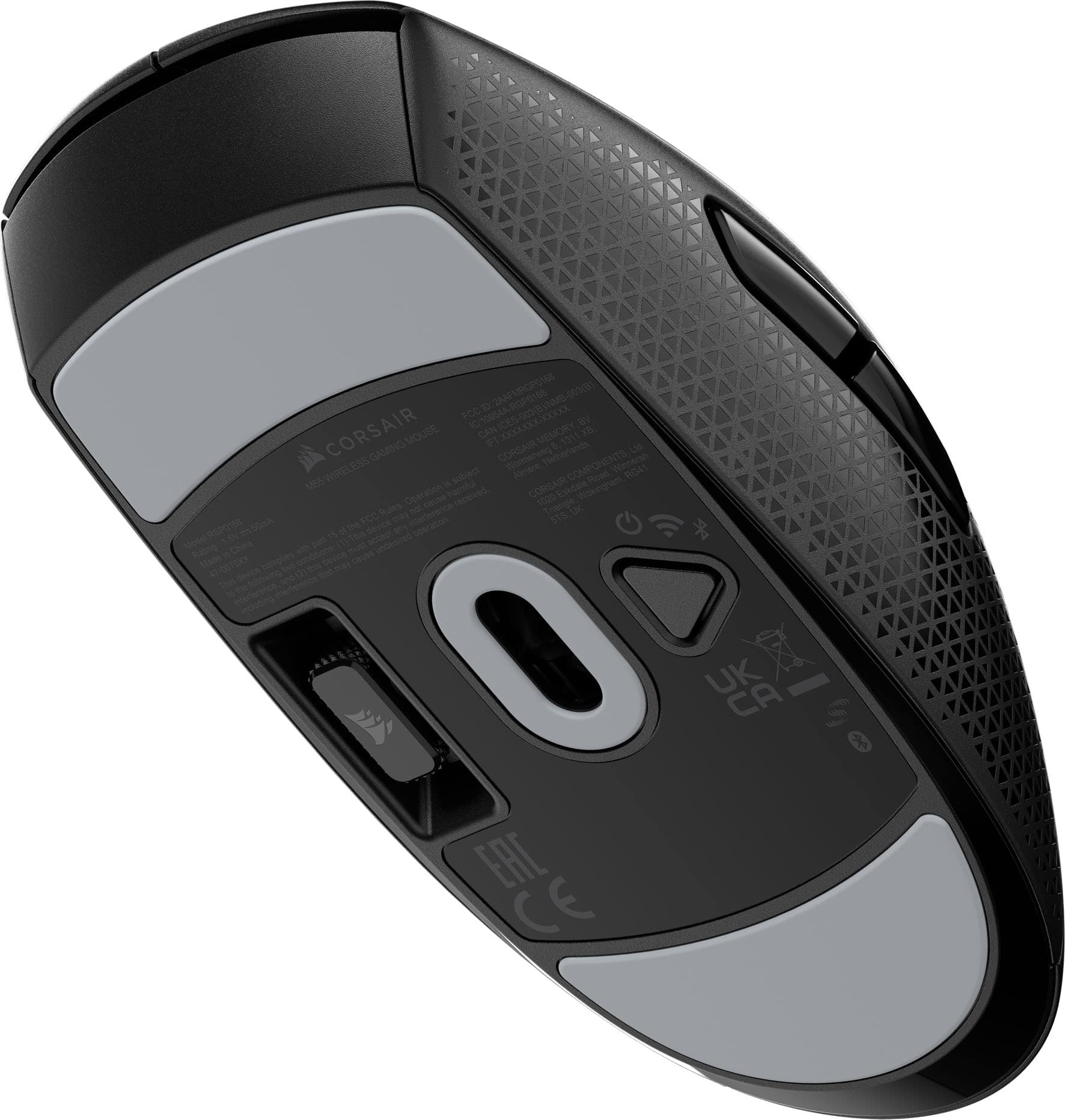
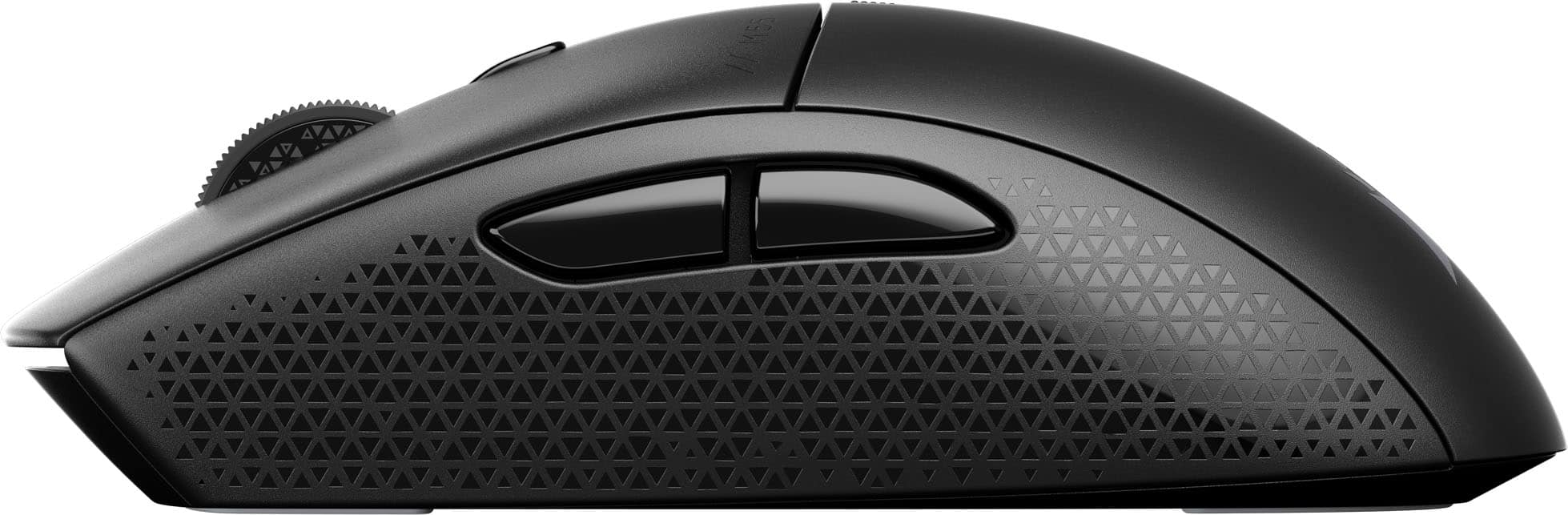
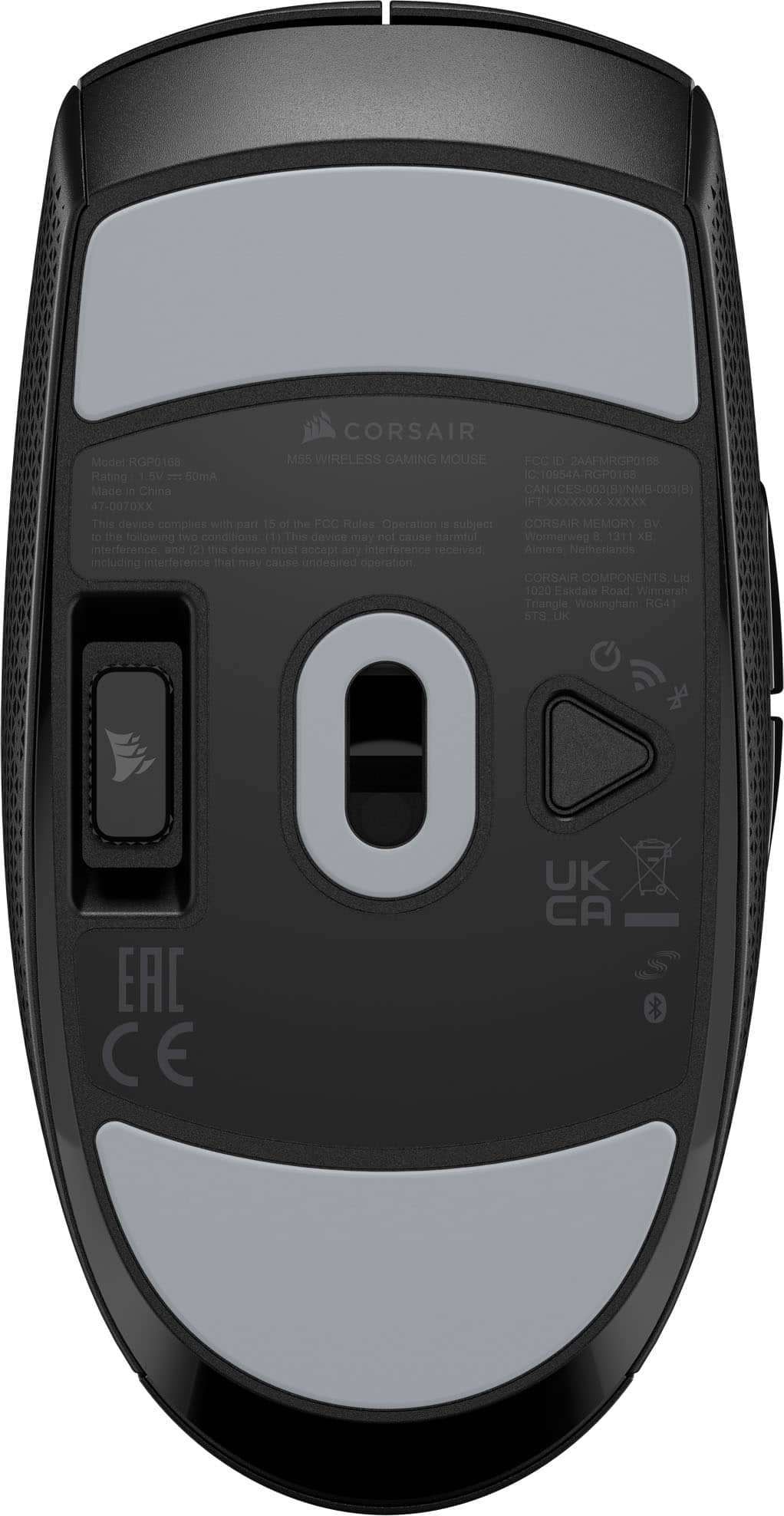
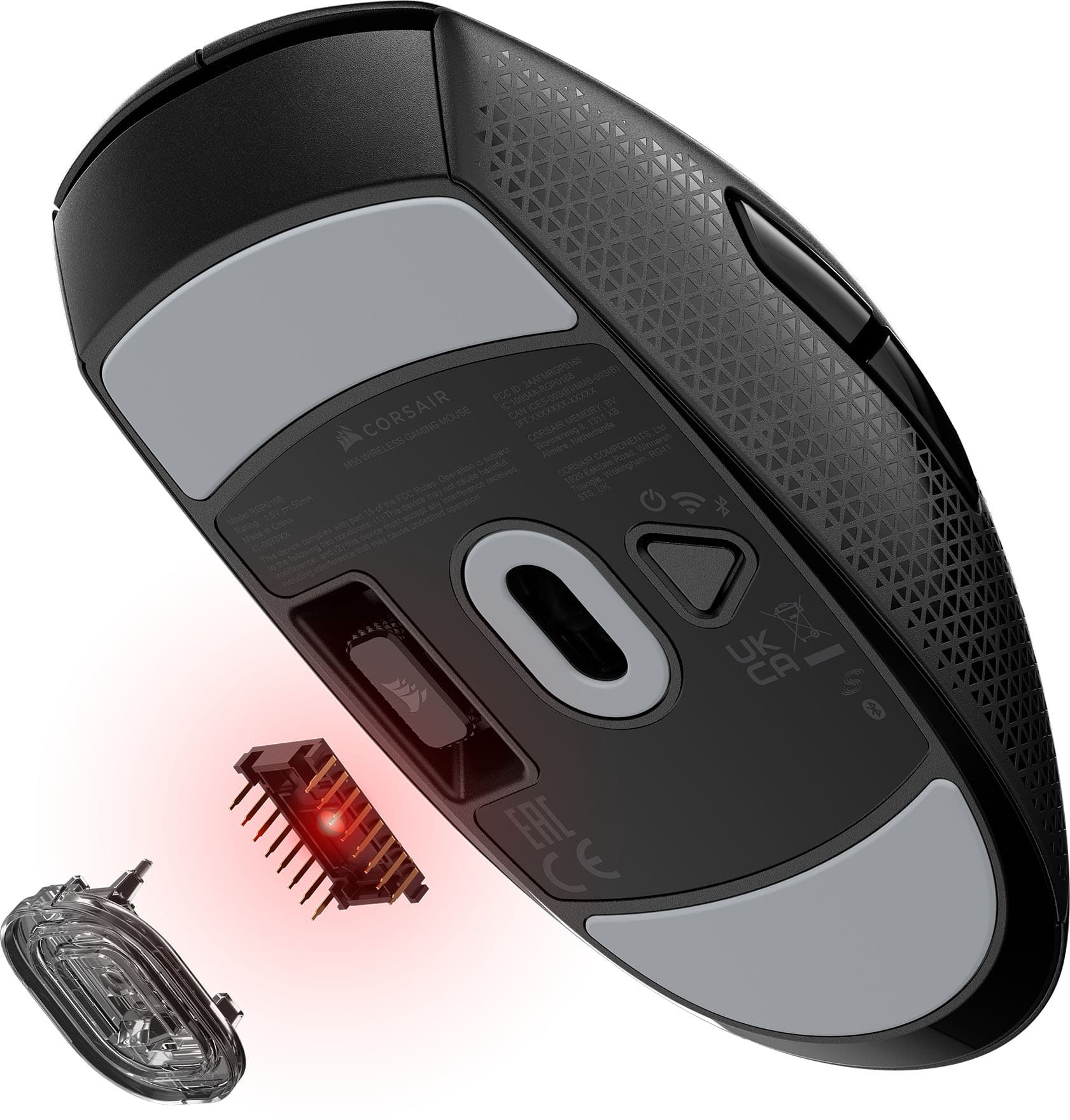
|Posted .This reviewer received promo considerations or sweepstakes entry for writing a review.The M55 wireless by Corsair has been a daily driver for my office PC for about a week and I even tried it on my gaming rig to see if a "budget" type mouse can compete with the top dogs of the mice world. The results did NOT disappoint. It may look plain and ordinary but I enjoyed the comfort and feel of it and since I don't play hardcore FPS games, it performed well above my expectations. In the box is the mouse, USB dongle (Slipstream connector), AA battery preinstalled (remove the tab) and the standard literature about warranty info. The mouse is easily plug and play to get you started. Also there is a storage spot for the USB connecter under the mouse. For me, as you can see with my pics, I use a lot of Corsair products and I am used to iCue. Once I plugged in the USB Slipstream receiver it was immediately recognized and was up and running. The M55 can connect to the USB for more features or via Bluetooth if you want to save on battery life (basically everyday use and not gaming). The little button under the wheel controls the DPI presets and can do 6 stages, all being fully customizable all the way to I believe 24000 DPI via iCue. Even though the mouse can be used by either hand, I never found comfort to be an issue for the standard shape or it being lightweight. Even when used for hours long sessions of gaming. Clicks are responsive and have a nice clicky feel.
I would recommend this to a friend - Pros mentioned:Battery life, Connectivity, PortabilityCons mentioned:Size
Hefty, compact, convenient so so gaming mouse
|Posted .This reviewer received promo considerations or sweepstakes entry for writing a review.Billed as a wireless gaming mouse, I found the Corsair M55 to be anything but what I would call a "gaming mouse." Instead, I would call it a small, compact, hefty mouse with plenty of battery life that can also do some gaming. Inside the box, there is the mouse, the dongle and a few pamphlets. I actually like the compact and modest packaging. Unlike rechargeable mice, this little dense beauty uses a standard AA battery. You can use a rechargeable AA or a standard AA. The M55 does include a battery already included inside. Gaining access requires a simple sliding down of the palm area. All you need to do is pull the small piece of paper and you're good to go. First thing I noticed is the heft of the M55. Compared to my Razer Viper Pro V3 gaming mouse, it definitely weighs more. So much so I put them both on the scale. While the Razer is a svelte 54g, the M55 clocks in at a hefty 82g with the AA battery inside. If you prefer a heavier gaming mouse, this is it. The second problem is it is undersized. I do admittedly have big, thick hands but after less than an hour of gaming I found my hand cramping because of the weight and small size so lifting and moving was a strain. I let my daughter use it for a day. She has very petite hands and while it technically fit her hands, she was used to normal sized gaming mice and the additional weight for gaming gave it a thumbs down from her too. So can you game on it? Yes, it is responsive enough but the size and weight really isn't its strong suit for targeted gaming. Where this mouse does shine is its price, build quality, compact size and long battery life and ease of swapping out batteries if the current one happens to deplete. It is both bluetooth and 2.4ghz with the dongle for better sensitivity. I swapped it in as my diagnostic mouse on my workbench and between bluetooth and the dongle (which fits snuggly in the bottom of the unit), it is good for basic, quick day to day work tasks and similar. It is also good to keep in your laptop bag as a backup or even a primary device as it is all inclusive and doesn't require a charging cable. As such, I will end up using it on my diagnostic/workbench table for system/client work and when I travel as a backup to my Corsair M75 which I take with me during travel as its inclusive dongle system works much better than the Razer. I like the uniform look of Corsair gaming products and the competitive price too.
I would recommend this to a friend - Pros mentioned:Build quality, Connectivity, Portability
Left Handed Approved
|Posted .This reviewer received promo considerations or sweepstakes entry for writing a review.As a lefty I always love neutral handed pointing devices. This mouse will be replacing my Logitech G305 gaming mouse. The mouse is on the small size. Good for medium size hands and down. Folks with be hands look for a bigger mouse. I like to hold my mouse in the claw position. 5 out of 5 for connectivity You can use the small wireless adapter or Bluetooth . As soon as I turned on Bluetooth my windows 11 pc was prompted to install the mouse. Super easy. 5 out of 5 Build Quality Yes it is plastic. Yes it is lightweight. The button clicks feel great. The surface texture also feels good to the touch. My Logitech G305 was smooth with no texture. I really like the texture and my hand doesn’t slip. 4 out of 5 Mouse Movement I noticed any small amount of crumbs or debris on the mousepad has a negative effect on mouse movement. I didn’t see that with my G305. Buttons on the left side only. Can’t add weights to adjust the weight. Feedback felt great playing warzone and apex legends. I didn’t notice any lag. Button clicks are audible but not loud. No bloat software needed. The packaging is great. Could do without the paper booklets. Box is nice and compact and recyclable. The pouch that the mouse comes in is super nice and can be reused if you take your mouse on the go. No RGB Comes with single AA non-rechargeable batter. Spot on bottom to store the adapter. No need to open the battery compartment every time you need to use it. Claims 185 hours on single battery. Will see what real world usage gets. I never turn my mouse off so hopefully it has sleep option.
I would recommend this to a friend - Pros mentioned:Connectivity, Portability, Weight
Egg shaped mouse from Corsair
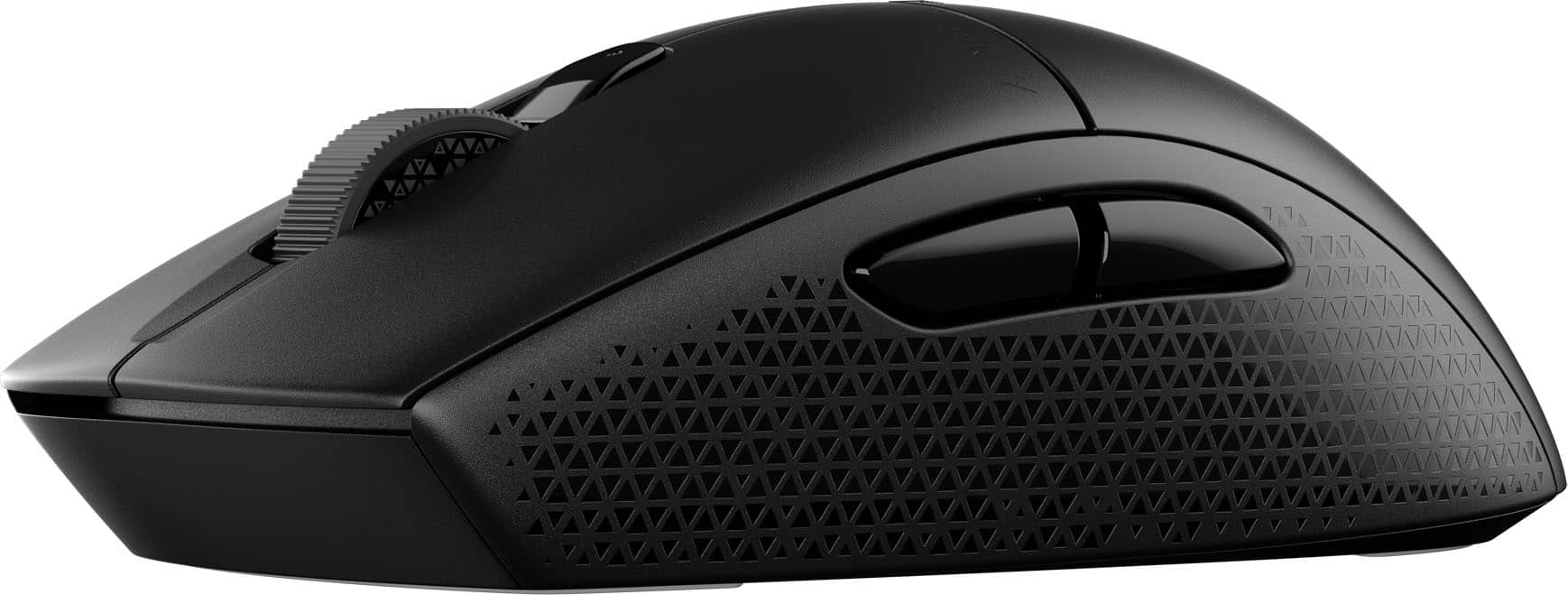
|Posted .This reviewer received promo considerations or sweepstakes entry for writing a review.Corsair seems to be releasing some very interesting new mice lately - This M55 Wireless is a budget offering but from my testing still does end up ticking a lot of boxes that you’d want in a proper good versatile mouse that doesn’t just have to be for gaming. Once you unbox it from its very compact box here is what it’s like… Design and weight: I would classify this mouse as a small/medium “egg” shape. I have medium sized hands and I found the M55 to be very comfortable in claw grip. Most mice like this tend to keep your grip and fingers “locked-in” and this definitely did that, but because of the flat sides I also had a lot of extra maneuverability whenever I had to make those small adjustments in-game. I have dry hands and the coating was good enough for me. There’s also this diamond pattern on the side that didn’t really do much for me, but I can’t complain that it's there. Now onto the weight… right out of the box with the included AA alkaline battery you’re looking at about 82g according to my scale which for a small mouse like this is a bit hefty. I was however able to get the weight down to 70g with a lithium AAA + adapter. I highly recommend doing this as it makes the mouse much more enjoyable and agile to use. Connectivity and performance: For gaming and intense purposes you’re going to want to use the 2.4GHz receiver - I found that in my usual FPS games the mouse performed as good as it gets; my only caveat being lift-off distance which is a bit high. The sensor can go all the way to 24K DPI (via software). It’s also nice to be able to switch to bluetooth if you want to save on battery. Buttons: M55 uses mechanical switches and they feel just ok. Unfortunately they just don’t feel like a high-quality implementation and both the main triggers rattle and feel a bit loose. At least I don’t feel it to be an issue in-game as everything still feels responsive. Rest of the buttons like the side buttons and scroll wheel all feel great! Only thing to note is the scroll wheel might be a bit too light for *some* though I’m personally not too picky when it comes to that aspect. Skates: The 100% PTFE skates are some of the best I’ve tried on any mouse! The glide is perfectly smooth on my usual controlled mouse pads and I actually wish they used these skates on the M75. Software: iCUE still isn’t my favorite but it seems to be at least more responsive nowadays. Everything is easy to use and set-up. Realistically once you’ve dialed in your settings you won’t need the software anymore unless you have other Corsair products you wish to control. Battery life: I can’t comment much on this aspect since naturally removable batteries like AA/AAA will take a lot longer to die - Corsair quotes 185 via 2.4GHz or 400 hours via Bluetooth + since the mouse can go into sleep mode by itself you should realistically be able to get a lot out of just one battery. Closing thoughts: As a huge mouse enthusiast I like the Corsair M55 Wireless. The combination of its size and really solid feature set make it a great option for both desktop and travel use. It really just seems that the build quality is the one aspect that Corsair needs to work on. Pros: - Shape - Performance / 2.4GHz + Bluetooth - Skates - Portability - Value Cons: - Main buttons / build quality
I would recommend this to a friend - Pros mentioned:Weight
Nice Budget Gaming Mouse!
|Posted .This reviewer received promo considerations or sweepstakes entry for writing a review.The Corsair M55 Wireless mouse is very fast, light, and easy to like. It has a symmetric shape with large buttons and a slightly tapered end that makes it very comfortable to use. The mouse glides rather effortlessly on the large pads underneath. The 24000 dpi optical sensor contributes to extremely precised movement. There are two additional buttons on the left side that default to 'forward', 'back' operations and a third button behind the wheel that selects 1 of 5 DPI settings. The M55 Wireless is a wireless only mouse and connects either by Bluetooth or the Corsair proprietary 'Slipstream' protocol. Slipstream is a single point, low latency wireless protocal that requires a computer dongle, which can also stow away in a pocket under the mouse when not being used. To be honest, I noticed no real difference between the Bluetooth and Slipstream response times. As with most budget mice, the M55 uses a single AA battery which is claimed to last 185 hours active Slipstream time or 400 hours active Bluetooth time. The M55 works with iCUE software downloaded from Corsair. iCUE lets you upgrade firmware, individually set each of the DPI settings, and reprogram all of the buttons except the left click. One caveat, the M55 must be connected via Slipstream in order to be seen by the software. I've been using the M55 exclusively on a (Windows) computer that I use for gaming, video and photo editing, as well as general use. It has worked well, very comfortable using both a 'palm' grip for general use and a 'claw' grip for gaming. Some things to note, there are no instructions included with the mouse, just a warranty guide and safety compliance doc. The power button underneath does double duty as power and switching between Bluetooth and Slipstream. To 're-pair' in Bluetooth, one has to hold the DPI button on top while turning on the mouse, which is a little awkward. Also, although the mouse is symmetric, the two buttons on the side really make it a right handed mouse. Overall, the Corsair M55 Wireless is a good gaming mouse that works well for gaming and general use, with particular high marks for precise operation. It seems solidly constructed, surviving a roll off the tabletop onto the floor. Overall, a good value and a solid gaming mouse.
I would recommend this to a friend - Pros mentioned:Battery life, PortabilityCons mentioned:Size
Lightweight and customizable
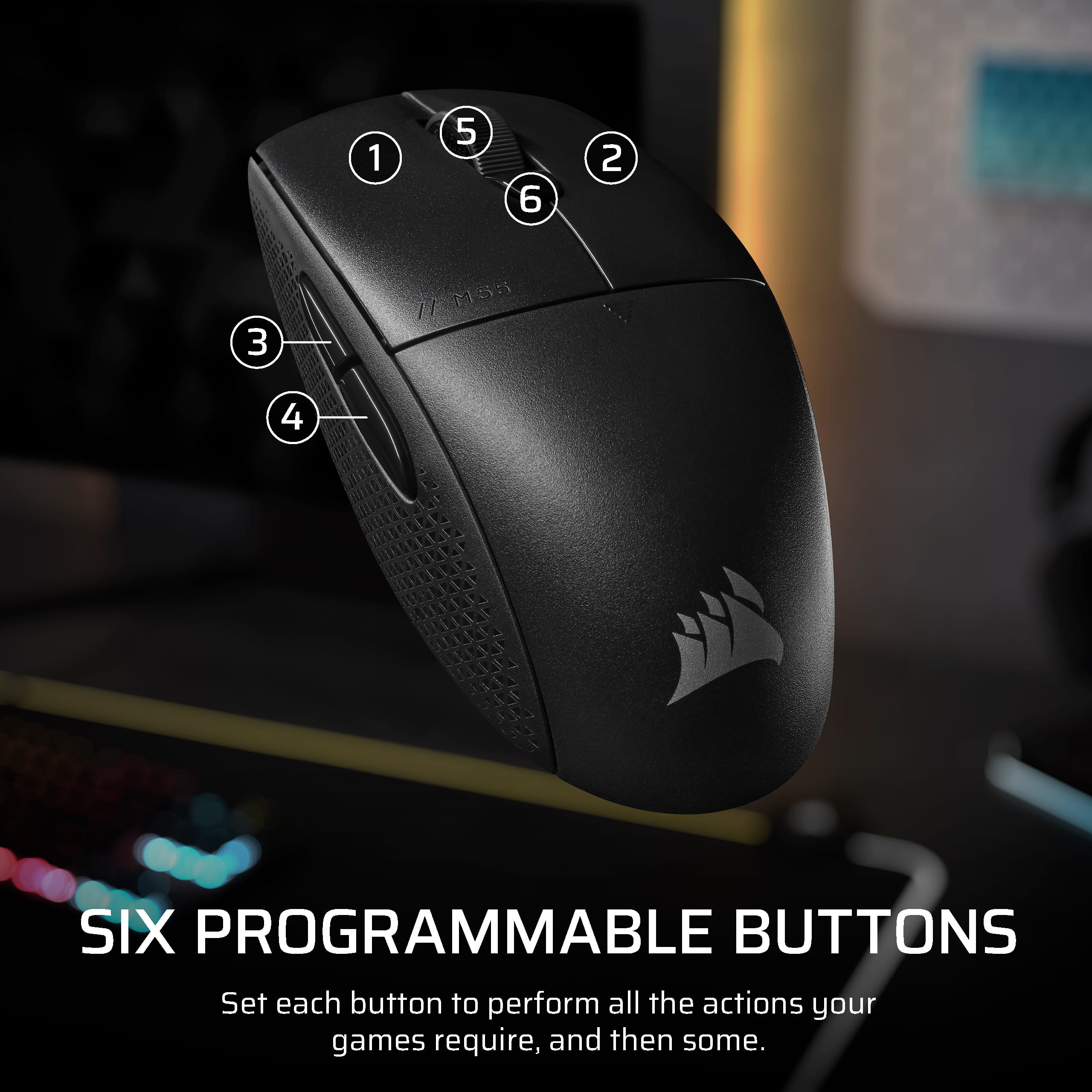
|Posted .This reviewer received promo considerations or sweepstakes entry for writing a review.I’ve been looking for a wireless alternative to my tired, wired gaming mouse. The Corsair M55 Wireless has been a capable replacement, and after about a week using it, so far, my experience has been mostly positive. The Slipstream Wireless is impressive – indistinguishable from wired. Each of the buttons has a quiet click and is very responsive while gaming. There is onboard retention on the bottom of the mouse body for secure storage of the USB dongle while traveling. PTFE pads on the mouse are durable and promise impressive non-stick performance on almost any surface. Occasionally, it can be too good. While gaming, it seems like sometimes the M55 Wireless almost predicts where I’m headed; however, in more mundane, work-related tasks, it feels twitchy, and I have to be very careful where I click. The on-the-fly DPI adjustments do help with this somewhat, and I am adapting to it with each passing day. I usually use a padded fabric-covered mousepad, but the Corsair M55 Wireless works accurately on whatever surface I’ve used it on. The Corsair M55 Wireless is extremely customizable, and there is onboard memory. Your settings can reside on the mouse. It works as expected no matter where you plug it in. DPI can be adjusted from 100-24,000, and there are five memory slots that are cycled through with a button located just below the scroll wheel. Polling rate is adjustable in steps from 125 Hz to 1 KHz, or 2 KHz (Slipstream). Five of the six buttons are programmable (see image); the left button is always going to be Left Click. Stated battery life is 185 hours from a single AA battery. Obviously, I have not had the Corsair M55 Wireless long enough to test this, but after a week, the battery level indicated in the iCUE software remains full green and indicates “High.” Guess I’ll see. The symmetrical design of the mouse is taking more getting used to than I would have expected. Like with the PTFE feet, I’m learning to adjust to the new mouse. The size is the other thing I’m hoping I get used to. I have large hands, and the taper at the front of the mouse body is almost too narrow for me. It is approximately 8mm narrower across the Left and Right buttons than the mouse it replaces. It doesn’t sound like much, but in use it makes a difference. So far, I consider it another part of the learning curve. Overall, I am very happy with the Corsair M55 Wireless Gaming Mouse. It’s a keeper.
I would recommend this to a friend - Pros mentioned:Battery life, Portability, Weight
An excellent lightweight gaming mouse
|Posted .This reviewer received promo considerations or sweepstakes entry for writing a review.The Corsair M55 Wireless Optical Gaming Ambidextrous Mouse with Slipstream Technology is an excellent lightweight gaming mouse with tons of battery life out of a single AA battery. The symmetrical design allows users to use the mouse right or left handed. The only drawback I can see is that the buttons are still setup for a righty and can not be moved. On a side note, the M55 is on the smaller side of gaming mice, and I have large hands, and was still able to use it fairly easy. The M55 is very lightweight, coming in at only 82 grams, or 2.9 ounces. The USB dongle can be stored in the bottom of the mouse making it very easy to take the mouse with your wherever you may go. Corsair claims you can get 185 hours out of a single AA battery, and I haven't used it nearly that many hours, but I can say the over the past few days of moderate gaming I still have a full battery. The mouse if very easy to setup and use, especially using the iCUE software. You can set six level of DPI, up to 24,000 DPI, and also re-assign most of the buttons for the ultimate gaming experience. Having used and tested many gaming mice, this one ranks up there with the best of them as far as latency goes. It worked flawlessly while gaming. I have not noticed in delay in my movements while gaming with this mouse, nor did it lose connection at any time over the past few days since I received it. Overall, I really enjoyed gaming with this mouse over the past few days, and hopefully see in the near future how close to that 185 hours I can get on single AA battery.
I would recommend this to a friend - Pros mentioned:Portability, Weight
fantastic wireless mouse
|Posted .This reviewer received promo considerations or sweepstakes entry for writing a review.This is a review for the Corsair M55 wireless mouse. Right out of the box, this mouse felt great. First thing I noticed was the how light it is, no bulk here. I would say I have average sized hands for a guy I guess. With that said, the M55 is very comfortable to hold and use. The icing on the cake here is the portability that this mouse offers. I can use it anywhere and works like a charm! I write this from the living room on my labtop and my M55 is working great on the couch. The advertised Slipstream tech must be at work here, I can only guess. Whatever magic is at work, I love it. I used it for gaming as well and yes on a mousepad. Very responsive and worked as I had hoped for. I love the fact that it shines in multiple activities with no downsides from my use with it. The specs of this mouse show 24000 dots per inch. 6 buttons total with spin wheel, left and right with small button in between. To finish the hardward roundup are 2 more buttons on the left side for my thumb. On Chrome browser or Windows 11 for example, they controlled back and forward controls and were really responsive, no complaints at all. Works great when getting something from another app and returning to what you were doing at a push of a button. Another topic I want to touch on is the ease in connecting the M55 to the laptop. Yes the inluded dongle works as intended and is small, so no big deal either way honestly. However, I wanted as minimal as possible, so connected via BT and have stayed this way since. The dongle and the on/off for the mouse and Bluetooth are located at the bottom of the mouse. I included some pics to show just this. Just altered one showing the S/N # of my unit. The mouse wheel is nice and flat and just enough responsivness to not make too much of a distraction that I have found in previous bluetooth mice in the past. Feels like it is connected with a usb cord to be honest. Speaking of which, I know this is a more basic mouse on the functional level, but coming in under $50 in todays economy is really appreciated! I would highly reccomend this mouse if you're looking for portability. No wires anymore, not even a dongle. I have not had this long enough to very just how long this battery lasts, but boasts over 100 hours. I have been using it for a few days now non stop and haven't seen anything, but again, only a few days. I plan on using an Eneloop battery and probably never have to worry again. Ok, maybe not for long while.
I would recommend this to a friend - Pros mentioned:Battery life, Weight
Corsair M55 gaming mouse works fast
|Posted .This reviewer received promo considerations or sweepstakes entry for writing a review.TLDR: the Corsair M55 Wireless Lightweight FPS Gaming Mouse is a bargain priced $50, compact, capable, good for lefties and righties, works on 2.4Ghz or Bluetooth, long 1X AA battery life (185 hrs WiFi / 400 hrs Bluetooth per the specs), 24,000 DPI optical, grippy textured sides, long durability, programmable mouse (for those who do that programming). Got this and instantly connected it via my 2.4 Ghz WiFi to my computer and used it for several of my cadre of games such as WoW, Destiny, CP2077, BMW, GoW, FF, GTA, HLife, and also for Edge, Gmail, Sheets, Docs, and sniping stocks. It works fine for all. It is easy to change the DPI for gaming vs non-game use in the app. Corsair offers a free ICue app for customizing many of the control and operational features of the mouse which you may or may not care to use. It has features such as changing the DPI settings and the programmability features of the buttons. It also is useful for changing the mouse speed. BTW, the 2 side buttons work as the usual forward and back when web surfing, a common choice with other mice with side pushes. The mouse wheel is a grippy textured notched which I personally like and prefer, your preference may be different. It also works with a rechargeable AA NiMH battery which I still have from some defunct cordless house phones. It arrived with a GP brand gold alkaline battery installed from China. I also tried the Bluetooth connection and my Gigabyte and Dell laptops connected to it no problem and it worked fine. Bluetooth is used by using the button on the bottom to switch between 2.Ghz to BT frequencies. It is the same button to power on or off. Being that it is lightweight it won't add anything of concern to the total carry weight of a backpack or laptop sleeve. The underside of the M55 mouse has a friction tight opening where the USB-A mouse receiver for the 2.4Ghz mode can be stored to prevent loss. I use it Bluetooth so the receiver stays stored and to free up a USB-A port for other uses. By the way, my package arrived with the 2 caution Safety & Compliance and Warranty small booklets jammed with tiny fonts in multiple languages but NO instruction sheet or instruction pictorial; not sure if that is by design from Corsair.
I would recommend this to a friend - Cons mentioned:Size
CORSAIR M55 Gaming Mouse
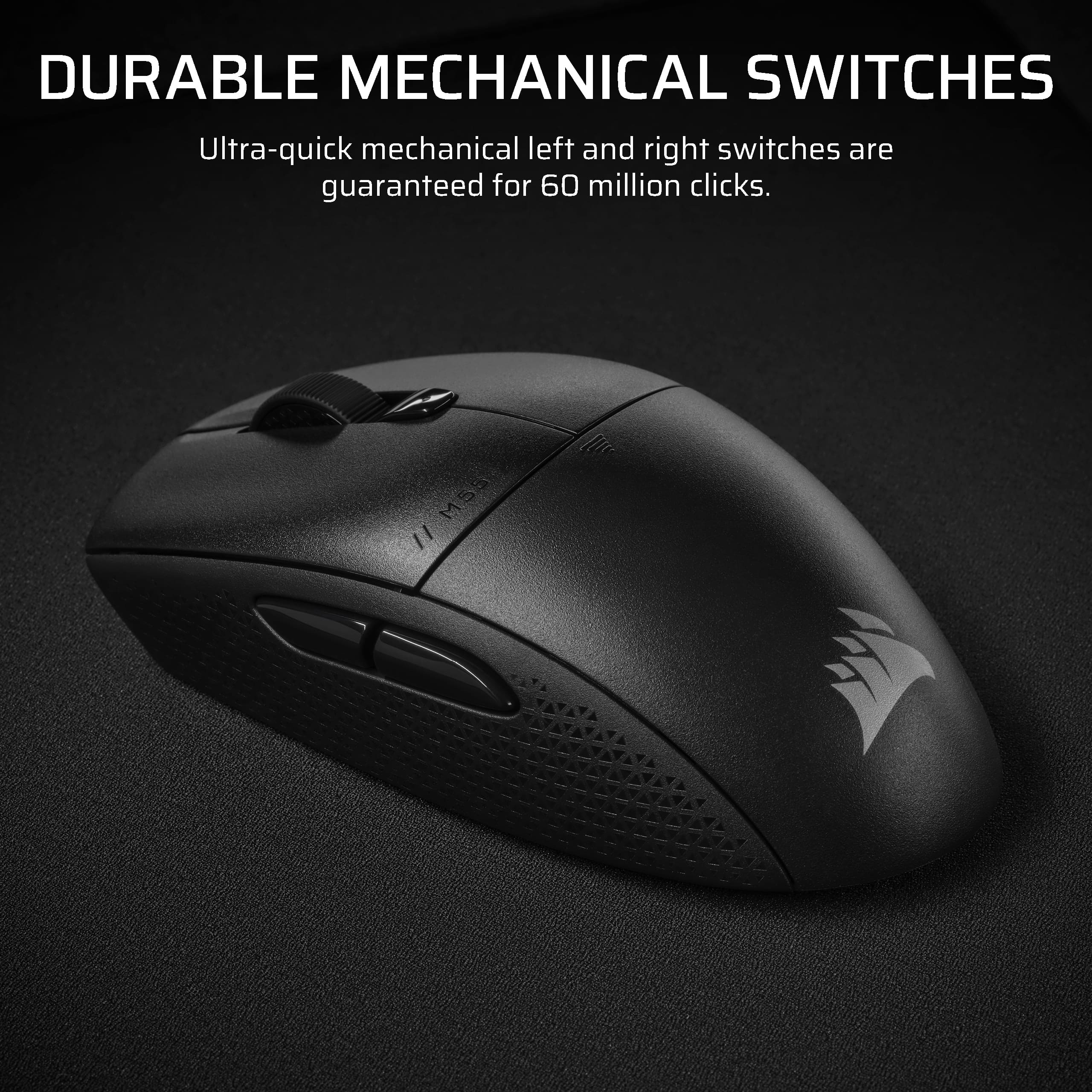
|Posted .This reviewer received promo considerations or sweepstakes entry for writing a review.I was interested in trying this mouse mainly due to the Slipstream technology. Operating in the 2.4 GHz band, it promises lower latency compared to Bluetooth. In practice, I can’t say that I noticed a difference between operating on BT or using the dongle to operate on Slipstream. So either mouse lag is not an issue for me or my gaming skills are such that I’m not stressing the limits on BT. LOL. That said, it is a nice mouse if you need a compact size with only a couple extra buttons that you can program to your preferences. This mouse uses a AA battery instead of a built in rechargeable which I don’t see as a downside. Battery life is claimed to be a respectable 400 hours on BT or up to 185 hours using Slipstream. The battery is easily changed by sliding off the top cover with the Corsair logo on it. I personally thought the mouse was a little on the skinny side for my hand (I wear a size XL glove) and I found myself wishing the textured side panels had a little more grip. The PTFE pads on the bottom are a nice touch and the mouse moves quickly over a variety of surfaces. It has a convenient port on the underside to store the dongle so it doesn’t get misplaced. I wish the two side buttons were placed a little more forward, I found the rearmost one a long reach and harder to actuate. The button clicks are tactile and the switches are rated for 60 million clicks so feel free to spam that fire button! The top mounted DPI button switches between 400, 800, 1200, 1600, or 3200 DPI on the fly giving you easy adjustments in game. Corsair’s iCue software allows you to perform button assignments and create different profiles in addition to monitoring various sensors on your PC. It also give a visual indication of the mouse’s battery remaining both in the app and onboard the mouse. There is a triangular shaped mode button on the underside to power the mouse on and off with a long press. In addition to that, a short press cycles between 2.4 GHz (white indicator) and Bluetooth (blue indicator) modes. The dongle is required to be inserted in a usb-A port ( any usb 2.0 of 3.x port will do) to use 2.4GHz but BT works without the dongle.
I would recommend this to a friend Lightweight, accurate and fast
|Posted .This reviewer received promo considerations or sweepstakes entry for writing a review.I use this gaming mouse (unfortunately) not for gaming but for engineering design work, such as Solidworks and AutoCAD. I love how accurate and responsive the CORSAIR - M55 Wireless Optical Gaming Ambidextrous Mouse. The trackwheel is smooth. In terms of the weights, it is very light weight. For 3D CAD design work, it needs getting used to it. But overall, because how accurate and responsive it is, I ended up really liking it. If you are using it for gaming, it may not be as suitable. Coming off from another gaming mouse brand (at higher price from this one), this Corsair M55 can feel a little bit basic without the bells and whistles, such as adjustable weights, mood lights, rubber grip, etc. But for work environment, this mouse has everything that I could need. It is effortless out of the box, and the battery door seems easy to access but secured enough. It uses 2 AA batteries, so it's easy to change. The slot for USB dongle is not behind the battery door, I hope I won't ever lose it.
I would recommend this to a friend- Pros mentioned:Battery life, Connectivity
Excellent budget wireless gaming mouse
||Posted . Owned for 1 week when reviewed.This reviewer received promo considerations or sweepstakes entry for writing a review.I really like this wireless gaming mouse because it have both 2.4Ghz and Bluetooth connectivity. I really like the bluetooth connection so I don't have to plug in the USB receiver so it can free up a USB port. Very good battery life. I bought this to replace my Logitech G305 and never look back.
I would recommend this to a friend - Cons mentioned:Size
Great product
||Posted . Owned for 1 week when reviewed.This reviewer received promo considerations or sweepstakes entry for writing a review.Its not bulky. Glides nicely on a mouse pad. A good mouse.
I would recommend this to a friend - Pros mentioned:Weight
Light and Accurate
||Posted . Owned for 2 months when reviewed.This reviewer received promo considerations or sweepstakes entry for writing a review.Overall great mouse with one minor complaint. It is a little off balance with the back slightly heavier due to the battery placement. Not a deal breaker, but perhaps if a v2 is released try and center the battery. Overall, it is lightweight and accurate for cord free gaming.
I would recommend this to a friend - Pros mentioned:Battery life, Weight
Lightweight
||Posted . Owned for 1 week when reviewed.This reviewer received promo considerations or sweepstakes entry for writing a review.Lightweight, last a long time with one battery. I bought the RGB wireless one then came back to this cause its so Lightweight.
I would recommend this to a friend - Pros mentioned:Battery life, Portability
Perfect for travel
||Posted . Owned for 1 month when reviewed.This reviewer received promo considerations or sweepstakes entry for writing a review.Very good travel mouse! Long batter life and not clunky at all! Would recommend!
I would recommend this to a friend - Pros mentioned:Battery life
Best Bluetooth mouse with a standard form-factor
||Posted . Owned for 1 month when reviewed.This reviewer received promo considerations or sweepstakes entry for writing a review.This mouse is very responsive, and the battery life is significantly longer than my previous Alienware mouse, I haven’t had to change the batteries yet. It’s an excellent choice if you’re looking for a traditional and comfortable form-factor mouse with a Bluetooth option.
I would recommend this to a friend - Pros mentioned:Portability
Item is big too fit large hands. Reacts fast
||Posted . Owned for 1 week when reviewed.This reviewer received promo considerations or sweepstakes entry for writing a review.Great price ,size. Take it anywhere and it works. Easy to use. A little bit sensitive for older people to
I would recommend this to a friend - Pros mentioned:Weight
Need a new mouse for cheap? This is the one for yo
||Posted . Owned for 1 month when reviewed.This reviewer received promo considerations or sweepstakes entry for writing a review.Bought this because I was using a cheap mouse my fiance bought from amazon years ago, and really had to up my game since the other one wasnt holding up, and I gotta say, I'm pleasantly surprised. Powerful little mouse, weighs barely anything and has a function to slow down and speed up the curser at the click of a button. If you arent playing a ton of strategy games where you have to hotkey everything to the mouse, this is definitely a great purchase, you wont regret it.
I would recommend this to a friend - Pros mentioned:Connectivity
Nice mouse
||Posted . Owned for 1 month when reviewed.This reviewer received promo considerations or sweepstakes entry for writing a review.I really like this mouse, it’s easy to use , wireless and looks really sleek, I will definitely be buying another one for my other computer.
I would recommend this to a friend