Customer Ratings & Reviews
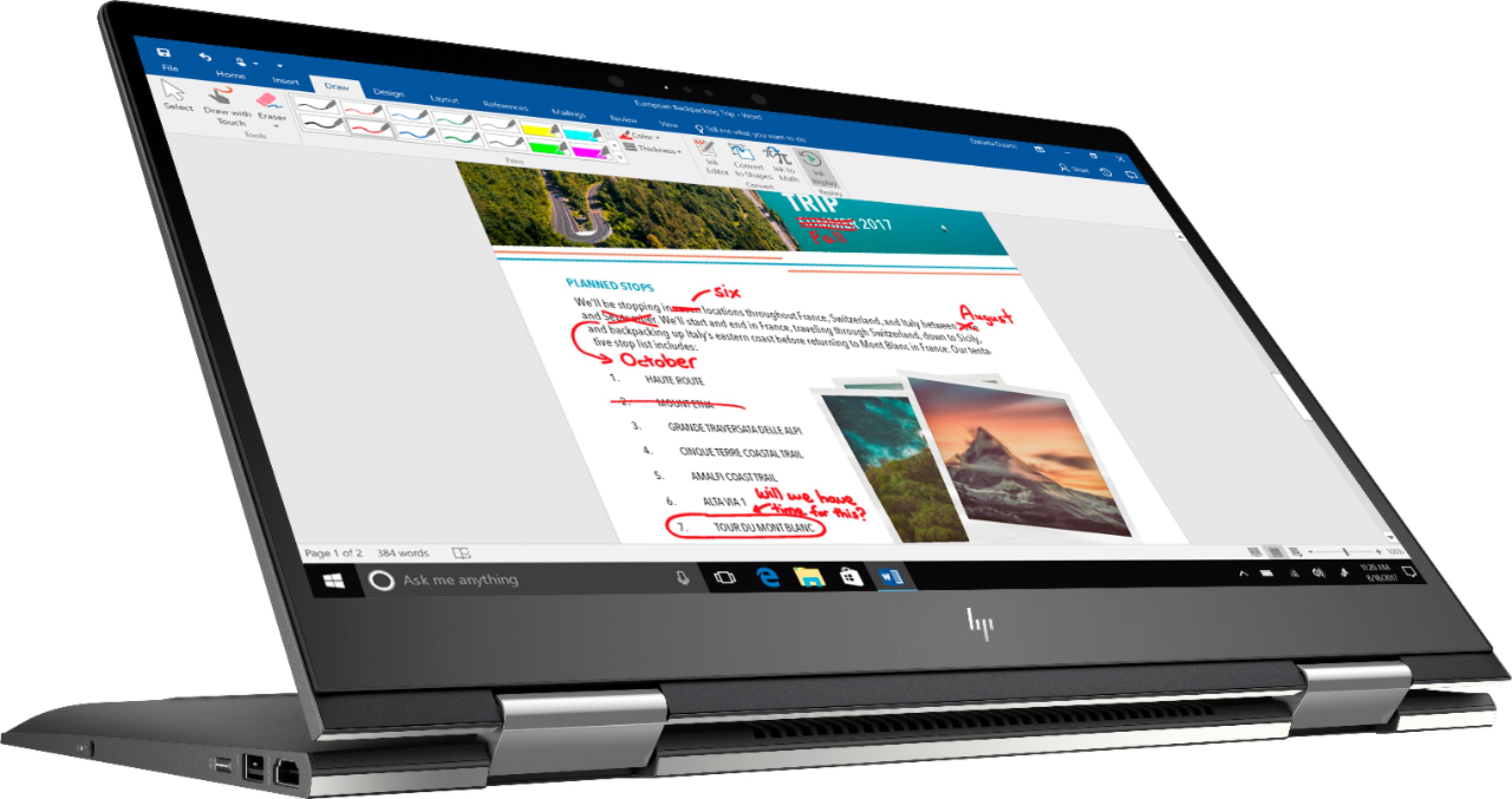
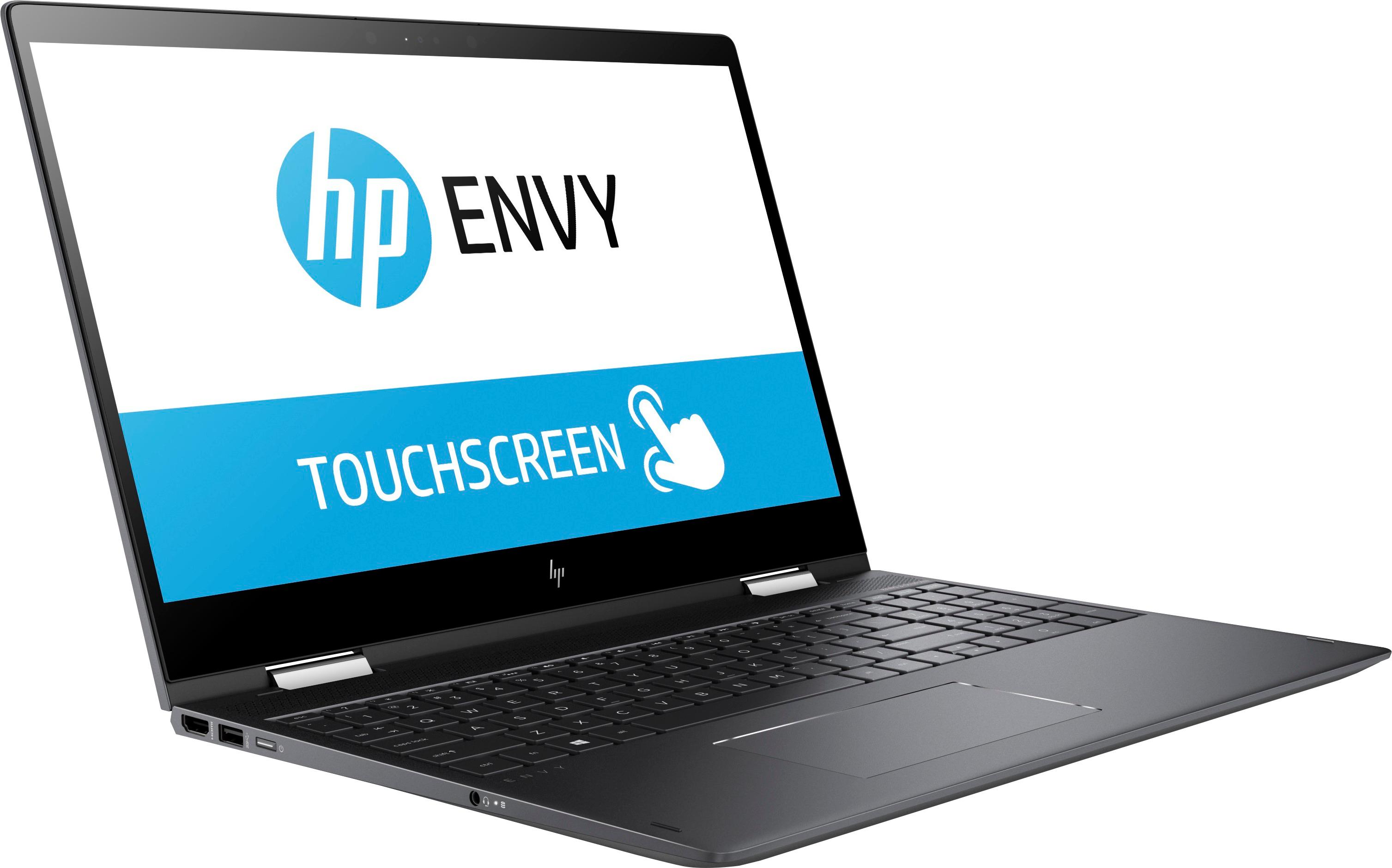
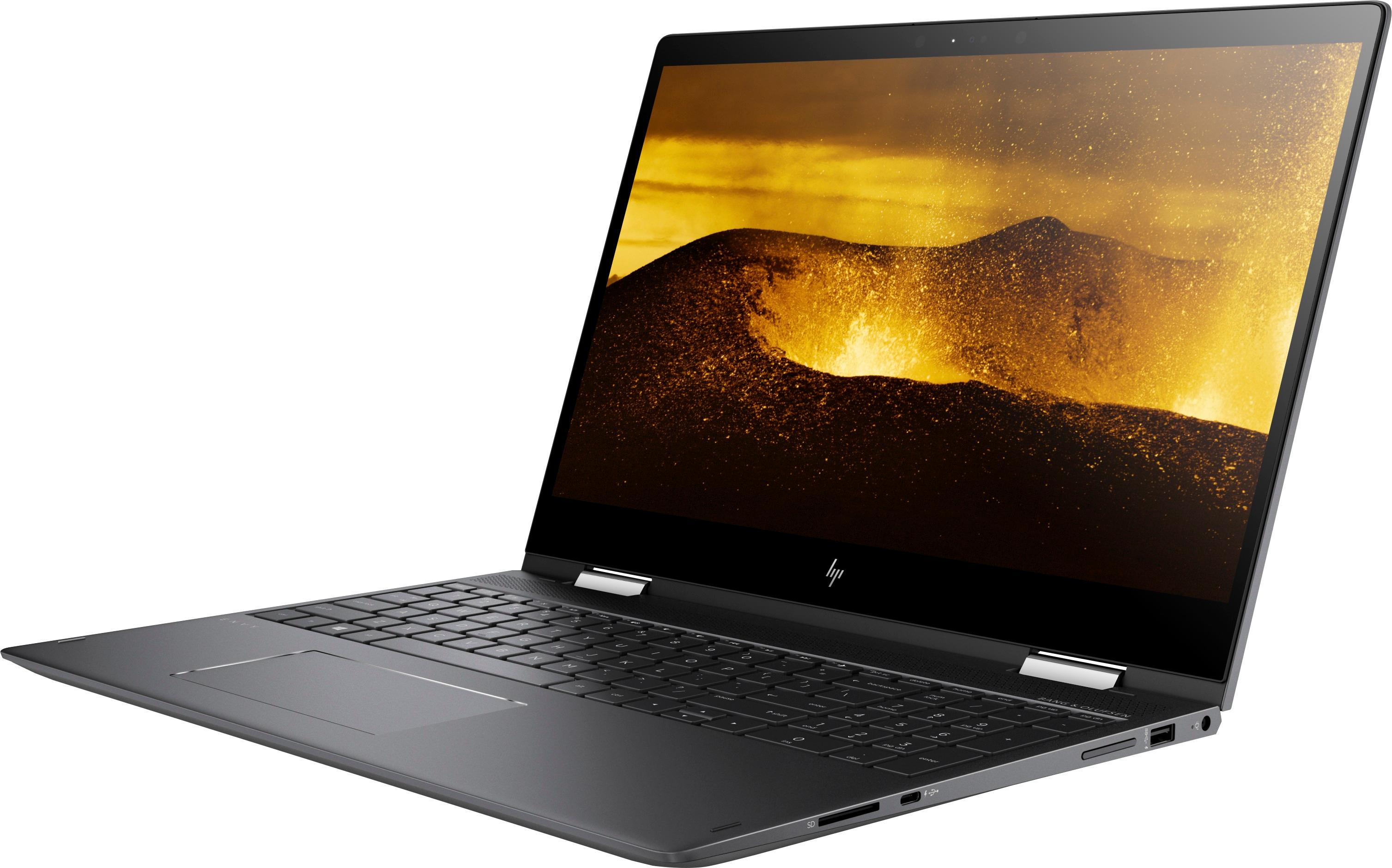
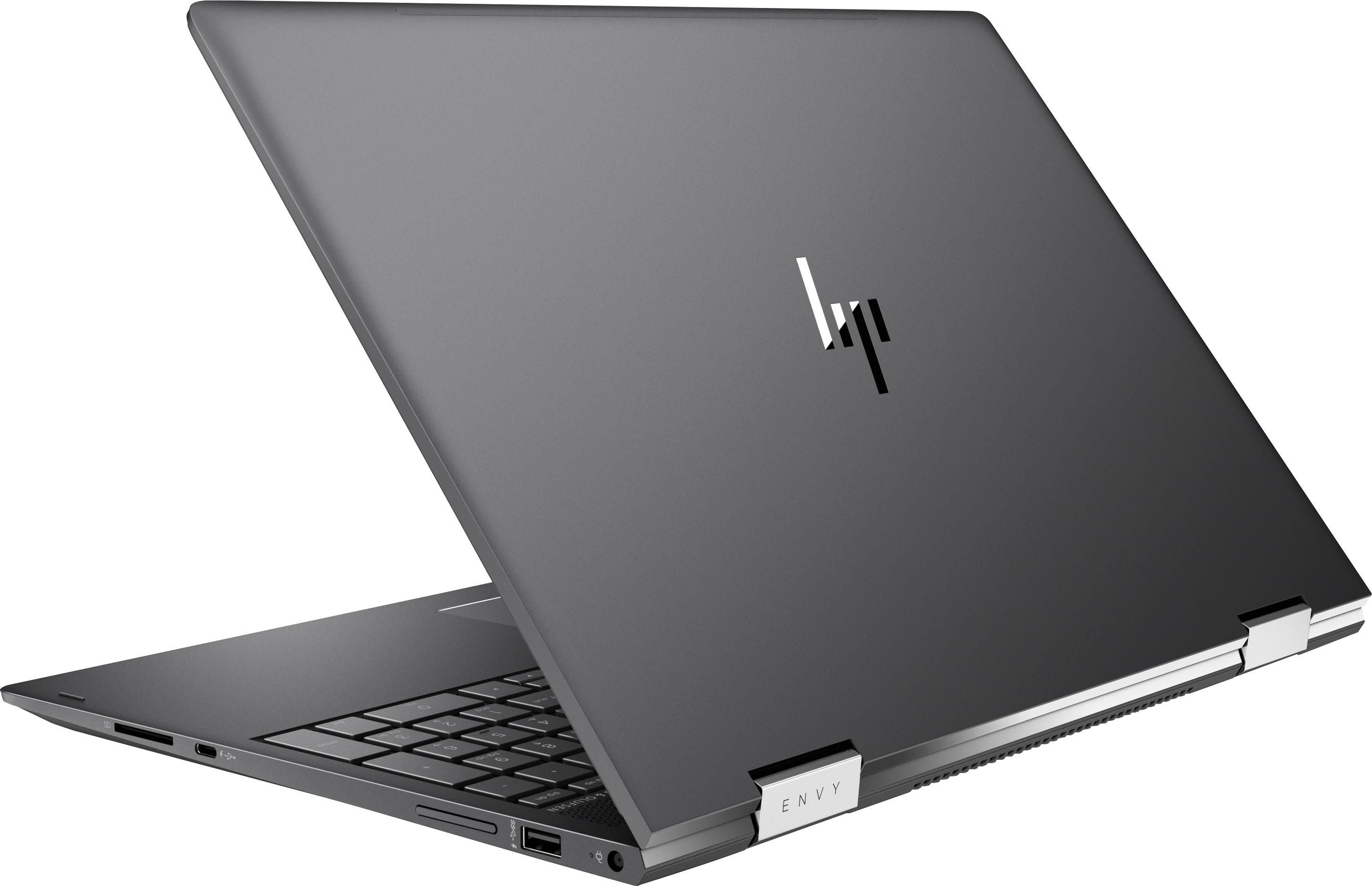




- Model:
- 15M-BQ121DX
- SKU:
- 6124570
Rating by feature
- Value
Rating 4.1 out of 5 stars
- Quality
Rating 4.2 out of 5 stars
- Ease of Use
Rating 4.5 out of 5 stars
Customers are saying
Customers value the Envy x360 2-in-1 laptop for its touch screen capabilities, affordable price, user-friendly interface, and impressive performance. While some users have concerns about battery life, fan noise, overheating, and limited storage, many find that the pros outweigh the cons.
This summary was generated by AI based on customer reviews.
- Pros mentioned:Price, Speed
Freaking Awesome
||Posted .This reviewer received promo considerations or sweepstakes entry for writing a review.Bought this on sale for $130 off which is a steal for this awesome machine. Put a 256GB PCIe SSD in to go with the 1TB drive that already comes with it as well as upgraded the memory from 8GB to 16GB. Reinstalled Windows 10 with the latest ISO image from the Microsoft website using a Samsung USB 3.0 flash drive. It is sick how fast this machine is and the Vega integrated graphics are killer. I am not a gamer though so YMMV. Buy this 2-in-1 laptop and ditch your MacBook Pro/iPad/Apple whatever on eBay.
I would recommend this to a friend - Pros mentioned:Touch screen

Mobile Ryzen Flexes Efficiency and Speed!!!
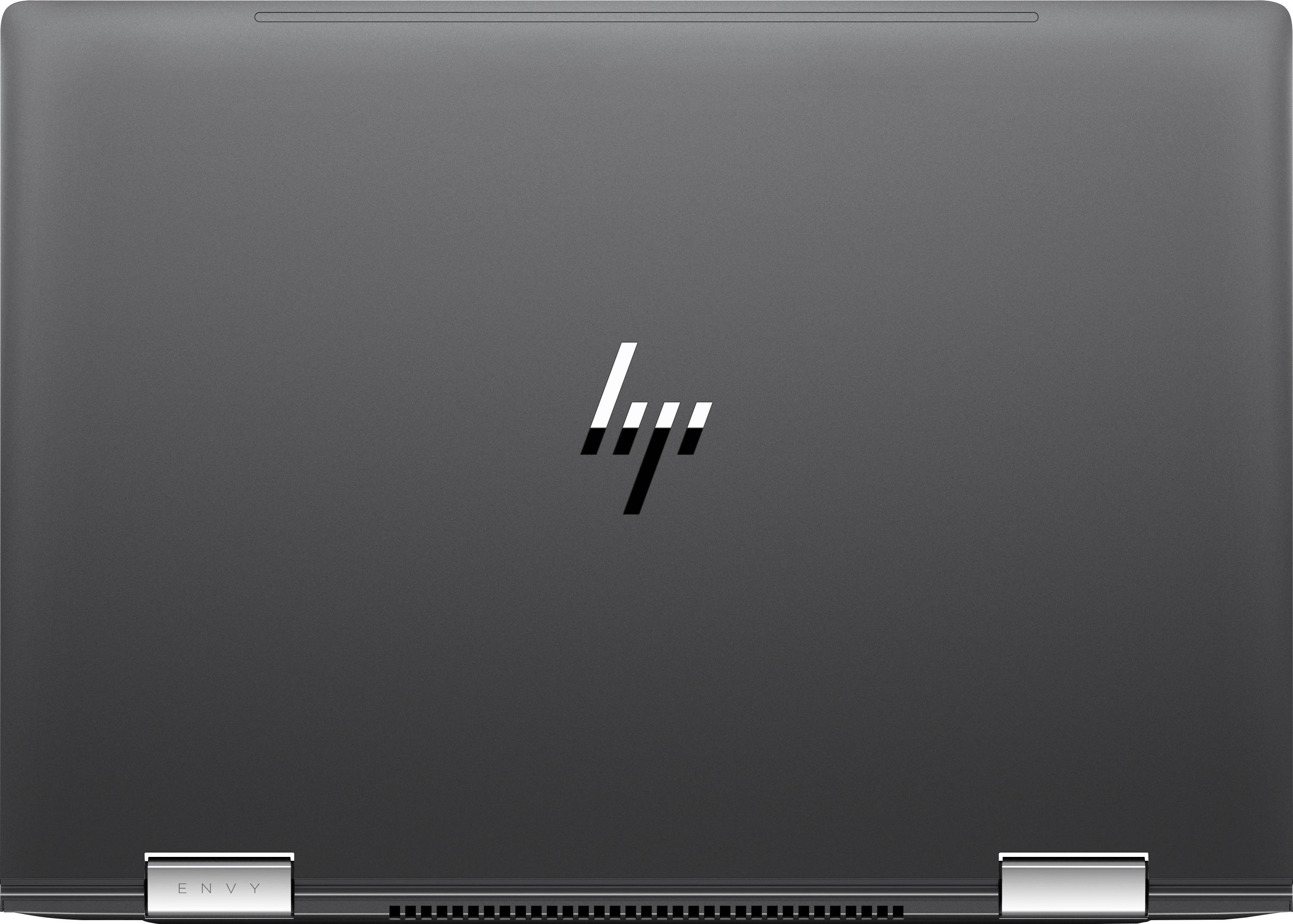
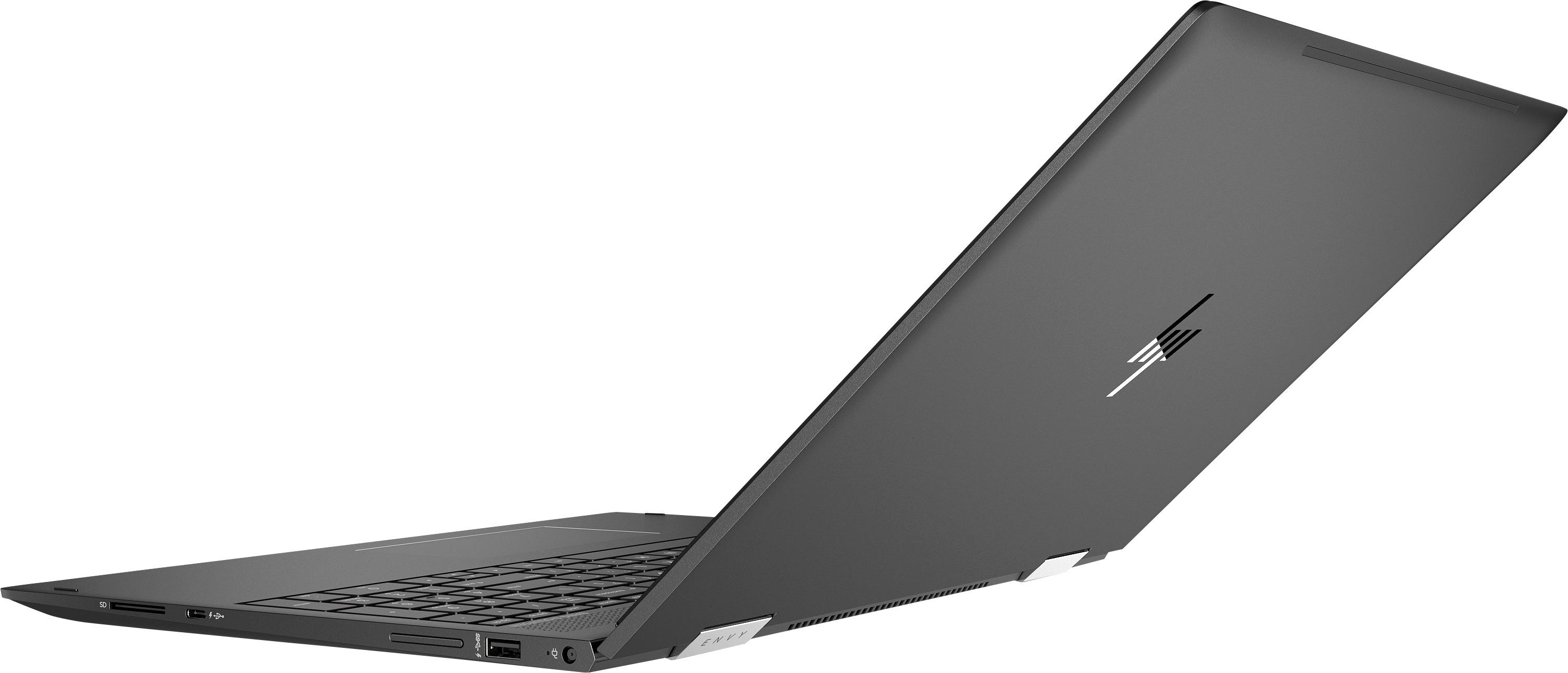
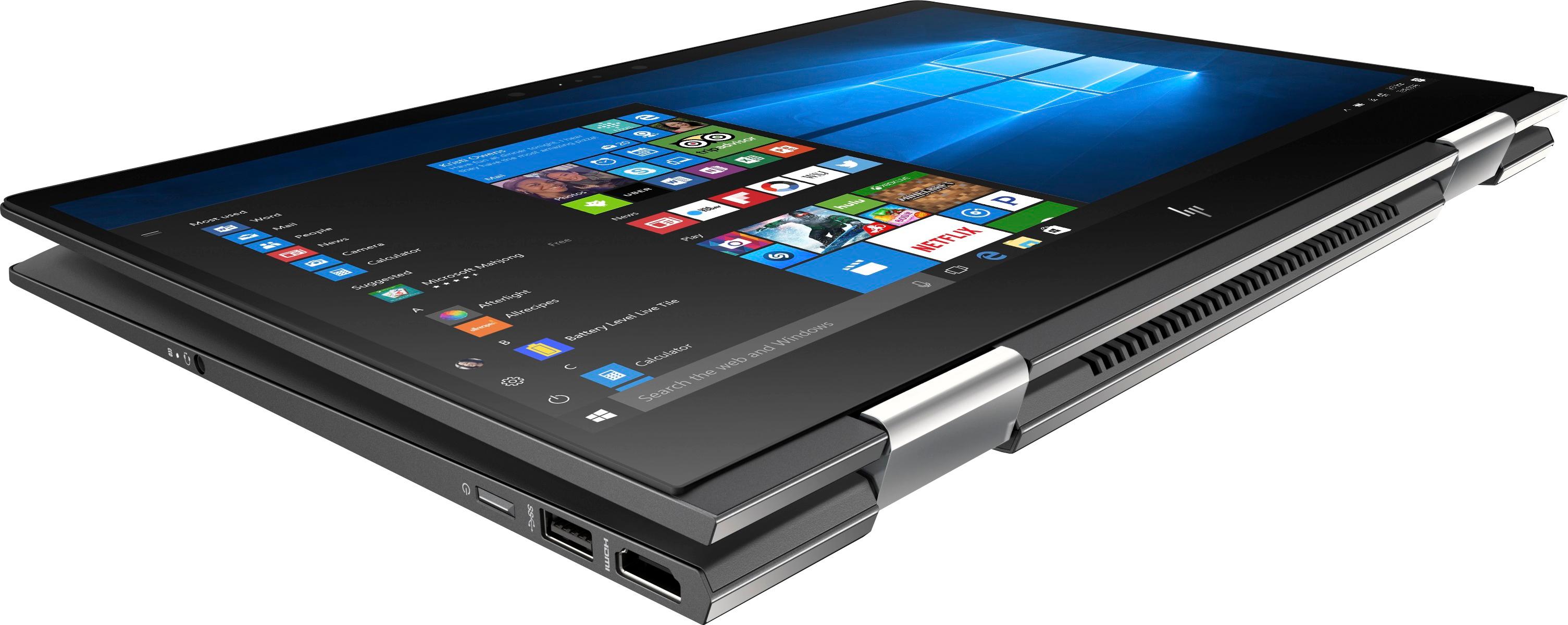
|Posted .This reviewer received promo considerations or sweepstakes entry for writing a review.Coming off an immensely successful launch on the desktop, the Ryzen architecture has thoroughly dazzled with impressive multithreaded performance coupled with an affordable price tag. Having personally used the Ryzen 7 1700, I could not wait to see what Ryzen had in store for mobile devices. With the HP Envy X360, the Ryzen 5 2500U makes an impressive mobile debut, combining both efficiency and performance to power an outstanding laptop from HP. Once unboxed, the laptop itself has a gorgeous brushed finish and has a nice weight to it that added to its quality. Furthermore, it was actually a bit heavier than I expected, however, it is still the lightest laptop I have used personally. In addition, the display easily bended back without any resistance; no sound could be heard at the pivots of the display. Dimensions wise, the X360 sports a razor thin 0.8 inch frame that is sure to impress even with the laptop off. The craftsmanship is definitely top notch and atheistically it is amazingly sleek. As for connectivity, there are two USB 3.1 (Gen1) ports as well as one USB 3.1 (Gen 1) Type-C port. Additionally, there is one HDMI 2.0b, an SD slot, and a standard 3.5mm headphone jack. In addition, I appreciated that they included an LED light for both the HDD activity and battery status. On the right hand side, there is a volume control button that I thought was quite handy. In addition, the included power adapter is extremely compact, especially given its square shape appearance. It definitely accompanies the sleekness of the laptop. Lastly, for upgrades as others have mentioned, there are two RAM slots that you can access as well as an M.2 slot for an SSD upgrade. However, I caution that you only attempt upgrades as long as you have the experience to do so. For my benchmarks, I wanted to focus directly on an out of box experience. Thus, I wanted to keep any modifications of the laptop to a minimum, though I did have to make a few. I disabled all the non-Microsoft services and turned off OneDrive from starting up. I uninstalled the McAfee Internet Security (more details later), defragmented the hard drive, set the page file to its recommended size, and then cleaned the registry with CC Cleaner. Lastly, I changed the power plan to high performance and disabled all power saving features. I also changed the minimum and maximum processor state to 1% to 100% respectively. All benchmarks were executed while the laptop was connected to the power adapter. For CPU benchmarks, I used our only laptop that houses an i3-7100U as well as two of my custom built desktops that houses an older i7-3770K and lastly a more recent i5-7500. During all benchmarks, I monitored the thermals using HW Monitor. For a multithreaded benchmark, I wanted to see how both the Ryzen 2500U and Vega 8 performed in relation to Intel's offering. Using 3D Mark, I ran the Cloud Gate Benchmark on a laptop that houses a i3-7100U as well as the HD 620 integrated graphics. In addition, I ran the same test on a desktop that houses an i5-7500 and the HD 630. Ryzen/Vega 8 - Overall: 12,017/Graphics: 16,626 (74.08 FPS/70.58 FPS)/Physics: 6,100 (19.37 FPS) i5-7500/HD 630 - Overall: 8,787/Graphics: 10,332 (46.02 FPS/43.80)/Physics: 5,780 (18.35 FPS) i3-7100U/HD 620 - Overall: 5,681/Graphics: 8,000 (36.02 FPS/33.63 FPS)/Physics: 2,821 (8.96 FPS) Immediately it is clear that the Ryzen 2500U and Vega 8 obliterates the competition. It performed well over expectations. The results are staggering! Temperatures hovered round 60-70 Celsius. Power consumption never exceeded 11 Watts and was well under its 15 Watt rated TDP. Comparatively, the i5-7500 consumed between 32-36 watts! Amazing! I would like affirm though that this test was specifically designed for laptops and mobile solutions. I caution that while you may be able to render some games playable on low settings, or even run older games, the Vega 8 GPU is still an integrated solution. Newer games will be difficult to run so keep your expectations reasonable. However, for what it is, the Vega 8 is a beast and really shines as an efficient mobile GPU solution. For the second multithreaded benchmark, I decided to run an aggressive video encode using Handbrake 1.07. For my test, I encoded a 91 minute movie using the very fast 1080p preset. I set both the frame rate and audio equal to the source video. I ran the test on both our laptops. Ryzen 2500U: 1 Hour 20 Minutes 6 Seconds (28.0 FPS) i3: 7100U: 2 Hour 35 Minutes 0 Seconds (14.2 FPS) As you can see, the Ryzen wins without trouble. During the test, the i3's power consumption hovered around 8 watts while the Ryzen never exceeded 11 watts. Although, while the i3 is only a dual core CPU (4 threads), it still gives you an idea where Ryzen will aggressively challenge other CPUs. It should directly challenge most of Intel's current i5 and i7 mobile offerings. For a single threaded test, I used MusicBee 2.4 and LAME 3.99 to encode a 24 minute WAV file to MP3. The encoder was set to a constant bit rate of 320 and the internal algorithm was set to 0 for the highest quality (-q command). The test was ran three times per CPU. MusicBee's maximum encoding thread setting was set to one. In addition, I added my older i7-3770K to the test. I5-7500: 1 Minute 49 Seconds/1 Minute 47 Seconds/1 Minute 47 Seconds Ryzen 2500: 2 Minutes 0 Seconds/2 Minutes 1 Second/2 Minutes 0 Seconds i7-3770K: 2 Minutes 6 Seconds/2 Minutes 6 Seconds/2 Minutes 6 Seconds The results are quite staggering as the Ryzen 2500U managed to beat my older i7-3770K and comes relatively close to the more recent Kaby Lake i5-7500! It is completely unheard of to retain this much performance from a single mobile CPU, let alone actually beating my desktop's i7. One of the main complaints of the X360 Envy is that HP included a 1 TB HGST 7200 RPM mechanical hard drive with the computer. However, the drive itself is not slow, but it is overworked by HP's cluttered windows installation on startup. On top of this, the hard drive is extremely fragmented (15%) right out of the box. Monitoring task manager, I noted that McAfee (ESET is a fabulous alternative) was one of a few processes that was holding the hard drive hostage at nearly 100% by reading/writing anywhere from a few hundred kilobytes up to 2- 5 megabytes. Once uninstalled, the laptop was immediately much more responsive. I even freed up about 12% of the RAM while doing so. Afterwards, you should notice a much lower and consistent drive usage. Periodically, there will be some hard usage spikes so I strongly recommend to keep an eye on task manager. To verify my results, I ran the drive using CrystalDisk Mark 6.0. Sequential Read/Write - 116.8 MB/s & 109.8 MB/s 4KQ1 Read/Write - 0.385 MB/s & 0.617 MB/s While the 4KQ1 numbers are alright for a laptop drive, it is easy to see why the drive was easily overwhelmed by the small reads and writes by the startup executables. Lastly, a quick copy test using my SanDisk Extreme Pro USB 3.0 flash drive, I was able to copy a 28.3 GB M2TS file averaging around 90-110 MB/s. Overall, I am pleased with the drive performance and its fairly quiet operation. In the future, a possible SSD upgrade is always a good option to have, but by no means is it absolutely necessary. As for the battery, I wanted to see it how performs given a worst case scenario. I left all the power settings on high performance, along with the display brightness set to max and the keyboard backlight turned on. I started a 90 minute movie and maximized it to full screen. After 30 minutes, the battery was at 81%. At little over the hour mark, I noted that the battery was at 62%. At the end of the movie, it was at 46%. Overall, most will see a longer battery life, but this should give you an idea of the minimum battery life you should expect. As somewhat of a music enthusiast, the sound quality of the laptop was actually quite good. I played my FLAC collection over both the speakers and headphones. Instruments and vocals are crisp and clear as well as dialogue during the videos that I watched. At 50% volume, the laptop is really loud. For once, it was quite refreshing to have laptop that does not lack in sound. Granted, I would caution to keep your sound expectations reasonable as this will not produce earth shattering bass or replace your home theater. However, for laptop sound, most should be content with the sound. The X360 IPS display was also a pleasant surprise while I was watching videos and managing my photos. The colors are fairly vibrant and had a decent contrast to it. During web browsing sessions, I found that text was sharp and legible, even more so than previous laptops. At first, I though the whites were a little washed out but my eyes quickly adjusted. As for the touch screen, during tablet mode, I found it responsive and extremely accurate even though I did not have a stylus for it. However, I do wish that HP would have included one. I also would have liked if HP would have included some sort of cover for the keyboard so that when you flip the unit over the keys are protected while using it as a tablet. Nonetheless, I do enjoy the ability to flip it over into a tablet. In conclusion, the X360 has almost everything going for it and at its price point, I think almost everyone will be pleased. With the Ryzen 2500U and 8 GB of RAM, it has more than enough power to chew through all your demanding computational needs all the while remaining efficient with both its usage and power consumption. The CPU is a real winner. Although somewhat held back by HP's windows installation, it is easily fixable and afterwards my experience was both fast and smooth. Additionally, the display has gorgeous contrast and text was sharp. The touch screen was both responsive and the sound was both crisp and enjoyable. Overall, its premium feel and sleek aesthetics complete this highly recommended package.
I would recommend this to a friend - Pros mentioned:Touch screen
5 star laptop
||Posted .This reviewer received promo considerations or sweepstakes entry for writing a review.Its so thin , light and i love the keyboard ans its tought screen . Its a all in one laptop
I would recommend this to a friend - Pros mentioned:Touch screen
HP has developed the ultimate lap/tab comp for all
|Posted .This reviewer received promo considerations or sweepstakes entry for writing a review.Okay, please know that I use a Windows Computer at work and a MacBook at home. I am often consulted as a source of good info when it comes to tech, both at work, and at home. Computers are something that I've found myself being asked about a lot, because there are so many choices and so many things you need to know so you don't get a dud. To start with, this is a tablet AND a laptop, all in one very thin but sturdy package. Seriously, it doesn't get any better than this. That said, I believe this is the perfect laptop/tablet for most everyone. If you are a heavy duty gamer, or need a Mac for work stuff, so be it. But for everyone else, there really is no nicer a laptop or tablet that I have tried. HP computers are amazing anyway, and I've been using them for years; my love affair with HP started many years ago when I stumbled onto one of their netbooks - back when netbooks came to market. Everything since then has been great, it is just that this laptop has literally everything most everyone will ever want in a laptop. Starting with the box, you'll be impressed. Then, when you see the computer and power supply, you'll be equally impressed. HP has stepped up their game so much. Then, once you power up the computer, you'll notice the very bright keyboard backlight. You'll see the large trackpad, something that you simply will realize is the down side of most windows laptops I've used. This one works flawlessly. Light touch, or press to mechanically click, it just works. Dry skin in winter, it just works. You'll see no shortage of lights for what I feel are necessary items. The power button has a bright LED light on it. The mute speaker button (F6) also has the same. When you have it plugged in for charging, another light. HDD activity light, yep, that too. I cannot stress how important little lights are for things, like muting speakers. Okay, for sound, you've got Bang & Olufsen. If you don't know what that is, you'll be surprised at the quality of the sound. If you do know, you won't be disappointed as they did a knock out job on sound. HP has done their due diligence by adding some very nice features. Cool Sense monitors temperature and adjusts the fan accordingly. They have a stop assistant to stop the hard drive if it feels as if it is falling. They have a very cool HP Support Assistant program that allows you to check on updates for firmware and other things, do performance tests, and ask support questions. HP has delivered in ways I never thought possible. This is the first Windows laptop that has had everything I have ever wanted, in one package. There have been no disappointments so far, and I don't expect any. The 15" screen blows me away everytime I see it - this is on par with the quality of MacBook. The keyboard, the backlight, the screen, the battery life, the numerous things like a decent trackpad lend themselves to something that is much more high end. The hinges, I almost forgot, are top tier. They aren't going to break in a week like other convertible laptops that I've used in the past. Remember, Best Buy has a great return policy. If you are not happy, simply return it. But for most people, absent of those who need a super high end machine, this will work well for you. Processing power is great, the 8GB of RAM is more than enough. The 1TB hard drive is fast enough to get you through, not quite as fast as an SSD, but I like having big hard drive space available.
I would recommend this to a friend - Pros mentioned:Performance
A powerful, workhorse laptop
|Posted .This reviewer received promo considerations or sweepstakes entry for writing a review.Even though I am partial to Apple computers, I do enjoy working with other operating systems on occasion. I'm particularly intrigued by the convertible laptops that can act as tablets or a laptop computer. This class of machine is typically more powerful than your typical tablet, which is the basis of its appeal to me. My first impression of the HP Envy was good. It's a sleek-looking laptop and fits with the modern style that most companies are following. The color is called "Dark Ash Silver," which is similar to the Space Gray from Apple. It is a shade darker though. The next thing I noticed was the computer's weight. It weighs 4.74 pounds. This is almost a full pound more than the 15-inch MacBook Pro. It may not seem like much to most people, but when you are talking about portability and laptops, 1 pound is quite a lot. When I got the laptop opened up, I have to admit that it 'feels' bigger than my MacBook Pro, too. It almost feels like the difference between a 13-inch laptop and a 17-inch laptop. Weird right? Set-up for the laptop was very easy. I turned it on and after I connected it to WiFi, Cortana took over and walked me through the entire set-up process. You are encouraged to connect the computer to an online Microsoft account. This is not mandatory to set-up the computer though. You can skip this step and just create a login ID for the computer without it being connected to the cloud. Once I was 100% connected and ready to start working, the Envy flew through the tasks I put before it. Most people might end up using this for standard office tasks and with a 1TB hard drive (7200 RPM -- it's not solid state) and 8GB of memory, you won't be disappointed with this laptop's performance. The keyboard took a little getting used to for me. I think that's because it's a full-size keyboard with the number keypad included. That means that the main part of the keyboard is offset from the center of the screen. Therefore, I found myself mistyping quite a bit until I got used to the keyboard. The other thing I was really impressed with right off the bat was the screen. It's a full 1080P HD widescreen LED display. The screen is smooth and clear. It's also quite fragile. When I first received this laptop, I powered it on and connected it to my WiFi. At that particular time, I could not finish the set-up so I closed the lid with the protective fabric provided by HP. There were no wrinkles or folds when I closed the lid and the next time I opened it, I noticed a sizeable scratch on the screen. No one else had used the laptop so the only thing I can think of is that the fabric somehow caused the scratch. This was indeed disappointing considering that this is a convertible laptop and can also be used as a tablet. You would think a touchscreen laptop would have a more durable screen. Switching to tablet mode is an automatic process. When you flip the keyboard around on its axis, the computer detects that it's been rotated around and asks you if you want to switch over to tablet mode or exit it if you are switching back to laptop mode. When you answer 'yes', the screen enters the full-screen mode for the tablet use. Even when you are in laptop mode, you have the option to still use the touchscreen and the other tablet features. Typing in tablet mode is easy. The on-screen keyboard is very responsive -- more so than even my 12-inch iPad Pro. This is one feature I really enjoy. At times, I actually felt as though I was typing faster in tablet mode than with the keyboard. I have two main concerns about using this particular laptop in tablet mode. First, even though I like typing with the on-screen keyboard, the screen tends to shake quite a bit. This is really unavoidable since the computer is as stable and locked in as it can be, but it's still something that bothered me a bit. The other issue I have is the sensitivity of the screen to scratches. Working on this computer in tablet mode concerns me because I feel that the screen could become easily damaged. I like that this computer has 2 USB-A ports, an HDMI port, an SD card reader and a USB-C port. This makes for a very versatile laptop. Because it does have a standard USB port, I was able to connect a USB mouse quickly and easily so that I had maximum functionality. The HP Envy x360 is a really great option for most types of users. It came pre-loaded with Microsoft Office (subscription required after trial) and a few other standard utility applications, but I think that this powerful laptop could handle other applications easily. I believe it could even handle being a design-driven laptop. It's great for presentations and a powerful workhorse.
I would recommend this to a friend - Pros mentioned:Performance, Touch screen
Fast, fun, and flexible 2-in-1
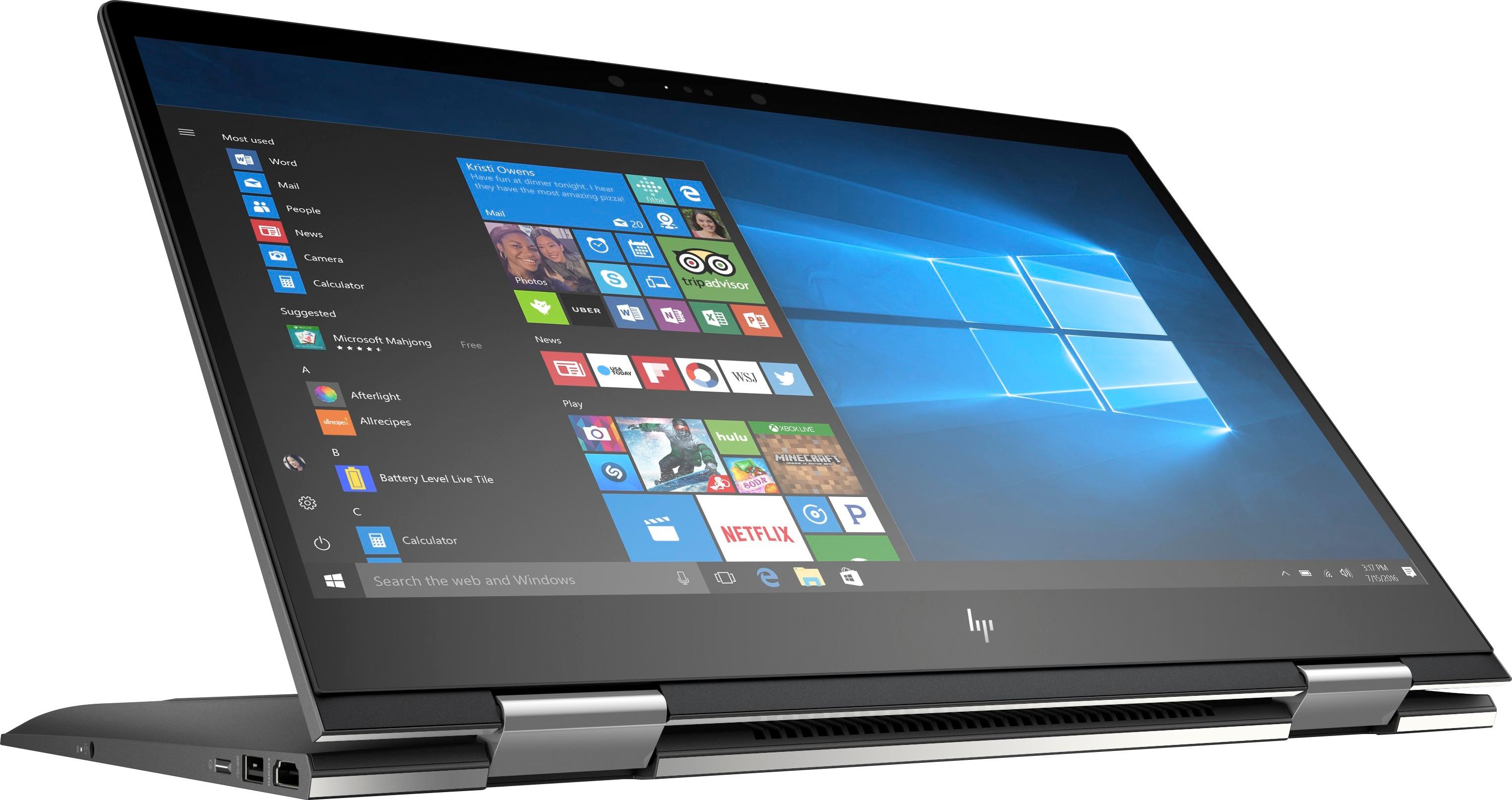
|Posted .This reviewer received promo considerations or sweepstakes entry for writing a review.HP ENVY X360 (model 15M-BQ121DX) 2-in-1 15.6" Touch-Screen Laptop with AMD’s Quad-Core Ryzen 5 APU - 8GB Memory - 1TB Hard Drive Have you figured out that this laptop computer represents something special? What’s the big deal, you ask? APUs. AMD, the chip maker, has released the most recent generation of its mobile Accelerated Processing Unit (APU) which combines the CPU with the VR-ready AMD Radeon RX Vega graphics card, all on the same chip. Why should you care? Well, these have been available for a bit, in very recent generation high performance gaming machines. This is serious gaming capability in a laptop computer. Add to that a USB Type-C 3.1 (Thunderbolt 3) port with DisplayPort Mode and the HP ENVY can drive a pair of 3840x2160 displays in conjunction with the HDMI 2.0 jack. Setup: Kudos. I want to thank someone. Compared to previous HP computer setups, this experience was lovely, no, I’ll say joyous. I had been convinced by earlier setup experiences that I might only co-own my computers. Between MS Windows setups taking hours to install, including all the updates, and follow-ups, and having to share storage and menu space with GBs of spam clutter, I wasn’t sure those computers were mine alone. Not this time with the HP ENVY. This setup took mere minutes and I haven’t been interrupted since. Minimal extraneous stuff. There was Cortana Voice guidance that more naive users will find especially helpful. So how does it feel with use? Fast, especially with memory or CPU intensive art, photo and gaming programs. This isn’t a Solid State drive, so memory swaps or data retrieval/saving using the hard drive will feel slower if you’re already accustomed to Flash Drives. But 1Tb offers a lot of storage for music and movies, and they probably don’t require that last msec of transfer speed. Intensive graphics work doesn’t heat up the bottom as I’ve witnessed on some laptops, and efficient, quiet venting should help quite a bit. It never felt warm to me after hours of use. The convertible (tablet - laptop) configuration is useful and fun and it works flawlessly. The Bang & Olufsen audio management system is great for turning your laptop into a music media source. The laptop also has 802.11ac Wi-Fi and Bluetooth 4.2 connectivity, an HD camera, and a backlit keyboard with a number pad. Bottom line: Unrestricted budgets can certainly buy un-compromised performance. This HP ENVY X360 is priced well below the highest priced laptops, yet I’m achieving exceptional performance. I’m simply not finding compromises I can’t live with, and there are a lot of features I completely enjoy. I love the big 15” screen. Being able to reach out and drag a window, or press a selection button directly on the screen is quickly addictive. This is an easy laptop to love and the tablet capability is a really nice extra. This is easy to recommend.
I would recommend this to a friend - Pros mentioned:Touch screen
Light weight, great performance!
|Posted .This reviewer received promo considerations or sweepstakes entry for writing a review.This is a very light and thin notebook. Enclosure is plastic all around, screen is magnetically held in the closed position. By default fan seems a bit noisy, but I've found that is due to HP Cool Sense being turned on, this feature reduces the enclosure temperature so it's comfortable to keep on the lap. With HP Cool Sense turned off - laptop will get hotter, but fan noise is not that noticeable. Screen can be folded all way back making laptop a big tablet which can be held in any position - screen image will automatically rotate as needed. Touch surface is pretty responsive and is a true multi-touch, I've used all 10 fingers and it recognised all touch points at the same time! CPU performance - pretty impressive, my tests showed it on par with the Intel i7 Skylake processor, and with 8Gb of memory - it's a very powerful machine. Keyboard is backlit (no intensity adjustment - it's either on or off) and comfortable, touchpad is very nice to the touch and recognizes up to 3 finger gestures. Ports - HDMI, 2 USB 3.0, 1 USB-C, headphones jack, SD card reader - everything that is needed in everyday use. Battery life - depends on what you are doing and screen brightness, heavy usage brings it down to 4 hours, light use like web browsing - up to 8 hours no problem! Included charger is 65W variable input voltage, handy for international travel. Upgradeability - back cover is easy to remove (3xT5 screws in the front and 4 Philips screws under the back rubber foot) and reveals a slot for PCIe SSD drive on the left and 2 memory slots under EMI shield. Notice the thick rubber pad around the hard drive - it's there to shock proof the hard drive. HP also uses an accelerometer to monitor laptops's position and will park the hard drive if laptop is moving too fast, protecting your data (HP 3D Drive Guard technology). Overall - it would be a great choice for a student or someone who would travel a lot. I would definitely recommend adding a PCIe SSD drive to it though!
I would recommend this to a friend - Cons mentioned:Battery life, Storage
Great laptop with a few drawbacks.
||Posted .This reviewer received promo considerations or sweepstakes entry for writing a review.I've owned this laptop for going on 3 years now, and it has been a good performer. I replaced it with a higher-end laptop a year ago and my wife has used it since. What I changed: Upgraded from 2x4GB (8GB) DDR4 2400 to 2x8GB (16GB) DDR4 2400 Replaced the 1TB Hard Drive with a 256GB NVMe SSD and 1TB SATA SSD I can never recommend using a hard drive as a boot disk any longer, as even the fastest hard drives trail slow SSDs in usability and overall performance. The inclusion of a hard drive in this laptop was simply HP's way of providing a minimum storage device to get people going. 8GB RAM is a reasonable minimum for a low-midrange laptop, but 16GB is much safer and is enough for 98% of users. The Ryzen 2500u in this laptop is a capable APU with 4 core, 8 threads, and still does just about any daily task you'd need besides gaming or heavy photo / video work. The integrated graphics of the APU, Vega 8, handles basic workloads better than Intel's iGPUs, but still aren't enough to do anything more than basic gaming. The graphics drivers were the worst part of this laptop for the first year I had it. Crashing chrome windows, games, etc. It took AMD close to 2 years to figure out how to make this laptop run chrome in a GPU accelerated window. That, and the anemic gaming performance is what got me to replace this laptop; it's designed to be an ultrabook, but is too heavy to truly fulfill this role. It's heavy because of the touchscreen glass and sturdy aluminum/steel body and hinges. It feels weighty and substantial, but maybe just a little too much so. Battery life is also a bit disappointing; I would get between 3-5 hours depending on the task, with 4 hours being the usual. The battery is just not that large, which is the true limiting factor. Beyond that, the laptop is still going strong 3 years later and has at least that much life left in it. My wife hasn't complained and uses it daily for email, music, web browsing and Zoom sessions.
I would recommend this to a friend So close to perfection...
|Posted .This reviewer received promo considerations or sweepstakes entry for writing a review.Let's start with first impressions or the unboxing experience. Simply put they did good with extra plastic and even a little fiber layer that covered the keyboard. Favorite part here for me was the charging cable giving a two piece attachment like most laptops but this one connects a little more elegantly which I appreciated. One past that you life it out of the box and go this is kind of heavy. I might be spoiled with laptops that use solid state which makes them incredibly light and fast. Booting up is where you really feel the hard drive speed instead of solid state. Taking a minute or two to fully boot. Past that performance is great with this laptop able to handle all of my games at their highest specs with zero lag. Sound is another amazing thing here with those Bang & Olufsen speakers that are crazy loud and clear. Very immersive sound which is only brought down with an okay keyboard experience. Everything feels condensed which made it hard to use the direction arrows because they are crazy tiny on this keyboard. For those who use those keys religiously will understand that this will make some things difficult. Final thoughts are for what you get for the price it's hard to say this isn't a good laptop. I hope that this helps whoever is looking at it and thank you for reading my review.
I would recommend this to a friendHP & AMD nice try
Posted .This reviewer received promo considerations or sweepstakes entry for writing a review.I was looking for a 15” laptop with a powerful CPU, quad-core in particular for the right price. This HP laptop caught my eye since it is one of the first to get this type of processor. It looks really good on paper but… Let’s start on a positive note. It’s a well build machine with plenty of power and ports. The keyboard is fantastic, the track pad could have been better. The speakers are just ok and they lose sound quality above 70%, no bass. You can play most of the new games on low-- just look on YouTube. If you decide to buy it, you must put an SDD inside. Having an HDD in 2017 is kind of unacceptable, speed-wise Now the sad part. The first thing that I noticed after changing the screen saver at home was that the display doesn’t blend the colors right. It almost looks like it displays the images in 16bit rather than 32bit. You can also notice this while playing videos on YouTube, especially in high resolution. I saw that this problem disappears after uninstalling the AMD drivers, but that makes the system lag, making it unusable. The major downside to this laptop is its display. Seriously, HP should use screens that are able to reproduce proper colors. You get a dim display with washed colors that lacks saturation. The day after I bought this laptop, I went to BestBuy to check out the colors on the model on display and other laptops just to make sure that it was not a problem with my particular laptop. I noticed that all the 15.6” FHD laptops from Dell and HP reproduce the colors in the same way. They had a 14” ASUS and 13.3” Dell, Lenovo and others that got accurate colors. Also, the 17.3” HP Envy x360 HP displayed accurate colors. Why is this a problem? Try working in Photoshop and editing some photos on this machine and you will see what I mean. I tried to calibrate the display and that is when AMD screwed up. I found it weird that AMD Software was missing some really important settings for adjusting the colors, saturation, etc. It looks like they are aware of the problem but haven’t found a fixed yet. This is really frustrating since I wanted to give AMD a try, but it looks like I need to go back to nVidia. In conclusion, you get what you pay for-- $630 for a really powerful machine with mediocre color accuracy and not the brightest display. You can even consider this a budget gaming laptop. I hope that AMD is going to fix the drivers in the near future and I wish the display was better. I’m still debating whether I should keep the laptop, but all in all, I’m disappointed.
No, I would not recommend this to a friend- Cons mentioned:Loud fan
Very good laptop and could be better
||Posted .This reviewer received promo considerations or sweepstakes entry for writing a review.Hello, This laptop is really good with a beautiful design, build quality and good performance. But I believe it could be better if the following if the following issues are addressed: - The fan runs constantly and fluctuates a lot in speed ( improved a bit with the latest windows 10 update) - The laptop occasionally freezes for no apparent reason and has to be forced to shutdown. - shared VRAM cannot be increased - Windows 10 and third party utilities do not read the CPU speed accurately - Less than 4 - 5 hours of battery life. Much lessed than the specified duration. I will share more issues as I experience them Many thanks.
I would recommend this to a friend - Pros mentioned:Price, Speed, Touch screen
Good, reliable computer
||Posted .This reviewer received promo considerations or sweepstakes entry for writing a review.I got this laptop on sale, and for the price it's fantastic. It's speedy, it runs most video games with little problem, it's very light, the touchscreen works like a charm. I've had some strange glitches, but nothing serious, and I'm not sure if that's an issue with the hardware or with software interactions.
I would recommend this to a friend - Pros mentioned:Performance
Nice hardware, Windows 10 issues
||Posted .This reviewer received promo considerations or sweepstakes entry for writing a review.As long as you are not looking for a lightweight laptop this pc is a good choice. Fine performance quality build. Unless you are an expert Windows 10 is a beast. Updates went fine until the Fall Creators update which fell over several times during a 2 day period. The solution was to download and create a usb stick with the Fall update and install it manually. Note I also had to uninstall McAfee which consumed huge amounts of resources during the update.
I would recommend this to a friend - Pros mentioned:Price, Touch screen
Solid Mid-range Home Laptop, a Good Upgrade
||Posted .This reviewer received promo considerations or sweepstakes entry for writing a review.This replaces my wife's 6 year-old laptop. So, what improvements did we get, compared to the old one? It's a touch-screen and, of course, can be used as a tablet, its smaller (thinner) and lighter and the USB 3.1 ports are much faster. Will the battery last longer? Supposedly, but certainly better than a 6 year old one. The processor, of course, is considerably faster, but in normal Internet surfing and e-mailing, we don't see a huge improvement. Viewing photos is faster. Also there is now Wi-fi AC, if you have an AC-capable router and built-in Bluetooth, saving a USB port that you would use for a mouse adapter. It was a good upgrade and I bought it in a before-Christmas sale for a raving-bargain $575 (normally $750). As far as fan noise and light-leakage on the screen, that I've noticed in other reviews, we have no complaints.
I would recommend this to a friend - Pros mentioned:Price, Touch screen
Pretty Nice
||Posted .This reviewer received promo considerations or sweepstakes entry for writing a review.Not bad. I've never been a huge HP fan, but for the price on sale, I had to try it out. Took a good bit of updating out of the box to get it up to date and running smooth, but now its great. The fan can be a little loud. But the screen is nice, keyboard types smooth and is backlit.. and it has the numeric keypad which is a plus for me. Battery life is only so-so. Maybe 3-4 hours depending on what you're doing. Maybe closer to 2 hours sometimes.
I would recommend this to a friend - Pros mentioned:Price, Speed
Great laptop
||Posted .This reviewer received promo considerations or sweepstakes entry for writing a review.This was definitely the best buy we could get for the price. No pun intended. Its a great laptop and its fast and efficient. I've been working in the IT industry for 15 years and this laptop is great. Its not a gaming laptop and maybe not great for video editing or music production but just everyday average usage and maybe photography editing it would be perfect.
I would recommend this to a friend - Pros mentioned:Price, Touch screenCons mentioned:Loud fan, Storage
Very Nice Laptop, Affordable, its a great steal!
|Posted .This reviewer received promo considerations or sweepstakes entry for writing a review.The laptop is bigger than i thought, not that's a bad thing but considering I'm a student its pretty heavy to carry around. The screen is 15.6 inches and weights about 5 pounds. It's a nice basic touch screen lap top. The initial start up was very simple, the voice activated feature was a nice touch. I like that it came with 2 USB 3.1 port which i like better then the Type-C usb. It also has a headphone jack and HDMI input. The built in speakers were pretty nice. The built in fan was pretty loud, i immediately noticed it within an Hour. The keys on the keyboard light up, and it comes with a 10 Num Pad on the right side. I feel like this laptop is good for limited use outside of the house due to size and weight. It's a 2GHz processor and up to a Ryzen cpu boosts at 3.6ghz. The 8 GB of ram is pretty good, it worked great while multitasking, i was web surfing, listening to spotify, using the split screen HDMI option and didn't notice a lag. It has 1 TB of storage which is a good amount to start, its a SATA hard drive not an SSD which is a shame, if it hard an SSD drive i would give it five stars. The touch screen is very responsive and the graphics where nice and clear, and most importantly its AMD, i actually like this laptop, it's very simple yet very nice. It's a little bigger then my usual 13.1 inch laptops. I can see myself using this laptop around the house (only), for the price this is a great laptop, it's actually a steal for someone who prefers a touch screen laptop. I would recommend this lap top to anyone! It's a great buy!
I would recommend this to a friend - Pros mentioned:Touch screen
perfect notebook for a traveler
||Posted .This reviewer received promo considerations or sweepstakes entry for writing a review.This HP laptop is the perfect traveling companion. I fly frequently to visit friends and relatives within the state. This notebook is so light and so easy to carry on the plane, that I sometimes forget that it's in my carry on. It has simplistic features but also has all the qualities and elements of the newest notebooks out there. I love the touch screen ability and its flexible standing feature. I would definitely recommend this to anyone who is a frequent flyer and prefers to travel light.
I would recommend this to a friend - Pros mentioned:Price
Been good so far. Price was right.
||Posted .This reviewer received promo considerations or sweepstakes entry for writing a review.Picked this up for a gift for the wife. The price was right. I learned that because of the drive, it may take a little longer to start up. So it's not lightning fast, but it's not too slow. Have had no issues with this laptop so far. I have used it and the only annoying thing is that I'm not used to having a number pad on the right side. This pushes the keyboard a bit to the left so I have to line my hands up slightly left of the center of the laptop to be lined up with the keyboard. Other than that, the computer does everything that it's been asked to do. Had a few issues wirelessly finding the printer but I think it may have been more of a printer issue than the laptop. Not a gamer, so can't speak to it's gaming capabilities. Big time gamers wouldn't be looking at this anyway, but if you want a good everyday laptop this one works.
I would recommend this to a friend - Pros mentioned:Performance
Disappointed
||Posted .This reviewer received promo considerations or sweepstakes entry for writing a review.Pros: Great screen. Slim and sleek design. Fairly quiet. Quite powerful. Cons: Heavy like a brick. The track pad; odd shape and location, rattles when tapped, unresponsive at times and relocates your pointer often. Sharp edges on bottom sides of the laptop. Ugly keyboard backlight with on and off as the only option. No bass from speakers. My $300 phone has better sound. Other thoughts: Be ready for Windows Update to start updating for over 12 hours. Eating up over 90% hard drive use. High performance setting and a high speed internet connection won't speed anything up.
No, I would not recommend this to a friend















