Customer Ratings & Reviews


- Model:
- C11CF28201
- |
- SKU:
- 5732902
Customer reviews
Rating 4.4 out of 5 stars with 136 reviews
(136 customer reviews)to a friend
Customers are saying
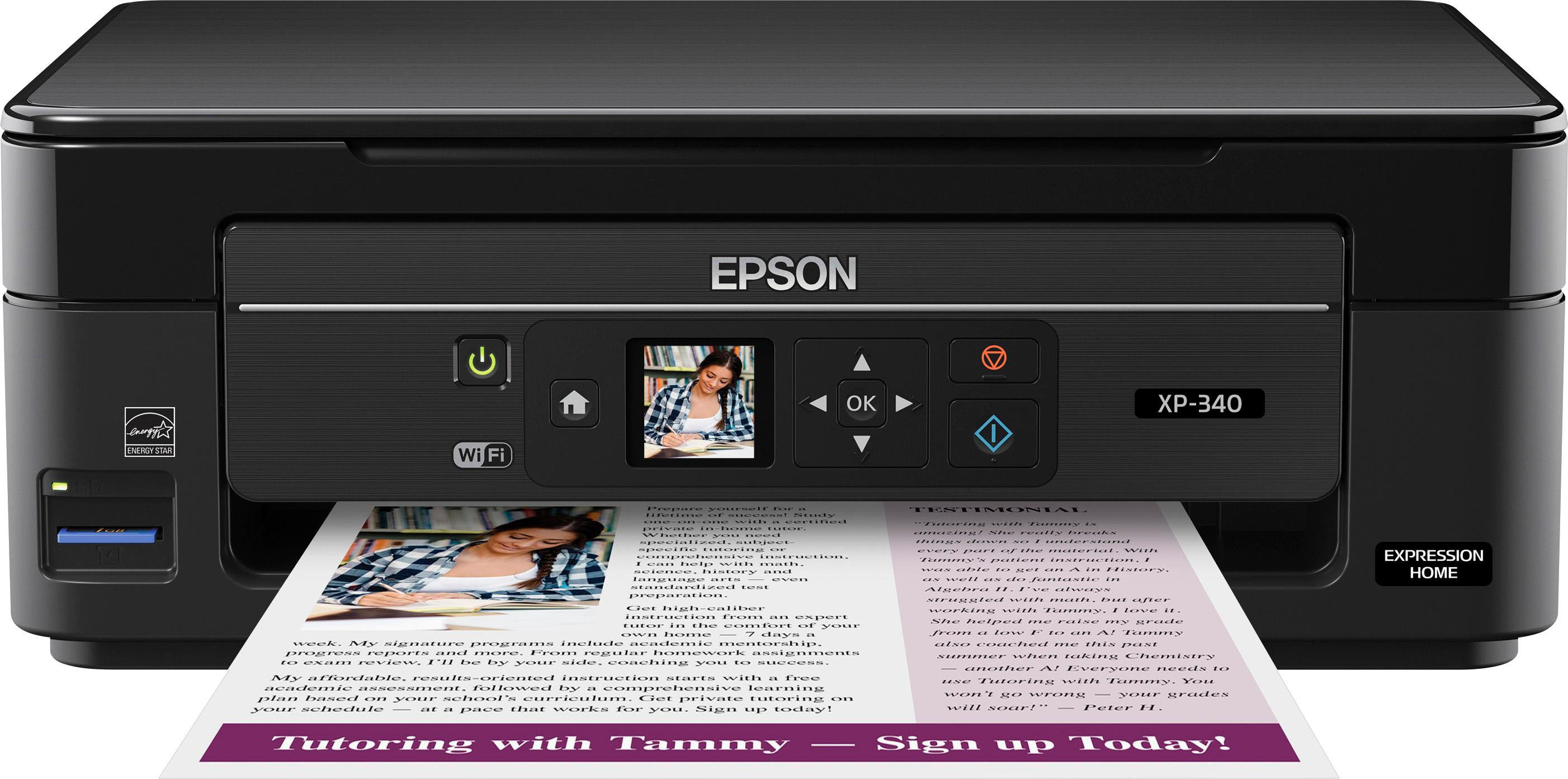
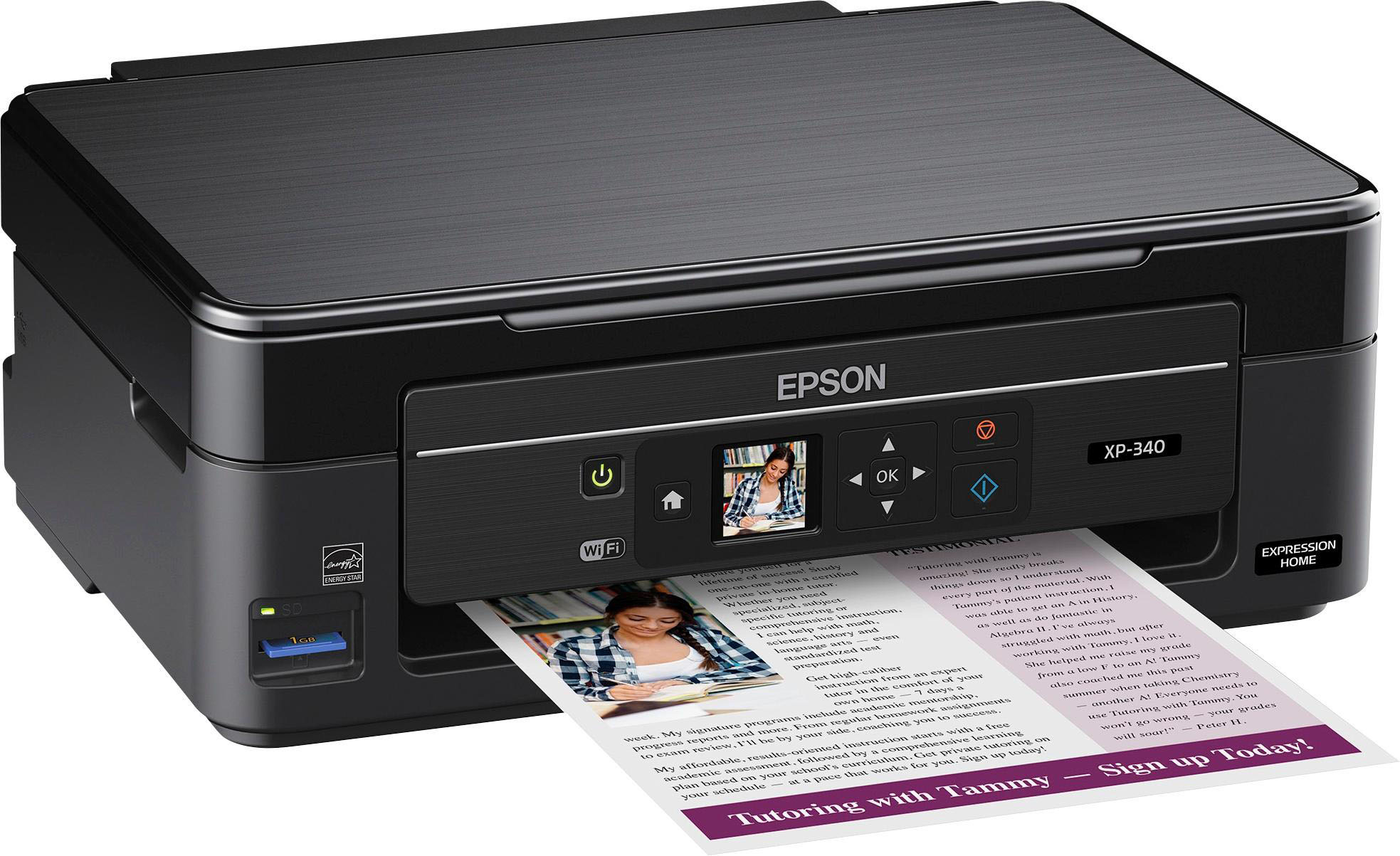
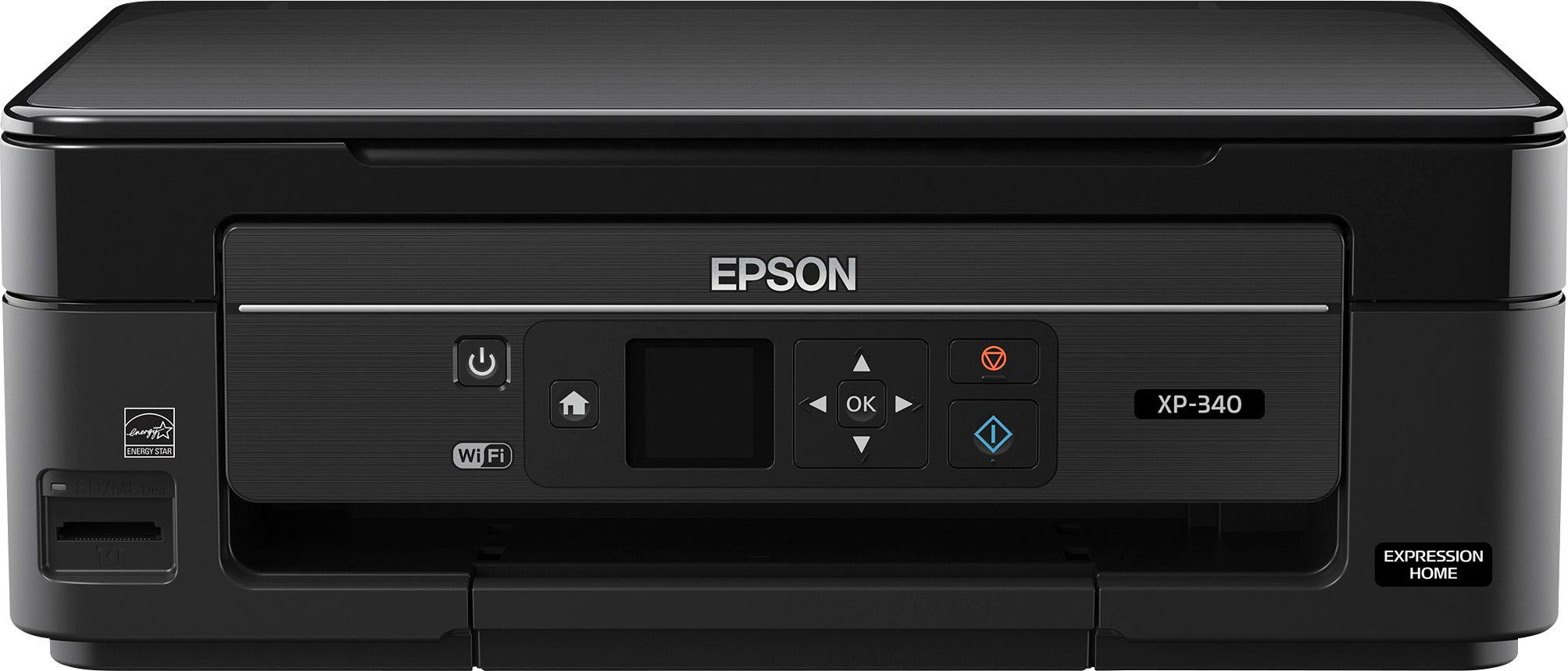
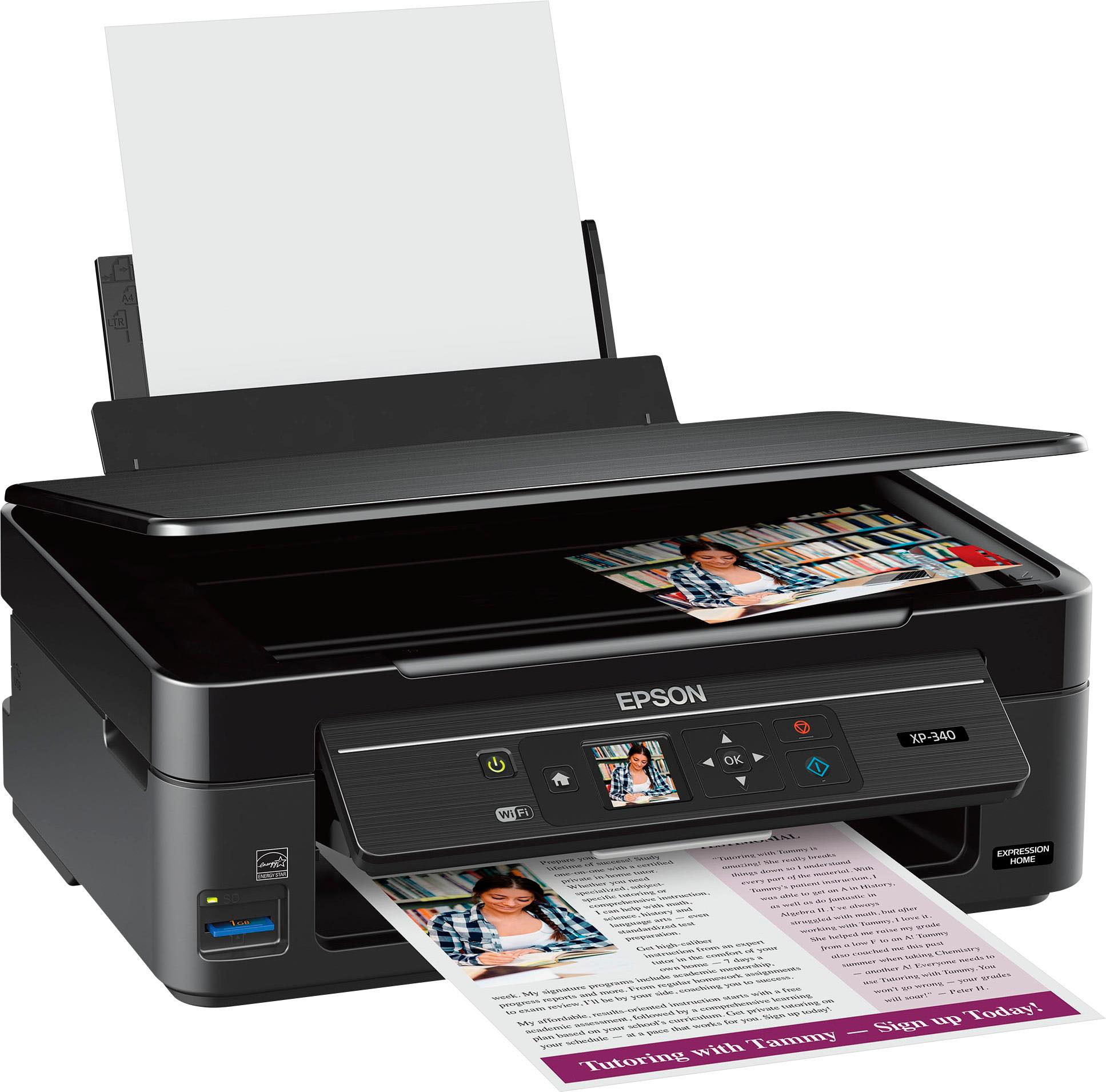
Customers are impressed with the Expression Home XP-340 Small-in-One Wireless All-In-One Printer's print quality, ease of use, and compact size. Many appreciate its wireless functionality and straightforward setup process. Positive feedback also highlights the printer's affordability and quiet operation. The attractive design and effective scanner are additional features frequently praised by users.
This summary was generated by AI based on customer reviews.
- Pros mentioned:Print quality
Rated 4 out of 5 stars
Good printer
Posted .This reviewer received promo considerations or sweepstakes entry for writing a review.I have been using the Epson Expression Home XP-340 for a couple of days now. Setting it up was not complicated. I read the instructions and removed all the unnecessary plastic covers. Putting in the inks and warming them up were also a very easy task. It came with a cd to run on my laptop so I could get the necessary installation files. After setting it up I decided to start printing. The first picture was a picture of my brother and it was super clear and quick. I used the wifi printing because it made things easier and quicker for me personally. Then I printed a document to see how legible the words would be and if I would run into any problems but I did not. I would absolutely recommend this printer to anyone who is seeking one. “This is a review for the Epson Expression Home XP-340 that I received free of charge to do a beta test and review.”
I would recommend this to a friend - Pros mentioned:Print quality
Rated 5 out of 5 stars
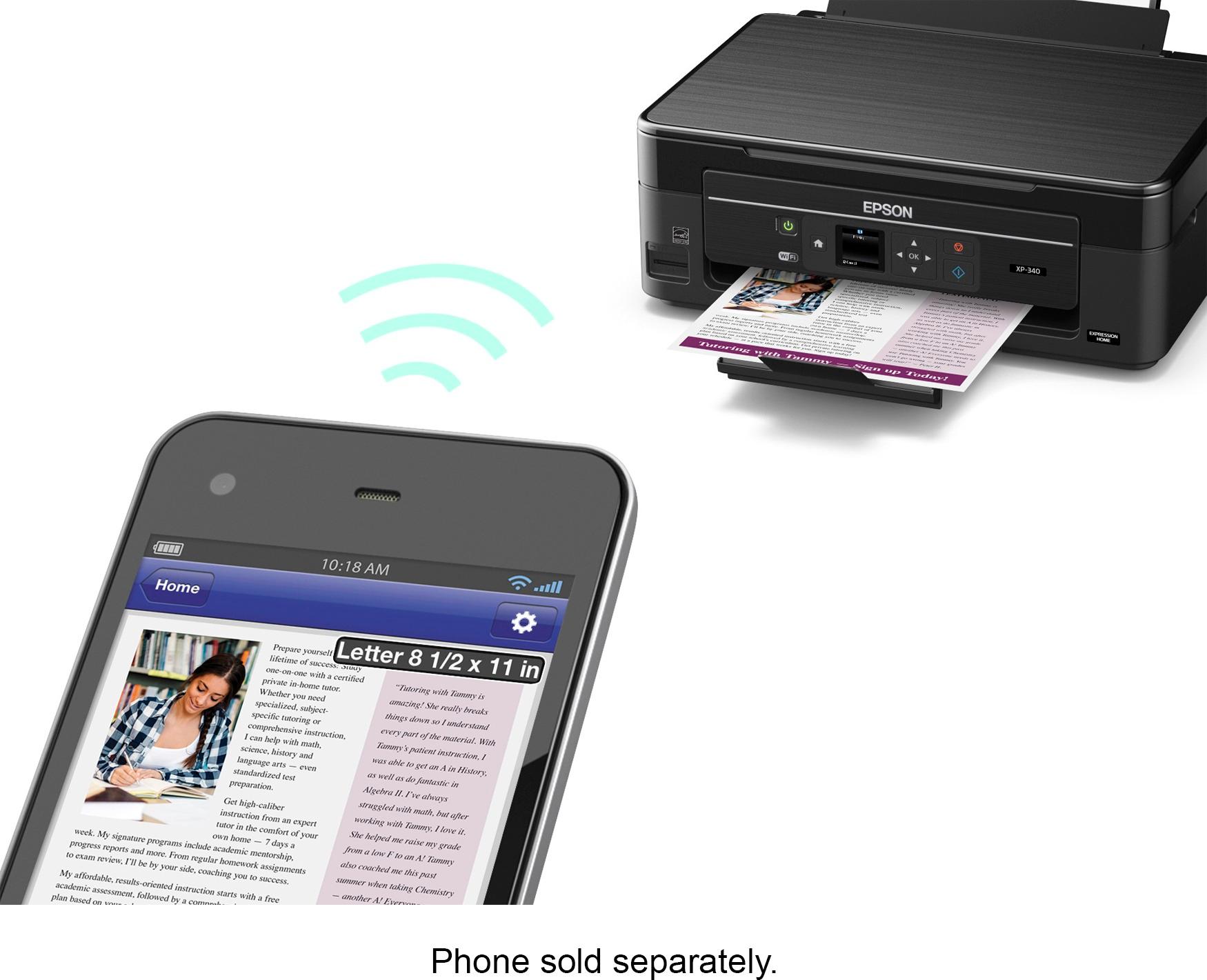
Wifi printing including mobile printing
Posted .This reviewer received promo considerations or sweepstakes entry for writing a review.This is a review for the Epson Expression Home XP-340 All-in-One Printer that I received free of charge to do a beta test and review. The initial installation of the printer wasn't a breeze-through as I had expected. The following is my review: 1. During the software installation, I had to put my WiFi credentials almost 3-4 times for it finish its installation process. Though the printer was connected to WiFi , the software couldn't detect the printer on its home network. But after redoing the same steps 3-4 times, the software got installed properly and the printing works fine after that. 2. I was amazed at the ease of printing from a mobile phone- now I can print documents and pictures directly from my phone!! 3. I work remote 50% of my time and this printer helps me print via wifi from my work laptop. Earlier I had to load documents on a USB and then print from my other computer- this now saves me the time and effort. 4. the print quality is great, in color or black and white. 5. The pictures print well as well- I was hoping we could print smaller pictures as this prints pictures only letter size
I would recommend this to a friend Rated 4 out of 5 stars
Excellent printer for home/school
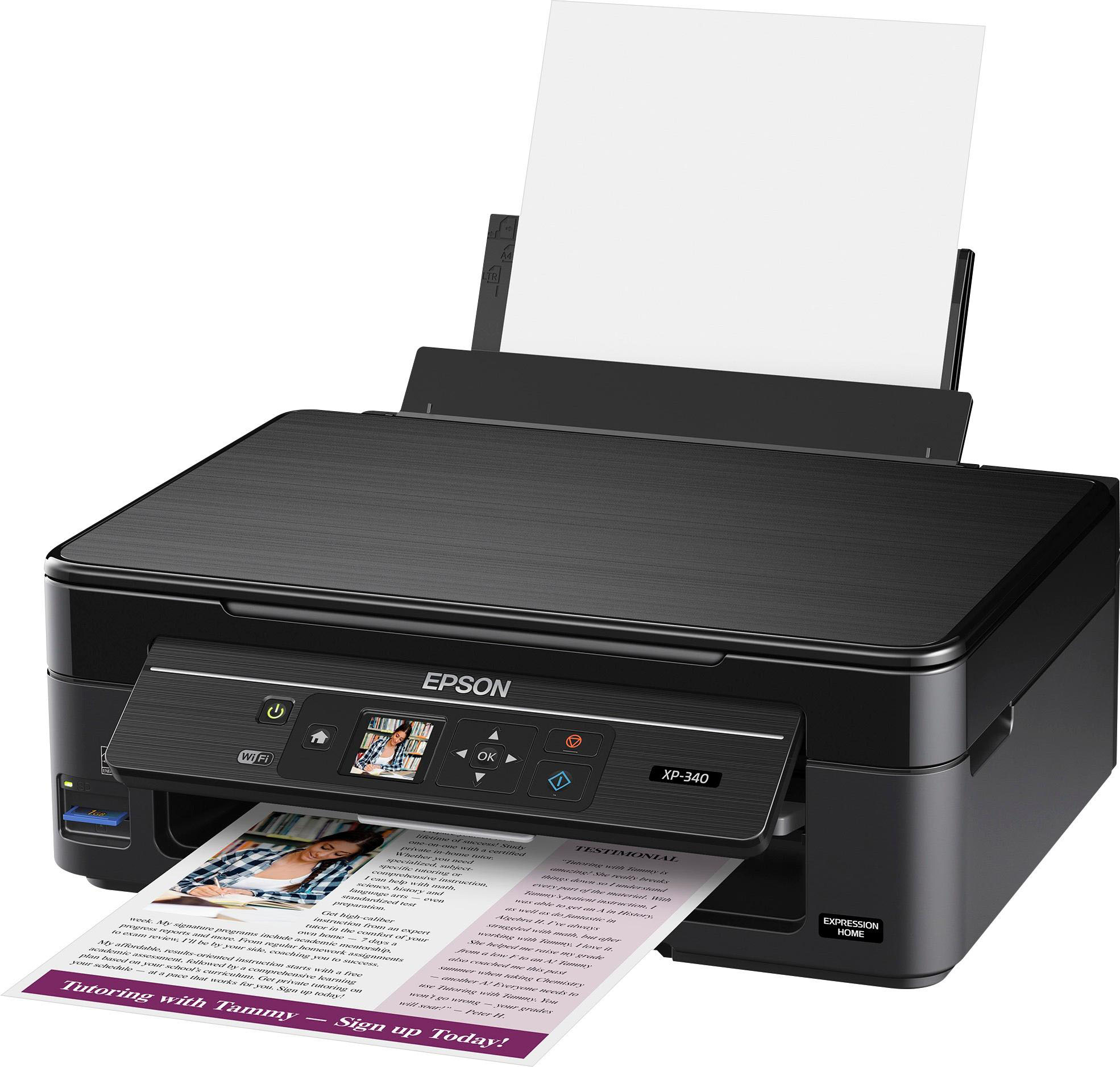
Posted .This reviewer received promo considerations or sweepstakes entry for writing a review.“This is a review for the Epson Expression Home XP-340 All-in-One Printer that I received free of charge to do a beta test and review.” Opening the box I found a securely packaged printer with all of the accessories (ink, power cable and docs), removing everything carefully took no time at all. After removing all of the protective tape, installing the ink and paper, I applied power to the printer and manually setup the wifi connection. Initial setup is quick and easy, the printer steps you through the process. Entering in the wifi password was a flashback for me as it reminded me of how texting on a cell phone used to be before everyone had qwerty keyboards. After the printer was setup on the network, I installed the software and drivers. The installation of software was easy and quick, totally wizard driven to help install print drivers and setup the fax. Using the CD to install the software, the loader even checks for an updated version which it will download and use versus using the older version on the CD. An additional perk is that it will also check for the latest firmware and apply if needed. Print quality is excellent and fast. I printed three 50 page documents that consisted of both B/W and color pages. The printer whipped through them with no issues, there was a slight delay on the pages that had color graphs but the delays is due to the print spooler feeding the information to the printer. If there was more on-board memory on this printer, that would help cut down the spooling time. Having two children at home in middle school and they print a lot of documents for reports and internet articles. Most print jobs consisted of a mixture of black and white and color. This printer would have no problem keeping up as long as the ink cartridges lasted. At the time of writing this review, I have about 300 pages through the printer without any major issues. The software comes with some nice perks like being able to print over the internet and from your phone. I scanned a few B/W documents, scanner was a little slower to initialize but the scan went smoothly, document feeder helps speed things up during multiple scans. Scanning color pictures worked well too! Faxing from the unit is nothing special or new, it's a fax and it works. The couple of gripes I have with this printer is how the paper tray loads paper. The tray has paper size guides and it works well. I wish it had an actual tray versus a slot on top of the printer. I noticed when you place a small amount of paper in, it has the tendency to want to flop forward. My other gripe is the small color LCD screen. Its great to see the color screen but seriously this screen is less than 2" and its somewhat hard to see. When i was setting up the wifi, I had to get close to see the tiny letters when I was entering the wifi password. I've got 20/20 vision so this could be a problem for those who have vision problems. Lastly, this gripe isn't earth shattering, its more of a design grip. I wish they would have put an automatic feeder on this unit for the flatbed scanner. All in all, I believe this is definitely a solid printer for home use!
I would recommend this to a friend- Pros mentioned:Print quality
Rated 4 out of 5 stars
Fast and Convenient Printer
Posted .This reviewer received promo considerations or sweepstakes entry for writing a review.This is a review for Epson Expressions Home XP-340 All in One Printer that I received free of charge to do a beta test and review. This printer came in a well packaged box and arrived in perfect condition. Set up was fairly easy and printer has many capabilities. The instructions were not as helpful as they could of been on the extended capabilities. I continue to discover these as needed. The speed, color and quality have been great for a small printer. It prints much quieter and faster than my previous printer. I am not crazy about feeding the paper through the slot in the back, I prefer an actual tray, but this is just a personal preference. Overall this printer is a perfect fit for our family ad has met all of our printing needs.
I would recommend this to a friend Rated 4 out of 5 stars
Epson XP-340 for Home Office and Small Business
Posted .This reviewer received promo considerations or sweepstakes entry for writing a review.This is a review for the Epson Expression Home XP-340 All-in-One Printer that I received free of charge to do a beta test and review. This review is free of bias and offers my honest opinion of the product in the state it was received. The Epson XP-340 seems to be a capable all-in-one for home and potentially small business use cases. In the week that I have had it, I have printed a variety of documents, images, photos, and other items on varying weights and finishes of paper and transfer sheet material. Print quality was as expected for the price point of this printer, with high quality document and image printing, but photo quality was not measurably better or worse than any other inkjet I have owned. Photos tend to look a bit “washed-out” when printed, which is likely a result of the difference between a mobile display and a photo with no post processing. The device shines in the additional functionalities, with high speed scanning, the ability to email items directly to the printer, and app functionality for mobile integration. It is also exceptionally quiet in operation, and the onboard SD card reader is handy to quickly move photos from a digital camera to printing. The printer has a few opportunities. These include the lack of an included USB cord, requiring a wireless connection. This also necessitates setup to be completed on the onboard screen, which can be a pain when using very complex WiFi passwords. A USB cable is cheap enough to include at this price point. Secondly, print speed is very slow in comparison to a basic color laser printer, with no significant difference in quality or cost per print. The HP N1525 printer I compared with was about twice the initial investment cost, but toner will print 5000 pages for not much more than the cost of replacing all 4 of the inkwells on the Epson. BUT, the HP lacks the additional functionalities of the Epson such as scanning, direct image input via SD card, or the mobile application. Additionally, having to use the mobile application to print, as opposed to the printer simply being AirPrint capable for iOS added complexity and opens privacy questions. Overall, this is a great little unit for someone looking to enhance a home office or small business with multiple functions at under $100. If you need those items, go with this. If you need higher speed printing and higher volume, lay down the additional cash up front for a basic color laser.
I would recommend this to a friend- Pros mentioned:Print quality
Rated 5 out of 5 stars
Geat printer overall for home use
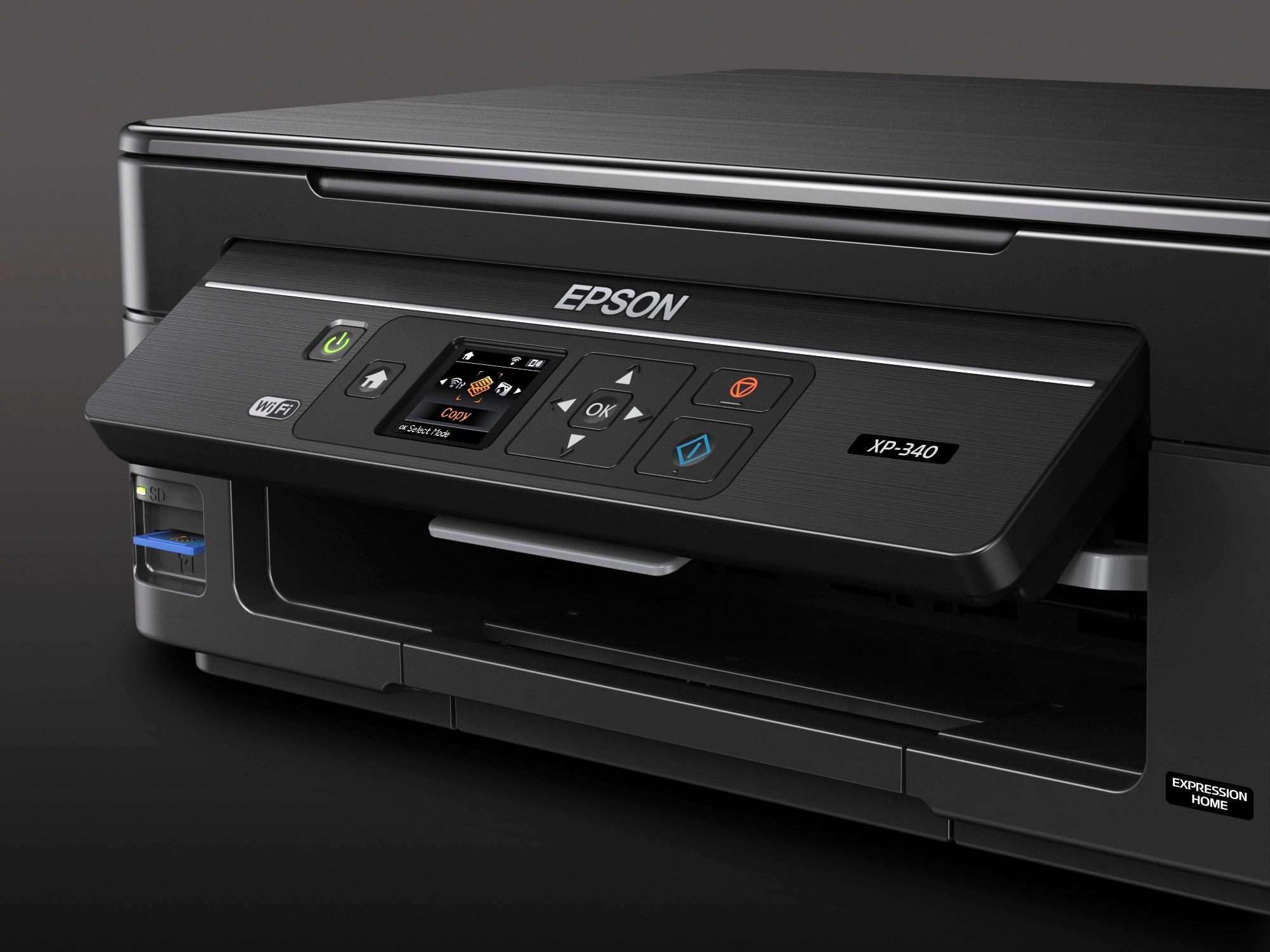
Posted .This reviewer received promo considerations or sweepstakes entry for writing a review.“This is a review for the Epson Expression Home XP-340 All-in-One Printer that I received free of charge to do a beta test and review.” First off, the box.....The Description listed was exactly as advertised. The box is somewhat big, but I was glad to know the printer was safely inside with Styrofoam protecting it. After removing all the tape, I was able to get a full glance and realized its a really good quality for its price. The installation was super quick....actually one of the easiest printer installs I have done. Plugged in the power, installed the ink cartridges, and done. Going thru the setup to connect to WIFI is very guided, so you can't go wrong. It was able to connect on first try. I did a quick test printing with my phone and the lag time to print was very minimal. The scanner does have a bit more lag as it loads and warms up the scanner, but a great quality image scanned or copied. Great printer overall with scanning and printing at home. The control panel on printer popped up at a angle for easy viewing. Happy Printing Everyone!!!
I would recommend this to a friend Rated 5 out of 5 stars
Great Home Printer
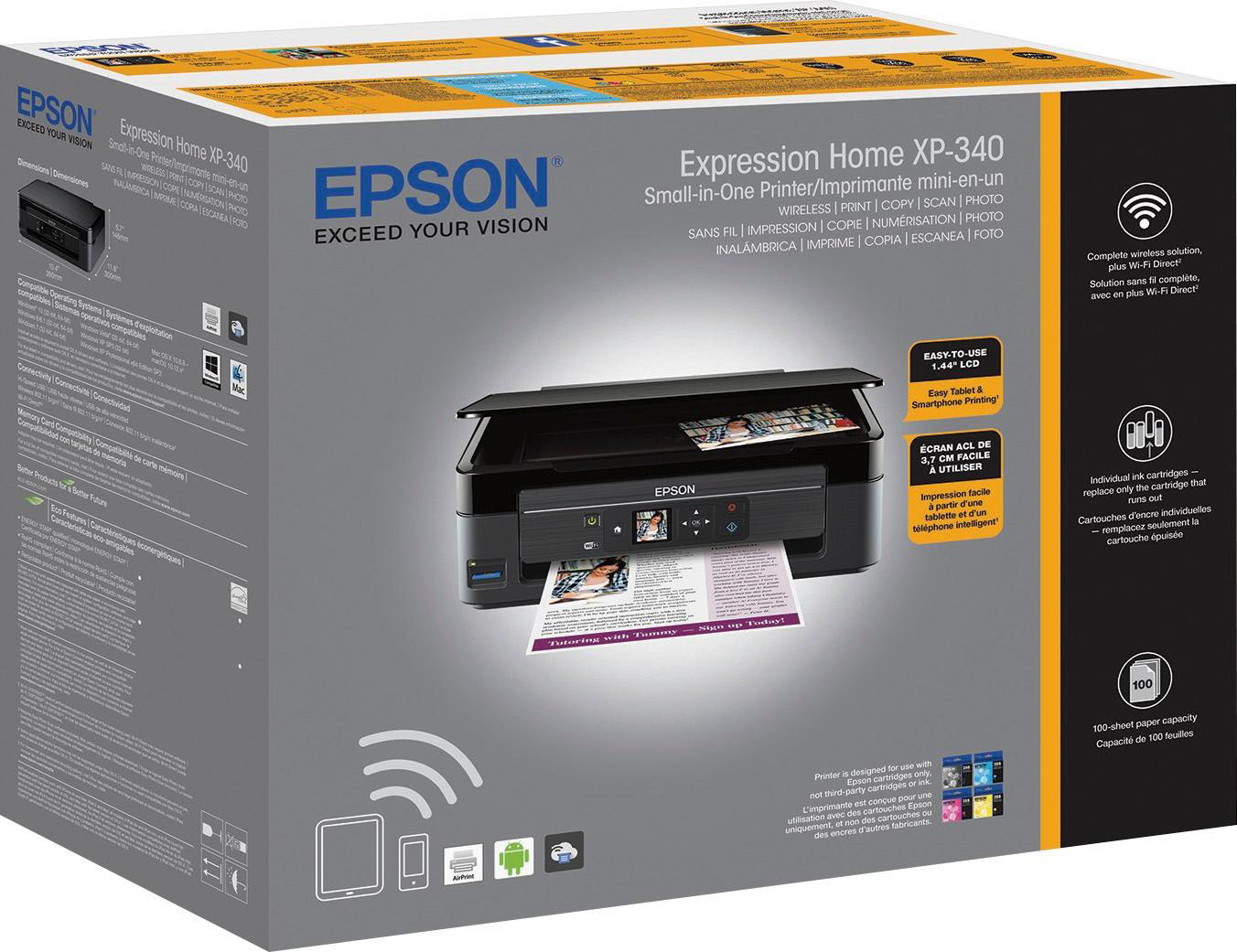
Posted .This reviewer received promo considerations or sweepstakes entry for writing a review.This is a review for the Epson Expression Home XP-340 All-in-One Printer that I received free of charge to do a beta test and review. The printer is shipped a small box that is only slightly larger than the printer itself. The printer comes with everything you need to get started and I was pleasantly surprised to see that it also came with sample of paper. The quick start guide was easy to follow and the printer was quickly unwrapped and installed. The protective tape was easy to remove and I like the black finish of the printer. The connection to the Wi-Fi network was easy to follow on the small display. If you do not have a Wi-Fi network you do need to purchase a USB cable separately. I like that the printer has a straight pass through the printer, I like this when printer on stiff paper or labels as they don’t jam as often. Connecting to the printer from my PC was easy and very useful that the wizards checks online for newer firmware and drivers at the time of install. The printer provides excellent prints for both documents and photos and I’m very happy with the speed of the printer. The scanner works great and I could use it to deposit a couple of checks to my bank account after I had scanned them. If I had to scan many documents I would miss an automatic sheet feeder. I love that I can print directly from my phone, something that I couldn’t do from my old printer. This is a great small all-in-one printer that fits everywhere but still performs great.
I would recommend this to a friend- Pros mentioned:Print quality
Rated 5 out of 5 stars
My Epson Home XP-340 All-in-One Printer Review
Posted .This reviewer received promo considerations or sweepstakes entry for writing a review.This is a review for the Epson Expression Home XP-340 All-in-One Printer that I received free of charge to do a beta test and review. The setup was extremely easy with a USB cable (not included) was able to successfully get the whole printer configured in about 15 minutes from opening box to begining printing the very first page The wireless setup is a bit finicky from the unit itself i would highly recommend getting it setup via computer. Print Quality is terrific do highly recommend acquiring extra black ink as the one supplied in package is limited amount. I love this printer and photo quality printing is just terrific for the affordable price the printer is set for
I would recommend this to a friend Rated 4 out of 5 stars
Solid Budget AIO Offering
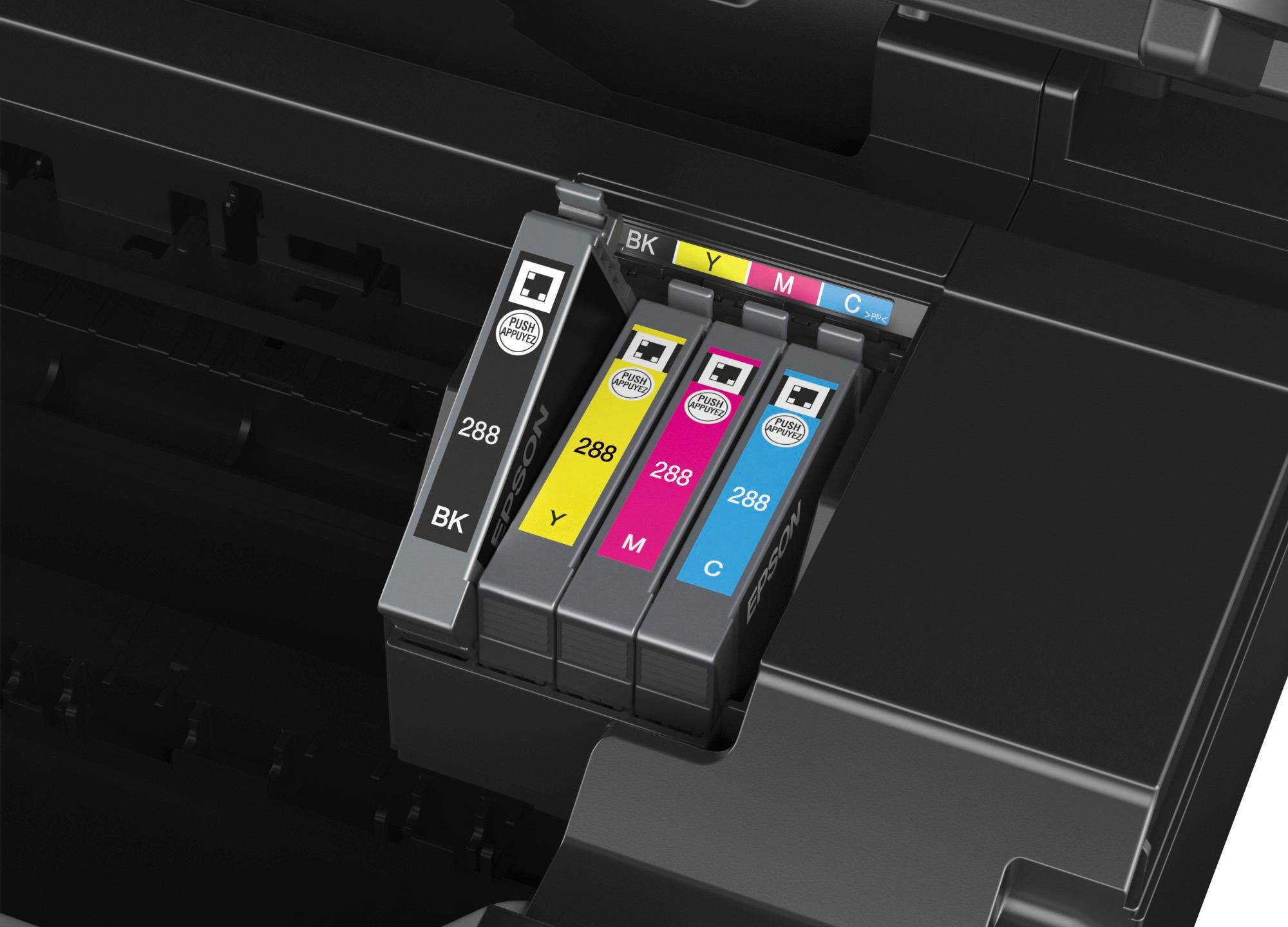
Posted .This reviewer received promo considerations or sweepstakes entry for writing a review.I received this product and was impressed with the quality of the materials immediately. This did not have the same flimsy feeling construction of my similarly priced Kodak printer. Setup was fairly easy, though the "Easy Navigation on the 1.44" color LCD" left something to be desired, especially when it came time to enter the password for my network. I was greeted with a pre-T9 style "rolling keyboard". You know the kind, where you go backwards from A to get to U because it is much faster.... Setup to my Win 10 laptop could have been more seamless as well. I first tried to connect just through Windows...which half-worked. I got it connected, but nothing would print. My laptop has no CD drive, so I could not avail myself of the included driver/software CD,so online I went. 15 minutes later (after installing their software), I am up and running with no issues. One irk I had was with the setup of their cloud printing service. The passwords you are allowed are basically alphanumeric. This is dark ages level security guys, come on this is 2017, and you are a global company, don't you really think you should have UTF-8 at least by now? Print quality is very good, even on the default settings. I have not adjusted anything, and I would have a hard time distinguishing between docs from this printer and a Color laser printer. The printer is amazingly quiet for an inkjet and I like the fact that you have a cartridge for the four main colors in printing, CMYK. This is a review for the Epson Expression Home XP-340 All-in-One Printer that I received free of charge to do a beta test and review.
I would recommend this to a friend- Pros mentioned:Print quality
Rated 4 out of 5 stars
Great printer for fast jobs
Posted .This reviewer received promo considerations or sweepstakes entry for writing a review.This is a review for the Epson Expression Home XP-340 All-in-One Printer that I received free of charge to do a beta test and review. When I took it out of the box I was able to install it in 5 minutes. It prints fast and the wireless print option is the best. It probably the best printer I've owned and it was for free.
I would recommend this to a friend Rated 5 out of 5 stars
Epson XP-340 - Excellent All-in-One
Posted .This reviewer received promo considerations or sweepstakes entry for writing a review.I have used a few large format Epson photo quality printers over the years and have loved each one. This little "All-in-One" printer is perfect as a desktop tool for a family, college student or small business. I like its features and outputs. The quality is typical Epson, high quality. The wireless print feature is so convenient. I can be watching TV after dinner and print an emailed field trip permission slip to the printer for my my kid to grab to get my signature without missing a pitch. Setup was simple, the footprint is minimalistic with a function set that meets the needs. The pricing on this device is awesome for what you get. This is a honest review for the Epson Expression Home XP-340 All-in-One Printer that I received free of charge to do a beta test and review
I would recommend this to a friendRated 5 out of 5 stars
A very nice and easy to use printer for the price.
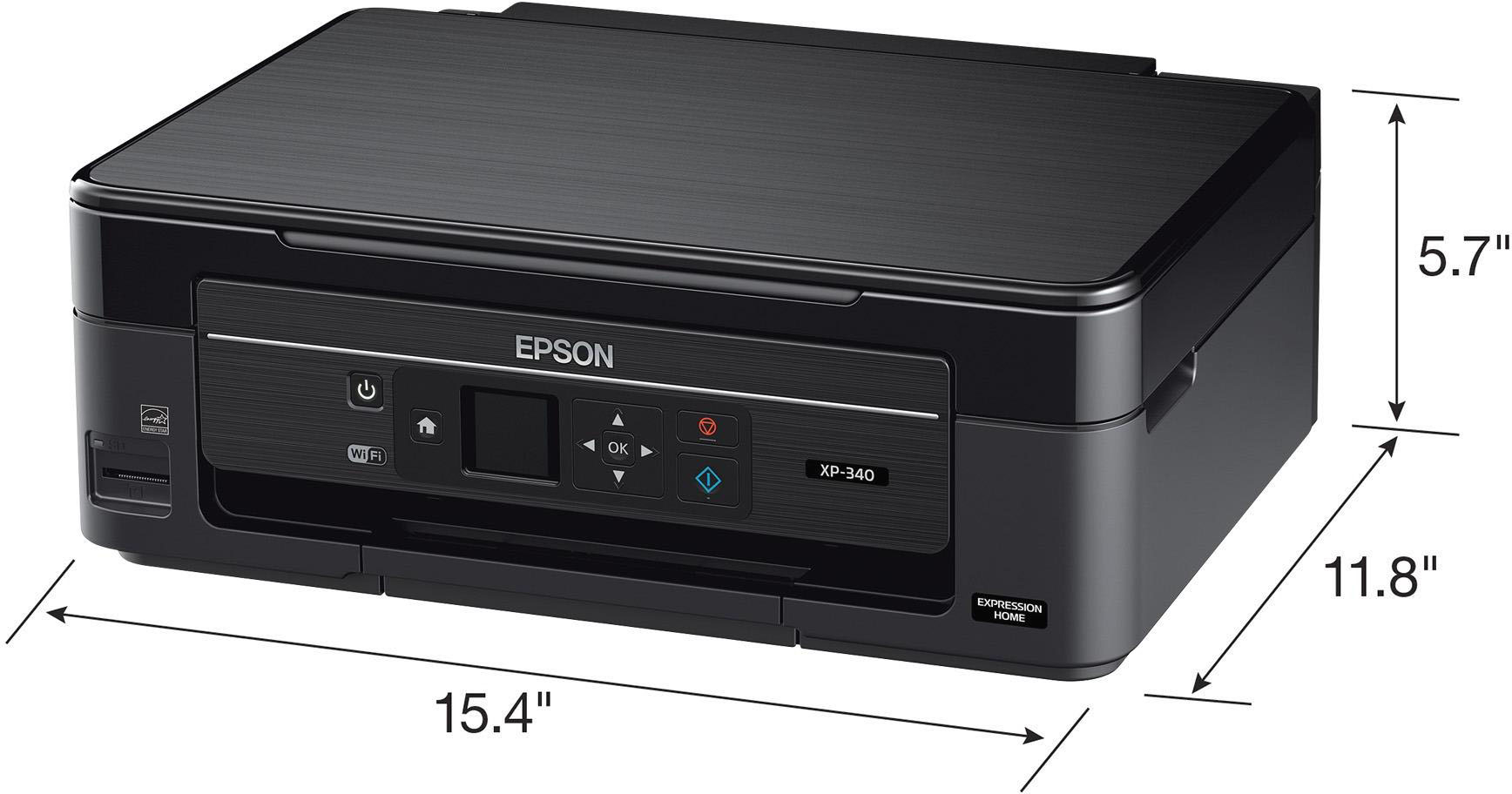
Posted .This reviewer received promo considerations or sweepstakes entry for writing a review.The Epson XP-340 does a very nice and easy job at a price that doesn't break the budget. Setup was easy and quick. The unit is quite small and will fit with ease on a desk or table top. The XP-340 can be has WIFI and USB connectivity. WIFI allows for printing from a phone or tablet. My only complaint would be about the size of the LCD screen, as it is a bit small. Scanning and printing work just as good or better than my old printer and it seems to be quieter.
I would recommend this to a friendRated 5 out of 5 stars
Great bargain printer
Posted .This reviewer received promo considerations or sweepstakes entry for writing a review.This is a review for the Epson Expression Home XP-340 All-in-One Printer that I received free of charge to do a beta test and review. have enjoyed using this printer so far, it was easy to set up and the printing quality is great, I also love how well the pictures that I printed came out. It's a great printer and it's easy to use, even if I hadn't received it free, I would've gladly paid for it.
I would recommend this to a friendRated 1 out of 5 stars
Such a headache
Posted .This reviewer received promo considerations or sweepstakes entry for writing a review.thought this would be a great inexpensive purchase for occasional printing but it is literally the worst thing I have ever spent money on. every time I use it I need to do a nozzle cleaning 3 or 4 times to avoid having patchy pages and it absolutely guzzles ink. The amount of paper and ink (and time) that I have had to waste on doing maintenance checks and nozzle cleaning is superbly frustrating. cant resell it, it is actual garbage. you should avoid.
No, I would not recommend this to a friend- Pros mentioned:Print quality
Rated 1 out of 5 stars
I hate color printers
Posted .This reviewer received promo considerations or sweepstakes entry for writing a review.Prints very well....when everything is PERFECT. But, if you're out of yellow ink there is NOW way to print a letter in black. Why someone doesn't make just a black ink jet printer I don't understand. Yes I do. It's because they make a ton selling ink. I never print in color unless I just can't help it. Where the ink goes I don't know. I guess it just dries up.
No, I would not recommend this to a friend Rated 5 out of 5 stars
Excellent printer
Posted .This reviewer received promo considerations or sweepstakes entry for writing a review.Great printer. WiFi and phone connect ability. Print photos and so much more.
I would recommend this to a friend
People also viewed
- $129.89Your price for this item is $129.89$179.89The comparable value for this item is $179.89
- $79.00Your price for this item is $79.00$140.00The comparable value for this item is $140.00
- $99.99Your price for this item is $99.99
- $189.89Your price for this item is $189.89$259.89The comparable value for this item is $259.89
- $239.99Your price for this item is $239.99
- $69.00Your price for this item is $69.00$107.00The comparable value for this item is $107.00
- $49.89Your price for this item is $49.89$89.89The comparable value for this item is $89.89
- $99.89Your price for this item is $99.89$159.89The comparable value for this item is $159.89
- $79.89Your price for this item is $79.89$149.89The comparable value for this item is $149.89
- $59.00Your price for this item is $59.00$107.00The comparable value for this item is $107.00
- $86.99Your price for this item is $86.99
- $269.89Your price for this item is $269.89$369.89The comparable value for this item is $369.89
- $149.00Your price for this item is $149.00$215.00The comparable value for this item is $215.00
- $749.99Your price for this item is $749.99
- $499.99Your price for this item is $499.99
- $159.00Your price for this item is $159.00$248.00The comparable value for this item is $248.00
















