Customer Ratings & Reviews
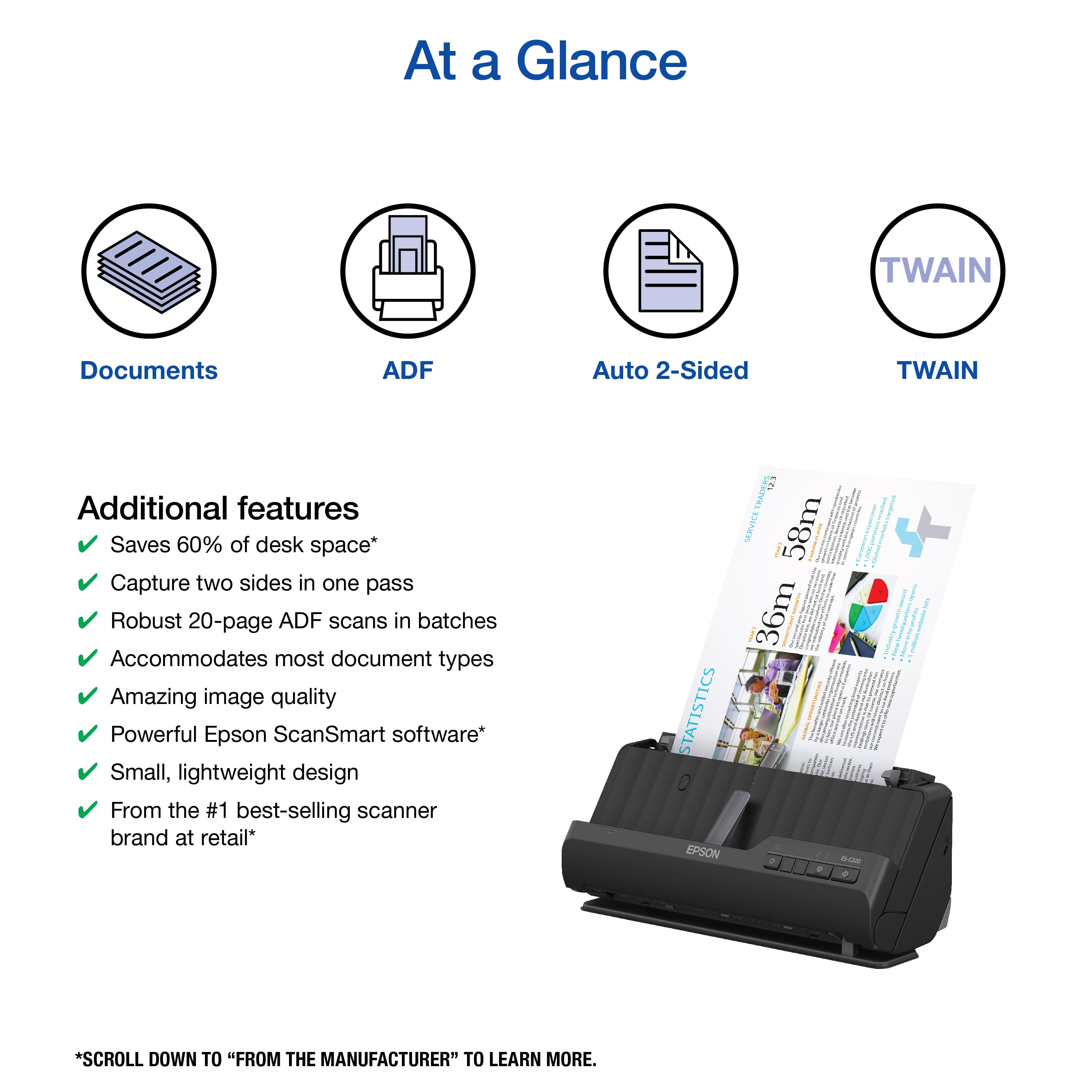
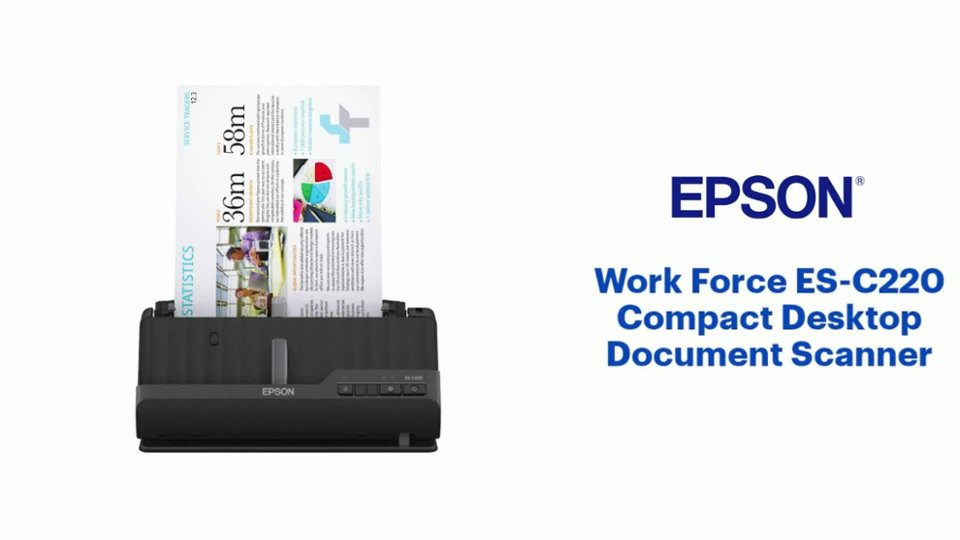
![The text on the image reads:
"12.3 TRADERS SERVICE STATISTICS YEAR 58m AMAJOR PLAYER - GROWTH YEARS 36m MONIFICANT spectnnal I rin neaa I i SEsUBAy courires T Feeurh nermi.om nurt S Europeon Tu growthe poripatiom I rny - E UBE I nroans m ordory underline proe I 1 I 5 figunes -M 1 efforta CoR mi ouneives. 1 - 1 pan EN redoubled voldity 6 ontend Congaia cgrodo $ E exponsion reached torgeted partners markets European 1,000 Global - award sopens hits Y growth profits website 7 into Endustr New Move milion I . - offured matues uoadonn ehops i IA .fram security forign ] moving Australion pairanl 3 dtroct & ocolportnen kocal aunsodlca added S brock 1 2 3 Courte 8 I esmark.ing p d Jna GLOBALOPPORTUNITIES I w Pesia d Or noten 3 - fussnad Infactour 2P ! Bethand rgrecentdle findingssoom ona -xpet GLOBAL . RO-AM i We i sauocue Our smo hotiom deliened e-seiom au iniee I I 1 I Enb S I ES-C220 EPSON"
The text is about statistics and growth in the trading service industry. It highlights the importance of targeted partners, markets, and the expansion of the company's reach. The text also mentions the company's recent findings and achievements, such as winning awards and reaching milestones in their growth.](https://pisces.bbystatic.com/image2/BestBuy_US/images/products/0b2b88ab-a3d2-4676-9b7a-0ccb5584239b.jpg)
- Model:
- B11B272202
- SKU:
- 6559142
Rating by feature
- Value
Rating 4.5 out of 5 stars
- Quality
Rating 4.4 out of 5 stars
- Ease of Use
Rating 4.5 out of 5 stars
Customers are saying
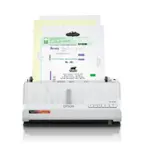
Customers enjoy the WorkForce ES-C220 Compact Desktop Document Scanner for its fast scanning speed and ease of use. The compact size is appreciated, making it suitable for small spaces, and users are generally happy with the image quality. The software is also well-regarded, though some customers have noted the absence of WiFi capabilities.
This summary was generated by AI based on customer reviews.
- Pros mentioned:Ease of use
Compact and Easy
||Posted . Owned for 1 month when reviewed.This reviewer received promo considerations or sweepstakes entry for writing a review.Easy to use. Lightweight with lots of on-line information
I would recommend this to a friend - Pros mentioned:Size
Automatic feeder scanner
||Posted . Owned for 3 weeks when reviewed.This reviewer received promo considerations or sweepstakes entry for writing a review.A really nice scanner to have very handy great size
I would recommend this to a friend Juice
||Posted . Owned for 3 weeks when reviewed.This reviewer received promo considerations or sweepstakes entry for writing a review.Exactly what I was looking for. Thanks to customer support, answering all my questions.
I would recommend this to a friend- Pros mentioned:Ease of use, Image quality, Scanning speed

Super Fast, Super Easy, Super Quality!
|Posted .This reviewer received promo considerations or sweepstakes entry for writing a review.The very first thing I noticed about the Epson WorkForce ES-C220 Compact Document Scanner was, well, just how very compact it really is. My first thought was that there was no way something that occupied such a limited footprint could be so functional. But my thinking was wrong. But first things first. Unpacking the Epson scanner was relatively easy and simple. I have to admit there is a lot of plastic and tape. A little too much in my opinion. After getting everything unpacked, I glanced through the Quick Start Guide. The setup appeared to also be quite easy and simple, and indeed it was...connecting the power supply, downloading the software, and then it was ready for scanning. Although the software phase of the setup was simple and easy, it is also a bit time-consuming. I don't know if there were issues with the internet connection or what, but between the software download, installation and the firmware update, it took right at ten minutes. One of the first things Epson does after all the software has been installed is to walk you through a verification process to ensure the scanner is working properly. I, for one, truly appreciated this step. I scanned a basic text document and was extremely impressed at how accurate the scan was. There was not a single mis-scanned character. When prompter to save, I chose to save it as a PDF file. There are several other Save options including "Searchable PDF," "JPEG," and "TIFF," to name a few. After scanning a simple document, I scanned a photo and saved it as a JPEG file. I was actually impressed by just how good the scanned photo looked after I saved it and then opened it up. It was every bit as good as the original. I continued my scanning test using various documents, photos and receipts. There is a trial version of a receipt scanner program that is good for 30 days. It seems to be quite good, and does just about anything you would want to do as far as tracking receipts goes. There is a rather hefty $99.00 license fee if you decide you want to continue using the software after the 30-day trial. One of the greatest selling points of the Epson WorkForce ES-C220 Scanner is the fact that with one pass you can scan both sides of a document. Talk about a time-saver! It takes no longer to scan two sides as it does one, and both modes are super fast...and I do mean super fast. This is true whether you are scanning text or images. I am completely sold on the ES-C220. It's super fast scanning speed, it ultra small footprint, it's ease of use, combined with Epson quality...this is the perfect scanner for home or even a small office. I highly recommend you give this scanner some very serious consideration when it comes to purchasing your next scanner!
I would recommend this to a friend Scanner
||Posted . Owned for 1 month when reviewed.This reviewer received promo considerations or sweepstakes entry for writing a review.This works fine. The only issue is it is not wi-fi and you have to plug it into your computer. The person at Best Buy told me wrong. Overall good little scanner for the money.
I would recommend this to a friendScanning
||Posted . Owned for 3 weeks when reviewed.This reviewer received promo considerations or sweepstakes entry for writing a review.Does a good job in scanning the stated amount of documents at the same time.
I would recommend this to a friendScanner good.
||Posted . Owned for 1 month when reviewed.This reviewer received promo considerations or sweepstakes entry for writing a review.Good little scanner. My scanner on printer isn’t working so this is a good fix.
I would recommend this to a friendGreat Scanner
||Posted . Owned for 1 month when reviewed.This reviewer received promo considerations or sweepstakes entry for writing a review.Great scanner for everything from credit card to legal documents
I would recommend this to a friendCANT LOSE ON BUY!!!
||Posted . Owned for 1 month when reviewed.This reviewer received promo considerations or sweepstakes entry for writing a review.really good value and works excellent if you was looking for great this is IT!
I would recommend this to a friendVery Satisfied
||Posted . Owned for 1 month when reviewed.This reviewer received promo considerations or sweepstakes entry for writing a review.Bought this for work and it works well, no issues.
I would recommend this to a friendWorks great
||Posted . Owned for 1 month when reviewed.This reviewer received promo considerations or sweepstakes entry for writing a review.Best scanner I have ever had. Huge upgrade from my old scanner
I would recommend this to a friendScanner Review
||Posted .This reviewer received promo considerations or sweepstakes entry for writing a review.its an ok machine. shipping was a nightmare. I was supposed to get it the next day and it took almost 2 weeks for it to show
I would recommend this to a friend- Pros mentioned:Ease of use, Image quality, Scanning speed
My new go to scanner. Fast and very dependable
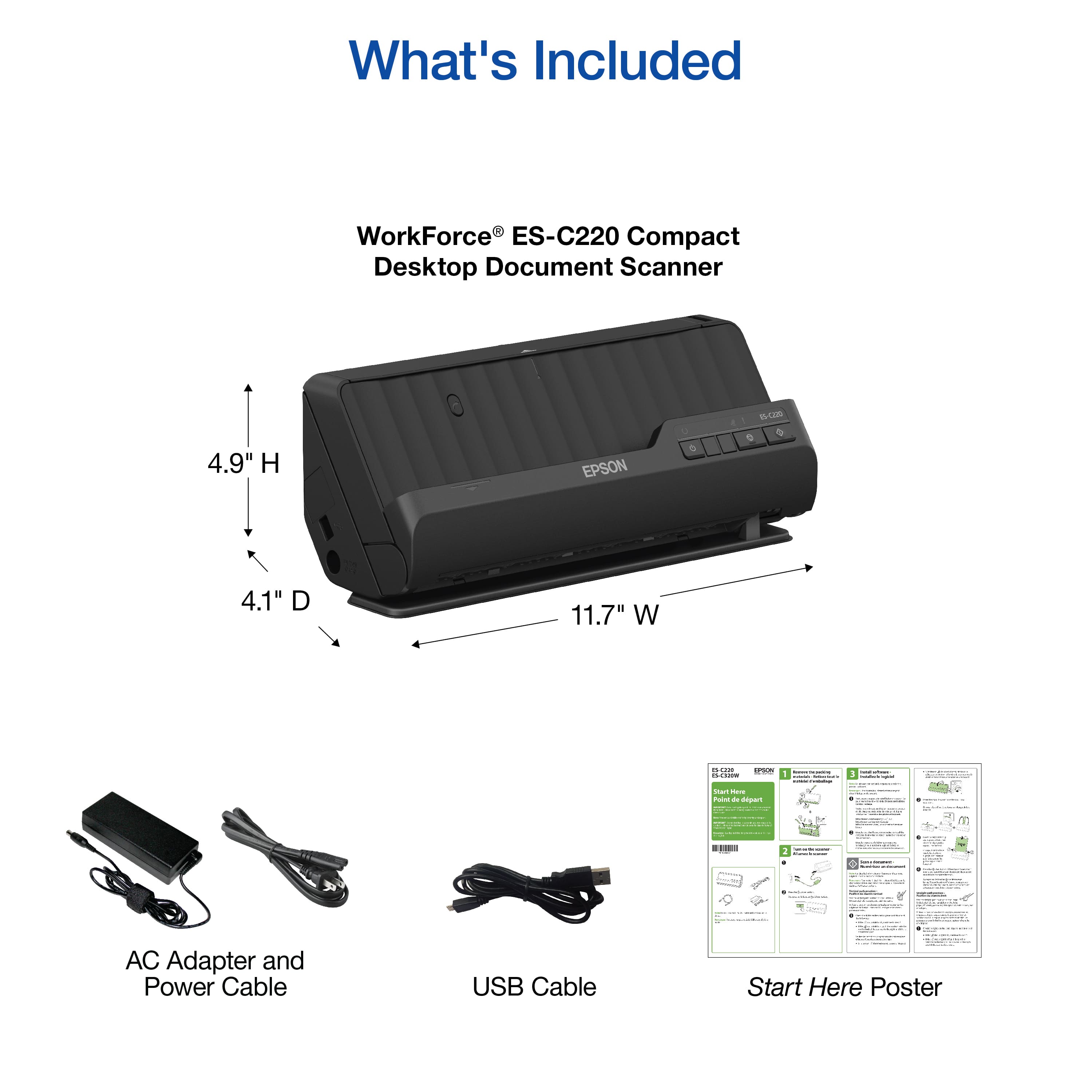
|Posted .This reviewer received promo considerations or sweepstakes entry for writing a review.This scanner is very fast and compact which is one of the main reasons I like it. It takes up minimal space on my office desk and gets the job done using either the Epson scanning software or even the native Windows Scanner software for the quick jobs. Add in the ability to control the scanner from a phone app and the scanner gains even more utility to scan even more media like the ability to scan business cards, ID Cards, and index cards. I find that owning a scanner is a really a nice way to catalog your receipts and photos and adding the additional scannable media just opens up the scanner’s possibilities. This scanner has a respectable 600 DPI and there is even a feature that will attempt to correct images that are unclear or unreadable. It and it I s very easy to setup and get going and unlike some printers, this includes all the cables you need to start scanning in about 10 to 15 minutes. Included are a USB cable and the AC adapter. Once you do the normal firmware updates that are waiting for you, you will be scanning in no time. Easily this is one of the best scanners I have used.
I would recommend this to a friend - Pros mentioned:Ease of use, Scanning speed
Small and Mighty
|Posted .This reviewer received promo considerations or sweepstakes entry for writing a review.BASICS This epson scanner is not the smallest I’ve seen but it’s definitely not the biggest either. I actually found if I sit it on my filing cabinet, it’s the perfect spot and works great for scanning papers before filing them away. It works really fast, front and back in one pass and has yet to jam up on me when using paper. (I had a few issues with ID’s and credit cards but eventually worked.) Overall, it’s a great little scanner that will speed up your archiving process greatly. THE GOOD Out of the box, there’s not much to do for setup, there’s tape everywhere, you have to be careful to open the scanner parts before removing the tape, but other than that, it’s pretty easy. When you plug it into your computer, you can download the drivers and software and updates and then it’s ready to go. The software is not anything groundbreaking, but for document scanning, it’s perfectly fine. You can adjust the DPI, the way it saves, how much post processing work it does, etc. I tried to scan some photos as well and although it was possible eventually to get a decent match in the scan, I did have to make a lot of adjustments and changes to the settings. This scanner doesn’t say it’s for photos, so that’s understandable why it doesn’t do a great job, but in a pinch, you can get decent results if you know what you’re doing. I was able to put a stack of papers, some font and back, some one sided, in the feeder and press start and over 20 pages were done in what felt like less than a minute. The pages that were single sided only showed the printed side and the double sided pages showed both sides (as separate pages.). With a quick change in the orientation you can run extra long pages, thick cards, passports, etc and the pages will go through straight and come out the bottom. In the upright position, the pages roll over in a U shape and pile neatly on the scanner. I found both orientations to work extremely well and the quality of the scans has been great. One thing the software doesn’t do that I wish it did, is you can’t save a collection of pages only. So say you scanned 20 pages and you want to save 10 of them as [file name A] and the other ten as [file name B], you would have to scan the 10 separately and save them, then scan the next 10 and so forth. So my plans of scanning a giant pile of papers and organizing them during saving won’t work so well. Not a deal breaker, but it is worth noting. You technically could save the batch as a PDF and then use windows software to “print” save as PDF and select the pages from there, but at that point, it’s probably more work. So far I am enjoying this scanner and it’s doing exactly what I need; scanning files and documents for digital archiving fast and efficiently. It sure beats using the flatbed scanner and scanning one side of one page every 15 seconds at best. THE BAD There’s not much bad to be said about this scanner, it’s doing most of what I want it to do…now. However at first I did have some issues. Luckily I was able to contact support and they very quickly helped me solve my problem. The issue was actually a false advertising on their support page that said you could use the IOS or Android app for this model. That is not true because this model does not have a network connection. To further complicate it, I was trying to use the scanner on a Chromebook with Chrome OS which is basically android but slightly different. The problem was, I didn’t know what was actually not working here. The Epson support site would tell me to download the app on my chromebook, (because obviously the windows or mac software wouldn’t work) but when I would open the app there was no way to add a scanner via USB connection. Now, I will say as a sidenote here, I feel like this could have been easily avoided by just making your one standard app used for network scanners to also be able to detect hardwired USB scanners, but Epson has so far chosen not to do that. When I contacted support about this issue and said that their page says the android app works with my scanner only to download the app and have the app say it doesn’t work with my scanner and to use a different app which ALSO doesn’t actually work, they quickly told me they removed that banner from their support page and made the proper adjustments to the support for this device. They also told me to use the built in “scan” app on the chromebook, which is what I use for my network printers already, however at the time it did not work plug n play like it should. However, I realized I didn’t have the firmware updated correctly and once I did that, it seems to be working fine now. So if you want to count that as a “con” issue, I guess you can, but I was happy to see support willing to help and get my scanner working as well as addressing the incorrect support page information that was originally provided. OVERALL I’m really happy with this scanner once I got a few unique bugs worked out. My only hesitation for others would be if you wanted to use your phone or even a chromebook type device to control the scanner, you may want to look at Epson’s network connected versions. Even though the chromebook built in utility can access the scanner, it lacks the controls and options that the Epson software has. But if you plan to place this permanently in your office with a Mac or PC, then you will be perfectly happy and can save a few dollars off the network version. With an extra long USB to USB C cable, you can pretty much put this anywhere. And the power cord provided is very long as well. I would recommend this to most people who are looking for something to scan documents fast and have digital copies of files they probably don’t need to keep around anymore but might still want. It’s great for scanning business cards, IDs, Vaccine cards, Passports, legal pages and so much more.
I would recommend this to a friend Stopped working after a few months
||Posted .This reviewer received promo considerations or sweepstakes entry for writing a review.The springs broke inside where you feed the paper.
No, I would not recommend this to a friendBrand response from Epson
Posted .Hi Skegee85, we apologize that you are having issues with your scanner. Your Epson WorkForce ES-C220 has a one-year warranty and includes free technical support for the life of your product. Our Epson Support Team would be happy to help and can be reached at (562) 276-4382; Hours: Monday – Friday, 7 a.m. to 4 p.m. (PT). Sincerely, Joseph – The Epson Team.

- Pros mentioned:Scanning speed, Size, Software
Compact scanner
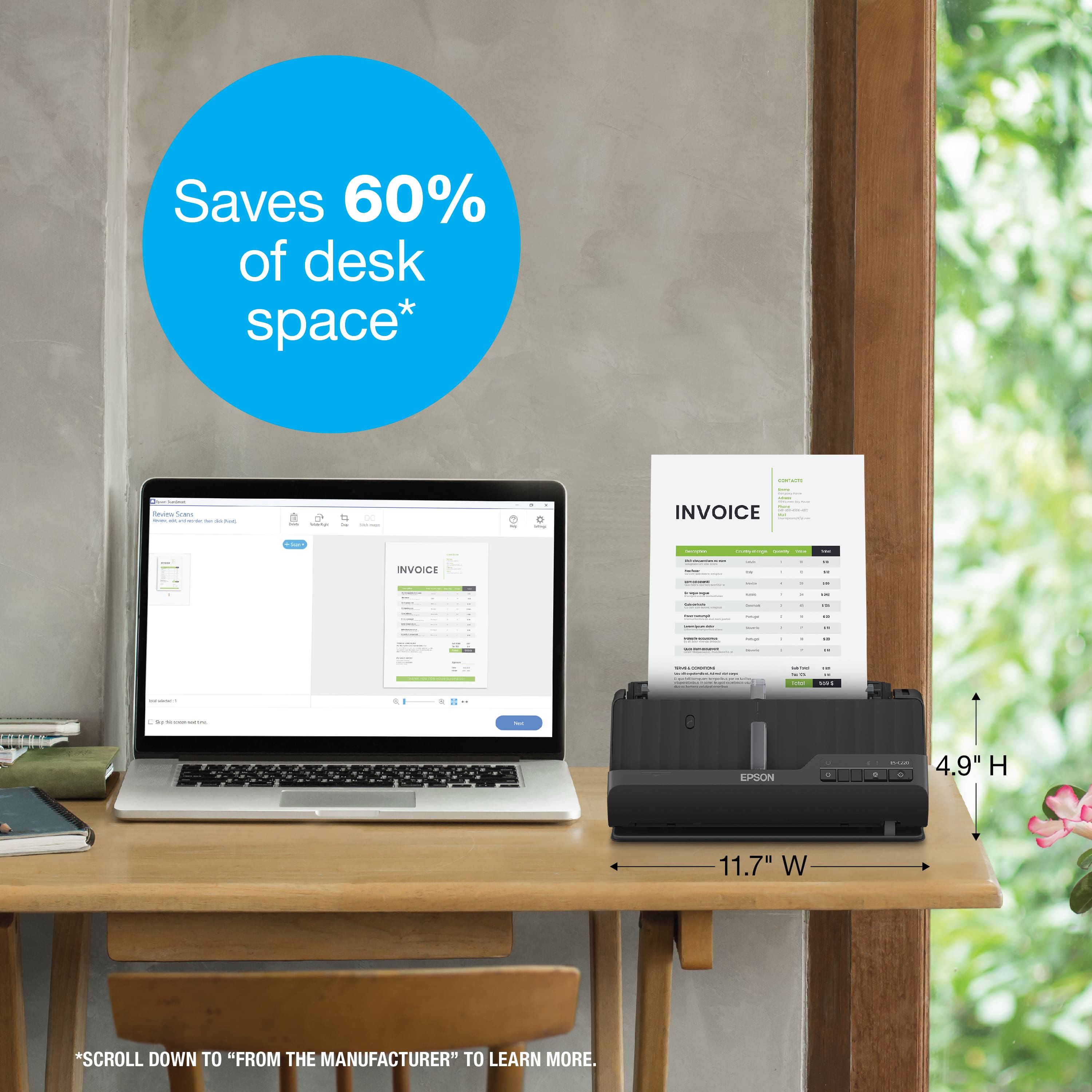
|Posted .This reviewer received promo considerations or sweepstakes entry for writing a review.Epson WorkForce ES-C220 When I opened the box and started to set things up, I was impressed by the fact that this scanner isn’t a desk hog. Because the scanned pages of this compact scanner use the vertical path, which means the scanned pages feed back over the scanner rather than straight out into a collection extension of the scanner, it requires a lot less desk space. For me, and I suspect many others, this savings of valuable desk real estate is a very desirable feature. After plugging in the scanner, you connect it to your computer via the provided USB-C cable. You’re then directed to Epson’s web site to download and install the controlling software. Once you’ve done that, you’re ready to run a test scan. Here’s where I ran into the only “hiccup” I experienced. After loading a page for the test scan to make sure everything was working properly, I was instructed to press the start button. That action was supposed to automatically start the Epson ScanSmart software, but it didn’t, so nothing happened. However, once I manually loaded the Epson ScanSmart software, everything worked fine. Despite its relatively small size, it can scan up to 30 pages per minute and can scan both sides of the page at the same time. And you can select an option to skip blank pages, which is a nice feature when you have some one-sided pages as well as some two-sided pages in the same stack to be scanned. While testing multiple stock-size items, I did find that while it will scan smaller things like business cards, it doesn’t like slick business card stock. The Epson ScanSmart software is a gem. It has advanced options which allow you to adjust or turn on/off various options, even including an option for removing punch holes and watermarks from the scanned pdf file. You can change the resolution of the scanned file but just be aware that the higher the resolution you choose, the slower the scan speed. It also automatically assigns a file name to each scan session, which you can change if desired. The automatically assigned filename includes the date and number of pages in the scanned pdf file. Now it’s time to put my new scanner to work, converting those crowded drawers full of my paper files into digital form.
- Pros mentioned:Image quality, Scanning speed, Software
A must have home office addition.
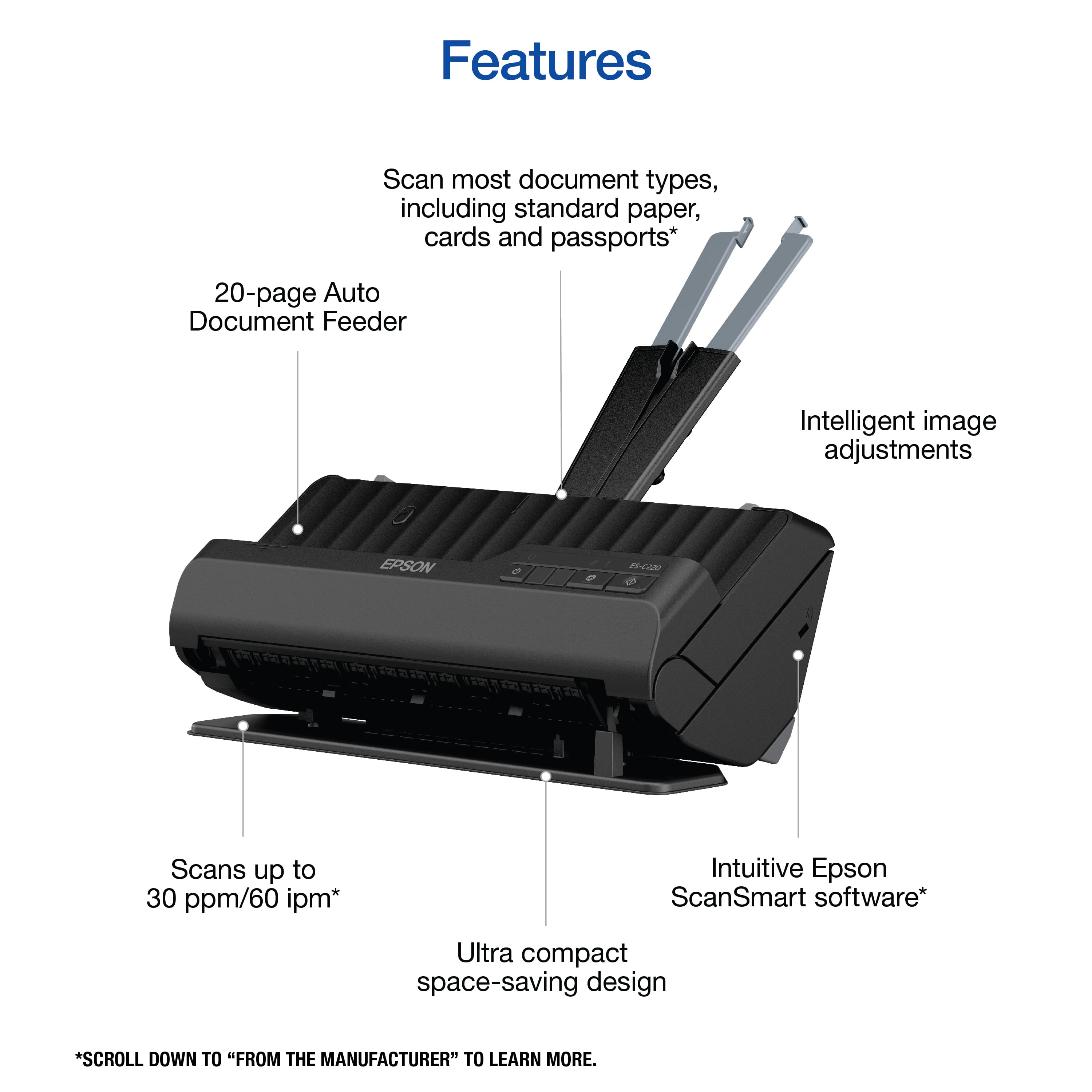
|Posted .This reviewer received promo considerations or sweepstakes entry for writing a review.In today's age of home-based working, maintaining a clean and organized workspace has never been more vital. The WorkForce ES-C220 seamlessly integrates into any home office set-up, promising to make piles of paperwork obsolete and thus significantly reducing clutter. I love how compact it is, which isn't just a visual treat but a practical solution, saving an impressive 60% of desk space. Notably, this compactness doesn’t compromise its functionality, it's the epitome of the adage "small but mighty." Functionality-wise, the ES-C220 is every modern office's dream. Its dual-side scanning at speeds of up to 30 ppm showcases its efficiency, while the 20-page Auto Document Feeder ensures that bulk scanning tasks aren’t a hassle. A feature that particularly stood out to me was its capability to handle documents of diverse sizes, ranging up to 8.5" x 120". This versatility ensures that no document, no matter its size, is left out of your digital records. Speaking of records, the Epson ScanSmart software is key in streamlining the post-scanning process with features like previews, emailing options, and direct uploads. The automatic file name suggestion was a lifesaver, aiding in maintaining an organized digital filing system without manually renaming each document. A nod must also be given to its intelligent image adjustments. Cropping, paper skew correction, and dirt detection guarantee that the scans aren't just digital replicas but enhanced versions of the physical documents. The 600dpi resolution ensures clarity, and the creation of searchable PDFs simplifies digital navigation, a crucial feature for those who deal with extensive documents. In conclusion, the WorkForce ES-C220 is more than just a scanner. It’s a holistic solution to document management in a home office setting. Coming from the #1 best-selling scanner brand it's a testament that bigger isn't always better. This modern marvel has seamlessly blended compactness and efficiency, making it an indispensable asset for professionals who value organization and quality.
I would recommend this to a friend Not working as should
||Posted . Owned for 5 months when reviewed.This reviewer received promo considerations or sweepstakes entry for writing a review.It’s putting lines on my documents also skipping parts of pages during scanning. Not worth a penny.
No, I would not recommend this to a friend- Pros mentioned:Ease of use, Scanning speed
Powerful Compact Scanner
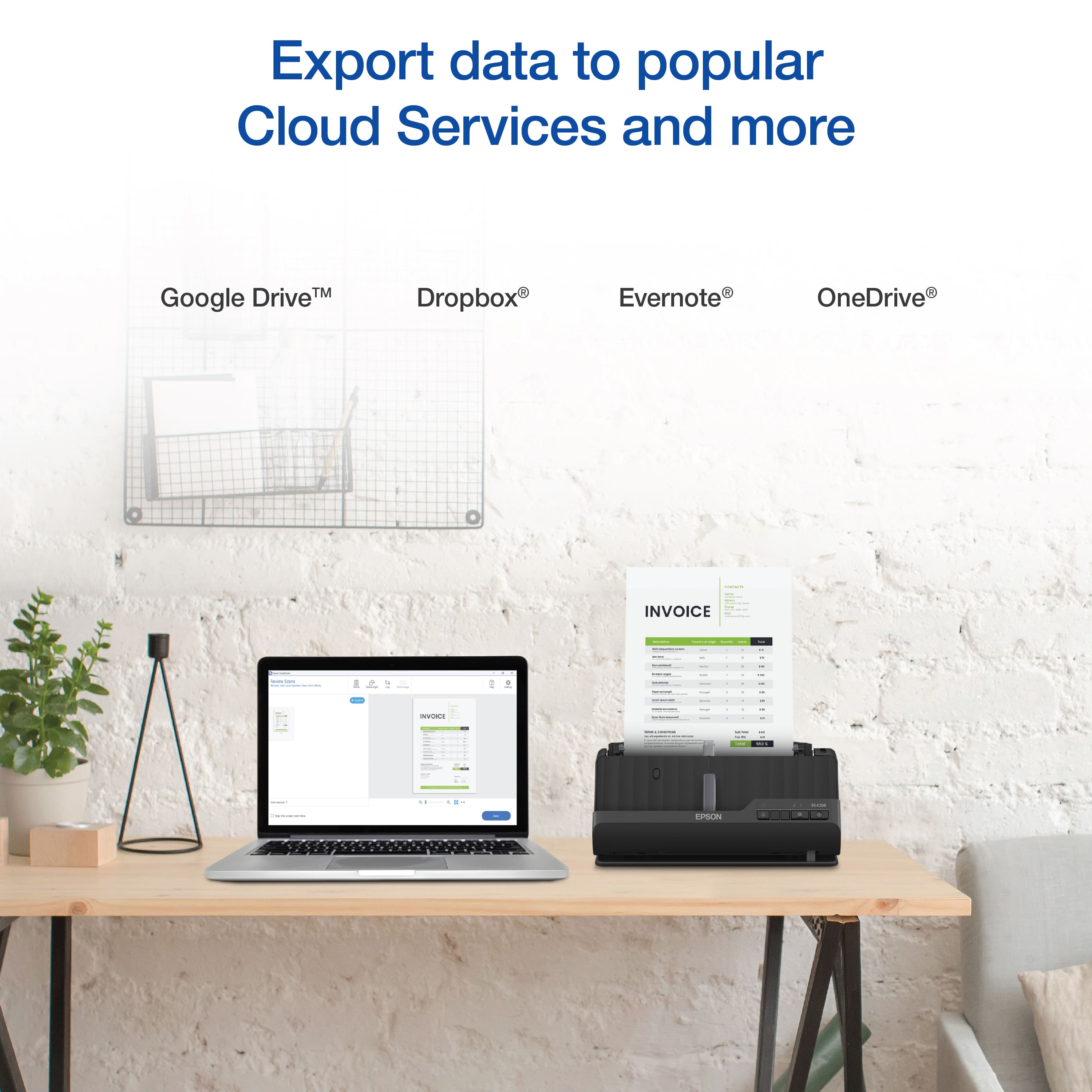
|Posted .This reviewer received promo considerations or sweepstakes entry for writing a review.The Epson Workforce ES C220 compact desktop Scanner that upholds the same Epson quality seen in all of their printer and scanners. The scanner features a truly compact design that will save you a lot of space on your desk setup. My previous flat bed scanner had to be kept under the desk because there was no way for me to keep it on the desk with my current home office setup. The auto document feeder allows you to place up to 20 pages on the document feeder and scan them all at once at a rate of 30 pages per minute and it also has the ability to scan double side documents with ease. One cool feature is that you can scan documents up to 120 inches long which was not possible with my current flatbed scanner. The initial set up was fast and east as all I really had to do was plug in the power supply then attach the included USB cable to my laptop. Once I downloaded the Epson Smartscan software to my computer your are easily able to unlock features such as uploading your document to a folder of your choice. The software also features OCR which simply means Optical character recognition. This allows the software to recognize text in your document which is nice because many times it will title the document to save. The software will also automatically recognize blank pages and automatically delete them. This is great because you no longer have to look through your stacks of bills and invoices for blank filler sheets. I also have made the habit of scanning all of my receipts or business cards into specific folders in my google drive so I have them accessible at all times Overall Epson has released another powerful scanner that is compact and portable and can do the job of many full size scanners with ease. The Epson Workforce ES C220 compact desktop scanner is a great scanner for all you home or office scanning needs
I would recommend this to a friend - Pros mentioned:Image quality, Scanning speed
Works perfect but unable to connect via Bluetooth
|Posted .This reviewer received promo considerations or sweepstakes entry for writing a review.I already have a printer with a scan option, but it literally takes me like a minute to scan a double-sided page. I wanted a scanner that could scan more quickly and make things easier for me as I work from home and sometimes need to scan documents to share with my team. After struggling for nearly 2 hours in trying to set this up wireless with my cellphone and then my laptop, I gave up and then connected using the USB cable to my desktop and it finally got installed and completed a firmware update. If you have the latest MacOS Sonoma, this won’t work (I tried!). I believe they are working on an update. Also, the iOS 17, I was not successful in connecting this via Bluetooth. All of that said, once I got the scanner to work and start scanning documents, I was surprised at how quick it was scanning them and it did not need to go back and forth to scan a double-sided page, it did it all in one pass. I loved that! The image quality looks great, and the default saving option is PDF which is perfect for my needs. I wouldn’t say the software if powerful, especially during my challenges in set up, but it gets the job done once you get things figured out. I felt like the manual was outdated because I followed it, but never was able to connect this via Bluetooth out of the box, it had to be connected via USB first get the firmware update and then it worked. The design is compact, but I wish it I could of used it wirelessly. I had to have the cable connected which made my experience a little less pleasant. I had a cable across my desk as I was scanning my documents. Overall, even with the connectivity challenges and taking a long time in troubleshooting without success, I still give this a 4/5 stars because of how quick and simple it scanned my documents. This is going to save me lots of time and make my work more efficient.
I would recommend this to a friend