Customer Ratings & Reviews
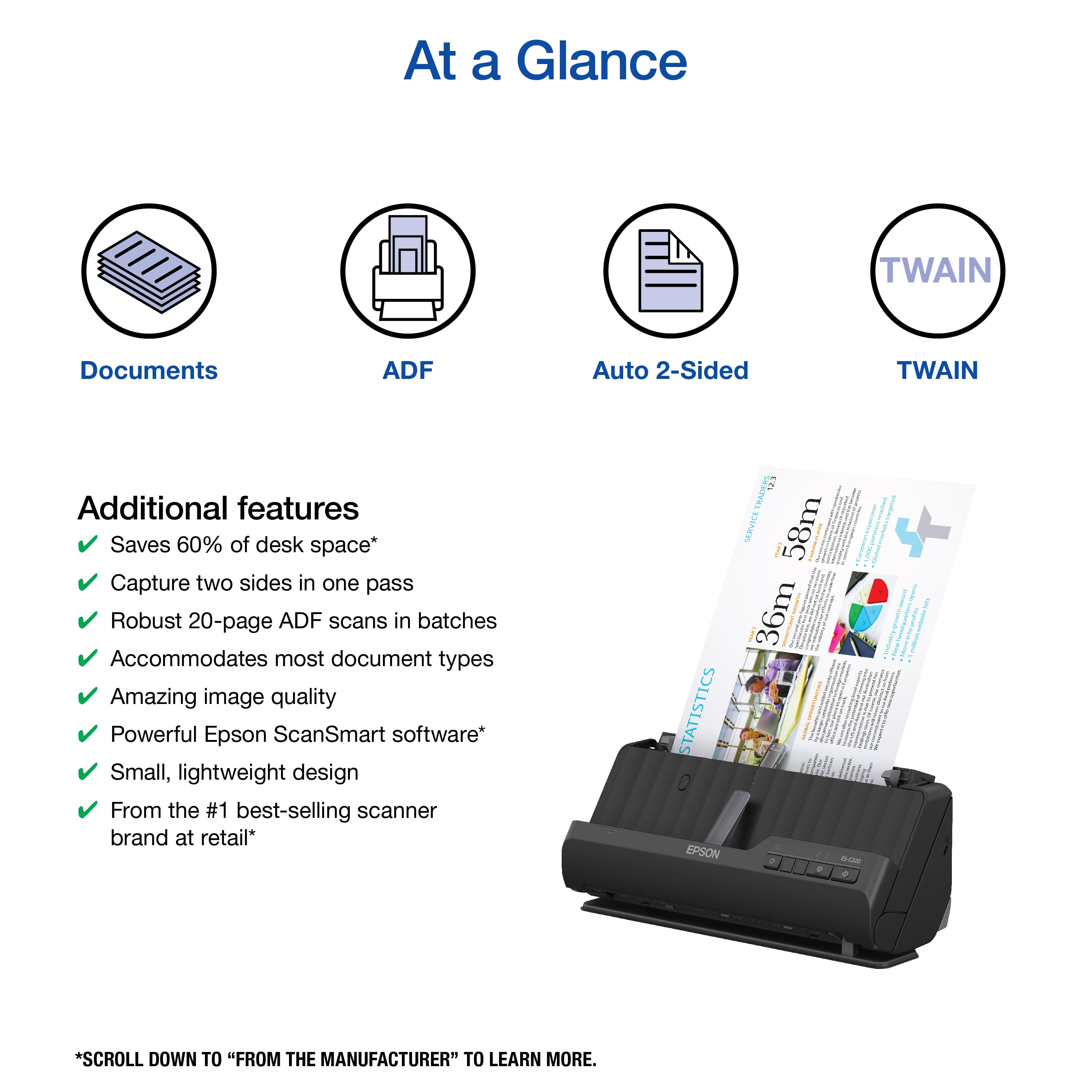
![The text on the image reads:
"12.3 TRADERS SERVICE STATISTICS YEAR 58m AMAJOR PLAYER - GROWTH YEARS 36m MONIFICANT spectnnal I rin neaa I i SEsUBAy courires T Feeurh nermi.om nurt S Europeon Tu growthe poripatiom I rny - E UBE I nroans m ordory underline proe I 1 I 5 figunes -M 1 efforta CoR mi ouneives. 1 - 1 pan EN redoubled voldity 6 ontend Congaia cgrodo $ E exponsion reached torgeted partners markets European 1,000 Global - award sopens hits Y growth profits website 7 into Endustr New Move milion I . - offured matues uoadonn ehops i IA .fram security forign ] moving Australion pairanl 3 dtroct & ocolportnen kocal aunsodlca added S brock 1 2 3 Courte 8 I esmark.ing p d Jna GLOBALOPPORTUNITIES I w Pesia d Or noten 3 - fussnad Infactour 2P ! Bethand rgrecentdle findingssoom ona -xpet GLOBAL . RO-AM i We i sauocue Our smo hotiom deliened e-seiom au iniee I I 1 I Enb S I ES-C220 EPSON"
The text is about statistics and growth in the trading service industry. It highlights the importance of targeted partners, markets, and the expansion of the company's reach. The text also mentions the company's recent findings and achievements, such as winning awards and reaching milestones in their growth.](https://pisces.bbystatic.com/image2/BestBuy_US/images/products/0b2b88ab-a3d2-4676-9b7a-0ccb5584239b.jpg)
- Model:
- B11B272202
- SKU:
- 6559142
Rating by feature
- Value
Rating 4.5 out of 5 stars
- Quality
Rating 4.4 out of 5 stars
- Ease of Use
Rating 4.5 out of 5 stars
Customers are saying
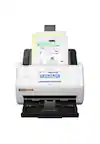
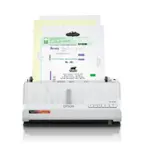
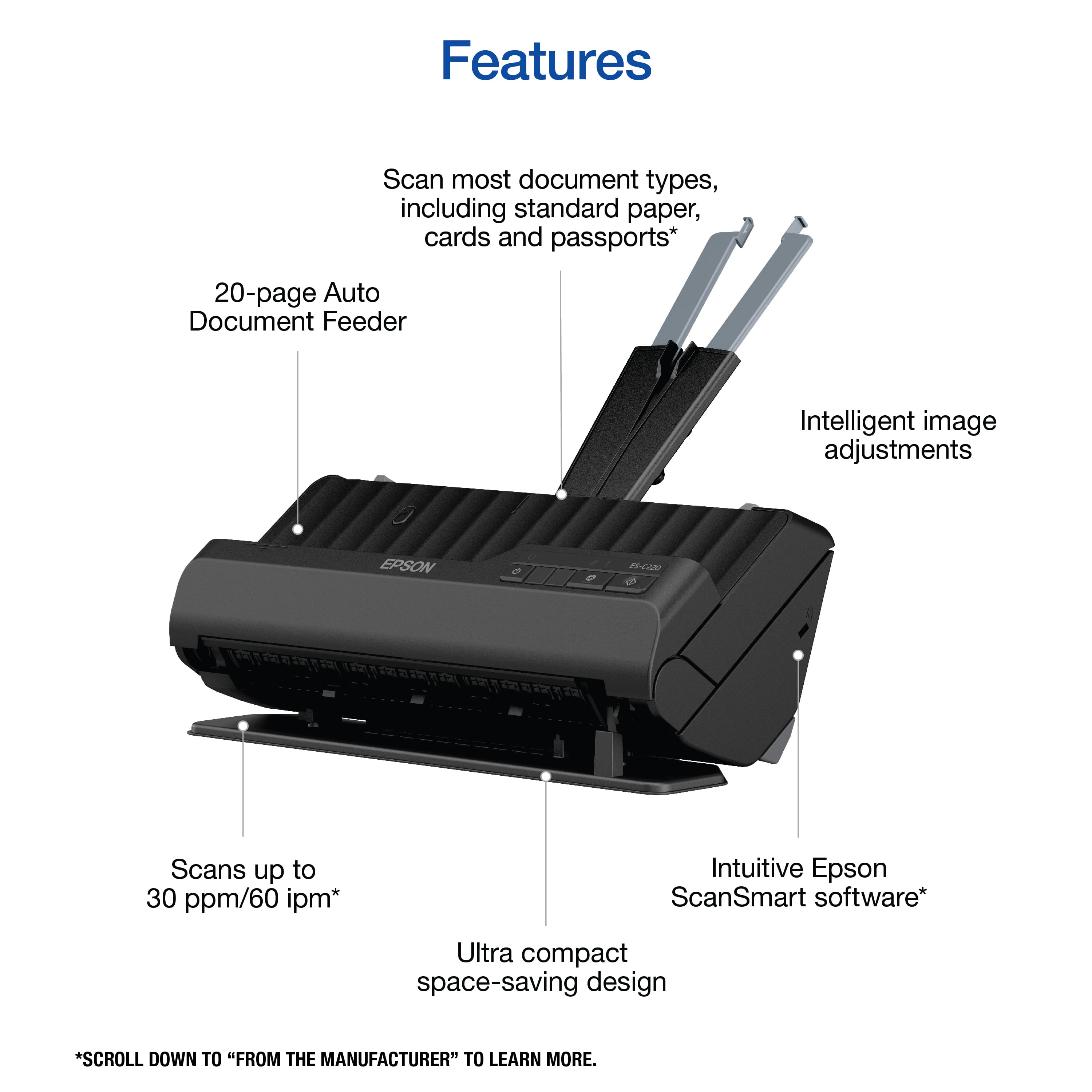
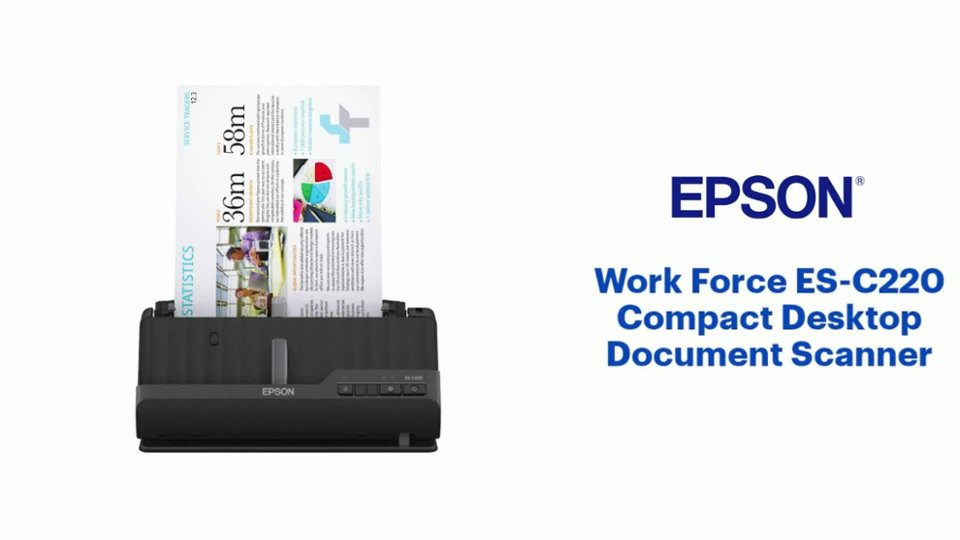
Customers enjoy the WorkForce ES-C220 Compact Desktop Document Scanner for its fast scanning speed and ease of use. The compact size is appreciated, making it suitable for small spaces, and users are generally happy with the image quality. The software is also well-regarded, though some customers have noted the absence of WiFi capabilities.
This summary was generated by AI based on customer reviews.
Eason Working issues
||Posted . Owned for 1 month when reviewed.This reviewer received promo considerations or sweepstakes entry for writing a review.The are several working issues with my product..m koiopl.opl
No, I would not recommend this to a friend- Pros mentioned:Scanning speed, SoftwareCons mentioned:Wifi

Compact Scanner with all the options
|Posted .This reviewer received promo considerations or sweepstakes entry for writing a review.Epson scanners always function well and this one is no exception. It offers the scanning capabilities of full sized models with a compact footprint. When space is the primary consideration, some aesthetics are sacrificed, such as the document handling component. The scanner arrives fully assembled with parts heavily taped. It’s a matter of removing the tape and removing any spacers packed inside the unit and the scanner is ready to go. With the compact size, I would limit the number of sheets to 10 or less. I tested it with 5 sheets and It handled it very well. I was pleased to see how fast it completed the scans and the two-sided feature is a necessity for anyone who frequently uses a scanner. Epson’s scanning software is excellent. It offers basic functionality to scan, either one sided or two sided. Once the documents have been scanned, it immediately allows for reviewing the images and then gives several popular format options for saving the scan results. It also allows to immediately attach the image to an email. The document holding arms are compact and fold into and out of the back of the scanner. Finally, the software utility program handles all firmware updates effortlessly and I highly recommend installing the utility. If you are looking for a fully functional scanner for everyday documents that will help organize the mounds of paper we receive, this is a great option. Note that this model is not wireless and not shareable with other wireless computers on your network.
I would recommend this to a friend - Pros mentioned:Scanning speed, Software
Excellent high volume scanner with OCR!
|Posted .This reviewer received promo considerations or sweepstakes entry for writing a review.This is a great scanner, perfect for scanning documents, and receipts. Setup is simple, just connect the power and connect to your PC and then install the bundled software to get started. In terms of quality, this scanner does an excellent job scanning multi-page double sided documents and is extremely fast at doing so. The software works great, and the OCR actually works pretty good yielding searchable multi-page PDF documents that scan in great. Speed does seem to match the advertised rating where even double sided pages scan fast. The software has intelligence to name files and recognize documents/receipts to name the files. The papers I have scanned so far have been in various sizes and receipts that were in less than perfect condition and they went through the scanner just fine. Epson paid close attention to the feed mechanism which hasn't jammed up once in everything that I've tried to scan with it. Whether you need this for archival needs or just a way to bundle and scan documents for tax reasons this scanner is the perfect solution for a small home office or small business secretary that has a need to quickly scan multi-page documents quickly and more importantly need a way to handle the files quick and efficiently as well. Epson generally makes some of the best printers and scanners and this one from what I've used so far is no exception and I'd recommend it.
I would recommend this to a friend - Pros mentioned:Scanning speed, Size
Versatile Value
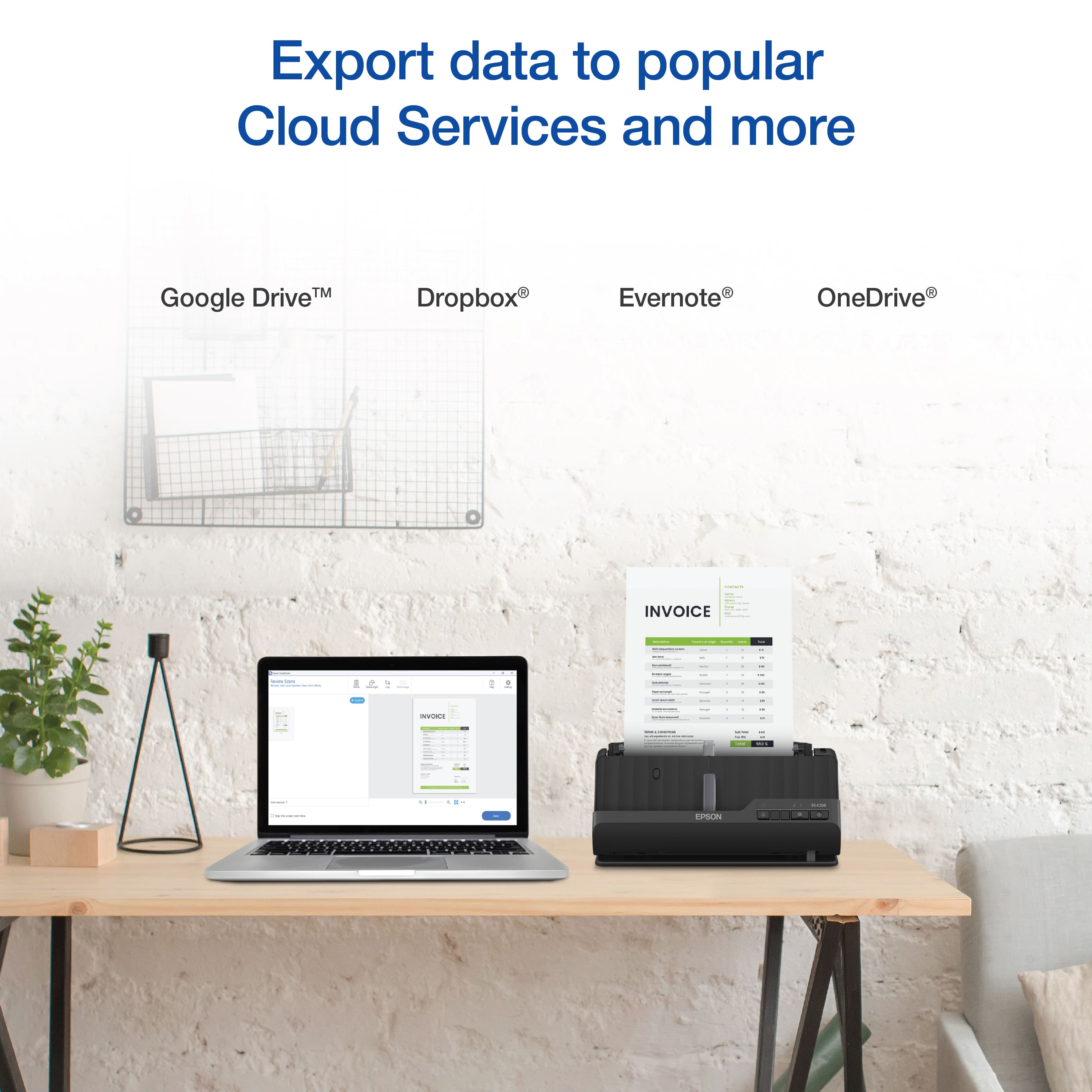
|Posted .This reviewer received promo considerations or sweepstakes entry for writing a review.Summary ------- This is a great wired scanner and has a scanning rate of 30 pages per minute and has a 20 page feeder. Uses less space and works without much noise. THis is really a game changer. Connect your google drive or email it to an email address Pros ---- 1. 30 pages oer minute, super fast 2. 20 page feeder 3. download the Epson app and email to an email address OR upload to google drive Cons ---- 1. would love the device to be wireless 2. Can't scan to USB device Details -------- Basically a plug and play device. Just install the Epson software on the computer, feed paper into the scanner and scan away. The scanner can actually work with dropbox , onedrive and google drive to be able to upload the scanned document directly to cloud. Or you can email the document to an email. The document which scans to a PDF , Excel or Word. You can also create editable PDF. The scanner is also very versatile , you can documents, card and even passport. Basically a great device for office.
I would recommend this to a friend - Pros mentioned:Scanning speed
A Compact Marvel for Business Owners
|Posted .This reviewer received promo considerations or sweepstakes entry for writing a review.I recently got my hands on the Epson WORKFORCE ES-C220 Compact Desktop Document Scanner, and as a tech-savvy real estate agent, I was eager to see how it would fit into my daily workflow. After spending some time with this scanner, I'm happy to share my thoughts on its setup, suitability for business use, scanning speed, cost, and overall performance. **Setup (5/5):** The setup process for the Epson ES-C220 was incredibly straightforward. It came well-packaged with a comprehensive manual that made installation a breeze. Within minutes, I had it connected to my computer, and the bundled software was easy to install. Epson's attention to user-friendliness was evident, making this a hassle-free experience. **Business Use as a Real Estate Agent (4.5/5):** This scanner proved to be a valuable addition to my real estate toolkit. Its compact design allows it to fit neatly on my desk, and it's been a game-changer for digitizing contracts, property documents, and client paperwork. The scanner's ability to handle various document sizes, from business cards to legal-size documents, is a real advantage in my line of work. The automatic document feeder (ADF) with a 50-sheet capacity is a time-saver, and it helps me quickly process large stacks of documents. **Scanning Speed (4/5):** The scanning speed is impressive. It can handle up to 35 pages per minute, which is quite sufficient for my needs. Scanning both single-sided and double-sided documents is a breeze, and the quality is consistently sharp and clear. The only minor drawback is that it can be a bit noisy when working at its top speed, but it's not a deal-breaker. **Cost (4/5):** The Epson ES-C220 is moderately priced for a scanner of its capabilities. While it's not the cheapest option on the market, the quality and performance justify the cost. Additionally, the fact that it comes with valuable software for OCR (Optical Character Recognition) and document management helps offset the initial investment. Over time, the time saved on scanning and organizing documents will translate into cost savings for my real estate business. **Overall Use (4.5/5):** This compact desktop scanner has become an indispensable tool in my real estate office. It handles everything I throw at it with ease and precision. The included Epson ScanSmart software is user-friendly and facilitates quick document organization. The ability to scan directly to cloud services, such as Google Drive and Dropbox, is a huge time-saver for me. In summary, the Epson WORKFORCE ES-C220 Compact Desktop Document Scanner is a superb choice for real estate professionals and small businesses alike. It excels in terms of setup, document handling, and scanning speed, making it a practical and efficient tool for digitizing and managing documents. While it's not the most budget-friendly option, its performance and convenience more than make up for the investment. It has certainly streamlined my real estate operations and helped me stay organized in a busy, document-intensive environment.
I would recommend this to a friend - Cons mentioned:Wifi
Epson WorkForce ES-C220 Compact Desktop Scanner
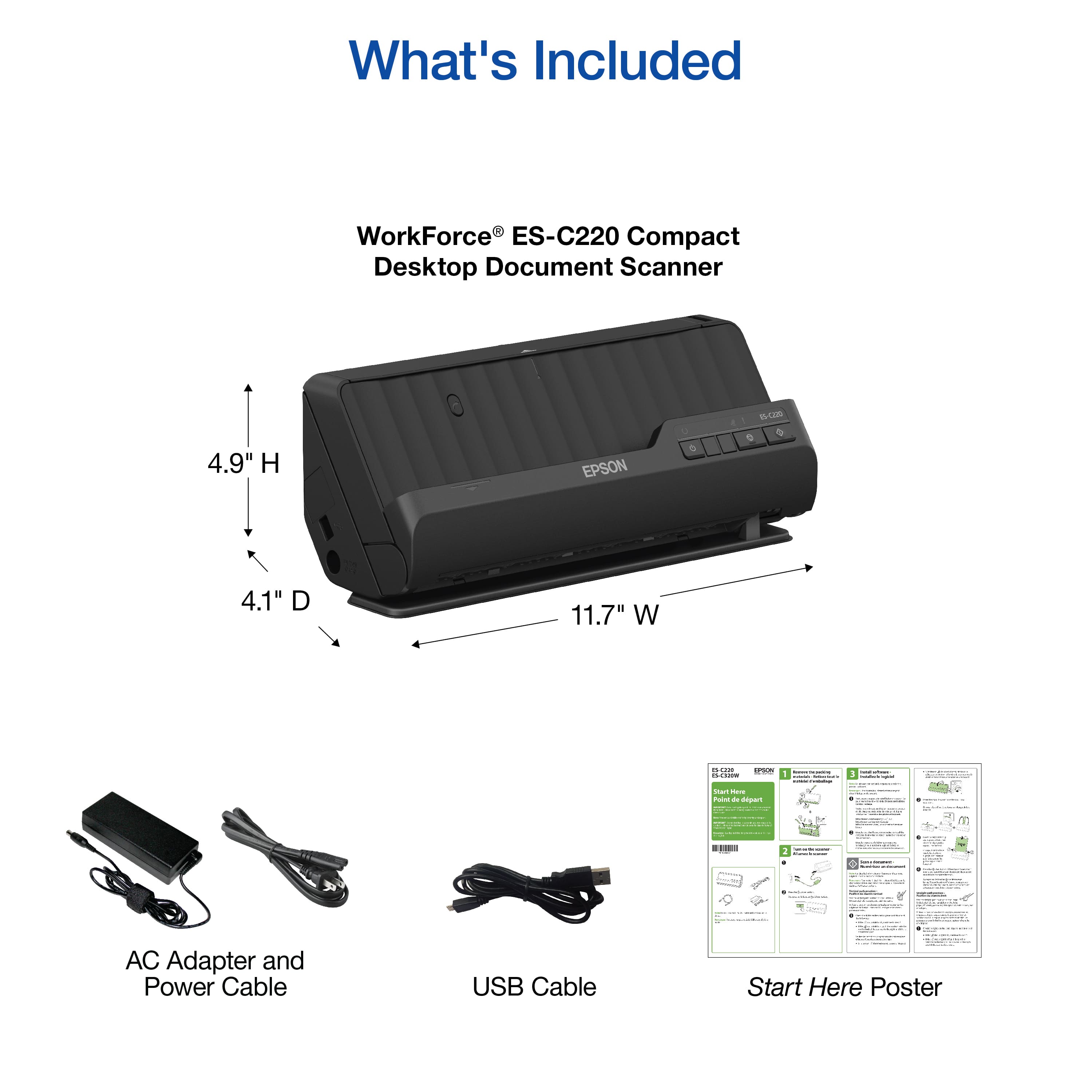
|Posted .This reviewer received promo considerations or sweepstakes entry for writing a review.Just received my Epson WorkForce ES-C220 Compact Desktop Scanner about a week ago and have been putting it through its paces. This document scanner will make a perfect addition to my home office. Since having used various Epson home and office products over the years, I have come to expect nothing but quality from the the company - and this scanner falls right in line with the quality and design myself and other customers have come to love. UNBOXING: * Epson WorkForce ES-C220 Compact Desktop Scanner * USB-C to USB A Cable * Power Cord & Adapter * User Documentation Setup for this scanner is fairly simple, just follow along in the user manual. However, you must download the software from the Epson website at www.epson.com/support . After the software is installed, you can open up the Epson ScanSmart software and tweak the settings to your liking. Click on the settings gear and you can change such settings as the DPI or correct the skew of scanned documents/receipts. To properly scan a document, ensure you have fully extended the Input Tray Extension and load the document to be scanned. It took me a couple tries to get my document to scan but that was because I didn't have the Input Tray Extension fully extended. Once your ready to scan, power up the scanner and press start button. A preview of the scanned document will then be displayed on your computer for further tweaking if needed. This screen also allows you to delete and rescan the image or delete the back of a scanned document if its not needed and you can then proceed onto saving the document on your computer as a jpeg or pdf file. You can also attach it to an email or save it to Google Drive, Dropbox, Evernote, etc. Something neat about this scanner is that it can scan in 2 positions: Vertical Path Position and Straight Path Position. The Vertical Path Position is for scanning letters, A4 original sized documents, receipts, and business cards. The Straight Path Position is for scanning large folded originals, such as tabloid articles, or A3 long paper documents, ID cards, passports, and envelops. All in all I love this document scanner because it allows me to backup any important documents to my computer as well as receipts or tax documents that may need to be kept for safe keeping. This will help with reducing clutter and eliminating the need for paper receipts. One thing to note, but not a dealbreaker, is that while this scanner works well with both Windows PCs and macOS, it is not wireless or Wi-Fi compatible.
I would recommend this to a friend - Pros mentioned:Scanning speed
Compact and Easy to Use Scanner
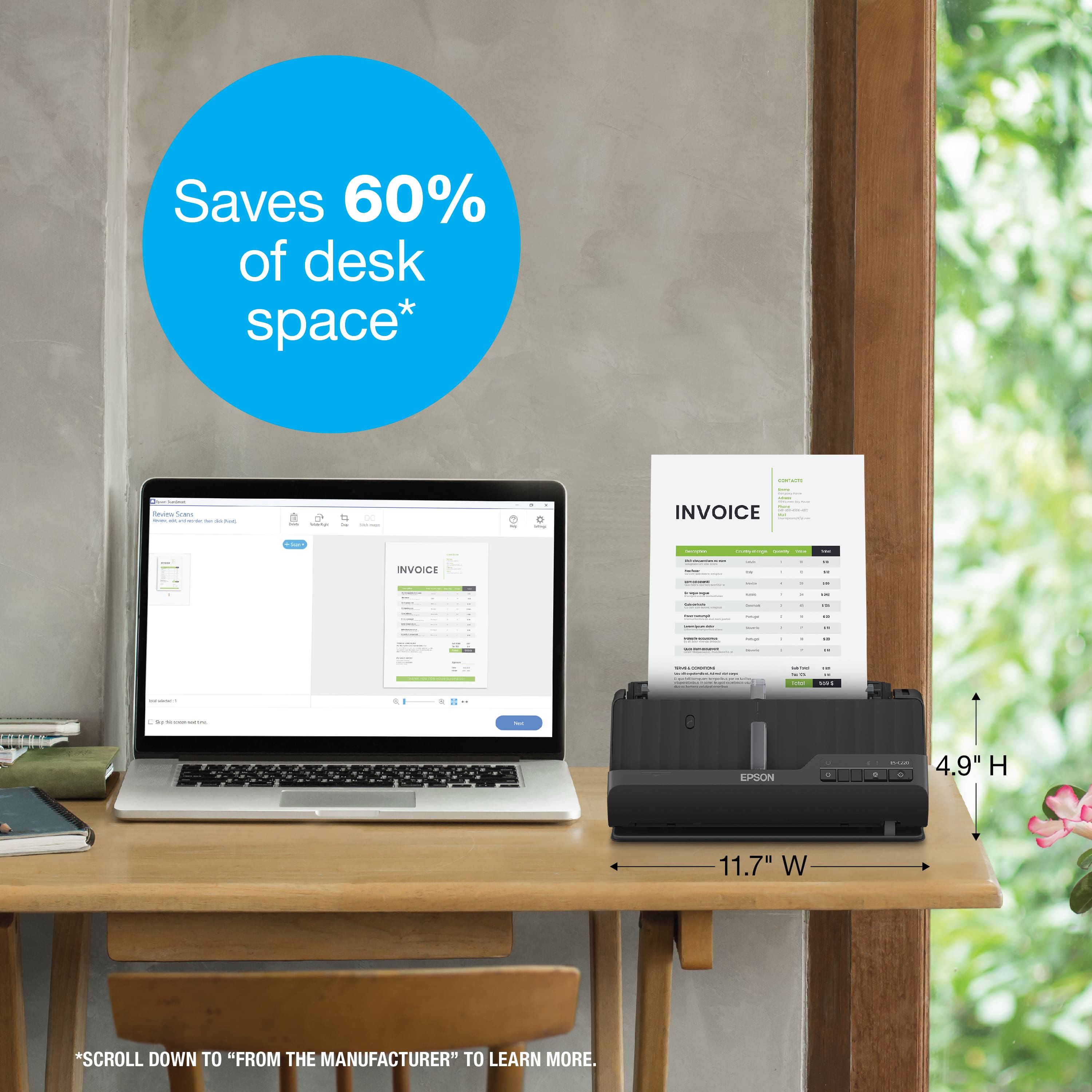
|Posted .This reviewer received promo considerations or sweepstakes entry for writing a review.I really dig my new Epson WorkForce (model ES-C220) Compact Desktop document scanner. First of all, this is NOT a printer, this is purely a document scanner. So because it is not a full-fledged printer, it is very compact and won't take much space like other desktop scanners do. According to Epson, you will be saving about 60 percent of your desktop space with this guy. You will be scanning in no time after an easy install. What I really like about it, is the software included for your PC, it is called Epson ScanSmart® software, which allows you to preview, email and upload your scans. So if you have batches of documents to get scanned, this scanner has an Auto Document Feeder which makes it easy to scan volumes of paper (pretty much up to 20 documents all together). Another huge plus and a time saver is this Epson can quickly scan two sides at once as fast as 30 ppm/60 ipm which is amazing in my opinion. I also found this feature valuable to me which is automatic file name suggestion for streamlined file management. It had no trouble recognizing my bills and insurance paperwork and naming files was pretty straightforward. I definitely recommend this Epson scanner for home and office use to preserve your tax paperwork, your kids drawings and of course any valuable documents you would like to save in digital format.
I would recommend this to a friend - Pros mentioned:Scanning speed
Good basic sanner
|Posted .This reviewer received promo considerations or sweepstakes entry for writing a review.This is a very good scanner, yet it is no frills. Out of the box you get the scanner itself, a usb-c cable, and a charging cable with adaptor. Make sure you remove all of the tape from the scanner before using. After plugging in the unit, I turned it on and downloaded the software being sure to follow instructions precisely. The scanner operates very well! It is very compact and fits nicely on my desk. This is a no frills unit. There is no wifi to connect to, just plug it into your computer and go. There is no touch screen, or screen for that matter. It seems that this is not capable of scanning and sending directly to mobile devices. I have to scan to my computer and send to my phone. Otherwise, the scanner works exactly as advertised. It definitely has no problem handling 20 pages in the feeder and it scans very fast! It scans both sides at the same time. It says you can scan cards and passports, though I have not had the need. All in all this is a good scanner that works very well. Scan quality is great. Needs wifi to be 5*
I would recommend this to a friend - Pros mentioned:Scanning speed, Size
It's all I needed for personal use.
Posted .This reviewer received promo considerations or sweepstakes entry for writing a review.Compact and quick. I had a little problem setting it up on my Mac but I called Epson customer service and they were able to help me out.
I would recommend this to a friend No frills basic scanner
|Posted .This reviewer received promo considerations or sweepstakes entry for writing a review.I was very pleasantly surprised with the Epson WorkForce ES-C220 Compact desktop document scanner. I used the scanner on both macOS and Windows 11 computers. Set up involved downloading software "app" from Epson's website.There was also an excessive amount of blue tape that had to be removed and a few were very hard to get out. The scanner connects to your computer via a USB cable. The quirky thing about this is that the unit itself has a USB C connection while the other end of the cable is a regular USB end, which most computers no longer have which means that you will have to have or purchase an adapter to use this machine. I found that the included software was very clunky and not terribly helpful. Ended up deleting from computer. The scanner can scan several different sized documents and does 2 sided scanning as well. The scanner extender that you are to use when scanning full sized pages seem to be very flimsy plastic and I can definitely see them breaking before very long. It is not a heavy duty or durable machine that can withstand a lot of moving.
I would recommend this to a friend- Pros mentioned:Ease of use
Good product
Posted .This reviewer received promo considerations or sweepstakes entry for writing a review.Works as it should. Easy set up. Compact design. ..
I would recommend this to a friend - Pros mentioned:Scanning speed
Fast but very easy to break the parts.
Posted .This reviewer received promo considerations or sweepstakes entry for writing a review.This is definitely a very fast scanner. The parts are very cheap, so be careful what you touch and treat it gently.
No, I would not recommend this to a friend Never again with Epson
Posted .This reviewer received promo considerations or sweepstakes entry for writing a review.Got 2 months out of this scanner before it died.. never again with Epson. Tech support was a disaster..
No, I would not recommend this to a friend