Customer Ratings & Reviews
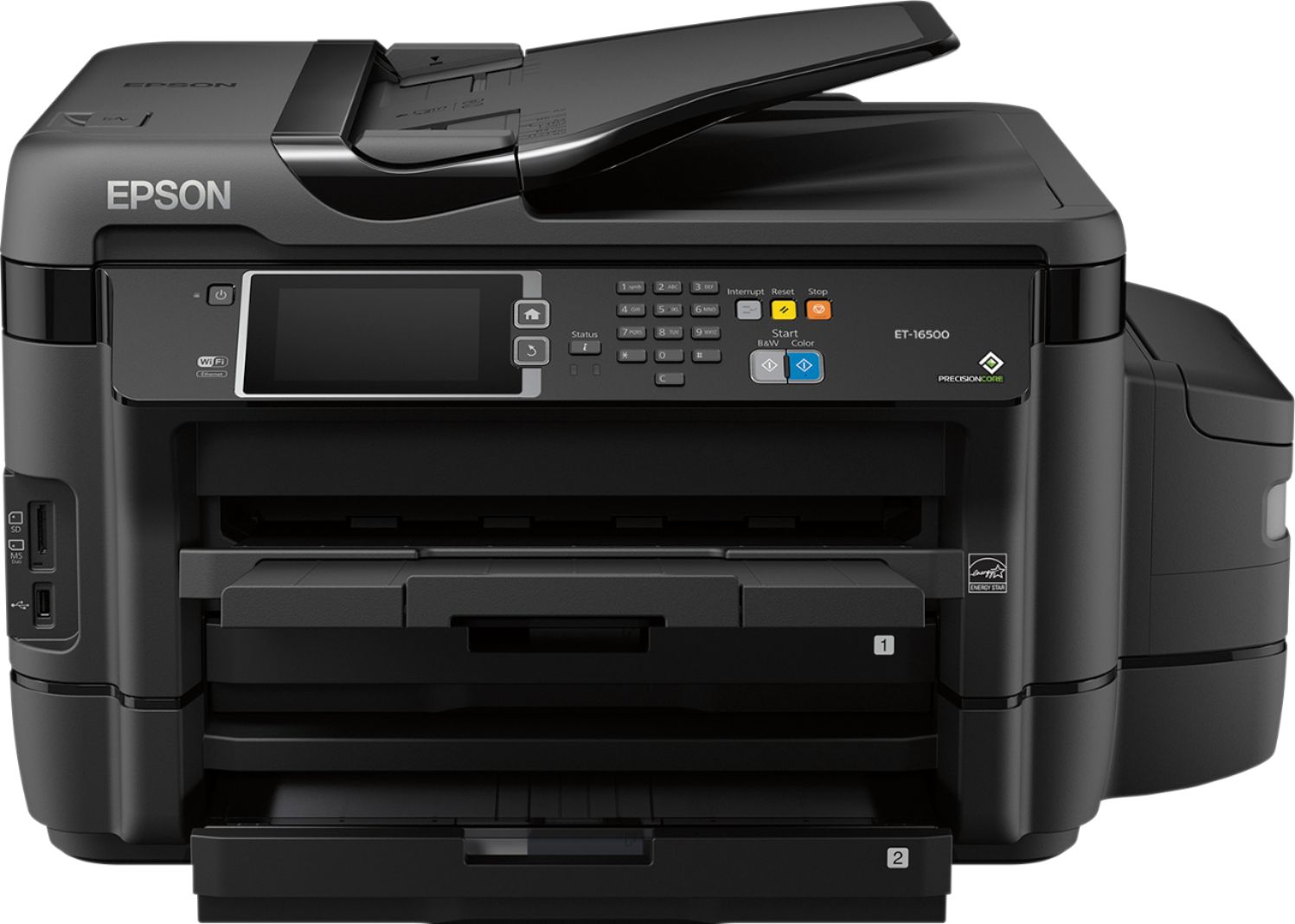
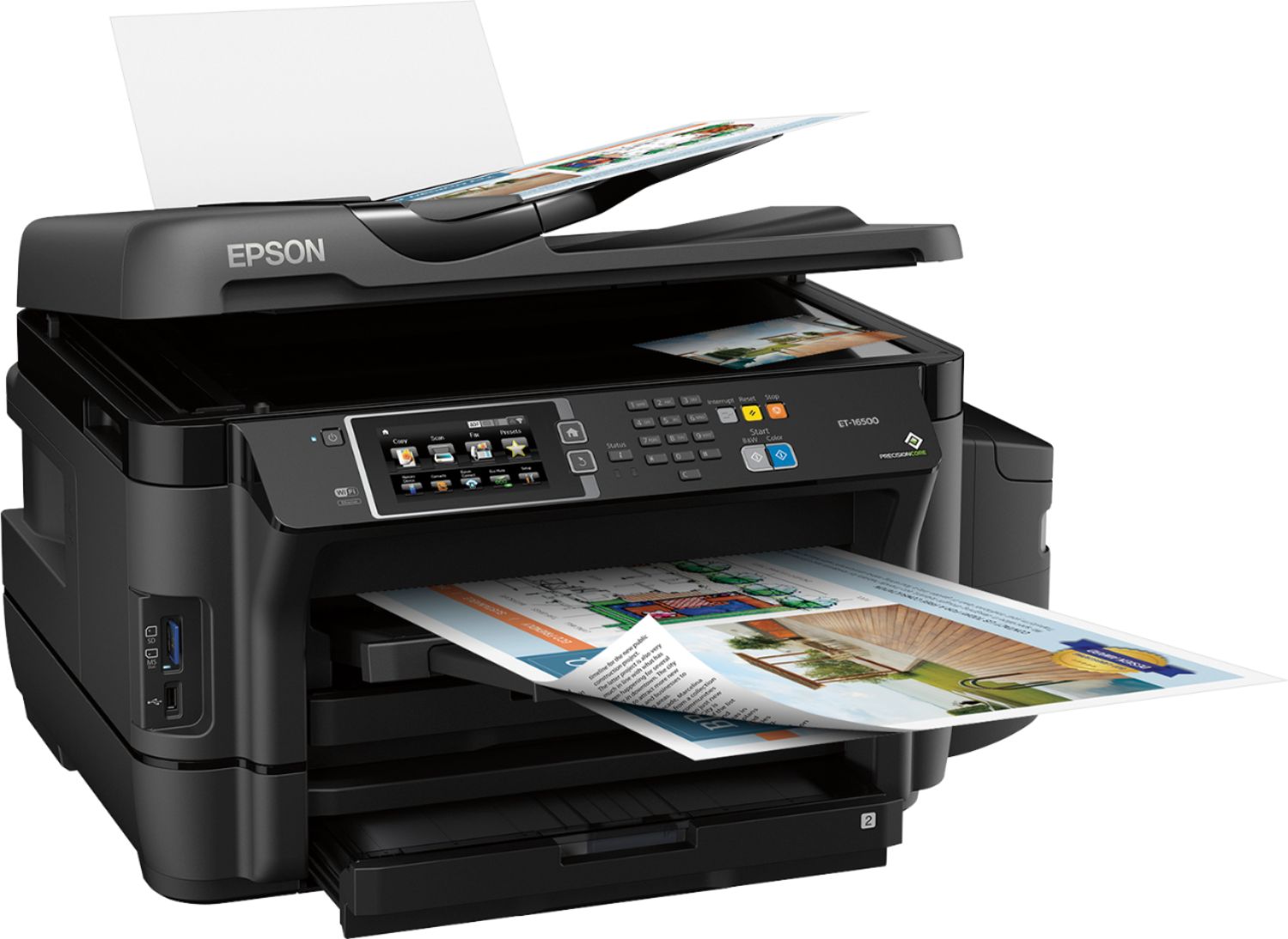
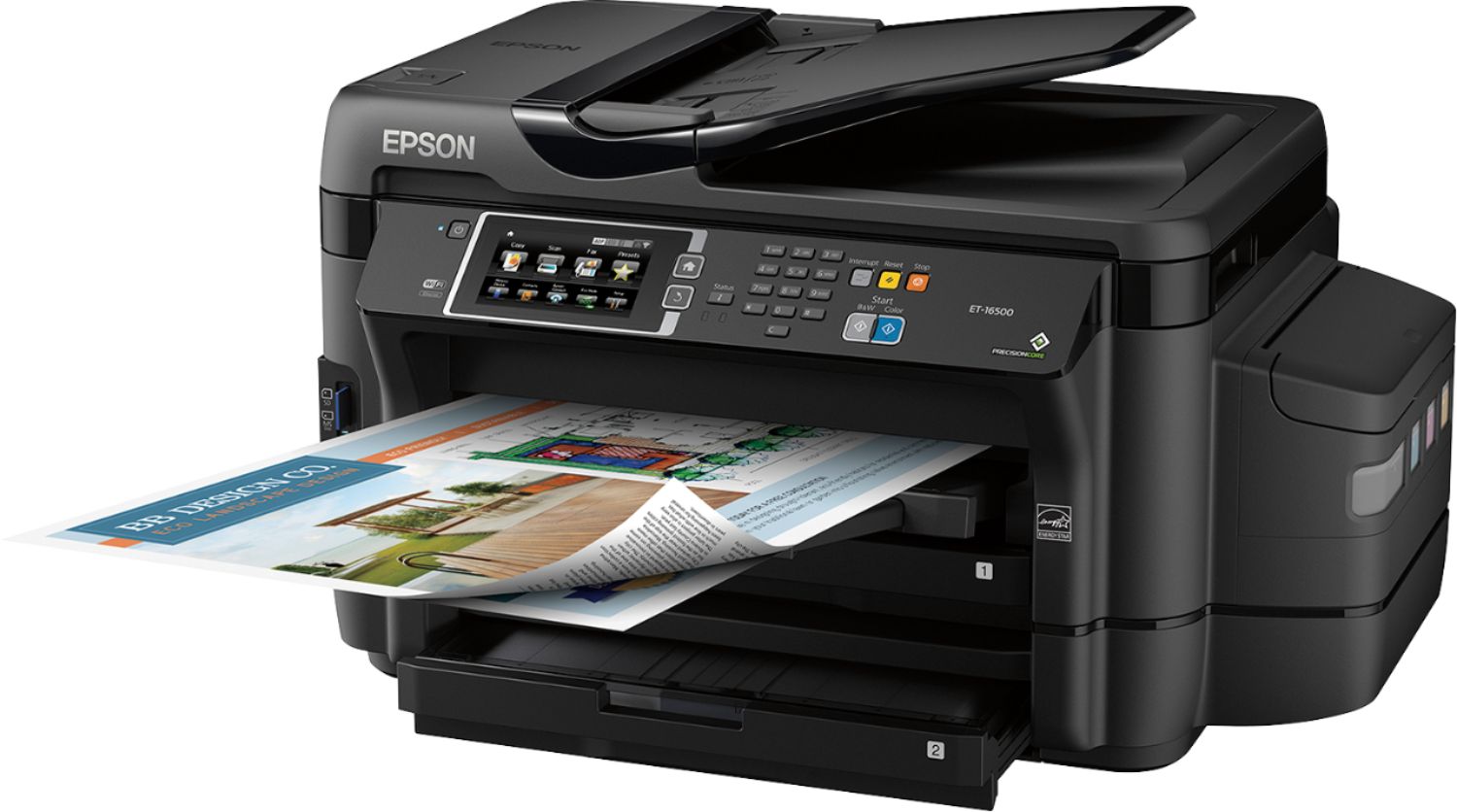


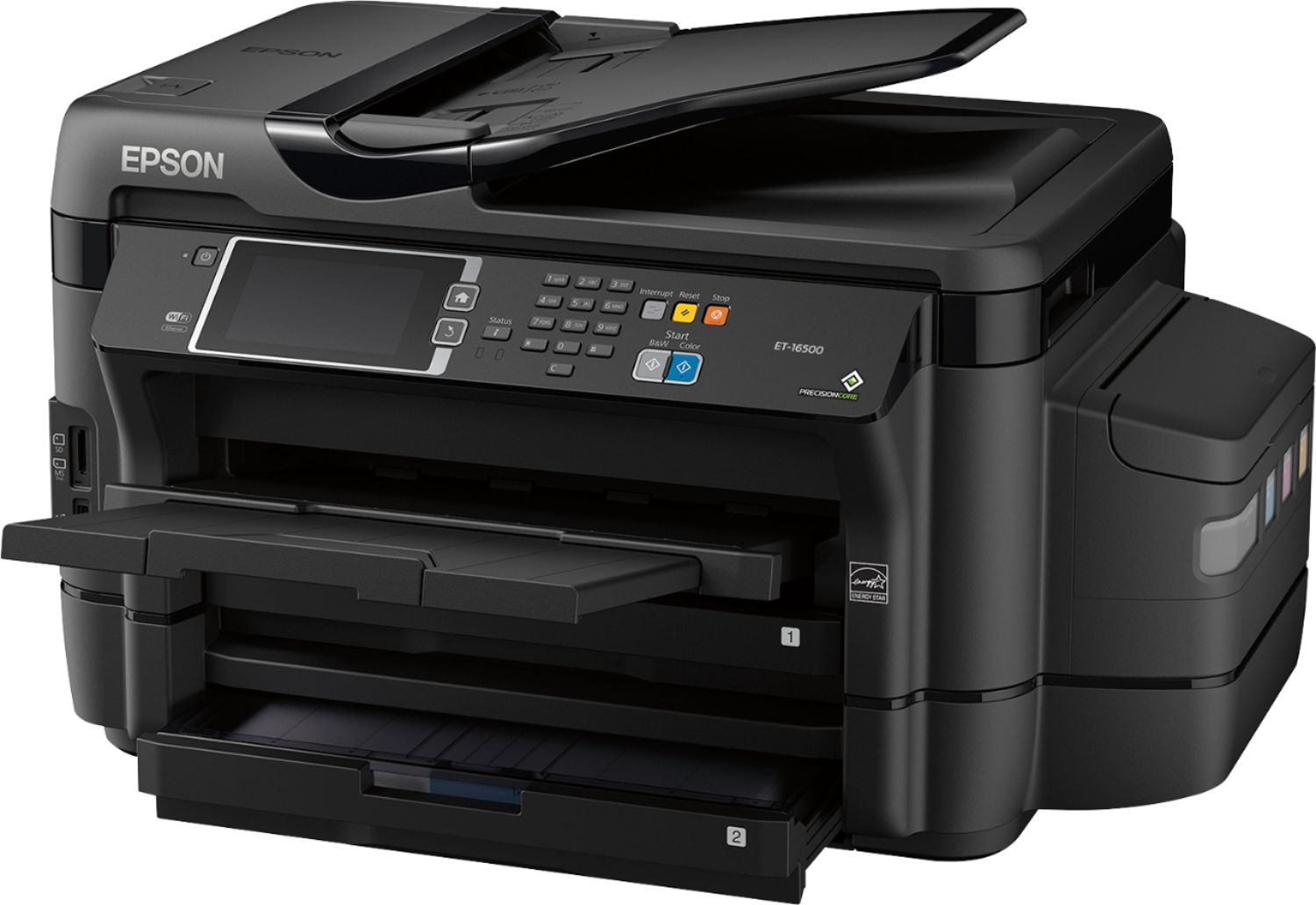

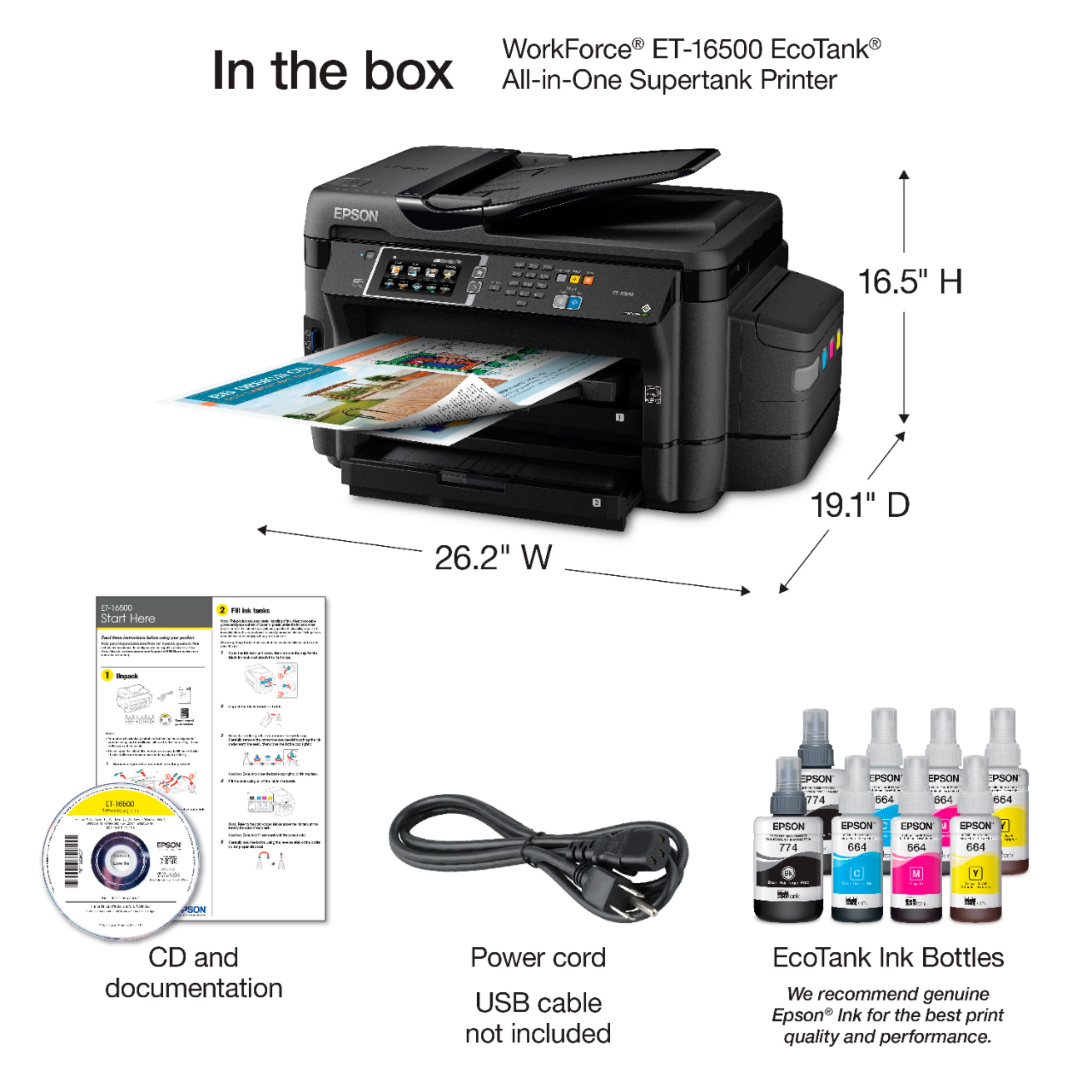

- Model:
- ET-16500 ECOTANK C11CF49201
- |
- SKU:
- 5512500
Customer reviews
Rating 4.5 out of 5 stars with 119 reviews
(119 customer reviews)Rating by feature
- Value3.9
Rating 3.9 out of 5 stars
- Quality3.8
Rating 3.8 out of 5 stars
- Ease of Use4.0
Rating 4.0 out of 5 stars
Customers are saying
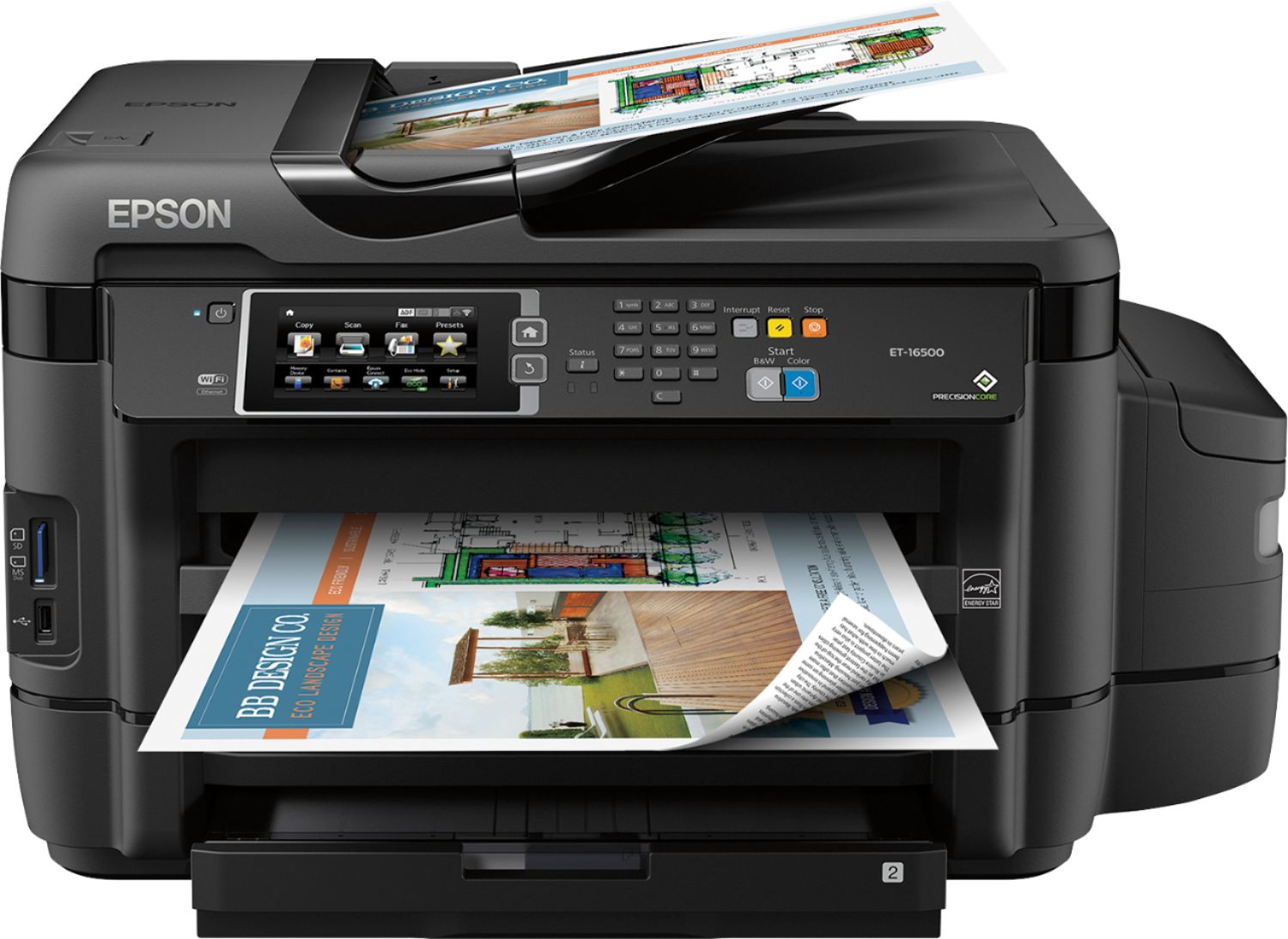
Customers praise the WorkForce ET-16500 EcoTank printer's impressive print quality and ease of setup and use, highlighting its intuitive touch screen and convenient wireless connectivity. The printer's large paper trays are also frequently cited as a positive feature. However, some users note that its size and weight may be a consideration for certain users.
This summary was generated by AI based on customer reviews.
- Pros mentioned:Print quality, Setup
Rated 5 out of 5 stars
Great all in one printer
Posted .This reviewer received promo considerations or sweepstakes entry for writing a review.After getting to explore all of what the Epson ET-16500 EcoTank has to offer I was very satisfied with what it had to offer. First starting with the simple process of setting it up, it went quickly and smoothly with no misunderstandings. Whatever your profession be or hobby, I believe the Epson ET-16500 EcoTank can fit ones needs in all ways. Very fast printing speeds so you can expect your documents quickly, one of the other few features that's great. The quality of which documents and pictures were printed are awesome as well, very professional. Which to mention the ink that's provided with the unit is enough to last for a very good amount of time, 2 years worth. Now to mention one of the features I really enjoyed because it's a convenient one for a lot of people given how advanced technology is. Wireless/Mobile printing and AirPrint for Apple devices. This is my favorite one as it truly makes things so much easier and also expands what all you can do with this. So overall this is a must use printer for anyone as it so diverse and reaches out to everyone regardless of their profession and use for it. Hope you consider this when looking for an upgrade or a new machine. This is a review for the Epson ET-16500 EcoTank that I received free of charge to do a beta test and review.
I would recommend this to a friend - Pros mentioned:Print quality
Rated 4 out of 5 stars
Tank of a machine
Posted .This reviewer received promo considerations or sweepstakes entry for writing a review.I am a home based business owner who needs a dependable multi-functional device for printing, copying and scanning. So when I had an opportunity to test-drive and review the Epson ET-16500, I couldn't pass it up. First impressions, this is a big boy! Perhaps due to the large int reservoirs or all the additional feature, such as the extended amount of pages it can print, but it is at least one-third larger than an average MFC. The setup takes at least 30 minutes, since once it gets past the initial configuration, it takes 20 minutes to charge the super-tanks. I had some initial troubles during the setup which I was able to overcome. The best part is the printing, which is quick and easy AND on wireless network so no more cables! Everything said and done, if I were in the market for a new printer, I would definitely lean towards this printer if I were a heavy user of the print/copy/scan functions. By now, hopefully, Epson has taken care of the initial setup issues. Note: I received this complimentary unit in exchange for an unbiased review.
I would recommend this to a friend - Pros mentioned:Print qualityCons mentioned:Airprint
Rated 4 out of 5 stars
Super fast printing
Posted .This reviewer received promo considerations or sweepstakes entry for writing a review.Out of the box, this printer looks impressive, powerful and durable. The manual and the onscreen instructions made setting it up very easy. Same for connecting it to the home WiFi. To be able to print, I had to install a driver/software from epson.com. I wish my OS would support it without these steps. Also, I had some difficulties with the page printing margins (Mac osx 10.2), but running a software upgrade and firmware upgrade solved it. The Epson ET-16500 is super responsive. Printing B&W and color is super fast. The fastest I experienced. I didn’t know it was even possible with ink. Was not expecting such performance. Another smart feature is the duplex scan support from the document feeder, and saving scans as PDF. Some things I would approve: - Make the ink bottle and the printer ink container the same size - While there is iOS support with the Epson app, I wish AirPrint was supported - Add OCR support for text scanning This is a review for the Epson ET-16500 EcoTank that I received free of charge to do a beta test and review.
I would recommend this to a friend - Pros mentioned:Print quality, Setup
Rated 5 out of 5 stars
All in 1 Printer
Posted .This reviewer received promo considerations or sweepstakes entry for writing a review.I run my company from a home office. Which requires us to be able to communicate on many different levels depending on our customers’ needs which the Epson ET-16500 EcoTank printer has solved. We now have a scanner, fax, copier, and printer all in one that can support the me, my partner, and family needs where in the past we would normally need to go to Fed-Ex to print and/or fax. This has resulted in immediate savings. The set-up was very user-friendly and an absolute breeze which only took a couple minutes versus my other printer took almost an hour+. The color print quality it very vibrant, extremely high quality and completely unheard of that you get 2-years’ worth ink which will come in very handy not only from a business aspect but I am also an avid scrapbooking and print many pictures. I will continued to review this product to provide feedback from both a business and personal experience. This is a review for the Epson ET-16500 EcoTank that I received free of charge to do a beta test and review. Fantastic printer, thanks for including me in the test.
I would recommend this to a friend - Pros mentioned:Ease of use, Print quality
Rated 5 out of 5 stars
A Great Printer for Small Business or Home Offices
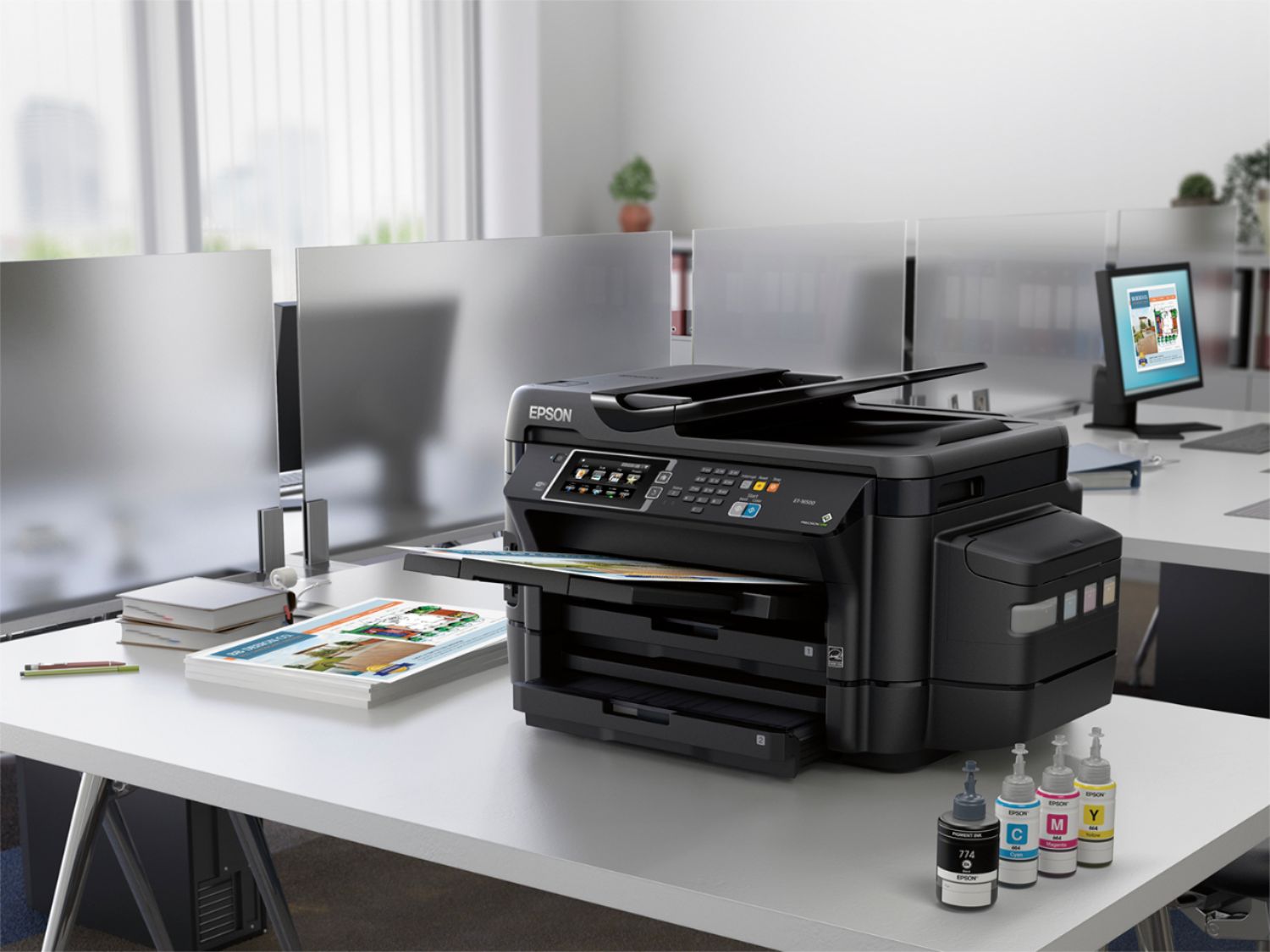
Posted .This reviewer received promo considerations or sweepstakes entry for writing a review.This is a review for the Epson ET-16500 EcoTank that I received free of charge to do a beta test and review. Epson Workforce ET-16500 Ecotank is a best in class wide format all in one printer with supersized ink tanks which can print up to 10000 black/11000 color pages. Out of the box comes with ink bottles which are sufficient for two years. Easy to setup with manual instructions and print with various devices with wireless connectivity. I was pleasantly surprised with the size of the printer which is beautiful and durable. The printing speeds are great for the business and personal use. I can print all of docs, pdf, images from cellphones, tablets and laptops from any corner of my house with wireless connectivity. The print quality is amazing. I appreciate the ease of refilling ink. This all in one printer is suitable for business. With this price point it is expensive for the home use where you can buy a good Epson Workforce printers for 140$.
I would recommend this to a friend - Pros mentioned:Ease of use, Print quality
Rated 5 out of 5 stars
The next evolution of printing
Posted .This reviewer received promo considerations or sweepstakes entry for writing a review.We found the Epson ET-16500 EcoTank to be a pleasure. The unit was fairly simple to setup and get online. Filling up the ink takes about 20 minutes, and it is highly recommended that you wear gloves as it does tend to get on your hands if you are not super careful. We utilized the wizard to get the printer online via WiFi, which was incredibly simple. We then proceeded to printing documents using Google print, which was also smooth and quick. Scanning is a breeze as well with quick page scans utilizing the feeder. We are looking forward to not having to replace cartridges again and simply filling up the tanks. Epson has put a lot of thought into the design of the product, from looks to functionality down to a redesign of the USB port to reduce the confusion users normally have with the Ethernet port. This is a review for the Epson ET-16500 EcoTank that I received free of charge to do a beta test and review.
I would recommend this to a friend Rated 5 out of 5 stars
A great printer...especially for larger sizes
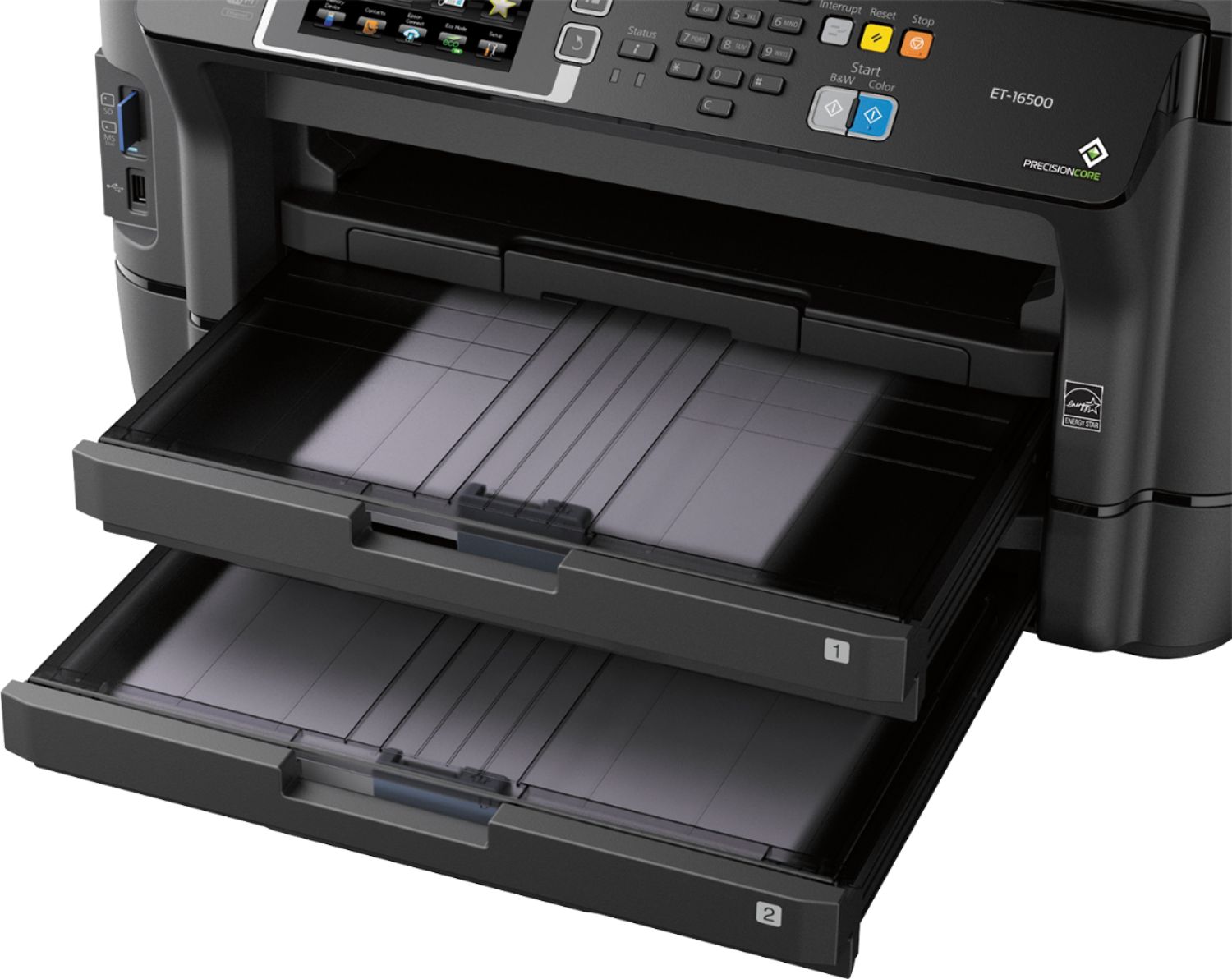
Posted .This reviewer received promo considerations or sweepstakes entry for writing a review.This product is being tested for use in my home-based architectural office. I am a staff of one and print frequently - mostly 11x17 reductions of full size blue print drawings and PDF’s. We also occasionally print photos, maps, multipage contract documents, etc. We use the scanner/copier functions frequently to copy previous project work as0built document from already existing buildings. We have used HP OfficeJet and Photosmart and various Canon individual units and multifunction units since the late 1990’s. We've had several over the years, and they've always given many years of service, with few problems and low operating cost. We currently have and HP Officejet 7610 and Canon ip7220 as our printers. In trying to acquire a printer that uses less “consumables” then our current units, I have come across the Eco-Tank units of Epson. Specifically the ET-16500. These units use the high-yield ink bottle and tank refill system for the ink as opposed to the often replaced style of ink cartridge so commonly found in today’s inkjet printers. The 4 color system, Black/Cyan/Magenta/Yellow, uses bottles said to print up to 4,000 pages before a refill is required. Though, I have been printing my steady rate for the past 8 days plus some additional “playful test printing” I have come no where close to the 4,00 page refill point, nor I have seemed to even put a dent in the amount of ink in the tanks. At approximately $20.00 per bottle for a refill of each color, I am thinking at this stage of the game that this will be a money saver. Stay tuned. Initial set-up of this unit was a bit of a struggle as I did not have a printer cable to do a direct cable setup, nor did the unit come with the installation CD and quick setup set guide from the factory - oops. No problem, once I was able to acquire the installation software (easily acquired from the Epson website), I attempted to setup the printer wirelessly to my home network. Once the installation was complete, the printer seemingly printed nothing but “garbage”, miscellaneous computer code type text on every page that came out of the unit. Driver updates, removing and reinstalling the printer and installing it on multiple computers would not change this. It was at this point that I acquired a printer cable and reinstalled the printer to my computers via a hard wire connection and everything was fixed. The printer began, and continues, to print flawlessly as I expected. Once the hard wired installation was complete, I reconfigured the setup of the printer on each computer so as to be able to print wirelessly and that function now also works over every computer, laptop, tablet and phone throughout my office and home. The printing from this unit is very good. It is actually much better then I expected. It is very fast, both in transfer time and actual print time. The varying level of greyscale print that I use with my cad software transfers perfectly and the blacks are very blacks. I am impressed. The color is also nice. Though I have not printed more then 2 or 3 images to date, it does a much better job on images than I expected - even on plain paper - out of a multi-fiction unit. I want to get some glossy photo paper and print a few of my professionally photographed building images to test it’s limits next. I'm sure a dedicated inkjet photo printer would do better. But that said, if you aren't too picky, the prints from this Epson ET-16500 - on better paper, should be very good and I doubt most people would have much issue with the quality even for framing. Stay tuned for the tests. Side note, I have even tested printing colored “iron-on” pages for some t-shirts that I am making at home. Fantastic quality. The scanner/copier also seems fine to me. The scanning quality it better then that of my current HP Officejet 7610 and it prints whatever is on the page (no cutting off an edge). Copy quality is as good as the original. As I stated earlier, I do not scan and copy as much as a print, so this is a bonus to me when I do actually use these functions. It is nice to have the ability of good quality copies and scans when needed. The bonus of this particular unit is the fact that it has two papers trays. I have never owned a unit with multiple paper trays and the fact that I have have a tray for letter and a tray for ledger with what seems to me to be a very large capacities make me very excited. No longer having a need for two printers, each with it’s own size paper is fantastic and the fact that I don’t refill the trays what seems like every day with a blessing. They are easily accessible and easily refillable and with a few easy tweaks to each tray, changing the paper size in each tray is also very simple. While I didn't mean to write so much (I rarely remember to write reviews), but we are so happy with this Epson that I wanted to say so. I'm giving it 5 stars because I have no complaints so far with what it does. The print quality and overall functionality are excellent. I am very excited for continued use of this printer and I hope for many years of quality printing. I would highly recommend this printer to anyone with similar small business needs/requirements as myself.
I would recommend this to a friend- Pros mentioned:Print quality, Setup
Rated 5 out of 5 stars
Great for Business
Posted .This reviewer received promo considerations or sweepstakes entry for writing a review.We started using this printer for our business as it is wireless and could be easily shared by everyone in the office. 1. Email address printing -- Even when people are not on the wifi it was great that we could have the option to have them print something in the office with the features of this printer. 2. It comes with ~2 years worth of ink. That was great for us as we didn't want to have to keep worrying about. 3. Ink - you can actually see the ink and how much is physically left. That makes it much easiest to tell which you are running out of. 4. It was simple and easy to setup the two page printer. 5. It prints fast! This is a review for the Epson ET-16500 EcoTank that I received free of charge to do a beta test and review. In my testing though I couldn't find anything to complain about. If that changes over time I will update you all.
I would recommend this to a friend - Pros mentioned:Print quality
Rated 4 out of 5 stars
Nice Device.
Posted .This reviewer received promo considerations or sweepstakes entry for writing a review.Epson done messed up and sent me this printer to test and review for free as a beta tester. I guess they heard I like to "test" (break) things and see how long they hold up. They gave me a week. This is what happened.... First up, the packing test: My delivery guy and I are cool. Told him I was expecting a big box and not to be nice with it. The day it arrived it was "accidentally" pushed off the truck. Then rolled end over end to my door and up the steps. Didn't hear too much stuff rattling around inside. One corner ended up with a massive dent. Opening the box: I expected there to be chaos inside. Aside from one of the styro pieces being cracked, everything looked like it was where it should be. After getting it out and seeing all that blue tape gave a bit of confidence that the guts were ok. Open ever door and look in every nook and cranny for the tape. It's all over the place Filling it up: Cool little system, break off the tabs on the bottles, still the nozzle in the reservoir and squeeze the bottle. No matter how careful I was, I managed to get a few drips at that tipping point. Your gonna want to have a paper towel or two handy, A rubber glove is optional. It's not that bad, but getting that one drop off your hands can be a pia. Setup: push some buttons, go eat a snack. It's gonna take about a half hour. couldn't be simpler. Putting in paper: 2 trays, Yay! Each tray has a cover, be advised, they are not attached. Your gonna drop it on the floor the first couple times. First thought, they could have been attached. Second thought, glad their not, cause that would definitely be the first thing to break off. Scanning: Load paper, push button, watch it go. Easy Peasy. Two sided bonus. It's not a flatbed. It's not one of those, drop any paper any way into it. It's an office type scanner. Sucks the paper in the top, spits it out underneath. If your doing two sided scanning, don't touch the paper till it's done and in the bottom. You can put a stack of papers on top and it grabs them one by one. Printing: It's a printer. It prints. It prints well. It's fast on plain text. Comparable in speed to my laser printer. Detail color images, not comparable, but pretty darn fast. I like the two sided printing for short runs. Long runs, doing the old style print the odd side, flip all the paper and print the even side will get you done a lot faster. I've printed anything and everything to see if I could get it to choke. Did a straight run over 300 pages of mixed text and graphics which it chugged right through without a hitch. I didn't get to use any special papers or larger sizes. Judging by how it preformed with what I have, I have no doubt improved papers with be matched with print quality. I didn't get to use the faxing features as I don't have a POTS line. Being a Mac user, I don't like the idea that I can't print natively from any app. Have to use their iOS app. That is a big discouragement but not a deal breaker, I could get used to the extra step. Although if there were something else on the market that had the ink capabilities, print size and features, it could be. The Ink, the price. Printer ink by weight probably costs more than gold. We've come accustomed to getting inset printers for next to nothing then get hit in the head when that sampler ink pack runs out. If you do a lot of printing, have a small office or department and do large format printing, do the math on replacement ink and runs to the print shop for big prints. This thing holds A LOT of ink and apparently is somewhat efficient in its use. The reservoirs have barely moved. Well a wee little. Trying to break this thing in a reasonable manner, couldn't do it. I didn't have not one jam in over 1000 pages printed so far. That really surprised the heck out of me. In fact, the only issues I have had are keep dropping the paper tray covers and getting a few drops of ink on my hands filling it up initially. Otherwise it printed what ever I threw at it and waited patiently when it ran out of paper to be refilled. (I went through a lot of paper) Would I recommend it? If you want the biggest baddest inkjet all in one printer on the block, this is it. If you want a printer that has the potential to save money on ink and runs to the print shop for larger prints over time, this is definitely something to look at. I would give it 5 stars if it had full iOS support.
I would recommend this to a friend - Pros mentioned:Print quality, Setup
Rated 5 out of 5 stars
Excelent huge printer
Posted .This reviewer received promo considerations or sweepstakes entry for writing a review.This is a review for the Epson ET-16500 EcoTank that I received free of charge to do a beta test and review. First of, this thing is huge. It is a big awesome printer, i have a small store and do some freelance design so being able to have both paper sizes ready available is a big plus, just send to print and done. The set up was extremely easy just plug it into the wall, connect it to the wifi and boom its ready to use. The ink is a breeze to set up just follow the instructions and you are all set. The print quality is excelent and quite fast. For the scanning its a breeze, upload it to the cloud, send it to your e-mail, directly to your pc or on a flash drive, its easy and on pdf ready. It came with two bottles of ink (for each color) wich should give you 11k black & white prints.
I would recommend this to a friend - Pros mentioned:Print quality
Rated 5 out of 5 stars
Amazing business class printer
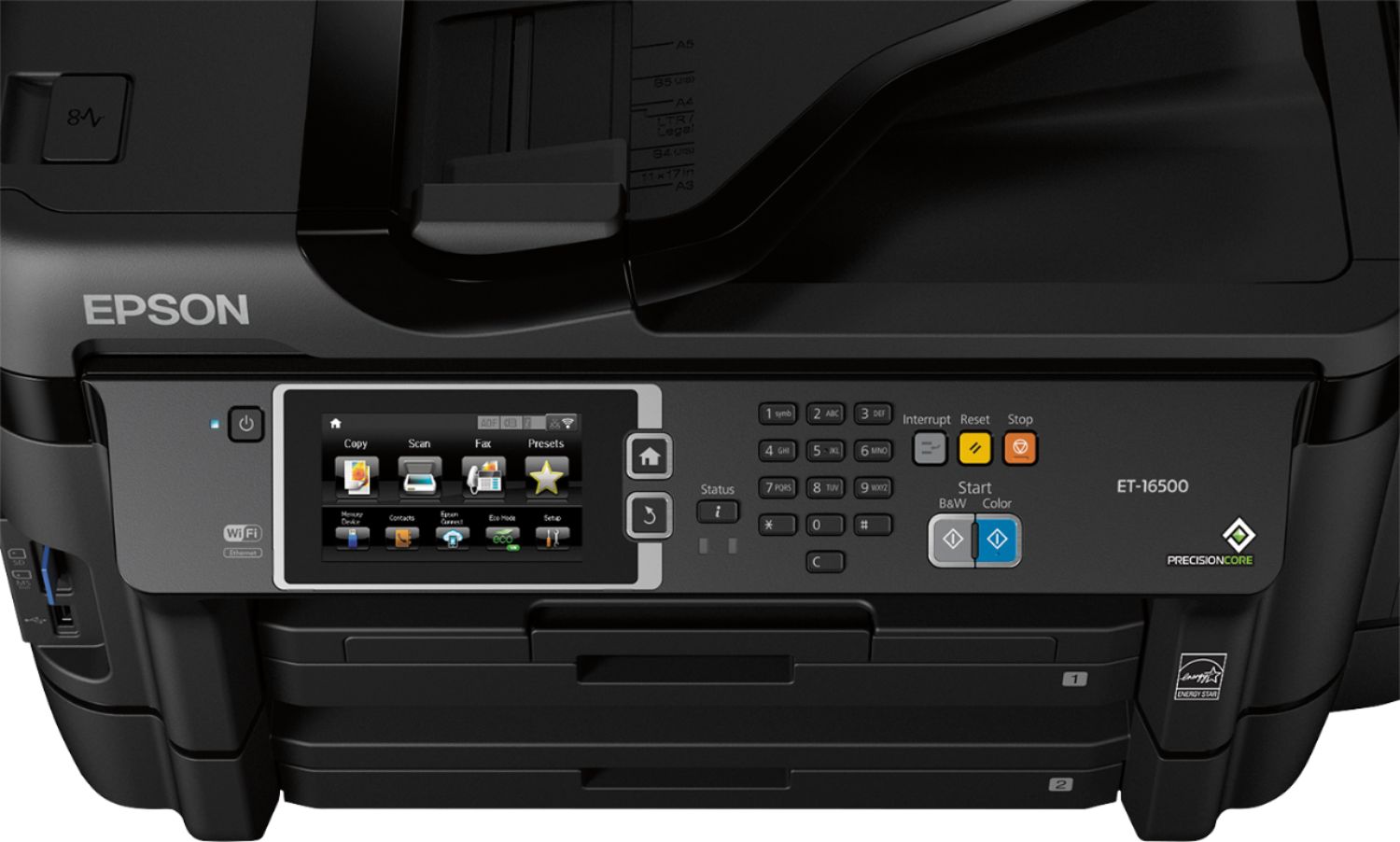
Posted .This reviewer received promo considerations or sweepstakes entry for writing a review.This is a review for the Epson ET-16500 EcoTank that I received free of charge to do a beta test and review. As a frequent purchaser of printers I feel as though I am qualified to review this product. For a while I have been looking for something for my small business needs and also for recreational and family use. I run a small IT business and cosistantly scan invoices and print a tremendous ammount of paper daily. For personal use I am an amateur photographer. When I receuved this unit I was amazed by the size of it, it is truly an enormous unit coming in slightly larger than 60lbs shipped. Unpackaging was extremely easy and setup was fairly quick too. There are a few tape holders on the unit that help make it safe for shipping [ensure they are all removed including inside]. Note: this will require 2 people most likely to move it, it is HUGE. Following the instructions I added ink to the tanks which was a very easy and clean process [ensure you have gloves on just incase.. I got yellow on a finger and it stayed for a while], and powered on as recommended. The initial priming of the unit is the most time consuming at 20 mins. After running through the initial install I ran a few internal adjustments in the menu to align the heads and started printing. Absolutely amazing qualuty and color! I ran several tests on several different types of paper from black and white to full color photos[has 2 paper trays on front that can detect the paper size and type automatically]. This unit litterally does it all and with ease. The scanning unit on the 16500 is enormous also allowing up to small posters to be scanned and has internal features for blowing up or shrinking these scans. The network features were extremely easy to setup and use also with google and epson cloud print services built in[allowing you to print from anywhere in the world] and wifi so no need for cat6 or usb cables. Aside from the "universal fits all" features from this unit, one of the biggest selling points is the unique ink tanks. It's as simple as pouring new ink into a large waterbottle type tank on the side. There is a visual indicator on the tanks showing levels and also feedback on the main printing screen lcd [large, like a cell phone sideways- easy to read]. This ink system is also one of the only faults I could find too though. In the event that you need to move the all in one due to relocation or full move, the unit MUST be transported upright and needs to be treated like a feather. The only thing keeping the ink in there are these rubber plugs that are on top of the tanks. In the even that movers arent careful, I could see the porential for this to be a nightmare. In conclusion this has to be one of the nicest units I've used int his price range. The network features for a small business are plentiful and secure (havent tried to see if it's Win Server 2012 compatible so on, but it should be], the paper options are fantastic [envelopes up to legal size and any thinckness you can throw at it], and finally easy of use is great. It's litterally a fantastic plug and play unit that would be easy on the pockets for a home user to install or an IT setup. And lastly has major advantages over other units due to ink costs. If you finding yourself needing an all in one, use a lot of ink, and want to print or scan everything from contracts to card stock to photos, this is the unit for you.
I would recommend this to a friend - Pros mentioned:Paper trays, Print quality
Rated 5 out of 5 stars
Super printer for home office
Posted .This reviewer received promo considerations or sweepstakes entry for writing a review.I have used this printer for about a week now and LOVE it! I have a small home office but I do a lot of printing and scanning. This thing holds a lot of paper and now I can scan one document while I am printing another! The ink tanks are a life saver too. The printer came with bottles for the initial fill and then another bottle of each for refill. This is MUCH better than buying ink cartridges every month for $100 or so a pop. This is a review for the Epson ET-16500 EcoTank that I received free of charge to do a beta test and review.
I would recommend this to a friend - Pros mentioned:Print quality
Rated 5 out of 5 stars
A printer for the long haul
Posted .This reviewer received promo considerations or sweepstakes entry for writing a review.After receiving the Epson ET-16500 EcoTank in the mail, I happened to notice that the box was slightly mangled. During the setup process, I encountered an error and had to contact customer support. Customer support happens to be located in another country, and unlike the horror stories you hear about in comedy routines, I had no problem with communication due to any accent and actually had someone that worked really hard to help me with my problems. Other than the original issue I had due to the rough shipping of a 60+lb printer, I have not had any real problems. I have not even encountered a paper jam, and I have run a lot of paper through the printer including types, sizes and volume. I have used printers within a large price range and have not come across one that has ink that is as affordable as this one, and it even comes with a lot of ink and holds a lot of ink as well. After reading the setup directions on filling the ink wells, I was intimidated but soon discovered that all you have to do is take your time and there will be no mess. The quality of the prints depends on what paper you are planning to print on. The printer, itself, will warn you if the paper you programed that is loaded into the adjustable trays is incompatible with what you have sent to print. It will let you print on whatever you have loaded after prompted. In the beginning, I had a few documents and a couple of pictures that had a random line in it, in the same general area, but it cleared up after two days of use. I have not used the fax feature as of yet due to the rarity of me sending or receiving faxes at the moment. The speed of the prints is fairly fast, color prints included. Setting up the network over wifi and usb was really fast and easy! I did discover that the android app suggested in the quick setup guide was unstable and using Epson iPrint was the way to go after reading the reviews on the android play store. This is a review for the Epson ET-16500 EcoTank that I received free of charge to do a beta test and review.
I would recommend this to a friend - Pros mentioned:Print quality
Rated 5 out of 5 stars
Amazing Small Business Printer
Posted .This reviewer received promo considerations or sweepstakes entry for writing a review.I received the Epson ET-16500 printer earlier this week. The printer came complete with very brief instructions, Windows software and duplicates of each color of ink. The set-up was fairly easy though even after downloading the software for Mac I was not able to complete the set-up. I did have to call Epson and download each software component separately and the issues were all resolved and the printer worked flawlessly. This printer is true workhorse. After setting it up I had to print a 25 page color presentation for 10 people. I love that the printer can print dual sided without any issues. The printer sailed through the job, and all the prints looked awesome. This would have taken for ever on my previous printer. The only issue that I have found is that the product page originally stated that the printer was AirPrint compatible, but after several calls to Epson it was determined that the printer does not support AirPrint. To print via an iOS device you can use the free EpsoniPrint app that is available in the Apple app store. This is a minor inconvenience, but not a deal breaker by any means. As a small business owner that operates on tight margins I am always looking at ways to save money. We do a fair amount of high quality printing that is quite costly on our Epson printer. We go through around six ink cartridges a year at around $115. The ET-16-500 costs only $59 per year. Saving $631 is a big deal. In two years the ink savings alone will pay for the cost of the printer. Ultimately I would recommend this printer to anyone who is looking to replace their current printer. For the home based business this printer is a must because of its multifunction versatility. This is a review for the Epson ET-16500 EcoTank that I received free of charge to do a beta test and a fair and honest review.
I would recommend this to a friend - Pros mentioned:Print quality
Rated 5 out of 5 stars
An Absolutely Exceptional All-in-One
Posted .This reviewer received promo considerations or sweepstakes entry for writing a review.First off, I am obligated to say “This is a review for the Epson ET-16500 EcoTank that I received free of charge to do a beta test and review.” With that out of the way, I say with confidence: Epson has done well. I spent a good two weeks testing out everything I could with this machine, and this is what I found: Pros: VERY High Quality Photo Printing Extremely Cost-Effective Ink Very Numerous Features Relatively Easy-to-Use Interface Sleek Design Easy Maintenance MANY Paper Options for ANY Print Job Dual Paper Tray for both Business and Photo Printing Simultaneously Very Accurate and Multi-Purpose Scanner Numerous Media Options for Printing From Cons: Initial Price Wi-Fi Direct Stability (Connection will often suddenly turn off mid-use) Alright, so this is a very good All-in-One with just about every feature you could ever need. It can do almost any print job under the sun, provides LARGE amounts of ink for VERY low price, and has numerous interface features and setting options. The ONLY real downside I can see is the high initial cost. $1000 is a chunk out of anyone's wallet, but it WILL save you money on ink in the long run. The only problems I had while testing it were few and far-between, seemingly disqualifying them from the "Cons" list and more as just oddities. Minute problems I had while testing this printer: Occasional double-feed of paper when the tray is low After a large number of print jobs back-to-back, detailed photos would suddenly take a large amount of time to complete. A FEW times when printing large/detailed photos, the colors would wash out a bit Final Review: Excellent. Well worth the buy if you use it even semi-frequently.
I would recommend this to a friend - Pros mentioned:Print quality
Rated 5 out of 5 stars
Great business printer!
Posted .This reviewer received promo considerations or sweepstakes entry for writing a review.I've been using this printer for a few days now. When it first arrive the box was huge! Unfortunately the box was half opened when it was dropped off. After opening I noticed the printer did not come with a physical manual. Not sure if it fell out of the box or just didn't come with it but you can find the manual online as well. I've been using this printer for my home office and I love it! Connects to wifi for printing documents where ever you go which is a feature I love. Also considering this printer doesn't use cartridges is also great! I wouldn't feel like I'd be being cheated out of my money when I buy bottled ink in the future for this printer as I have felt for other printers. You're saving money long term as far as ink goes. It came with 2 years worth of ink right out of the box too. This printer supports your regular printing paper 8 1/2 by 11 inch and also 11 by 14 inch. It has sliders that also lets you adjust the size for a variety of paper sizes as well. This printer is really fast printing both black and white as well as in color. I've also tried printing pictures with the printer using photo paper. The quality looked good enough to frame. Not spectacular but not bad either. This is one super versatile printer. I would recommend this for anyone with a business. It's a great investment that should last you a long time and you'll save money. You can print a variety of different size documents. Print on the go and also comes wit a fax feature and scanner. It really has everything you'll need! This is a review for the Epson ET-16500 EcoTank that I received free of charge to do a beta test and review.
I would recommend this to a friend - Pros mentioned:Print quality
Rated 5 out of 5 stars
Epson EcoTank ET-16500 Review
Posted .This reviewer received promo considerations or sweepstakes entry for writing a review.This is a review for the Epson ET-16500 EcoTank that I received free of charge to do a beta test and review. I received the printer late last week and set it up right away. This printer doesn’t use the typical inkjet cartridges, instead there is a bottle with ink that is used to fill the Ink Tanks. There are pros and cons to doing this, but I think it’s a better solution than the cartridges. I filled the ink tanks let the printer do the initial startup and ink charge. While the printer was doing the initialization I installed the drivers and software on my Mac. I run a small Technology company so I always use advanced settings. I set it up on my wireless network using a static IP and set it manually. I didn’t use the software to connect the printer to my computer. I have also set up the printer on Google Cloud Print as well as Epson Connect. I have tested both, and both have worked consistently while away from the printer. I do think Epson missed an opportunity with Apple devices. I wish this printer had AirPrint, but it’s not a huge deal to me. I own an older Epson printer as well as this new EcoTank. I have printed pictures on both printers and I feel the old Epson prints better quality pictures than the new EcoTank. I would say the color quality is good, but could be better. However, the EcoTank is a lot faster at printing than my old Epson. The EcoTank has the ability to scan up to 11x17 on the glass as well as through the ADF. Overall I think this EcoTank is a very good printer for the price point.
I would recommend this to a friend - Pros mentioned:Print quality
Rated 4 out of 5 stars
Great Do it All Printer!
Posted .This reviewer received promo considerations or sweepstakes entry for writing a review.I have had this printer for a little over a week now and am very satisfied with it. When I did receive the package an instruction manual was not included in the box. I reached out to a representative and was given a link that included a PDF version and the downloadable links. The printer was very quick and easy to set up.the blue ink would not print, I called Epson's customer service line. They were very friendly and helpful and instructed me to power flush the ink cartridges. This was quick and easy, phone call only lasted a few minutes. The only down side to this is you must wait 12 hours before you print again. Aside from this, the machine is relatively quick and quiet. I have not yet set up the fax machine or set up the print remotely option (I am over the moon excited to try this though. This should be by far the best feature!). It has very good quality and i have no noticed it using an excessive amount of ink yet. It is a nice size, pretty compact, not too big. Overall, I really like the printer and I would definitely recommend it to anyone, small business owners, home office, students etc. I will post an update once I do test out the print remotely feature (later this week!). This is a review for the Epson ET-16500 EcoTank that I received free of charge to do a beta test and review. Thanks Epson!
I would recommend this to a friend - Pros mentioned:Print quality
Rated 5 out of 5 stars
Epson ET-16500 EcoTank... Meets and exceeds
Posted .This reviewer received promo considerations or sweepstakes entry for writing a review.I love this printer! Its capable, economical, and a work horse. Moreover, the printing / scanning is impeccable. As a small business owner, my printer usage is varied. I need the normal printing functions for paperwork and such. I need to be able to print menus in varied formats for catering functions, And I will be using this printer to print out banners in a 13" format as well. That said, I have all the printer I will need for some time to come. This is a review for the Epson ET-16500 EcoTank that I received free of charge to do a beta test and review. Had that not been the case, I would likely have passed on the ability to print in 13" by 19" format as well as the ability to print banners due to budget constraints and I would have opted for a lesser printer. Had that been the case, I would have missed out. As I mentioned, this printer should keep me out of print shops altogether. It does EVERYTHING I need it to. Set up is a breeze. The ink is easy to fill and lasts for ages. (I looked into the replacement ink cost and was surprised to find that it is actually really inexpensive.) This printer has multiple paper trays so you can have different size paper loaded and ready to go concurrently. The scanning is crystal clear and easy to execute. The color printing is high quality. Every print job has been beautiful. I LOVE this printer. Definitely highly recommended. If you have the need to print in 13" by 19" format (rare for printers), this is a must.
I would recommend this to a friend - Pros mentioned:Print quality
Rated 4 out of 5 stars
Excellent printer for quality photos and prints
Posted .This reviewer received promo considerations or sweepstakes entry for writing a review.This is a review for the Epson ET-16500 EcoTank that I received free of charge to do a beta test and review. After having the Epson ET-16500 EcoTank for a week, I will say that it indeed prints high-quality photos, though there are some improvements I would suggest: First, I recommend adding to the setup directions something specifically stating that there are lines on the machine indicating when the ink tanks are full. My apartment is not well lit, and I did not see these lines until well after I had already emptied the bottles completely into the tanks. Had I known that there were indicator lines, I would have stopped when I reached them. Secondly, on my machine it seemed that, on lighter-colored sheets, the photos printed with small dots near the top center of the page. I don't know if that was just my machine or something that is common with this line. Overall, I truly enjoyed my experience with this printer. I was finally able to get my wedding photos printed for a reasonable price in the comfort of my own home, and I can now make quality prints of my art in a wider variety of sizes. I would highly recommend this to anyone.
I would recommend this to a friend
People also viewed
- $499.99Your price for this item is $499.99
- $299.99Your price for this item is $299.99$379.99The comparable value for this item is $379.99
- $699.99Your price for this item is $699.99$849.99The comparable value for this item is $849.99
- $129.89Your price for this item is $129.89$179.89The comparable value for this item is $179.89
- $79.00Your price for this item is $79.00$140.00The comparable value for this item is $140.00
- $99.99Your price for this item is $99.99
- $189.89Your price for this item is $189.89$259.89The comparable value for this item is $259.89
- $239.99Your price for this item is $239.99
- $69.00Your price for this item is $69.00$107.00The comparable value for this item is $107.00
- $49.89Your price for this item is $49.89$89.89The comparable value for this item is $89.89
- $99.89Your price for this item is $99.89$159.89The comparable value for this item is $159.89
- $79.89Your price for this item is $79.89$149.89The comparable value for this item is $149.89
- $86.99Your price for this item is $86.99
- $59.00Your price for this item is $59.00$107.00The comparable value for this item is $107.00
- $269.89Your price for this item is $269.89$369.89The comparable value for this item is $369.89
- $149.00Your price for this item is $149.00$215.00The comparable value for this item is $215.00

















