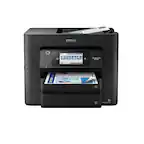
Customer Ratings & Reviews
















- Model:
- C11CJ06201
- SKU:
- 10839873
Rating by feature
- Value
Rating 4.4 out of 5 stars
- Quality
Rating 4.3 out of 5 stars
- Ease of Use
Rating 4.3 out of 5 stars
Satisfied
||Posted .This reviewer received promo considerations or sweepstakes entry for writing a review.So far, after a few weeks, I am very satisfied with the workforce 4820 printer. I wanted a printer that plugged into my computer without having to use the internet and this has worked well for me. It was very easy to set up. I have a Mac computer and had to go to the Epson website instead of using the CD that came with the computer. This was not a problem and was easy to follow the directions to install. I have only used the printer and thus can’t speak to the scanner and fax components.
I would recommend this to a friendThe little printer that could
||Posted . Owned for 1 month when reviewed.This reviewer received promo considerations or sweepstakes entry for writing a review.This WF printer works real well. It is a must to have the Epson Scansmart working. If you don't have that, it is pain to setup. Once you get that, it is a breeze. It prints pages pretty fast for a home printer. I would definitely would recommend it for my friends. It is good small business printer if you aren't relying on printing all the time.
I would recommend this to a friendSatisfied with All in One Printer
||Posted . Owned for 1 month when reviewed.This reviewer received promo considerations or sweepstakes entry for writing a review.Works great prints well haven't needed to replace the ink yet. I did need to contact customer support at Epson to troubleshoot wireless connection to my home desktop. I will have to contact them again as I can't get the Epson app to work on my smartphone now. Overall the physical machine works great when printing, faxing and copying.
I would recommend this to a friendGreat printer, horrible app
||Posted . Owned for 1 month when reviewed.This reviewer received promo considerations or sweepstakes entry for writing a review.Great printer for the price. Very quick printing but the issue is the app that accompanies. I would give the app a zero star but the printer is great. The app feels like something from 2009 that's never been updated and is extremely bad user interface... And really just didn't work. Everything else on the printer is great
I would recommend this to a friendNot My First Choice
||Posted .This reviewer received promo considerations or sweepstakes entry for writing a review.I heard praise for HP printers and decided to upgrade when I bought new Dell with Windows 11 OS. Well I had to reinstall the printer twice before my PC recognized it was connected. There is no user manual included. You must be online and go through trouble shooting if there is any issue. If I had to do it again, I would look for another manufacturer.
No, I would not recommend this to a friendBrand response from Epson
Posted .Hello AnnmarieD, we apologize for the disappointing experience you’ve encountered with your Epson printer. Your WF-4820 includes free technical support for the life of your product. Please reach out to our Epson Support Team for assistance at (562) 276-4382; Hours: Monday – Friday, 7 a.m. to 4 p.m. (PT). We’re here to help. Sincerely, Joseph – The Epson Team.

Printer - MF-4820
||Posted . Owned for 1 month when reviewed.This reviewer received promo considerations or sweepstakes entry for writing a review.Similar to my old printer just a newer version. I used it for about 6 years doing state organization work & some International work. It was a good printer so I wanted something that would do the same work. More compact.
I would recommend this to a friendGreat Deal for High Quality Printer
||Posted . Owned for 3 weeks when reviewed.This reviewer received promo considerations or sweepstakes entry for writing a review.So far the WF-4820 has been everything it was advertised to be. It installed easily for wireless printing. Works with our cell phones, chromebook, laptop, and 2 all in one desktop computers. The print quality was better than our previous HP printer. The WF-4820 uses 4 individual ink cartridges and will not work when one is empty so I purchased an extra set of cartridges for this contingency.
I would recommend this to a friendEpson Workforce Pro WF-4820
||Posted . Owned for 3 weeks when reviewed.This reviewer received promo considerations or sweepstakes entry for writing a review.Printer was easy to setup. Instructions easy to follow. Print quality is excellent.
I would recommend this to a friendGreat Printer for a Very Good Price
||Posted . Owned for 3 weeks when reviewed.This reviewer received promo considerations or sweepstakes entry for writing a review.I'm very pleased with this printer. What's not to like? It prints quickly, copies well, scans well, and I'm about to test it on a long fax (40 pages), and so far so good. When I do color printing, the colors come out pretty true to what I see on my computer screen. It also has a connection for an ethernet cable, for those who want to connect it to their network without running Wifi. AND it has the coolest sounding electronic chimes that sound when you turn it on and off!
I would recommend this to a friendEasy yo set up
||Posted . Owned for 2 weeks when reviewed.This reviewer received promo considerations or sweepstakes entry for writing a review.Easy to set up. Easy to use great copies And scanning. Ink easy to change. WiFi set up first try. Really like this printer
I would recommend this to a friendSo far, so good
||Posted . Owned for 1 month when reviewed.This reviewer received promo considerations or sweepstakes entry for writing a review.Haven't used the printer much, but we are pleased with it so far. It is quiet, fast, and has some great features.
I would recommend this to a friendFast and easy to use
||Posted .This reviewer received promo considerations or sweepstakes entry for writing a review.This printer is Fast and easy to use. Works using any device.
I would recommend this to a friendReview of Epson WorkForce Pro WF-4820
||Posted . Owned for 1 month when reviewed.This reviewer received promo considerations or sweepstakes entry for writing a review.This all in one printer is truly a Work Force piece of equipment, it was easy to set up and use. The only drawback I found that at times it goes into a sleep mode and if i send a print i have to physically wake the printer up for print job to go through. The color printing was brilliant and ink was cheap compared to HP ink.
I would recommend this to a friendNice printer
||Posted . Owned for 1 month when reviewed.This reviewer received promo considerations or sweepstakes entry for writing a review.It is very difficult these days to find a printer in stock. After waiting and waiting for many different ones to come back into stock I decided on the Epson. It arrived quickly and was well packed. Very easy to setup when you follow the directions. It is sleek looking (although rather tall) and has a nice large touch screen. Connected to my network with no issues. So far prints have been very good quality and the speed is incredible compared to many printers I have had before.
I would recommend this to a friendLove it for small home business!
||Posted . Owned for 3 months when reviewed.This reviewer received promo considerations or sweepstakes entry for writing a review.My favorite investment! Love it for my small home office. Just order xl ink if you use a decent amount of color. Easy wireless connection from phone and laptop.
I would recommend this to a friendFast, lightning fast!
||Posted .This reviewer received promo considerations or sweepstakes entry for writing a review.This has been a workhorse of a printer. Fast, reliable printing for the any work-from-home warrior!
I would recommend this to a friendWorks well
||Posted . Owned for 1 week when reviewed.This reviewer received promo considerations or sweepstakes entry for writing a review.Works very well as needed, use it fo day to day small business
I would recommend this to a friendAwesome
||Posted . Owned for 1 month when reviewed.This reviewer received promo considerations or sweepstakes entry for writing a review.Love this printer awesome buy really quite and very fast
I would recommend this to a friendLove it
||Posted . Owned for 1 month when reviewed.This reviewer received promo considerations or sweepstakes entry for writing a review.Easy to use and beautiful pictures, worth the price
I would recommend this to a friendGlad I purchased
||Posted . Owned for 3 weeks when reviewed.This reviewer received promo considerations or sweepstakes entry for writing a review.Very user friendly. Easy to set up and use. Nice quality.
I would recommend this to a friend