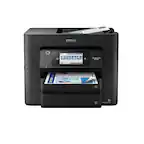
Customer Ratings & Reviews
















- Model:
- C11CJ06201
- SKU:
- 10839873
Rating by feature
- Value
Rating 4.4 out of 5 stars
- Quality
Rating 4.3 out of 5 stars
- Ease of Use
Rating 4.3 out of 5 stars
owner
||Posted . Owned for 1 month when reviewed.This reviewer received promo considerations or sweepstakes entry for writing a review.One of the best Small printers on the market. Works extremely good and very easy to operate
I would recommend this to a friendDo better Epson!
||Posted .This reviewer received promo considerations or sweepstakes entry for writing a review.Picked this up at the store yesterday after my Epson WF 3620 finally died. I will miss that old printer! I like that the 4820 has the document feeder on top rather than behind. It was also very easy to set up! Even though it came with the CD to install, I just went directly to Epson Connect as they had the latest updates. At first I was concerned I would have connectivity issues after reading reviews, but was pleasantly surprised that there were none! I followed the included brochure VERY carefully in order not to skip any steps and to avoid frustration. The three things that stand out to me the most when comparing the older version (3620) is: 1) The scanner is SLOW. Even when you take down the resolution, it's slowwwww. 2) The printer is loud. Even when you enable the quiet mode setting (longer printing time), it's still loud. 3) Paper jams. I've only made three prints, but the paper drawer is very finicky. Very disappointed in that. If it wasn't for that, I'd add an extra star. It doesn't take a rocket scientist to ensure the paper is inserted properly. Overall, for the price that I paid, it's ok. The official Epson site had this printers on sale so was able to do a price match.
No, I would not recommend this to a friendBrand response from Epson
Posted .Hi Bernardo, You can find product information, including FAQs and the product’s User’s Guide at www.epson.com/support/wf4820, to help with the issues you are experiencing. If you continue to have problems with your printer, our Epson Support Team would be happy to help you and can be reached at (562) 276-4382; Hours: Monday – Friday, 7 a.m. to 4 p.m. (PT). Have a great day. Sincerely, Dylan – The Epson Team.

Printer
||Posted . Owned for 1 month when reviewed.This reviewer received promo considerations or sweepstakes entry for writing a review.My printer works great no issue found at all I use Dailey
I would recommend this to a friendPrinter
||Posted . Owned for 1 month when reviewed.This reviewer received promo considerations or sweepstakes entry for writing a review.Well priced versatile printer. Very efficient and prints great.
I would recommend this to a friendDecent printer
||Posted . Owned for 1 week when reviewed.This reviewer received promo considerations or sweepstakes entry for writing a review.Nice printer but two drawbacks that are probably a personal thing. Using a jump drive it requires only picture images (png, etc) instead of pdf, word documents, or anything else. Also, you can only can to file. You can't scan and print the item.
I would recommend this to a friendEpson Printer
||Posted . Owned for 1 month when reviewed.This reviewer received promo considerations or sweepstakes entry for writing a review.Printer works well easy to set up and prints quickly
I would recommend this to a friendPriced About Right
||Posted . Owned for 3 weeks when reviewed.This reviewer received promo considerations or sweepstakes entry for writing a review.For what I needed--a deskside classroom backup--this is a good printer. However, its ink usage is very poor (the regular size goes 'way too quickly and the XLs are hard to find,so I don't know how they do). Also, the exit ramp for copies is far too small. The print quality direct from computer is good but the copying quality is less so in the colors. I actually fine the speed pretty good, however. Good buy for $100 with the above caveats in mind. My recommendation is buy if expectations are limited, but not for large jobs.
I would recommend this to a friendPrinter
||Posted . Owned for 1.5 years when reviewed.This reviewer received promo considerations or sweepstakes entry for writing a review.Works very well.. I like this brand and will continue to buy this type.. I had the one with bottle ink and it dried up and every time I used it I had to do lots of maintenance.. never will use those again..horrible.. but this one is great except ink costs a lot
I would recommend this to a friendGood printer and good price
||Posted . Owned for 3 weeks when reviewed.This reviewer received promo considerations or sweepstakes entry for writing a review.Easy setup. Prints are good quality and speed is acceptable.
I would recommend this to a friendEpson WF-4820 Printer is Great
||Posted . Owned for 1 month when reviewed.This reviewer received promo considerations or sweepstakes entry for writing a review.I have been an Epson printer customer for a long time. Mine finally wore out from old age and had to purchase a new one. This new printer is very fast and the scanner is awesome - super fast also. I do a lot of scanning and I love the speed and ease of how this new one works. Epson support was also great when I called to determine if I would be able to salvage my old printer.
I would recommend this to a friendNew Epson Printer for Business
||Posted . Owned for 1 month when reviewed.This reviewer received promo considerations or sweepstakes entry for writing a review.We replaced a very printer that was going flaky and needed something reliable. We reached out to our Geek squad (Josh) and he suggested this printer for its ease of setting it up. We now have new features and look forward to using it.
I would recommend this to a friendElso n printer
||Posted . Owned for 5 months when reviewed.This reviewer received promo considerations or sweepstakes entry for writing a review.Eppapon printer, work great. I like nice view, so you can see if copy or you can check oni k.
I would recommend this to a friendMostly Happy
||Posted . Owned for 4 months when reviewed.This reviewer received promo considerations or sweepstakes entry for writing a review.sadly the document feeder showed up broken but I never tried to use it until after about a month of owning. So now that is an issue. The rest of the features are great and set up was relatively easy to multiple devices (wired and not).
I would recommend this to a friendPrinter
||Posted . Owned for 1 year when reviewed.This reviewer received promo considerations or sweepstakes entry for writing a review.Easy to use and great quality,inck last for about a month or so but overall its a cheap and quick solution.
I would recommend this to a friendGreat printer
||Posted . Owned for 3 weeks when reviewed.This reviewer received promo considerations or sweepstakes entry for writing a review.Great product very fast and reliable. Would recommend to friends
I would recommend this to a friendWorks fast.
||Posted . Owned for 1 month when reviewed.This reviewer received promo considerations or sweepstakes entry for writing a review.This is an excellent printer. I printed a 76 page document that printed super fast - was pleasantly surprised at how well and accurately it printed even with a pause to add more paper. Only one very minor issue thus far - it has grabbed more than one page on more than one occasion but no biggie. I just removed the blank pages and I was good to go.
I would recommend this to a friendGreat
||Posted . Owned for 1 month when reviewed.This reviewer received promo considerations or sweepstakes entry for writing a review.Great purchase for the price. Versatile and easy to use, very good quality.
I would recommend this to a friendVery pleased
||Posted . Owned for 1 month when reviewed.This reviewer received promo considerations or sweepstakes entry for writing a review.Easy to set up and use. Fast, beautiful print. Definitely can recommend.
I would recommend this to a friendYou Won’t Be Disappinted!
||Posted . Owned for 3 months when reviewed.This reviewer received promo considerations or sweepstakes entry for writing a review.This is the best ‘all in one’ I have had in years! There are many extra, helpful features. It prints and scans fast. Also, the ink lasted more than two months & I printed a lot! I’m used to replacing cartridges 1-2 times a month, so this is definitely more efficient and cost effective.
I would recommend this to a friendGood Compact Multi-function printer
||Posted . Owned for 3 weeks when reviewed.This reviewer received promo considerations or sweepstakes entry for writing a review.Good printer for the money. Very compact and does so much. Has communication issues, but much better than HP products. So I'm sticking with Epson
I would recommend this to a friend