Customer Ratings & Reviews
















- Model:
- C11CJ06201
- SKU:
- 10839873
Rating by feature
- Value
Rating 4.4 out of 5 stars
- Quality
Rating 4.3 out of 5 stars
- Ease of Use
Rating 4.3 out of 5 stars
ADR issues
||Posted . Owned for 3 months when reviewed.This reviewer received promo considerations or sweepstakes entry for writing a review.Automatic Document Feeder failed after two months.
No, I would not recommend this to a friendBrand response from Epson
Posted .Hello WorkFromHomer, we sincerely apologize for the ADF issues that you had encountered. Your WorkForce Pro WF-4820 is backed by a 1-year Limited Warranty and includes free lifetime tech support. Please allow us to assist by contacting our support team by phone at (562) 276-4382 or by email at https://epson.custhelp.com/app/ask/p_model_name/Epson%20WorkForce%20Pro%20WF-4820; Hours: Monday - Friday, 7 am - 4 pm PT. We hope to hear from you soon. Kind Regards, Bobby - The Epson Team.

Doesn’t work
||Posted . Owned for 1 year when reviewed.This reviewer received promo considerations or sweepstakes entry for writing a review.This thing stopped working after 6 months. Waste of money
No, I would not recommend this to a friendBrand response from Epson
Posted .Hello AndreaN, we apologize for the disappointing experience you’ve encountered with your Epson printer's wireless connection. Your WF-4820 includes free technical support for the life of your product. Please call and let our Epson Support Team assist. Our support number is (562) 276-4382. Our support hours of operation are Monday – Friday, 7 a.m. to 4 p.m. (PT). We’re here to help. Sincerely, Joseph – The Epson Team.
Falsely advertised
||Posted . Owned for 1 week when reviewed.This reviewer received promo considerations or sweepstakes entry for writing a review.Website says this printer does 2-sided scanning but it does not, kept saying it was not connected to a computer when it was directly plugged into it.
No, I would not recommend this to a friendBrand response from Epson
Posted .Hello Angela, we appreciate your feedback, and we'll forward this information to the relevant product teams for review. If you would like assistance, the WorkForce Pro WF-4820 includes free lifetime tech support, and our support team can be reached at (562) 276-4382 between 7 am - 4 pm (PT), Monday - Friday. Kind Regards, Bobby - The Epson Team.
Awful printer
||Posted . Owned for 6 months when reviewed.This reviewer received promo considerations or sweepstakes entry for writing a review.The wrist printer I have ever had cannot put the ink in the directions are awful just a waste of my money iam going to throw out a brand new printer never served it’s purpose
No, I would not recommend this to a friendBrand response from Epson
Posted .Hello Patann, we're sorry to hear about the trouble you experienced with the Epson WF-4820 printer. Your WorkForce printer includes free lifetime tech support, and we're here to help. Additionally, Epson provides useful information in the FAQs at https://epson.com/Support/Printers/All-In-Ones/WorkForce-Series/Epson-WorkForce-Pro-WF-4820/s/SPT_C11CJ06201#questions to help troubleshoot most problems with print quality. If you need further assistance, please contact Epson Support directly at (562) 276-4382 between 7 am - 4 pm (PT), Monday - Friday. Sincerely, Sam - The Epson Team.
Awful
||Posted . Owned for 2 months when reviewed.This reviewer received promo considerations or sweepstakes entry for writing a review.Absolutely awful printer. I can't print out more than 2 pages at a time otherwise it just shoots out blank pages and getting a little ink on those blank papers rendering them useless for other documents.
No, I would not recommend this to a friendBrand response from Epson
Posted .Hello Matt, we're sorry to hear about your disappointing experience with the WF-4820 printer. Epson takes into consideration all feedback to improve the performance and quality of our products. Epson offers helpful information, including FAQs and self-help tools, on the product support web page at https://epson.com/Support/Printers/All-In-Ones/WorkForce-Series/Epson-WorkForce-Pro-WF-4820/s/SPT_C11CJ06201#questions. Additionally, your WorkForce printer includes a 1-year Limited Warranty, plus free lifetime technical support. If you need any assistance, our Epson Support Team would be happy to help you and can be reached at (562) 276-4382; Hours: Monday - Friday, 7 am - 4 pm PT; Sincerely, Tony - The Epson Team.
Printer
||Posted . Owned for 3 weeks when reviewed.This reviewer received promo considerations or sweepstakes entry for writing a review.Geek Squad was a sham, not only they couldn't' help me I had to pay additional for advanced support..seriously if you can't help you should return the money.
No, I would not recommend this to a friendBrand response from Epson
Posted .Hello, we're sorry to hear about the disappointing experience you had with the WF-4820 printer. Your WorkForce printer is backed by a 1-year limited warranty and includes free lifetime technical support. Additionally, Epson provides useful information to help address most issues, including FAQs and self-help tools, on the product support website at www.epson.com/Support/Printers/All-In-Ones/WorkForce-Series/Epson-WorkForce-Pro-WF-4820/s/SPT_C11CJ06201#questions. If you need further assistance, please reach our support team directly at (562) 276-4382 between 7 am - 4 pm (PT), Monday - Friday. Sincerely, Sam - The Epson Team.
Epson printer, worthless
||Posted . Owned for 5 months when reviewed.This reviewer received promo considerations or sweepstakes entry for writing a review.horrible, the smaller inks don't last a month, can't find the larger ones. it sounds like a tractor when it is running. worst printer I have ever had
No, I would not recommend this to a friendBrand response from Epson
Posted .Hello, we're sorry to hear about your disappointment with the WF-4820 printer. Epson takes into consideration all feedback to improve the performance and quality of our products. Epson provides helpful information, including FAQs and self-help tools, on the product support web page at https://epson.com/Support/Printers/All-In-Ones/WorkForce-Series/Epson-WorkForce-Pro-WF-4820/s/SPT_C11CJ06201#questions. Additionally, your WorkForce printer includes a 1-year Limited Warranty, plus free lifetime technical support. If you need any assistance, our Epson Support Team would be happy to help you and can be reached at (562) 276-4382; Hours: Monday - Friday, 7 am - 4 pm PT; Sincerely, Sam - The Epson Team.
Printer
||Posted . Owned for 1 month when reviewed.This reviewer received promo considerations or sweepstakes entry for writing a review.I didn’t like it at all it used the ink to fast and the ink is really expensive it’s not worth the ink that you have to use on it
No, I would not recommend this to a friendBrand response from Epson
Posted .Hi Acsa, we're sorry to hear about the trouble that you've encountered. Your WorkForce Pro WF-4820 printer comes with a 1-year Limited Warranty and free lifetime technical support. If you would like help optimizing your print settings for more efficient ink consumption, our support team can be reached by phone at (562) 276-4382 or by email at https://epson.custhelp.com/app/ask/p_model_name/Epson%20WorkForce%20WF-4820; Hours: Monday - Friday, 7 am - 4 pm PT. Otherwise, we'll forward your feedback to the appropriate product team for review. Sincerely, Bobby - The Epson Team.
Poor Function
||Posted . Owned for 1 month when reviewed.This reviewer received promo considerations or sweepstakes entry for writing a review.I had the product for a week, and it has malfunctioned. I was unable to return it right away because I went on vacation overseas.
No, I would not recommend this to a friendBrand response from Epson
Posted .Hi KeithW, we are sorry to hear you are having trouble with your Epson printer. Your Epson WorkForce Pro WF-4820 includes a 1-Year Limited Warranty, plus free technical support for the life of your product. Our Epson Support Team would like to hear about the specific issue(s) you are experiencing and can be reached at (562) 276-4382 between 7 am - 4 pm (PT), Monday - Friday, if you need further assistance. Sincerely, Tony - The Epson Team
Bad Product
||Posted . Owned for 1 month when reviewed.This reviewer received promo considerations or sweepstakes entry for writing a review.Have had this product for less than 2 months and I can no longer print wirelessly to it. Of course the return window has expired. Absolutely unacceptable
No, I would not recommend this to a friendBrand response from Epson
Posted .Hello Amanda, we apologize for your disappointing experience with the WF-4820 printer. Epson considers all feedback to improve the performance and quality of our products. Epson also provides helpful information on FAQs and self-help tools on the product support web page at https://epson.com/Support/Printers/All-In-Ones/WorkForce-Series/Epson-WorkForce-Pro-WF-4820/s/SPT_C11CJ06201#questions. Additionally, your printer includes a 1-year Limited Warranty, plus free lifetime technical support. Please get in touch with our support team directly at (562) 276-4382 between 7 am - 4 pm (PT), Monday - Friday if you need further assistance.
Sincerely, Sam - The Epson Team

Fast and Quiet All-in-One Printer
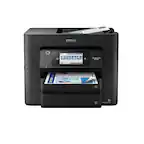
|Posted .This reviewer received promo considerations or sweepstakes entry for writing a review.The Epson WF-4820 all-in-one printer works well in a small office or home office. It packs a lot of features into a small footprint. The WF-4820 can print, copy, scan and fax. I am a Graphic Designer and printed a logo full-size both in black & white and in color. The black & white print was sharp and rich, without lines or spots. The color print was rendered perfectly, also sharp and in true colors. I used the Copy and Scan functions on a spiral-bound sketchbook with a colored composition book pattern. The copy was sharp and accurate both in black & white and in color. The scan was even sharper, and I easily created the scan file as a .PDF directly onto a USB stick. One feature that surprised me is that the scanner lid has a floating hinge. This allows you to place a thick document or book on the scanner, and the lid adjusts. Unpacking was easy. The packing is well-designed, with the printer packed in a rugged plastic bag. Use the bag handles to lift the printer straight out of the box. Setup takes a few minutes to remove the many tape strips that protect the printer during shipment. Insert the included CMYK cartridges and wait for the printer to prime the ink. Then let the printer screen to guide you through the wireless setup. If you prefer, you can use an Ethernet or USB connection to your network or computer (cables not included). Pros: - Fast printing in both black & white and color - Large capacity paper tray holds 250 sheets - Can print on various paper types and thicknesses - Floating hinge on scanner lid accommodates thick documents and books - Easy to set up - WiFi, Ethernet and USB connectivity - Small footprint - Printer drivers available on included DVD and also free to download off the Epson Web site - Four (CMYK) ink cartridge slots clearly marked inside printer - Scan to USB drive, computer, or network storage device. - FAX mode available for those with land lines. - Large, bright screen and intuitive controls. Cons: - No USB or Ethernet cables included - No cons re: features/functions This printer easily replaces my old all-in-one, and will be my “go-to” printer for day-to-day work. I will continue to use my Epson professional printer to produce large format, high quality photos and illustrations.
I would recommend this to a friendUpdate ruined my printer.
||Posted .This reviewer received promo considerations or sweepstakes entry for writing a review.Update ruined my printer. Does not have a hard factory reset and tech support was useless.
No, I would not recommend this to a friendBrand response from Epson
Posted .Hello, we're sorry to hear about your disappointing experience with the WF-4820 printer. We appreciate your feedback, and we'll forward this information to the relevant departments to help us improve the quality and performance of future Epson products. Your WF-4820 printer also includes a 1-year Limited Warranty, plus free lifetime tech support. If we can help you with anything else, our support team can be reached by phone at (562) 276-4382; Hours: Monday - Friday, 7 am - 4 pm PT. Once again, thank you. Sincerely, Tony - The Epson Team.
Does not scan to yahoo or outlook servers
||Posted . Owned for 1 month when reviewed.This reviewer received promo considerations or sweepstakes entry for writing a review.Bought this for home office for the scan to email feature and found out it does not scan to yahoo or outlook servers. Waste of money and missed the return window.
No, I would not recommend this to a friendBrand response from Epson
Posted .Hello, we're sorry to hear about your disappointing experience with the WF-4820 printer. You may use the feature called Epson Connect to scan to email. Epson provides helpful information on the product support web page, including FAQs and self-help tools at https://epson.com/faq/SPT_C11CJ06201~faq-000049d-wf4820_4830. Additionally, your printer includes a 1-year Limited Warranty, plus free lifetime technical support. If you need any assistance, our Epson Support Team would be happy to help you and can be reached at (562) 276-4382; Hours: Monday - Friday, 7 am - 4 pm PT; Sincerely, Sam - The Epson Team.
Find another all in one
||Posted . Owned for 1 month when reviewed.This reviewer received promo considerations or sweepstakes entry for writing a review.defective low quality product. would not accept ink and kept throwing error that the paper tray wasn't inserted although it was.
I would recommend this to a friendBrand response from Epson
Posted .Hello ChristopherH, we appreciate your feedback on the WF-4820 printer. Epson considers all feedback to improve the performance and quality of our products. Epson also provides helpful information on FAQs and self-help tools on the product support web page at https://epson.com/Support/Printers/All-In-Ones/WorkForce-Series/Epson-WorkForce-Pro-WF-4820/s/SPT_C11CJ06201#questions. Your printer also includes a 1-year Limited Warranty plus free lifetime technical support. Please contact our support team directly at (562) 276-4382 between 7 am - 4 pm (PT), Monday - Friday, if you need further assistance.
Sincerely, Sam - The Epson Team
No Good!
||Posted . Owned for 1 year when reviewed.This reviewer received promo considerations or sweepstakes entry for writing a review.This printer constantly lost wi-if connection. It broke down within a year!
No, I would not recommend this to a friendBrand response from Epson
Posted .Hello Nomad, we apologize for your disappointing experience with the WF-4820 printer. Epson considers all feedback to improve the performance and quality of our products. Epson also provides helpful information on FAQs and self-help tools on the product support web page at https://epson.com/Support/Printers/All-In-Ones/WorkForce-Series/Epson-WorkForce-Pro-WF-4820/s/SPT_C11CJ06201#questions. Your printer also includes a 1-year Limited Warranty plus free lifetime technical support. Please get in touch with our support team at (562) 276-4382 between 7 am - 4 pm (PT), Monday - Friday, if you need further assistance.
Sincerely, Sam - The Epson Team
Bad quality printer
||Posted . Owned for less than 1 week when reviewed.This reviewer received promo considerations or sweepstakes entry for writing a review.Getting paper trayerrir in new printer, bad quality
No, I would not recommend this to a friendBrand response from Epson
Posted .Hi NimishB, we are sorry to hear that you are experiencing issues with your printer. Your WorkForce Pro WF-4820 includes free technical support for the life of your product. Our Epson Support Team would be happy to help and can be reached at (562) 276-4382; Hours: Monday – Friday, 7 a.m. – 4 p.m. PT. Sincerely, Dylan – The Epson Team.
Returned printer
||Posted . Owned for 3 weeks when reviewed.This reviewer received promo considerations or sweepstakes entry for writing a review.Returned, kept getting paper cassette tray not inserted correctly. No help from tech support, could barely understand them on phone.
No, I would not recommend this to a friendBrand response from Epson
Posted .Hello Kytech, we're very sorry for the paper cassette issues that you had experienced with the WorkForce Pro WF-4820. Epson takes into consideration all feedback to improve the performance and quality of our products. If we can help you with anything else, our support team can be reached at (562) 276-4382 between 7 am - 4 pm (PT), Monday - Friday. Hopefully, we can assist you with a future product. Sincerely, Bobby - The Epson Team.
PRINTER SUICKS1111111
||Posted . Owned for 3 weeks when reviewed.This reviewer received promo considerations or sweepstakes entry for writing a review.Having serious problems with PRINTER!!! hAve called for geek squad, puit non hold then hung up on!!!!!!!!!!!!!!! will soon return printer iof no one will help
No, I would not recommend this to a friendBrand response from Epson
Posted .Hello, we're sorry to hear about your disappointing experience with the WF-4820 printer. Epson takes into consideration all feedback to improve the performance and quality of our products. Epson offers helpful information, including FAQs and self-help tools, on the product support web page at https://epson.com/Support/Printers/All-In-Ones/WorkForce-Series/Epson-WorkForce-Pro-WF-4820/s/SPT_C11CJ06201#questions. Additionally, your WorkForce printer includes a 1-year Limited Warranty, plus free lifetime technical support. If you need any assistance, our Epson Support Team would be happy to help you and can be reached at (562) 276-4382; Hours: Monday - Friday, 7 am - 4 pm PT; Sincerely, Tony - The Epson Team.
A waste
||Posted . Owned for 2 months when reviewed.This reviewer received promo considerations or sweepstakes entry for writing a review.I have tried a dozen times and it simply won’t connect to my WiFi or workS total waste of $
No, I would not recommend this to a friendBrand response from Epson
Posted .Hello Camw, we apologize for the disappointing experience you’ve encountered with your Epson printer. Your Epson WorkForce Pro WF-4820 includes free technical support for the life of your product. Please reach out to our Epson Support Team for assistance at (562) 276-4382; Hours: Monday – Friday, 7am – 4pm PT. We’re here to help. Sincerely, Tony – The Epson Team.
Printer
||Posted . Owned for 10 months when reviewed.This reviewer received promo considerations or sweepstakes entry for writing a review.Not working i dont recommend buying this item at all
No, I would not recommend this to a friendBrand response from Epson
Posted .Hi Kamal, we are sorry to hear that you are experiencing issues with your printer. Your WorkForce Pro WF-4820 includes free technical support for the life of your product. Our Epson Support Team would be happy to help and can be reached at (562) 276-4382; Hours: Monday – Friday, 7 a.m. – 4 p.m. PT. Sincerely, Dylan – The Epson Team.