Customer Ratings & Reviews
















- Model:
- C11CJ06201
- SKU:
- 10839873
Rating by feature
- Value
Rating 4.4 out of 5 stars
- Quality
Rating 4.3 out of 5 stars
- Ease of Use
Rating 4.3 out of 5 stars
wont go back
||Posted .This reviewer received promo considerations or sweepstakes entry for writing a review.not easy to use or setup same as the computer i bought there they lied about pretty much everything just to sell u
No, I would not recommend this to a friendBrand response from Epson
Posted .Hello JoeD, we apologize for your disappointing experience with the WF-4820 printer. Epson considers all feedback to improve the performance and quality of our products. Epson also provides helpful information on FAQs and self-help tools on the product support web page at https://epson.com/Support/Printers/All-In-Ones/WorkForce-Series/Epson-WorkForce-Pro-WF-4820/s/SPT_C11CJ06201#questions. Additionally, your printer includes a 1-year Limited Warranty plus free lifetime technical support. Please contact our support team directly at (562) 276-4382 between 7 am - 4 pm (PT), Monday - Friday, if you need further assistance.
Sincerely, Sam - The Epson Team

Feature-Laden Multifunction
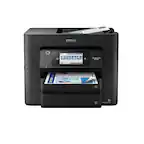
|Posted .This reviewer received promo considerations or sweepstakes entry for writing a review.The Epson WorkForce WF-4820 is a solid multifunction device that does it all—print, scan, copy and fax. And it does these tasks quite well. If you’re looking for a high-speed printer, this is not the fastest on the market, but does print speedily at 22 ppm (black) and 12 ppm (color). At this price point you won’t be disappointed. Some of the features are typically more common on higher priced printers. Examples include the 4.3” color LCD touchscreen. Most printers in this class have smaller screens typically 2.7” size or less. But the WF-48920’s larger screen makes it much simpler to read and press buttons for the function you want to perform. I also appreciated the large 250-sheet paper tray. Many multifunction devices do not offer a fax function. The WF-4820 makes this available simply by hooking up your phone line to the device. Installation was a breeze. With a Mac it couldn’t be easier: (1) Load paper and ink cartridges, (2) Find and set up your Wi-Fi network and password, and (3) go to your Mac’s System Preferences app and add the printer. With that you’re done. There is no loading of software to make this device operational. It’s all intuitive. My only complaint is that there is no user manual included, just a foldout setup sheet with numbered steps to activate the printer. Of course, if you need more help, the WF-4820’s User Guide is available on Epson’s website. This multifunction delivers what it promises at a reasonable price. Of course, you can spend more on advanced all-in-ones, but you won’t get much more than what Epson provides with the WF-4820.
I would recommend this to a friendInstalled easily and works perfectly.
Posted .This reviewer received promo considerations or sweepstakes entry for writing a review.Installed easily and works perfectly. Cartridges installed easily.
I would recommend this to a friendmy printer
Posted .This reviewer received promo considerations or sweepstakes entry for writing a review.Works well, reasonable price. easy set up. Real good sales person
I would recommend this to a friendEpson Janetpulis
Posted .This reviewer received promo considerations or sweepstakes entry for writing a review.Hapoy with the speed. Super fast. Great printing and vlear copies
I would recommend this to a friendHome Office Do-it-All
|Posted .This reviewer received promo considerations or sweepstakes entry for writing a review.The Epson WorkForce WF-4820 is a solid multifunction device that does it all—print, scan, copy and fax. And it does these tasks quite well. You’ll need to purchase cables if you’ll be connecting directly to a computer. I didn’t verify but setup can be done via WiFi. Installation was a breeze. I downloaded the most recent software package from Epson, I use a PC there are setups for MAC. There is no user manual included, just a foldout setup sheet with numbered steps to activate the printer. Of course, if you need more help, the WF-4820’s User Guide is available on Epson’s website. If you’re looking for a high-speed printer, this is not the fastest on the market, and it’s definitely not the slowest but it does print speedily along at 22 ppm (black) and 12 ppm (color). The WF-48920’s larger 4.3” screen makes it much simpler to read and press buttons for the function you want to perform. I also appreciated the large 250-sheet paper tray. This multifunction delivers what it promises at a reasonable price. For a small to home office this machine is great, simple to use while getting it done. Of course, you can spend more on advanced all-in-ones, but you won’t get much more than what Epson provides with the WF-4820.
I would recommend this to a friendA Must Have Printer!!!
|Posted .This reviewer received promo considerations or sweepstakes entry for writing a review.I have heard some great things about Epson’s “WorkForce” printers such as their ability to handle immense printing needs with top-notch efficiency. I do have an ink tank printer from Epson that works great as well as a scanner that is my “go-to” as it has simplified my life immensely by eliminating the paper monster—hopefully for good! This is my first venture into using a WorkForce printer and it has not disappointed. This printer easily can handle small business and/or personal needs with great efficiency. It is an all in one printer that prints, copies, faxes, and scans. I love the fact that it has a 250-tray capacity. I have tried all features except the fax as I do not have a landline within my home. The following are key specs of this printer: • Mobile device printing • 4.3-inch display screen • Color prints 12 ppm • Mono prints 25 ppm • Photo printing • Touch screen capabilities • Network printing The cool thing about this printer is that it is reasonably priced, for all the features it has. The only minus I see is that the printer cartridges are expensive as this is a new device, but with time, I am optimistic the pricing will go down.
I would recommend this to a friendEpson makes the best printers
|Posted .This reviewer received promo considerations or sweepstakes entry for writing a review.I've tried just about every brand of printer there is on the market. Canon, HP, Sony, Brother you name it, I've owned it. I've had an Epson for about 2 years now and I love it, and needed a second printer due to working from home. Choosing Epson was a no brainer for me. I needed something that could print, scan and fax, which most printers on the market do at this point, but I went with Epson because of past experiences. I am not disappointed at all. Set up was simple. I set it up for wireless printing so I could connect multiple devices within my home. I am satisfied with printing speed and quality. It says it can reach speeds up to 25 black pages and 12 color pages per minute. I feel like this is slightly above average. The printing precision is great so far. I tried printing a couple photos on paper just to see how it would come out and I was pleased with the results. I printed out a 50 page powerpoint presentation in color and it took about 2 minutes. The tray was able to hold all of the sheets of paper just fine. The printer itself is pretty heavy and is a bit larger than I would have preferred, but it gets the job done well.
I would recommend this to a friendGreat Printer with the best price!
Posted .This reviewer received promo considerations or sweepstakes entry for writing a review.Great product at a great price. Definitely less expensive than the HP printers that I've purchased in the past. The ink is also less expensive. Very easy to setup and great quality printing and scanning. Absolutely no issues whatsoever.
I would recommend this to a friendGreat higher end inkjet
|Posted .This reviewer received promo considerations or sweepstakes entry for writing a review.Replaced a different brand with this Epson. The ease of setup was great, the cartridges are easy enough to install, and it prints really well. The scanning is also very quick and looks good. Would recommend this to anyone looking for a quality mid-range multi function printer!
I would recommend this to a friendGood printer for the money
Posted .This reviewer received promo considerations or sweepstakes entry for writing a review.Seamless setup, smooth operation, solidly built, good quality printer for the price. I purchased this printer after buying an HP that was such terrible quality I sent it back. Never will buy another HP; would buy Epson.
I would recommend this to a friendSolid value for the money
Posted .This reviewer received promo considerations or sweepstakes entry for writing a review.I bought this model to replace an old Epson Workforce model I had for about a decade that finally died. This model has the same basic features (do everything printer, scanner, fax, copier). It worked out of the box. I configured it to use wireless. The directions that came with it were adequate to set it up. I d/l the installer from their web site instead of using the included cd. The process was surprisingly smooth. Build quality seems improved over the old model I had. I'd recommend this model to anyone who needs a general multifunction printer.
I would recommend this to a friendSo far...so good...
Posted .This reviewer received promo considerations or sweepstakes entry for writing a review.Easy set up...able to print and scan without any issues...did my homework before buying...would buy again...and recommend the same to a friend
I would recommend this to a friendPrinter
Posted .This reviewer received promo considerations or sweepstakes entry for writing a review.Printer is fast easy ro use. I’m very happy with this purchase will recomend to any one who wants to get a good printer
I would recommend this to a friendHome office use
Posted .This reviewer received promo considerations or sweepstakes entry for writing a review.Does everything we wanted at a great price. Except double sided scanning
I would recommend this to a friendGreat for business
|Posted .This reviewer received promo considerations or sweepstakes entry for writing a review.I think this printer would be great for business. Personal use is a little rough. I've been using it a week for both. The design isn't very sleek, just very big and blocky. It feels like it is durable though. I like the size of the touch screen and it is very responsive. Setting up the wifi and software took longer than I would expect. The Epson tools aren't very user friendly especially the scanner software. You have to constantly go into the settings to choose scanner mode for pictures or documents. However the scanner was very fast and detailed. The printer was fast as well. Printing from my phone was very easy. I liked that it came equipped to double side print. An issue I had was that I have paper that has a logo already on it and the printer wouldn't print on top of it or a whole strip down the paper under it. I also liked that it came with an ethernet port to hook into my home network. I think my biggest annoyance is with the software which easily could be updated to be less archaic if they chose.
No, I would not recommend this to a friendGood printer
|Posted .This reviewer received promo considerations or sweepstakes entry for writing a review.Epson printer is awesome. Easy to connect and fast. With everyone working from home it was important to get a good reliable printer. We print approx 200 pages per day and had no issues. Also like how much longer the Epson toner last compared to other brands. Also middle of the line on price. Overall this fit our needs for working from home. I would recommend.
I would recommend this to a friendI'd buy it again.
Posted .This reviewer received promo considerations or sweepstakes entry for writing a review.I'm very happy with this printer. Very fast , great price.
I would recommend this to a friendEpson in all it glory
Posted .This reviewer received promo considerations or sweepstakes entry for writing a review.Epson products always excel. This printer is no exception.
I would recommend this to a friendPrinter
Posted .This reviewer received promo considerations or sweepstakes entry for writing a review.Love the printer-its easy to use and doesn’t take up a lot of space
I would recommend this to a friend