Customer Ratings & Reviews

- Model:
- GLO-GMMK2-96-FOX-W
- SKU:
- 6566089
Rating by feature
- Value
Rating 4.5 out of 5 stars
- Quality
Rating 4.6 out of 5 stars
- Ease of Use
Rating 4.7 out of 5 stars
Customers are saying
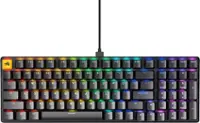
Customers have good things to say about the GMMK 2 Prebuilt 96% keyboard, especially regarding its high quality construction, vibrant RGB lighting, and premium switches. Users appreciate the consistent key feel and satisfying weight of the keyboard. The primary concern expressed is with the software.
This summary was generated by AI based on customer reviews.
- Pros mentioned:Keyboard quality, Switches
Very First Mechanical Keyboard
||Posted . Owned for 3 weeks when reviewed.This reviewer received promo considerations or sweepstakes entry for writing a review.This keyboard is very smooth. The switches in it are smooth with typing as well. It's not extremely loud but it gives you that clickety clackety you want with a Mechanical keyboard. No double typing as the first one I purchased did. Just smooth loud typing that you would like. Also, the fact that you can change out the keycaps and switches with no problems. Customize it however you'd like it. I would 100% recommend this keyboard. It's wonderful!!!
I would recommend this to a friend - Pros mentioned:Key feel, Keyboard quality
Best keyboard at price range
||Posted .This reviewer received promo considerations or sweepstakes entry for writing a review.OMG, I cannot really describe how amazing this keyboard is, the quality of the build feels absolutely premium, it has a nice weight to it and the stock keys that come with it just feel way better than any regular switches I've tried before. Also the fact that you can swap out the switches to your liking this easily makes it worth every penny. Only downside I could think is the the backlit LED is not the brightest but is still pretty solid.
I would recommend this to a friend - Pros mentioned:Keyboard quality, Rgb, Switches
Good keyboard
||Posted . Owned for 3 weeks when reviewed.This reviewer received promo considerations or sweepstakes entry for writing a review.Keyboard has good switches, good build quality and bright backlit RGB. I can type fast in it to finish my assignments. Highly recommend.
I would recommend this to a friend Fantastic keyboard
||Posted .This reviewer received promo considerations or sweepstakes entry for writing a review.If you’re in the market for a highly customizable gaming keyboard that delivers solid performance straight out of the box, the Glorious GMMK 2 is definitely worth a look. This 96%‑layout wired mechanical keyboard strikes a great balance between functionality and desk space, making it ideal for both gaming and everyday use.
I would recommend this to a friend- Pros mentioned:Keyboard quality
I’m Hooked! Quiet red switches with slight clicks
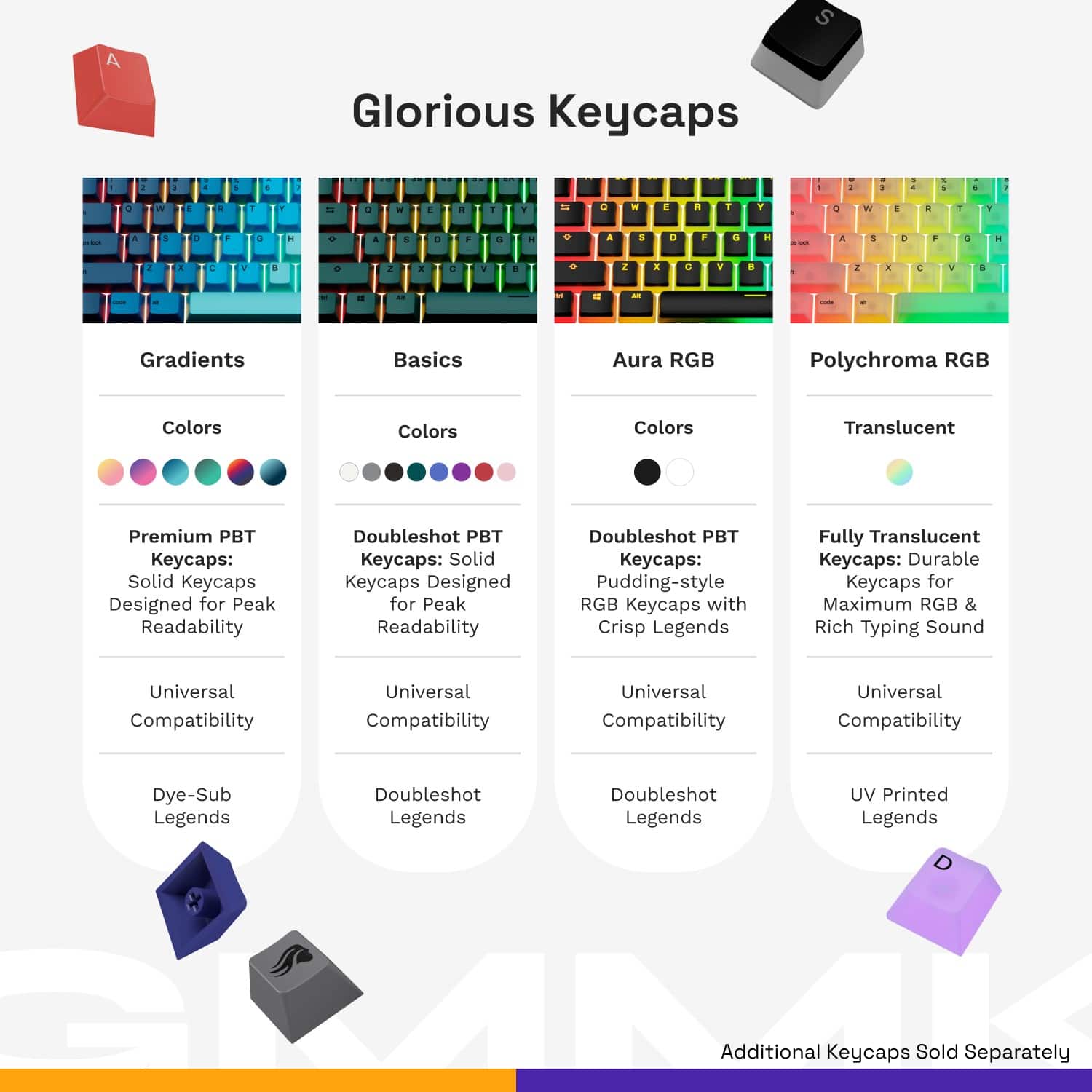
||Posted . Owned for 2 weeks when reviewed.This reviewer received promo considerations or sweepstakes entry for writing a review.First keyboard I have ever owned and I am hooked! I love the mechanical switches and how smooth they feel and the sound that it lets off, Not too low, not too loud, but satisfying. Got it on sale for half off! I changed to translucent key caps and the keyboard looks totally different and so much better. Weighs about 3 pounds but it is very good quality and good stability for gaming and/or typing. Best Buy lives up to their name for sure.
I would recommend this to a friend - Pros mentioned:Key feel
Awesome
||Posted . Owned for 1 week when reviewed.This reviewer received promo considerations or sweepstakes entry for writing a review.I now own two of these keyboards and love each one. I have one for work, and now one for gaming at home. Very responsive keys, and very customisable.
I would recommend this to a friend - Pros mentioned:Keyboard quality
Great gaming keyboard
||Posted .This reviewer received promo considerations or sweepstakes entry for writing a review.Amazing keyboard for gaming very smooth buttons and very thocky so much asmr to be enjoyed solid build feels well made
I would recommend this to a friend - Pros mentioned:Keyboard quality
Solid keyboard
||Posted . Owned for 3 months when reviewed.This reviewer received promo considerations or sweepstakes entry for writing a review.Nice and solid keyboard. It’s heavy enough that it does not move when gaming or typing. I even use it for work now. The LED color and the keys are easy to change and customize. Great clicky keys, just the right sound and response.
I would recommend this to a friend Firm and heavy design
||Posted .This reviewer received promo considerations or sweepstakes entry for writing a review.Pretty good keyboard. Happy it doesn’t come with auto bloat installers like unlike Razor products
I would recommend this to a friendCompact and great
||Posted . Owned for 1 month when reviewed.This reviewer received promo considerations or sweepstakes entry for writing a review.It is perfect for me as I need and use the numpad daily, amd full size arroow keys, but it is ~2 inches shorter overall and fits my work space better, i can use the mouse closer to the keyboard, feels better ergonomically. Linera keys feel great.
I would recommend this to a friend- Pros mentioned:Keyboard quality
Well built
||Posted . Owned for 1 week when reviewed.This reviewer received promo considerations or sweepstakes entry for writing a review.Build quality seems good. Has a nice weight to it. The switches are a bit too sensitive for me but that's just a personal preference, otherwise i have no complaints so far.
I would recommend this to a friend - Pros mentioned:Keyboard quality
Keyboard
||Posted . Owned for 1 week when reviewed.This reviewer received promo considerations or sweepstakes entry for writing a review.Amazing! I always wanted a good keyboard which let me do evrything i wanted. This is it!
I would recommend this to a friend 
A glorious keyboard!
|Posted . Owned for 2 months when reviewed.This reviewer received promo considerations or sweepstakes entry for writing a review.Great keyboard for the price! Very clicky which I love!
I would recommend this to a friendAmazing Keyboard
||Posted .This reviewer received promo considerations or sweepstakes entry for writing a review.Has been an amazing keyboard, being my daily user over my logitech g950,dirty now but well loved
I would recommend this to a friend- Pros mentioned:Keyboard quality
Gaming Keyboard
||Posted . Owned for 3 weeks when reviewed.This reviewer received promo considerations or sweepstakes entry for writing a review.Best gaming keyboard. Easy press keys, good layout.
I would recommend this to a friend - Pros mentioned:Keyboard quality
Gmmk 2 96% w/ Akko Purple Lavenders
||Posted . Owned for 3 months when reviewed.This reviewer received promo considerations or sweepstakes entry for writing a review.Good Keyboard go Thonk! Or Thack! THONK THACK THONK THACK THONK THACK
I would recommend this to a friend get this, bang for your buck!
||Posted . Owned for 3 weeks when reviewed.This reviewer received promo considerations or sweepstakes entry for writing a review.super easy to use, i love the app you can download to customize your colors! love the sounds it makes too lol
I would recommend this to a friendAmazing keyboard!!
||Posted . Owned for 1 month when reviewed.This reviewer received promo considerations or sweepstakes entry for writing a review.Great keyboard ine of my favorites and i have had them all. Customizable in more ways that you can imagine. I got it on sale so the price was amazing.
I would recommend this to a friendGreat for price
||Posted . Owned for 2 weeks when reviewed.This reviewer received promo considerations or sweepstakes entry for writing a review.I don’t have a single complaint best keyboard I’ve ever owned
I would recommend this to a friend- Pros mentioned:Keyboard quality, Switches, Weight

Solid compact custom prebuilt keyboard
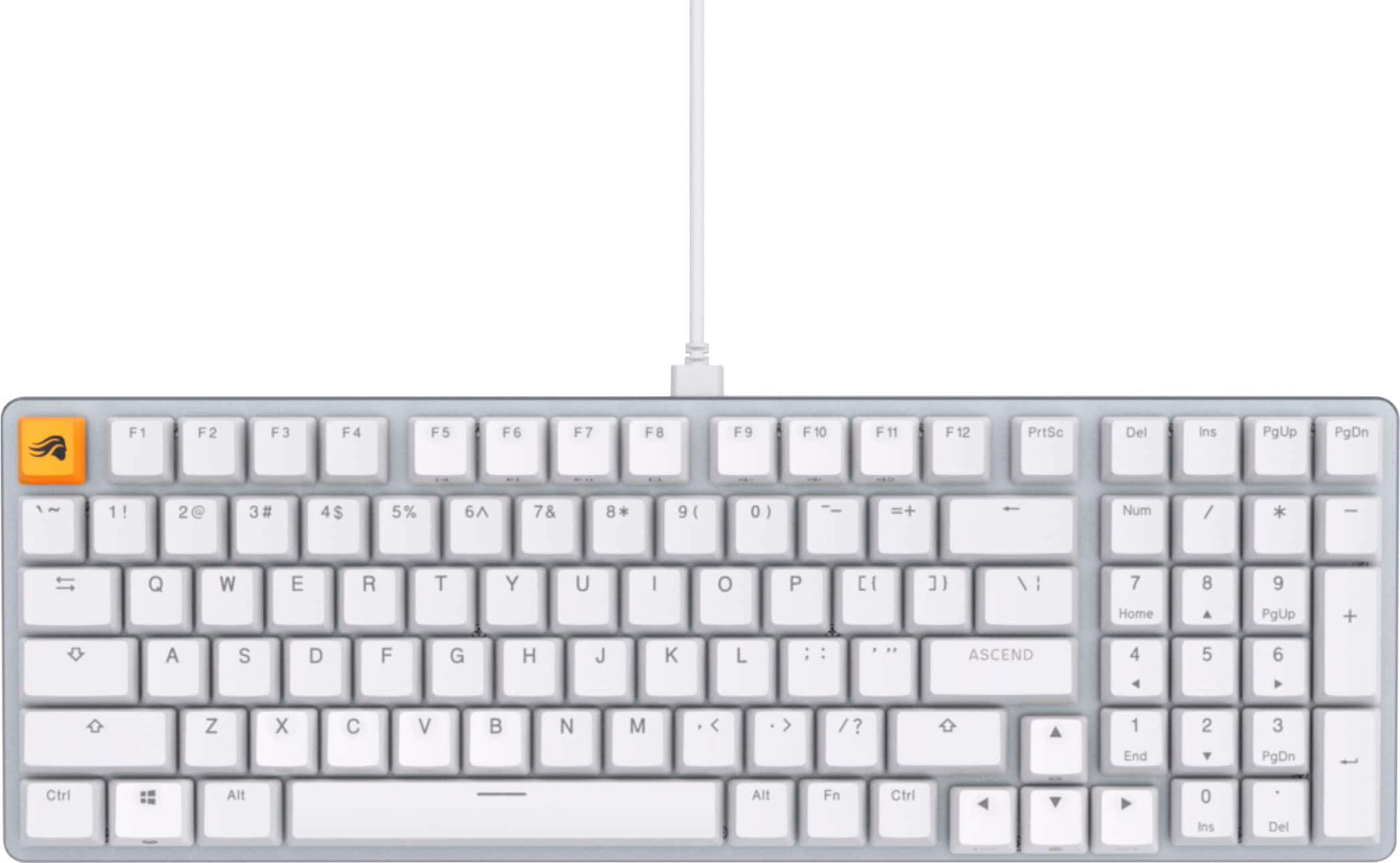
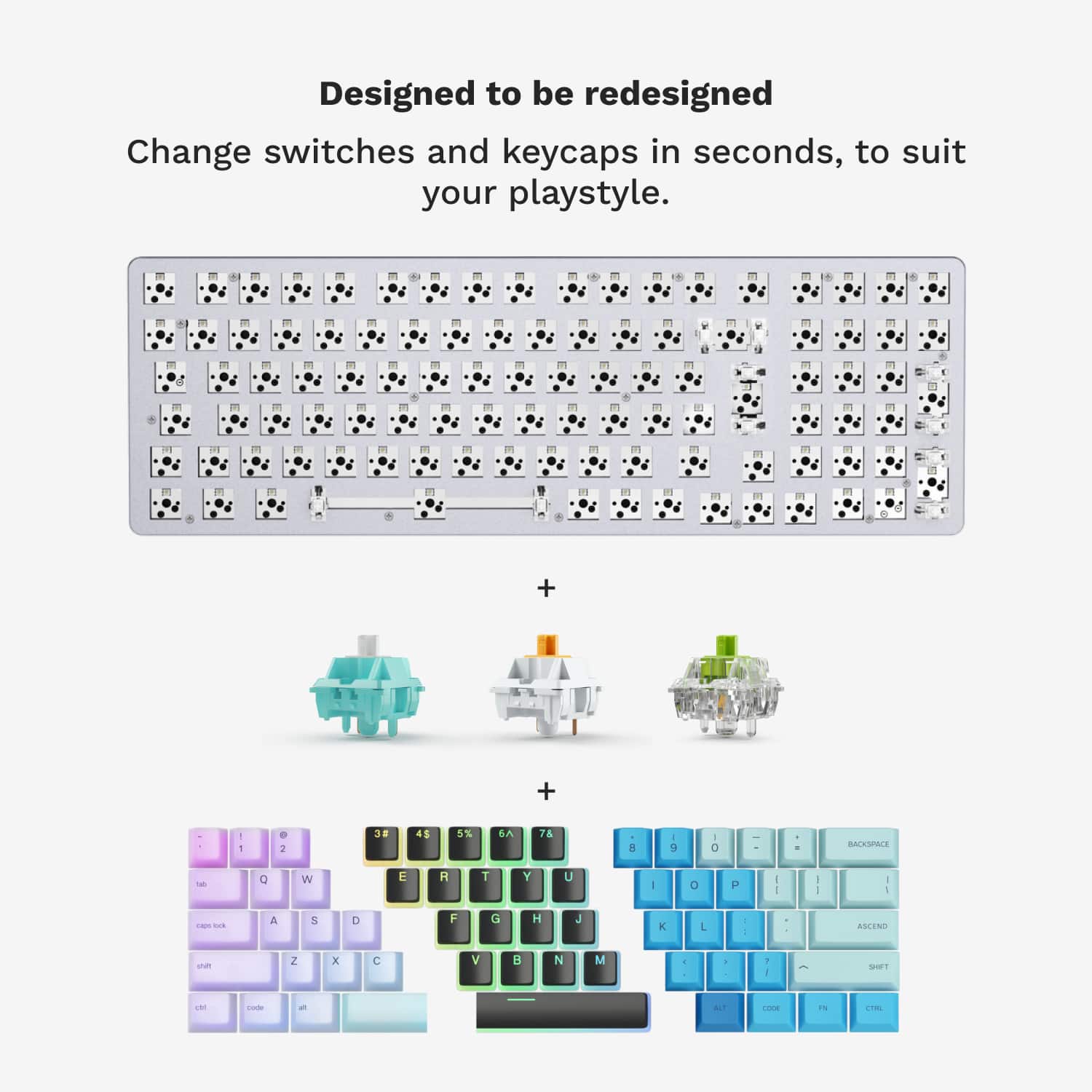
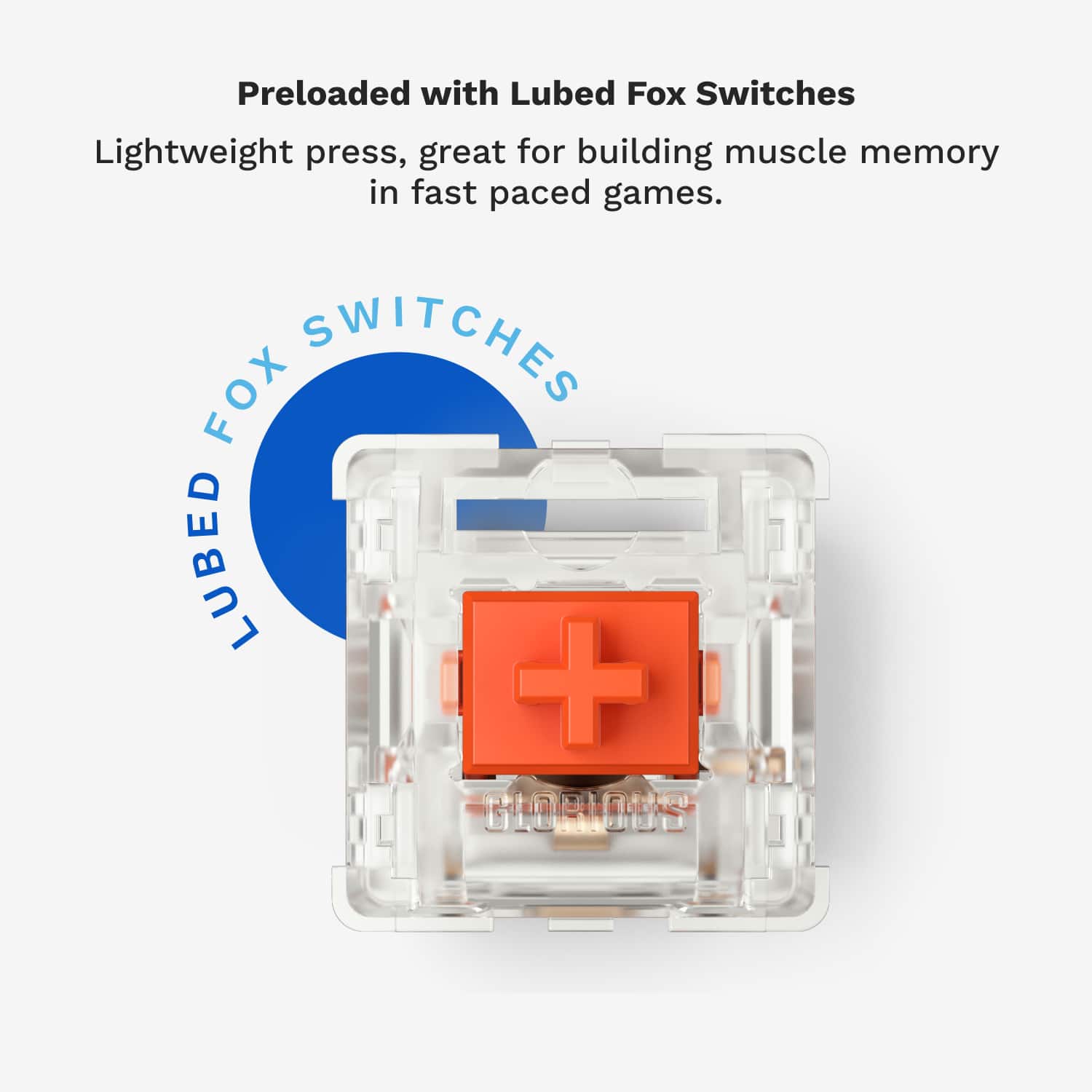
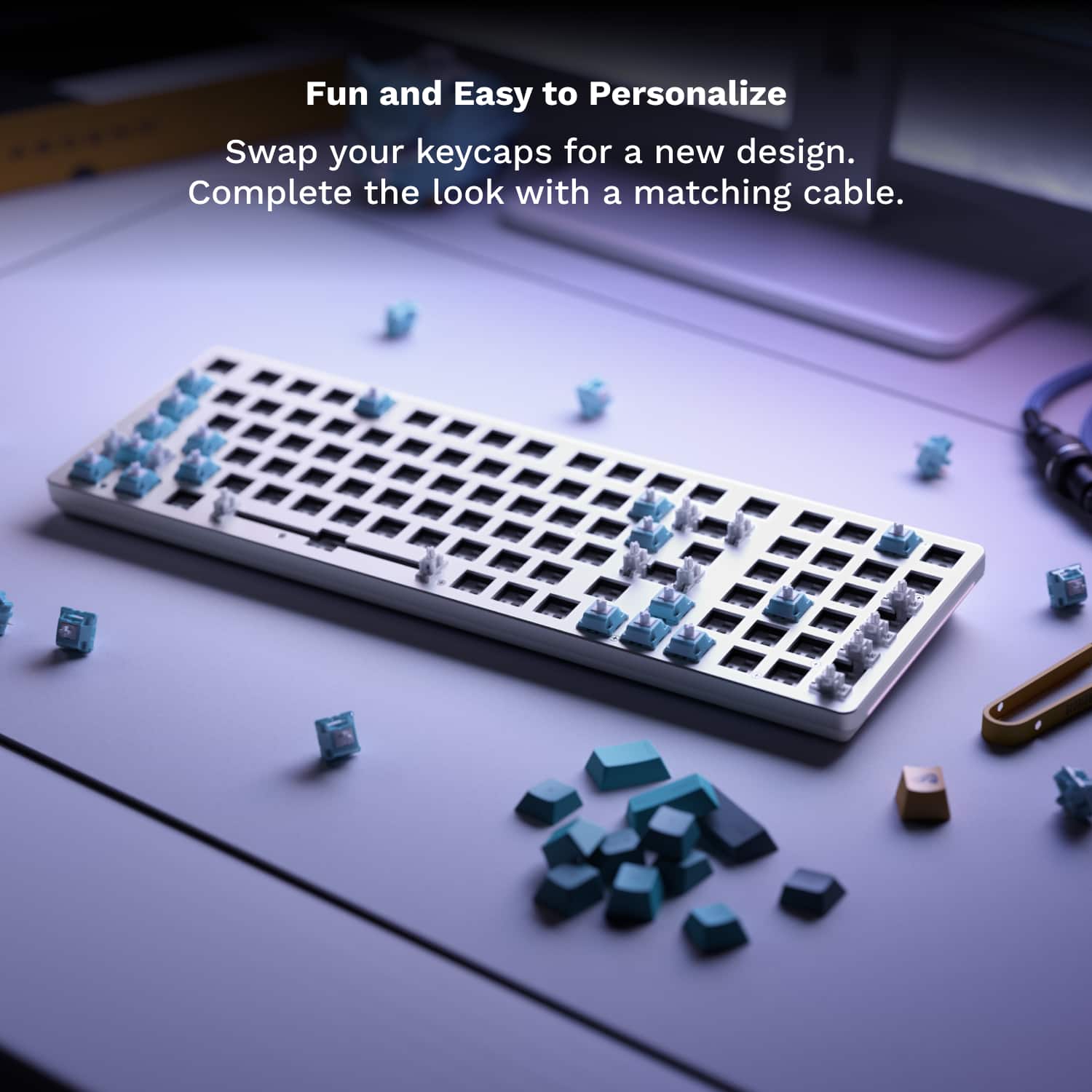
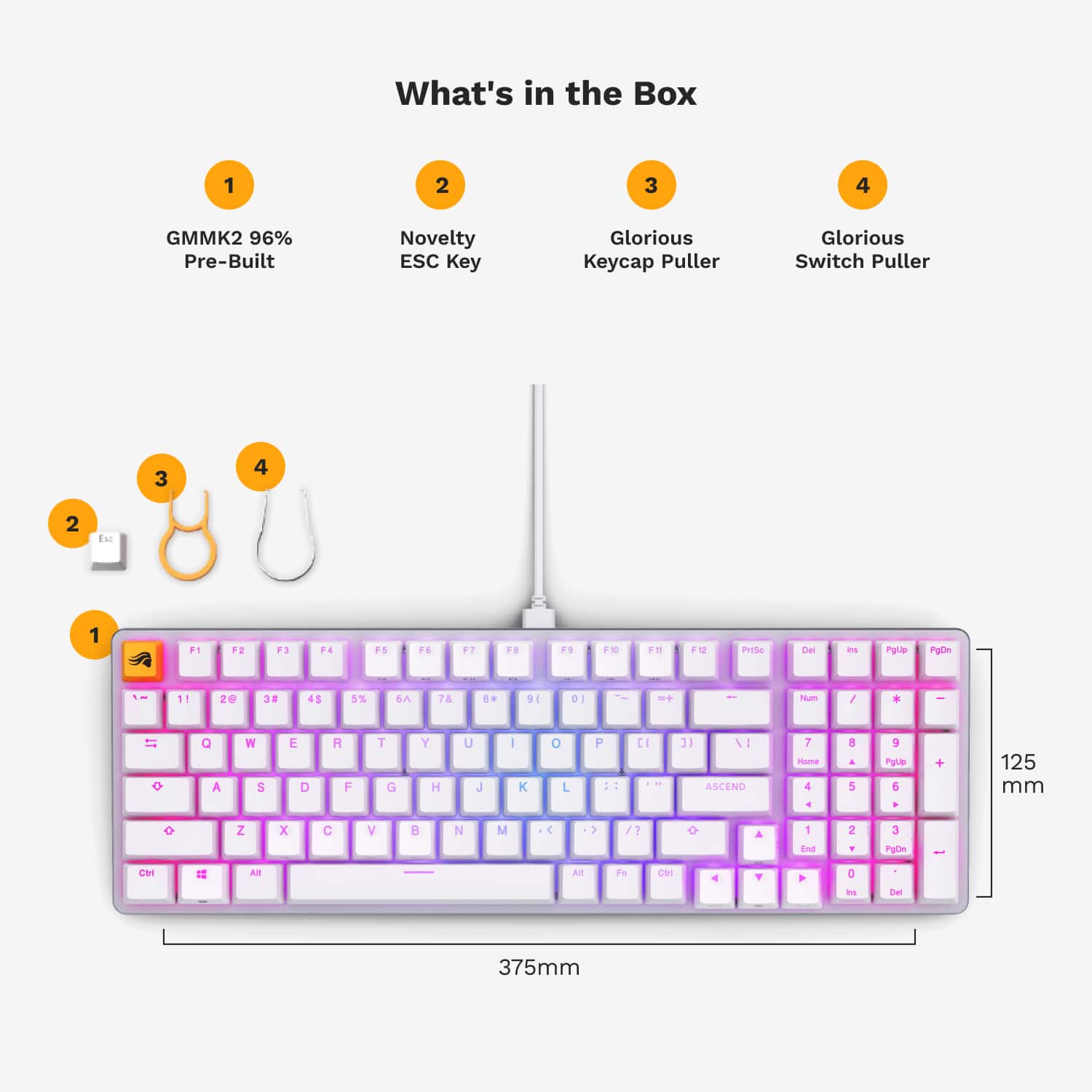
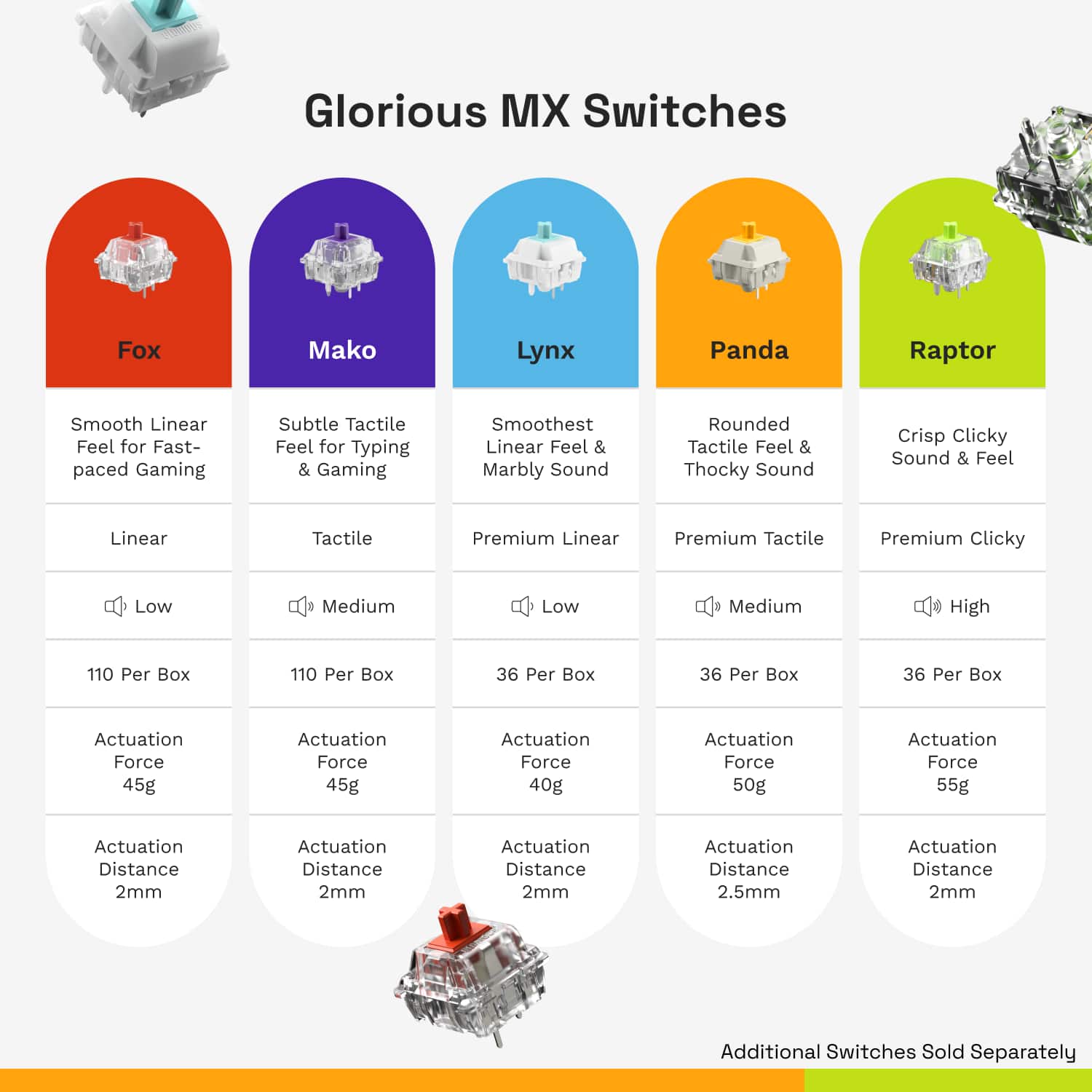
|Posted .This reviewer received promo considerations or sweepstakes entry for writing a review.The Glorious GMMK 2 is a 96% custom keyboard that sports some awesome lighting, premium keycaps, and replaceable switches. While not sporting a screen, knobs, or extra buttons, it does fit the bill for a full sized keyboard compacted into a space just slightly larger than most ten keyless (TKL) keyboards, which is quite a feat. Inside the box you’ll find the keyboard, extra esc key keycap, keycap puller, switch puller, and a 6ft braided USB-C cable. The standard escape key is appreciated for those of us that don’t want to flash about our keyboards. The GMMK 2 is quite a value. If you look at the keycaps, you’ll notice they are doubleshot ABS keycaps. This means they are not printed letters, but essentially a second layer of plastic forms the clear portion of the keycaps, making it impossible for the key markings to wear off. The textured ABS plastic is not the vaunted PBT material many associate with higher end keyboards, but it’s still quite good. The keycaps themselves are easily replaced with MX style keycaps. Speaking of replaceable, the part of this keyboard that truly makes it custom is the switches themselves are easily pulled and replaced. The included switch puller is fairly easy to use, and allows you to yank each switch out and replace it with standard key switches from manufacturers such as Panda, Gateron, and Kailh. Glorious actually does a good job of making sure these switches are available, including offering a sample pack of 18 different types of switches on their website (unfortunately, it doesn’t look like they’re offered on Best Buy’s site, but there are full packs of switches offered). Out of the box, you do get an escape key that can replace the Glorious emblem escape key out of the box. The build quality of the GMMK 2 is solid, with a CNC’d aluminum top plate and built in foam to help create a solid feel and absorb any ‘ping’ found in keyboards with metal plates. It weighs in at an impressive 1.28kg, or almost 3lbs. This isn’t going to get accidentally swept off your desk. The result is a super solid feeling platform to build your dream keyboard on. Of course you can build a completely custom version of this keyboard on Glorious’s website, but the nice part of the prebuilt GMMK 2 is that you get nice linear pre-lubricated Glorious Fox switches, which feel very much like MX Red’s, decent ABS keycaps, and the solid frame that is the GMMK 2. This lets you get started in the custom keyboard realm fairly cheaply. Want to replace just the WASD cluster with a different type of switch? Go ahead! Want to get some translucent keycaps? Just go and buy them. But at the end of the day, you have a working keyboard to start with, waiting for you to customize it. Typing on this keyboard is excellent. While I didn’t do as much gaming as I would have like in the past week on it, I have done a significant amount of typing. I’ve found the feel of the keyboard gives me near peak performance without much adjustment. I’m cranking out 75 WPM with almost no effort. The feet of the keyboard offer an additional height position if you like an incline, but I found the flat orientation to be most natural. I had no problem finding home row, but I did have to adjust to touch typing the F keys - as they are slightly out of alignment from a normal layout. The software seems pretty good. It prompted me to update firmware as soon as I clicked into the GMMK 2 keyboard. It allows you to tweak the active profile (including lighting, performance, and keybindings). I loved how easy it was for me to reassign caps lock to left control (which is much more friendly than pinky finger stretching when copy/pasting). The lighting effects are extraordinary, and I love that you don’t need the software to toggle. The keycaps allude to it, but the effects can be swapped with Fn+left/right arrows, and Fn+X will swap the color theme involved. All in all, there are so many built in permutations of hardware lighting, it should keep a 12 year old boy (or 40 year old one) busy for quite some time. There are a few nitpicks that boil down to mostly preferences: There are no dedicated media keys (although the Fn+F keys do work), which normally doesn’t bother me, but I’ve been used to a decent volume knob, roller, or otherwise. The layout is very compact, which is a pro and a con. Specifically it’s tight enough that if you’re a TKL fan, but really want a number pad, then this keyboard fits the bill. Some users might be better off just looking at the GMMK 2 65%, or the GMMK Pro 75% keyboards which offer a bit more separation for the arrow keys, which I find myself using quite a bit. I tend to hesitate when finding the arrow keys, and unfortunately there are no markings on the keys to offer a tactile feel when you reach them. I’m adjusting slowly, but there is definitely a layout adjustment when moving to this keyboard. Overall if you can deal with Glorious’ quirky layout (really on all its keyboards), then this is a more than excellent deal to work your way into a custom keyboard. I’d recommend checking out Glorious’ site if you know your keyboard preferences, but keep in mind these prebuilts are much cheaper, and give you an inroad into further customization as you experiment with switches, keycaps, or otherwise. Overall, coming from someone who’s owned over 20 mechanical keyboards over the past decade, this one is a keeper.
I would recommend this to a friend