Customer Ratings & Reviews
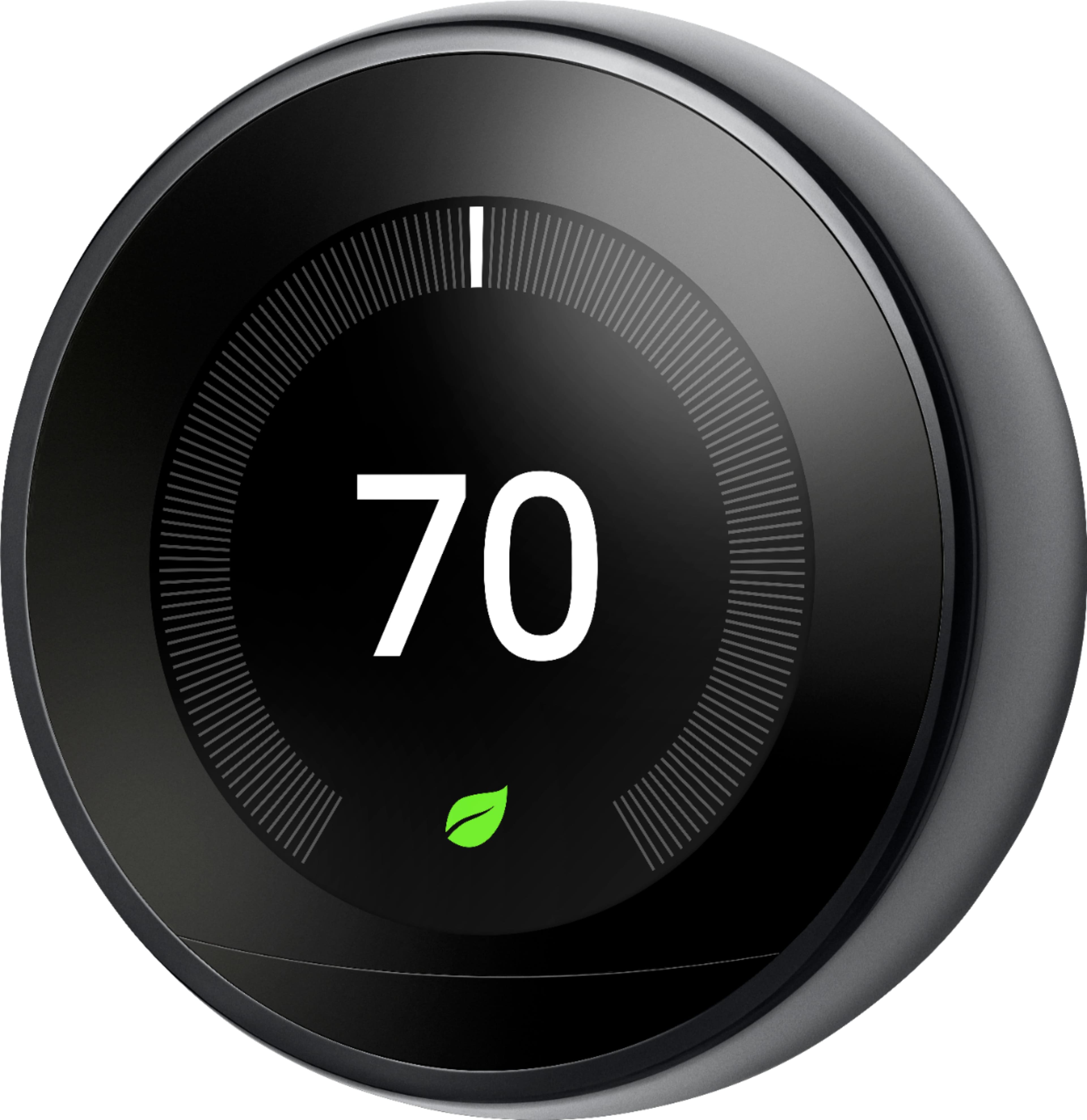







- Model:
- T3018US
- |
- SKU:
- 11361041
Customer reviews
Rating 4.7 out of 5 stars with 16025 reviews
(16,025 customer reviews)Rating by feature
- Value4.5
Rating 4.5 out of 5 stars
- Quality4.7
Rating 4.7 out of 5 stars
- Ease of Use4.7
Rating 4.7 out of 5 stars
Rated 5 out of 5 stars
Great themostat
||Posted . Owned for 4 months when reviewed.This reviewer received promo considerations or sweepstakes entry for writing a review.No issues, i have to say im really happy with the solid look and design of this themostart, working great and i already see my electric bill went down . Been paying 200+ each month and now only pay 180 some a month
This review is from Google - Nest Learning Smart Wifi Thermostat - White
I would recommend this to a friendRated 5 out of 5 stars
Nest
||Posted . Owned for 1 week when reviewed.This reviewer received promo considerations or sweepstakes entry for writing a review.Works great, made my life more easier! I have Airbnb, when not home, I can control the temperature from whatever I’m at! Will highly recommend it!
This review is from Google - Nest Learning Smart Wifi Thermostat - Stainless Steel
I would recommend this to a friendRated 5 out of 5 stars
Smart Thermostat Gives Great Control
||Posted .This reviewer received promo considerations or sweepstakes entry for writing a review.I easily upgraded to the Nest, installing it in accord with online video instructions. They made it simple. It has operated just as promised. I greatly appreciate being able to access it from my iPhone, whether at home or out and about. We are saving energy (and money) thanks to the ease of controls and remote access of this device - and it looks great!
This review is from Google - Nest Learning Smart Wifi Thermostat - Stainless Steel
I would recommend this to a friendRated 5 out of 5 stars
Hello, lower electric bills
||Posted . Owned for 3 weeks when reviewed.This reviewer received promo considerations or sweepstakes entry for writing a review.This is my second nest thermostat. The first was actually in an apartment I rented. I wanted my nest leafs back after I bought a place of my own. Installing was super simple, however, I did experience a bit of anxiety when it wouldn’t pull up on my iPhone. As I am learning the best way to interact with google products is to scan the QR code on the device. I quickly come out of my nervous state when the A/C kicked on. In the interim I did request assistance form nest support and ended up not needing the help. I find the eco settings work best for me. Maybe due to not having an android phone, I had better experience working the settings at the thermostat. Dialed it in after a couple of days and it’s doing it thing. Happy!
This review is from Google - Nest Learning Smart Wifi Thermostat - Stainless Steel
I would recommend this to a friendRated 5 out of 5 stars
Best one out there!
||Posted . Owned for 3 weeks when reviewed.This reviewer received promo considerations or sweepstakes entry for writing a review.Great addition to our new home, replacing the old thermostat. The pure ability to quickly change the temp settings remotely (while inside or outside your home) is just amazing. Even if I'm laying down and notice that the bedroom is too cold or too hot, all it takes is a couple of taps and DONE. Added a secondary thermometer to my child's bedroom and I often use it as a primary directive to automatically adjust the temp settings. This is GREAT! Make sure to use the rebates in your State to your advantage, I got $100 off mine.
This review is from Google - Nest Learning Smart Wifi Thermostat - Stainless Steel
I would recommend this to a friendRated 5 out of 5 stars
Same great idea with updates
||Posted . Owned for less than 1 week when reviewed.This reviewer received promo considerations or sweepstakes entry for writing a review.Had a 2nd gen but wanted to love that upstairs so we bought the 3rd gen for downstairs. We wanted to be able to use the temp sensor but it was only compatible with the 3rd gen. The base was different from the 2nd gen so it was a total removal and install. All the wires went in the same locations so it was a breeze of an install. WiFi connected with no issues and the new nest picked up right where the old one stopped. The old nest installed upstairs with no issues so now our entire house has smart thermostats. Went with this over the also well reviewed eco bee because I enjoy not having to think about the thermostat. Me and my wife work different schedules with days off so it’s hard to actually have a set in stone thermo calendar.
This review is from Google - Nest Learning Smart Wifi Thermostat - Black
I would recommend this to a friendRated 5 out of 5 stars
Fantastic product!
||Posted . Owned for 2 months when reviewed.This reviewer received promo considerations or sweepstakes entry for writing a review.Excellent product! Very good looking and design! Easy to use from the panel and from the Nest App. Also is great to see the history and what triggers savings! Home/Away assist helps to save energy.
This review is from Google - Nest Learning Smart Wifi Thermostat - White
I would recommend this to a friendRated 5 out of 5 stars
Great product
||Posted .This reviewer received promo considerations or sweepstakes entry for writing a review.Installed it myself but some of the connections were incorrect. Call support staff service was excellent and walked me through the couple of connections that needed to be changed. Love the ability to control via mobile phone and the away from home settings feature. Looking forward to energy savings with nest!!
This review is from Google - Nest Learning Smart Wifi Thermostat - Stainless Steel
I would recommend this to a friendRated 5 out of 5 stars
Awesome thermostat
||Posted .This reviewer received promo considerations or sweepstakes entry for writing a review.Took about a half hour to install with the help of my son reading the app for me, simple install and works great. I really like the way it turns on when you walk near it and shows the temperature . Even better it comes with a nice screwdriver and all hardware
This review is from Google - Nest Learning Smart Wifi Thermostat - White
I would recommend this to a friendRated 5 out of 5 stars
Nest
||Posted .This reviewer received promo considerations or sweepstakes entry for writing a review.We purchased a Nest for our home. The installation was extremely easy, and the set up was self explanatory. We also added the Nest app to the phone and the app is extremely easy to navigate. It’s such a nice ability to adjust the temperature in the home with the tap of a finger!
This review is from Google - Nest Learning Smart Wifi Thermostat - White
I would recommend this to a friendRated 5 out of 5 stars
Why didn't i do this sooner!
||Posted . Owned for 6 months when reviewed.This reviewer received promo considerations or sweepstakes entry for writing a review.These devices are incredible. I have 1 upstairs and 1 down. I keep the floor that im not on set to Eco. Before i go upstairs to bed i cut the air on in summer to cool before i get there. Same with the downstairs. Using the app on my phone , i can control the temperature. It keeps me from using any ac/heat in that area until right before im in it. Average savings.. not quite sure but summer ac has run $170. This yr with Nest...$135. On happy girl!!!!!
This review is from Google - Nest Learning Smart Wifi Thermostat - Stainless Steel
I would recommend this to a friendRated 5 out of 5 stars
Great Thermostat
||Posted . Owned for 1 month when reviewed.This reviewer received promo considerations or sweepstakes entry for writing a review.I didn't think a smart thermostat was going to impress me, but the Nest thermostat did just that. Ease of use, app is intuitive, and everything worked flawlessly. Best Buy delivery was on time, and installation was simple.
This review is from Google - Nest Learning Smart Wifi Thermostat - Stainless Steel
I would recommend this to a friendRated 4 out of 5 stars
Nice thermostat
||Posted .This reviewer received promo considerations or sweepstakes entry for writing a review.I've had this thermostat installed for about 1.5 months now. Installation was easy and its working as advertised so far. I tried a different wifi thermostat first and it just didn't work well for me so I took it back and went with the nest. It's learned my schedule and I live the auto away feature. I never remembered to adjust my thermostat when I was away, now I don't have to!
This review is from Google - Nest Learning Smart Wifi Thermostat - Stainless Steel
I would recommend this to a friendRated 5 out of 5 stars
Best thermostat out there
||Posted . Owned for less than 1 week when reviewed.This reviewer received promo considerations or sweepstakes entry for writing a review.I had a Nest thermostat at a prior property and didn't realize how many features it has until I bought a property that had an Ecobee Lite 3. I really like the learning feature so that I don't have to necessarily create a schedule as it can change. It was easy to install/setup, and I like the simplicity of the app.
This review is from Google - Nest Learning Smart Wifi Thermostat - White
I would recommend this to a friendRated 5 out of 5 stars
Improves Wheelchair Accessibility In My Home
||Posted . Owned for 3 weeks when reviewed.This reviewer received promo considerations or sweepstakes entry for writing a review.My wife uses a wheelchair and always had a hard time reading and adjusting out old thermostat. With the best learning thermostat she can adjust it from her phone and even when we are away from home. Connected to our google smart home system she can even voice control it. The nest automatically reads when your phone is no longer in the house and will adjust accordingly if you want it too. Installation on out old HVAC system was a snap. I was done in less than an hour. Also BestBuy price matched a Costco members deal I showed them on my phone. All I had to do was show them a valid Costco card and they took care of me. Very happy with this addition.
This review is from Google - Nest Learning Smart Wifi Thermostat - Black
I would recommend this to a friendRated 5 out of 5 stars
Nest review
||Posted . Owned for 6 months when reviewed.This reviewer received promo considerations or sweepstakes entry for writing a review.This is probably one of the best smart thermostats out there. User friendly, easy controls and keeps the temperatures in check on all our 3 floors
This review is from Google - Nest Learning Smart Wifi Thermostat - White
I would recommend this to a friendRated 5 out of 5 stars
Just what I needed
||Posted . Owned for 1 week when reviewed.This reviewer received promo considerations or sweepstakes entry for writing a review.So far working great with my furnace. I have a two wire hook up and this thermostat uses power from the furnace to keep the battery charged with no extra wires needed. The app interface is good. Installation was easy with plenty of support if needed. Now I’ll know for sure that the temperature in my house is good when I travel during the winter. Has some other good bells and whistles but that was low on my priority scale.
This review is from Google - Nest Learning Smart Wifi Thermostat - Stainless Steel
I would recommend this to a friendRated 5 out of 5 stars
AMAZING!
||Posted . Owned for 4 months when reviewed.This reviewer received promo considerations or sweepstakes entry for writing a review.Definitely worth the purchase! We can already tell a difference on our electric bill. So easy to use, easy to instill, and a friendly app as well. It’s nice being able to adjust the temperature without getting out of bed!
This review is from Google - Nest Learning Smart Wifi Thermostat - Black
I would recommend this to a friendRated 5 out of 5 stars
Love the control via app option. Easy to use.
||Posted .This reviewer received promo considerations or sweepstakes entry for writing a review.Love these things - we have them in our home and rental properties. Easy to remotely control.
This review is from Google - Nest Learning Smart Wifi Thermostat - White
I would recommend this to a friendRated 5 out of 5 stars
Great buy!
||Posted . Owned for 3 weeks when reviewed.This reviewer received promo considerations or sweepstakes entry for writing a review.Bought two of them on Black Friday for our home. Install was very simple and required only basic tools. Love the convenience adjusting temperatures from my phone.
This review is from Google - Nest Learning Smart Wifi Thermostat - Black
I would recommend this to a friend