Google - Nest Thermostat - Programmable Wi-Fi Smart Thermostat - Fog
Customers are saying
Customers regard this product highly for its ease of use, overall performance, and straightforward installation process. Users also appreciate the sleek design and the convenience provided by the remote control and scheduling features. While most feedback is positive, some customers have noted challenges regarding connectivity stability, furnace compatibility, and the need for a c-wire to optimize battery life. Additionally, a small number of users expressed a desire for improvements to the user interface.
Color
FogSo many ways to save.
The Nest Thermostat helps you save energy. It can turn itself down when you leave the house, so you don’t waste energy heating or cooling an empty home. And with Savings Finder, it looks for ways to help you save even more.
Control from anywhere.
With the Google Home app, you can control your smart thermostat from wherever you are – whether you’re on the couch or away from home.¹
Heating and cooling system care.
Your smart thermostat can monitor your heating and cooling system and alert you if something doesn’t seem right.² It can also send helpful reminders, like when it’s time to replace your filter.
Easy to install.
It’s designed so you can install it yourself, usually in 30 minutes or less. Just follow the simple steps in the Google Home app to quickly create a schedule that’s right for you.
Easy to use.
Just swipe the touch bar on the side of your thermostat to change the temperature, or tap for settings.
Savings you can count on.
Nest thermostats can help save up to 31% on heating and cooling bills.³,⁴
ENERGY STAR certified thermostat.
The Nest Thermostat energy-saving features earned an ENERGY STAR from the EPA.⁵ Also, the Nest Thermostat can use a built-in sensor and your phone's location to check if you've left the house. Then it can set itself to an Eco temperature to save energy.
Designed with the environment in mind.
The Nest Thermostat is designed with recycled materials to reduce waste. Its plastic parts contain 49% recycled post-consumer plastic.
Nest Thermostat’s perfect match.
The Nest Thermostat Trim Kit (sold separately) is designed to cover imperfections on the wall from removing your old thermostat. And it comes in perfectly matched colors.
Need a C wire? We’ve got you covered.
For some systems, including heating-only, cooling-only, zone-controlled, and heat pump systems, you’ll need to add a Nest Power Connector or C wire (sold separately). The Nest Power Connector is reliable, affordable, and easy to install yourself.
Support a clean energy future, right from home.
Nest Renew from Google works with your compatible Nest thermostat to help you automatically prioritize usage to when energy is cleaner or less expensive.⁶,⁷
- App CompatibleYesCompatible with 24V CoolingYesCompatible with 24V HeatingYesWorks WithGoogle Home, Amazon AlexaVoice Assistant Built-inNoTouch ScreenNo
Reviews
Rating 4.4 out of 5 stars with 2311 reviews
- Ease of Use (611)
- Overall Performance (494)
- Installation (253)
- Remote Control (193)
- Design (133)
- Connectivity (103)
- Compatibility (71)
- Battery Life (16)
- User Interface (12)
Customer Images
The vast majority of our reviews come from verified purchases. Reviews from customers may include My Best Buy members, employees, and Tech Insider Network members (as tagged). Select reviewers may receive discounted products, promotional considerations or entries into drawings for honest, helpful reviews.
Compare similar products
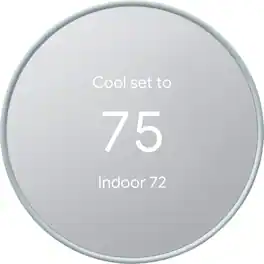
Meet the Nest Thermostat, the smart thermostat with a cozy price. It can turn itself down to save energy when you leave the house. You can control it from anywhere with the Google Home app. It looks after your heating and cooling system. And it’s easy to install yourself, usually in 30 minutes or less.
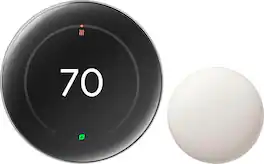
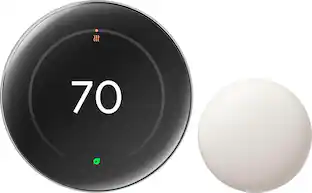
The Nest Learning Thermostat (4th gen) is Google’s smartest, most advanced thermostat yet. It’s a brilliant way to save energy and keep your home comfortable. It learns the temperatures you like, when you like them, even as your routine changes.¹ It gets to know how outdoor temps naturally heat and cool your home to save energy.¹ And it helps make sure your heating and cooling systems run smoothly.²
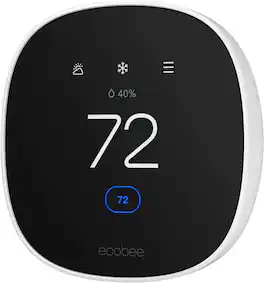
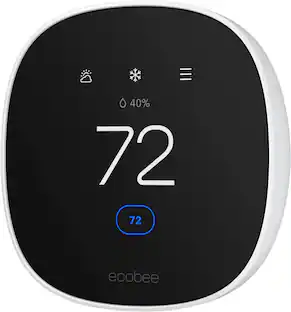
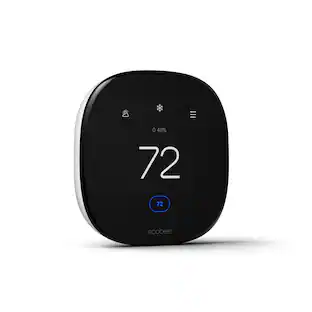
Join the millions who love and trust ecobee products with our most affordable thermostat yet: Smart Thermostat Essential. It saves you up to 23%* on your energy bills and is so efficient that it pays for itself in just six months. You'll love how easy it is to use and control, and with effortless installation, you can set it and forget it. *Compared to a hold of 72°F
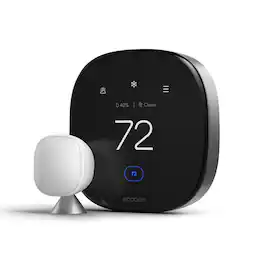
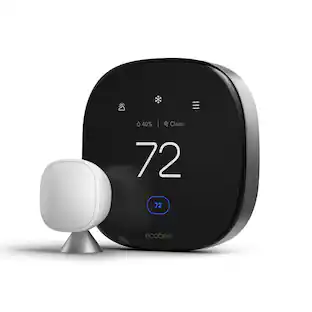
ecobee Smart Thermostat Premium optimizes comfort while saving energy through superior intelligence and technology. It has a built-in air quality monitor, doorbell Live View, smoke alarm detection, and geofencing technology to understand occupancy. Included SmartSensor eliminates hot and cold spots and adjusts the temperature in the rooms that matter most. Works with Siri*, Alexa, Google Assistant, HomeKit, and SmartThings. *Apple home hub required to enable Siri.
| Pros for Google - Nest Thermostat - Programmable Wi-Fi Smart Thermostat - Fog | |||
|---|---|---|---|
| Ease of Use, Overall Performance, Installation, Design, Remote Control | Overall Performance, Ease of Use, Design, Installation, Temperature Control | Ease of Use, Overall Performance, Installation, Design, App Usability | Overall Performance, Ease of Use, Installation, Design, Air Quality Monitoring |
| Cons for Google - Nest Thermostat - Programmable Wi-Fi Smart Thermostat - Fog | |||
| Connectivity, Compatibility, Battery Life, User Interface | Connectivity, Compatibility, App Compatibility | Screen Size | Compatibility, App Usability |
Specs
What are the differences between this new model and the Thermostat e?
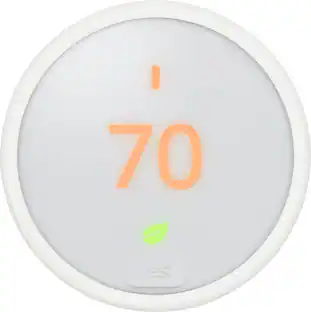
Answered by Nest SupportThe Nest Thermostat (2020) comes with a 6 cm color LCD with 240x320 resolution, and mirrored glass finish. It provides more wiring terminals (10) that work with most 24V heating and cooling systems, including furnaces, air conditioners, boilers, and heat pumps with either forced air or radiant delivery. On the other hand, the Nest Thermostat E comes with polycarbonate, ceramic-feel finished ring with a frosted display that works with fewer (86%) 24V heating and cooling systems. While both Nest thermostat models work with most two-stage heating and two-stage cooling systems, we recommend checking the Compatibility Checker on our Google Nest support site to verify if your system is compatible. You can also take a look at the following support article for the complete technical specifications of the Nest thermostats: https://support.google.com/googlenest/answer/9230098

Do you need wifi to use the thermostat? Or can you use it no matter what
Answered by Google Nest SupportYou can still use the Nest Thermostat to control your system even without Wi-Fi. However, you won't be able to utilize its other features such as remotely controlling the thermostat using the Home app. You can check this link to learn more about Nest Thermostat: https://support.google.com/googlenest/answer/10125150
Can I control the temperature from my phone using an application?
Yes, you can control the temperature from anywhere using the Google Home application.
This question and answer was generated by AI based on customer and product data.Does this thermostat work with other products?
Yes, this thermostat works with Nest products.
This question and answer was generated by AI based on customer and product data.Does this thermostat have auto-away mode?
Yes, this thermostat has auto-away mode.
This question and answer was generated by AI based on customer and product data.
Customers often buy these together
Smart Doorbell




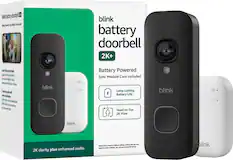
Security Camera





More recommended items
 Home Security System
 Sensors and Detectors
 Smart Speakers and Displays
 Networking
More to consider
 $229.98The price was $279.99
 $78.00The price was $105.61
Control, Comfort, Convenience Sponsored
Discover related products
 $139.99The price was $199.99
 $79.98The price was $139.99


Keep exploring
 $174.49The price was $185.99