Customer Ratings & Reviews




- Model:
- 2XN61AA#ABA
- SKU:
- 6219204
Rating by feature
- Ease of Use
Rating 4.7 out of 5 stars
- Value
Rating 4.6 out of 5 stars
- Quality
Rating 4.7 out of 5 stars
Customers are saying
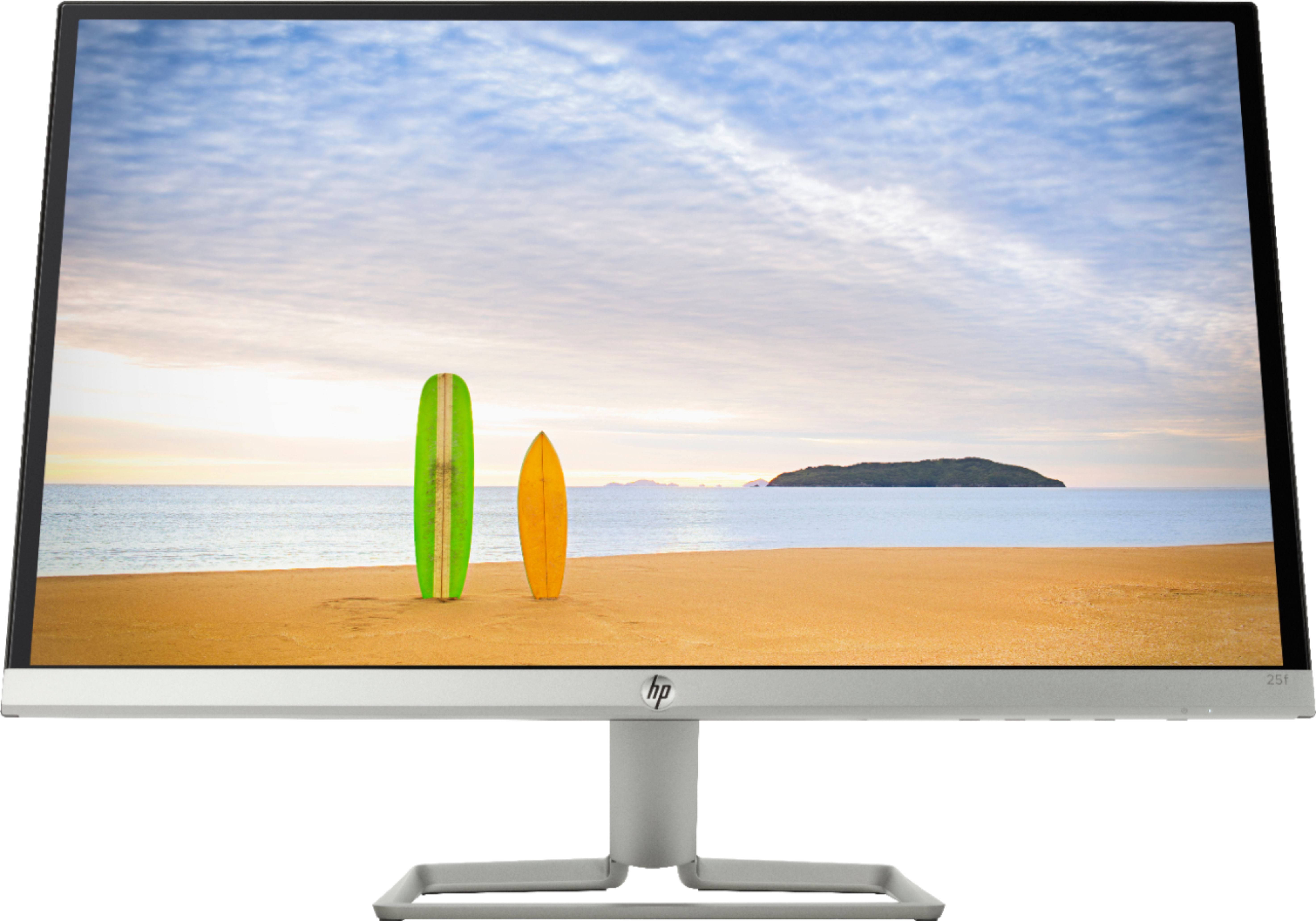
Customers are positive about the 25f 25" IPS LED FHD FreeSync Monitor's picture quality, ease of use, price, and color accuracy, with many praising its sleek design and lightweight build. However, customers are negative about the lack of built-in speakers and some have expressed concerns about the monitor stand's stability and adjustability. A few users mentioned issues with glare and the absence of a VESA mount. Overall, the positive feedback on image quality and affordability outweighs the negative comments regarding the accessories.
This summary was generated by AI based on customer reviews.
- Pros mentioned:Color, Design, Ease of use
Great picture! Good price!
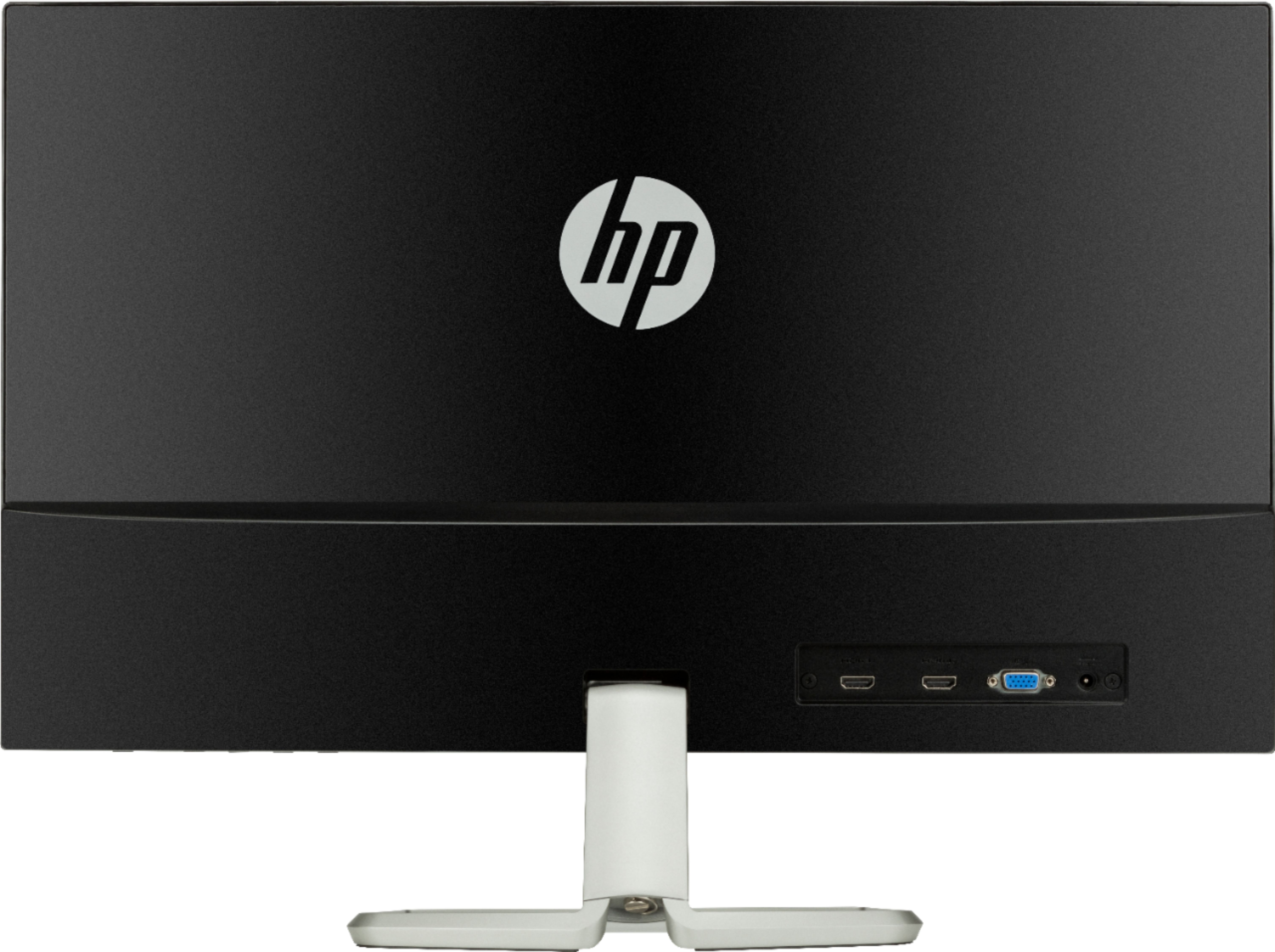
||Posted . Owned for less than 1 week when reviewed.This reviewer received promo considerations or sweepstakes entry for writing a review.I was researching for a new monitor for my new pc (Dell) and I found and learned a lot through reviews and specifications of each monitor(HD,FHD,DHR, 4k,IPS, refresh rate, etc,etc.) I wanted something with a real nice picture because I like to stream movies, not a gamer and I didn't want to spend much $ either. So I found this one on sale ($149.99) and I liked the fact that the screen is not reflective as I though it would be, it doesn't bother my eyes. The design is elegant and the picture is crisp, I love the colors and it's very easy to use, I connected it, at first I couldn't find the power button (I didn't read the instructions ;-)) which was on the right bottom. After I turned it on, it worked smoothly. I was between HP and a Dell , but this was better built, better picture and has less problems than the Dell ones according to reviews. I would give a 5 stars but this is the second day of use, so I will wait to update. So, far I recommend this for home, work and entertaining. It has 2 HDMi and 1 VGA ports. It comes with HDMI cable.
I would recommend this to a friend - Pros mentioned:Design, Price
Such great quality for a low price
||Posted .This reviewer received promo considerations or sweepstakes entry for writing a review.I love this monitor...The quality of the picture is amazing it's very thin takes up hardly any room and it's basically a full screen all the way around.. there is a tiny black maybe 1/2 inch frame around it if it's even that big. Very un noticable. I love it..To make it even more appealing I purchased when it was on sale.. and was $100 off the original price... cant beat it. The one flaw to me was that I didnt realize it wasnt a blue ray player. Just dvd which I dont buy anymore,I only purchase 4k uhd with HDR or blue ray at the least. But it's fine have 2 visio uhd 4 k HDR TVs to watch my movies.. So if looking for a great monitor I def would say "what are you waiting for" ??
I would recommend this to a friend - Pros mentioned:Price
Great monitor!
||Posted . Owned for less than 1 week when reviewed.This reviewer received promo considerations or sweepstakes entry for writing a review.I bought this to use with my new 2028 Mac Mini which I recently purchased. It works and looks great. I’m going from a 27” iMac (2011) to a 25” monitor. I didn’t know what to expect but the HP 25f is fantastic! The loss of 2 inches is not as much of a difference as I thought. In fact , my new setup is less intrusive as the previous iMac. The screen is 1080p so while the resolution is not quite that of the iMac, it’s still very good and easy on my eyes. The price was great as it was on sale, about $100.00 off at Best Buy. The surrounding bezel is very thin and except for the base area of the screen, the screen is a very modern 1/4” deep! Very thin! The stand is metal and looks good and durable. The monitor itself is light and easy to set up. It has NO internal speakers but since I already had some this is not a problem. Very pleased with my purchase.
I would recommend this to a friend - Pros mentioned:Design
luxury monitor
||Posted . Owned for less than 1 week when reviewed.This reviewer received promo considerations or sweepstakes entry for writing a review.This hp monitor is very exquisite and the gray color looks amazing very luxurious. The slim design is perfect because is big enough and do not require to much space. Is very easy to connect and has extra ports for future adds.The quality of the view resolution is very clear,and that becsuse is hd visual. I personally recommended to anyone and is ideal for work, study,and playing games.
I would recommend this to a friend Backlight Bleed etc, but otherwise GOOD
||Posted .This reviewer received promo considerations or sweepstakes entry for writing a review.After buying and returning an equivalent Dell monitor, the brightness, picture clarity and performance of this monitor really stood out. With low response time and upto 75Hz refresh rate this is a very competent Gaming Monitor. PROs: - Low Haze panel coating gives better picture clarity than most monitors with 'Anti-Glare' coating (and better quality viewing angles) - Super Bright. I keep mine at a lower brightness but having the option for those in brighter rooms is great - Great pixel density. For me, 25in is still outside the "screen door effect" area for 1080p screens so it looks great - Tons of Contrast! So much, i'm looking at how to reduce it and still keep good colors intact CONs: - No height adjust - Decent colors out of the box but will still require a lot of tinkering to get it just right - Semi-Glossy finish might reflect too much for some with many light sources (I'm fine with this Low Haze finish, looks amazing) - Color Modes, Especially HP Enhance, are garbage and FreeSync Mode cannot be customized. So you either have FreeSync OR good color/picture quality - BACKLIGHT BLEED is horrendous!! All HP panels so far have had this problem for me (my Acer monitor was nowhere near this bad) - Color and Picture options are very limited. Some only go by level instead of a gradual 0-100 setting like Image Sharpening. (Level 4 is too low and Level 5 is a bit too high) Overall; unless you're a professional Content Creator or Hardcore Gamer or Photoshop etc. I would recommend this monitor over any 'Anti-Glare'
I would recommend this to a friendBought ONE, and had to have ANOTHER...
||Posted .This reviewer received promo considerations or sweepstakes entry for writing a review.I told my store associate that I really wanted a pair. They were on sale, but being disabled and on a fixed income, I just could not pull it off. But, THE SPIRITS OF THE UNIVERSE were smiling, I noticed a good price and took at least a little advantage of a couple of the 3-DP and 1-HDMI ports on the back of my IBuyPower monster system to bring me up to where I have the pair of HP 25f monitors for my miniature "Take Over the WORLD Computer System". Thank you for your superior products, your good prices, your great sale prices, your outstanding sales personnel both in store in Barboursville, WV and on-line. AWESOMENESS, through and through. I'm so GRATEFUL for you folks and I am fairly certain I will be seeing you soon!!!
I would recommend this to a friend- Pros mentioned:Picture quality
Great screen.
||Posted . Owned for 1 month when reviewed.This reviewer received promo considerations or sweepstakes entry for writing a review.I love how crisp the picture is. Right size. I had a 27 " but settled for this one because of the price and reviews. Only drawback is that the screen does not raise.
I would recommend this to a friend - Pros mentioned:Ease of use
It has a great screen with fantastic design.
||Posted .This reviewer received promo considerations or sweepstakes entry for writing a review.I love this product. It has three input. Two HDMI, and 1 VGA port. I could easily connect my laptop and PS PRO. It could easily be installed and it worth the money.
I would recommend this to a friend - Pros mentioned:Picture quality
Great monitor
||Posted . Owned for 1 year when reviewed.This reviewer received promo considerations or sweepstakes entry for writing a review.I used as a 2nd screen for work and it was perfect
I would recommend this to a friend - Pros mentioned:Ease of use
Very well liked.
||Posted . Owned for 1 month when reviewed.This reviewer received promo considerations or sweepstakes entry for writing a review.Works great with my new HP Desktop computer. Shut off very handy.
I would recommend this to a friend Great Monitor
||Posted .This reviewer received promo considerations or sweepstakes entry for writing a review.I own 2 HP 25f monifors they come with FreeSync for Gamers. They have 1 VGA port and 2 HDMI ports. The screen has a anti-glare coating on it, they look great.
I would recommend this to a friendGreat monitor
||Posted . Owned for 1 month when reviewed.This reviewer received promo considerations or sweepstakes entry for writing a review.I can’t say anything bad about this monitor. I got it as my second monitor and it’s serving its purpose. Great quality.
I would recommend this to a friendDirty picture
||Posted .This reviewer received promo considerations or sweepstakes entry for writing a review.The monitor is great except I get a "dirty picture" constantly. I've tried to increase the refresh rate, etc. and I can't seem to get it to improve. I'm not gaming or anything intense: I'm sending emails and working in excel. The refresh rate is a real problem. I think I'm going to have to throw it away and get a new monitor. (Attached screen shot has some things greyed out to protect the innocent.) I'm open to suggestions.
No, I would not recommend this to a friend- Pros mentioned:Color

Great Display, Great Value, Small Compromise
|Posted .This reviewer received promo considerations or sweepstakes entry for writing a review.HP - 25f 25" IPS LED FHD FreeSync Monitor: This HP 25” monitor has made balancing my competing computer needs easy and affordable. Although I prefer smaller laptops for my everyday use, and I insist on the most acreage I can get for my work screen. I’ve connected this 25” HP 1080p monitor to a 13” Mac, and I’m still within my budget. The HP serves up easy-to-read, crisp spreadsheets, WEB. and mail for my everyday activities. And, it has no trouble delivering satisfyingly colorful, balanced, and natural images for my video and photo interests. It’s a simple design that looks great on the desktop. SETUP: The QUICK SETUP poster made assembly easy, but I discovered the controls on my own. Never did find the instructions. The controls offer a fair amount of adjustments, even if they aren’t convenient to access. Besides the POWER button on the underside of the slim, very attractive, frameless screen, there are four CONTROL buttons allowing you to select among the FOUR MENUS: Settings Menu includes a list of brightness, contrast, etc. Info Menu identifies the input and resolution. Input Selection (cycles between 2 HDMIs and VGA port). Viewing Modes: The Viewing Modes Selection submenu is very useful if these things matter to you. There are Night, Gaming (FreeSync), Custom, Reading, Low Blue, Movie, Photo and HP’s Enhanced. Pick the one you prefer or maybe even calibrate your monitor. I preferred Photo (with minor adjustments) because it had a natural color palette and an appealing contrast range. The MOVIE mode was over-cooked to my eyes, but you may feel differently. If you modify anything in your selection, the changes are saved under CUSTOM. My Mac laptop has NO HDMI input, but has four Thunderbolt-3 ports. A USB Type-C (male) to HDMI (female) Adapter (purchased separately) readily accommodates the HDMI cable which HP includes in the box. The HP has a minimalist base mount. It was plug and play, no hiccups. I should note that there is no VESA hole pattern for external mounts. That said, this 7lb monitor could be attached with heavy duty velcro, if desired. PERFORMANCE: I use my monitor in two different lighting environments: mid-day and later at night in a darkened room. Viewing my spreadsheets to assess the eye comfort and screen geometry, I couldn’t find any issues. This is a comfortable, high resolution screen, more than capable of substituting for even the best laptop screens or contributing to a monitor array for maximum layout coverage. With my wall of windows behind me, I wasn’t having much of a reflection problem, but this is a glossy screen, so the tilt may be helpful. I used a streaming movie, Jurassic Park, to evaluate color, contrast, and color accuracy. Using the PHOTO MODE, I was very impressed with the rich color and blacks that were deep and highlights that got impressively bright. Viewing from well off-center was still pretty nice. The screen design allows some backlight leakage which was mostly noticeable on the lower left corner of my unit. I revisited this later at night, and you can see from my photo that it’s not overwhelming, but it’s very distinct when viewed live. (On my photo, you should see the bleed at the lowest left icon menu bar, NOT the movie which is reproduced without flaw, using a fraction of the screen. It simply isn’t visible in the photo.) Other screen edges did show some light bleed, but less so. SUMMARY: This is a tale of two screens. For everyday, business, accounting or communications, this is an easy-to-recommend screen that fulfills any fantasy you might have for a wall of one or many monitors, at a very low price. It earns 5 stars. For movie/video/gaming purposes, I can live with some light bleeding from the edge. The colors and contrast are fine for video or games and the lag time for images is quite low. I can’t fuss over the edge bleed issue because I do my movie watching on my TVs. You may feel differently, so I’ve lowered my rating to 4 stars. This is my idea of a great deal.
I would recommend this to a friend - Pros mentioned:Color, Design, Picture quality
Nicely priced, super slim monitor
|Posted .This reviewer received promo considerations or sweepstakes entry for writing a review.First off, this monitor is very slim, and nicely designed. It looks really good. Color and response time is also really good. With the addition of freesync, it makes this monitor even more desirable to gamers, helping to elimate screen tearing. I'd say the only real negative this monitor has, is the lack of a display port input. Though that can easily be solved with an adapter. Pros: Great picture, two HDMI inputs and a VGA, very nice looking, very slim Cons: no displayport input
I would recommend this to a friend - Pros mentioned:Design, Picture qualityCons mentioned:Speakers
Great Design, Beautiful Color, Freesync
|Posted .This reviewer received promo considerations or sweepstakes entry for writing a review.This monitor has a beautiful slim design love the natural silver color. Perfect monitor size 25inch not too big or too small, I did not experience any lag during pc or console gaming. Monitor handles images very well, it produce beautiful and vibrant colors.,but it does horribly with the black color making it looks grayish. Monitor suffer from light bleed it is very noticeable with black image, and the brightness is not the best. This IPS 1080p LED monitor has few viewing modes: Low Blue Light, Night, Reding, Hp enhance, Gaming (FreeSync), Movie, photo and you can customize your own which is a plus. In the back it has 4 connectors, 2 HDMI and 1 VGA and the power connector. On the lower right-hand corner has 5 buttons, 1 for power 4 for the menu. This monitor was meant to be sitting on a desk it cannot be wall mount, as it is not VESA compliant or has mounting holes on the back. It does not have speakers or USB connectors, speakers are not must have on monitor as most of us like to use better sound system, but the USB comes handy very often. If don’t mind some of the cons mention for the price this a decent monitor with size, produce beautiful color images, and it comes FreeSync for the gamers. In the box you get the monitor, HDMI and VGA cable, power brick, and the manual. Pro: Design and Color Image color Freesync 2 HDMI Viewing Modes Cons: Light Bleed Brightness Cannot be wall mounted No USB
I would recommend this to a friend - Pros mentioned:Price
Very nice monitor
|Posted .This reviewer received promo considerations or sweepstakes entry for writing a review.The assembly was very easy, the stand simply snaps into place. It can be tilted up or down to fit your viewing needs. There are 5 buttons on the lower right corner, one for on/off and four for the menu, so you can adjust the brightness, contrast and all of that to your preference. On the back it has 2 HDMI, 1 VGA and the power outlet. The monitor is slim and lightweight, yet feels pretty sturdy. The colors are vibrant and bright. Games were played on here and everything looked great. We don't plan on streaming though so I cannot say if movies look good on this or not. It works great for what we're using it for. I'd say this is a pretty nice monitor for the price!
I would recommend this to a friend Inescapable backlight & color performance issues
|Posted .This reviewer received promo considerations or sweepstakes entry for writing a review.PROs: - Super-easy assembly—2-piece stand and the monitor snaps in place—you’ll be up and running inside of a few minutes - PC quickly recognized native 60 and 75hz refresh rates and locked in at the highest setting with no problems at all - Not a SINGLE dead pixel to be found—great quality control on the panel itself! - FreeSync worked as advertised and kept framerates silky smooth and the huge bumper-sticker OSD telling you it’s on or off is definitely handy as you toggle through various game/OS settings - Actually a good looking monitor even turned off—the slim black bezel around 3 edges and single band of silver across the bottom is sharp, modern-looking, and uncluttered - LOTS of customization options in the menu for adjustments to color, image, auto power, sleep timers, menu overlays, etc. - Horizontal and off-axis viewing is pretty good; you can easily sit close 2-across and not lose much of anything in image quality - Accurate colors once set properly. Though it took me a little while to get colors dialed in just right, I was able to reach 6493K after some tweaking of the RGB sliders - Great performance at budget pricing…definitely a sold monitor for the money CONs: - Minimalist bezel design and ornamentation maybe a little TOO minimalist—the four menu/action buttons are hidden under the bottom edge of the bezel with not even a notch, LED, or simple mark on the frame to indicate where the row of buttons begins and ends—you can’t really tell which button you’ve pressed until you see the results first on the OSD display - Yes, sadly, there’s quite a bit of backlight bleed around the edges, especially in the lower left corner. In full-screen gaming and desktop computing I never noticed it one bit, but it does show up in black-bars around widescreen movies or in dark backgrounds on screen - None of the built-in color modes are accurate (i.e. heavy emphasis or desaturation on red, blue, green, or more than one.) and you can’t change the colors in the only color mode with FreeSync (hello?) - Whose idea was the HP Enhance + mode? It pumps up the edge/detail enhancement and sharpness to stratospheric levels creating the illusion that everything is more detailed (i.e. “pop”) but it totally butchers the picture--surfaces look like they’ve been painted with rough cell-shaded textures; definitely an acquired taste; suitable if you’re COMPLETELY fed up with the textures your game designers have already dished out onscreen This is a decent budget monitor; it’s good looking and you get a lot of screen real estate for your dollar. FreeSync, for those who can take advantage of it, is a nice inclusion, but even those with NVIDIA (or other) cards will appreciate desktop computing and gaming at 75hz. The screen has reasonably wide off-angle viewing and after about 5-10 minutes with a Datacolor Spyder colorimeter, the custom color profile looked great. But you DO get what you pay for—while certainly offering respectable performance and actually capable of looking great with some effort, this isn’t a blow-your-socks-off monitor right out of the box. There is no escaping the backlight bleed though how sensitive you’re going to be to it will depend a lot on what you typically have on the screen. None of the built-in color presets on my monitor seemed very accurate though at least there were plenty to pick from and those you’re likely to use most (movie & gaming) are reasonably close to ideal--if you even care about that stuff at all. Note that if you DO want to calibrate your monitor, you might have to sacrifice FreeSync…maybe someone else can crack the code on this one, but each time I tried adjusting color accuracy of the Gaming mode, FreeSync turned off because it shifted back to the custom viewing mode! FWIW, I measured the Gaming-FreeSync profile to be a little under-saturated on red and just a tad high on blue (7542K); Movie mode actually had the most consistent levels with just a hint of green push (6631K), and Photo mode (6869K) had just a hair more emphasis in the blues than in Movie mode. That said, all three still looked great on screen and would likely serve most gamers/users very well. All the other presets seemed gimmicky/unnatural to me but YMMV depending on your needs (i.e. blue light reduction, night time viewing, reading comfort, etc.). At the very least, you’ve got a few color profiles that are reasonably accurate to pick from if you don’t want to/can’t spend time in the color menus tweaking every little setting.
I would recommend this to a friend- Pros mentioned:Design, Picture quality
Good looking monitor
|Posted .This reviewer received promo considerations or sweepstakes entry for writing a review.The HP 25f is a good looking monitor with good looking 1080p picture/video quality. Viewing angles are very good as well. I had no issues while watching HD movies. The 2 HDMI connections give me the ability to connect my pc and security camera system to one monitor. The vga plug adds to this monitors connection possibilities. Like most monitors these days the controls are on the lower edge of the monitor. They take some getting used to but not much. The design is sleek and clean. The way the base attaches to the screen is simple and so far seems solid. It allows you to break the monitor down if you ever need to. If this monitor meets the specs your looking for I think it is a good choice and should be given a good look at.
I would recommend this to a friend - Pros mentioned:Color, Ease of use, Picture quality
Great for the price
||Posted .This reviewer received promo considerations or sweepstakes entry for writing a review.I was looking for a monitor to photoshop my photos on rather than the laptop. This does the trick. The color is great, the size is perfect, and the price was too. Very easy to set up also. Recommend.
I would recommend this to a friend