Customer Ratings & Reviews
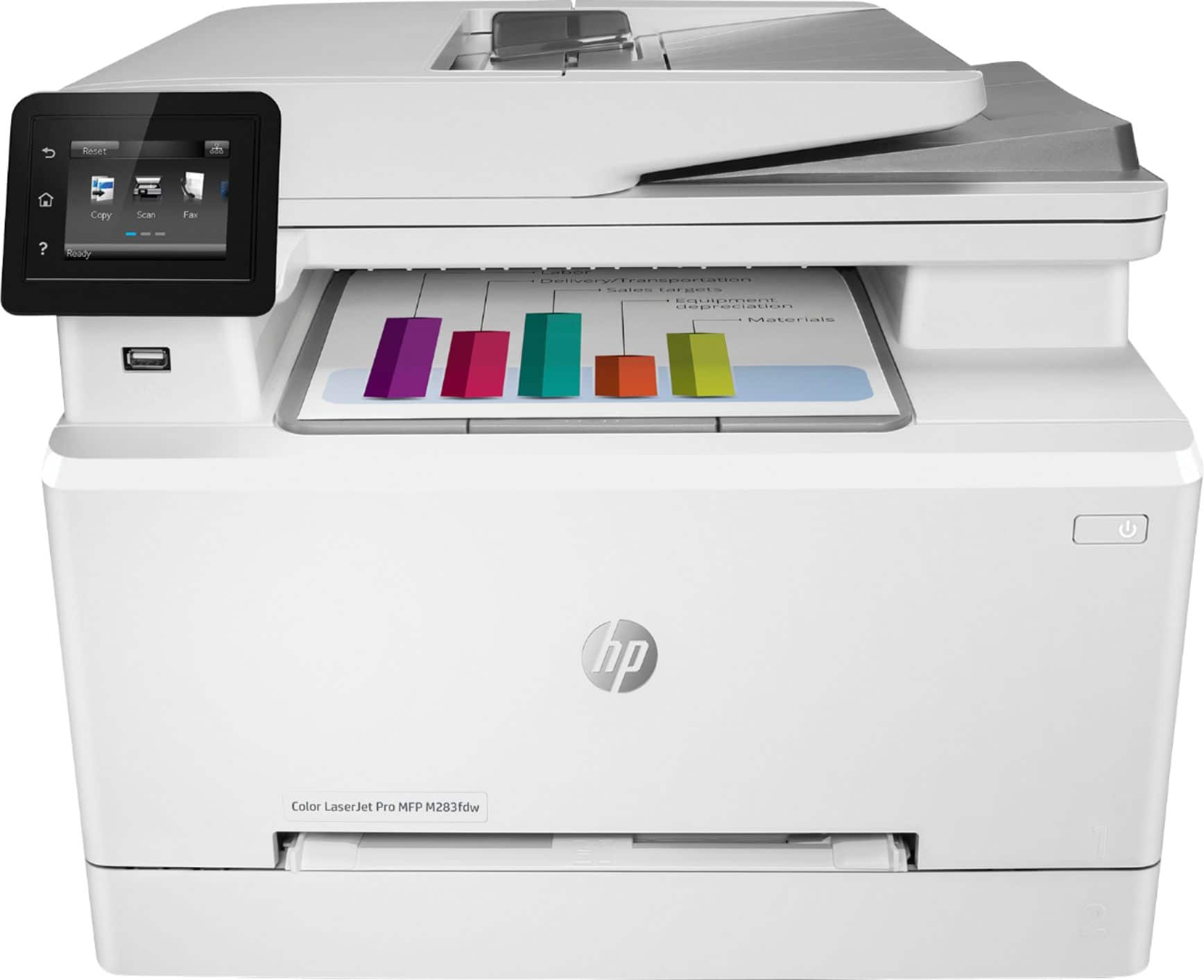
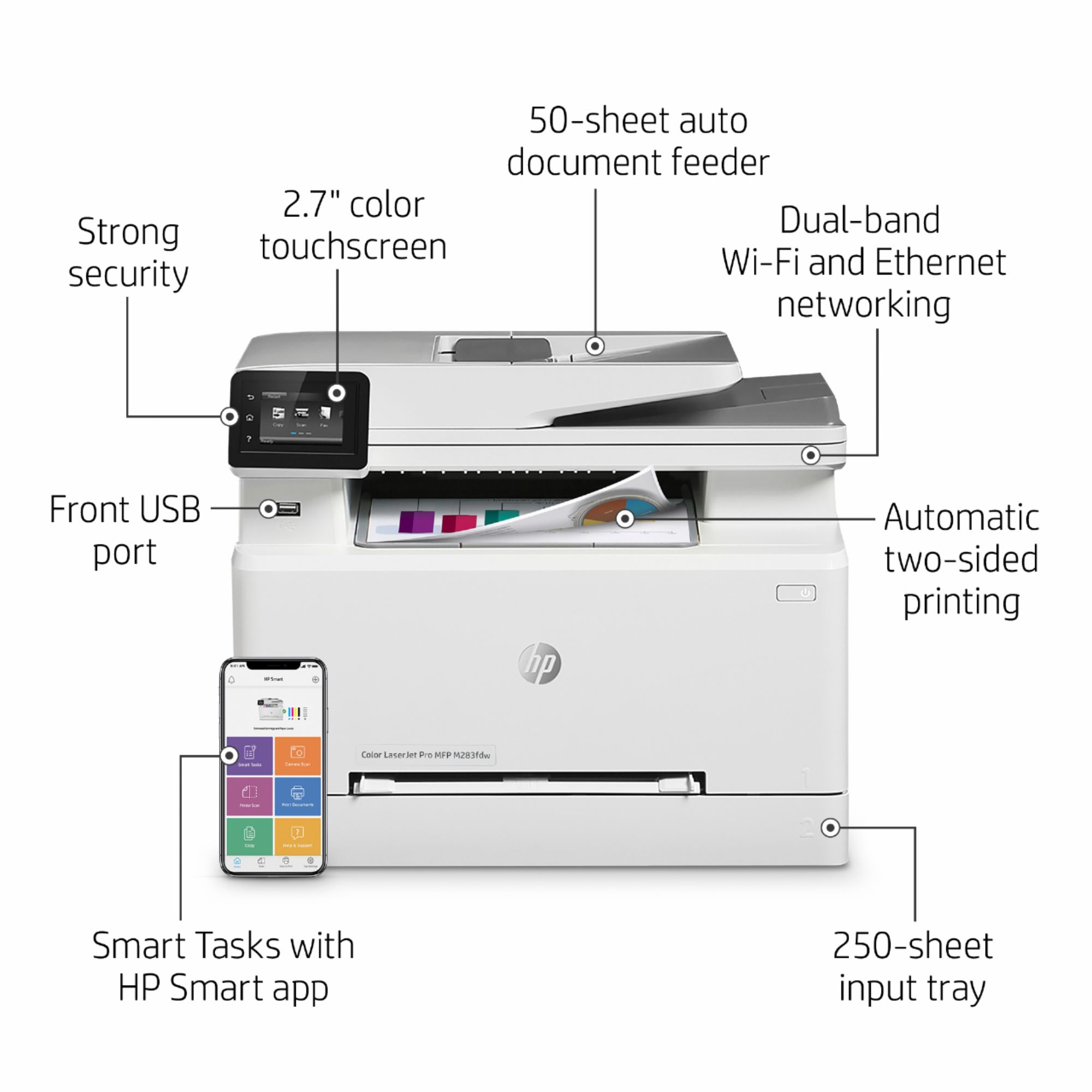
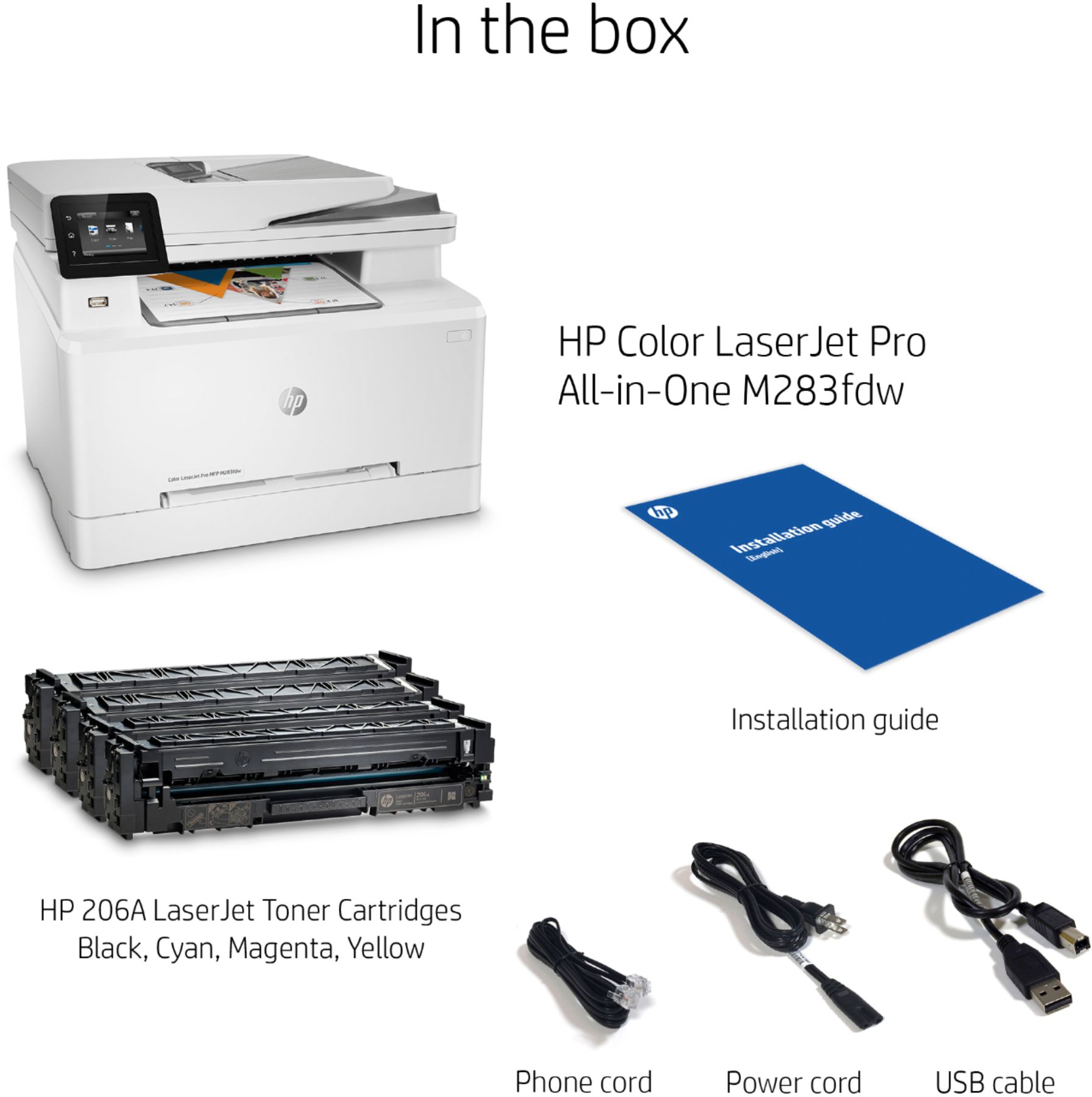


- Model:
- 7KW75A#BGJ M283FDW
- |
- SKU:
- 6401096
Customer reviews
Rating 4.5 out of 5 stars with 2054 reviews
(2,054 customer reviews)Rating by feature
- Value4.4
Rating 4.4 out of 5 stars
- Quality4.6
Rating 4.6 out of 5 stars
- Ease of Use4.5
Rating 4.5 out of 5 stars
Customers are saying
Customers admire the LaserJet Pro M283fdw's outstanding print quality, ease of use, and relatively straightforward setup. Many appreciate its convenient wireless connectivity and compact size. While some find it a bit loud, the printer's overall reliability and performance are frequently praised. The positive feedback on scanning capabilities and price further enhances its appeal.
This summary was generated by AI based on customer reviews.
- Pros mentioned:Ease of use, Print quality
Rated 5 out of 5 stars
Buy the extended warranty!
||Posted . Owned for 3 weeks when reviewed.This reviewer received promo considerations or sweepstakes entry for writing a review.Three and a half years into a 4-year extended contract on my last printer (HP mfp M478f), it had a spring break in the paper tray and quit working correctly. I took it to Best Buy for repair and they gave me this printer instead. It is the updated version of my former printer and works great. Of course, the toner cartridges are different, but I was able to sell the unopened one I had on hand on Ebay for more than 1/2 the costs. I was also able to purchase an extended warranty for this printer! It prints well and is easy to use as a copier and scanner. It has fax capabilities, but I have chosen to disconnect my hard-wire phone service. Biggest lesson: Printers have lots of moving parts that are subject to break. Buy the extended warranty!
I would recommend this to a friend - Pros mentioned:Ease of use, Print qualityCons mentioned:Weight
Rated 5 out of 5 stars
EZ Setup and great Print Quality
||Posted . Owned for 3 weeks when reviewed.This reviewer received promo considerations or sweepstakes entry for writing a review.This was real easy to set up. Had it networked and running within 20 minutes and I’m no Bill Gates. Print quality is fantastic. It is heavy so make sure you put it on a cart before your bring it out from the store to your car.
I would recommend this to a friend - Pros mentioned:Ease of use, Print quality, Size
Rated 5 out of 5 stars
Good printer
||Posted . Owned for 2 weeks when reviewed.This reviewer received promo considerations or sweepstakes entry for writing a review.So far, I’m really happy with this printer. It was super easy to set up, it’s not too heavy, and doesn’t take up too much space. The only thing I don’t like is, when it does print, it’s pretty loud. But overall the color is pretty good. I also print a lot of things double sided, and the duplex printing is great. Not the cheapest option, but not bad. Overall I’m really happy with this printer.
I would recommend this to a friend - Pros mentioned:Ease of use, Print qualityCons mentioned:Noise level
Rated 5 out of 5 stars
Easy set up and good quality printing
||Posted . Owned for 1 month when reviewed.This reviewer received promo considerations or sweepstakes entry for writing a review.Very easy to set up, however it is rather noisy as other reviewers have stated. Copies are good quality and the default setting is double sided printing. Colors look good too. Its perfect for my small business.
I would recommend this to a friend - Pros mentioned:Ease of use
Rated 4 out of 5 stars
Solid Printer Choice but Lacks Good Documentation
||Posted . Owned for less than 1 week when reviewed.This reviewer received promo considerations or sweepstakes entry for writing a review.I am giving the MFP M283fdw printer a rating of 4.5; however, I am giving HP a rating of 2.0. I hope the following will help others. Connection & Installation: The connection and installation of the printer was easy and simple; I was to later find out too simple. As I work in the IT field; I have installed several hundred printers and their drivers. I am not fond of HP’s approach to now having the printer setup going through the Microsoft Store. This approach my work for those that never have setup a printer or prefer to computer to do all the work. I found out a few hours later that this approach does not install full capabilities of the printer such as 2-sided scanning. I had to search the Internet for a resolution; since HP no longer provides as CD disc with drivers and software nor did their instructions indicate a link to download their “Full Software Solution”. The link is as follows: https://support.hp.com/us-en/drivers/selfservice/hp-color-laserjet-pro-m282-m285-multifunction-printer-series/29448786/model/29448718 Photo Printing: This is a laser print and other reviews have given both positive and negative reviews as far as photo printing. As for myself I was pleasantly pleased by the photo printing that I tested. I used a photo that was 1920x1080 pixels and multicolored not simple basic colors. The printed picture had no noticeable lines or dots, but a definite look of a photograph. So, I give this a solid 4.0 for photo printing. Scanning: There is no automatic duplex (2-sided) scanning using the ADF (Auto Document Feeder). However, if you use the link previously provided for the “Full Software Solution” this will provide the ability to duplex scan documents manually by rotating and reloading documents. Scanning the photo from photo printing process produced a nearly identical scan. I had to look awfully close at some of the detail areas to see some slight blurring but placed on a wall side by side it was hard to tell the difference. I was not able to complete the setup of scanning to a network folder, even with additional online research. Overall: The MFP M283fdw printer is a good solid printer for home or small business use that needs the color printing option. Again, I give the printer a solid 4.5 rating and HP a rating as a 2.0 because of the lack of detailed documentation and lack of a driver/software CD disc. All of my previous HP printers came with a detailed user’s guide and a CD for driver and software installation. I would have even been happy to have ta detailed user’s guide included on the CD than the documentation that was provided.
I would recommend this to a friend - Pros mentioned:Ease of use, Print quality, Setup
Rated 5 out of 5 stars
Well done HP
||Posted . Owned for 1 month when reviewed.This reviewer received promo considerations or sweepstakes entry for writing a review.Nice full featured color laser printer. Prints fast, great quality and easy to use. Set up very quick, toner is simple to put into printer. User interface/touch screen very easy to use as well. Cons: if you want something to print photos, this will not be the right printer for you. Laser printers dont do good photos.
I would recommend this to a friend - Pros mentioned:Ease of use, Print quality
Rated 4 out of 5 stars
So far so good!
||Posted . Owned for 1 month when reviewed.This reviewer received promo considerations or sweepstakes entry for writing a review.So far so good. I own a candle business and finally decided it was time to invest in a printer so I could print my own labels. I was tired of spending money with Avery to print my labels. This printer was a little intimidating at first. But it was so easy to set up. I connected it to Wi-Fi with no problem. I gave it 4 starts because when I printed a few test labels, the colors didn't come out right. Brown looked black and the shade of purple I used looked royal blue. Not sure if this is user error but I need to read up on this to make sure I'm printing correctly. Overall, I really like this printer and I absolutely love that I can print wirelessly. I do recommend.
I would recommend this to a friend - Pros mentioned:Ease of use, Print quality, Wireless connectivity
Rated 4 out of 5 stars
Hi Quality and easy to use
||Posted . Owned for 1 month when reviewed.This reviewer received promo considerations or sweepstakes entry for writing a review.Great Print Quality! Fairly easy to set up, all online. Took a while to get it to stay at 2-sided option. Like how it comes on when send a print job. All wireless! Holds a Lot of paper. Shld be the Last Printer I'll need.
I would recommend this to a friend - Pros mentioned:Print quality, Size
Rated 5 out of 5 stars
Great Color Laser Printer!
||Posted . Owned for 2 weeks when reviewed.This reviewer received promo considerations or sweepstakes entry for writing a review.This printer is definitely worth the money. Fairly quiet operation, very speedy printing and CLEAR printouts! Haven't used all the functions yet but the printing is fabulous. The size is just right.
I would recommend this to a friend - Pros mentioned:Ease of use, Print quality, Wireless connectivity
Rated 5 out of 5 stars
Great multifunction color laser for a reasonable p
||Posted . Owned for 1 month when reviewed.This reviewer received promo considerations or sweepstakes entry for writing a review.Compact, reliable, small office or home laser printer. Great color photo printing. Wireless features make printing from tablets, phones, and laptops effortless. Easy setup. I love this printer. I replaced my aged HP eStation with this one and I think I'm done with inkjet.
I would recommend this to a friend - Pros mentioned:Ease of use, Print quality
Rated 5 out of 5 stars
Easy Set-up & Great Quality Prints
||Posted . Owned for 3 weeks when reviewed.This reviewer received promo considerations or sweepstakes entry for writing a review.The colored prints looked great, very good quality. This printer will be mainly used for the kids school projects and so far it is working very good. The set-up was very easy. Just plugged it in, connected to the wifi, and followed the short set up instructions and done! Printing wirelessly from all macs and iPhone effortlessly. Very happy with this printer purchase.
I would recommend this to a friend - Pros mentioned:Ease of use, Print quality, Size
Rated 5 out of 5 stars
Printer perfect
||Posted . Owned for 1 month when reviewed.This reviewer received promo considerations or sweepstakes entry for writing a review.Not too large in size. Easy to use. Self explanatory and beautiful color. Printed out multiple documents. Picture perfect copies.
I would recommend this to a friend - Pros mentioned:Print quality, Size, Wireless connectivity
Rated 5 out of 5 stars
Good upgrade from my last printer.
||Posted . Owned for 3 weeks when reviewed.This reviewer received promo considerations or sweepstakes entry for writing a review.I can send things I want printed from my phone and my I-Pad from anywhere in the house. The printer is fast ad compact. Paper is enclosed inside the printer, and there's no tray protruding from the printer to interfere with my space. Love this printer!
I would recommend this to a friend - Pros mentioned:Ease of use, Print quality
Rated 5 out of 5 stars
This is a Great printer. You will think so too.
||Posted . Owned for 1 month when reviewed.This reviewer received promo considerations or sweepstakes entry for writing a review.I had another HP Color Laser Printer, but it was just a printer. I had an Epson I used for scanning and copying. I really loved the HP but wanted one with those other printer's features in one good Laser printers. This HP Color Laser Jet Pro M283fdw printer prints in great quality printed pages but also has the other features I needed that work great. I love the ease of the software to scan and save on the PC.
I would recommend this to a friend - Pros mentioned:Ease of use, Print qualityCons mentioned:Noise level
Rated 5 out of 5 stars
HP Office Printer
||Posted . Owned for 3 weeks when reviewed.This reviewer received promo considerations or sweepstakes entry for writing a review.Great printer for the money. It was very easy to install. I was able to connect it and install it to our Legal Attorney's work computer with no problem at all. Not necessarily that loud when printing. Prints very good.
I would recommend this to a friend - Pros mentioned:Print quality, Setup
Rated 4 out of 5 stars
Good value
||Posted . Owned for 1 month when reviewed.This reviewer received promo considerations or sweepstakes entry for writing a review.This is a good value for the money. It is fast, and accurate and set up easily on my network using HP Smart app. Only downside is the cost of the replacement cartridges and the fact that when copying, it defaults to color. If you remember to change to B&W when copying, you can save the color for when you really want it. About 98% of the time I copy and print in B&W, and the B&W cartridges are competitive in price, so in the long run it is more economical than an ink-jet with similar capabilities, particularly since the cartridges, being powdered ink, don't dry out if not used.
I would recommend this to a friend - Pros mentioned:Print quality
Rated 5 out of 5 stars
Clear vibrant output at great speed
||Posted . Owned for less than 1 week when reviewed.This reviewer received promo considerations or sweepstakes entry for writing a review.Like many laser printers, regardless of brand, this printer was not readily available in my store for pickup the day after Christmas. However, I had seen this exact model in operation at my sister's home office; a week or so before then and that’s when it got on my radar. Before this, I had looked at B/W only as well as color models from Brother and Cannon as well as other HP models. I knew Brother's reputation for solid laser units and lower toner cost, and I knew cannons' solid reputation but toner cost on par with HP. Knowing I could not easily see many of these units in person I went on past experiences with these brands. I wanted to upgrade to a laser when the color cartridges started showing signs of clogging or drying out due to the underuse of the three color cartridges in my HP Officejet Pro 8720. What tipped the scale in favor of Color over B/W only was the fact that powder-based toner does not clog, and I would not have to replace color toner for that reason; cutting toner cost overall. HP was the make of my last three inkjet printers purchased over the last 20 years for myself in my home/office; all 3 were Multifunction units. 2 that Faxed, copied, scanned, and printed, and 1 without fax. All worked out of the box for many years. Therefore. I stuck with HP. Although I had not printed photos in high quality in a very long time, I was surprised that only some lasers supported printing on photo paper and glossy as well. This printer does a respectable job on various weights of plan and photo paper; a Plus in my book; however, for pro-quality photos separately; use 6 color inkjet capable printers. Text and Graphics on this printer are awesome! I have yet to work out how to use the single sheet paper tray for an envelope but I did try a single sheet of paper in it and got great results. As to the Auto Document feeder, it is a manual duplex (you need to flip pages in the ADF manually if they are two-sided) and do a manual collation. However, I don’t use this feature much lately and I can live with the tradeoff. On to connectivity. I use wireless dual-band and sometimes HP wireless direct and HP ePrint; additionally, Ethernet and USB are supported. I do not use Apple AirPrint and Google cloud print recently was killed in December 2020 so I am finding alternatives to cloud print anyway for lack of use. Overall a good investment and should last many years. I did get the 4-year replacement plan as I see this unit being on the market for that long anyway, and I think I can expect that length of service for myself. I know that HP supplies are pricy and typically are chipped, but I must go along with the recommendation to use HP toner at least during the first year (the manufacture warranty period). The use of non-OEM or NON-HP 206A or 206X toner could void all warranty, and you probably will need the chips from HP 206A or 206X cartridges to make the aftermarket cartridges work. If you can afford it get the 206X type as on average they are at least double the page count of 206A and close to or over 3 x the page count of starter cartridges.
I would recommend this to a friend - Pros mentioned:Ease of use, Print quality, Wireless connectivity
Rated 5 out of 5 stars
Great so far--still new
||Posted . Owned for 3 weeks when reviewed.This reviewer received promo considerations or sweepstakes entry for writing a review.Set up was a breeze, prints beautifully, paired effortlessly with my network for perfect wireless connections with two desk tops, two iPhones, an iPad and a laptop. It's only a month old so we will see-but so far we love this printer.
I would recommend this to a friend - Pros mentioned:Print quality
Rated 5 out of 5 stars
All-in-One Printer
||Posted . Owned for 9 months when reviewed.This reviewer received promo considerations or sweepstakes entry for writing a review.The HP LaserJet Pro M283fdw is a solid all-in-one printer that gets the job done. It’s quick, prints great quality in color, and the wireless setup is super easy. Perfect for home or small office use, especially if you need something reliable and hassle-free!
I would recommend this to a friend - Pros mentioned:Ease of use, Print quality
Rated 5 out of 5 stars
Awesome Printer!
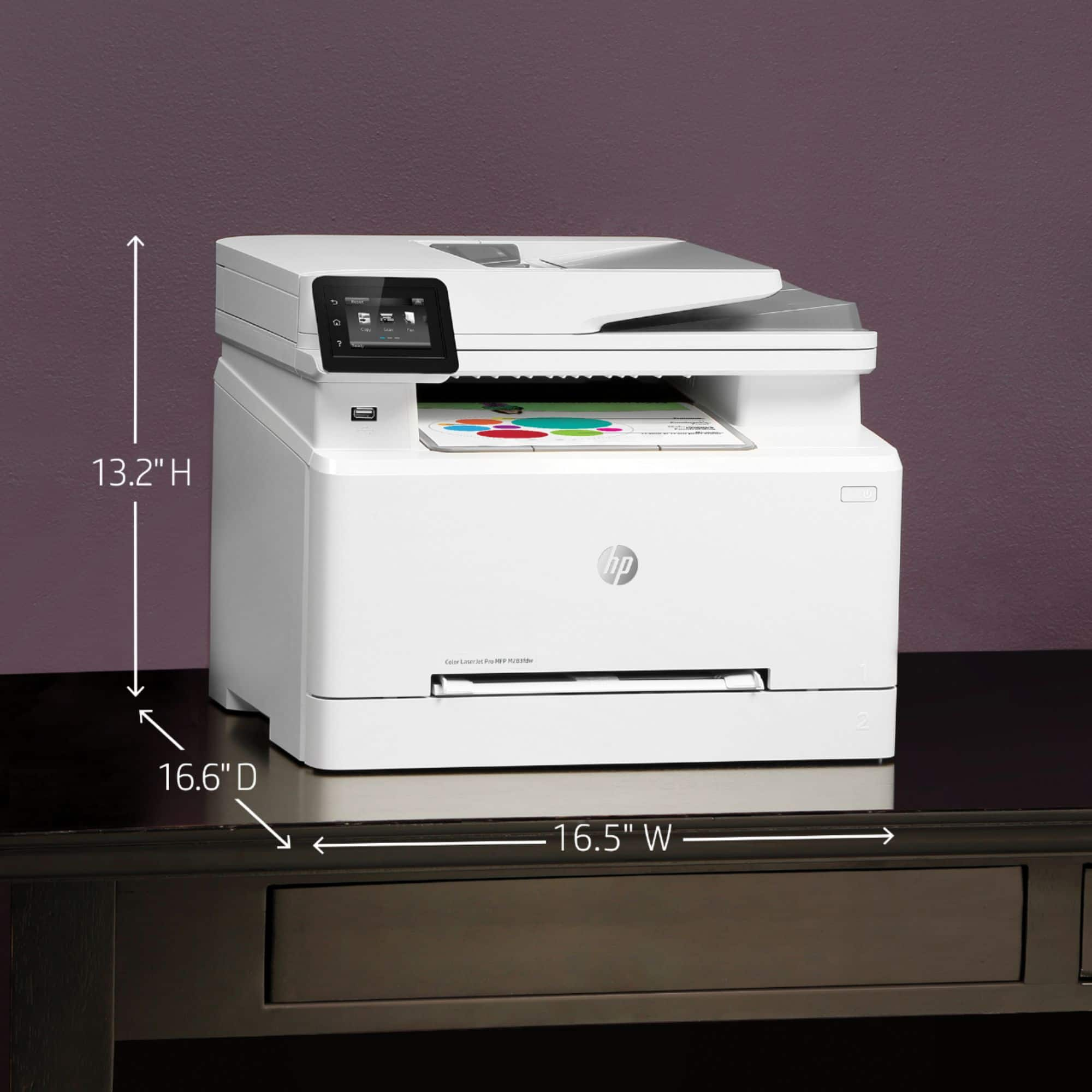
||Posted . Owned for 3 weeks when reviewed.This reviewer received promo considerations or sweepstakes entry for writing a review.This is my first time owning a laser jet printer. This is a well worth upgrade from my previous ink jet canon pixma all in one printer. I was looking for an all in one laser jet printer, and this HP printer covered all those needs from printing, copying, scanning, and faxing. The duplex print requirement was also there. I was also looking for something that's not too high (between 13 inches to 15 inches in height maximum), and once again, this HP printer's height fit the bill. Finally, the installation was a breeze. The easiest install I have ever experienced so far. The only thing that you'll need to lookout for is the replacement toners. They are on the expensive side when it's time to replace four of these toners, but I think for our use, the regular sized toners should last us at least half a year.
I would recommend this to a friend