Customer Ratings & Reviews
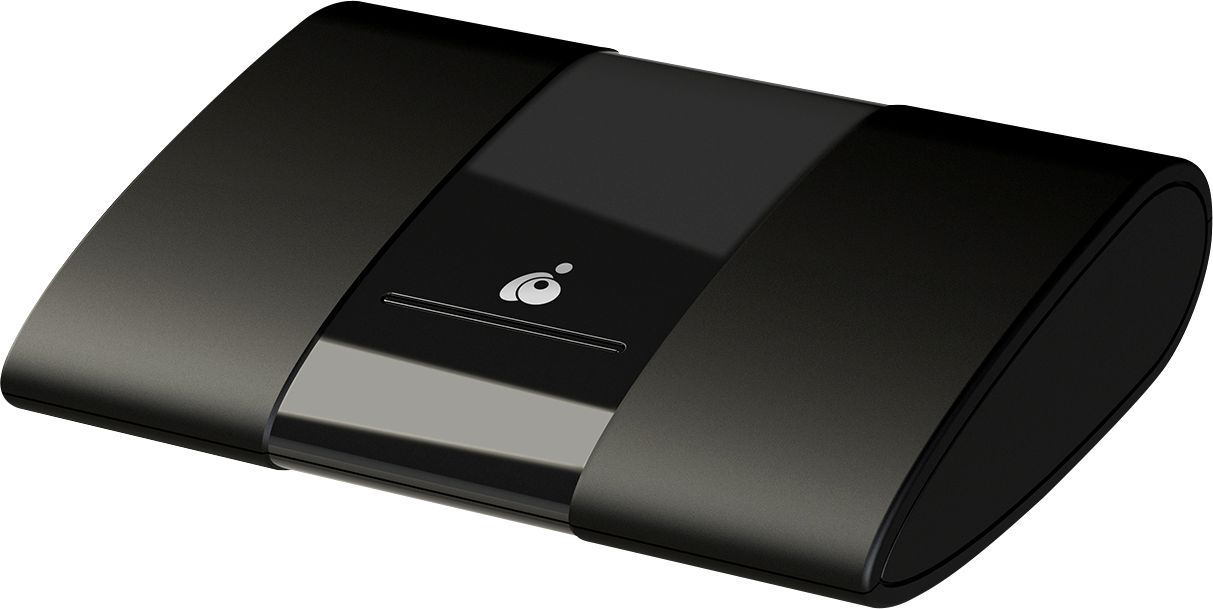
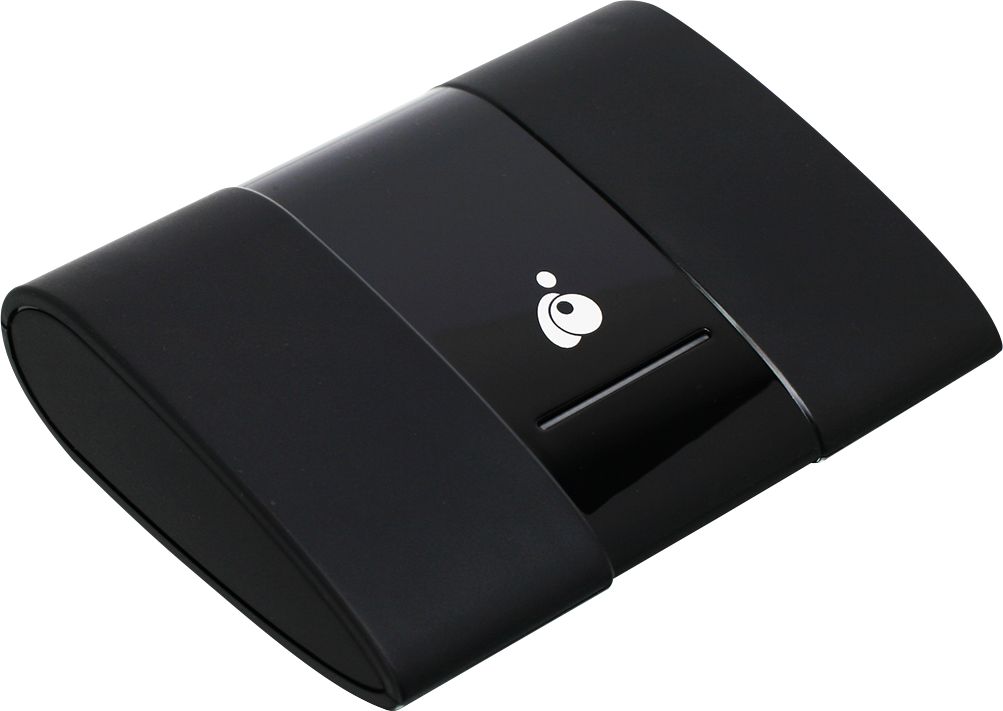
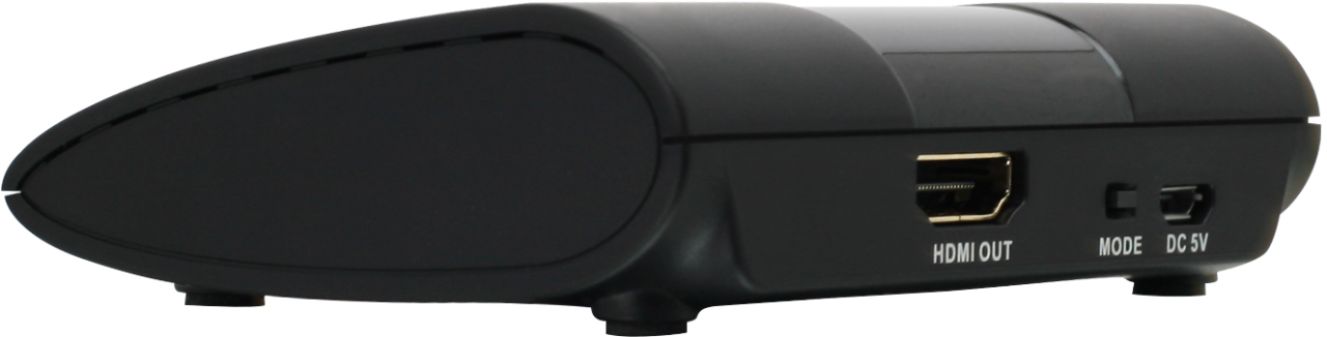
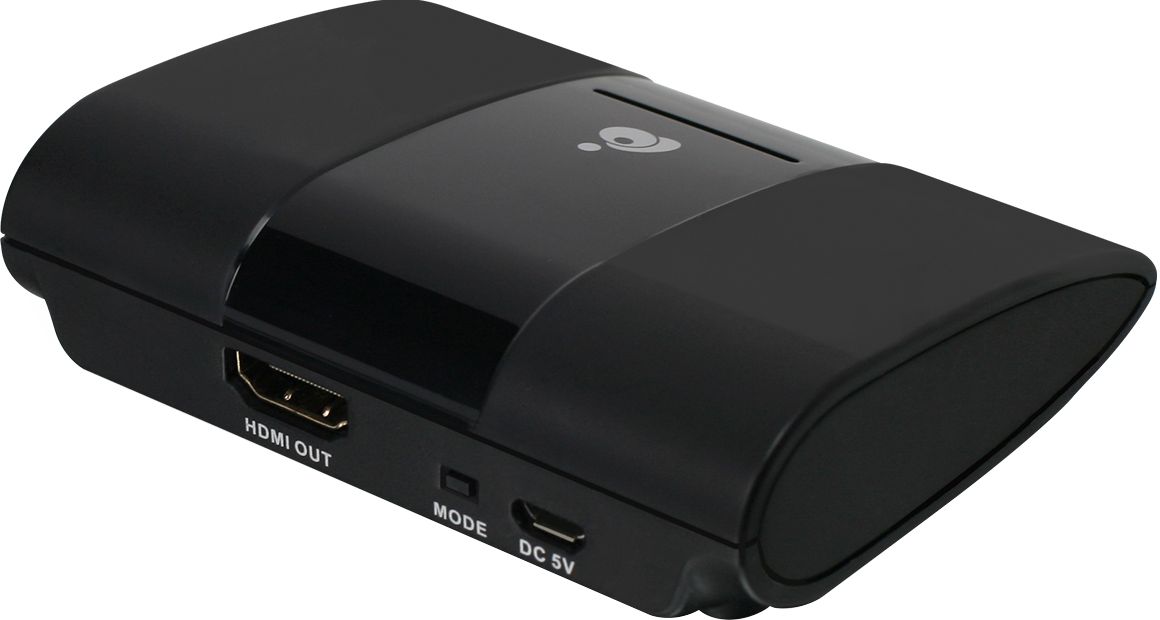
- Model:
- GWAVRC
- SKU:
- 6359840
Rating by feature
- Value
Rating 4.1 out of 5 stars
- Quality
Rating 4.0 out of 5 stars
- Ease of Use
Rating 4.1 out of 5 stars
Customers are saying
Customers recognize the Wireless Mobile and PC to HDTV Screen Sharing Receiver as being easy to use and offering good video quality, with many praising its 1080p resolution and wireless capabilities for screen sharing. However, some users experienced issues with compatibility, particularly with Apple devices, and reported connection problems and occasional lag. The setup process was generally considered straightforward. Despite some connectivity challenges, the positive feedback on ease of use and picture quality is noteworthy.
This summary was generated by AI based on customer reviews.
Did not work with Mac
||Posted . Owned for 3 weeks when reviewed.This reviewer received promo considerations or sweepstakes entry for writing a review.I returned it since it did not work with my MacBook
No, I would not recommend this to a friend- Pros mentioned:Video qualityCons mentioned:Connection

Great for home or travel
|Posted .This reviewer received promo considerations or sweepstakes entry for writing a review.My home and office televisions are Miracast compatible and I enjoy being able to share things from my laptop or phone with others in the room on a big screen. My reason to have this is travel. I spend quite a lot of time in hotel rooms. Most hotels have a very limited channel lineup. I have yet to have a hotel TV that had any kind of wireless screen sharing capability. If I know I will have a lot of room time I often take a 25' HDMI cable so that I can stream from my laptop. Most hotel TV's have HDMI connections these days. It's nice to be able to get my local channels and recordings (via my internet connected DVR at home) in a distant hotel room. Having this receiver allows me to pack a short HDMI cable, this receiver and the transformer in less space and weight than the 25' HDMI cable takes up. I don't have to worry about tripping on the cable and damaging my laptop or the hotels TV (I've come close). I can broadcast from my Android phone or laptop from anywhere in the room and I can get everything I have access to at home. This receiver gives me a clear HD picture (up to 1080p). I have never experienced any static freezing or interruption using this receiver. I have lost sync with it a couple of times when leaving the video paused for an extended period. I love this for travel and it would be great for those who have TV's that do not support Miracast. I can't wait to try it with my projector that I use to show outdoor movies at the lake in The Summer.
I would recommend this to a friend Bad reliability, worst service
||Posted . Owned for 6 months when reviewed.This reviewer received promo considerations or sweepstakes entry for writing a review.1. This device did not work after three uses. 2. I was astonished that I have to pay fees related to shipping package for warranty service. Won't buy products from this company again.
No, I would not recommend this to a friend- Cons mentioned:Lag
Good solution to sharing at a good price point...
|Posted .This reviewer received promo considerations or sweepstakes entry for writing a review.This unit was intended for the specific purpose of allowing my students to stream research results, programming lessons. and presentations from their laptops and phones to a classroom wall-panel monitor. This application works fairly well, as students were able to download the app to their phones (android only) and then connect and cast their research and presentations to the wall panel for the entire class to easily see. There is an intermittent lag of a few seconds between the phones and the display, so the best use seems to be for “slow moving” presentations and web pages or other research results on a “screen by screen” basis. Students were excited to think that they might be able to share their gaming experiences during slack time, but the lag somewhat impedes following game play smoothly. This device might be redundant for more modern TV panels that have “smart” capability or wireless connectivity built in, but when comparing the W10 Miracast performance to this device (a comparison that was part of the class ‘research’ involved in setting up and using this device) the built-in Miracast running through the school wireless network was less effective and had significantly more lag and screen tearing. Overall, for the application described above, this device is a good solution especially considering the modest cost of equipment. As long as you are using laptops with Windows 10 (avoids having to download and install additional drivers) or an android phone 4.2 or higher, this is a very cost-effective way of sharing laptop and phone displays to a large audience.
I would recommend this to a friend - Pros mentioned:Resolution
Stream anywhere
|Posted .This reviewer received promo considerations or sweepstakes entry for writing a review.This iOgear wireless video transmitter it is what is called, nothing out of the ordinary or revolutionary. The transmitter itself has a small footprint and is easy to set up, just plug the HDMI to a TV or projector, the power cable and you pretty much set. The device transmit its own WiFi signal to make a direct connection from your Windows or Android Device to the iOgear video transmitter, no need to be connected to any WiFi network. Connecting to the device was easy and the resolution was pretty good. Manufacture advertise connection as far as 50 feet, in my case it went a little bit over that. Even with the good image and strong connection I did encountered sound issues it was delayed, it happens with both Os Windows and Android, the device also got a little hot. This device is target more for people without a smart TV, but with technology so advanced now days this device is in a very crowded space since you can stream your phone/tablet/ PC to practically any smart TV. Over all the device does what it was intended to do and does it very well, and is able to stream without network connection you can practically use it anywhere. In the box it comes with the Video Transmitter, HDMI cable, power brick, USB cable and manuals.
I would recommend this to a friend - Pros mentioned:Ease of use
Best for a situational "in a pinch" solution.
|Posted .This reviewer received promo considerations or sweepstakes entry for writing a review.This is perfect for someone who might need a quick solution for presenting something when a long cable solution is not available or optimal. Especially where a TV or projector does not have smart/screen mirroring options. Overscan can be an issue and also can mostly be corrected by changing the settings on the TV or the laptop you are streaming from. But it can't be guaranteed that will be an easy fix. It's more or less plug and play, it's super compact, it does what it says it does. And it makes it perfect for someone who needs every trick in the book to present something on the go. If you are that person, this is something you need in your toolkit. If you have an older TV that you need to stream things to on a regular basis and don't want or need to buy another TV, this is for you too.
I would recommend this to a friend Not Functional
||Posted . Owned for 1 month when reviewed.This reviewer received promo considerations or sweepstakes entry for writing a review.I have not been able to get this item to connect to my laptop. . I tried two different computers. I need to return this!
No, I would not recommend this to a friend- Pros mentioned:Video qualityCons mentioned:Connection
Not the greatest but works
|Posted .This reviewer received promo considerations or sweepstakes entry for writing a review.So my experience with Iogear screen sharing receiver was not the greatest. The setup process was finicky and then once it did connect, it kept disconnecting. Once I was finally able to get a stable connection between my mobile and the tv thru the IOGEAR screen sharing receiver it did work ok. Picture and sound quality are nice. Overall ok product.
I would recommend this to a friend - Pros mentioned:Ease of use
1080p Wireless Extender That Just Works
|Posted .This reviewer received promo considerations or sweepstakes entry for writing a review.This thing is pretty convenient for anyone out there wanting to project the image from their PC or smartphone to any device that's HDMI capable. A lot of TVs come with built in Miracast compatibility, but for those older TVs that don't have the ability baked right into their firmware this is a great solution. The hookup and installation of this device is pretty easy and anyone should be able to get this up and running with a little instruction reading or googling. You should be able to cast anything to a TV with this little device at about 30feet. The 50 foot range is under optimal conditions which most people's environment don't provide, so keep your expectations in check. Pros: Affordable Easy to install/configure Range is good Compatible with all Miracast devices Cons: Image quality could be al iittle better? Device seems to compress the image a bit?
I would recommend this to a friend - Pros mentioned:Ease of use, Wireless
Awesome Gadget
|Posted .This reviewer received promo considerations or sweepstakes entry for writing a review.This is an awesome gadget to have if you are a teacher like myself and likes to make teaching more fun for the kids . I can now use my computer at church and be able to share everything from my computer into the big screen tv. This gadget connects instantly to the tv just by following the simple instructions that come up as soon as you plug it in. You can’t go wrong, Its so easy to easy to use. Its a wireless receiver so there’s no need for messy cables plugged in to your computer. I definitely recommend this product to anyone. If you either a teacher or just a person who wants to see pictures, movies from your computer into the big screen.
I would recommend this to a friend - Pros mentioned:Video quality
Good product But.....
|Posted .This reviewer received promo considerations or sweepstakes entry for writing a review.It works great, just not sure how much use I'll get from it. This is for people with a smartphone but no smart TV or game console. The picture and sound are flawless. Youtube, netflix, all stream great. But, i have smart TV's and game consoles that do the same thing and are already hooked up. Though this is great for doing an old fashioned slide show for pictures take on vacation or whatever.
I would recommend this to a friend - Cons mentioned:Compatibility
Won't Work w/ Gaming Systems -Work Great Otherwise
|Posted .This reviewer received promo considerations or sweepstakes entry for writing a review.This device works great, if you need to stream content from a laptop or a smartphone/tablet, and I have had some good use out of it for meetings and planning sessions. HOWEVER, I was also excited to connect my gaming systems up to this so I could easily switch between my TV and my projector, but sadly, it doesn't work for gaming consoles. PCs and smartphones.tablets only.
I would recommend this to a friend Good for non-techie
|Posted .This reviewer received promo considerations or sweepstakes entry for writing a review.Setup: Easy to understand how the Screen sharing is hooked up with power and through HDMI cable to TV. Power cord might be a little short but since it is a USB cable, end user might have a longer cable to substitute. I tend to have my power strips wherever they can best fit and lay. Some times this is on the floor requiring a 4-6’ AC cord while the control unit is near the TV. For this reason, the HDMI cable is not as critical since the control box is near the TV. The issue would be if you are ‘driving’ larger TV 55+” where the HDMI connectors are on the fop 1/3rd of the TV. In this case, a longer (4’+) cable would be better. Concerning HDMI ports: some TVs have 4 or more HDMI ports but these are probably the higher end TVs with many integrated functions to help show content from various sources (cable box, NetFlix, AmazonPrime, PC via network, etc). This assumes that at least 1 HDMI port is available to plug the IOGEAR unit into. IOGEAR might want to tell users in their setup that If a spare HDMI port is not available, they can easily purchase a small mechanical or electrical switch that allows 2-8 HDMI ports to be connected and use can select one of these to drive the HDMI that comes out of the multiplexor. I have this situation on one 50” LED in a guest bedroom. It has only 2 HDMI connections and I have inserted an electronic 4:1 HDMI electronic selector that has its own remote control. This allows me to connect cable, Roku, DVD, etc to this TV. Software: my Galaxy S7 did not have any sharing software on it and I had to download a free app. IOGear might want to suggest a specific app that they have tried and works. My first download was a Samsung app but once opened it was quickly apparent that it was searching for a Samsung TV (I was trying this on a Vizio and not my large Samsung smarttv). I located another screen sharing and it started to work. Easy to share any files/pics that your phone stores. I even played some short videos and was pleased that the sound came from TV and my phone’s volume control also worked on the TVs volume. The video I tried was a simple YouTube video showing quite a few billiard balls hanging from one rod but with each having a different length cord (pendulum) and how if all released at the same time over a short period of time, the oscillation frequencies will diverge and at some point re-converge. So this is not HD nor lots of data. I then tried to do some YouTube videos Vincent Gabrielle and Leonid & Friends. Lots of instruments and video and it appeared burdened by the amount of data on both. I then downloaded an HD mirror sharing software expecting better performance. Unfortunately, the same issue exists. I also noticed that if you did anything with the phone's screen, it would also cause dropouts until you finished your screen movements. I then decided to play the same YouTube videos without screen sharing. These played perfect on my phone and I could do other operations (look at email, etc) as these pieces were playing with no affect on the playback. I also noticed that screen sharing caused syncing issues between video (on phone and screen) with audio. From this, I think the amount of CPU power and data being manipulated from WiFi => Phone/playback=>WiFi Sharing was too much. The WiFi might be multiplexing between receiving the YouTube feed and taking this feed and resending out the WiFi to the IOGear box. Without additional testing by downloading a video/audio to my phone’s storage and directly playing this (not using WiFi to access original content), guessing that one of those two is causing the issues. The other downside I saw was this did not work with Apple products. This is fine for me since we have few Apple products (no iPhones, iTV, etc) but given the popularity of iPhones, this might significantly reduce market opportunity for sales (or increase returns if people do not recognize that). I also think the various smartTV platforms (ie Samsung) has integrated a few extra capabilities that enable more content to be sent or mirrored directly to their TV. Cheap for Samsung to integrate but will pose more problems for IOGEAR’s screen mirror product. It is almost like this screen mirror product is targeted at ‘less smart’ TVs that at least have 1 HDMI port available. The IOGEAR product is an ideal product for the following type of users: 1. People that have not setup a network environment where they easily share video, audio, files, etc between PC and any smartTVs. This is my setup and I can easily share from laptop to my primary TV without issues. But not everyone can either set this up or have the money for all the hardware. My Samsung TV has both Ethernet/lan as well as an integrated WiFi. So IOGEAR for this TV would actually duplicate (and complicate) the mirroring that I already use. But my Vizio is ‘not as smart’ and IOGEAR allows me additional mirroring that is only capable on my Samsung TV. 2. People that want to easily share info from phones, tablet and possibly a PC. IT all depends how ‘techie’ they are with their PC/laptop. The ‘less’ techie they are, the more advantageous the IOGEAR equipment is. With the exception of the Screen sharing App which is not necessarily on every phone, the phone setup is easy. I assume the same for tablet. As mentioned earlier, IOGEAR should test specific (free) screen sharing software and have these recommended in their setup. IOGEAR makes the assumption that all phones have screen sharing as one of the preloaded apps and that the preloaded app would work well with IOGEAR. My Verizon G7 did not. My wife’s brand new Samsung A50 has smart view. I come from a hightech background where all the various sw/hw components are integrated and tested: each combination of sw and/or hw to ensure that the ones we had recommended worked as stated.
I would recommend this to a friendGood Starting Point
|Posted .This reviewer received promo considerations or sweepstakes entry for writing a review.Received this to use for work. It does a decent job and the picture quality is ok. This doesn't really do anything different from chromecast, hence the 4 stars. The unit itself is lightweight and fits comfortably in my laptop bag. I wish it would stream content in 4k, again, hence the 4 stars. Otherwise it was a good purchase.
No, I would not recommend this to a friend- Pros mentioned:Ease of use
Easy to use - Compatible with non-mac computers
|Posted .This reviewer received promo considerations or sweepstakes entry for writing a review.I have been looking for an easy way to share my PC screen on the TV. My wife has Mac products so historically we have used Apple TV but this never worked for my PC. Happy to have it all set up where we both can share on the screen! Easy to use and to set up.
No, I would not recommend this to a friend Great to add screen sharing to a device
|Posted .This reviewer received promo considerations or sweepstakes entry for writing a review.This IOGEAR device is a great little tool to add screen sharing to a device. It does what is expected, as long as you understand what its supposed to do and what it is not intended to do. What this does is create a receiver for a miracast connection. it's really designed to make your "dumb" TV, a projector, or other device that doesn't already have Miracast just a little bit smarter. This device is great for a small conference room to add wireless functionality for PowerPoint presentations or other AV from any Windows 10 laptop. If you have a device that meets the min. requirements listed on the box, then you already have the software to cast to this. If your device can't use the miracast connection, then it will not work with this device and don't expect there to just be a software that you can download to suddenly make this work on a device that was not designed to use Miracast. There may be programmers than can make a workaround, but at that point just get a different reciever. Also check your TV. Many smart tvs already have this ability so you may not even need it. A coupIe more points. This receiver connects to your phone or laptop using your WiFi antenna. Some devices will let you also use the internet from the same WiFi antenna, some won't. That's an issue with the device you're casting from, so if not having WiFi while casting is a deal breaker for you, test the device you're casting from before you buy this receiver (but most newer devices allow casting and internet at the same time). However, if you can use 1 antenna to do two different things it will likely bog down your device under heavy load. Don't expect to stream Netflix to your phone and cast it to your tv using this device at the same time. This isn't the receiver's fault, its playing what its getting, but you need to be realistic on your use scenario when buying this device or you may be disappointed. This is a great device for the money, but it isn't super expensive compared to other options, so also don't expect the antenna to be super strong. It can go up to 50 ft, but count on static images with no sound at that distance. 10-15feet is the sweet spot for casting basic videos (that doesn't require a lot of streaming), but if you set the receiver near a lot of other electrical equipment you will get interference. I moved mine to a new spot which was near my surround sound system, playstation and a wifi hub, and the result was I could only play a video from my phone without choppiness if I was around 3 ft away. Overall a great little device and 5 stars for doing well what its actually supposed to do at a good price.
I would recommend this to a friendWorks Great When It Works
|Posted .This reviewer received promo considerations or sweepstakes entry for writing a review.I don't have cable, but I used to connect my laptop via an HDMI cable to my TV to stream. This device allows me to stream without having to connect my laptop to the TV. The problem I have with it is that the video stream will hang often with my older laptops (Intel i7s, less than 3 years old). The sound continues on the TV and the video continues on the laptop, but the video hangs on the TV. The only laptop that works consistently is my brand new HP Spectre i7. I don't know if it's the Intel Iris Plus graphics in the new laptop, the newer chipset or something else, but this device only works well with my new laptop. Once I figured out a consistent way to connect to this device, I have been happy with it. I would rate it much higher if it worked with all my laptops, but since the video hangs when streaming to 2 of my 3 laptops, I can't give it a higher rating. I would recommend this laptop, but from my experience, you may need a newer device for it to work well.
I would recommend this to a friendNice product
Posted .This reviewer received promo considerations or sweepstakes entry for writing a review.It's a nifty item however I think that it needs an on/off switch
I would recommend this to a friendnot bad
Posted .This reviewer received promo considerations or sweepstakes entry for writing a review.portable and inobtrusive but has no on/off switch.
I would recommend this to a friend