Customer Ratings & Reviews
- Model:
- Y354020
- SKU:
- 10202346
Rating by feature
- Value
Rating 4.3 out of 5 stars
- Quality
Rating 4.3 out of 5 stars
- Ease of Use
Rating 4.3 out of 5 stars
Great Vacuum & Mop Combo for Everyday Cleaning
||Posted .This reviewer received promo considerations or sweepstakes entry for writing a review.The Roomba 105 Combo does a great job keeping floors clean with minimal effort. The vacuum suction is strong enough for daily dust, crumbs, and pet hair, and the mopping feature works well for light spills and routine floor maintenance. It transitions smoothly between vacuuming and mopping without issues. Setup was quick and easy through the iRobot app, and scheduling cleanings is very convenient. I like that it navigates efficiently and doesn’t randomly bump around like older robot vacuums. It handles hard floors especially well and does a decent job on low-pile rugs. The dustbin and water tank are easy to remove and clean. While it’s not meant to replace a deep manual clean, it’s perfect for maintaining clean floors between thorough cleanings. Overall, the Roomba 105 Combo is a solid, reliable choice for anyone wanting an affordable vacuum and mop combo that gets the job done.
I would recommend this to a friend
Roomba Rumba
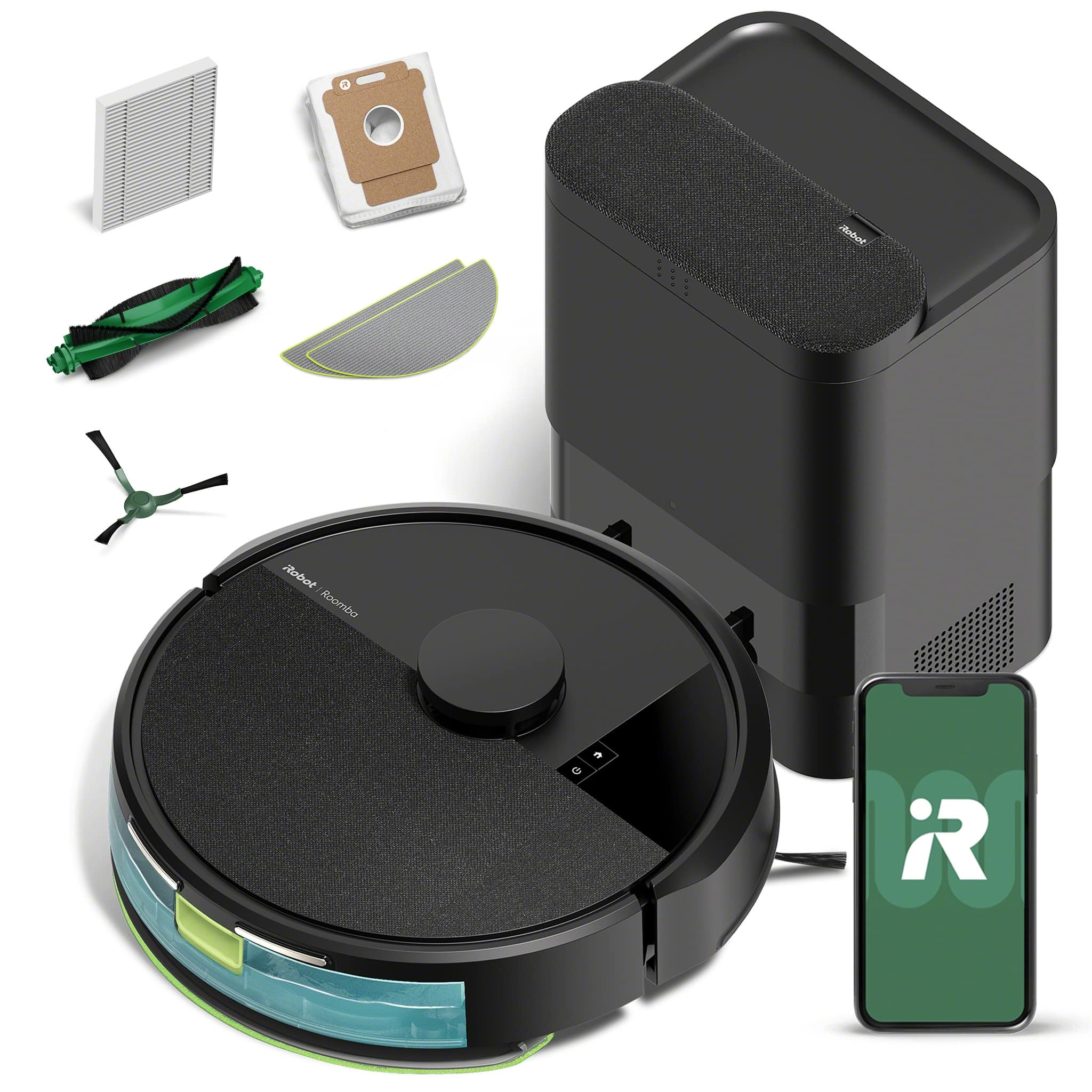
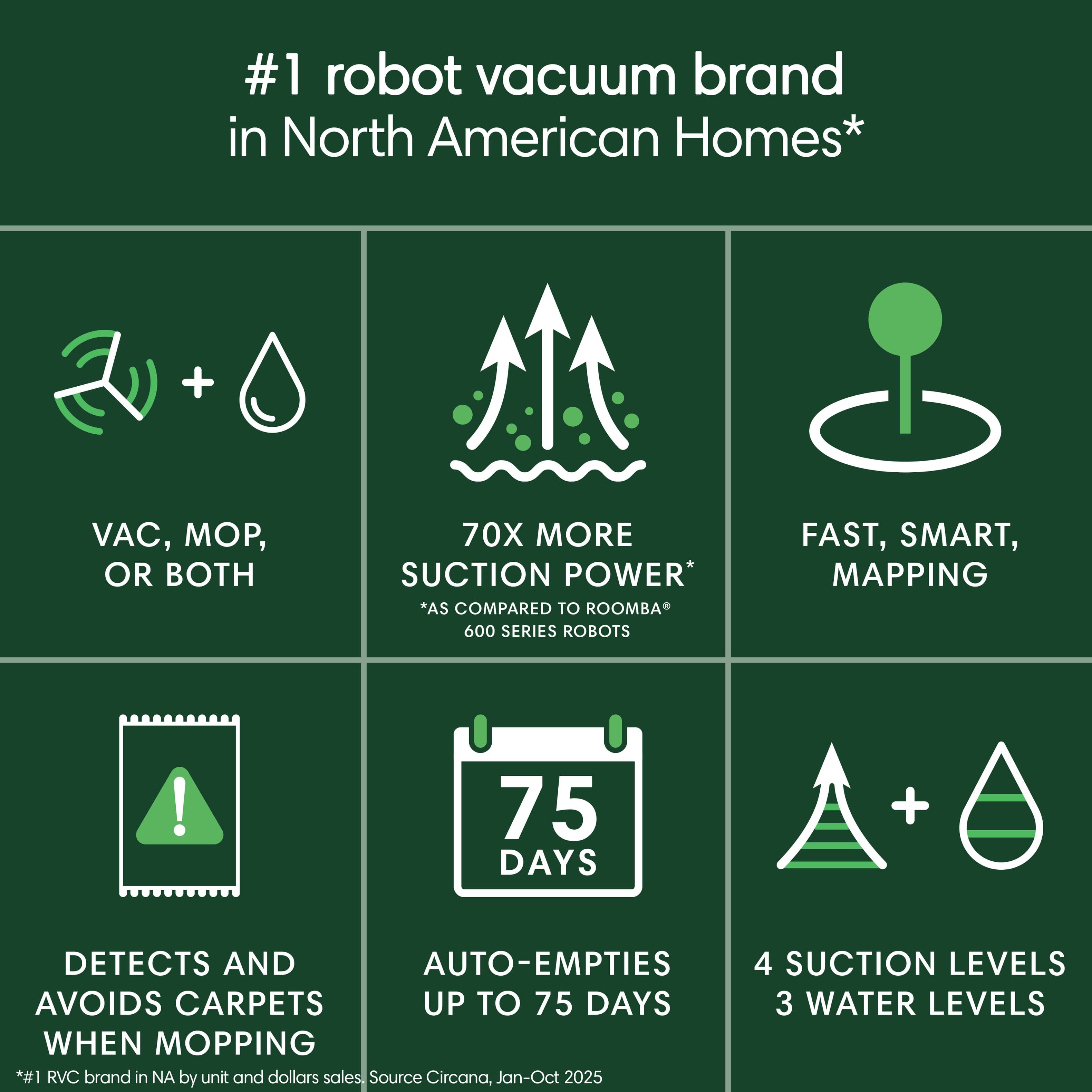
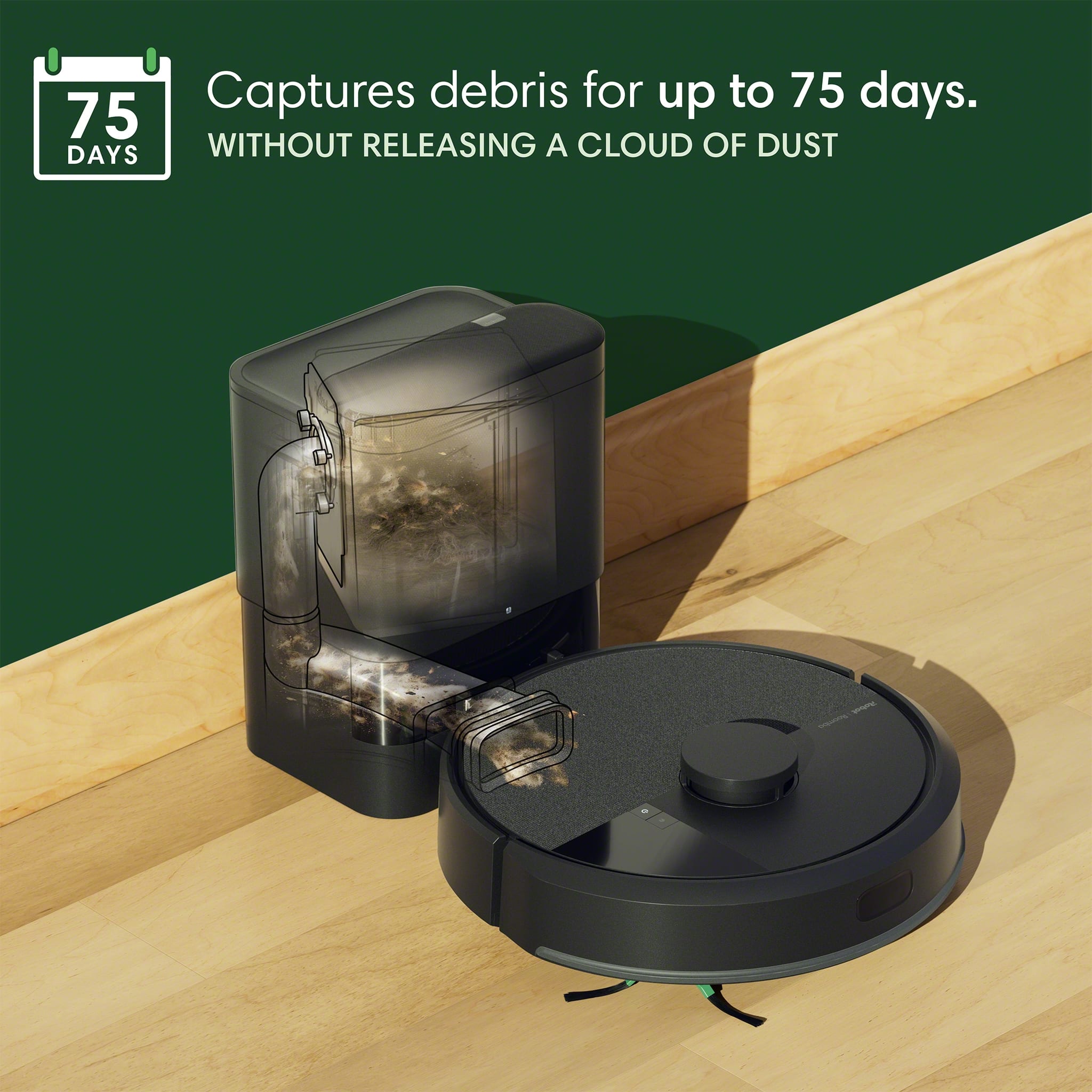
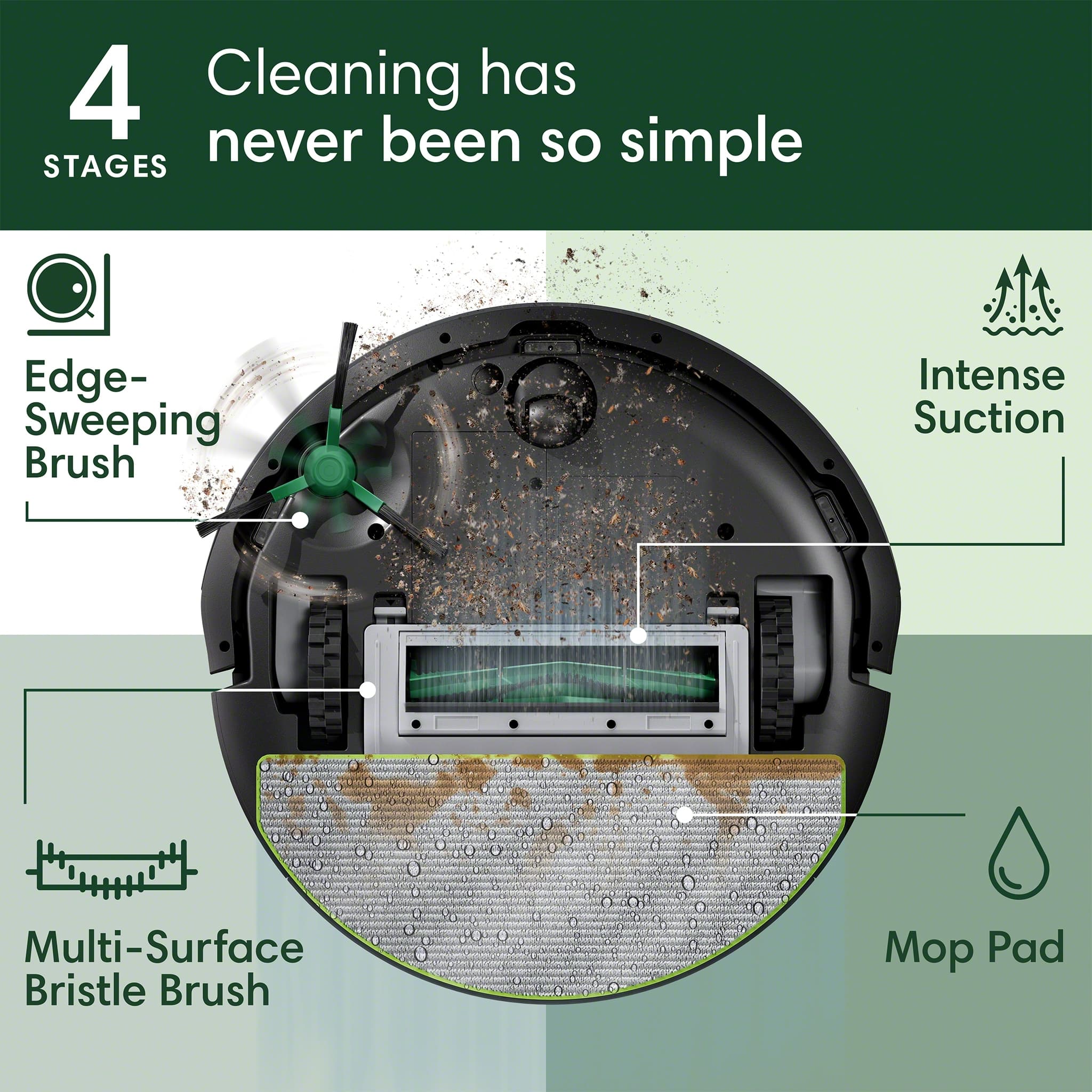
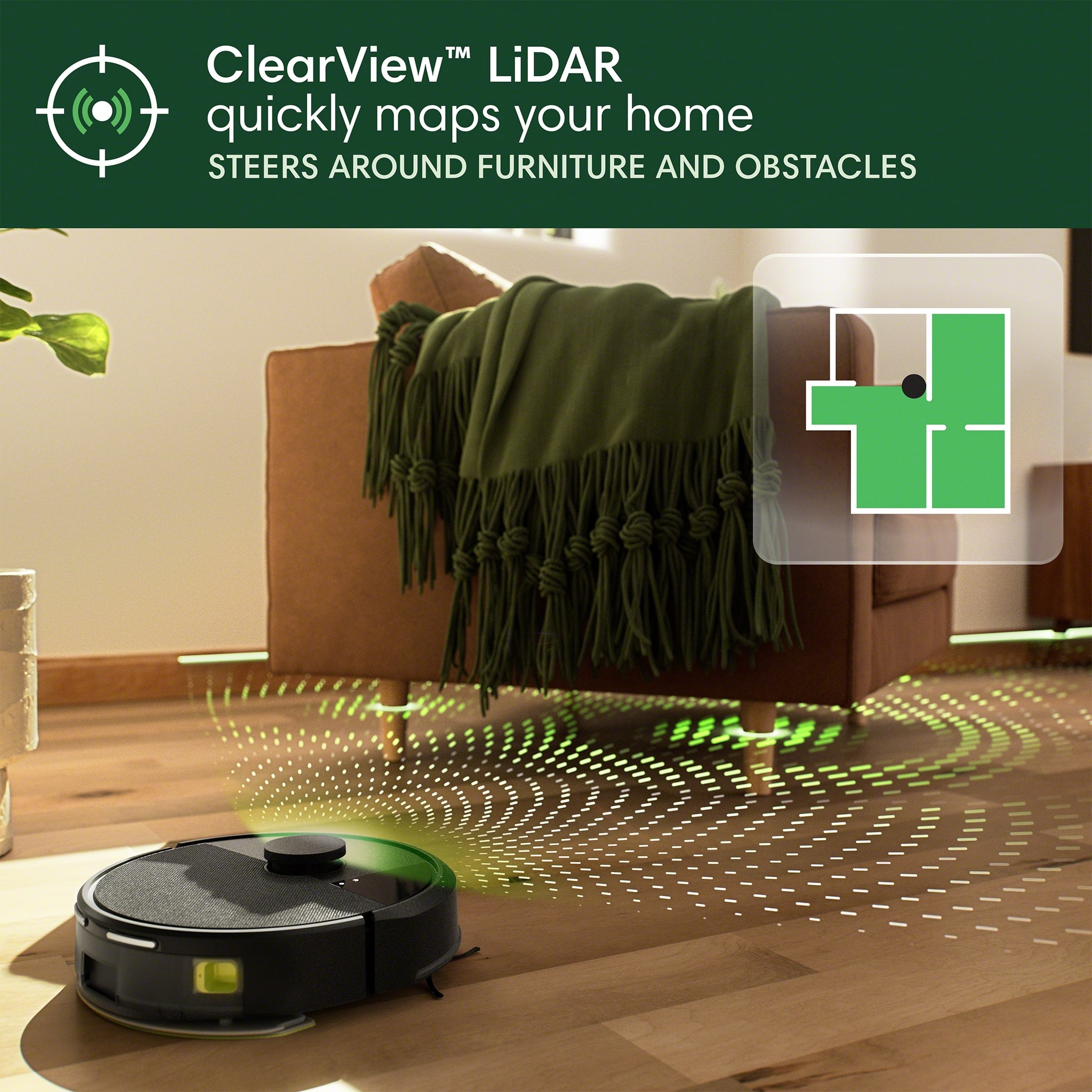
|Posted .This reviewer received promo considerations or sweepstakes entry for writing a review.When you can’t be home dancing around with your vacuum, this short little fellow will cut in and take your place with either a tap on your phone or a pre-scheduled romp. To get to the point of filling in that dance card, you will need to, as usual, add an app to a phone that will of course require you to sign away any rights you might think you had a right to keep private. Then, you can have the privilege to pick up dirt from your floor. Once past that sordid soiree, comes the removal of all the product’s protective packing material, the attachment of the swirly edge-sweeping brush and the placing/powering/charging of the base station and robot. When the robot is sufficiently charged and the apps requirements fulfilled, the next order of business is to allow the mapping of the room(s) you are intending to clean. This will not require any water or cleaning pad to be installed, as the function is to allow the general room size to be determined via the use of the guidance system aided by what they call LiDAR. It is recommended that you pick up any items from the floor that will prevent the unit from determining accurate room dimensions and preventing any snags or problems, and allow the maximum cleaning path to be determined. As you do this, it might occur to you that as long as you are going to be using this device, it may mean that a whole new mindset might need to be employed regarding floor clutter. (Probably a good thing.) After this is achieved, you can then either create a cleaning schedule or manually start a cleaning cycle consisting of either vacuuming and/or mopping. As this unit not only includes the self-purging AutoEmpty dock it also includes wet mop capability. To utilize the mop feature, you will need to install the mop head and add water to the water chamber in the robot. At the conclusion of each vacuuming session (and possibly within the cycle), the contents of the dust chamber in the robot will need to be transferred to a holding bag in the base station that will eventually require removing and replacing every so often depending on the dirt level encountered by the robot. The seventy-five days maximum that is suggested by the manufacturer is probably only achieved in an industrial HEPA-filtered clean room where presumably my hairy dog does not live! When consulting the online manual (No supplied paper manual.) there are literally 15 items to check or clean periodically between the robot and base station. In regards to the capabilities of the app, there are an assortment of useful tools such as the display of rooms mapped by the robot and consequently the display of the route that the robot takes in its efforts to clean the area across the map. You can choose which rooms and areas to clean or not clean by editing the map and even define what areas can be mopped, just vacuumed or spot cleaned. Automated routines can be established and the history of past cleaning is recorded. Multiple robots, individually named, can be kept track of, including the maintenance hours on the replaceable parts like brushes, bags, pads and filters, to make it easier to keep your robot(s) working well. There are handy tabs to easily allow you to order these replaceable parts from the app. It seems like the robot utilizes an appropriate level of ground-based gymnastic moves to ultimately achieve its cleaning goals. From the perspective of the robot, it would probably appreciate it if you could find a way to elevate power or other cords that may run along the floor to keep them from becoming entangled in the wheels or the edge-sweeping brush. The AutoEmpty dock mechanism, although effective, is understandably noisy when it vacates the dust from the robot’s smallish chamber, so that if scheduling a cleaning at night, it might interrupt sleeping, possibly numerous times. In addition, the liquid used for mopping appears to deplete without any monitoring or announcement so that the mopping function just ceases but the vacuuming continues. Maybe a plaintiff request for a drink of water would be appropriate here, you know, the way that robots never seem to do. The manual just suggests refilling the water when it depletes, but that may be hard to do if you have an automated routine underway that is un-monitored or is a near-line monitoring situation. A notice through the fancy app would seem to be an appropriate solution to give you options to proceed or wait for user intervention as other situational abnormalities do such as being mechanically stuck between obstructions. This would only require the inclusion of a hardware sensor for liquid-level monitoring and some software changes. In full disclosure, I have never previously used a robotic vacuum in spite of a career’s worth of other types of robotics manufacturing and use. Despite that minor shortcoming, I found this unit to be very easy to setup and use. It had sufficient vacuum to suck up all the dirt that needed to be removed and the use of just water during the mopping function was sufficient to remove everything that it encountered so far. It’s kind of funny that you find yourself rooting for the success of the robot as it toddles around your home. Regarding this hardware, other than the lack of water monitoring, it seems that the generational improvements through the years have manifested into a refined product that seems to work well and will add a solid component to one’s household’s cleaning tools. I recommend this product from what I can see of it so far and look forward to using it in the years to come.
I would recommend this to a friendBrand response from iRobot Team
Posted .Hello, thank you for taking the time to share your feedback about the Roomba !05 Combo. We’re thrilled you are loving your new robot. Three cheers for clean floors!

Rosie Roomba is Great!
|Posted .This reviewer received promo considerations or sweepstakes entry for writing a review.TL;DR: SET UP: It was a bit of a process and longer than expected to get it running - downloading the app, charging the unit, updating the software, and eventually setting up custom rooms. USE: Very easy through the app. USABILITY: Very easy and automated through the app. OVERALL: The iRobot - Roomba 105 is great and makes life that much easier! REVIEW: It took some time to set up…actually a lot longer than expected. We immediately put the Roomba 105 on the charger, which needs a set amount of space to dock and function. Then we downloaded the app, which was quick, but it said we had an active account, which we didn’t have. It took some time to override that and sign in. Once signed in, we added the requested and required information. It then said we needed to update the robot’s software…which took around an hour (longer than expected with fast internet - so a bit odd). The next step was to have it map out the rooms, which it did very well, but missed one of the hallways, which was easy to add. The editing of the rooms could be easier, but once figured out, was super easy. Now for the test run and our real thoughts…iRobot - Roomba 105 Combo Vac Robot Vacuum & Mop + Auto Empty Dock is now officially named Rosie (like the robot on the Jeston’s). She does her stuff and does it well. We have 2 big dogs, and she vacuums up all their hair phenomenally well. If you add the mopping pad and some tap water, she will also mop the floors. She does her stuff in a grid pattern and does it well…surprisingly well. You can choose to have her run in all rooms or a custom set. For now, we are enjoying interacting with her and have her doing the high-traffic areas daily and the entire downstairs as we choose. The house has definitely had less dog hair and dust. Rosie is amazing! Also…just an FYI, but it took our German Shepherd and Pitbull Mix about 10 seconds to realize Rosie is not a threat and she is one of the family members.
I would recommend this to a friendBrand response from iRobot Team
Posted .Hello, thank you for taking the time to share your feedback about the Roomba !05 Combo. We’re thrilled you are loving your new robot. Three cheers for clean floors!
Good for Maintenance Cleaning
|Posted .This reviewer received promo considerations or sweepstakes entry for writing a review.I had some challenges with the iRobot Roomba 105 Combo Vac Robot Vacuum & Mop. I wanted to like it. My experience is that robot vacuums are great in theory, not-so-much in practice. Maybe we just have too much going on. We have three adults and two children living in our home, along with several pets. The first thing you need to do is to set up the Roomba Home app on your phone. I had a previous account with iRobot, so I tried to use those credentials. They didn’t work. I tried to reset my password. I did not receive an email with the link to reset. I tried to set up a new account. That didn’t work, either. I didn’t receive the password reset email until the next day. Of course, the link was expired by the time I received it. I tried to reset my password again. This time, the new email with the link came within minutes. Once you set up your account, you are instructed to walk through the initial set up. This took me a while. The Roomba wants you to create a map of your rooms before the first cleaning takes place. I think this ended up taking a couple of days between the Roomba needing to go back and charge mid-mapping, and me forgetting to check the app to see if I needed to resume the process. The green brush also kept falling off. I will say that, if you have pets, you’ll want to pick up their toys prior to using the Roomba. It won’t see them as an obstacle, and they’ll get caught in the mechanism. I had to untangle a cat toy with a string that was good and wrapped up. In the app, you can set the Roomba to spot clean, create routines, clean all the rooms, or just certain rooms that it mapped. It will tell you if it recommends a cleaning. You can manage multiple robots in the same app. Older models, though, are managed in the iRobot app. The first vacuum also seemed to take a long time. I only wanted it to vacuum two rooms (I had mapped three rooms on the ground floor). It took quite a while (I have screen shots attached showing its path.) My pets have long hair, and leave what I call “tumbleweeds” – little tufts of hair on the carpet. I was dismayed to see the same hair still on the floor. I could see the lines of the Roomba on the carpet, but still quite a bit of debris was left over. On the vinyl flooring in my kitchen, there were crumbs left there as well. Maybe my expectations are too high. Maybe this is meant for more maintenance than deep cleaning. Even so, I have high amounts of foot traffic as we are home most of the time during the summer. Our version of “maintenance” is higher than most homes. Overall, it is a very nice unit. It’s sturdy and well made. If you are looking for something to help maintain your home on a daily basis, this would be a good pick. If you need something for a heavy use area, I’m not sure this will foot the bill.
I would recommend this to a friendNot worth it
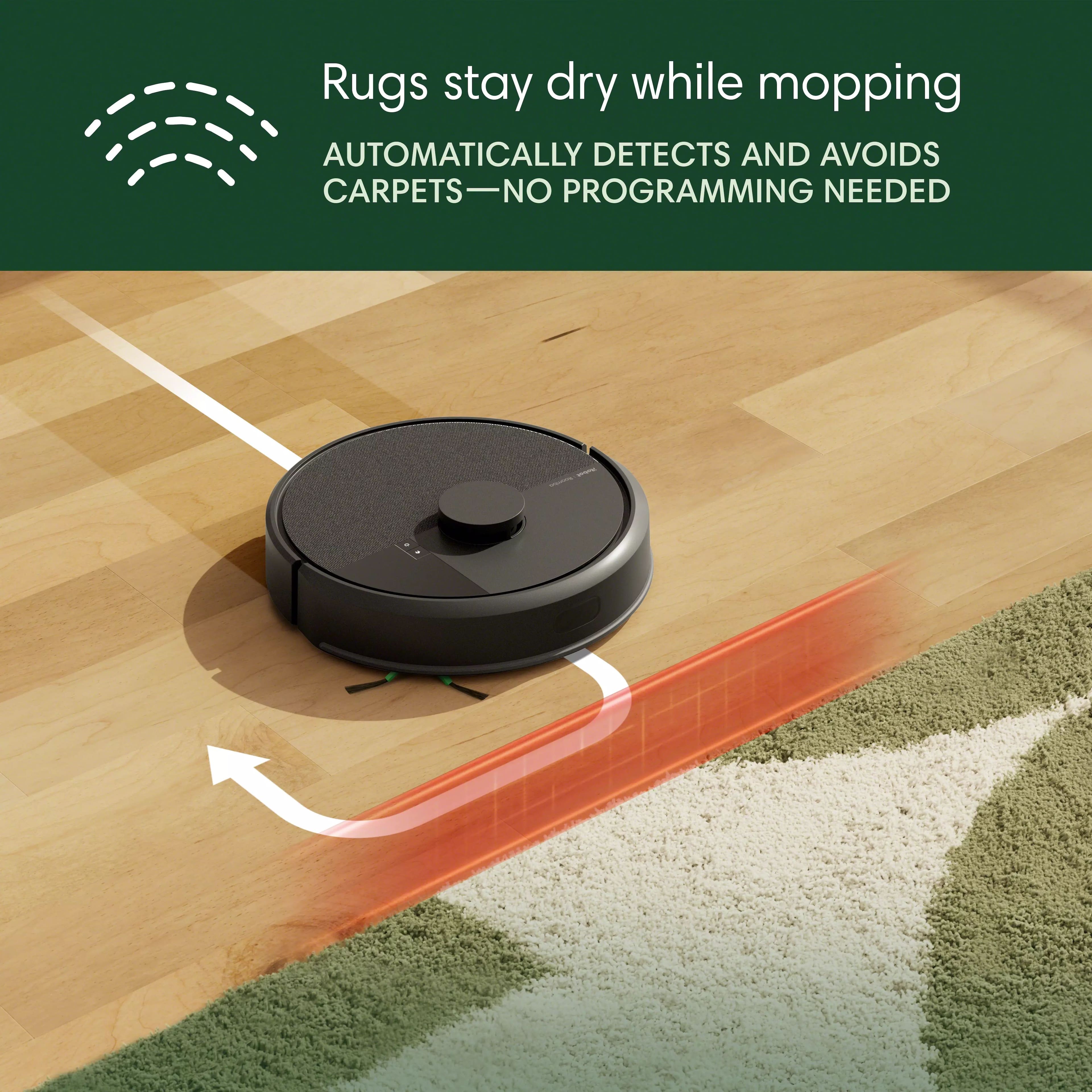
|Posted .This reviewer received promo considerations or sweepstakes entry for writing a review.Having owned other iRobot products, I was deeply disappointed in the Roomba 105. It seemed promising with it’s Vacuum, Mop or Vacuum/Mop settings. First, you have to install the Roomba app. My previous iRobot vacuums use the iRobot app which is much better. When you purchase a new vacuum, you have to map your areas. The iRobot map has a feature where you can clean or mop everywhere. The Roomba app does not. I typically don’t clean or mop everywhere at once because we have items that need to be removed from a room before cleaning (office chairs, cart, etc…). With the previous app, I could put the vacuum in a room and tell it to clean everywhere and close the door. Life was good. The initial mapping was faulty as it missed some areas. It also moves differently. This was really obvious when it mopped, as it turns so much and missed cleaning a lot of open area wood floors. It would leave a puddle in one area and other areas were left dry. This vacuum is loud. Battery life was poor as it continually goes back to empty itself. I paused it more than once as it was returning to the base to empty, and there was very little dust to actually empty. So why does it constantly want top go back and empty? And during a cleaning, I found it varies on when it thinks it needs to recharge. It can happen at 30%, 18%, 15% and it takes a very long time to recharge. To compare, I ran this Roomba upstairs and an old iRobot downstairs (it self empties too) to vacuum only. Same size of area. Go. The downstairs vacuum lasted 45 extra minutes before it needed to go back to the base and recharge. It became stuck once and took about 3 hours to complete with recharging. The Roomba had so many issues. It took 4 hours 30 minutes to complete due to constant emptying and recharging. It also was stuck 3 times. This Roomba does okay on vacuuming with the normal setting but didn’t pick up some obvious items on the floor. When I tested the mop only feature on Light Clean (you have Light, Normal or Deep Clean settings), it barely cleaned at all. On Deep Clean, it cleaned better but soaked my wood floors in some areas. The worst part is it became stuck constantly on the rug edges. It took over 6 hours to clean and I had to babysit the Roomba. It also kept returning to the base to empty the bin. Why? It had just vacuumed. I paused and the bin didn’t have any lint or debris. If I have to constantly babysit this Roomba, it is worthless. I could have vacuumed and mopped the floors myself in about 60 minutes (including prep time). The app also drains your phone battery.
No, I would not recommend this to a friendBrand response from iRobot Team
Posted .We appreciate you taking the time to provide feedback on the Roomba 105 Combo. We're sorry to hear about the difficulties you are experiencing. Please reach out to https://homesupport.irobot.com/s/contact-support-info, so we may properly diagnose your issue.
iRobot or Do You Vacuum?
|Posted .This reviewer received promo considerations or sweepstakes entry for writing a review.I’ve always wanted a robotic vacuum, and until now, it has been a want, not a need. Justification aside, the iRobot Roomba 105 Combo robot is a whole lot of words and a whole lot of cleaning. Let's start with its sleek, well-designed plastic body with a pronounced hat that encloses a lidar scanner. The unit features several obstacle detection devices to help navigate your home. The base station, which is plugged into the wall, is well-built, solid, and features an internal dust collection system. The components within the box are sparse, and the instructions are rather crude, but it got me going. Unboxing the unit, I removed the packaging material and the plastic tape as instructed, and plugged in the base to charge the unit. Once fully charged, you are ready to set up the unit. The sparse information on the information card points to a QR code, which directs users to an app; without this app, the robotic vacuum cannot utilize its advanced features. During setup, although simple, I found that it did not like my linked Wi-Fi connection and had to temporarily disable the 5 GHz network to connect to the 2.4 GHz network. Once all the firmware updates were complete, the unit was ready to go. The app, which is the lifeblood of the iRobot Roomba, offers several options to get you started. The online manual is informative, but lacks some detail. It's helpful to take a few minutes to get acquainted with the app and your new robot vacuum. The app enables you to remotely start your robot vacuum, set up automations, and define cleaning zones. On the first run, the app initiates a mapping session of your home. This iRobot Roomba is located in our primary home, a large, 2,800-square-foot single-story ranch-style home that features mostly hardwood floors, but also includes a tile kitchen. In its initial mapping session, the Roomba navigated its way around the house, much to the delight of our pet, who thought it was their new chew toy. The instructions state that all items must be moved off the floor so that an accurate job of mapping the house can be done. Well, it's a home with furniture, kids' toys, pet toys, and other life-friendly features. Even though I took most of it away, I found it went back to the base station after mapping half of the home. In the areas where it did map (see images), it split up the rooms into smaller ‘rooms’ that later had to be merged. What I found funny was that it did not map the kitchen, which is tile. The transition from hardwood to tile has a ‘lip’, and while it had no problems navigating small lips, it did not like the transition from hardwood to tile. The map of the kitchen was the entrance that it could see through its lidar scanner. It completely overlooked the kitchen, which was later added manually. I still have not gotten it to go towards the bedrooms on the east side of the house. I am considering relocating the base unit to the central part of the house to help it navigate the floor plan more effectively. On its first official cleaning run, I had it vacuum (not mop and vacuum) the floor within our formal dining room and my office. It took a total of 39 minutes to vacuum the floor. The image shows what it was able to vacuum. The office has a carpet in the center, so it avoids the central area of the room. It did a decent job, but since we vacuum with a handheld stick vacuum regularly, it didn't pick up a lot of dust or crumbs. On its next run, I had it intentionally clean the marked ‘clean’ area, which is the kitchen. I wanted to see how it copes with a location that it had not mapped during the initial mapping session. This time, I had it mop and vacuum the floor, and it did a decent enough job that my partner was happy. That's a win I'll take. The reality is that the iRobot is slow in its vacuum, but in its defense, it has one parting gift: it's robotic. I can initiate a cleaning session while away from home, avoiding the hassle in the long run. I still need it to explore the rest of the house, but as an automated vacuum that can maintain dust levels, pick up hair, and remove crumbs, this is an excellent tool for efficiency. The built-in vacuum tank for the base station allows for multiple days of cleaning before requiring emptying. I wish this model had a water tank that could refill automatically to maintain fluid levels, but hopefully, it's something a future model may have to make vacuuming truly hassle-free. So, should you buy one? Well, it depends on your use criteria and your home size, shape, and type of flooring. The Roomba vacuum works for us, as we tend not to be at home a lot during the day, and enables us to have a clean house to walk back into at the end of the day. It's not faster than using a handheld stick vacuum, which is still required for quicker cleanups. However, the automated cycle cleaning goes a long way in keeping the house dust-free. The iRobot Roomba 105 has earned my partner's seal of approval, and that's no easy feat to achieve these days.
I would recommend this to a friendBrand response from iRobot Team
Posted .Hello, thank you for taking the time to share your feedback about the Roomba 105 Combo. We’re thrilled you are loving your new robot. Three cheers for clean floors!
My Roomba
||Posted . Owned for 1 month when reviewed.This reviewer received promo considerations or sweepstakes entry for writing a review.The Roomba is a very easy to use Vacuum combo. I like the design and the way it clean. Very excited about this product
I would recommend this to a friendVacuums up animal hair!
||Posted . Owned for 1 week when reviewed.This reviewer received promo considerations or sweepstakes entry for writing a review.This vacuum has been a great help during my pregnancy, making floor cleaning much easier and taking one more task off my plate. It performs well on both hardwood floors and low-pile carpets, which suits my home perfectly. The mopping function is also a great addition and does a nice job. I'm still learning how to use all of its features, but overall, it's been a reliable tool. However, I'm giving it four stars because the vacuum tends to get stuck frequently—either on edges of the carpet or due to parts coming loose underneath—which prevents it from completing its cleaning cycle at times. With some improvements in navigation or design, it would be nearly perfect.
I would recommend this to a friendOverall good vacuum
||Posted .This reviewer received promo considerations or sweepstakes entry for writing a review.Cleans well but as a parent with young children is can have trouble going around toys. We try to clean up all the toys before cleaning but sometimes they get left on the floor and it can cause disruptions in the cleaning process
I would recommend this to a friendGreat time saver in keeping house clean
||Posted . Owned for 1 month when reviewed.This reviewer received promo considerations or sweepstakes entry for writing a review.Great helper around home, definitely worth the purchase. Only minus is that occasionally (say, once every 15-20 longer cleaning rounds) runs out of battery while cleaning and needs to be carried manually back to charging station. However, most of the times still automatically returns to charging station if needed. During about 50 cleaning rounds also lost the location couple of times and again needed to be carried manually back to charging station.
I would recommend this to a friendBrand response from iRobot Team
Posted .Hello, thank you for taking the time to share your feedback about the Roomba 105 Combo. We’re thrilled you are loving your new robot. Three cheers for clean floors!
IRobit Roomba
||Posted . Owned for 1 week when reviewed.This reviewer received promo considerations or sweepstakes entry for writing a review.An excellent robot vacuum that does a great job with mapping my entire home. The mopping works better than expected and please my tile floors spotless. The self-empting bin works great and is very convenient.
I would recommend this to a friendSolid product
||Posted .This reviewer received promo considerations or sweepstakes entry for writing a review.So far so good. Setup was a breeze, mapped very well. Seeps great. Haven’t used the mop function yet but that’s incoming soon.
I would recommend this to a friendGreat Little Vacuum and Mop Combo
||Posted . Owned for 1 month when reviewed.This reviewer received promo considerations or sweepstakes entry for writing a review.Great little vacuum and mop combo. Only item I do not care for is that her voice is to quite and I have yet to be able to run it through Google so I can hear it better.
I would recommend this to a friendImpressed so far
||Posted . Owned for 2 weeks when reviewed.This reviewer received promo considerations or sweepstakes entry for writing a review.Installation was easy , it mapped out the house surprisingly well. I like the way it cleans rooms making sure it covers the entire area. The only disappointment is the mopping feature, i was kind of expecting this already it seems like it just wets the mop slightly and glides through the floors
I would recommend this to a friendBrand response from iRobot Team
Posted .Hello Marcj, thank you for taking the time to share your feedback about the Roomba 105 Combo. We’re thrilled you are loving your new robot. Three cheers for clean floors!
Love my roomba
||Posted . Owned for 7 months when reviewed.This reviewer received promo considerations or sweepstakes entry for writing a review.It cleans without any issues. Easy enough to use and gets every surface clean.
I would recommend this to a friendMaking my life easier
||Posted . Owned for 1 month when reviewed.This reviewer received promo considerations or sweepstakes entry for writing a review.We call our robot Rosie, and she does an excellent job cleaning around our house. We have 4 cats and 2 dogs, and Rosie does great picking up animal hair and scoping out the room for any other odds and ends. We had a much older robot, and the newer style is so much quieter while being more efficient.
I would recommend this to a friendBrand response from iRobot Team
Posted .Hello, thank you for taking the time to share your feedback about the Roomba 105 Combo. We’re thrilled you are loving your new robot. Three cheers for clean floors!
Great first experience
||Posted .This reviewer received promo considerations or sweepstakes entry for writing a review.My first roomba! Easy setup. Sweeps well. Only got stuck once.
I would recommend this to a friendWorks but be careful
||Posted . Owned for 1 month when reviewed.This reviewer received promo considerations or sweepstakes entry for writing a review.It works well and keeps the house clean. The only drawback is that you cannot leave wires on the ground, but overall, it's effective.
I would recommend this to a friendIt does Vacuum well
||Posted .This reviewer received promo considerations or sweepstakes entry for writing a review.The Vacuum is satisfactory. The mopping not really that is why i took 1 star off. It will not remove hard stains on floor. It navigates the room accurately, make sure though that you remove obstacles when you map the room. Overall it does what I intended it for which is to vacuum. I rather mop the floor myself because I am nitpicky about that.
I would recommend this to a friendStylish, simple and effective
||Posted . Owned for 1 week when reviewed.This reviewer received promo considerations or sweepstakes entry for writing a review.Stylish, simple and effective vacuum with mopping capabilities as well.
I would recommend this to a friend