Save up to 50% on 3-Day Sale deals.Ends 12/7.Shop now

Skip to content
Gift Ideas
Main Content

Customer Ratings & Reviews
Model:
KJBUDSKEYRBLK4
SKU:
6521118
Your price for this item is $27.99
The comparable value price is $39.99

Customer reviews

Rating 4.2 out of 5 stars with 125 reviews

Rating Filter

Rating by feature

  • Value

    Rating 4.3 out of 5 stars

  • Quality

    Rating 4.3 out of 5 stars

  • Ease of Use

    Rating 4.3 out of 5 stars

Pros mentioned filter

Cons mentioned filter

There aren't enough negative mentions yet.
85%would recommend to a friend

Customers are saying

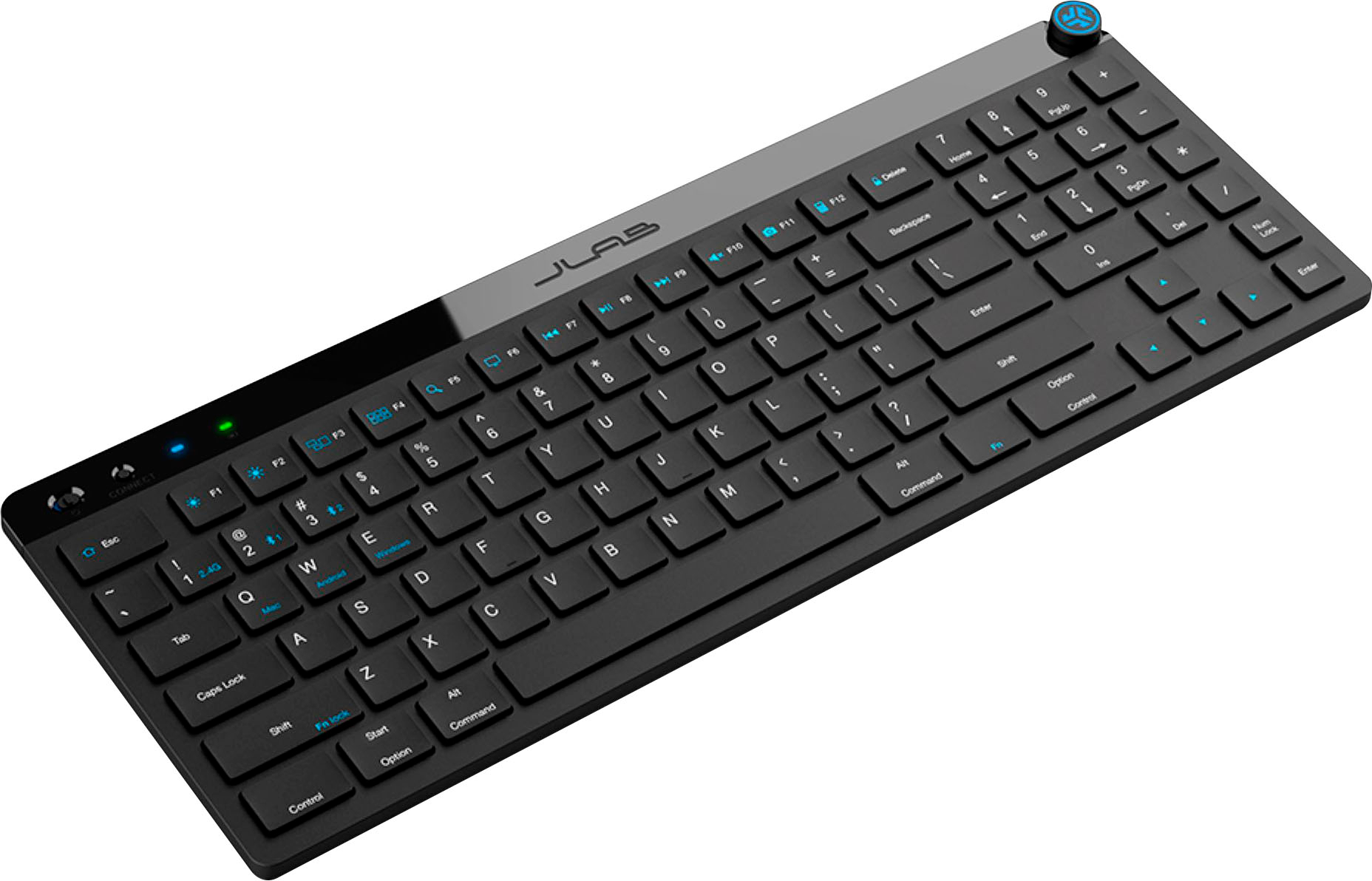
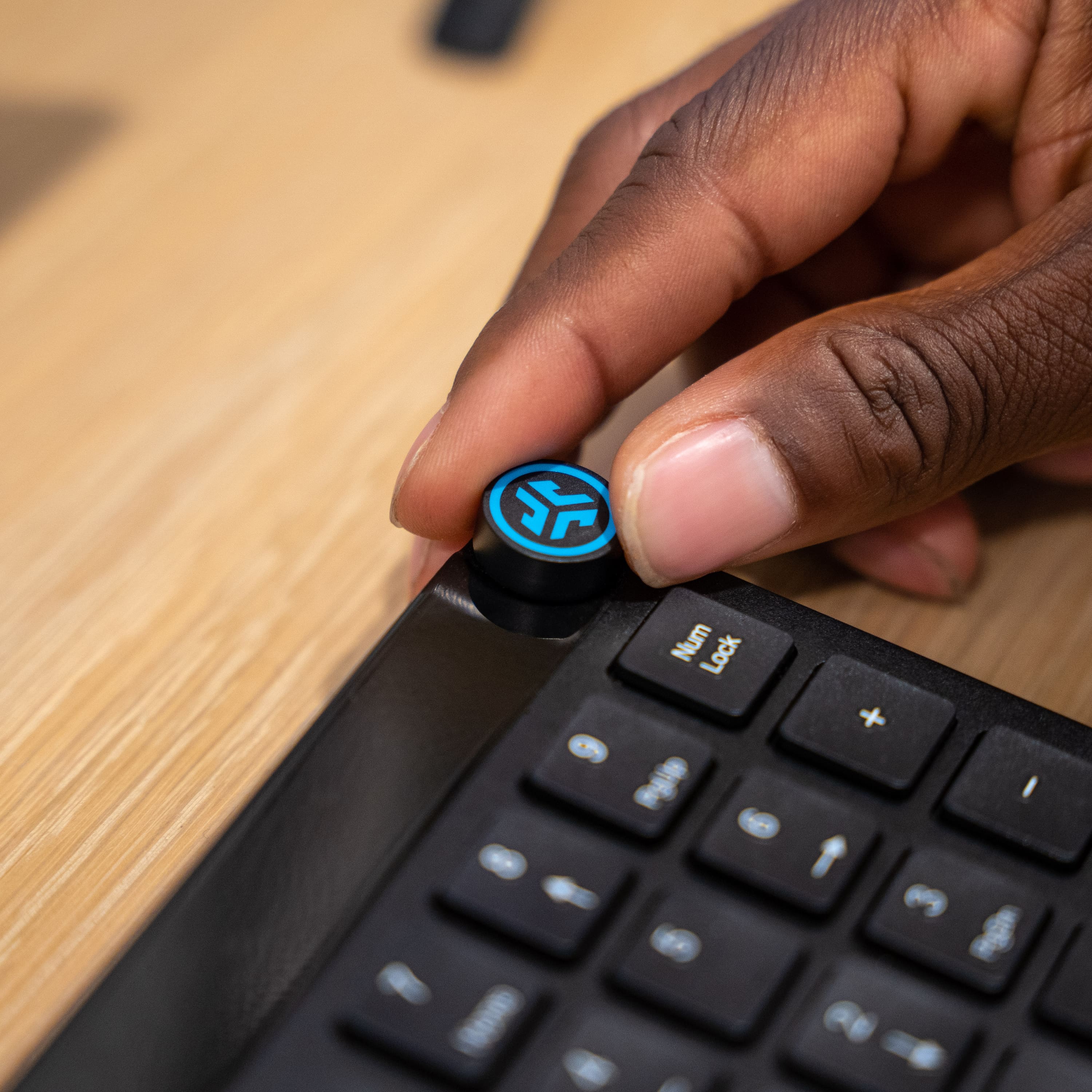
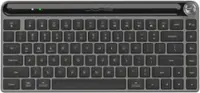
Customers commend the JBuds Wireless Keyboard for its impressive features. The keyboard quality and reliable wireless connectivity are highly appreciated, along with the impressive battery life. Users also like the key feel, ease of use, compact size, sleek design, and the convenient media knob.

This summary was generated by AI based on customer reviews.

The vast majority of our reviews come from verified purchases. Reviews from customers may include My Best Buy members, employees, and Tech Insider Network members (as tagged). Select reviewers may receive discounted products, promotional considerations or entries into drawings for honest, helpful reviews.
Page 6 Showing 101-120 of 125 reviews
  • Rated 2 out of 5 stars

    works, but they number pad layout is horrible.

    |
    |
    Posted . Owned for 3 weeks when reviewed.
    This reviewer received promo considerations or sweepstakes entry for writing a review.

    2 stars for functionality. the number pad layout is horrible. why not keep it the traditional layout instead of making it the way it is. would not recommend it. 2 stars cause of the price.

    No, I would not recommend this to a friend
    • Brand response from JLab Audio Team
      Posted .

      We appreciate your feedback and will use it to improve your experience. jlabaudio-conv

  • Pros mentioned:
    Battery life, Keyboard quality
    Tech Insider Network Member

    Rated 4 out of 5 stars

    Budget priced keyboard with bells & whistles

    |
    Tech Insider Network Member
    Posted .
    This reviewer received promo considerations or sweepstakes entry for writing a review.

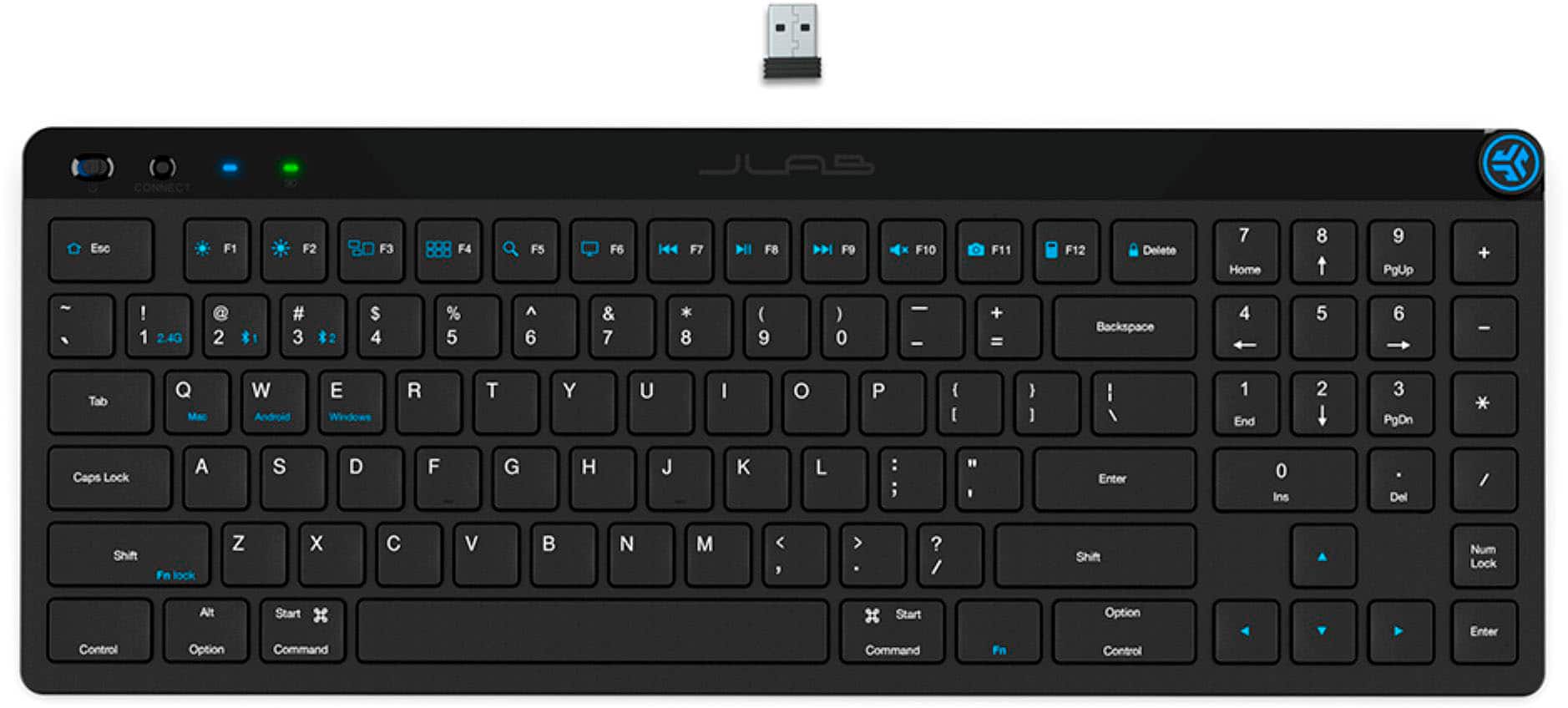
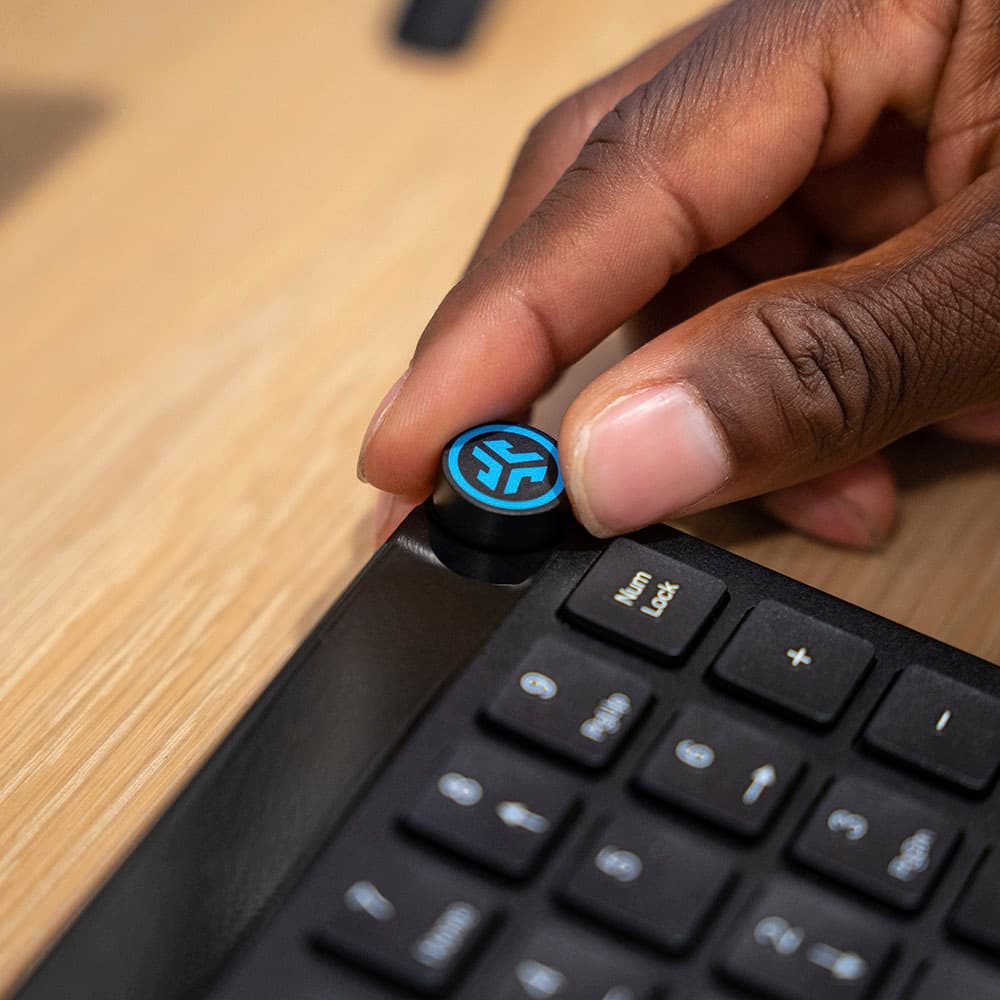
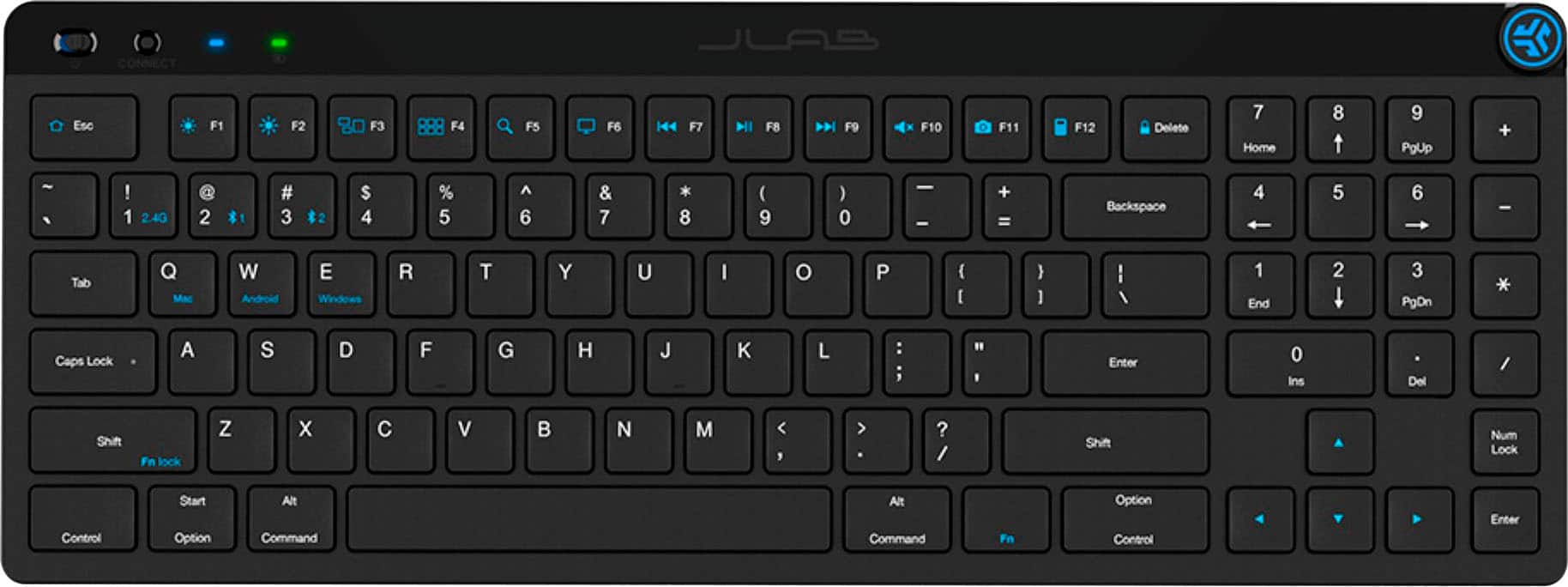
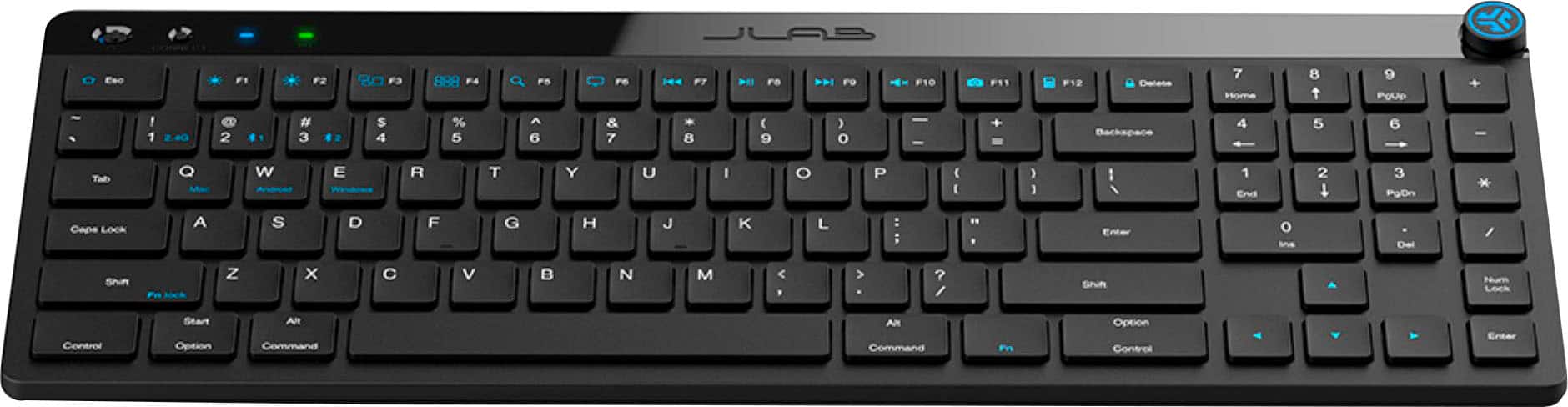
    The JLab JBuds Wireless Scissor Keyboard is an exceptional portable keyboard. Through the years, I would say I have had more than a few wireless keyboards from another brand, but they are always big & bulky. This JBuds wireless keyboard is very slim, lightweight and has a small footprint. Its features include many I wouldn’t expect at this price-point. This has the ability to switch between 3 different devices (in all the major operating systems: Mac, iOS, Android, Windows, Chrome) via either the included USB dongle, which so cleverly slips into the back of the keyboard when not in use, or via Bluetooth. I connected it to my iPhone 13Pro to type email, my Mac Air and my Dell All in One. All connected so easily with the press of a button - it really couldn’t have been easier. The connection via bluetooth has a little issue when the keyboard sits without being used for a short period: the keyboard seems to need to awaken so when I start typing again. It misses the first one or two letters. I find this to be highly inconvenient. It comes with 5 points of contact on the bottom that are rubberized which prevent the keyboard from moving on my desk - great idea! This JLab keyboard has many other features such as 95 keys and a numeric keypad. The keypad isn’t located exactly where I would expect it to be having used a 10-key for most of my adult life. Still, it being there is a plus and I can get used to the placement. It has a Media knob which, with a press, I used to launch Apple Music, and with a twist, it is a volume control knob as well. This runs on a rechargeable battery, which JLab says will stay charged for up to 10 months. I haven’t had this 10 months, so I can’t confirm that and I don’t know what the life expectancy of the battery is. The keyboard charges via the included USB-A to USB-C cord. Having a USB-C charging port, which is located on the back edge of the keyboard, is very convenient. They claim you can program shortcuts and up to 3 user profiles via the JLab Work App. Unfortunately, I haven’t been able to locate that app in the Apple App store. All in all, this JLab JBuds Wireless Scissor Keyboard is a great little wireless keyboard. It comes with a 2 year limited warranty on both parts and labor, which a company only provides if it believes its product is reliable. I believe this keyboard is just that. I. Would recommend this wireless keyboard to anyone interested in a very functional wireless keyboard.

    I would recommend this to a friend
  • Pros mentioned:
    Battery life
    Tech Insider Network Member

    Rated 4 out of 5 stars

    Great set of keys for everyone

    |
    Tech Insider Network Member
    Posted .
    This reviewer received promo considerations or sweepstakes entry for writing a review.

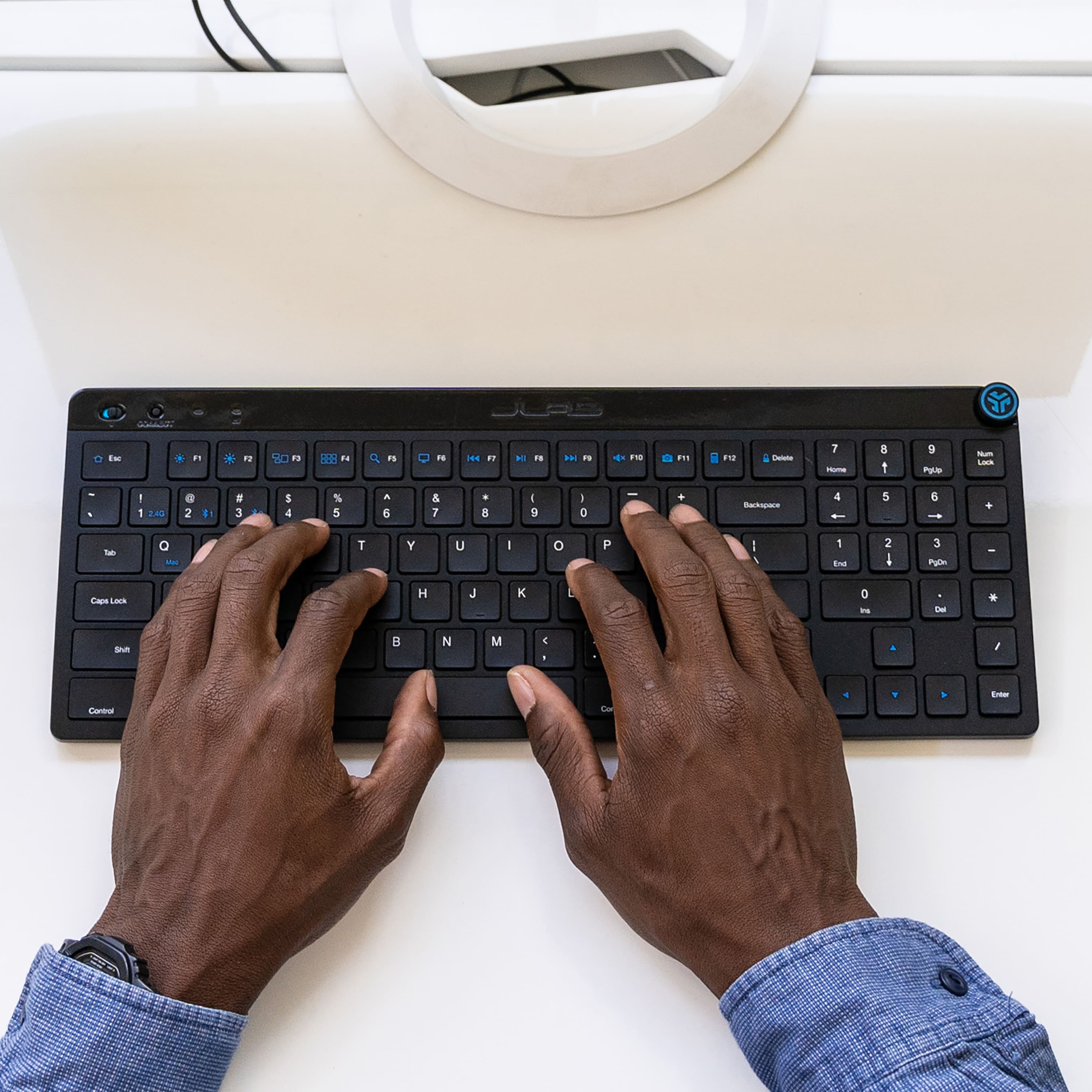
    This is a pretty nifty keyboard. It has a rechargeable battery that gets a claimed 10-hours of battery life, and charges via USB-C which is excellent nowadays. It includes a 10-key number pad, which I find very useful. And has a quirky but kind fun media knob. Value for dollar, I put this up there as a value option to something like the Logitech MX Keys, though that set of keys doesn’t include the cool media knob. Rechargeable batteries in keyboards and mice should be standard already, but sadly it’s not. So, it’s nice that this set of keys offers you the convenience of a simple recharge, so you aren’t scrambling for batteries ever couple of months or so when your AAA’s go flat like in other keyboards. You can charge while staying completely connected to your device, leaving your workflow uninterrupted. The 10-key number pad is a welcome sight, but it’s in the most ridiculous location that seems crammed in above the arrow keys. Not sure why they decided to save the horizontal space in this regard, but they did, and it makes extended use of the number pad uncomfortable when reaching above the arrow keys. The media knob is kind of cool, it controls the volume by rotation. And the center button is multi action for play/pause, next track, and back based on the number of presses. It sort of reminds me of how you skip tracks on Airpod stems or other Bluetooth earbuds. You can connect to 3 different devices, either 2 Bluetooth and 1-usb via the included USB A adapter, or 3 Bluetooth devices. This is something you’d find on other keyboards and makes saving all of your devices and switching between them seamless. Overall, this is a solid set of keys. The only downside is the 10-key number pad location above the arrow keys. It’s great that it’s there if you need it, but if you do a lot of number work, this is something to consider. I would generally recommend this to everyone who needs a full function set of key

    I would recommend this to a friend
  • Rated 1 out of 5 stars

    Not illuminated description is wrong

    |
    |
    Posted .
    This reviewer received promo considerations or sweepstakes entry for writing a review.

    In the description, the first sentence mentions it has illuminated keys. google illuminated keyboard and i get : A backlit keyboard, also called an illuminated keyboard or backlit gaming keyboard, is a keyboard that features lights inside the keyboard. The lights provide illumination behind and around the keys so they visible in low light or dark environments.. This keyboard is not backlit. i bought this cause of the word illuminated in the description.

    No, I would not recommend this to a friend
  • Rated 1 out of 5 stars

    Bad Keyboard

    |
    |
    Posted . Owned for 11 months when reviewed.
    This reviewer received promo considerations or sweepstakes entry for writing a review.

    The battery that was in this keyboard started to smoke, I have emailed customer service from Jlab to see what they can do.

    No, I would not recommend this to a friend
    • Brand response from JLab Audio Team
      Posted .

      We can definitely help you out if you've reached out to us at support@jlab.com jlabaudio-conv

  • Rated 1 out of 5 stars

    Leaves something to be desired...

    |
    |
    Posted . Owned for 1 month when reviewed.
    This reviewer received promo considerations or sweepstakes entry for writing a review.

    And that something is, wireless. The connection is unreliable if it even connects. Even when connected with a usb cable it still occasionally loses connection. Would not recommend.

    No, I would not recommend this to a friend
    • Brand response from JLab Audio Team
      Posted .

      We appreciate your feedback and will use it to improve your experience. jlabaudio-conv

  • Rated 1 out of 5 stars

    no on the number pad for me

    |
    |
    Posted . Owned for 3 weeks when reviewed.
    This reviewer received promo considerations or sweepstakes entry for writing a review.

    I didn't care for the number keypad. I don't use it for my work and had a hard time registering my fingers with it there. Personal preference. Not a bad product at all.

    I would recommend this to a friend
    • Brand response from JLab Audio Team
      Posted .

      We appreciate your feedback and will use it to improve your experience. jlabaudio-conv

  • Rated 1 out of 5 stars

    Terrible

    |
    |
    Posted . Owned for 4 months when reviewed.
    This reviewer received promo considerations or sweepstakes entry for writing a review.

    This keyboard is terrible. It usually takes several keystrokes to connect / wake up and start typing on the computer.

    No, I would not recommend this to a friend
    • Brand response from JLab Audio Team
      Posted .

      We appreciate your feedback and will use it to improve your experience. jlabaudio-conv

  • Rated 1 out of 5 stars

    Lag

    |
    |
    Posted . Owned for 1 month when reviewed.
    This reviewer received promo considerations or sweepstakes entry for writing a review.

    The keyboard has a long delay on using on my MacBook Pro.

    No, I would not recommend this to a friend
    • Brand response from JLab Audio Team
      Posted .

      We appreciate your feedback and will use it to improve your experience. jlabaudio-conv

  • Rated 1 out of 5 stars

    no good

    |
    |
    Posted . Owned for 1 month when reviewed.
    This reviewer received promo considerations or sweepstakes entry for writing a review.

    connected once but only once and that took three tries to connect

    No, I would not recommend this to a friend
    • Brand response from JLab Audio Team
      Posted .

      We appreciate your feedback and will use it to improve your experience. jlabaudio-conv

  • Pros mentioned:
    Ease of use, Keyboard quality
    Tech Insider Network Member

    Rated 4 out of 5 stars

    Great full sized keyboard

    |
    Tech Insider Network Member
    Posted .
    This reviewer received promo considerations or sweepstakes entry for writing a review.

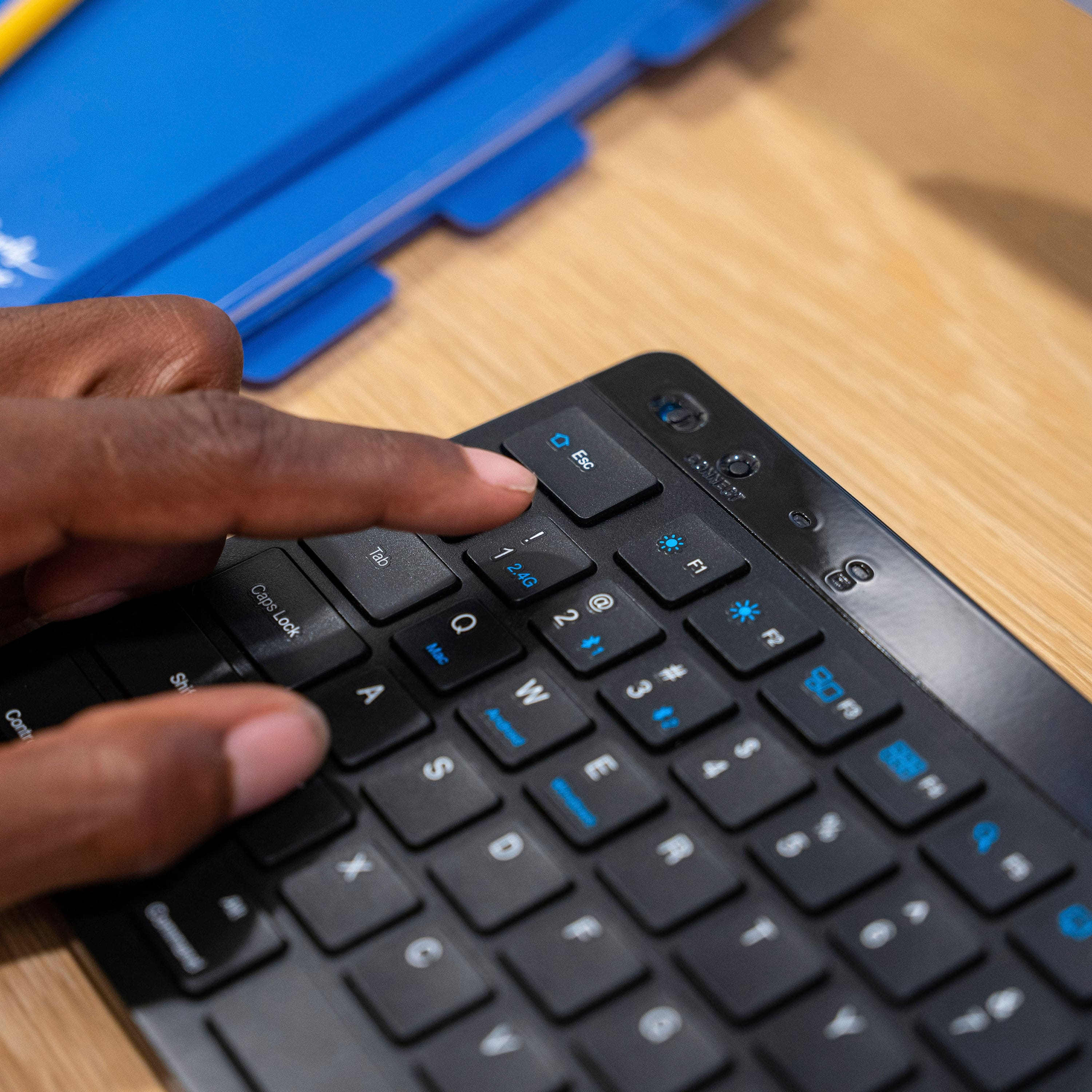
    The JLab - JBuds Wireless Scissor Keyboard left a bit to be desired in terms of quality but really made up in the functionality department. I do want to point out right off the bat that the dongle that it comes with can be programmed with multiple JLab devices at the same time from a single dongle if you follow the instructions in the manual. I paired the keyboard with my phone, and two tablets. The experience was seamless and I was able to use the Pages app on all mobile devices as well as Microsoft office 365. The dongle made it a plug and play in terms of ease of use but setting up the Bluetooth feature was a bit more of a hassle. The peripheral was found when the connect button was pressed and held until the light blinked blue. The knob on the top right of the keyboard made it easy to control the music that was playing as well as the audio volume across all devices, and the pause and play feature as well. The size of the keyboard is as wide as the laptop I am writing this on. Where it lacked was how flimsy the keyboard felt. The buttons felt a bit on the lower side in terms of quality, but at this price point it was perfect. The full number keypad and Mac and Windows buttons that have the same function are clearly marked for anyone that's used to different operating systems. Overall its a great keyboard that is slim and portable. It has a nice 6 degree angle to help with comfortability while typing. I highly enjoyed this keyboard and it never leaves my backpack.

    I would recommend this to a friend

  • Pros mentioned:
    Keyboard quality
    Tech Insider Network Member

    Rated 4 out of 5 stars

    Decent Travel Keyboard

    |
    Tech Insider Network Member
    Posted .
    This reviewer received promo considerations or sweepstakes entry for writing a review.

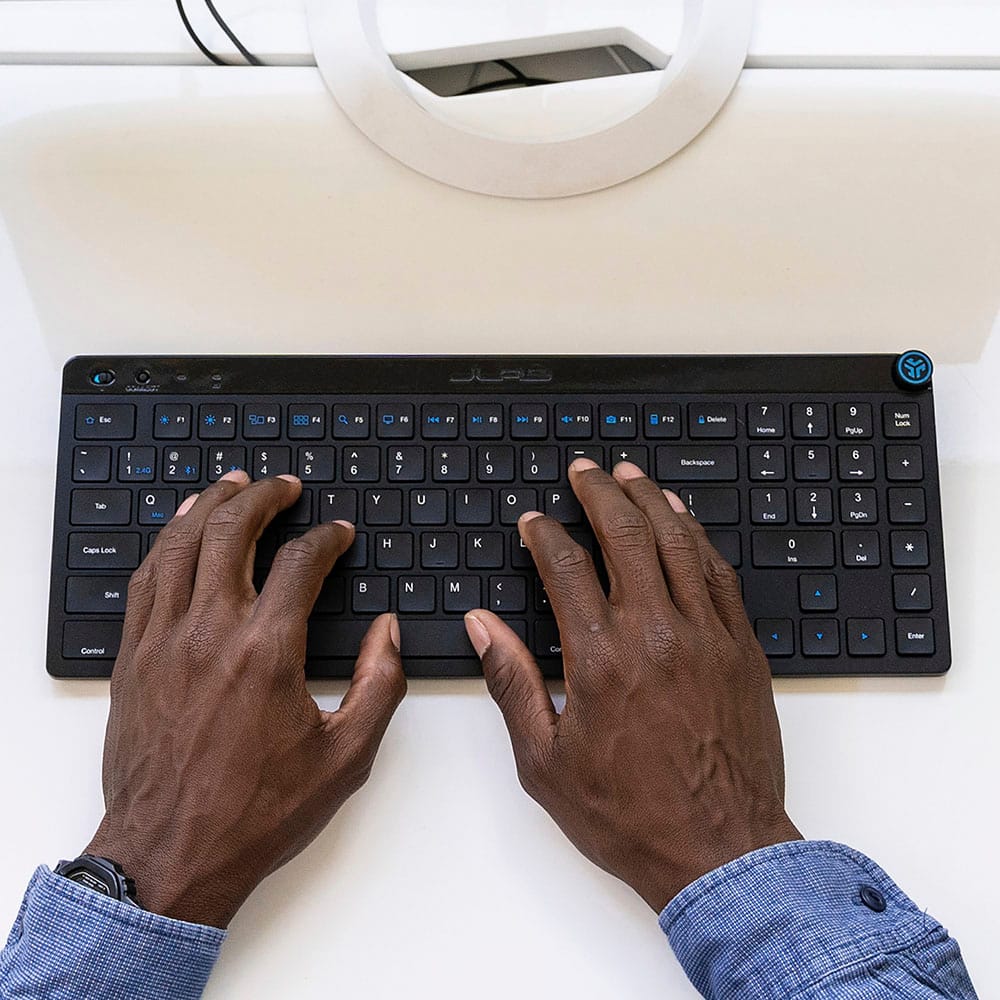
    I do not like it, yet I do not hate it. A backup keyboard is what this JLab Wireless Keyboard is going to be. The good: Its sleek compact design makes it easy to toss into the backpack or briefcase for work on the road. The keyboard size is comparable to some of the freebie wired ones that come with desktops. The key clicks are solid, they are reassuring when you press on them but not loud at all. The bluetooth range will get you across a decent size room and the volume knob is kind of cool. The not so good: I am not impressed with the layout of the keys. THe Enter button is too small, the placement of the number keys isn't for me. I get it, the keyboard is compact. It's small, it's best for travel (and I will use it for that) but as a full time keyboard, it is just not very comfortable for myself. Of course, your experience will vary. All in all, The keyboard is decent for what it is meant to do. Travel. You have the bluetooth and the USB to connect, which make it great for swapping between laptops or tablets.

    I would recommend this to a friend
  • Pros mentioned:
    Key feel, Keyboard quality
    Tech Insider Network Member

    Rated 5 out of 5 stars

    Good keyboard for pairing with multiple devices

    |
    Tech Insider Network Member
    Posted .
    This reviewer received promo considerations or sweepstakes entry for writing a review.

    The JLab - JBuds Wireless Scissor Keyboard ie a good keyboard for pairing it with multiple devices. It has the ability to pair to 2 devices through a Bluetooth connection, and it can pair to a computer or laptop through a 2.4 GHz USB dongle. The dongle is the older USB A type, which most laptops these days do not have. Most laptops now come with a USB-C connection. So you will need to connect the dongle to a USB-C dongle or hub. The dongle attaches to the bottom of the keyboard for easy storage. The keyboard allows you to switch between the paired devices by pressing a connect button. The LED light next to the connect button will illuminate purple for the 2.4G connection, aqua blue for Bluetooth 1 connection, and yellow for Bluetooth 2 connection. You will have to memorize the 3 colors for switching. You can also use the Fn key to switch. They have the 2.4G paired with the #1 key on the keyboard, Bluetooth 1 paired with the #2 key, and Bluetooth 2 paired with the #3 key. By pressing down and holding the Fn key and pressing any one of those keys will allow you to switch between your devices. I would have much rather preferred 3 dedicated keys on the keyboard since there’s plenty of room along the top of the keyboard to add the. The keyboard has a dial in the upper right corner of the keyboard. The dial can turn as well as having the option to be pressed down for click actions. You can turn the dial to adjust the volume of your device, single press for play/pause, double press for track forward, and press and hold for track back. The keys on the keyboard has good key travel and a nice clicky feel to them. It’s louder than most keys on modern laptops, but it sounds somewhat like the old school keyboards. There is no backlit keys, so you will not be able to type very well in really dark environments. Sometimes switching between devices takes 10 seconds or more to connect, while other times it connects instantly. Overall, it’s a pretty decent keyboard for multiple device use.

    I would recommend this to a friend
  • Pros mentioned:
    Ease of use, Keyboard quality
    Tech Insider Network Member

    Rated 4 out of 5 stars

    Great keyboard with a multi use feature

    |
    Tech Insider Network Member
    Posted .
    This reviewer received promo considerations or sweepstakes entry for writing a review.

    This is a nice somewhat compact keyboard to add to any system and its easy to set up and use right away via bluetooth. I like the keys and the feel of this device since most keyboards are clunky and not feeling like it would be nice to type on daily. This one is different and the scissor keys make it easy to type quickly which I am always doing and they also made this easy to navigate. Its not anything different than most other Logitech brand keyboards I have used, but it is easy to throw it into a bag and take it along with your laptop to use simultaneously. I would say the one thing to improve upon is some of the keys looked out of place and it was tough for me to navigate fully like other keyboards. However I did like that you can easily switch between various products to use with other devices just at the turn of the wheel at the top which was a nice touch since sometimes I want to use the keyboard with other devices, not just one computer but several at one time, which is a nice perk.

    I would recommend this to a friend

  • Pros mentioned:
    Battery life, Keyboard quality
    Tech Insider Network Member

    Rated 5 out of 5 stars

    Not backlit, but has a numeric keypad

    |
    Tech Insider Network Member
    Posted .
    This reviewer received promo considerations or sweepstakes entry for writing a review.

    I’ve been using this keyboard for about a week now and it’s been great. I work remotely and have both a work laptop and a home PC on my desk. With the push of a button, I can switch back and forth between the two. The third pairing I use occasionally with my Android phone if I need to type something long on it. About the only thing I can find to complain about is the location of the numeric keypad, and that’s a minor issue. On this keyboard the keypad is a little higher up on the keyboard than normal, so it’s taking a little getting used to. But once my fingers know where to land again, I’m sure it’ll be seamless switching between typing letters and numbers. One other nice-to-have would have been backlit keys, but this keyboard doesn’t have that. The keyboard itself is lightweight, but it’s very stable on the desk while typing. It has fairly large rubber feet to grip the surface, so it stays in place very well. It’s also very easy to switch between paired devices by tapping a button at the top left of the keyboard (rather than, say, having to flip it over to find a switch). It can also switch between Mac, Android, and Windows mode, but I’ve just been keeping it in Windows mode even with my Android and it works fine. I love that it’s rechargeable and I don’t have to swap batteries out. I haven’t used it long enough yet to need a recharge, but I’m expecting it to last quite a while. Beyond that, there’s not much to say. It’s a nice, full-size, wireless keyboard that does what it’s supposed to do!

    I would recommend this to a friend
  • Pros mentioned:
    Battery life, Key feel
    Tech Insider Network Member

    Rated 5 out of 5 stars

    Nice traveling non-travel keyboard

    |
    Tech Insider Network Member
    Posted .
    This reviewer received promo considerations or sweepstakes entry for writing a review.

    Oddly enough, I actually use this keyboard when I travel for work. I've found I don't really enjoy using tablet keyboard cases or foldable keyboard because ergonomically they are uncomfortable and I find my typing less accurate on them. While not necessarily a travel keyboard, It's small and lightweight enough that I'm able to throw it in my work backpack or airline personal item and use it when needed. I'm able to pair it with my Windows desktop at home, and my Android cell phone and my iPad Pro when I'm traveling. It's very easy to pair and switch between multiple devices. Key travel is very good and it's comfortable to type on despite its small-ish size. Best of all, it isn't loud, so I'm able to work in airports or coffee shops while on the road and I don't have to worry about disturbing those close by. Battery life is excellent. I've been using it for a few weeks and haven't had any battery issues. If there's a downside, it's that the numeric keys are oddly placed. If you do a lot of 10 key data entry, this might be a deal breaker, but I only use numbers for light spreadsheet editing, so I'm okay with the sacrifice to get a more portable keyboard.

    I would recommend this to a friend

  • Pros mentioned:
    Keyboard quality
    Tech Insider Network Member

    Rated 4 out of 5 stars

    Good all purpose keyboard for work

    |
    Tech Insider Network Member
    Posted .
    This reviewer received promo considerations or sweepstakes entry for writing a review.

    I've been using this keyboard at work with good results the past couple weeks as an extension to my laptop and have been pretty impressed with it. I like multi-device keyboards like this so I can switch between devices. In this case the USB dongle is being used in my laptop docking station while I have one wireless channel set up on my iPhone 14 and the other on my Steam Deck, which I bring with me some days and use as a personal laptop. Switching between the devices is easy and the connections work right away. I keep my iPhone on a magsafe dock next to my monitor and when I receive text messages or work messages via Slack I can just pop the keyboard over to the phone and respond quickly, then back to the laptop to get back to work. I can also do the same with the steam deck, which makes a nice portable computer in desktop mode! Overall build quality is good for a keyboard in this price range. There is some flex when typing keys near the middle of the keyboard, but honestly I've had laptop keyboards that flexed more. The scissor-style keys work well and will feel familiar to anyone who has used an Apple Magic Keyboard in the past. Speaking of which, there are function keys to make the keyboard act as a Mac or Windows keyboard. The included dongle docks into the underside of the keyboard via a strong magnet. It doesn't feel like it'll fall out in travel, but I wouldn't trust it in the long term. In the upper right there's a single rotary control for media control and volume. It acts similar to the crown on Apple's headphones. Twisting it controls the volume and clicking it once pauses, twice takes you to the next track and three times takes you back. Simple and effective, but no real advantage over dedicated buttons. I really like the black finish, but the glossy strip at the top gets smudgy and scratches easily. I get obsessive about smudges so I find myself wiping it down 1-2 times a day. I really like JLab headphones and am happy to see them expanding into the work peripheral field!

    I would recommend this to a friend

  • Pros mentioned:
    Connectivity
    Tech Insider Network Member

    Rated 4 out of 5 stars

    Good compact wireless keyboard

    |
    Tech Insider Network Member
    Posted .
    This reviewer received promo considerations or sweepstakes entry for writing a review.

    This JLab wireless keyboard is a good overall, everyday keyboard. It was easy to connect using the wireless dongle - my computer located it without any issues. You can also connect via Bluetooth. It has color-coded lights to see or switch the connection. It can connect to a Mac, PC or Android. It comes with a QuickStart Guide that has a Shortcut Key Chart for the Function keys. The keyboard is very compact, and I had to continually adjust my hand positions initially until I got used to the layout. It does have a number pad (10-key), which is important to me, but it is on the far upper right, so I find it's not as easy to use as most keyboards that have it positioned a little lower. There is a battery indicator but mine is not lit up (green for over 20%, red for under), so I'm not sure how to check the battery. It charges with a standard USB C plug. The best feature of this keyboard is the round media dial. You rotate it for volume, and press for play/pause, forward and back. This is such a convenient feature! Overall, this is a very good wireless (another great feature) keyboard.

    I would recommend this to a friend

  • Pros mentioned:
    Keyboard quality
    Tech Insider Network Member

    Rated 5 out of 5 stars

    Very nice keyboard

    |
    Tech Insider Network Member
    Posted .
    This reviewer received promo considerations or sweepstakes entry for writing a review.

    So many of us today have both a work computer and a home computer. My work computer is a laptop and at home I have a desktop. Many times when I'm home I will use both at the same time. Where the problem comes in is when I need to type on the laptop I may start typing on the keyboard for the desktop. Needless to say it can be irritating when I've been typing and nothing is showing up on the correct screen. Although this could still happen, now I can easily switch between the laptop and the desktop and stay on the same keyboard. With the touch of a button I can switch between devices easily. Both my devices connect via Bluetooth but the keyboard also comes with a USB dongle just in case. An added bonus, I also paired it with my phone so in the event I need to send a long text or email, its a whole lot easier than using the touch keyboard on the phone. It also has a 10-key so if you work with a lot of spreadsheets this does make things much easier. It is also compact and has a nice feel to it. Can't speak on the battery life but over a week in and still has a full battery. It has all the standard features you would expect in a quality keyboard. This includes the multimedia knob for volume control or switching between tasks. Overall a great keyboard without the high cost of many with comparable features.

    I would recommend this to a friend

  • Tech Insider Network Member

    Rated 5 out of 5 stars

    JLab doing a budget wireless keyboard right

    |
    Tech Insider Network Member
    Posted .
    This reviewer received promo considerations or sweepstakes entry for writing a review.

    This JLab keyboard is hands down the best budget wireless keyboard I've used in the last few years. In a recent job I had a ton of experience with budget wireless keyboards as I worked in endpoint management, and I've used everything from extreme budget models from whoever is the cheapest vendor online to seriously nice stuff from big name brands. The JLab Wireless Scissor keyboard slots in above anything I've used other than the nicest stuff from other brands. The keypress feel is pretty good, consistent and reliable without being spongey. The size is really nice and fits fairly easily in a standard laptop bag/backpack while retaining a non-standard 10key on the side. And to top it off, it's got the volume knob which is a huge plus for me as I have gotten used to having a volume knob on my home keyboard, so having a similar feature on the keyboard I bring with me to the office or on flights for work is a big bonus. Really the only knock on this keyboard is the plastic itself does feel a bit lower grade than the keyboards a price tier above this, but it's not enough to take away from the fact that I really like where this JLab keyboard fits in size and price.

    I would recommend this to a friend