Customer Ratings & Reviews
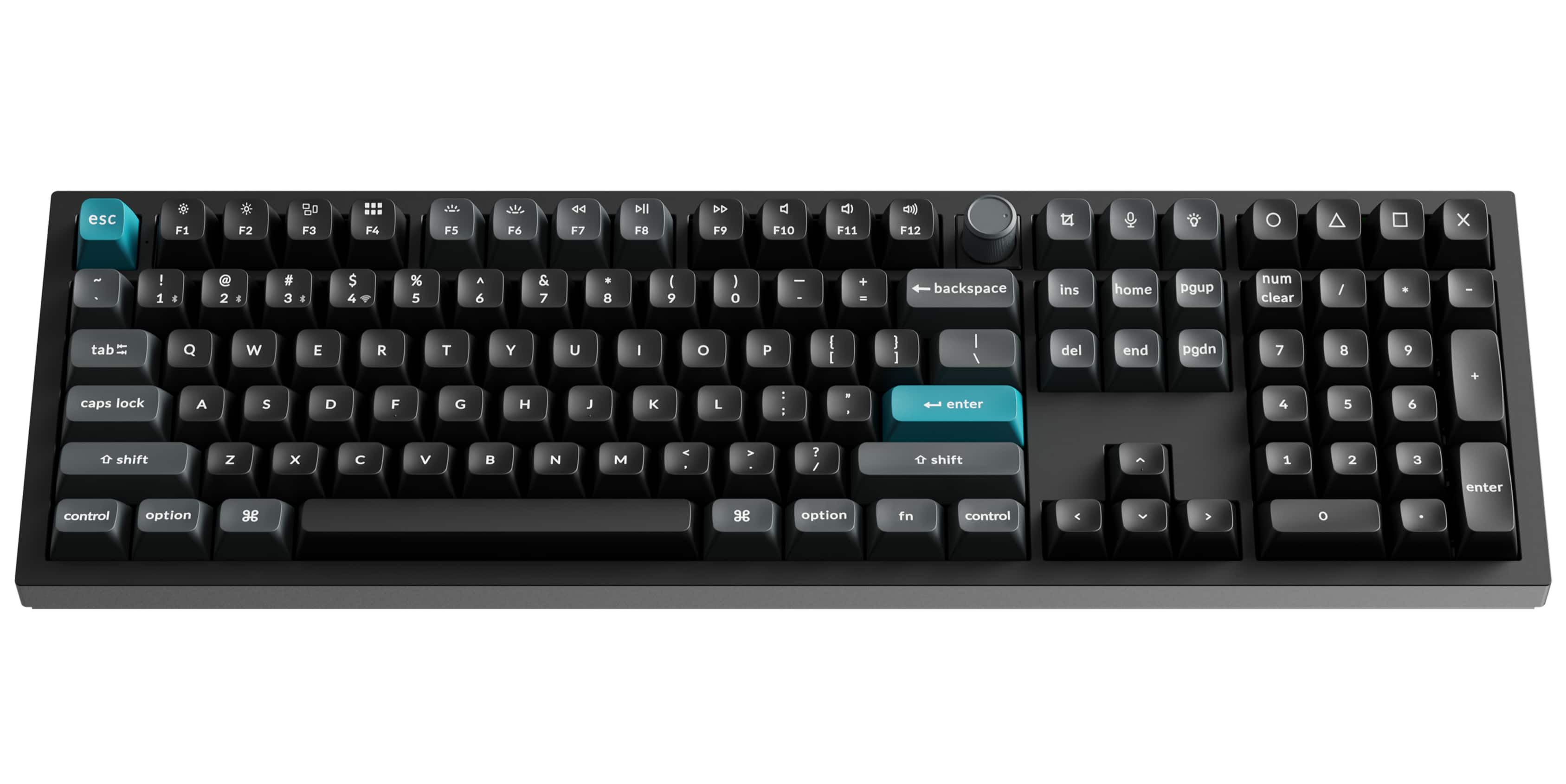
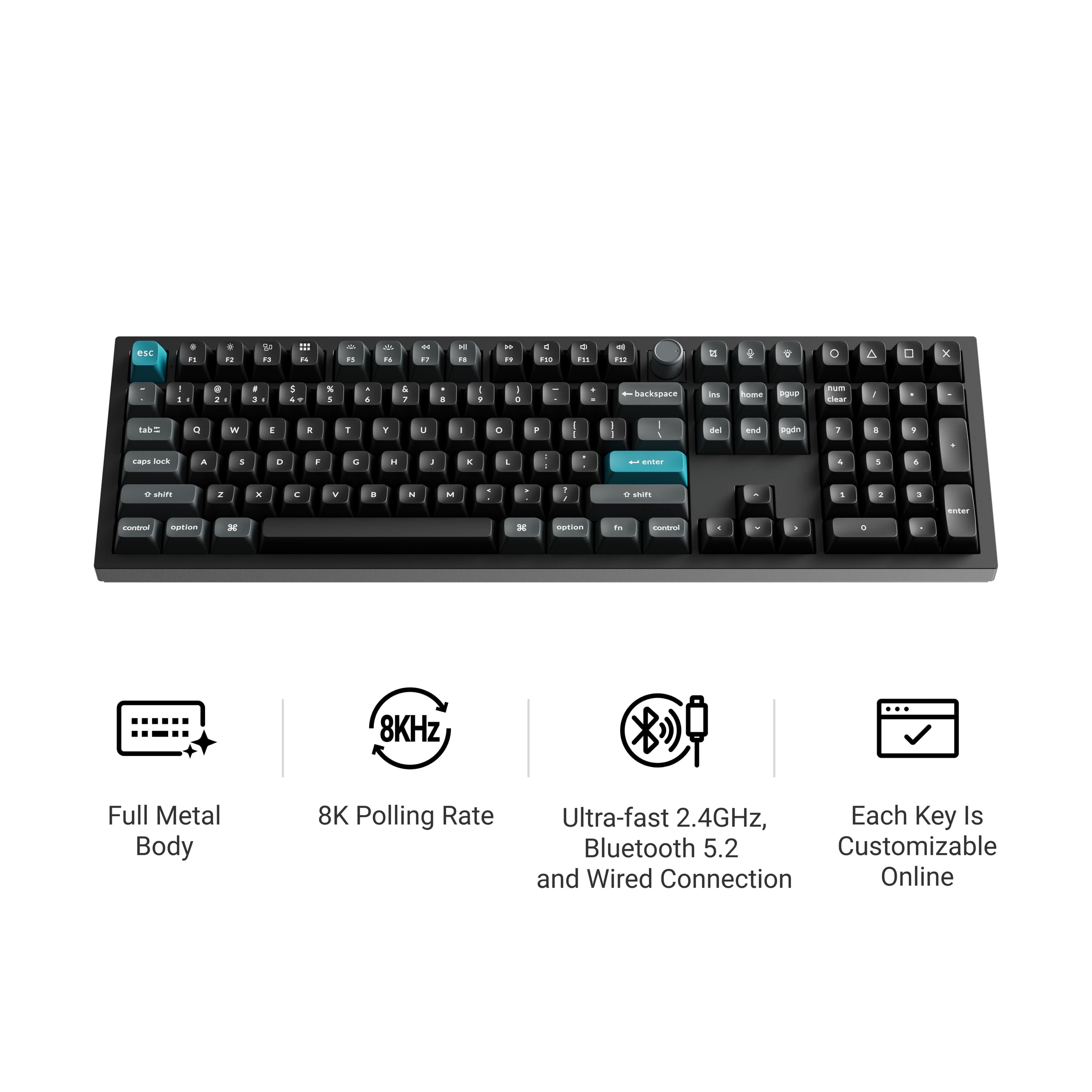
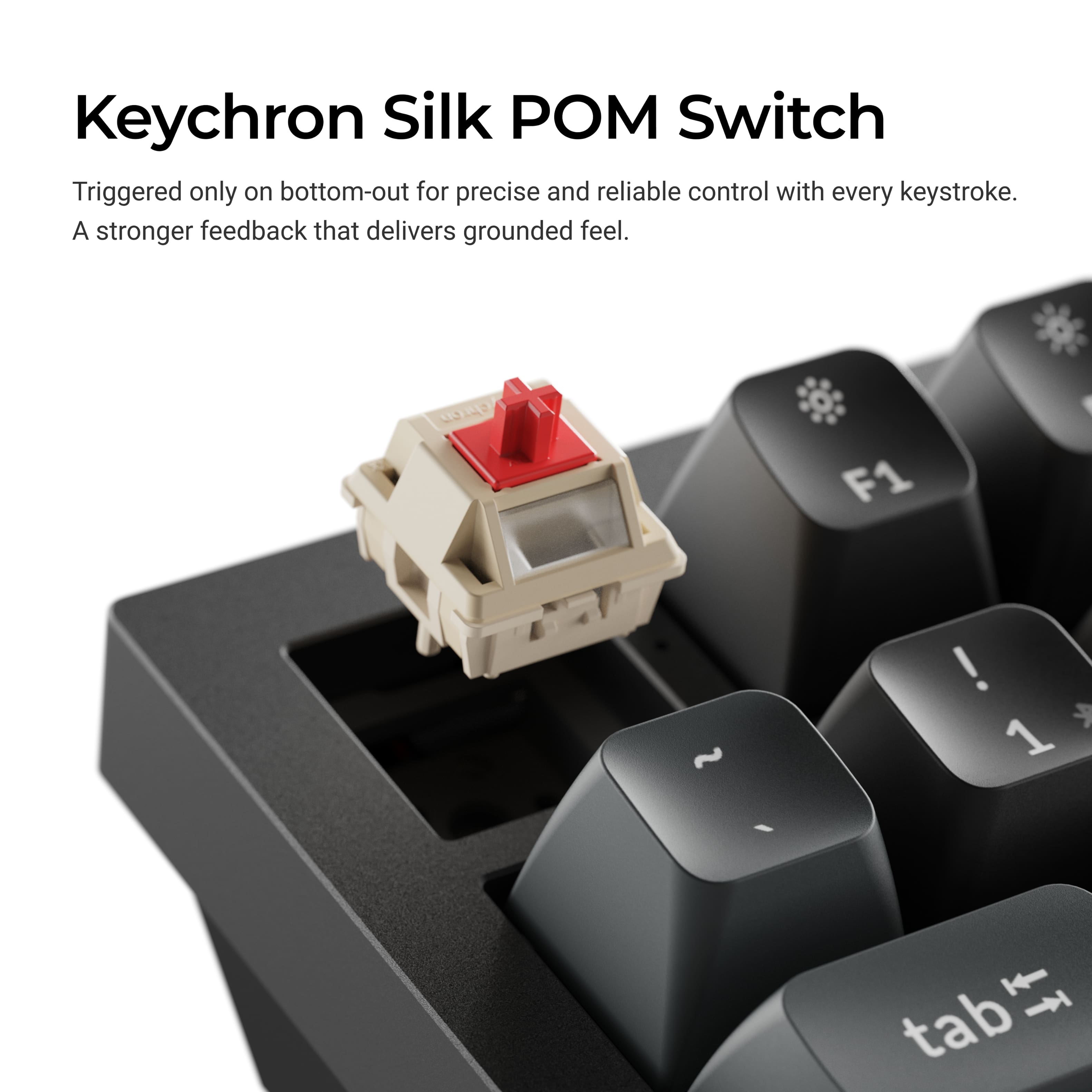
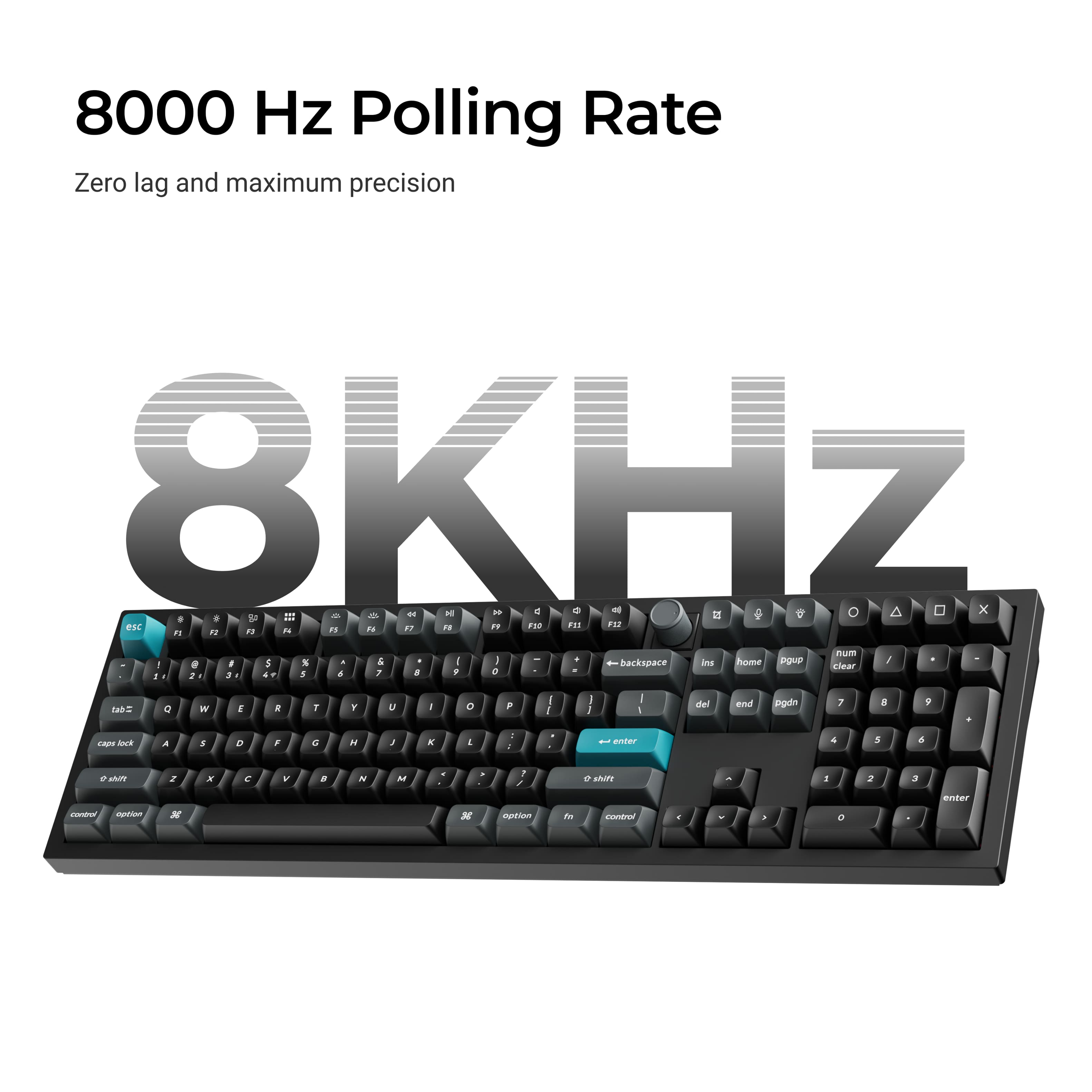
![Sure, here is the corrected and grouped text from the image:
- esc
- F1 F2 F3 F4 F5 F6 F7 F8 F9 F10 F11 F12
- 1 2 3 4 5 6 7 8 9 0 - = backspace
- tab Q W E R T Y U I O P [ ] \
- caps lock A S D F G H J K L ; ' return
- shift Z X C V B N M , . / shift
- control option command spacebar
- fn control option
- enter
- home pgup pgdn end
- num 7 4 1 8 5 2 9 6 3 0 . enter
- clear](https://pisces.bbystatic.com/image2/BestBuy_US/images/products/c748635b-701f-4f76-910a-ba22315ad6d5.jpg)
- Model:
- Q6U-M3
- SKU:
- 6644888
to a friend
- Pros mentioned:Build quality, Connectivity

Best build on any Keyboard
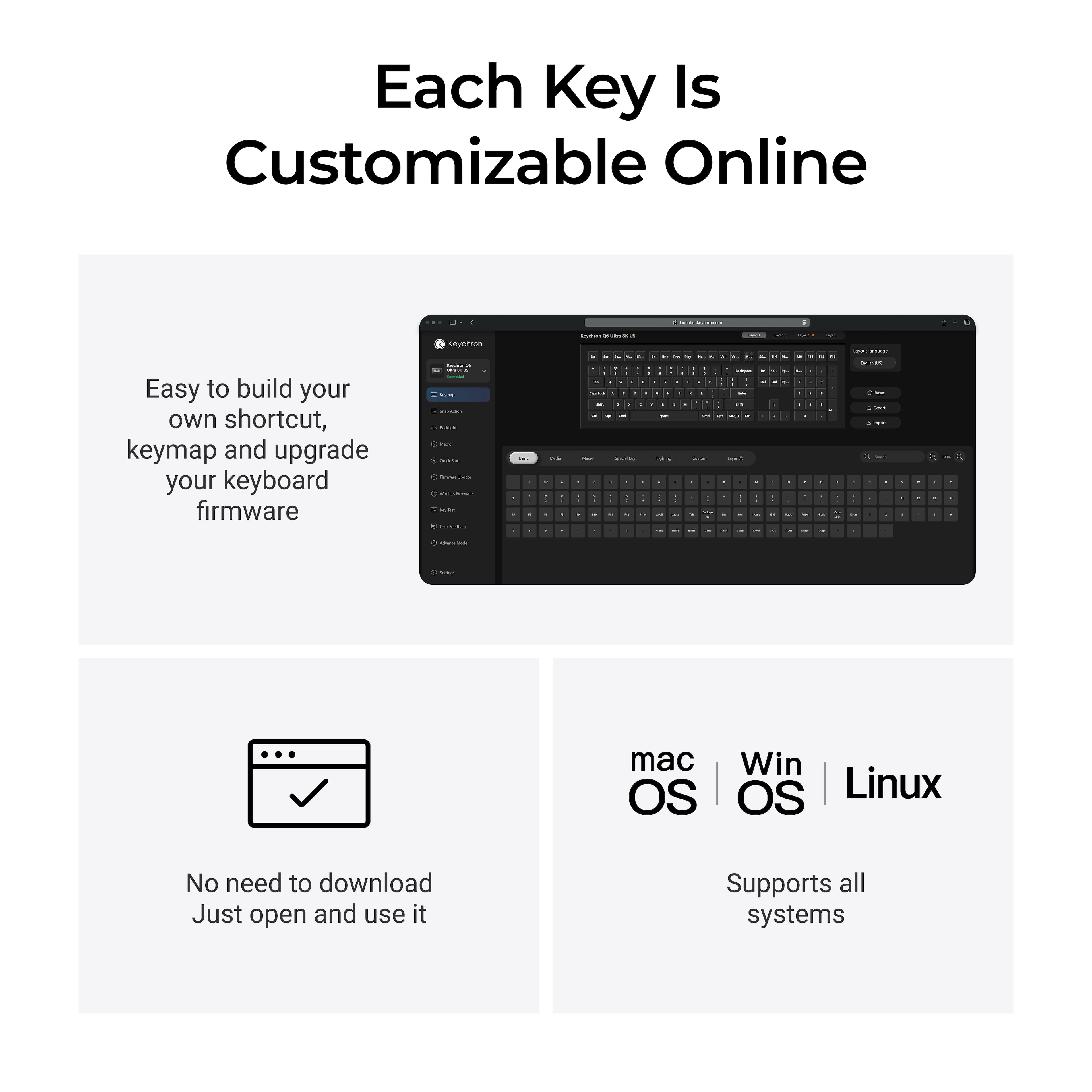
|Posted .This reviewer received promo considerations or sweepstakes entry for writing a review.First impression when holding the Keychron Q6 Ultra 8k is this boy is HEAVY and built so well that you can throw anything at it, just don’t throw the keyboard at anything. For gaming the Keychron is excellent, the keys are well spaced and there is NO fatigue no matter how long you game. I love that I don’t need to install a new app to adjust the keys/RGB/micros, all you do is plug in the keyboard and go to the URL. The Q6 also has 8k polling rate when plugged in or on the 2.4 mode and this is a must for competitive gamers as there is basically no lag whatsoever. While the keyboard is mainly for gaming it works well when it comes of office work also. As it is a gaming keyboard the keys aren’t the best for speed, but I was able to do 60+ WPM with ease with 98% accuracy, this was straight from unboxing. Be warned though as the keys are very sensitive you will get accidental keypresses, I didn’t have any issue with double presses. One of the things that the Q6 does that no other wireless keyboard has been able to do for me is wake a windows laptop from sleep consistently. I have 4 other wireless keyboards and none can wake my windows laptops (x86 and ARM) from sleep, it’s such an annoyance having to open the lid every time I want to use my laptop plugged into to a larger monitor. My biggest issue is the keyboard needs to be plugged in to update/configure the keyboard setting, there needs to be an update so adjustments can be made while not plugged in. Overall the keyboard is great and is made for competitive gamers, as I think they are the only ones that will truly appreciate the level of customization. I love the fact that you can transition from windows to mac/ wired to wireless and change out the keys in seconds. The keys are excellent and there is no way you will experience any type of fatigue when using the keyboard. While weight maybe an issue for some, I appreciated that the keyboard wouldn’t budge while sitting on my desk or keyboard trey.
I would recommend this to a friend - Pros mentioned:Build quality, Connectivity
Solid Build, Incredible Battery Life, Stunning RBG
|Posted .This reviewer received promo considerations or sweepstakes entry for writing a review.This keyboard comes very well packaged, arriving in two separate boxes that provide excellent protection. Right away, you can tell it’s a premium product. The keyboard itself is noticeably heavy, which reflects its solid build quality. The metal construction of the board adds to both its durability and weight. It includes a USB-C cable as well as a USB-C to USB-A adapter for added compatibility. I personally use an Apple MacBook Pro and was able to connect easily via USB-C and Bluetooth. Once connected through Bluetooth, the connection remained stable. In addition to Bluetooth, the keyboard also supports its dedicated 2.4 GHz wireless connection using the included USB wireless receiver for more reliable and faster wireless speed connection. The LED lighting is beautiful and eye-catching, with bright and vivid colors. You can easily adjust the brightness or switch between lighting patterns using a dedicated button on the keyboard. For more advanced customization, you can connect via USB-C and use the Keychron website to program macros and customize lighting effects. Since this is a mechanical keyboard, you can also swap out the individual keycaps. The keys are very responsive and provide a satisfying typing experience. It is compatible with both Mac and Windows systems. I primarily used it with my MacBook Pro, but I also used it on my Windows PC and PS5, where it performed extremely well. The keyboard features three different layers for Apple and Windows functionality. For example, pressing F3 opens Mission Control to view all open windows, and F4 activates Spotlight search on Mac. It also includes a convenient volume knob, which is especially useful when listening to audio. The keys do produce some typing sound, which is typical for mechanical keyboards. I personally don’t mind the sound, but it may not appeal to everyone. I did notice that the spacebar sounds slightly muffled compared to the other keys. I’m not sure if this is normal or if it will improve with use, but I’ll continue to monitor it. Overall, I am extremely satisfied with this keyboard. It offers excellent build quality, an impressive 660-hour battery life, and an outstanding polling rate that delivers a smooth, lag-free gaming experience. Its multi-platform compatibility makes it easy to use with Windows, Mac, Linux, and even PS5. It also features some of the most vivid and eye-catching RBG lighting I’ve seen on a keyboard. I would definitely recommend it.
I would recommend this to a friend - Pros mentioned:Build quality, Connectivity, Weight
Top Tier Mechanical Keyboard with lots of features
|Posted .This reviewer received promo considerations or sweepstakes entry for writing a review.First thing I noticed when this was delivered to my house was how heavy this keyboard is. It is made and engineered with top tier high quality parts including everything from the inside out. The framing of the keyboard itself is solid metal giving it such a heavy weight and feel to it. With that weight it doesn't move at all when using it even during intense gaming sessions with intense movement and presses on the keyboard. It comes pre-setup for a Mac OS which means for most users we will have to swap out a few of the keys on the keyboard and fortunately they included the tools to do that along with the replacement keys for the Alt and the windows keys. I was able to quickly pop off the four that came pre-installed and replaced with the correct windows keys. They've also made this keyboard modular so that it's easy enough to replace the actual mechanical key parts should one of them fail or break. I like the fact that it can connect via USB to my primary workstation and then I can easily flip over via Bluetooth to connect to my other gaming workstation when I need to work on that one or access it for other reasons. Having the ability to use this keyboard on multiple computers without unplugging anything and just flipping the toggle switch on the top of the keyboard is a lifesaver. My only complaint about this keyboard is that I personally prefer the clicks of a traditional mechanical keyboard. This mechanical keyboard has a soft key feel and sound to it so you do not get the clicking or the same type of feedback that you do in a traditional mechanical keyboard. For a lot of people that may be exactly what they want is the mechanical functionality without the clicks and the noise. Me personally I like that in a mechanical keyboard. Pros - Extremely high quality materials and craftsmanship - Ability to connect to multiple computers - Online website for configuration of RGB lights and Macro key assignments Cons - Doesn't have the same clicking of most traditional mechanical keyboards - Comes setup with the keys for a Mac so all windows users will have to replace 4 different keys out the box - Extremely heavy compared to EVERY other keyboard I have ever owned or used This keyboard is as functional as it is gorgeous to look at. It has many options that can be configured via their website to download various macro key settings as well as changing the color settings on the RGB for the backlit keys. This is a keyboard for a serious professional or those gamers who want to take their gaming setups to the next level aesthetically.
I would recommend this to a friend - Pros mentioned:Build quality, Connectivity
An amazing keyboard with so many options!
|Posted .This reviewer received promo considerations or sweepstakes entry for writing a review.This is one of the nicest, heavy-duty feeling keyboards I have ever reviewed. It sits on your desk with authority, just emitting an energy that says, “I need to be used.” My fingers have never felt so eager to type, to game, to plug away in excel spreadsheets on the full numpad! This keyboard comes with everything you need to have utility and usability with either Mac or PC, and that flexibility makes a huge difference to a user like me! This keyboard has great options for connectivity. I am using it in its wired form with my PC and I have absolutely loved it. The fact that I can go wireless or use Bluetooth is great, but I will be real that with how big and heavy this keyboard is, I see no point in keeping it in a untethered portable form. Wired is consistent and I know I never have to worry about the keyboard dying while I am in the middle of running for my life from a rocketeer in Arc Raiders. The brown switches it comes with are perfect for typing and gaming in my opinion, with the tactile bump at the bottom ensuring you never exert unnecessary force or travel on the keys while you are rapidly navigating the keyboard. At this price, you are getting many great accessories and tools packaged with the keyboard to ensure you get the most versatile experience out of it. Switch replacement, keycap replacement including keycaps included to easily switch between MacOS and Windows layouts are all present. The only thing that I wish was present with this keyboard and that isn’t is a wrist rest. They do have custom wrist rests available on the Keychron website but given how tall this keyboard is and without height adjustment, I think I would have liked one in the box at the price. I have irritable old man wrists as a 31 year old and the extreme angle my wrists have to be bent back when typing if I want to rest my wrists on the desks is not pleasant. Still, this one small complaint aside, everything else you are getting here is so good. Keychron has really made an exceptional keyboard here that is ready to go for your hardest gaming sessions or in the eventuality that you need a blunt weapon to defend yourself with in your office if an assailant comes crashing through the window. Thanks for reading and I hope this helps you get geared up for your purchase!
I would recommend this to a friend - Pros mentioned:Build quality
Five Pounds of Pure Typing Perfection!
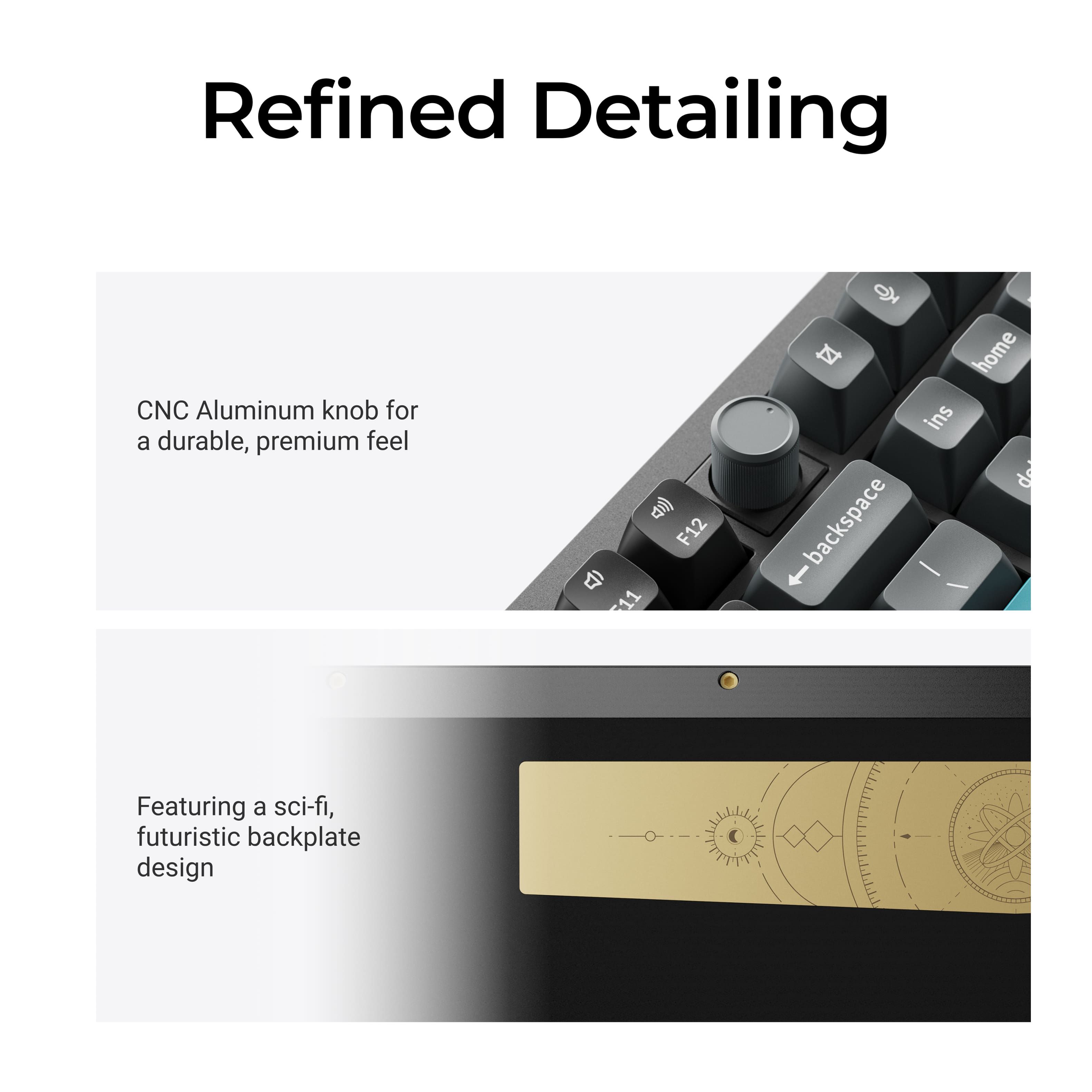
|Posted .This reviewer received promo considerations or sweepstakes entry for writing a review.I have had the Keychron Q6 Ultra 8K 100% keyboard for about a week now, and this is hands down the best keyboard I have ever laid my hands on. I own several mechanical keyboards, and these brown switches are by far my favorite. The key presses are buttery smooth, and the sound is nearly perfect. You can absolutely hear that classic “I have a mechanical keyboard” tone, but at a much lower volume. It delivers that satisfying mechanical feel without overwhelming everyone around you. Although you can hear the key presses, the sound is pleasant and refined. This keyboard is perfect for all-day use at work without annoying coworkers, and it still feels incredible during gaming sessions. Beyond the typing experience, this keyboard is packed with features. I love the aluminum volume knob. It feels premium and works flawlessly. A huge highlight is the Keychron Launcher, which lets you customize everything from RGB backlighting to macros and key mapping, while also keeping the firmware up to date. The best part is that you do not have to download any software. It is a web app that connects directly to your keyboard through your browser. Super simple and convenient. The software allows you to set up four full keyboard profiles, which is just epic. The full-size layout is perfect for me since I cannot live without a numpad. The key response has zero lag, and the experience has been flawless both at work and while gaming. The build quality is insane. I actually looked up the specs because it feels like it weighs 18 pounds. I was shocked to learn it is around 5 pounds, which still makes it the heaviest keyboard I have ever picked up. It feels incredibly solid with its full aluminum frame, double gaskets, double-shot keycaps, screw-in PCB stabilizers, and brown switches. This truly feels like a dream keyboard. There is also a really cool gold metal plate on the back with a subtle space-inspired design. That was a nice touch and adds to the premium feel. The only things I noticed were that it does not come with a wrist rest and there is no rear height adjustment. However, Keychron offers several wrist rest options on their website, and I plan on picking one up. This is my first Keychron keyboard, and now I understand why the brand has such a loyal following. I am officially a huge fan and would absolutely recommend this keyboard to anyone who types all day, games regularly, or simply wants a clean, premium-looking desk setup.
I would recommend this to a friend - Pros mentioned:Build quality, Switch type
Top-Tier Quality – High End Performance
|Posted .This reviewer received promo considerations or sweepstakes entry for writing a review.My first impression hit the moment the UPS driver handed me the box - this thing is heavy. The keyboard alone weighs 5.7 pounds. It is a full‑size aluminum‑chassis board with crisp, minimal edges and a clean, modern aesthetic that fits naturally into both office and gaming setups. Beyond the beauty and clean lines of the chassis, you eventually discover what is sitting at the heart of this keyboard: an ARM Cortex‑M4 microcontroller with DSP extensions and floating‑point support “an architecture built for fast, efficient embedded computing.” Never in my decades in IT did I imagine I would be talking about the microchip inside a keyboard, yet here we are. Microcontrollers have been part of keyboards for years, of course, but I have never encountered one this capable. The ARM Cortex‑M4 microcontroller Brings fast and smooth to the game. Along with ZMK, a “modern, open‑source keyboard firmware built specifically for wireless mechanical keyboards, designed to be lightweight, power‑efficient, and highly customizable.” Overall, what you find is amazingly fast processing, 8KHz Polling Rate, which is ‘The Cutting Edge’ for today’s high-end gamers. Bottom line: the microprocessor delivers strikingly low input latency and 660 hours of run-time – Best I have ever seen. Keychron Launcher configuration tool Centralized management of the keyboard’s advanced features: - Flexible keymapping - Firmware Update - Full RGB Lighting management - available through onboard keys. As good as it gets - Macros and shortcuts customization - Works on Windows & macOS - Optional Sound Effects Notes: - Keychron Silk POM Brown switches – Smooth travel - Versatile, with full support for both PC and Apple - Mac Mode Built In - Works with All Apple Devices - USB or 2.4 GHz wireless - rear switch toggles between G (2.4 GHz) and BT 5.3 - Bluetooth 5.3 lets you switch keyboard between three devices - 8KHz Polling Rate is supported in both wireless 2.4GHz and wired - Full size layout with numpad - “Design‑Focused Keyboard Backplane Graphic” - Full aluminum construction - Solid all around, with an ‘anchored’ feel on the desktop - “Improved stabilizers with less rattle” - Double gasket design and sound absorbing foam- excellent sound dampening Included accessories: a keycap and switch remover for cleaning and swapping parts, a screwdriver, an Allen key, USB adapters, and extra keycaps. I had a small hesitation about moving from a fully tactile board to the Silk switches, but that faded within minutes of typing. I’m completely won over by Keychron’s new Silk POM Brown switches - the keys feel remarkably smooth and genuinely satisfying. Who will want this keyboard? Writers, programmers, and professionals who want a solid, quiet, premium typing experience - and gamers who care about ultra‑low latency. It’s a rare board that serves both groups well. A keyboard I found designed and engineered to feel premium every time your hands touch it, and the Keychron Q6 Ultra 8K delivers exactly that with every keystroke. A standout board - and one I ful
I would recommend this to a friend - Pros mentioned:Build quality, Weight
Well built mechanical keyboard
||Posted .This reviewer received promo considerations or sweepstakes entry for writing a review.About as well built as you can get from a mechanical keyboard. This thing is heavy and well built, but if you're looking for a way to elevate it and/or use a wrist rest, you'll need to buy bumpers and install yourself, plus get a wrist rest which has been hard to find in stock.
I would recommend this to a friend Very comfortable keyboard
||Posted .This reviewer received promo considerations or sweepstakes entry for writing a review.I am new to the "expensive keyboard" world. Before this I would say then most I spent on one was just under $50. So, I thought I would jump in headfirst here! I have to say I've had this for a day now and I love this thing. The typing has a great feel. It's so heavy I feel like I am tapping on rocks. Very solid and as I get used to it, it keeps getting better. The settings are a little daunting at first. But once I dove into things they started to make sense and I corrected some of the oddities that I was noticing with double taps etc. The full size is good for me since I have larger hands and the key height is high but that is turning out to be a good thing. You will need to bring your own wrist rest. I had one already thankfully but don't forget to get one if you don't. There are lots of styles and customizations that can be done with these keyboards. I might start to look into it soon but for now it's great. One thing on firmware if you are using the 2.4Ghz connector. You need to update the dongle first as of this review (4/6/2026). Then you can update the keyboard. That might save you 15 or 20 min.
I would recommend this to a friend- Pros mentioned:Build quality
Unreleased, bad firmware probably
||Posted .This reviewer received promo considerations or sweepstakes entry for writing a review.Very heavyduty, feels good, sounds good, actuation is perfect for me on the default switch. Unfortunately, you will NEED to get a wrist rest. Since the thing weighs around 8 pounds, it does not come with risers, which makes sense since they would break under the weight. The keys are also very tall, so switching to other MX-type keycaps will be difficult if you don't like what comes stock. The main issue is possibly firmware related. The Max version of the Q6 suffered from double registers on keys, meaning that if you typed Mouse, it might come out as Moouse or Mouusee, etc. This keyboard makes it so that any word like noodle or waffle come out as nodle and wafle respectively, making it so that if you type at anything over 60 WPM, you get mistypes. I wonder if they still have an issue with doubletaps, and the firmware is trying to prevent them, but then negating intentional double letters. Keychron support to their credit was quick to respond, but wanted extensive video recordings and would not send the firmware. The keychron launcher is not compatible with this yet, so I was going to use qmk_toolbox... firmware was not provided. It's possible that this issue is fixed, but I don't have time for a back and forth to get a simple firmware file. I ended up with the K10HESE from Keychron, same layout, but no volume knob. It simply works, connects properly, etc. Last gripe, on both bluetooth and the 2.4GHz transceiver, it has random moments where it delays for a few seconds, or disconnects. This was not present on their K10 HE which is also new. Again, this could be firmware, but if Keychron is not willing to allow us to download the firmware without going through extensive support, I can not endorse this keyboard. $260+ with Tax, not worth it. Keychron also needs to figure out how to get their launcher to work over wireless... if their newest flagship doesn't work but some of the older ones do, they are regressing. Returned.
No, I would not recommend this to a friend - Pros mentioned:Build quality, Switch type
A well-built keyboard without a defined focus
|Posted .This reviewer received promo considerations or sweepstakes entry for writing a review.GOOD - Excellent build quality - Smooth typing feel - Works with just about everything ( wired/wireless USB, Bluetooth, Windows and Mac ) - Hot-swap switches - Web-based programming software works with any computer OS - Per-key RGB lighting BAD - Weak tactile feel - Fixed keyboard angle - No blue/clicky switch option - Web programming requires Chrome-based browser - Keyboard can only store/switch between two profiles on the fly - Limited RGB lighting options - Keycaps aren't shine-through, so keyboard has RGB lighting, but isn't backlit TLDR The Q6 Ultra is built to bomb-proof specifications. The switches are hot-swappable and the firmware is open-source so there are endless customization options. Multiple connection options and compatibility with Mac and Windows means you can use the keyboard with just about anything. However, the keyboard seems to suffer a bit of split personality between its gaming and productivity sides. The default customization software doesn't have as many options as other gaming keyboards, and the typing experience isn't as nice as professional writers may want. DETAILS The Keychron Q6 is the sturdiest keyboard I've ever used. The frame is made of multiple metal layers making it very stiff and strong. There is absolutely no flex on this thing at all. Adding to the rigidity is the lack of bottom feet so it sits flush on a desk. This does mean it doesn't have an adjustable height, which some may not like. However, the frame has a good angle that most typists should like. In between the metal layers are several foam layers and gaskets for sound dampening, making the keyboard very quiet as well ( at least quiet for a mech keyboard ). The board uses 5-pin mechanical switches, and they are hot-swappable. This particular model uses Keychron's Silk POM Brown switch, which is a tactile switch. It's also available in a linear Red and slightly stiffer tactile Banana switch. The keycaps are double-shot PBT, making them very durable and the key labels will never fade. The caps are shaped in Keychron's own spherical angle profile, which has a generous top-to-bottom concave sweep. The caps do have a strong taper from base to tip resulting in a smaller top area and larger gap between the keys. I'd prefer less taper with more surface area for my fingers, but it's not unbearable. These switches have a very different feel than anything I've used before. Though this is supposed to be a tactile switch, the tactile bump is quite minimal compared to the Cherry MX Browns I've mostly used in the past. Best I can describe, it's like a very stiff linear switch ( close to a Black ) but with a slight hitch in the middle. I imagine most dedicated typists won't like these switches, but it serves well for gamers and general-use computing. To program and customize the Q6, you use Keychron's Launcher website. Changes and customization profiles are stored in the keyboard's local memory. This eliminates the need for any kind of desktop software or background process, meaning you can customize the keyboard using almost any OS or platform. However, this website only works on Chromium-based web browser. Other browsers like Firefox are not supported. And while you can create and store macros, other customization is limited compared to many other gaming keyboards. The Q6 has four keymap "layers" with two each split between the Windows and Mac modes. One layer each is the normal keymap while the other is a shifted map for when the Function key is held down ( e.g., pressing Fn + F8 to use the media Play/Pause command ). You can't create multiple keymaps or profiles and have the keyboard automatically switch to them when launching different games or programs. At best, you can override the other OS layers to make them act as a custom gaming profile. The other big programming downside is the lighting. You can split the lighting into different keyboard sections, and even use per-key lighting, And there are many preset color patterns. But I've yet to find a way to add multiple lighting layers and effects together. So while you can set the whole keyboard to a solid color or use a raindrop lighting pattern when a key is pressed, you can't use the reactive raindrop lighting effect on top of the solid color background. As the Q6 uses open-source ZMK firmware, these two limitations ( lack of keymaps and lighting complexity ) might be addressed through custom firmware tweaks, but that's far outside the comfort range of most consumers. The other big lighting drawback is not software, but hardware related. Despite having RGB lighting on each switch, the Q6 is not offered with shine-through keycaps. This means it's not actually backlit as you can't see which key is which in the dark. As someone who both works and games frequently at night in a dim room, this is disappointing. In all, the Q6 is quite a conundrum. The keyboard itself is built to levels that make it almost indestructible. The web-based customization software means you don't need yet another background app running for your keyboard, which frees up system resources. However the software and offered hardware don't seem to match up. The switches available for the Q6 make me think this is targeted primarily at gamers who do a little bit of typing on the side. But the limited customization in keymap profiles and lighting complexity is far below other gaming keyboards. Conversely, the available software programming would be more than sufficient for dedicated typists, but most typists would want a far more tactile switch, or even clicky Blues, which aren't available in stock form. The only alternative would be to buy the Q6 then buy your choice of switches aftermarket ( which might necessitate buying new keycaps as well ). This adds about $50 - $100 more to the cost of getting the keyboard itself.
I would recommend this to a friend Very nice keyboard
||Posted . Owned for 1 month when reviewed.This reviewer received promo considerations or sweepstakes entry for writing a review.At first I was hesitant spending this much money on a keyboard. After using it now I can see why it's so good. Very comfortable to use.
I would recommend this to a friendNice Upgrade to the Q6 Max
||Posted . Owned for 1 week when reviewed.This reviewer received promo considerations or sweepstakes entry for writing a review.This keyboard is awesome! The tactile switches feel really nice to type on. I initially purchased the Q6 Max but felt some of the key damping was lacking. After comparing this one and the Q6 Max side by side, I decided to keep the Q6 Ultra. The extra damping and key stabilization was much improved, especially with the larger keys like the space bar. Another reason I kept the ultra is the colorway, which is much nicer than the two-toned one on the max model. I highly recommend this keyboard.
I would recommend this to a friendDouble keypresses, and terrible support
||Posted .This reviewer received promo considerations or sweepstakes entry for writing a review.When you pay a premium price, you expect to get a premium product that just works or premium support if it doesn't. This product and Keychron are neither. This keyboard has a double keypress registration problem, where one keypress will sometimes register two inputs. It likely is a debouncing issue that could be fixed or tweaked via firmware, so I try to go update the firmware. Guess what: even though there is supposedly new firmware, following the launcher's instructions to update firmware doesn't work. Install the driver, use the QMK toolbox, put it into boot mode, the keyboard refuses to show up in the correct mode to receive new firmware. I create a support ticket, jump through a ton of hoops to send them a video recording as requested... and then radio silence after 3 weeks. Zero updates, zero support, all pings to the ticket to ask what's happening doesn't yield anything useful. You'd think that if you pay $300 for a premium keyboard you'd get better support, but once they have your money they just disappear and leave you holding the bag. Absolutely cannot recommend this buggy and unreliable product or the company that refuses to stand behind it. Buy at your own risk!
No, I would not recommend this to a friendExcellent Keyboard
||Posted . Owned for 3 weeks when reviewed.This reviewer received promo considerations or sweepstakes entry for writing a review.I love the amount of customization you can do with this keyboard. The sound of the keycaps is perfect for an office settings.
I would recommend this to a friendKeyboard
||Posted . Owned for 1 month when reviewed.This reviewer received promo considerations or sweepstakes entry for writing a review.I like being ale to customize my keys to my preferences.
I would recommend this to a friend- Pros mentioned:Build quality, Connectivity, Switch type
Soft feeling mechanical keys with precision
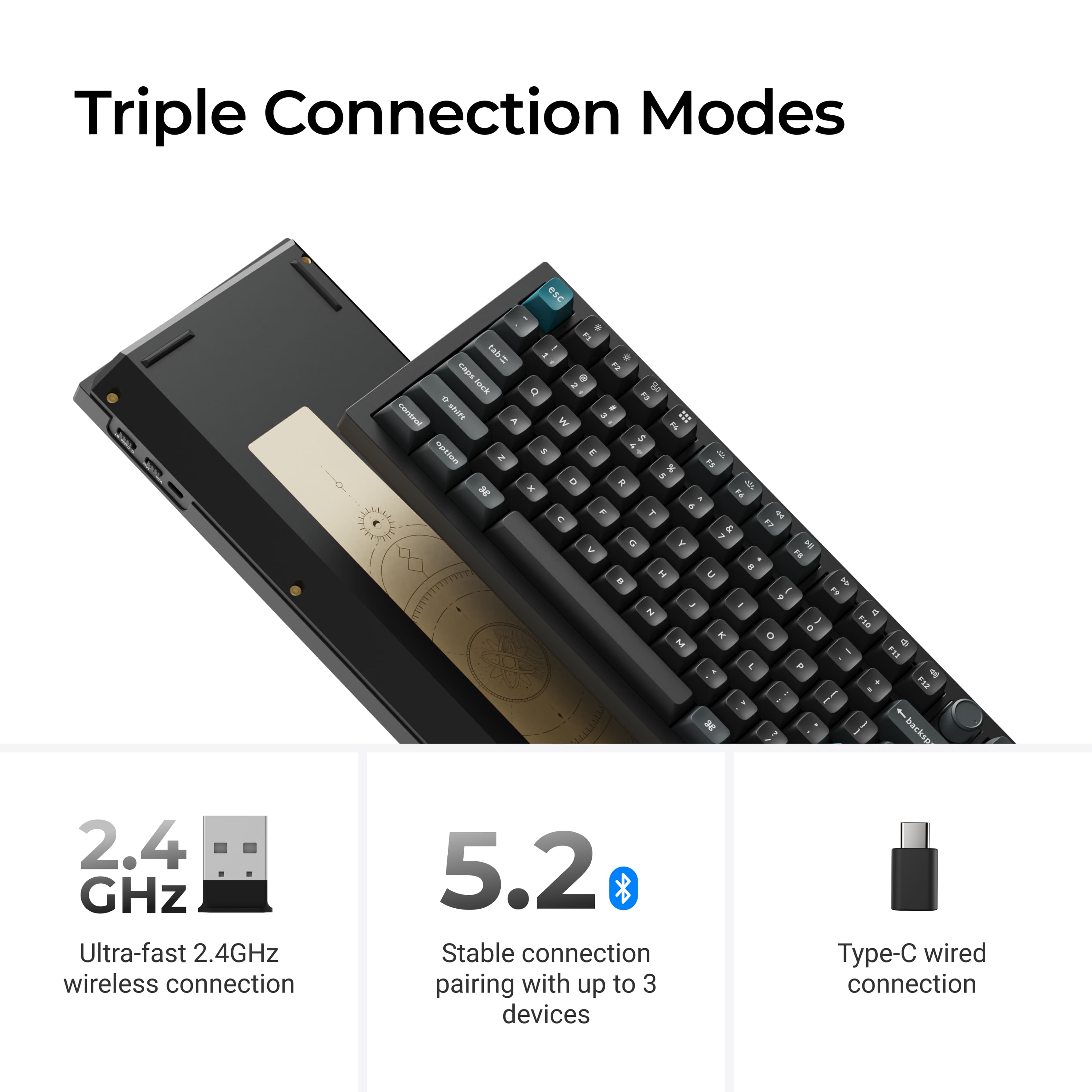
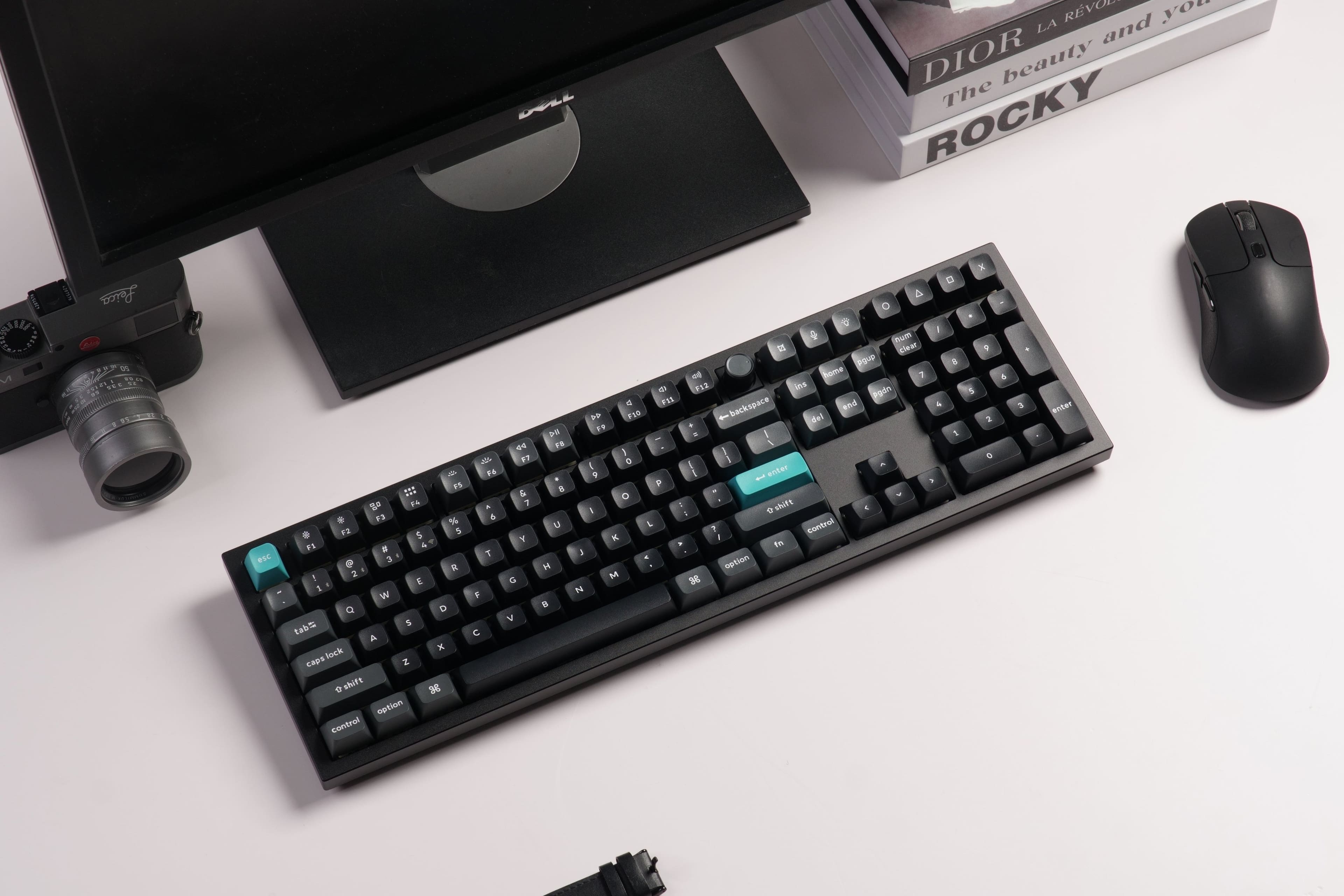
|Posted .This reviewer received promo considerations or sweepstakes entry for writing a review.This thing is a chonker. You almost have to take it out of the box with 2 hands its that heavy. It can be used as a weapon! And there is no way you can just move it once its on your deskpad with just 1 hand, it almost always also moves my deskpad with it, due to the weight and the friction it creates because of it. Well with that out of the way lets talk about the keyboard itself. Its exactly what you'd expect from Keychron, amazing. There are multiple connection options - you can use a cable, connect using Bluetooth, or using the included 2.4GHZ mini dongle (the last option is what I use). There is also a Windows and Mac toggle. By default out of the box the keyboard came with the Mac keys - "option" and "command" key caps. You get the Window key caps in the box for you to replace. The process to replace is a bit scary at first, I thought I might just break the whole thing up, but its easy enough. I personally enjoy the typing noise (clacking), its not loud or shrill like a typewriter, there is a softness to it. This is a full size keyboard, so you do get a full numpad, plus a very satisfactory rotary volume knob. There are plenty of shortcut buttons, and 4 completely programmable ones. Overall I love the feel of the keyboard everytime I am working on it and it hasn't lost its appeal yet
I would recommend this to a friend - Pros mentioned:Build quality, Connectivity
Probably TOO much for the average Joe but still...
|Posted .This reviewer received promo considerations or sweepstakes entry for writing a review.Most people will stop at a shiny, RGB lit keyboard when it comes to picking one out for their system. It's much easier to look at he shiny lights and forget the keyboard is still the most important peripheral for your PC. That said, for those looking for a REALLY custom(izable) beefy keyboard, I think you can stop looking at this 0ne. While it may look like a $30 keyboard, there's quite a few features on this that set it a part from other keyboards out there. For me, the solid, all metal body is always a virtue that you have a quality piece. Keystrokes are buttery smooth sounding and feeling and are adjustable pretty much however you want them to be. 3 different connection methods with BT, wired and wireless; concurrent connectivity w up to 3 devices at once, customizable mapping of keys online (if need be) and keys that can easily be replaced should you decide to later on down the road. Really a strand out piece for a PC and one that only certain few people would be able to recognize/appreciate
I would recommend this to a friend amazing keyboard for both work and gaming
|Posted .This reviewer received promo considerations or sweepstakes entry for writing a review.I work from home 3 days a week and game almost daily, so having a nice keyboard is really important to me. This keyboard blew me out of the water in terms of build quality. The first thing I noticed was the weight of it. The frame of the keyboard must be made out of metal because this thing is HEAVY. I think heavy is a positive for things like minimizing movement while typing and dampening keyboard noise. The drawbacks seem to be portability and the inability to adjust the rise on the back of the keyboard. There does seem to be a “natural” rise built into the device that is good for me (I always want the risers up on my keyboard). The keyboard caps seem nice and like they wouldn’t get sticky. The version of the keyboard I got has brown switches. I’ve used a number of the different switch types and I’d say brown switches may be my favorite. For a work setting, keyboard noise can be a bit distracting when I’m on a call, so I appreciate this keyboard isn’t super loud. Although I wouldn’t describe the keyboard as clicky, it does have a very satisfying feeling when typing on it. I think one of the places where this keyboard shines is the connectivity. It has an 8k polling rate while using USB or 2.4ghz so it’s giving a super fast input response. The keyboard also can be connected by Bluetooth which is nice in cases where a 2.4ghz dongle isn’t practical (like a phone or tablet). Another thing that shines on this keyboard is the customization. It includes extra keycaps (and a physical switch) to switch between Mac and PC layouts. New keycaps can be ordered from Keychron’s site for a nominal fee. The keyboard can be customized in the web browser. The coolest thing to customize is the control knob which is directly above the backspace key. Overall, this is a great keyboard with pro level features in a package that seems extremely overbuilt.
I would recommend this to a friend