Customer Ratings & Reviews














- Model:
- 960-001257
- SKU:
- 6321794
Rating by feature
- Value
Rating 4.6 out of 5 stars
- Quality
Rating 4.7 out of 5 stars
- Ease of Use
Rating 4.8 out of 5 stars
Customers are saying
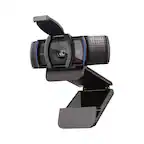
Customers consistently note the great video quality and overall performance of the C920s Pro webcam. Many appreciate its ease of use, simple setup, and the added privacy feature. However, some users have reported issues with the focus and autofocus, while others desire a longer cable. Additionally, a few customers mentioned compatibility problems across different platforms.
This summary was generated by AI based on customer reviews.
- Pros mentioned:Overall performance
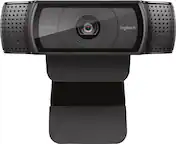
Logitech C920s PRO HD WEBCAM
||Posted . Owned for 1 month when reviewed.This reviewer received promo considerations or sweepstakes entry for writing a review.I like it a lot, it helped me a lot and it is exactly what I want!!
I would recommend this to a friend - Pros mentioned:Video quality
The webcam you're looking for..
||Posted . Owned for 3 weeks when reviewed.This reviewer received promo considerations or sweepstakes entry for writing a review.For the price, it's not a bad camera. 1080p video calls with good internet and clear voice and sound when doing zoom and skype meetings.
I would recommend this to a friendBrand response from Logitech
Posted .Hi Kimosabe! Glad to see you're getting the most from your C920s HD Webcam! Isn't it great knowing you're going to be seen in the best audio and visual quality for your video calls? If you have any questions, check out the Logitech support page at https://support.logi.com/hc/en-us/articles/360024152634. Continue to enjoy!
- Pros mentioned:Overall performance
Web Cam
||Posted . Owned for 1 month when reviewed.This reviewer received promo considerations or sweepstakes entry for writing a review.Product working great thus far. I use if for podcast recordings and for virtual talks with clients.
I would recommend this to a friend - Pros mentioned:Video quality
Perfect webcam
||Posted . Owned for 3 weeks when reviewed.This reviewer received promo considerations or sweepstakes entry for writing a review.Great little camera. Perfect for meetings online with Teams or Zoom
I would recommend this to a friend - Pros mentioned:Overall performance
EASY TO INSTALL
||Posted . Owned for 1 month when reviewed.This reviewer received promo considerations or sweepstakes entry for writing a review.Camera was easy to set up, just plug it in and you ate readynto go. Pitcure quality is excellent. Also comes with a lens cover so no accidental peep shows.
I would recommend this to a friend Clear picture, great value!
||Posted . Owned for 1 month when reviewed.This reviewer received promo considerations or sweepstakes entry for writing a review.Really great camera that was easy to install and works great on my work calls! Logitech has never failed me and I was happy to find exactly what I needed!
I would recommend this to a friendBrand response from Logitech
Posted .Thank you for your kind words about the Logitech - C920s Pro! We're glad you're enjoying its lightweight design and excellent sound quality. We hope it continues to provide you with a great video conferencing experience.

Kinda mid
||Posted . Owned for 2 weeks when reviewed.This reviewer received promo considerations or sweepstakes entry for writing a review.Webcam quality feels a bit cheap despite the price + needs additional software to enhance the usage.
No, I would not recommend this to a friendBrand response from Logitech
Posted .Hey! Your feedback helps us stay focused on what matters. We’re glad our product is meeting your needs. Thank you for your support.
- Pros mentioned:Video quality
Great webcam
||Posted . Owned for 1 month when reviewed.This reviewer received promo considerations or sweepstakes entry for writing a review.Great quality video as audio, this the second webcam I purchased and now both of my office locations can have high quality video conferencing
I would recommend this to a friend Amazing camera
||Posted . Owned for 1 month when reviewed.This reviewer received promo considerations or sweepstakes entry for writing a review.Absolutely clear camera for its pricing very happy with this item.
I would recommend this to a friendBrand response from Logitech
Posted .Thank you for your feedback on the Logitech C920s Pro! We're delighted to hear you're impressed with the clarity and value. It's great to know the camera has exceeded your expectations!
- Pros mentioned:Video quality
Logi webcam
||Posted . Owned for 3 weeks when reviewed.This reviewer received promo considerations or sweepstakes entry for writing a review.Great camera, excellent video and audio quality, I'm happy for my choice.
I would recommend this to a friend - Pros mentioned:Overall performance
Web cam
||Posted . Owned for 2 weeks when reviewed.This reviewer received promo considerations or sweepstakes entry for writing a review.Absolutely amazing product, and with an economic price
I would recommend this to a friend - Pros mentioned:Overall performance
The best camera
||Posted . Owned for 2 months when reviewed.This reviewer received promo considerations or sweepstakes entry for writing a review.This camera is great is very quality is HD .. thanks Logitech
I would recommend this to a friend - Pros mentioned:Video quality
good quality
||Posted . Owned for 9 months when reviewed.This reviewer received promo considerations or sweepstakes entry for writing a review.good quality product. Worth the money. Great video quality for meetings
I would recommend this to a friend - Pros mentioned:Video quality
Web cam
||Posted . Owned for 3 months when reviewed.This reviewer received promo considerations or sweepstakes entry for writing a review.With the webcam we use duo over the tv to call loved ones and friends. It allows us to see family that live far
I would recommend this to a friend - Pros mentioned:Video quality
Great starter stream webcam.
||Posted . Owned for 4 months when reviewed.This reviewer received promo considerations or sweepstakes entry for writing a review.For the price this is a great streaming webcam with pretty good quality. I use this as my wide angle 2nd cam for my streaming on twitch and a Canon M200 DLSR as my main face cam. The controls are good with the Logitech software as well. You can do better but not at the price you can get this at.
I would recommend this to a friend - Pros mentioned:Overall performance
Great camera
||Posted . Owned for 1 month when reviewed.This reviewer received promo considerations or sweepstakes entry for writing a review.Works perfectly for what I use it for. The picture quality is sharp and bright.
I would recommend this to a friend - Pros mentioned:Video quality
Logitech C920
||Posted . Owned for 1 month when reviewed.This reviewer received promo considerations or sweepstakes entry for writing a review.Night and day improvement from my laptop camera!!!
I would recommend this to a friendBrand response from Logitech
Posted .Hey there, thanks so much for this great review! If you have any issues with this in the future, please feel free to visit our support site for troubleshooting tips and tricks as well as warranty information. Thank you for choosing Logitech! -Weston from Logitech
- Pros mentioned:Video quality
Good webcam
||Posted . Owned for 3 weeks when reviewed.This reviewer received promo considerations or sweepstakes entry for writing a review.This webcam is clear and it’s microphone is good. It works fine I haven’t have any problems with it. The only downside is that it doesn’t rotate horizontally.
I would recommend this to a friend - Pros mentioned:Overall performance
Cant go wrong
||Posted . Owned for more than 2 years when reviewed.This reviewer received promo considerations or sweepstakes entry for writing a review.Great product great price...very clear great quality picture.
I would recommend this to a friend - Pros mentioned:Overall performance
Great Everyday Use
||Posted . Owned for 3 weeks when reviewed.This reviewer received promo considerations or sweepstakes entry for writing a review.Great price. Easy set up and ready out of the box. Crystal clear picture.
I would recommend this to a friend