Customer Ratings & Reviews
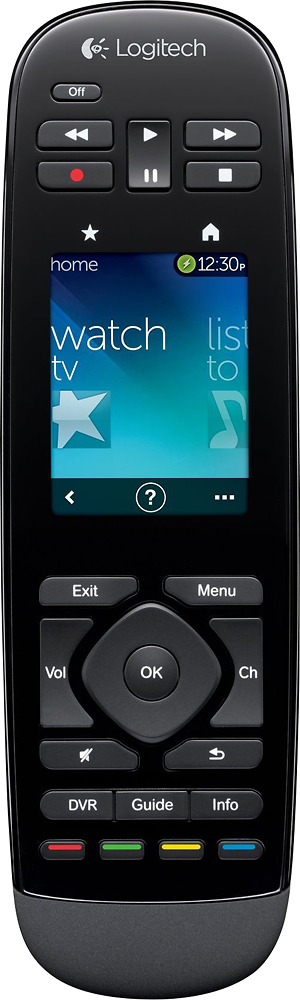

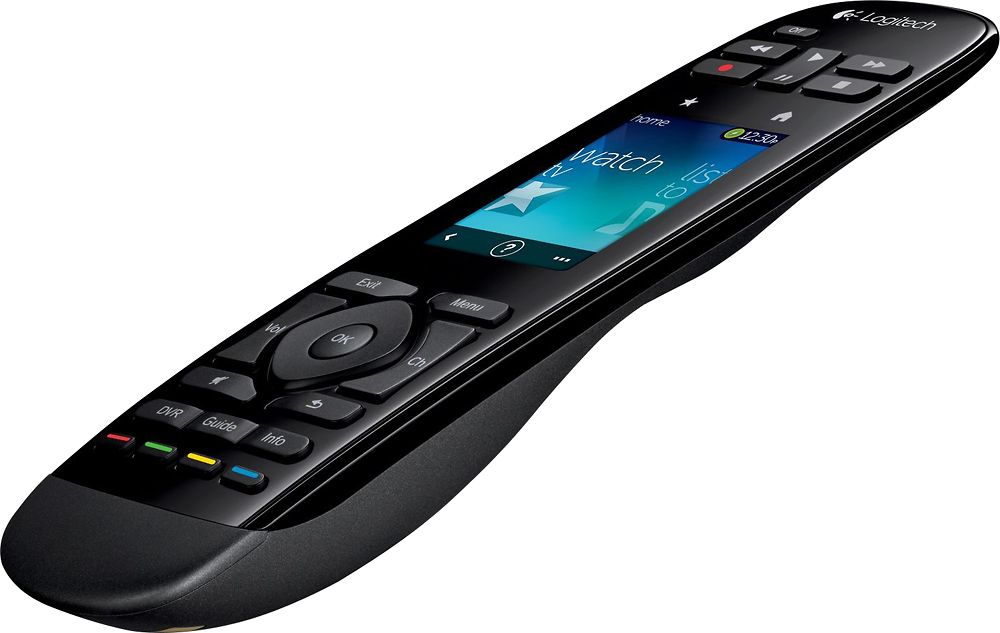
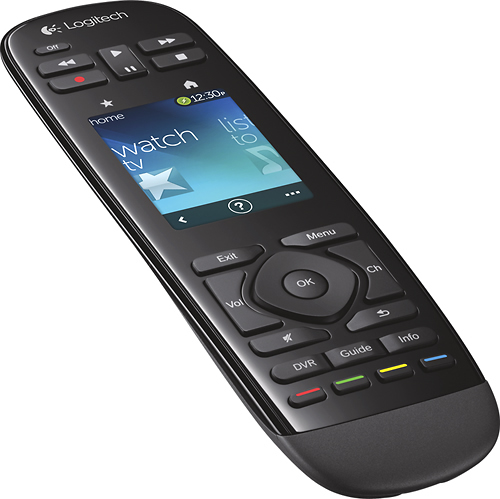
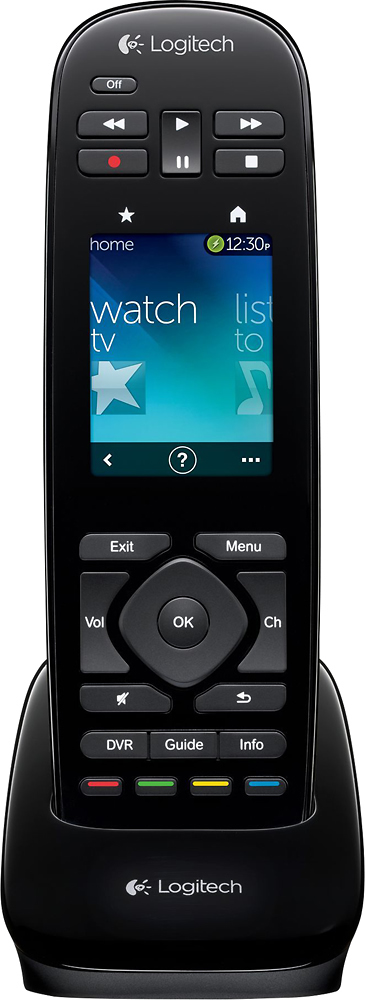
- Model:
- 915-000198
- |
- SKU:
- 6500555
Customer reviews
Rating 4.2 out of 5 stars with 1138 reviews
(1,138 customer reviews)Rating by feature
- Value3.8
Rating 3.8 out of 5 stars
- Quality4.1
Rating 4.1 out of 5 stars
- Ease of Use4.1
Rating 4.1 out of 5 stars
Customers are saying
Customers regard the Harmony Touch 15-Device Universal Remote favorably for its ease of use, intuitive setup, and compatibility with various devices. Many appreciate its compact size and improved interface, along with the extended range. However, some users express concerns about the touchscreen sensitivity, battery life, and the price point.
This summary was generated by AI based on customer reviews.
- Pros mentioned:Ease of use
Rated 4 out of 5 stars
Great functionality, not as fast as a remote
||Posted .This reviewer received promo considerations or sweepstakes entry for writing a review.I'll start by saying that I love it. It has all the features of a remote control and more. However; I must say that there is a lot of getting used to before mastering this control. You need to go through a few swipes or menus to get where you want, but once you have the control set up to your specific preference, it works as a dream. So far so good. 4 stars because you have to connect the remote to your computer to perform any change on it.
I would recommend this to a friend Rated 5 out of 5 stars
It's cool.
||Posted .This reviewer received promo considerations or sweepstakes entry for writing a review.I like the remote, I'll looks cool, very customizable with up to 15 devices. Nice display, rechargeable. I'm not impressed with trying to switch from watching TV to a movie, it's going to turn off the devices that are already on. So you have to select each device, turn them on and use it like a basic all in one remote. But if everything is off and you choose the category you want, it turns everything you want on for that category. What I really like is my favorite channels are on the remote display with the channel icons and you can scroll through them very easily.
I would recommend this to a friend- Pros mentioned:Ease of useCons mentioned:Battery life, Price, Touch screen
Rated 5 out of 5 stars
Great programmable remote
||Posted .This reviewer received promo considerations or sweepstakes entry for writing a review.I have been a repeat customer of the Logitech Harmony programmable remotes because it is worth it to me to consolidate all my remotes and be able to hit one programmed button per application. I currently have the Logitech Harmony Ultimate One remote for my main video/audio multimedia entertainment system and I have recently purchased the Logitech Harmony Touch remote for my multimedia entertainment system in my workout room. There are two main differences between the Logitech Harmony Ultimate One and the Harmony Touch other than price (Touch is usually cheaper than the Ultimate). The Ultimate touch screen wakes up (comes out of sleep/power conserving mode) with motion versus having to touch the screen on the Touch. Also, the Ultimate has touch vibration feedback when you touch a button on the touch screen.and the Touch does NOT have this vibration feedback. Since I use a treadmill in my workout, I bought the Harmony Touch for the sole purpose it doesn't wake-up due to motion and you literally have to touch the screen to wake it up.The Harmony Ultimate remote will always stay on ( won't go in to sleep mode to conserve battery usage) when placed on the treadmill due to the vibration created from running on the treadmill.. Programming the Harmony Touch was pretty easy since I am familiar with programming the Harmony Ultimate. The Logitech Harmony Remotes are not cheap by no means, but if you can buy it on sale, then it is well worth consolidating multiple remotes (5 remotes in my case) into one Harmony remote and being able touch one programmed button to turn on all pertinent audio/video equipment and automatically set each piece of equipment to their corresponding settings. Prior to the Harmony remotes, my wife had problems when it came to using my audio/video entertainment system. If you want to make it easy for your wife, buy her a Harmony remote.
I would recommend this to a friend - Pros mentioned:Ease of use, SetupCons mentioned:Touch screen
Rated 5 out of 5 stars
Awesome remote.
||Posted .This reviewer received promo considerations or sweepstakes entry for writing a review.I love almost everything about this remote. The setup is so easy. Their online database of compatible products is astounding. I have some really old components, made by some obscure brands, and even those can be found. And unlike traditional universal remotes, there's no need to repeatedly enter codes that might or might not work for each device. The real beauty of the Harmony line, compared to other universals, is the concept of "activities." For example, when I want to watch TV, I can tell the remote which devices need to be powered on, which input the TV needs to be set to, and since I use a soundbar for my audio, which input that needs to be set to. Then, I can tap one button on the touch screen, and everything starts up just how I need it. If anything ever gets out of sync, it's very easy to repair it using the on-screen help prompts. I bought this to replace a Harmony 650, and while the Touch doesn't add a whole lot of functionality, there are a few things that I like better. The underside is a rough texture that makes it easier to grip securely. I like that it uses a rechargeable battery, so I don't burn through so many AAs. And the touch screen interface really does make it more efficient to use, especially when scrolling through your favorite channels. If I had one tiny little criticism, I really wish there were physical buttons for page up and page down, which I use a lot when scrolling the guide on my cable box. Instead, I either have to press and hold the channel up/down buttons (which mess things up if I don't hold quite long enough), or swipe my way to a new screen to use the soft buttons. But now I'm nitpicking. In the big picture, this is a fantastic product. The convenience it adds to my entertainment experience makes it worth every penny and then some.
I would recommend this to a friend - Pros mentioned:Ease of useCons mentioned:Battery life, Touch screen
Rated 3 out of 5 stars
Good remote but buttons are a little small
||Posted .This reviewer received promo considerations or sweepstakes entry for writing a review.I bought this remote to replace my Harmony 1000. I found that I missed the "hard" buttons of my Harmony One and hated having to always look down at the 1000 to use it, (plus I started having battery issues after having the remote for a couple of years). This remote works much better for me. The only drawback to this remote, (and it is a fairly big drawback) is that the Play, Stop, FF and Rew buttons are so small and placed so closely together that I can't use my thumb to press these buttons as I normally would. I have to kind of awkwardly hold the remote with my fingertips and use my index finger to push the buttons. Not a complete deal breaker but I prefer to rest the remote in my palm and use my thumb. I tried the Harmony Touch to see if the button placement of that one would work better for me and unfortunately the shape of that remote is so awkward that it makes using the buttons at the top a chore so I returned the Touch and stuck with this one. Other than that the remote works great. The Harmony software simply ported all of my devices and activities from my 1000 so that I had the remote up and running in about 10 minutes. Very handy if you are replacing a previous Harmony remote with this one. The fact that you can also use a smartphone or a tablet to control your system is a nice little bonus but other than to test it out when I first got the remote I've never used that feature. If I had wanted to use a touch screen remote I would have stayed with the 1000.
I would recommend this to a friend - Pros mentioned:SetupCons mentioned:Battery life, Ergonomics
Rated 4 out of 5 stars
Maybe a step back for Harmony
||Posted .This reviewer received promo considerations or sweepstakes entry for writing a review.I have been a Harmony remote user for a very long time. I have 4 currently, all of varying models. There are things I really like about this one, and some I really don't. Pros Like every Harmony, setting it up is a piece of cake. Just either create or log into your account, add your hardware, and create Activities. You can then customize the individual buttons. If you're migrating from another Harmony remote it's even easier. This is definitely where the Harmony remote shines. I've used many others, but none can compete with the simplicity of setup, and the awesomeness of the Activities. The Harmony remote knows the status of every device, so gong from one thing to another is quick and easy. Much better than creating macros with other remotes. I like the touch screen for the most part (see cons). Flipping from screen to screen is easy, and the screen is very responsive. The colors look good, and the screen is easy to see/read. Having a screen full of favorite channels is great. The charging cradle is very nice, a huge improvement over some of the cradles Harmony has used in the past. The rechargeable battery is great, mostly (see cons). Cons The button layout is terrible. No really, it's terrible. The Play/Stop/FF/Rew buttons are really inconveniently located way at the top of the remote. It's hard to hit them while holding the remote in our hand. Poor design. The battery life isn't great. The rmeote needs to be charge every couple of days. This is fine, as it charges easily in the cradle, but annoying when you forget and pick up the dead remote. While I like the touch screen, I hate that the number keys are only included on it. I generally find myself on the favorites screen, which means I need to swipe over a couple of screens to get to the number pad. I find myself changing how I use the remote to avoid having to do that, and it's a pain. Bad design. The remote ergonomics aren't wonderful. It doesn't fit well in your hand, and the balance is off. Overall, I *think* the pros outweigh the cons, but if I had to do it over, I may have gone with a different model from Harmony. I got this one because BB had it as the deal of the day and it was cheap. At full price I'd definitely skip it.
I would recommend this to a friend - Pros mentioned:Ease of use
Rated 4 out of 5 stars
Pretty good.
||Posted .This reviewer received promo considerations or sweepstakes entry for writing a review.It does what it says and its pretty easy to setup. There are a few things that it could have done better. At times using the favorite pics turns my whole set up off. After resetting the remote though it works great.
I would recommend this to a friend - Pros mentioned:Ease of useCons mentioned:Battery life
Rated 5 out of 5 stars
Worth 4.5 stars to me!
||Posted .This reviewer received promo considerations or sweepstakes entry for writing a review.Review is for the Logitech - Harmony Touch 15-Device Universal Remote. I have a Harmony 890 that is about worn out and this is a replacement. The conversion to this remote was easy as the software will move the devices and tasks automatically and everything is working well after the switch. While others complain that the touch screen is in a bad location because it moves the buttons out to both ends, I like it. My hands are able to reach the top and bottom buttons with little trouble and having the touch screen in a central location is good for me. I use this remote for a VCR, XBOX 360, PS3 (with the Logitech adapter), TV, Cable Box/DVR combo and a Harmon Kardon AV. The battery lasts about 3 days between charges, which is not as long as the 890. Also the battery is not user replaceable, so I hope it lasts for a few years. I've only been using it for about 2 weeks, but it is easier to use than the 890 or the cable box remote for all my devices.
I would recommend this to a friend - Cons mentioned:Battery life, Ergonomics, Touch screen
Rated 4 out of 5 stars
good update but the harmony one was better
||Posted .This reviewer received promo considerations or sweepstakes entry for writing a review.I purchased this as a replacement for my harmony one. This is a nice remote but I feel the one was a better remote. The battery life seems lower than previous versions. With the one it would warn you when the battery is dying. The touch had not given any warnings just shutdown. I had to put it in the cradle to charge so I could shutdown my system. Maybe there is a setting I am missing for this feature. Logitech also moved the play, pause, rew, ff buttons to the top of the remote. They are in an awkward spot as these are the most used buttons when I watch shoes from my dvr. The harmony one had them in the middle were the ergonomics of the remote are. The touch also got rid of the chapter skip buttons, these can be programmed to the touch screen, but physical buttons would have been nice. IEnjoy the remote and would recommend it but the innovation is a little lacking.
I would recommend this to a friend - Pros mentioned:SetupCons mentioned:Battery life, Ergonomics
Rated 4 out of 5 stars
Great product in theory, almost in execution
||Posted .This reviewer received promo considerations or sweepstakes entry for writing a review.I really wanted to love this remote, and the fact I got it for 66% off definitely didn't hurt, but it's got too many quirks to give it 5/5 stars. First, setup was quite simple. Download the program to your computer, connect the remote, and program away. I had it ready to go in 5 minutes. The rechargeable integrated batteries are a nice touch, and I wouldn't mind charging it every month, but it seems that the remote doesn't hold a charge for longer than a week with moderate use. Also, when selecting the activity, i.e. watching tv through the cable box, Apple TV, or a DVD, it seems hit or miss whether the proper actions will take place. Learning to hold the remote facing the TV & components for 5-10 seconds takes some getting used to, but is doable. The biggest qualm I have is the design of the remote. It's fine to hold, but as soon as you set it on the coffee table, it rocks back and forth for a few seconds trying to steady itself. Not a big deal, but just an annoyance that could've been easily fixed by either flattening the design, or placing some stabilizing bar at the front of the remote. Overall, nice remote and easy setup, but I wouldn't pay full price for it.
I would recommend this to a friend - Pros mentioned:Compatibility, Ease of use
Rated 4 out of 5 stars
FLASH SALE !
||Posted .This reviewer received promo considerations or sweepstakes entry for writing a review.only reason i bought it .. got it for $99 retail $299 , it fits comfortable in your hand and has a ton of options reconised all my equipment right off . still having an issue switching from watching a movie back to straight TV < but this may be my lack of proper settings .. .dunno > it handles my comcast X1 box as well as my brand new yamaha AVR and sony bluray bottom line .. if your looking for a universal remote and it comes back on flash sale its a MUST BUY
I would recommend this to a friend Rated 4 out of 5 stars
Nice Remote
||Posted .This reviewer received promo considerations or sweepstakes entry for writing a review.I previously had a harmony remote which used the hub. I have to say I preferred hub to the infrared of this remote and here is why. Using this remote, you must keep it aimed at all the devices in order for them to turn on. Sometimes it doesn't turn everything on or off and I have to use the fix it myself option. I do like how you can control each individual unit with this remote. Also, the touch screen is a nice addition including backlit buttons for dark viewing. Overall I would suggest picking up this remote. Honestly, the only reason I switched from my old one is because after I bought it, this on went on sale for less than I paid originally. I do notice a slight lag with my directv control compared with the directv remote. This is minute and doesn't take away from the effectiveness of the remote
I would recommend this to a friend- Pros mentioned:Ease of useCons mentioned:Battery life
Rated 4 out of 5 stars
Great Remote
||Posted .This reviewer received promo considerations or sweepstakes entry for writing a review.This remote is easy to set up. The touch screen is nice. Works well with my older receiver and samsung HD/3d TV. It uses all the functions from my direct tv remote. It feel a little awkward as the bottom of the remote sits in my hand there is a hump in the bottom of the remote. The battery needs to be charged more often than my other Harmony remote.I got it for $99.99 on sale, Great Price.
I would recommend this to a friend - Pros mentioned:Compatibility, Ease of use
Rated 5 out of 5 stars
Harmony 15 Devices Better
||Posted .This reviewer received promo considerations or sweepstakes entry for writing a review.I bought the 650 and it preformed as stated. What I didn't realize was that I had a lot of devices that needed remotes. The Harmony Touch came on sale and had capacity for 15 devices. I purchased it and was able to put all the devices I had between two video systems and organize them into activities which makes it easy to watch TV by hitting one button and having it turn on the TV,Bose System, Cable box, Technics Amp. and have one remote control everything. Amazed that by just putting in Manufacturer and Model that all the codes can be downloaded without going through a tedious trial and error to find the codes. It even found the codes for an ancient Technics amp I have.
I would recommend this to a friend - Pros mentioned:Ease of use
Rated 4 out of 5 stars
Pretty great so far
||Posted .This reviewer received promo considerations or sweepstakes entry for writing a review.I have only been using the Harmony Touch 15 for a little over a week, but so far it's pretty greet. Setup via PC was super easy, very intuitive, and even had my older Surround receiver in there and works all options on it flawlessly. I have only had a couple small issues but I believe they are actually the fool, not the tool...I believe they are a matter of my programming of group actions. The Touch does a ton, which I plan to explore further but for starters I just set up the basics like tv, dvr, bluray, roku, and surround. .with the automatic combinations (ie Roku selection turns on roku, tv, and surround with the appropriate input selections for each automatically) I will update my review after I explore the Touch a bit further, but my initial impression is great, battery life is really good, hard button layout is not as bad as others have said, and like I said earlier Setup/programming is easy and very intuitive. I most definitely recommend it. *Note* I purchased this via a Daily Deal for a great price. I would have to think it through a bit at the $299 regular price, but after my initial trial/use, and having tried n returned others, I have to say it wouldn't take much of a sale/discount for me to give it a 'recommend'. Update to follow
I would recommend this to a friend - Pros mentioned:Ease of useCons mentioned:Price
Rated 5 out of 5 stars
Does it all well
||Posted .This reviewer received promo considerations or sweepstakes entry for writing a review.I purchased this remote as a replacement for an earlier version Harmony remote just to get an updated product and the sale price was great ($100). I would not have done this at the regular retail price. The remote feels good in your hand and is easy to work with. I was especially pleased that my online account device information for the old remote easily transferred to this new remote. What a time saver. The product is well designed and the color screen easy to read.
I would recommend this to a friend - Pros mentioned:Ease of use
Rated 5 out of 5 stars
Fantastic for Complex Multi-component A/V Systems!
||Posted .This reviewer received promo considerations or sweepstakes entry for writing a review.I have 2 extremely complex A/V systems with multiple components connected to their receivers and, as expected, those receivers have to be pretty much top-of-the-line to have all of the input and output connections that are needed. One of my systems, integrated with an equally complex computer system, has everything from a dual cassette deck, turntable, Super VHS/DVD burner/copier deck with TV Tuner, Laser Disc deck, and my DISH receiver connected along with an HDMI and Optical Digital Audio connection to my computer. A Vizio 32" HDMI monitor with Picture-in Picture also gets the video and audio from both the receiver and computer. All that involves 8 different remotes. Because of the complexity of the controls/remote for the old Sony DA5000ES receiver in the middle of all of this, the time involved of teaching a "learning" remote 1/10 of the commands and customizing the screens, would be a full day job, so all I'd do is teach the remote how to turn it on/off and adjust the volume. I'd leave all the settings in a default mode of having it play the output of my computer audio. If I needed to do something like turning a CNN news story I recorded on my DVR onto a DVD, and then playing that DVD on my computer and editing the audio/video on my computer and turning it into a file that I can use in my classes, my desk immediately gets filled with so many remotes that I don't have room for my coffee mug! The Harmony Touch amazes me more and more every day because of it's library of some of the most obscure/ancient and complex equipment has made my life much, much easier. So you know, since I use the computer/receiver with old to new technology to do a bunch of media conversions and some of the old stuff has "component video" connections instead of HDMI, that's why the ~15 yr old receiver handling that setup. (I use the computer's connections to deal with HDMI stuff.) My living-room "Theater/Entertainment" setup has an even more complex Pioneer Elite VSX-92TXH and the Harmony Touch even has all of the dozens of surround mode options available on it! The first one of these I bought was on sale "One Day Only" at virtually half price and willingly bought another at full retail! That should say it all!
I would recommend this to a friend - Pros mentioned:Ease of useCons mentioned:Battery life
Rated 5 out of 5 stars
Excellent Harmony Remote
||Posted .This reviewer received promo considerations or sweepstakes entry for writing a review.I previously used a Harmony 880 and recently upgraded to this remote, so I am familiar with the Harmony experience. This new remote and software is much easier to use then the older software and should be easy for any first time Harmony user. I wished the battery lasted longer but I still get about 5-7 days between charges depending on how often we use the remote. The remote is very responsive and works great.
I would recommend this to a friend - Pros mentioned:Setup
Rated 4 out of 5 stars
A very good remote
||Posted .This reviewer received promo considerations or sweepstakes entry for writing a review.I have a system where all of my components (TiVo, Blu-Ray player, Roku, gaming console and turntable are connected to my receiver via HDMI cables (except the turntable which is connected to the receiver with audio cables). One HDMI cable from the receiver output goes to the TV. This remote was very easy to program and everything worked well the first time. The reason I gave it 4 stars rather than 5 is that I still use the TiVo and Blu-Ray remotes to control them. It just seems easier to me. But the Harmony remote turns the appropriate components on and off and switches the receiver to the correct input. Just remember you have to aim the Harmony remote in the vicinity of the components which should be fairly close together. The remote turns on each component sequentially, not all at once.
I would recommend this to a friend - Cons mentioned:Touch screen
Rated 5 out of 5 stars
Great remote for certain uses
||Posted .This reviewer received promo considerations or sweepstakes entry for writing a review.The Harmony touch universal remote is a very good remote if you don't need RF. You can use RF if you get the Harmony HUB as well. I don't have it so can't review it. I find the size of the remote very nice and am able to reach the buttons and screen well with one hand. I have to shift my hand a little to switch between the upper and lower buttons, but I like the way they feel and the setup. After a week or so of regular use I no longer needed to look for the buttons that I use. The touch screen is a bit slow to respond and I sometimes find myself pressing twice and wishing I hadn't as it recognizes both touches and takes me to a function I didn't want. It was easy for me to program as it accepted my old Harmony 890 instructions in a conversion process. The programming seems to be very similar though the interface is a bit different. It had all of my devices and is running them better than the 890 in some cases and as well in others.
I would recommend this to a friend