Customer Ratings & Reviews
![The text on the image reads:
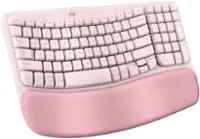
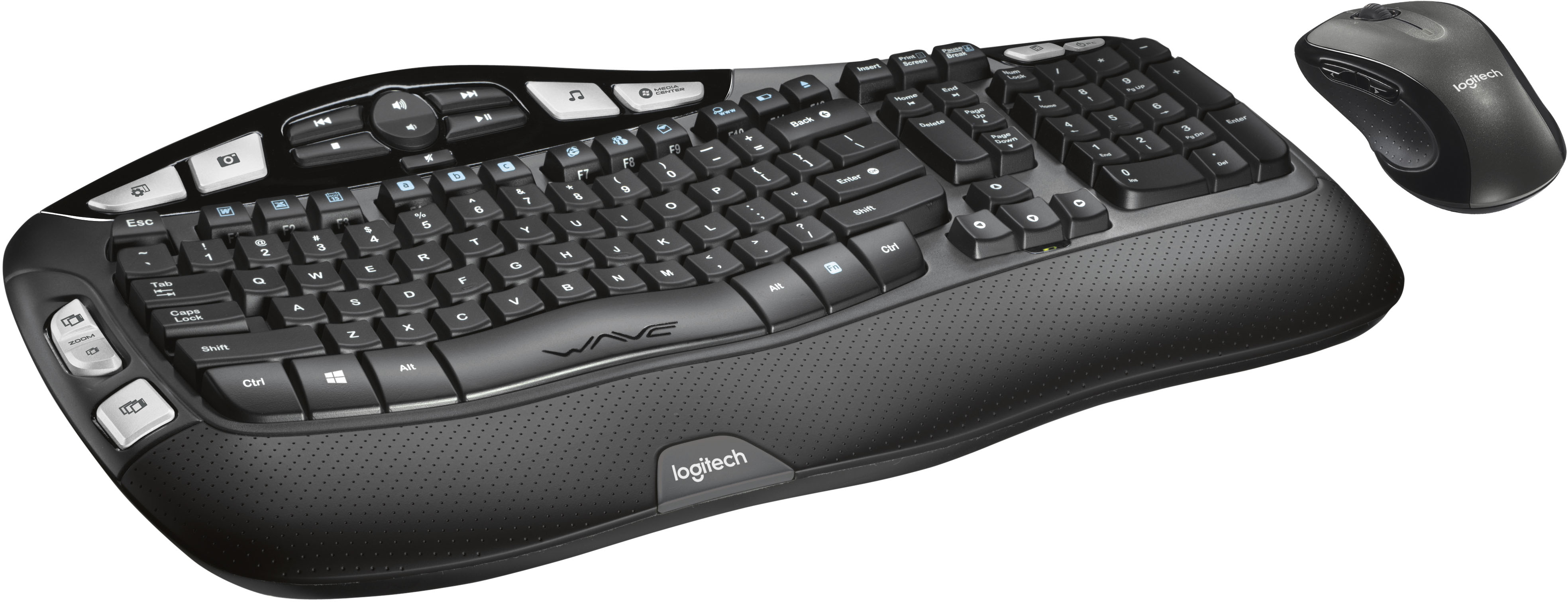
H H4 -CR i2 CENTEN Insert Prunt Screen Causs dreas me - Esc - Tab f Caps Lock Shift ! 1 W F FS a . 2 3 Q W A S Z E x F $ 4 D R 2 PA % 5 T F V D C FS F. A & 6 7 Y U G H N * 8 J F 9 I K M FE 0 o L A FS - P , > F . F18 Back { { ] [ IN Enter ? Shift I I I Home H Delete End - Page Up & Page Down 1 Nium Lock 7 - 4 1 1 t 0 . / 8 5 2 I * 9 Pg UP 6 - 3 Pg - - + Enter Ctrl Alt WAVE Alt n Ctrl logitech logitech](https://pisces.bbystatic.com/image2/BestBuy_US/images/products/1261/1261402_sd.jpg)




- Model:
- 920-002555
- |
- SKU:
- 1261402
Customer reviews
Rating 4.6 out of 5 stars with 4500 reviews
(4,500 customer reviews)Rating by feature
- Value4.6
Rating 4.6 out of 5 stars
- Quality4.6
Rating 4.6 out of 5 stars
- Ease of Use4.7
Rating 4.7 out of 5 stars
Customers are saying
Customers are satisfied with the keyboard's ergonomic design and ease of use, frequently praising its comfort and wireless functionality. Many also appreciate the value for the price. While some users noted the lack of a caps lock indicator and slightly larger-than-expected size, the overall experience appears positive.
This summary was generated by AI based on customer reviews.
- Pros mentioned:Keyboard quality, Wireless
Rated 5 out of 5 stars
very comfortable and works great
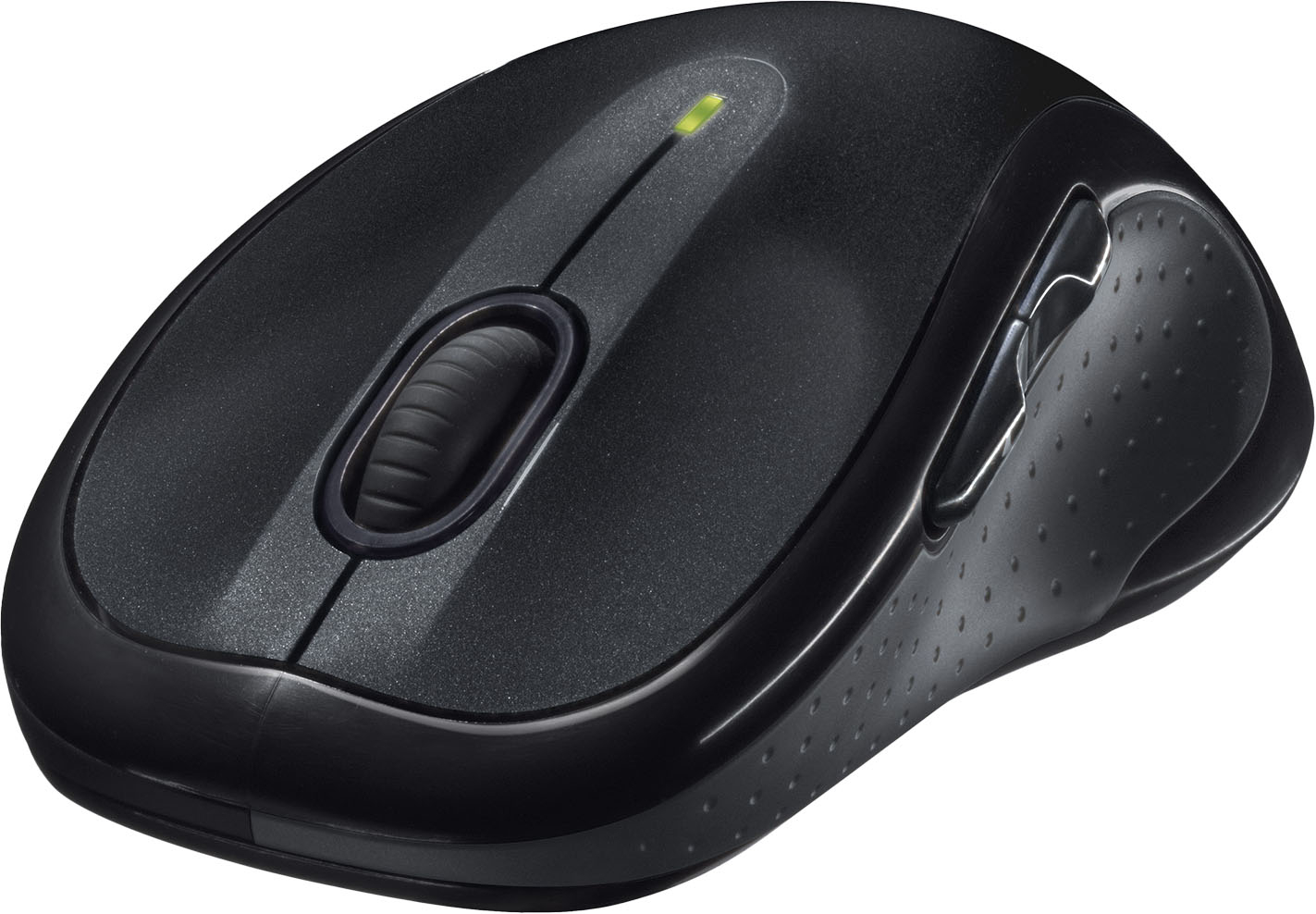
||Posted .This reviewer received promo considerations or sweepstakes entry for writing a review.I use this keyboard and mouse combo for my home office. It works great. I spend several hours a day minimum at the computer. The contour of the keyboard has helped with hand and wrist pain. I am very satisfied with my purchase and I would recommend this product or purchase again.
I would recommend this to a friend - Pros mentioned:Ease of useCons mentioned:Size
Rated 4 out of 5 stars
Works great, I would recommend it.
||Posted .This reviewer received promo considerations or sweepstakes entry for writing a review.I had the Microsoft ergonomic version and it was big, bulky and a little more difficult for someone who has small fingers. MK550 fits very nice and is smoother to use. Only one thing I don't like. The keyboard doesn't have an indicator light that tells you the CAPS are on. I really miss that.
I would recommend this to a friend - Pros mentioned:Battery life, Ease of use
Rated 5 out of 5 stars
Fast Comfortable Keyboard Set
||Posted .This reviewer received promo considerations or sweepstakes entry for writing a review.Easy to type on. Mouse works well. Comes with an extension cable for USB dongle. Only negative -- no keyboard lights for Caps Lock and Num Lock. Has all the multi-media buttons. Long battery life. Don't have to download software with Win 7 and Win 8 unless you want rarely used features..
I would recommend this to a friend - Pros mentioned:Ease of use, Keyboard quality
Rated 5 out of 5 stars
Works great with mylaptop
||Posted .This reviewer received promo considerations or sweepstakes entry for writing a review.I work from home and use two screens - one is a laptop and the other a stand-alone screen. The keyboard and mouse are comfortable to use, easy to install, and have been a lifesaver for long hours typing. I like the curves and the ergonomic setup of both the mouse and the keyboard.
I would recommend this to a friend - Pros mentioned:Keyboard quality
Rated 5 out of 5 stars
Amazing keyboard/mouse combo
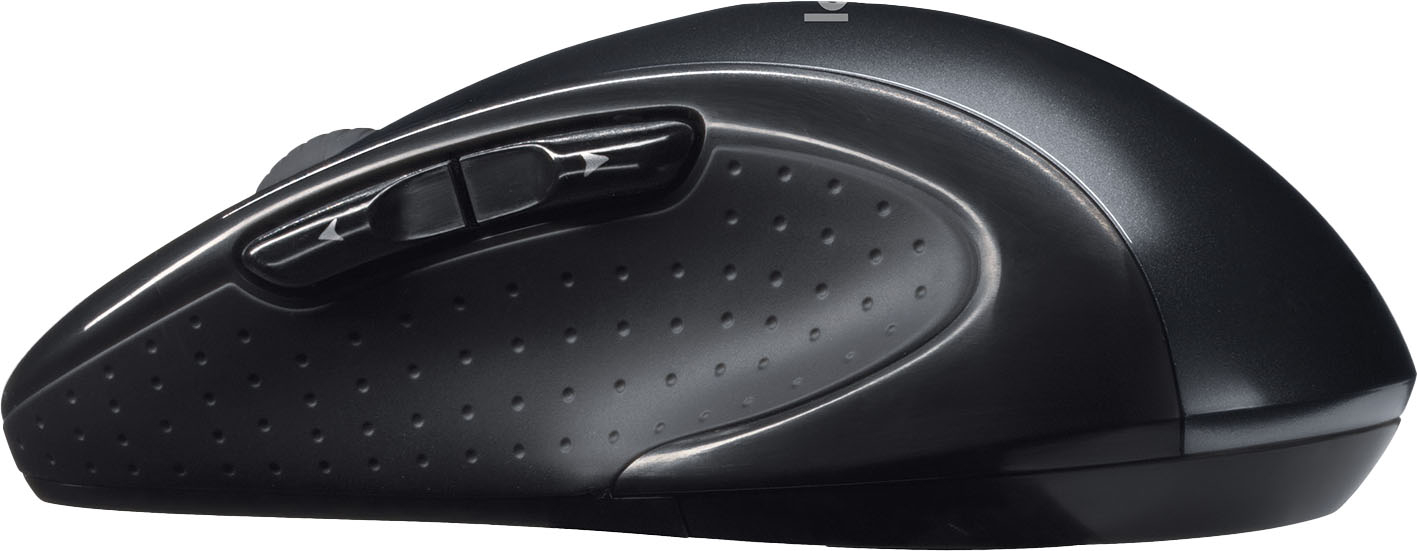
||Posted . Owned for 2 months when reviewed.This reviewer received promo considerations or sweepstakes entry for writing a review.I am a huge fan of this product overall. The Mouse - this is my favorite mouse I have found, it's extra function buttons are really handy and it's super comfortable in hand. I have been using this model for about 7 years. The Keyboard - the Wave look took a bit to get used to but is really comfortable once you do. I really have gotten a lot of use out of the Play/Pause/Volume buttons buttons for listening to music. Overall a really great combo kit, would buy again.
I would recommend this to a friend - Pros mentioned:Battery life, Keyboard quality
Rated 5 out of 5 stars
Logitech Keyboaard Mouse K350 Combo
||Posted .This reviewer received promo considerations or sweepstakes entry for writing a review.I have been using these combos for years. The batteries last for a very long time and they are comfortable (I am on my computer about 12 hours a day). The keys are set perfectly, the letters do not come off and the mouse is very responsive. Great combo package for a great price!
I would recommend this to a friend - Pros mentioned:Keyboard quality
Rated 5 out of 5 stars
Most comfortable wireless combo
||Posted .This reviewer received promo considerations or sweepstakes entry for writing a review.This is an outstanding wireless keyboard/mouse combo. It's extremely comfortable and the curve of the keyboard fits my hands perfectly. I especially like that both the mouse and keyboard place the emphasis on usability. In other words, the form is nice, but the function is paramount. I tried other combos that were easier on the eyes, but they all had flaws: the keys were too mushy, the mouse was too small, the height adjustment was wrong, etc. Choice of a keyboard/mouse combo is highly personal because it has to fit your hands and your work style. So try several before making your choice, but be sure to have this one on your list.
I would recommend this to a friend - Pros mentioned:Keyboard quality, Wireless
Rated 5 out of 5 stars
Great Keyboard
||Posted .This reviewer received promo considerations or sweepstakes entry for writing a review.I love this keyboard. First being wireless I don't have to mess around with wires and this one you plug in a USB to the back of the computer and you are ready to go. I love the position of the keys, very ergonomic for your wrist support also. I highly recommend this keyboard.
I would recommend this to a friend - Pros mentioned:Ease of use, Keyboard quality
Rated 5 out of 5 stars
Just Right
||Posted .This reviewer received promo considerations or sweepstakes entry for writing a review.I have 3 of these, one for each of my offices. The devices work right out of the box with no installation, even with my corporate security not allowing me to install the accompanying software. It doesn't get any easier and the keyboard is just what I need. The mouse is great, too.
I would recommend this to a friend - Pros mentioned:Battery life
Rated 5 out of 5 stars
Great wireless control
||Posted .This reviewer received promo considerations or sweepstakes entry for writing a review.I was looking for a new mouse and ended up going with this combination. I was using a wired mouse and keyboard and it was taking up two USB ports and I figured this would be nice to free one up on my laptop. The range is great, if the kid wants to get on the computer he can click on the password entry box and bring me the keyboard while I am in the next room and I can enter it. I had a wireless keyboard sometime in the past and it seemed to go through the batteries pretty quick, this one is rated for 2-3 years if I remember right and that sounds great, I have only had it for a month so we'll see how it does. Only problem is I haven't found a mouse/keyboard that will do the dishes for me yet, some day maybe they'll have smart enough devices for that.
I would recommend this to a friend - Pros mentioned:Keyboard quality, Wireless
Rated 5 out of 5 stars
Great keyboard
||Posted .This reviewer received promo considerations or sweepstakes entry for writing a review.This is a very comfortable keyboard and mouse. Wireless is the only way to go. This keyboard has all if not more of the options available on a much more expensive unit. I have multiple wireless keyboards just like this one and from Logitech. Great stuff thanks!!!
I would recommend this to a friend - Pros mentioned:Keyboard qualityCons mentioned:Caps lock indicator
Rated 4 out of 5 stars
Great features, but one design complaint
||Posted . Owned for 2 weeks when reviewed.This reviewer received promo considerations or sweepstakes entry for writing a review.This wireless keyboard and mouse are very versatile and easy to customize with the software that can be downloaded from Logitech. The design is very ergonomic, and the battery usage seems to be more efficient than my Microsoft wireless set. The special function keys are great for opening items that are used frequently. My only complaint is the rearrangement of the Home and End keys. The standard configuration for Insert, Delete, Home, End, PgUp, and PgDn is 2 rows by 3 columns. In order to fit additional function keys on the left edge of the keyboard (which I don't really use), they reconfigured this to 3 rows by 2 columns. As someone who frequently needs to navigate around documents, this is a serious handicap, because I use those keys all the time for that purpose. On my other keyboards, I can hit those keys as naturally as I can type, because I'm familiar with their location. On this keyboard, the Insert button is dropped in favor of making the Delete button double size, and that's fine, because Insert is obsolete for everyone except the few people who still want to overwrite text, though I wouldn't know why this would be preferable. The problem this change poses for me is that when I'm reaching for the End key, I often hit the Delete button by mistake, and this results in deleting characters and even words when I'm also using CTRL or CTRL+Shift to navigate to the end of a line or the document itself. I suppose that I'll get used to it in time, but it sure is a pain right now. Otherwise, this is a fantastic keyboard, and I may be a rare "old-school" user who learned to master keyboard shortcuts years ago, and subtle changes like this throw me off but may not impact other people.
I would recommend this to a friend - Pros mentioned:Ease of use, Keyboard quality
Rated 5 out of 5 stars
Keyboard for home office
||Posted .This reviewer received promo considerations or sweepstakes entry for writing a review.My wife is of the lucky few that can telecommute from work. She needed a full sized keyboard and mouse when she brings her laptop home to connect to her workstation here. The Logitech was the best choice for us. Comfortable and easy to plug and play, can't go wrong with it!
I would recommend this to a friend - Pros mentioned:Keyboard quality, Wireless
Rated 5 out of 5 stars
Great wireless keyboard and mouse
||Posted .This reviewer received promo considerations or sweepstakes entry for writing a review.I love my new wireless keyboard and mouse as an older person I like how the keyboard is curved making it easier. For me to use and I like the wireless mouse as well. I don't like having all those wires hanging down. I would recommend this to all my family and friends.
I would recommend this to a friend - Pros mentioned:Keyboard quality
Rated 5 out of 5 stars
This is a good one!
||Posted . Owned for 1 month when reviewed.This reviewer received promo considerations or sweepstakes entry for writing a review.This is my second purchase of this set, the first one lasted almost 10 years and went through 3 computers. The flat keyboards that come with computers give me so much pain in my hands, and this is comfortable to use. I went specifically for this version. The only thing that would make it better is if it came in a different color. But function over form for this one, and I'm fine with that.
I would recommend this to a friend - Cons mentioned:Caps lock indicator, Size
Rated 5 out of 5 stars
My Favorite Keyboard
||Posted .This reviewer received promo considerations or sweepstakes entry for writing a review.I purchased this originally when we had to work from home during the pandemic. It was a little awkward at first with the wave form and the large size of the keyboard, but quickly learned to love it. The keyboard and the mouse are heavy duty and feel solid when in use. A few months ago we moved to a hybrid work schedule, so I took this keyboard back to the office. Then I purchased another, smaller Logitech wireless combo (MK360) for the days I worked at home. Being somewhat cheap, I thought I could get away with a cheaper version and not notice the difference. The cheaper version never felt right. There was odd key placement and the mouse was so light, including click response, that I always seemed to accidently press the right click at the worst opportune time. Well I finally had enough of it and purchased this same MK550, to mirror my office setup, today. I'm typing on it now at home and it feels amazing. I'm not one to write many reviews, but felt compelled enough for this purchase. If I didn't cheap out in the first place, and just bought this instead of the MK360, then I would've actually saved money. Love this setup...remember just might take a short time to get used to it, but once you do...it's amazing.
I would recommend this to a friend - Pros mentioned:Battery life
Rated 4 out of 5 stars
Nice Keyboard
||Posted .This reviewer received promo considerations or sweepstakes entry for writing a review.This is a nice all around wireless keyboard for office work. I primarily bought this to use with my docked laptop while I was working from home so that I didn't have to unplug my equipment from my tower. The key travel is nice if a little soft so if you like the click when you press the keys you would be better served with a mechanical keyboard. I like that both the mouse and the key board use the same wireless dongle and that concern over battery life is non existent. It also has some pretty good ergonomics as well. There are a bunch of extra buttons that you will have to install the Logitech software to take advantage of and I can tell that this keyboard was designed in the Windows 7 years so its showing its age (as far as key symbols are concerned) . Bottom line though its good for office work or the family computer for those who simply value wireless connectivity and a nice typing and mousing experience.
I would recommend this to a friend - Pros mentioned:Ease of use, Wireless
Rated 5 out of 5 stars
Works great with my Mac
||Posted .This reviewer received promo considerations or sweepstakes entry for writing a review.I bought this to use at home with my Macbook Air 13inch and it is working flawlessly. I paired it with my Logitech Marathon Mouse M705 and it was so easy to do!I also use this set up at work with my PC.
I would recommend this to a friend - Pros mentioned:Ease of use, Keyboard quality
Rated 5 out of 5 stars
Very Comfortable
||Posted .This reviewer received promo considerations or sweepstakes entry for writing a review.It's a nice keyboard and I was able to use it right away without needing any updates or needing to install any software. I have had it for over a month now and I love it. Best solid keyboard I could find without feeling as if I was paying too much or that it was cheaply made.
I would recommend this to a friend - Pros mentioned:Wireless
Rated 4 out of 5 stars
Good Combo, No Caps Lock Indicator, Use Windows 10
||Posted . Owned for 1 month when reviewed.This reviewer received promo considerations or sweepstakes entry for writing a review.I love this keyboard. I used the MK550 mouse and keyboard combo for 6 years (2017 to 2023) for my previous employer. I was so satisficed with the MK550 combo that I bought my own MK550 combo after I has to return the company-owned pair. NOTE: The keyboard has no CAPS LOCK or NUM LOCK indicators. Windows 10 has a built-in audible toggle for the above keys that you have to turn on in SETTINGS - EASE OF ACCESS - KEYBOARD - (turn on) USE TOGGLE KEYS (to play a sound when the Caps Lock and Num Lock keys are pressed).
I would recommend this to a friend