Customer Ratings & Reviews
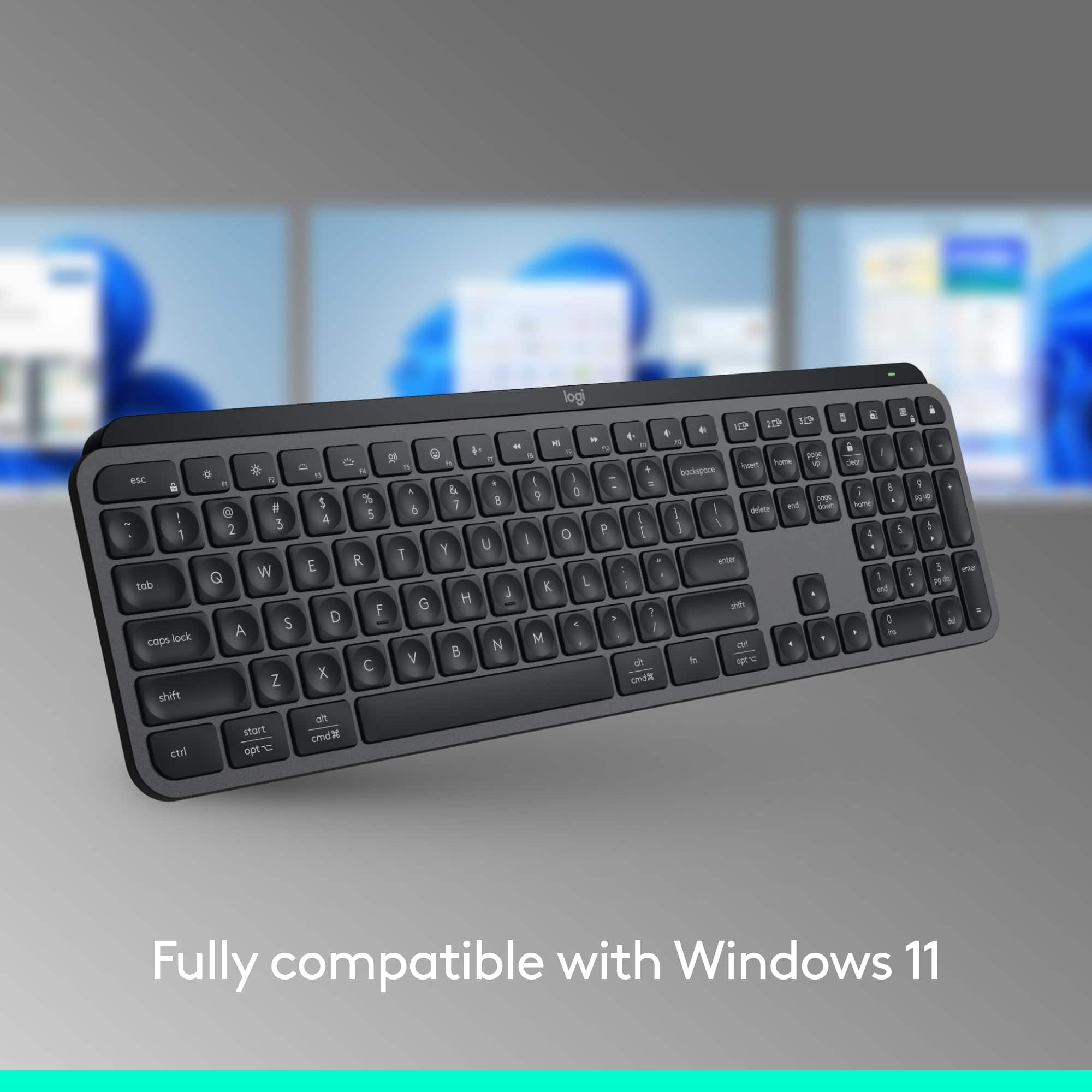
![esc ~ ! 1 tab caps lock shift ctrl F2 Fl # 2 3 Q W A S Z start opt L F3 $ 4 E D X alt cmd3 ) FS F4 A % 5 6 R T F G V C logi 44 HI & F9 FID FB F7 F6 * ) - - & 0 8 9 7 O P U I Y K L H J > < N M 1 B PM + = { [ : I ; ? I alt cmd D 2 4 300 3 1 F12 . * page I insert home up clear backspace 8 9 + 7 page A pg up end down home } I delete ] / 6 4 5 4 enter 2 3 enter 1 dn Pg end shift = 0 del ins etrl fn opt](https://pisces.bbystatic.com/image2/BestBuy_US/images/products/6539/6539505_sd.jpg)






- Model:
- 920-011406
- SKU:
- 12025652
Rating by feature
- Value
Rating 4.5 out of 5 stars
- Quality
Rating 4.8 out of 5 stars
- Ease of Use
Rating 4.8 out of 5 stars
Perfect for the PC/Mac line straddler
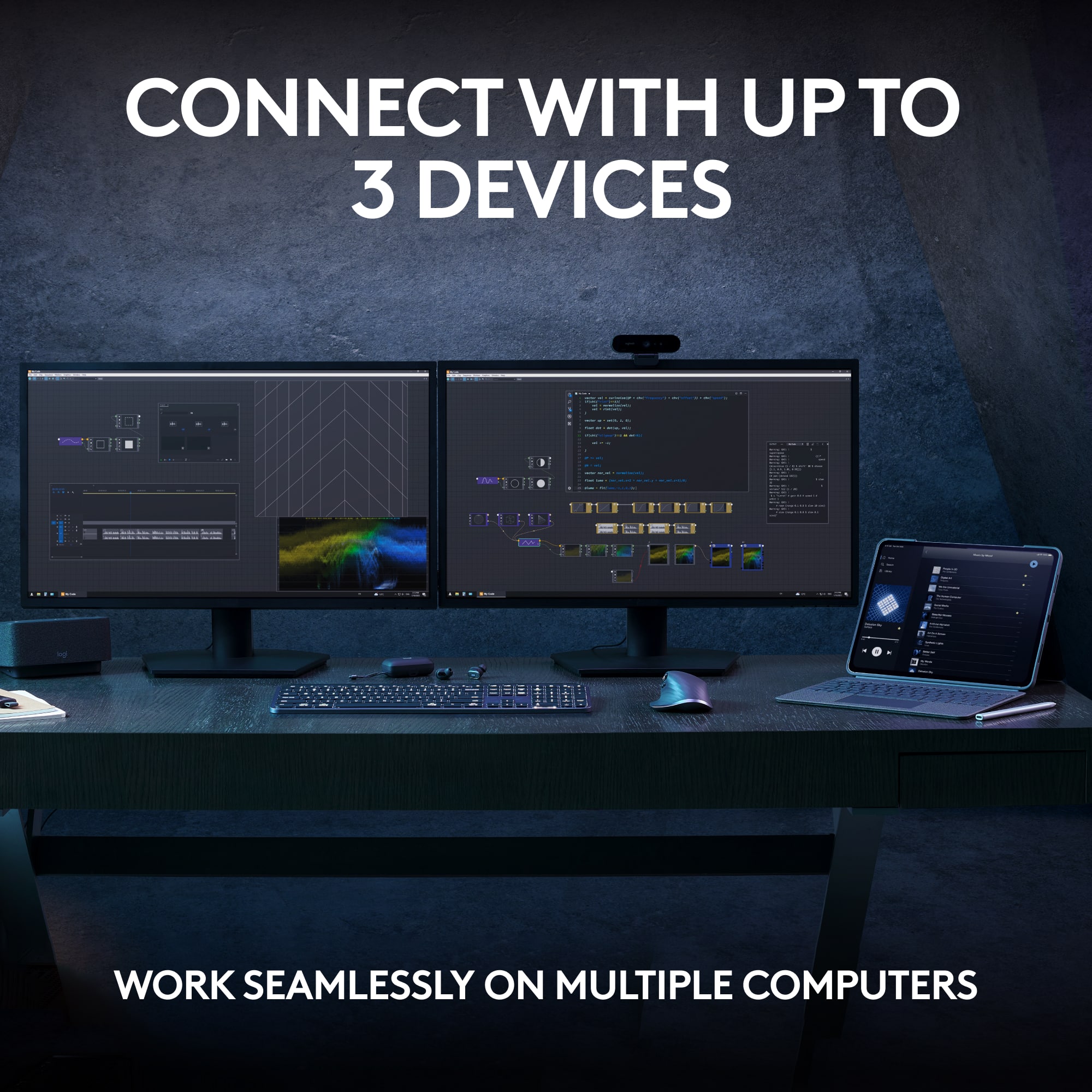
||Posted . Owned for 1 month when reviewed.This reviewer received promo considerations or sweepstakes entry for writing a review.As a PC gamer at heart who likes to use a MacBook to do daily work/general computer usage - this keyboard has been a great bridge between worlds. Having my macbook to the left of my main PC gaming monitor allows me to simply hit a button on the keyboard and switch between the two seamlessly. It may sound like a simple thing, but I promise you - it's a game changer. Toss in the MX Keys Mouse that allows you to do the same and you'll wonder how you ever worked with two computers before. The keyboard itself is extremely well made and the keys, with their slightly indented/concave tactile feel, make typing a dream. The keyboard is incredibly thing, lasts a really long time on a single charge, and is easily transported between desks (if needed). I currently have my 3 profiles on the desktop connected to 1) My gaming PC 2) my macbook pro and 3) my iPad pro. The iPad gets the least usage simply because I rarely ever use it like that, but it's available if needed. I would imagine you could also set this up to pair nicely with a gaming console as well for some of the MMORPGs that release on them. Overall, excellent keyboard that is made even better by it's connectivity to multiple devices. This comes highly recommended by a PC/Mac line straddler.
I would recommend this to a friendCreamy Keys
||Posted . Owned for 3 weeks when reviewed.This reviewer received promo considerations or sweepstakes entry for writing a review.I was looking for a keyboard that was easy to use, good quality, and the key sounds were creamy. I enjoy using this keyboard as the sound it makes isn't jarring and instead is light and creamy like a good keyboard should be. This thing is easy to use and install. I would highly recommend it.
I would recommend this to a friendBrand response from Logitech
Posted .Thank you for your delightful feedback on the MX Keys S! We're thrilled to hear the smooth, “creamy” key sounds and effortless setup have made it such a joy to use. Your recommendation truly captures the thoughtful design and comfort we aim to deliver—appreciate you sharing!

Great keyboard for work and personal use
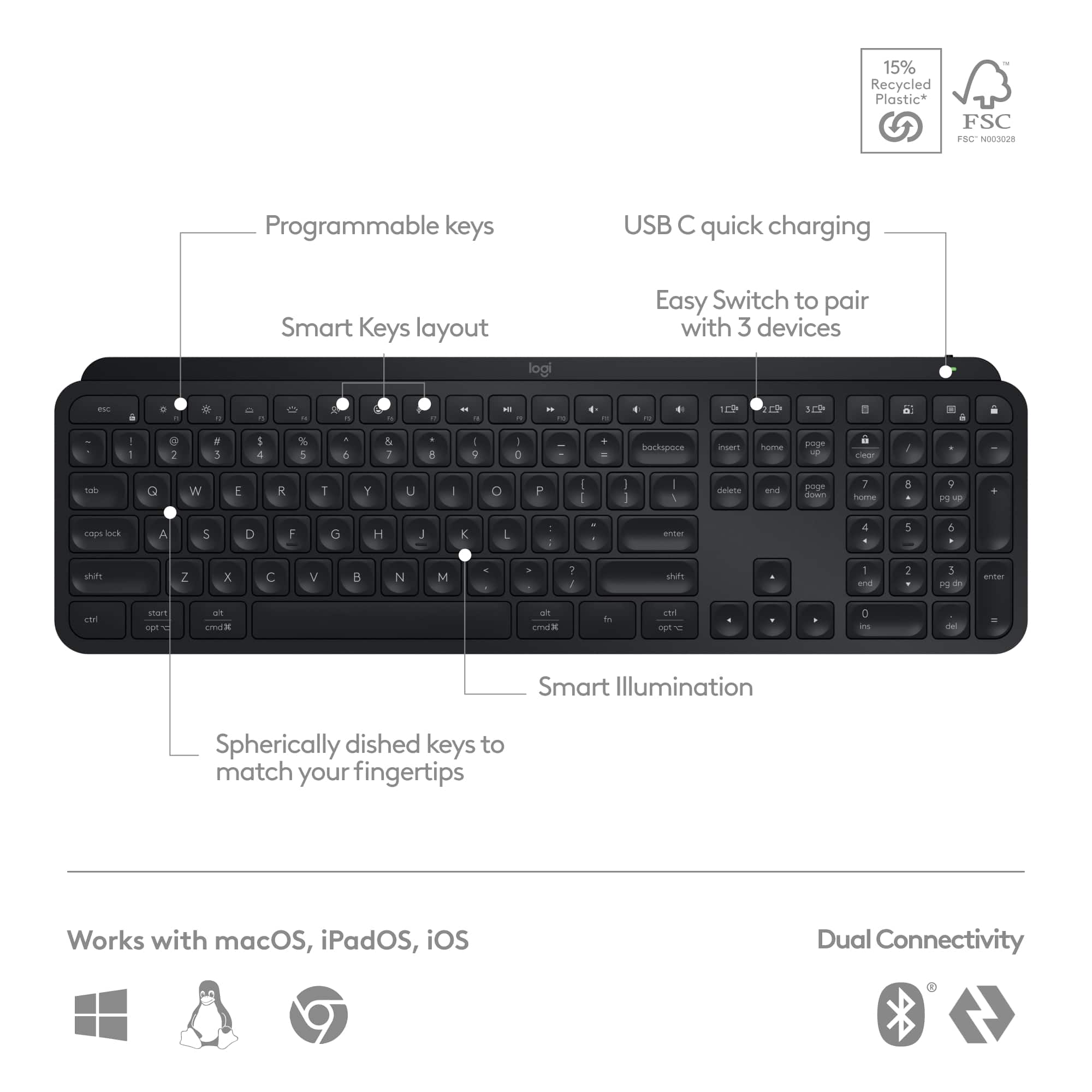
||Posted . Owned for 5 months when reviewed.This reviewer received promo considerations or sweepstakes entry for writing a review.This is my second of these that I've bought. The first keyboard was sacrificed to the gods of spilling my beer on the keyboard while playing D&D... My fault, not the keyboard. This is very quiet keyboard, which is great for my home office use. I have it connected to a Windows PC, a MacBook, and an iPad, with an easy swap on the keys. That's probably one of the best features of this - it's extremely helpful to be able to hit a button and swap from computer to computer.
I would recommend this to a friendBrand response from Logitech
Posted .Glad you're enjoying the quiet MX Keys S and its easy device switching. Thanks for your feedback!

Keyboard + Desk Art
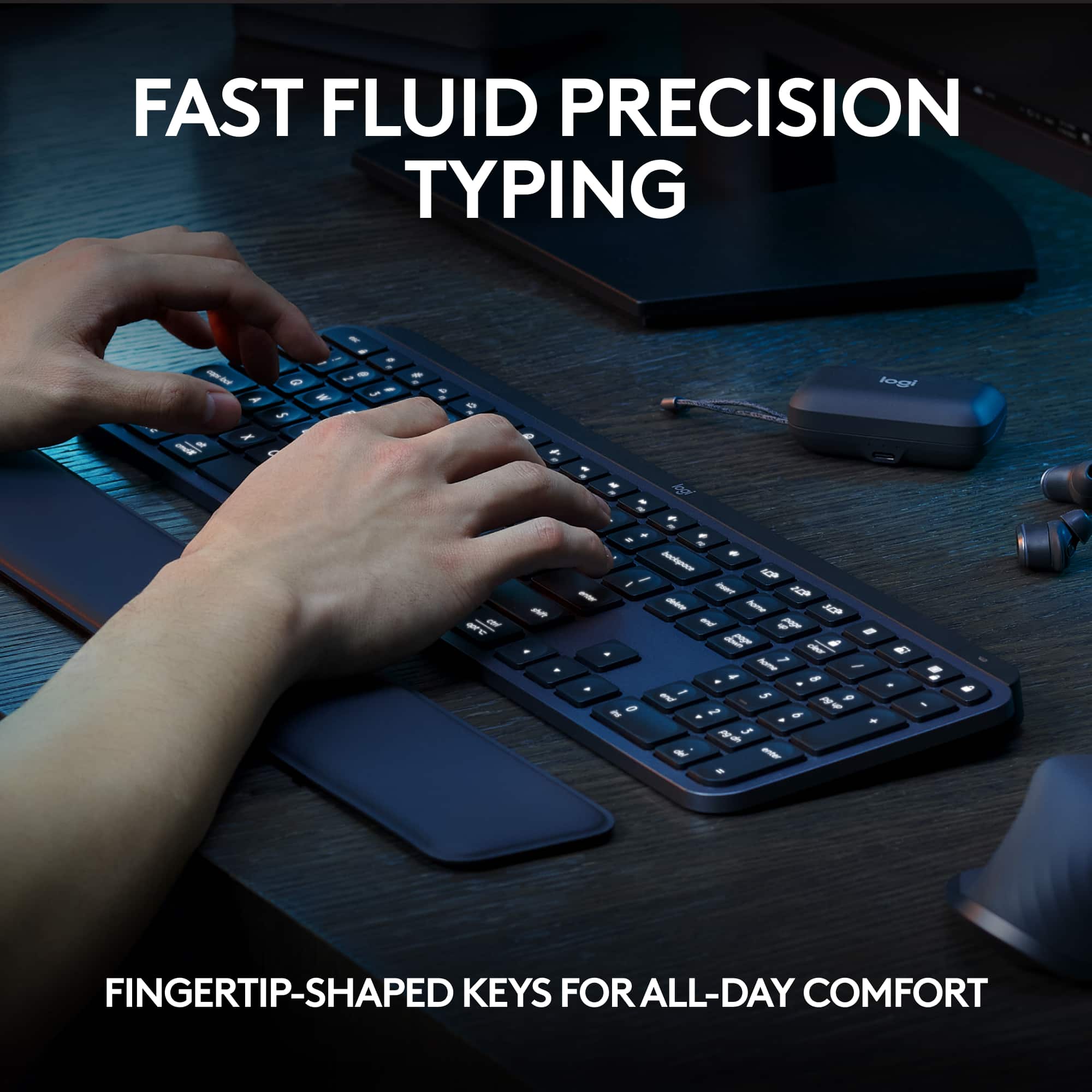
|Posted .This reviewer received promo considerations or sweepstakes entry for writing a review.I've been a user of Logitech product ever since the computer revolution began in the mid 80's. I've abused, spilled liquids, dropped, and worse of all, handed them down to my kids and now, grandkids. When it's time for a new computer, it immediately gets paired with a Logitech keyboard/mouse/trackball, and whatever came with the new pc gets relegated to the junk pile. I don't believe I've ever actually disposed of one of their products - I keep it around, and when someone complains and tells me the keyboard/mouse that came with their pc is junk, I offer them an alternative. For me, their reputation has been impeccable. That said, I was happy to receive their new Keys device. I've submitted photos, but it really needs to be seen and touched in person to appreciate the quality of the build. They say that the backbone of it is cut from a single piece of metal, and it certainly feels solid to the touch. By doing that, it allows them to create a super thin profile (I've attached a photo side by side with a AAA battery to highlight.) To me, my favorite feature is the sculpted keys, they have a deep inset that gives you positive feedback as to your finger's spacing; I tend to slide my fingers reaching for the upper keys; I find the design to be very tactile. The keyboard itself is completely silent, if you're a fan of some clickety-clack, then look elsewhere. The lighting is beautiful, bright, without being obnoxiously so. Combined with the Logitech app, there are various setup features you can use to your personal preference. The proximity sensor for lighting works very well, there's no need to ever turn the unit on/off, it sleeps after 15 minutes and wakes with your hovering hand. The Keys S can be used with 3 separate devices, your desktop, laptop, pad, or tv. The only downside I see is there's a lack of a slot for storing the dongle for storage/tranport. My early experience with this unit has been very favorable, and sitting on your desktop the looks are just downright ultra tech business.
I would recommend this to a friendOutstanding Office Keyboard
||Posted . Owned for 2 weeks when reviewed.This reviewer received promo considerations or sweepstakes entry for writing a review.I recently began a new gig that involves traveling to the office a few days a week, and I wanted a new keyboard to celebrate the occasion. This board here simply rocks, it's svelte & lightweight making it super easy to carry with me back and forth to the office. The switches feel good to type on, and they're way quieter than the keyboards in my office's cubes. And having keys to easily swap between devices is super nice, it was pretty easy to set everything up with my office & home computers. Battery life's pretty good too, easily going a number of days between charges. If you're eyeing a new keyboard for the office, you can't go wrong with this beaut here.
I would recommend this to a friendBrand response from Logitech
Posted .That’s a glowing review and well deserved! The MX Keys S is built for modern workflows, with a slim, travel-friendly design and spherically-dished keys that offer quiet, precise typing. The multi-device switching and smart backlighting make it a productivity powerhouse, whether you're at home or on the move. A true office upgrade!
Perfect for productivity
||Posted . Owned for 2 weeks when reviewed.This reviewer received promo considerations or sweepstakes entry for writing a review.I had been considering the MX Keys and saw the Keys S version, which was a bit cheaper and has improved backlighting over the original. The keys are smooth and have a short press, so if you're used to traditional/longer press it'll take a bit to get accustomed to it. It charges with USB C and has lasted a couple weeks before getting down to 50% battery with a mix of brightness. I also like that it has a proximity sensor to turn the lighting off after inactivity and back on when you put your hands over the keyboard again. The keyboard also feels very substantial and well built, despite still being plastic on the exterior. I also like that it can switch between 3 devices with a button press. The one annoyance I've found is that if you're in a bright room, i.e. under florescent lights in an office, the backlighting will likely turn off completely, which can be fixed by putting tape over the sensor. Otherwise, in a dimmer setting, the lighting seems to work pretty well.
I would recommend this to a friendGreat Full size Wireless Keyboard
||Posted . Owned for 1 month when reviewed.This reviewer received promo considerations or sweepstakes entry for writing a review.As a longtime Apple user, I've always been drawn to the exceptional quality of their products. This keyboard stands out as it matches, and perhaps even surpasses, the quality of Apple's full-size keyboards. Additionally, it comes at a more attractive price point. One version is available with Mac-specific keys, though it comes in an unusual silver gray with black keys, which I find less appealing. I opted for the black model, which fits perfectly with my office's color scheme. The feel of the keys are very light, which took some getting use too, the battery life has been impressive so far, and the backlit keys are a definite bonus.
I would recommend this to a friendBrand response from Logitech
Posted .Hey, Thanks for the detailed review of the Logitech MX Keys S keyboard! We especially appreciate you comparing it favorably to Apple's full-size keyboards in terms of quality and price. We're glad you find the black model with backlit keys a good fit for your office's aesthetics, and that you're adjusting well to the feel of the keys. It's great to hear the battery life has been impressive!
Exceptional Typing Experience with this keyboard!
||Posted . Owned for 2 weeks when reviewed.This reviewer received promo considerations or sweepstakes entry for writing a review.I recently upgraded to the Logitech MX Keys S Advanced Full-size Wireless Scissor Keyboard in Black, and I must say, it has exceeded all my expectations. From the moment I started using it, I was impressed by the premium build quality and sleek design. The low-profile keys with scissor switches provide a typing experience that is both comfortable and responsive. I find myself typing for extended periods without any discomfort or fatigue, thanks to the well-spaced keys and satisfying tactile feedback. The backlit keys are a fantastic addition, especially for late-night work sessions or dimly lit environments. The adjustable brightness levels allow me to customize the lighting to suit my preferences, enhancing both functionality and aesthetics. One of the standout features of the MX Keys S is its seamless wireless connectivity. Pairing with my devices was effortless, and I appreciate the ability to switch between multiple devices with the press of a button. Whether I'm typing on my laptop, tablet, or smartphone, the keyboard maintains a reliable connection without any lag or latency. Another aspect that sets this keyboard apart is its long battery life. With a single charge, I can go weeks without needing to recharge, making it incredibly convenient for use on the go. Overall, the Logitech MX Keys S keyboard delivers an exceptional typing experience that combines comfort, versatility, and durability. Whether you're a professional needing a reliable workhorse or a casual user looking for a high-quality keyboard, this product ticks all the boxes. I wholeheartedly recommend it to anyone in the market for a top-notch wireless keyboard.
I would recommend this to a friendBrand response from Logitech
Posted .Hey there! We're thrilled to hear such amazing feedback about the Logitech MX Keys S Advanced Full-size Wireless Scissor Keyboard! It's fantastic to know that it's exceeded your expectations in every way.

This is worth it
|Posted . Owned for 3 weeks when reviewed.This reviewer received promo considerations or sweepstakes entry for writing a review.The keyboard is very slim, keys are soft to press and very quiet. It has a white backlight (but does not change colors). There is an option to connect with the little hub or bluetooth. There is a green light that lets you know the battery is good. When it turns red, it is time charge it and it charges fast. And the software to customize is pretty nice. There was nothing that confused me, and its simple. I love this.
I would recommend this to a friendBrand response from Logitech
Posted .Hey there! Thanks for the detailed review of the MX Keys S! It sounds like you're really enjoying the quiet, low-profile keys and the ease of use.
Labtop Keyboard Experience
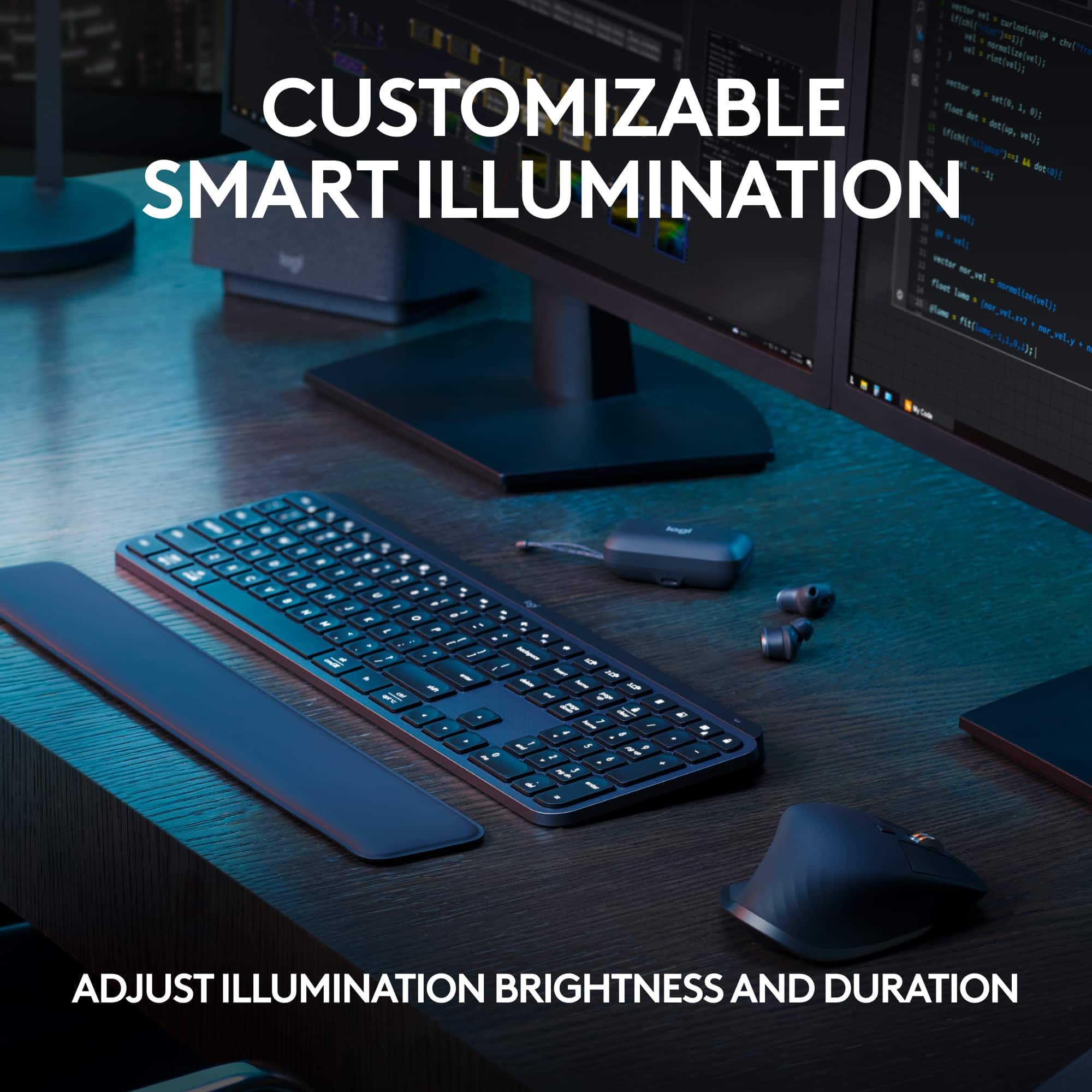
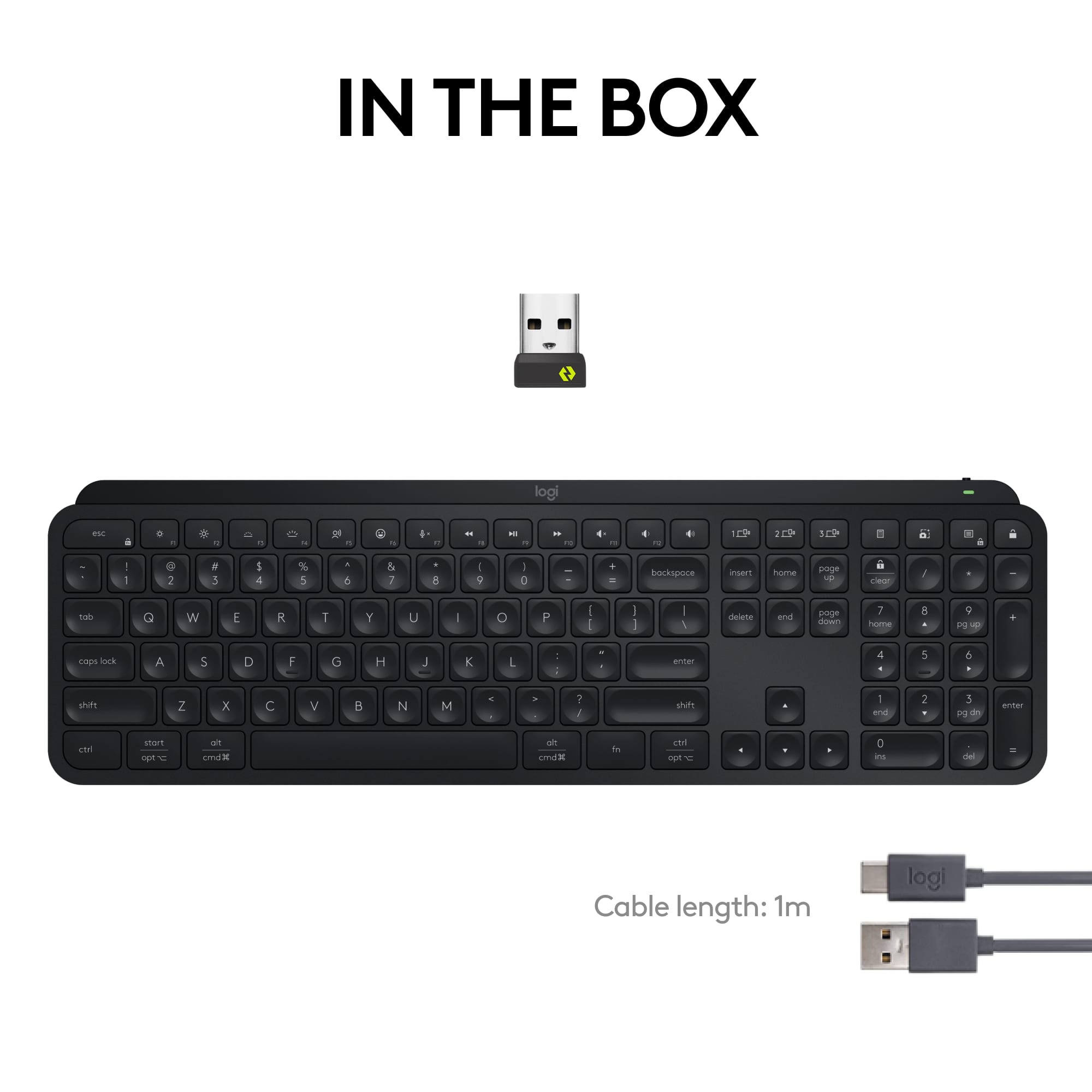
|Posted .This reviewer received promo considerations or sweepstakes entry for writing a review.The Logitech MX Keys Advanced Wireless Illuminated Keyboard comes with a USB-C rechargeable cable that charges the keyboard. To charge, I plugged the cable into my desktop computer. The keyboard lights up as soon as you touch it. This is nice so that you are able to see the keys at night. I have a lot of low light in the room that I am in, so this is a nice touch. The keyboard is also portable. Your able to disconnect the cable from the keyboard and take it throughout the room that your in, and your able to still type. The keyboard is also fancy because you have the ability to type on multiple devices by selecting the 1, 2, or 3, device button. Also, like that they have calculator button that your able to push. This is important to me because I compute a lot of items for my workplace. Also, this keyboard features a snip button for you to be able to take screen shots of the computer screen. That's so cool to me. It's the little things that make the difference to me. I type over 100 words a minute and this keyboard is able to keep up with my typing speed. The keyboard also has a dictation, emoji, a volume control button, and much more. Overall I like this keyboard. Pros: Light Weight Portable Fluid Typing Experience (Keeps up very well) Not Bulky Smart Illumination USB-C rechargeable Cable/Cord Cons: None at this time. Yes, I would recommend this keyboard to others.
I would recommend this to a friendTook some getting use to
||Posted . Owned for 3 weeks when reviewed.This reviewer received promo considerations or sweepstakes entry for writing a review.This Logitech MX Keys S Bluetooth keyboard isn't ideal for me. During the month I've owned it, I've found I make more mistakes using it, because I'm so accustom to the Apple keyboards' layout. I bought this one because it has backlit keys (Apple's keyboards do not have this feature) and is Bluetooth, for my new Mac mini. Lately, I was seriously considering exchanging it for a new Bluetooth Apple Magic Keyboard w/ numeric pad attached, but I really like the backlighting, so am keeping it, plus it was on sale when I bought it, so almost $100 less than Apple's Magic Bluetooth Keyboard. The battery lasts a really long time in this Logitech keyboard, as they do with their mice. I've yet to need to recharge it, despite heavy daily use.
I would recommend this to a friendBrand response from Logitech
Posted .It sounds like you've given the MX Keys S a good try! We appreciate you sharing your honest thoughts about the transition from an Apple keyboard layout.
Good battery life, nice features, QUIET
||Posted . Owned for 3 weeks when reviewed.This reviewer received promo considerations or sweepstakes entry for writing a review.So... I had a keyboard I was happy with, but then I got hearing aids, and discovered that it was LOUD - I'd just never noticed because it was loudest in the frequencies I'd lost the most hearing in! So I went to my local Best Buy and tried out all the keyboards on display. This one wasn't the absolute quietest, but it was the most quiet one that was under $100, and I liked the fact that it could be set up to work with up to three different computers (I'm a computer guy, so I've got a few old computers running as servers that I don't usually need to have a keyboard on.) Since getting it, I've discovered that I really like having the screenshot key and emoji key! I like to use social media via my computer so I can type instead of pecking at a tiny virtual keyboard, and being able to easily insert emojis from my computer is great! My one issue is that Logitech has once again introduced a new type of wireless USB connector, so this keyboard can't use the "unifying receiver" my mouse uses, and the mouse can't use the "bolt" receiver the keyboard uses, so I'm using two USB ports now instead of just one. Battery level is currently 55% about two weeks after I last charged it, and since I work from home, I use it a lot. It charges via USB-C cable (included), and the cable is long enough that I can charge it and use it at the same time. For those who have a PC and a Mac, this keyboard can work with both, and the modifier keys are labeled for both.
I would recommend this to a friendNice Keyboard for everyday use
||Posted . Owned for 1 week when reviewed.This reviewer received promo considerations or sweepstakes entry for writing a review.This is an excellent keyboard. For an amateur such as me, typing is painless. The ighted keys are a convenience, but not really necessary. Occasional recharging is needed, about every two weeks in my case. I simply leave the charging cable attached to the keyboard and connect it to the computer as needed. I would prefer a slightly higher angle, but propping it up on the monitor base is acceptable.
I would recommend this to a friendBrand response from Logitech
Posted .We're glad to hear that the Logitech MX Keys S has been a great fit for your everyday needs! Your positive feedback on its comfort, ease of use, and backlit keys is appreciated. We'll take your suggestion about the keyboard angle into consideration for future product improvements. Thank you for sharing your experience.
Cool light up feature, comfortable to use
||Posted . Owned for 1 month when reviewed.This reviewer received promo considerations or sweepstakes entry for writing a review.This keyboard works great. I love the light up feature so I can see what I am typing. The charge lasts a long time and is quick and easy to charge and I like how you can charge while you are using it. Easy to turn keyboard on and off. No lag or anything, works perfectly. Comfortable to type.
I would recommend this to a friendBrand response from Logitech
Posted .Thanks so much for the great feedback! We're thrilled to hear how well the keyboard is working for you. The backlit keys, long-lasting charge, and smooth performance really do make it a standout. It’s awesome to know it’s bringing both comfort and convenience to your setup!
Only one hiccup
||Posted . Owned for 4 months when reviewed.This reviewer received promo considerations or sweepstakes entry for writing a review.I picked this keyboard up to replace a work one (some trash Dell model). I wanted something slim and lightweight for going back and forth to the office. I type a lot of numbers so I needed a full sized for the numpad. I also wanted a keyboard that didn’t need charging too often. The MX Keys S fits pretty much all my criteria. It doesn’t add much weight to my bag for when I need to bring it and my laptop into the office. I get about a week and a half to two weeks per charge. And it’s whisper quiet so no complaints from the coworkers. There are 2 things that keep this keyboard from being a perfect 5 stars. First, the battery indicator. You only get a light indicator that shows green for 11% to 100% charge and red for 10% and below. It would be nice if there were maybe 4 bars and you got 25, 50, 75, 100. Or different colors in that one indicator to give you a better idea. The second knock is the major one for me. The escape key is unnecessarily massive. It causes all the function keys to be shifted 75% of a key space over. I have to rename a lot of documents with my work and I am constantly hitting F1 instead of F2. It’s annoying. I’m not sure what the reasoning was for making the escape key so large but it’s a huge annoyance.
I would recommend this to a friendBrand response from Logitech
Posted .We appreciate your feedback on the Logitech MX Keys S. We're sorry to hear about the issues with the battery indicator and escape key. We'll consider your suggestions for future improvements.
Love the keyboard!
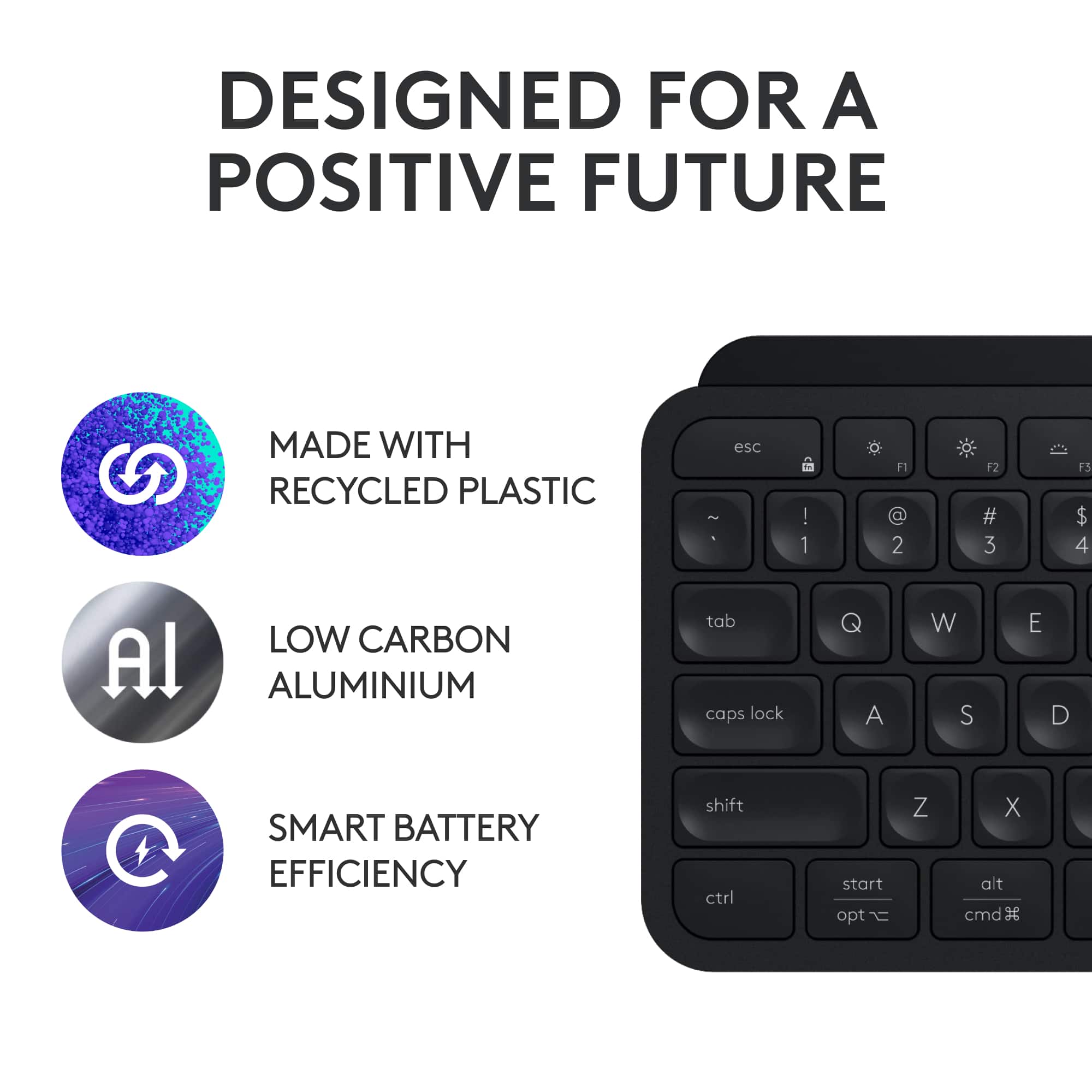
|Posted . Owned for 2 months when reviewed.This reviewer received promo considerations or sweepstakes entry for writing a review.The keys feel great on the fingers. It feels like a premium keyboard at a reasonable price. The only negative is the backlight drains the battery in a couple weeks; however, with no backlight it will last over a month on a single charge.
I would recommend this to a friendBrand response from Logitech
Posted .Thanks for the thoughtful review. We're glad the MX Keys S delivers a premium typing experience and appreciate your feedback on battery life with backlighting.
Switched from Apple Keyboard
||Posted . Owned for 1 month when reviewed.This reviewer received promo considerations or sweepstakes entry for writing a review.I was not happy with the Apple keyboard because it slid all over the place. Contemplated the change for a long time and finally decided to switch once I was able to get a feel on a model. Keyboard has more weight and better key feel. The downside was it has no legs to change the keyboard angle so I use a wrist pad to lift the keyboard to a better angle that suits me. A positive is that I can connect three different devices to the one keyboard which is great when I go from my work laptop to my personal laptop. It seems to connect faster to a Windows device than Apple. You can connect to phone as well but haven’t tried this yet. Real happy that I made the change
I would recommend this to a friendBrand response from Logitech
Posted .We appreciate your detailed feedback on your switch to the MX Keys S! It's great to hear you're happy with the weight, key feel, and multi-device connectivity. We understand your point about the lack of adjustable legs and appreciate you sharing your workaround. We're glad you're enjoying the keyboard!
Amazing
||Posted . Owned for 1 year when reviewed.This reviewer received promo considerations or sweepstakes entry for writing a review.Love this keyboard, you can change the brightness so it last longer and dont be to bright at night. It know when your fingers are near the keys and power for the light lay for awhile on one charge. Only thing i woud say is make it a.bit bigger not a fan of the slim but thats it.
I would recommend this to a friendBrand response from Logitech
Posted .That's great to hear you love the MX Keys S! It's good to know you're appreciating the adjustable brightness for battery life and nighttime use, as well as the smart illumination feature and long battery life on a single charge. Thanks for your feedback about the size – that's valuable for our design considerations!
Definitely a good buy for MacBooks
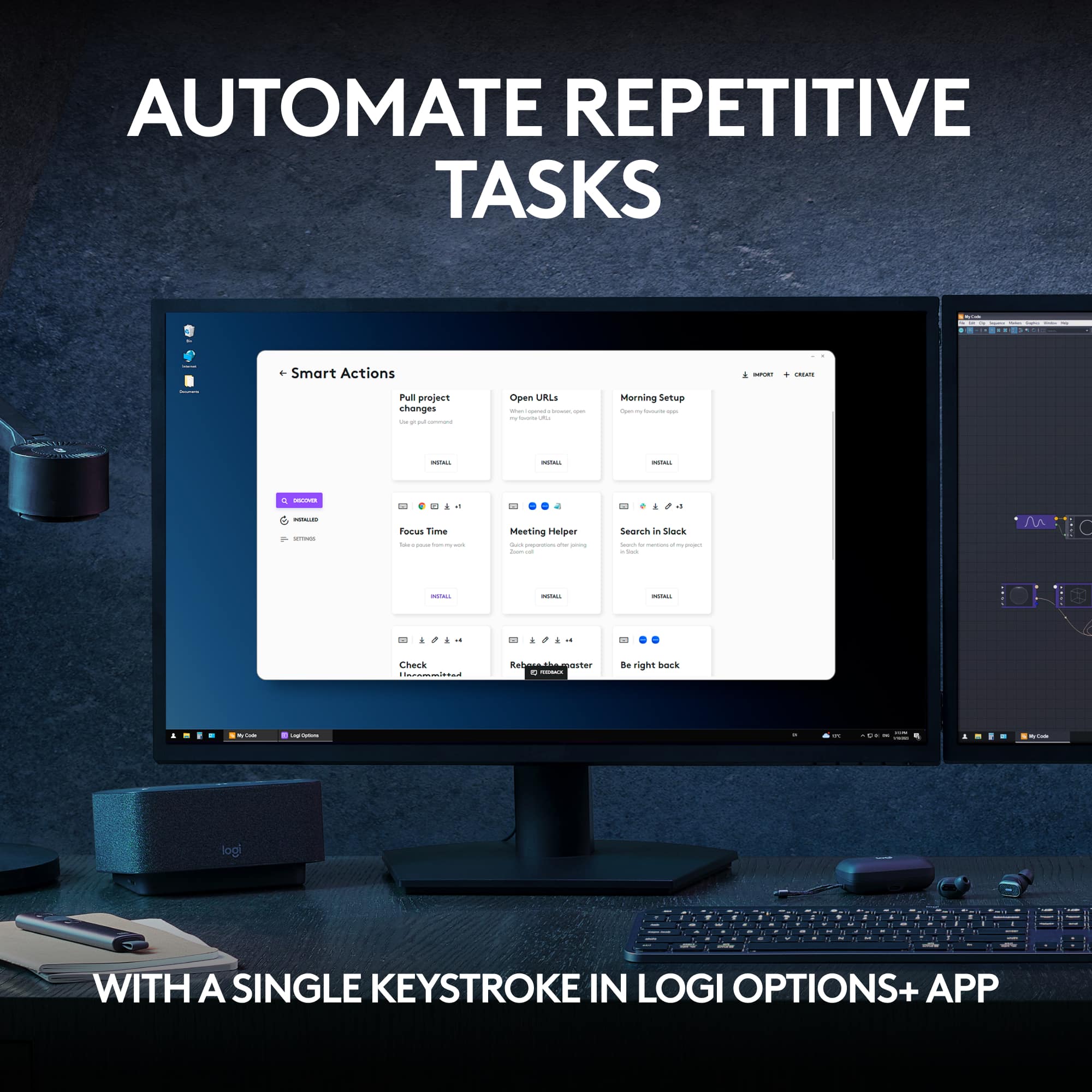
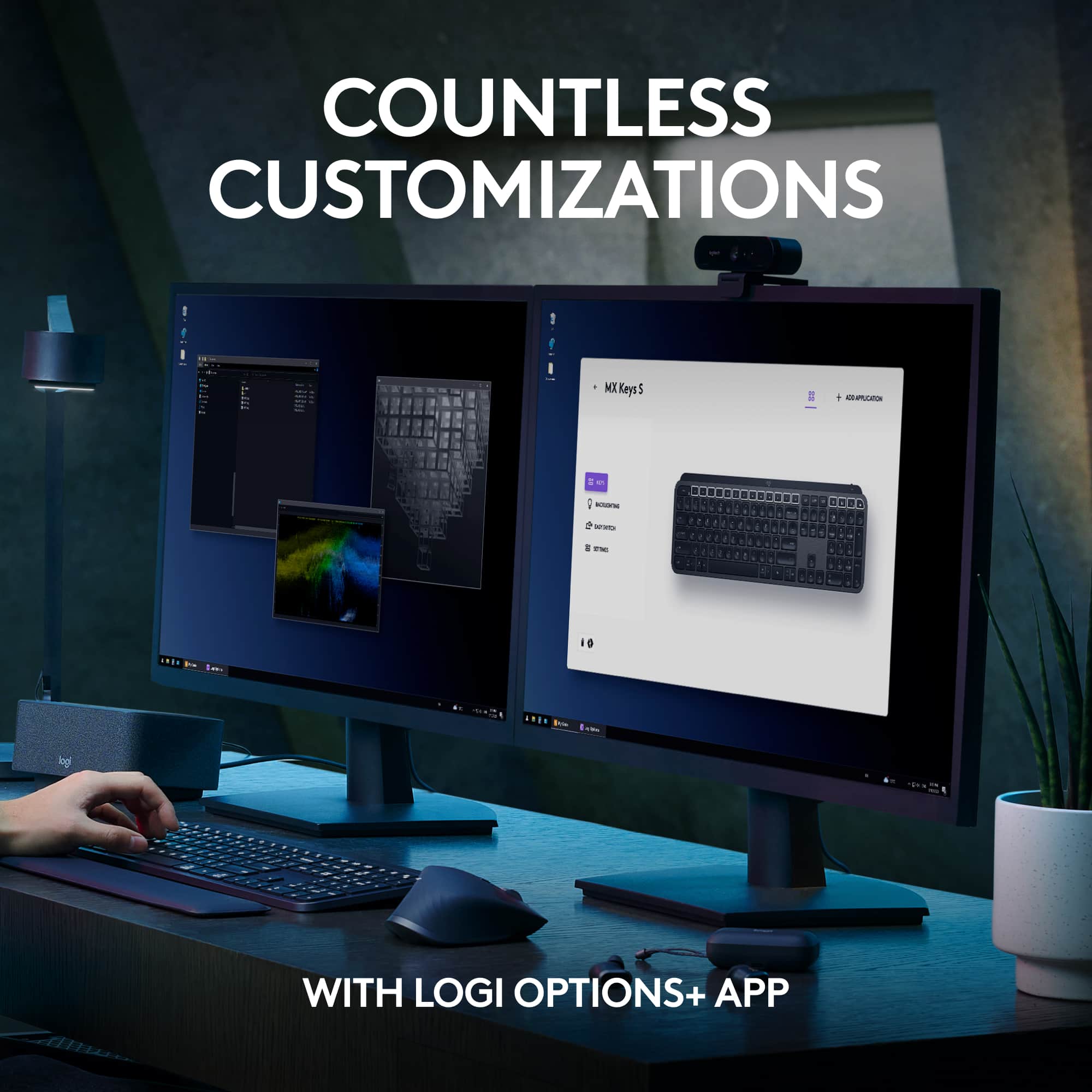
||Posted . Owned for less than 1 week when reviewed.This reviewer received promo considerations or sweepstakes entry for writing a review.Use case: software engineer, MacBook Pro TLDR: enjoying this keyboard, it has a nice tactile feel, quiet operation, and the customizable buttons are very handy. It is also great that it has Mac compatibility out of the box without having to remap keys manually or needing to swap caps/labels. long version: Getting to this keyboard was a little bit of a journey. For several years now I have used a mechanical tenkeyless wired keyboard that I really loved. Maybe 5 or 6 years? But since beginning a new job last year I have been regretting the lack of a numpad. The keyboard brand I was using sells a separate numpad that cost as much as a whole keyboard, so I decided to just buy their full keyboard. Since they (and most keyboards) are meant for PC users, it meant buying some new keycaps and remapping Windows-specific keys... also a few keys were there that don't really fit Mac users. Yet their proprietary software (and most others) doesn't work with Mac so changing that isn't easy always simple. The keyboard had a slightly awkward layout and one of the keys had issues, so after a while I returned it and decided to give the Apple keyboard a try. Turns out the new Mac keyboard only lets the latest MacBooks use Touch ID and I was really disliking the keyboard's lack of tactile feedback and general flatness. So, after giving that one a month I returned it as well and decided to give this one a try after testing every keyboard in the store. I already had the MX mouse, so that was a bonus. (highly recommend that mouse as well btw) I have really been enjoying this keyboard. The keys give me a nice tactile feedback that is reminiscent of the mechanical board I have loved the past several years. Not the same of course, but so much better than Apple's keyboard. There are four specialized buttons over the numpad that are easy to program (with Logitech's software) to do just about anything you could want. It is super handy that I now have ChatGPT and screenshots using my favorite screen capture software with the press of one button compared to the usual series of clicks/key presses. It also has plenty of features that make it friendly to use with a MacBook - like controlling the brightness of the screen, locking the system, controlling volume, emojis, etc. There are features I haven't even tapped into yet as well, like linking automated task sequences to those keys. Theoretically I could program it to do everything I manually do on reboot/start up to be automated with a single button press... but given I am a lazy user that typically doesn't reboot until MacOS reminds me it would be a good idea at least seven times, I would rather map the keys to things I do multiple times a day.
I would recommend this to a friendBrand response from Logitech
Posted .Wow, thank you for this incredibly detailed and helpful review! Your insights into the keyboard's features and your comparison to other options are invaluable to potential customers. We're thrilled you found the MX Keys S to be the perfect fit for your needs as a software engineer. Your enthusiasm for the product is contagious!
What a pleasure, a perfect keyboard!
||Posted . Owned for 3 weeks when reviewed.This reviewer received promo considerations or sweepstakes entry for writing a review.I have tried many different keyboards in the past two years, including mechanical with RGB light effects and a bunch of lower cost keyboards. Most of them were adequate, but there was always something with each one that made me look for yet another one! I've had several Logitech peripherals along the way and one of them was an MX Anywhere 2S mouse that I bought back when it was first introduced. That mouse was and still is one of my favorites. I use it with a desktop, two different laptops, three different smartphones and several tablets. It is relatively small and was easy to take on trips around the world before I retired. I have added a 27" iMac and a Herk Orion1 mini-PC to my bevy of computers and needed to get another mouse because I was using the 2S with everything. Same story as the keyboard, I tried several, but none felt just right. Based on the positive experience over a long time using the 2S I already knew I had to try the MX Master 3S mouse and decided to mate that with the MX Keys full-sized keyboard. After more than a half-dozen mouses & keyboards, some of which were pretty inexpensive, the Logitech solution seemed expensive. After a few months waiting for them to go on sale (which did not happen!), I finally bit the proverbial bullet and bought them both. I could not be MORE pleased with my decision. They are both "Cadillac" devices. They look, feel and work as perfectly as anything I have tried, and I have been working with computers since the mid-1970s. Over that time, I have seen and used every kind of keyboard and mouse that came along, and this combination feels great. The keyboard has a significant physical weight and stays put. The layout and keycap shapes make it a joy under your fingers. The backlighting and letters on keycaps ae perfect. My ONLY "complaint" is that the backlight goes off after a bit, so in a darkened room I sometimes have difficulty when I start typing, so I put my hand close to it to get the LEDs going. I leave it plugging in to a USB-C port so no worries about battery. Other than that, everything is roses with this thing!
I would recommend this to a friendBrand response from Logitech
Posted .Thank you for your amazing review of the Logitech MX Keys S keyboard! We're thrilled to hear that it's the best keyboard you've ever used and has exceeded your expectations. Your positive feedback means a lot to us as we continue to create exceptional products that elevate your computing experience.