Customer Ratings & Reviews



- Model:
- QSZ-00001
- SKU:
- 6379627
Rating by feature
- Value
Rating 4.4 out of 5 stars
- Quality
Rating 4.5 out of 5 stars
- Ease of Use
Rating 4.4 out of 5 stars
Customers are saying
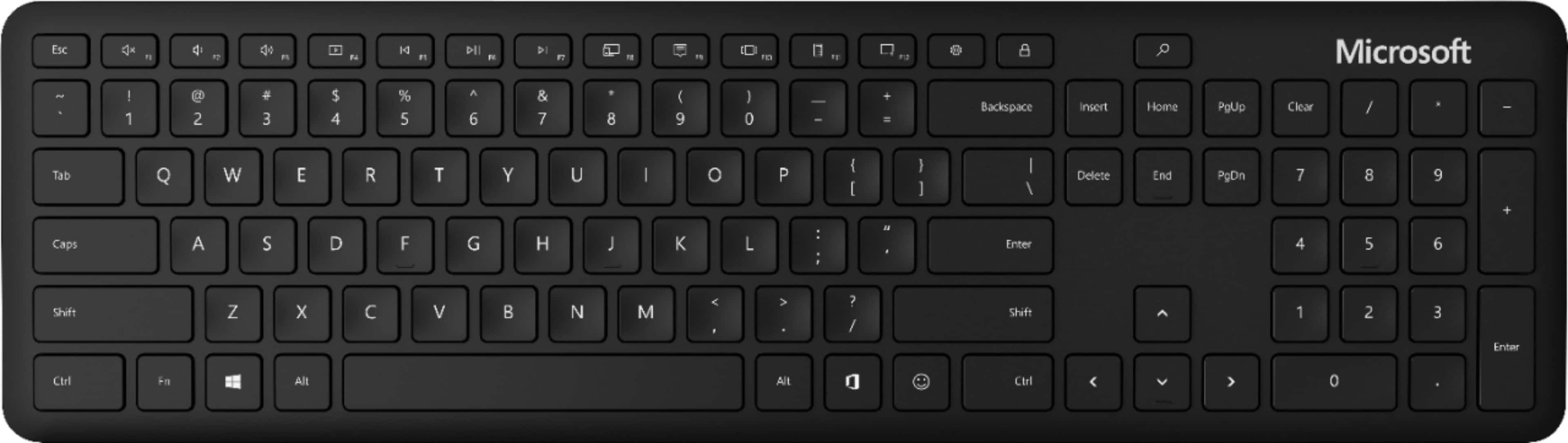
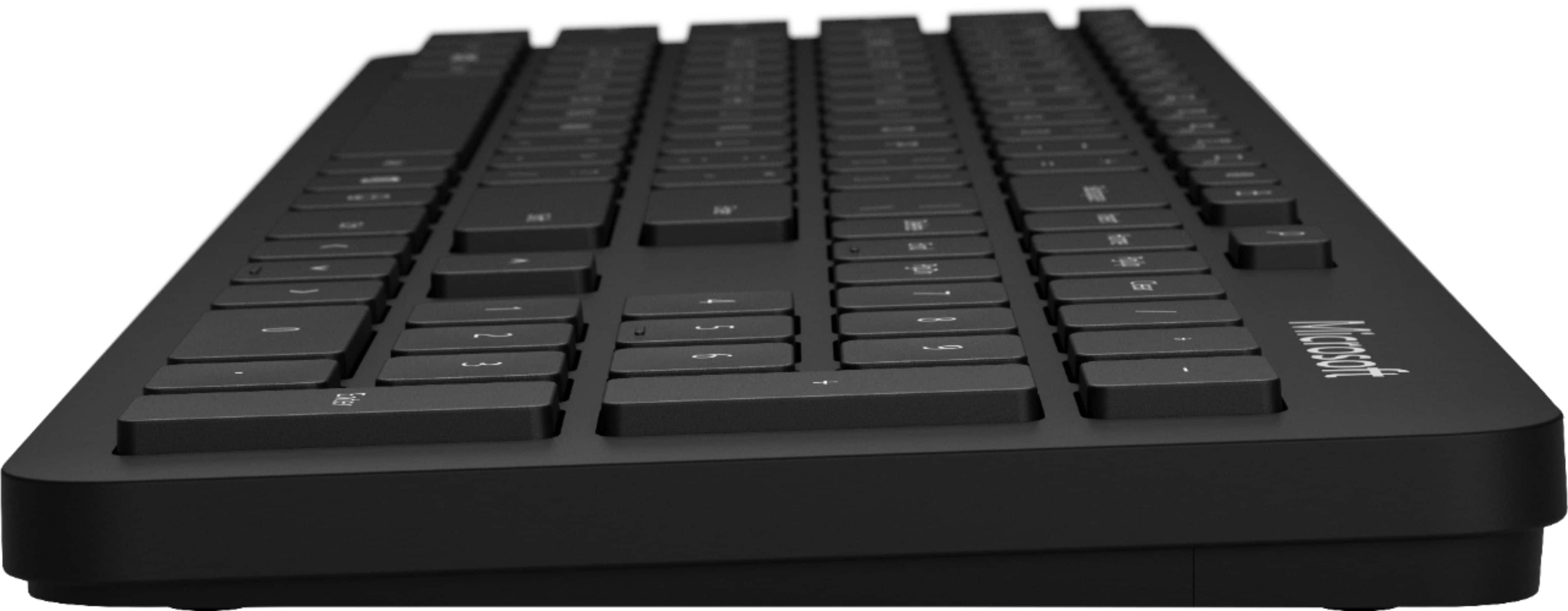
Customers value the Full-size Wireless Bluetooth Keyboard for its wireless connectivity, easy setup, compact size, quiet keys, and affordable price. They appreciate the convenience of not having to deal with wires, the simplicity of connecting the keyboard to their devices, and the portability of the device. While some customers have concerns about the lack of a caps lock indicator light, compatibility issues with Mac devices, and the build quality, overall, customers are pleased with the keyboard's performance and find it well-suited for their work-from-home needs.
This summary was generated by AI based on customer reviews.
- Pros mentioned:Wireless
Great keyboard for the money!
||Posted . Owned for 1 month when reviewed.This reviewer received promo considerations or sweepstakes entry for writing a review.I needed a small smooth typing keyboard (don’t like the loud/clicky keyboards) and this did the trick. Please note that this is a Bluetooth keyboard (it does not connect via a USB dongle). I love typing on this thing…..you won’t be disappointed.
I would recommend this to a friend - Pros mentioned:Quiet
Very quiet keyboard
||Posted . Owned for 1 month when reviewed.This reviewer received promo considerations or sweepstakes entry for writing a review.Quietest keyboard I could find. Sure it still makes clicky sound but more quiet than most others especially for the $. I've been using it for a month and I've run into 1 bluetooth connection issue while bringing the computer out of sleep. Hopefully that isn't a coming pattern.
I would recommend this to a friend - Pros mentioned:Easy to connect, Quiet
Great
||Posted . Owned for 3 weeks when reviewed.This reviewer received promo considerations or sweepstakes entry for writing a review.Great keyboard. Keys are soft and quiet. Easy to connect to my computer.
I would recommend this to a friend - Pros mentioned:Compact, Easy to connect
Happy
||Posted . Owned for 1 month when reviewed.This reviewer received promo considerations or sweepstakes entry for writing a review.Easy to connect and set-up. Compact and lightweight. Reasonably priced.
I would recommend this to a friend - Pros mentioned:Wireless
Keyboard that gets the job done!
||Posted . Owned for 1 month when reviewed.This reviewer received promo considerations or sweepstakes entry for writing a review.This keyboard works well. The keys are comfortable and easy to get used to. The bluetooth connection works really well 95% of time with my MacBook Air. At times, the number key pad stops working properly, but that could potentially be fixed in settings. I have not fully investigated that.
I would recommend this to a friend - Pros mentioned:Wireless
Nice keyboard
||Posted . Owned for 1 month when reviewed.This reviewer received promo considerations or sweepstakes entry for writing a review.Overall I am very satisfied with this keyboard. It has a nice feel and it was easy to pair with my laptop. I bought this because it is Bluetooth, has the number keypad and a calculator button. My only gripe is it lays flat because it does not have feet to prop it up.
I would recommend this to a friend - Pros mentioned:Compact, Wireless
Microsoft - Bluetooth Keyboard - Black
||Posted . Owned for 1 month when reviewed.This reviewer received promo considerations or sweepstakes entry for writing a review.Comfortable compact keyboard. Easy to use and wireless setup is easy too.
I would recommend this to a friendBrand response from MicrosoftOutreachTeam
Posted .Hey there,
Thanks for leaving a review! We're delighted to hear you've been enjoying your new Bluetooth Keyboard and that setting it up was a breeze!
Cheers,
Heather
Microsoft Customer Care
- Pros mentioned:Easy to connect, Wireless
Great wireless keyboard
||Posted .This reviewer received promo considerations or sweepstakes entry for writing a review.This is a sleek, Bluetooth capable keyboard. Easy to setup and use.
I would recommend this to a friendBrand response from MicrosoftOutreachTeam
Posted .Hi Beth,
We appreciate your review. We're glad to hear that you enjoy the Microsoft Bluetooth Keyboard and had an easy time setting it up.
Have a great one,
Nelson
Microsoft Customer Care
- Pros mentioned:WirelessCons mentioned:Caps lock indicator
Not terribly happy
||Posted . Owned for 1 week when reviewed.This reviewer received promo considerations or sweepstakes entry for writing a review.The keyboard is fair, but has some significant faults. I'm disappointed that Microsoft let this leave in the ergonomics it has. Fit and finish are classic Microsoft, being great. The key depression has a good feel, the connectivity is great, and it looks good. The problem I have with it is the key placement. EVERYTHING is far too close to everything. I can't tell you how many times I've hit the caps lock instead of the A key and various other keys. I don't have this problem on laptops, which incidentally have the same size keyboard without the 10 key. It's just too slim. Make sure that's what you want.
No, I would not recommend this to a friend - Pros mentioned:Wireless
Awesome Keyboard!
||Posted . Owned for 2 months when reviewed.This reviewer received promo considerations or sweepstakes entry for writing a review.This keyboard is fantastic. The low profile styling and touch of the keys are great features. Love the fact it is wireless and can be moved on the desk top to suit the typist's preferred placement. I would definitely purchase this keyboard again and my entire family agrees they love it also. Great purchase - Highly recommend!
I would recommend this to a friend - Pros mentioned:Wireless
Basic but works
||Posted . Owned for 1 month when reviewed.This reviewer received promo considerations or sweepstakes entry for writing a review.It's a pretty basic keyboard, but being wireless via Bluetooth helps reduce wires on your desk for a clean work area.
I would recommend this to a friend - Pros mentioned:Wireless
Good keyboard for the price
||Posted . Owned for 3 weeks when reviewed.This reviewer received promo considerations or sweepstakes entry for writing a review.Needed a keyboard that I could use for work from home station and this was a good deal/price. Although it is less comfortable and sleek as the Apple's Magic Keyboard, this does the job and really easily connected to all devices with a Bluetooth connection.
I would recommend this to a friend - Pros mentioned:WirelessCons mentioned:Build quality
Not worth
||Posted . Owned for 2 weeks when reviewed.This reviewer received promo considerations or sweepstakes entry for writing a review.It is good to have Bluetooth, but this is not worth $50, $10 is the most, bad quality,
No, I would not recommend this to a friend - Pros mentioned:Wireless
Pliers Required
||Posted . Owned for less than 1 week when reviewed.This reviewer received promo considerations or sweepstakes entry for writing a review.The keyboard types well and feels sturdy. But the first thing you will want to do is use a pair of needle-nose pliers and remove the lock button they placed RIGHT ABOVE THE BACKSPACE. It can't be disabled with Microsoft PowerToys. Just do yourself a favor and pop the key off. Then you have yourself a great bluetooth keyboard!
No, I would not recommend this to a friend - Pros mentioned:Price
Decent but one problem
||Posted . Owned for 1 month when reviewed.This reviewer received promo considerations or sweepstakes entry for writing a review.Decent price for this bluetooth keyboard. Layout is nice and simple so typing is pretty smooth. One problem for me and hence the 4 stars is it lacks height/angle adjustment so I had to improvise and create my own.
I would recommend this to a friend - Pros mentioned:Easy to connect
Great item at a decent price
||Posted . Owned for 1 month when reviewed.This reviewer received promo considerations or sweepstakes entry for writing a review.This keyboard fits well on my smaller desk and was really easy to connect to my laptop. The function keys are different from my Acer laptop, however they are more diverse and have been really helpful for me as I'm getting used to my new setup. The keyboard isn't loud, but still makes a slight clacking sound which I find therapeutic.
I would recommend this to a friend - Pros mentioned:Wireless
Microsoft - Bluetooth Keyboard - Black
||Posted . Owned for 3 weeks when reviewed.This reviewer received promo considerations or sweepstakes entry for writing a review.We bought this for an elderly family member who doesn't want a laptop computer. She only has a tablet and it is a struggle to have to type emails. We also bought her a mouse that connects via Bluetooth, so she is all set.
I would recommend this to a friend Keyboard
||Posted . Owned for 3 weeks when reviewed.This reviewer received promo considerations or sweepstakes entry for writing a review.Support on Microsoft’s web site is nonexistent. This keyboard does not have a function lock key of any kind. It is a combination of holding down the function key and then hitting caps lock to activate it. The specific page on Microsoft site for this product has no reference and says use the function lock key. This keyboard has no such key. I almost took it back because of this. I googled and found no help. I finally just kept trying different combinations. Even then it didn’t work, you have to hit the two keys in a specific order or it still won’t lock the function keys.
I would recommend this to a friendBrand response from MicrosoftOutreachTeam
Posted .Hey there,
Thank you for taking a few minutes to share your experience with us, we really appreciate your feedback. Your new Microsoft Bluetooth Keyboard hosts a variety of keybinding options, built to ensure each user has the best interface for them and their workstyle. We recommend the following link, where we host helpful how-to guides and tutorials geared to assist each user as they customize and personalize their setup. Find all you need to improve your experience, here: https://support.microsoft.com/en-us/topic/troubleshoot-problems-with-your-microsoft-mouse-or-keyboard-5afe478d-6402-d72b-93b9-e4235fd5c4cd
Best,
Brad - Microsoft Customer Care
- Pros mentioned:Wireless
Great keyboard - excellent connectivity
||Posted . Owned for 3 weeks when reviewed.This reviewer received promo considerations or sweepstakes entry for writing a review.I purchased this keyboard to make working from home with a laptop more efficient. The bluetooth connectivity is great. It connected seamlessly and I never have trouble or any lag time. The keyboard is low profile which I prefer. Also, the keys are very responsive and quiet. I would recommend the purchase.
I would recommend this to a friend - Pros mentioned:Easy to connect
Good, but not great
||Posted . Owned for 1 month when reviewed.This reviewer received promo considerations or sweepstakes entry for writing a review.The keyboard is very easy to setup, but to connect to a new computer and then switch back you have to remove it from your connected devices and pair it all over again. Inconvenient for my use. Everything else works good so far.
I would recommend this to a friend