Customer Ratings & Reviews


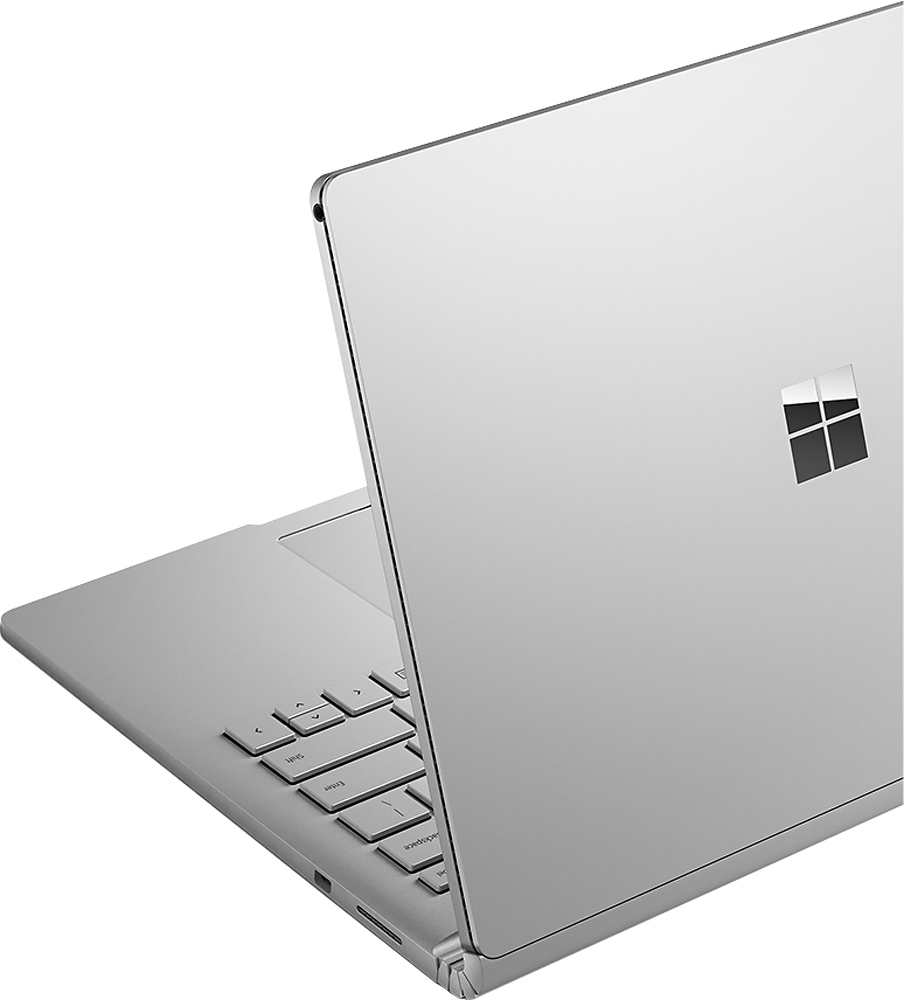
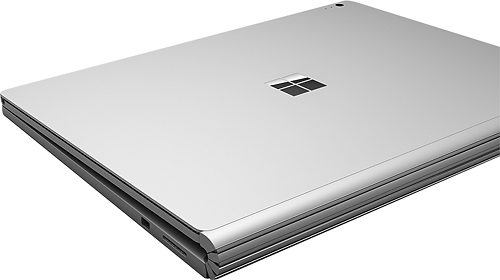

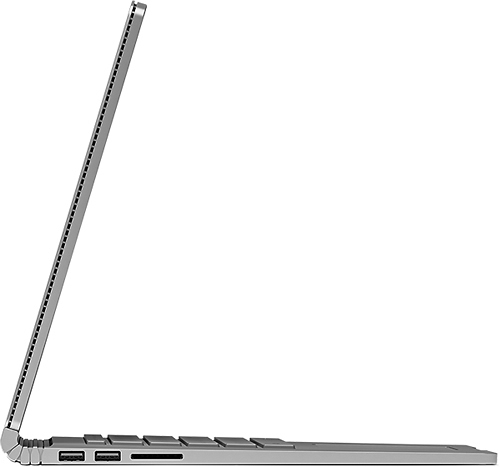
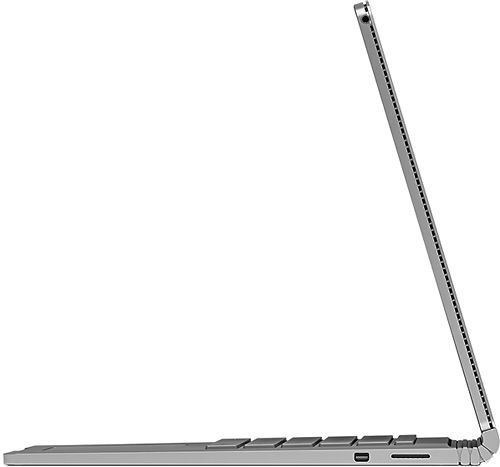


- Model:
- CS5-00001
- |
- SKU:
- 4531300
Customer reviews
Rating 4.2 out of 5 stars with 337 reviews
(337 customer reviews)to a friend
Customers are saying
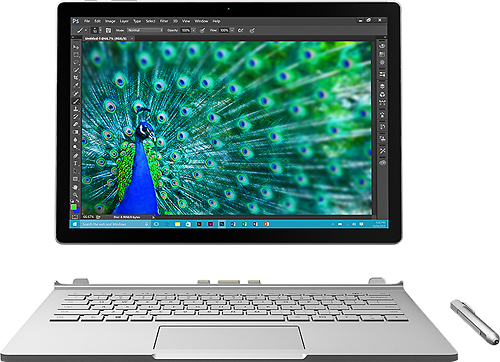
Customers enjoy the Surface Book 2-in-1's beautiful screen, ease of use, lightweight design, and solid performance. Many appreciate its portability and sleek aesthetics, although some experienced issues with the keyboard and battery life. The high price point was also a recurring concern for some buyers. While most found the device to be a worthwhile investment, potential buyers should be aware of these potential drawbacks.
This summary was generated by AI based on customer reviews.
- Cons mentioned:Battery life
Rated 3 out of 5 stars
Disappointed
||Posted .This reviewer received promo considerations or sweepstakes entry for writing a review.The grand total for this product was $2600, so my expectations were high (yet not unrealistic). Right out of the box, it was DOA. I contacted Microsoft who got me up & running, so I can't be too critical there. However, each day I used this machine, a new problem or combination of problems sprang up. I don't have time to deal with the inconvenience of a $2600 system that either won't boot, crashes apps, changes screen brightness at random (not related to the ambient sensor), can't connect to my printer, 3 hour battery life, etc, etc, etc. I'll be returning this one. Darn.
No, I would not recommend this to a friend - Pros mentioned:Processor speed, Screen quality, Weight
Rated 5 out of 5 stars
Dream Machine
||Posted .This reviewer received promo considerations or sweepstakes entry for writing a review.I love everything about this product, got the i7, 256 gb version.Went to a free Best Buy session on Windows 10 and was amazed at how much better this is than 8, kind of like windows 7 on steroids.Screen sharpness is terrrific, watch netfix on this all the time now.Edge browser has so many capabilities and the 2016 version of OneNote is so versatile.Trackpad is a nice feature although I use my bluetooth mouse most of the time.Finally a device that gives you desktop power and tablet capability. Touch screen is great,if you are even thinking of the Ipad Pro, don't, there is no comparison. Very solid and well built,fast, great display, lightweight,what's not to like.Have only used the stylus a few times but it is quite good.
I would recommend this to a friend - Pros mentioned:Ease of use, Processor speed, Screen quality
Rated 4 out of 5 stars
Pretty Good Laptop
||Posted .This reviewer received promo considerations or sweepstakes entry for writing a review.It' is portable and easy to use. Windows Hello is pretty nifty and it connects through miracast on my tv for decent streaming. I wouldn't use it as a second monitor though. It's fast responsive has a few issues I think will be ironed out. It freezes sometimes. Sometimes in switching between tablet, to pc, to tablet the trackpad stops working and you have to reboot. The screen is amazing, the speed is quick, the pen is responsive. It's nice to use it all together and surprising useful. My daughter loves drawing on it. The only drawback, and I knew this going in is that the discrete video card is low end so don't expect to play any real games on it and especially at the resolution the screen can do.
I would recommend this to a friend - Pros mentioned:Processor speed, WeightCons mentioned:Battery life
Rated 4 out of 5 stars
Great laptop for business use
||Posted .This reviewer received promo considerations or sweepstakes entry for writing a review.Very nice looking laptop, fast , and not heavy. I used it for programing and I am happy with it. Two things I don't like about it . Battery is between 3 to 5 hours, and sometimes it hung for no reason.
I would recommend this to a friend - Pros mentioned:Screen quality
Rated 5 out of 5 stars
What a device!
||Posted .This reviewer received promo considerations or sweepstakes entry for writing a review.We purchased the i7, 8GB RAM, and 256GB storage model. Very nicely designed and well manufactured. The finish of the unit is impressive. Feels great in the hands when used as a tablet. This has a larger screen than the surface pro 4, yet the tablet portion is lighter than a surface pro 4. This thing also does not have the voltage delivery issues that the surface pro 4 with the i7 does since this has a different i7 chip (no Iris graphics). When the tablet is docked in the keyboard and the unit has access to the video card it is surprisingly capable of playing games. There is no other device in the same league as the Surface Book as far as usability/power/flexibility all in one package. The storage in these is also a Samsung PCI-e NVMe ssd, which if you know what that is, is the fastest available storage. By Comparison Ipads use traditional flash memory, similar to what you will find in a USB flash drive or an SD card. The screen is gorgeous, the pen works amazingly. Creating casual art with watercolors in Freshpaint with this thing is just a joy. Apple has traditionally had the best finish on their products but this thing gives ipads and macbooks a serious run for their money. The keyboard unit is solid aluminum with the only vents being at the hinge point where the tablet attaches. This is great since the unit can be used as a laptop literally on your lap without fear of suffocating and overheating the unit lake so many netbook/notebook/convertible units. The only thing missing on this device is usb-C / thunderbolt. That was not a deal breaker for us though since this will mostly be getting used as a tablet and there is never any reason for those connections on a tablet. Any kind of connectivity that would be needed is done through wifi/Bluetooth/wi-Di. There is a mini displayport and a couple usb 3.0 connections on the keyboard unit for connecting to a display and other peripherals if needed. One thing worth noting is that the Surface line of products' Wi-Fi pretty much require 5ghz band for wireless. So if you don't have a router that uses the 5ghz band expect to purchase one unless you enjoy awful connections that drop constantly. My favorite thing about the Surface Book is that you can use it as a tablet, run the battery down to almost dead, and then plug it into the keyboard which has it's own battery essentially doubling your uptime. The cost of entry is steep but the Surface Book feels like it will last several years and has plenty of tech built in to serve its purpose during that time. I would definitely recommend getting the protection on this since the batteries are integrated and there is no way to service the device in any way yourself.
I would recommend this to a friend - Pros mentioned:Screen quality
Rated 4 out of 5 stars
Pricey, but worth it so far.
||Posted .This reviewer received promo considerations or sweepstakes entry for writing a review.I bought a Surface Book (Core i7 - 8GB Memory - 256GB SSD) about 6 weeks ago for my wife, and other than one hiccup in the initial setup process, it has performed flawlessly in "almost every day" use for both professional and personal needs. In the office, She loves the processor power and gorgeous, bright, larger-than-average screen with killer resolution. And the Surface Book apparently has far better Wifi reception that any other device we own. Her new home office is in a weak Wifi signal area where most phones, and her previous HP laptop have "sketchy" connections, but the Surface Book grabs that weak signal and maintains a continuous, reliable connection. Battery life is pretty much as advertised, and depends on what functions you use, as expected. We haven't used the handwriting recognition / note-taking features much yet, so I won't comment on those. After work she uses it in tablet mode for social media, light gaming, general web browsing, and streaming media from both the web and my Plex server. Our grand-kids love the pen apps: apparently, drawing funny faces on pictures of "Papa" (me) is big fun if you are age 8-11. Funny, but they just draw hearts around my wife's pictures. Hmmmm..... Must be the cookies she bribes them with. :-p On the down side, of course there's the price. This is the most expensive non-desktop PC I have ever purchased. If not for the fact that it is used primarily for business, I would have gone with a different system. Also, although I understand the difficulty of fitting decent speakers into a device this thin and light, the Surface Book's speakers are seriously lacking. For web radio background in the office, the sound quality may be passable, but for streaming music or movies, you will probably want a decent set of Bluetooth speakers / headset to improve the sound, which could add to the over-all cost. Lastly, there is the largest negative of them all: the ridiculously short warranty period. I am amazed that a company with MICROSOFT's resources doesn't have enough confidence in the Surface Book to provide a warranty longer than ONE year! On a product at this price point?! Did I already use the word 'ridicoulous'? If not, insert it here, because that's what this warranty is. And 'ridiculous' warranties do not inspire a lot of confidence within either your established customer base, or the buying public in general, Mr.Nadella. Surface Book owners are taking a lot of risk to help you get this flagship product off the ground. So if this device dies due to hardware failure in less than 3-4 years, it will be a "VERY" long time before I buy MS hardware again. Of that, you can be absolutely certain.
I would recommend this to a friend - Pros mentioned:Screen qualityCons mentioned:Battery life, Keyboard
Rated 4 out of 5 stars
This is my iPad Air 2 Replacement
||Posted .This reviewer received promo considerations or sweepstakes entry for writing a review.I did a boatload of research before buying this product. First I looked at gaming laptops that would be well worth the price but they all had terrible battery life or sounded awful. Then, I compared it to the MacBook Pro available at the time. The usability and expandability between the two was subpar to their productivity uses. The MacBook Pro would last longer in terms of years of use, but this is Microsoft's first big name attempt at a laptop. I wanted to give it a shot. My demands were this: I needed a tablet replacement, I wanted to play some decent games that aren't just mobile but stuff like Sims 4 or Civilization V. I wanted to be able to use it all day long being productive with schoolwork. I needed a keyboard to type on to be comfortable and awesome. I also valued Windows 10 Pro because I took some classes about Pro versions of operating systems and knew a bit more about them. This met if not exceeded all of my expectations. It has a beautiful screen, the speakers are pretty good but front facing, the screen comes off to use as a tablet and flips around freely, the keyboard is a dream to type on, the tablet mode is shockingly usable coming from an iPad. Negatives! Windows 10 likes to act up every once in awhile, the keyboard doesn't like to recognize that its attached every time I reattached it, the top left corner of the screen randomly likes to register its being clicked when it isn't, and newly, the touchpad is starting to lose touch registers. What I mean is that it sometimes doesn't scroll on a webpage and sometimes no touch is registered at all. Overall, I'd give it a 4/5. A great shot at Microsoft's first awesome laptop, but a ways to go before its perfect. Polish it a bit more and we'll talk.
I would recommend this to a friend - Pros mentioned:Screen qualityCons mentioned:Battery life
Rated 5 out of 5 stars
Great machine
||Posted .This reviewer received promo considerations or sweepstakes entry for writing a review.Really nice machine. I use it as a laptop about 95% of the time and as a tablet 5% of time. I think it works extremely well as both. The only compromise as far as I can tell is in tablet mode because of a limited battery life. However, a few hours in tablet mode is typically enough for me, and if I am near an outlet I plug the surface charger directly into the tablet portion. I can also always attach the screen to the keyboard base in reverse and use it as a tablet that way. The tablet on its own, without the base, however, is a joy to use because the screen is large (I no longer have to zoom in on pdfs) and light. There are a few bugs but I knew that going in given it is a first generation device and that I'm an early adopter. Also, most of the bugs have been taken care of with updates. I did get the blue screen of death initially, but have not for a while. Nvidia video errors still happen on occasion (the device recovers on its own) but this is also true for all my Windows 10 devices and I believe an intel beta video driver has fixed the issue and so a non beta solution is on the way.
I would recommend this to a friend - Pros mentioned:WeightCons mentioned:Keyboard
Rated 4 out of 5 stars
What I expected and more
||Posted .This reviewer received promo considerations or sweepstakes entry for writing a review.I have been looking at the surface pro line for quite awhile. I wasn't totally sold on its durability/reliability to use as a computer and not just another tablet, then the probook came out. I still expected a glorified tablet, but it truly is as good as my laptop & desktop and better in many ways. I like that it is lighter than my laptop and the surface probook has totally replaced it. My only complaint so far is...no 10-key. If the technology exists to make slide out keyboards on phones, why can we not have a slide out 10-key on the keyboard as an option for business professionals?
I would recommend this to a friend - Cons mentioned:Battery life
Rated 4 out of 5 stars
Nice!
||Posted .This reviewer received promo considerations or sweepstakes entry for writing a review.I have not used it that much yet. As far as the laptop goes..I really like it so far. The only thing I have found wrong is that last night I plugged in a new harmony remote to program it via usb drives and it seems like there is a loose connection somewhere. After starting the sync it worked fine then I would hear a little chime and it told me to plug in the remote. After several times it finally stayed connected. Beware that if you use it without the keyboard you have just a couple of hours battery life. Not a big deal for me. I just keep the keyboard attached and fold it under the screen. It's not too heavy for me. Bottom line is that the machine has fast response and does what I need it to do. My issues are with Windows 10. My last PC was Windows xp and 10 is very different. I'm hoping that after I use it some more I will like it more than I do at the moment. I have an iPad that I use daily. I am still using my IPad more than the laptop. I wanted a laptop that could replace my desktop and the iPad when it finally gets too old. Most of my complaints are with Windows. I didn't realize that there are so few Windows Apps! I was expecting it to be pretty much the same as Apple and android. If Apple had a laptop that functioned as a tablet I may have changed my mind about this laptop even though I am pleased with the laptop itself.
I would recommend this to a friend - Pros mentioned:Screen quality, Weight
Rated 4 out of 5 stars
Great dual purpose, high price tag
||Posted .This reviewer received promo considerations or sweepstakes entry for writing a review.If you are willing to spend the money... This is an amazing piece of hardware. Keyboard feels great, touch screen is fast and responsive, overall looks awesome and lightweight. Only issues I've had are Windows 10 issues. No Disc drive, but not a big deal since they're basically obsolete. Everyone who I let use it has loved it.
I would recommend this to a friend - Cons mentioned:Keyboard
Rated 4 out of 5 stars
Good computer but still has a couple of bugs
||Posted .This reviewer received promo considerations or sweepstakes entry for writing a review.Overall I am very happy with the purchase of the Surface Book. The updates have a mind of their own and you can make some adjustments to them, but you have to check them after each update because MS will reset the settings. Support form MS has been ok but there is a problem with the keyboard not shutting off when the computer is turned off. The computer will shut down in less than 5 seconds. The keyboard will stay on for almost a minute. Ive called MS twice on the issue and the last time they applied an update that fixed it, until the next update came out. Now its doing it again. Its a pain to have to wait for the keyboard to shut down. To check yours, after the screen is black, swipe your track pad. You will see the key board lights up.
I would recommend this to a friend - Pros mentioned:Processor speed, Weight
Rated 4 out of 5 stars
FAST and got Style
||Posted .This reviewer received promo considerations or sweepstakes entry for writing a review.I bought this over a year back and so far I have been enjoying it. I am an Engineering Major so I got the i7 to handle programs better. I carry it around everywhere so its pretty light compared to my old Laptop. My pen once broke but I emailed Microsoft and they sent me a new one free of charge.
I would recommend this to a friend Rated 5 out of 5 stars
They got it right...
||Posted .This reviewer received promo considerations or sweepstakes entry for writing a review.The Surface Book matches the way I work. The write able screen attached to a 'good' keyboard is textbook for doing task work. You can make quick jots with the pen on a clean sheet of OneNote paper. Remove the screen and with the pen kick back in the recliner and create. The computer and keyboard have never replaced pen and paper for creation, and with the book they certainly never will. Unless you are using a paintbrush or writing code the touch is very clean on the tablet. File your rough notes in OneNote and never lose an important piece of paper again. Relaxing with the lightweight tablet's great screen resolution for reading or surfing is easy on the eyes. The Book surely will be improved over time. This first generation Book product is not the first in the Surface series. My book has an i7, 8GB RAM 256GB flash drive. I have added the Office 365 E5 plan and yet again the book's lightweight and comprehensive features support the way I work. So far, one month, the reliability good. My Wife uses a competing Air product. The Book is more flexible and the screen resolution is too close for me to tell the difference. I hope you like yours and will add to the creative ideas on how to use the Book. Oh, and ‘Inking’ on Word docs is very cool…
I would recommend this to a friend- Pros mentioned:Performance, Screen quality
Rated 5 out of 5 stars
Best laptop ever
||Posted .This reviewer received promo considerations or sweepstakes entry for writing a review.The Surface book is the best laptop. I manage a few Windows Server 2012 and the touch screen is very nice. The GPU lets me run some games. The performance is nice. It will run Diablo 3 like a champ. The surface pen brings another element. I did not think I would use mine as much. But I find myself going from the pen, to finger touch, to the touchpad and not even missing a beat. Once you hold the Surface Book you will love it.
I would recommend this to a friend - Pros mentioned:WeightCons mentioned:Battery life
Rated 4 out of 5 stars
Really good laptop
||Posted .This reviewer received promo considerations or sweepstakes entry for writing a review.I really like this laptop it is lite and supper thin. I wish the battery lasted a bit more that is the only reason I didn't give it a 5. Over all it is very fast and easy to use.
I would recommend this to a friend - Pros mentioned:Screen quality
Rated 4 out of 5 stars
No Regrets! (Well, not that many...)
||Posted .This reviewer received promo considerations or sweepstakes entry for writing a review.I purchased this after the majority of the bugs were worked out. I did end up taking the first unit back because the initial boot didn't go well. Turns out it was a bug that prevented it from going through the set up process. Kind of robbed me of my true unboxing experience. Other than that, this thing is super dope! The screen is beautiful, keyboard feels nice, track pad is the best I've ever used on a Windows laptop, and Windows 10 is a breath of fresh air after dealing with Win8. I do wish there more configuration options though. I wanted 16GB of ram, but didn't want to take the extra $500.00 leap to do so. Overall, I'm good with it.
I would recommend this to a friend - Pros mentioned:Screen quality, Weight
Rated 3 out of 5 stars
Not Quite There
||Posted .This reviewer received promo considerations or sweepstakes entry for writing a review.Problems with the unit right out of the box. We had problems getting the unit to let us login when we first turned it on. After a couple of restarts, it started working. We have at least 2 times experienced a lock where we had to power it down and turn it back on in order to do anything. It is not as fast as I was expecting either. I am hoping things get better as we go along. Screen is great and it is nice and light as compared to our old laptop. I feel it is a great concept that could use a little more work.
No, I would not recommend this to a friend - Pros mentioned:Processor speed
Rated 5 out of 5 stars
Awesome laptop / tablet
||Posted .This reviewer received promo considerations or sweepstakes entry for writing a review.Purchased this as a replacement to my development desktop with the intent of hosting virtual machines for older versions of Windows / Visual Studio. Out of the box, I was able to do this with at least some success using Hyper-V. Ultimately, however, I disabled Hyper-V and purchased VM Ware Workstation 12 Pro. All in all, this was a pricey laptop, but it does exactly what I needed it to do, and more.
I would recommend this to a friend Rated 4 out of 5 stars
Works Most of the time
||Posted .This reviewer received promo considerations or sweepstakes entry for writing a review.I've had this computer for almost 2 months now. Overall it's a great machine, but not all the time. I own a 15" MacBook Pro, so I have another really good machine to compare it to. Before this computer I had the Surface Pro 4 for about a month and returned it because of some of the windows 10 hiccups. Most of my use is for Office 365 applications, onedrive, word, excel, edge browser, so nothing to heavy. During the initial set up, I had the same screen many other reviewers experience saying that it needed other user information, that was fixed by restarting the device. After that the initial set up went smooth. Over the past 2 moths I have experience many issues, starting with the blue screen occuring at least once per week. There have been a few times that the pen doest not work. When I turn the machine one from sleep mode, something the face recognicion camera shows that its on, but it does not work, and so the machine does not unlock. Most of those issues get resolved with a simple restart, it's not bad, but it should not occur on a $2000+ machine. The track pad isgood, but not as good as the one in the MacBook Pro. The battery is really good, I can easily get about 7-8 hours of use, I never expected the advertised time. The typing is really good, the camera is good, not that most people will be using it to take pictures or record. But it's there in case you need it. When the blue screen, and some of the extra hiccups get fixed this machine will be a 5 star. Also, when I bought it Best Buy had it on sale for $500 off. Like I said it's a good machine that will be perfect in the next generation.
I would recommend this to a friend