Customer Ratings & Reviews



- Model:
- EYU-00017
- SKU:
- 5859101
Rating by feature
- Value
Rating 4.3 out of 5 stars
- Quality
Rating 4.7 out of 5 stars
- Ease of Use
Rating 4.7 out of 5 stars
Customers are saying
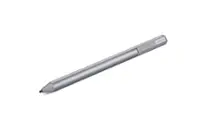
Customers are enthusiastic about the Surface Pen's ease of use, compatibility with Surface devices, and its ability to facilitate drawing. Many appreciate the pen's lightweight design, long battery life, and the inclusion of an eraser. While some find the price point to be a drawback, the overall positive feedback highlights the pen's functionality and user-friendly features. A few users noted concerns about the tip's durability.
This summary was generated by AI based on customer reviews.
- Pros mentioned:Ease of use
Great for taking notes
||Posted . Owned for 2 weeks when reviewed.This reviewer received promo considerations or sweepstakes entry for writing a review.I use the Surface Pen primarily for taking notes on my Surface Go 2, so the experience may differ slightly if you’re using a different Surface model. Having both a 2nd gen Apple Pencil and the Surface Pen, I can definitely say the Surface Pen has an advantage in that the tip has more “give” (for lack of a better term) making writing feel a bit more natural on a solid glass surface. I also love how the Surface Pen allows use of the opposite end as an eraser, just like an actual pencil. Seems like common sense to me. Although the design isn’t as sleek and elegant as the Apple Pencil, it’s far more functional. That being said, I don’t use it to draw, so I cannot speak to its drawing capabilities.
I would recommend this to a friend - Pros mentioned:Battery life, Ease of use
Love the color...MS needs a bit of life! :D
||Posted . Owned for 4 months when reviewed.This reviewer received promo considerations or sweepstakes entry for writing a review.I love the color, it works perfectly with my Microsoft Surface Book 3 15" model. It is easy to hold but did take a while to get used to the locating the button. There is a flat "side" where the rubber flat button is found as well as the way it attaches to the tablet section of the system where there are magnets along the side edges. It attaches pretty firmly too. The tip is nice, writes smoothly but not so smooth as to feel slippery. I like that part. I use it several hours daily. In about four months of use the tip shows little if any wear. I still would buy a few extra tips for back up and to see if you prefer a different "hardness". Oh, the battery came at about 99% charge left. These are AAAA non-rechargeable batteries. MS says they should last about a year or more??? I would imagine that depends a lot on how you use it and how often.
I would recommend this to a friendBrand response from MicrosoftOutreachTeam
Posted .Hello,
It's great to hear that your new Poppy Red Surface Pen fits your needs. We're glad that you love its cool red hue, too. Thank you for sharing your personal experience and feedback; we hope you continue to enjoy using it.
Cheers,
Chuck
Surface Customer Care
- Pros mentioned:Ease of useCons mentioned:Price, Tip durability
Good Pen
||Posted . Owned for 1 month when reviewed.This reviewer received promo considerations or sweepstakes entry for writing a review.They have improved the technology in this pen than from earlier versions. It works well. It is Easy to use. Tip is still breakable. Not rechargeable. It is expensive for what it is. However I would still recommend. Almost as good as the Apple Pencil.
I would recommend this to a friend - Pros mentioned:Battery life
Unleash Your Creativity: Microsoft Surface Pen Rev
||Posted . Owned for 1 month when reviewed.This reviewer received promo considerations or sweepstakes entry for writing a review.The Microsoft Surface Pen is a powerful and versatile tool that enhances the creative experience for users of Microsoft Surface devices. As an artist and Surface user, I have had the pleasure of using the Surface Pen extensively, and here's my review. The design of the Microsoft Surface Pen is sleek and ergonomic, providing a comfortable and natural feel in hand. Its lightweight construction and balanced weight distribution make it easy to hold for extended periods without causing fatigue. The pen's streamlined design, with a single button on the side for additional functionality, adds to its overall aesthetic appeal. One of the standout features of the Surface Pen is its exceptional sensitivity and precision. With 4,096 levels of pressure sensitivity and tilt support, the pen delivers an incredibly responsive and natural drawing experience. Whether you're sketching, taking notes, or editing images, the Surface Pen provides precise control over line thickness and shading, allowing for detailed and nuanced work. The integration of Palm Rejection technology is another highlight of the Surface Pen. This feature enables a seamless drawing experience by ignoring touch input from your palm or wrist while using the pen. It ensures that your hand can rest comfortably on the screen without causing any accidental marks or disruptions to your work, making it feel almost as if you were drawing on traditional paper. Furthermore, the Surface Pen offers customizable buttons, allowing users to assign different functions to suit their needs. Whether it's activating the eraser, launching apps, or accessing specific shortcuts, these programmable buttons enhance productivity and efficiency, providing quick access to frequently used features or commands. The battery life of the Surface Pen is impressive, lasting for an extended period before requiring a recharge. Additionally, the pen supports fast charging, allowing for a quick top-up when needed. With the ability to magnetically attach to the side of compatible Surface devices, the Surface Pen is always conveniently accessible and ready for use. While the Surface Pen is an exceptional tool, it is worth noting that its full potential is realized when used with Microsoft Surface devices. While it can function as a standard stylus on other touchscreen devices, the seamless integration, advanced features, and optimized performance are best experienced on a Surface device. In summary, the Microsoft Surface Pen is an exceptional accessory that elevates the creative capabilities of Microsoft Surface users. Its sleek design, exceptional sensitivity, and customizable features make it a reliable and versatile tool for artists, note-takers, and professionals alike. With Palm Rejection technology, customizable buttons, and impressive battery life, the Surface Pen offers a seamless and immersive drawing experience. While its compatibility is optimized for Microsoft Surface devices, it still delivers value and functionality on other touchscreen devices. If you're looking to unleash your creativity and maximize your productivity, the Microsoft Surface Pen is a worthy investment
I would recommend this to a friend - Pros mentioned:Ease of use, Overall performance
Awesome
||Posted . Owned for less than 1 week when reviewed.This reviewer received promo considerations or sweepstakes entry for writing a review.Great, works as intended. Looks and feels great. Writing with is flawless. Using it as a mouse works great too. Navigation is easy for the most part of the pen. When writing notes there is even a built-in eraser.
I would recommend this to a friendBrand response from MicrosoftOutreachTeam
Posted .Hi – Thank you for sharing your experience with your new Poppy Red Surface Pen. We hope it continues to serve you well. Best, Erica Surface Customer Care
- Pros mentioned:Drawing, Ease of use
Love this pen
||Posted .This reviewer received promo considerations or sweepstakes entry for writing a review.This pen is amazing, I love taking notes with it. It writes very smoothly, it’s very natural when writing. Plus is great for drawing! The “eraser” on the top works great as well when writing or drawing. It has so many fun functions. This pen is worth the money.
I would recommend this to a friendBrand response from MicrosoftOutreachTeam
Posted .Hi Brie,
We're excited to hear your enthusiasm about your experience with the Surface Pen. This handy tool is perfect for helping you stay in-the-flow with whatever activity you choose! If you're interested, we have compiled a great list of apps compatible with Windows Ink you may like to explore. Check them out here: https://www.microsoft.com/en-us/store/collections/windowsinkcollection/pc?rtc=2.
Kind regards,
Jessica
Surface Customer Care
- Cons mentioned:Price
Cool Pen!
||Posted . Owned for 3 months when reviewed.This reviewer received promo considerations or sweepstakes entry for writing a review.The pen is pretty cool. I like how bold the poppy red is. My initial thought was that this pen was expensive. I don’t know if I would say that the pen is worth the money but it is a cool pen. I like that the eraser on the pen works like an actual eraser, which comes in handy when utilizing the pen.
I would recommend this to a friend A necessity for your Surface.
||Posted . Owned for 1 month when reviewed.This reviewer received promo considerations or sweepstakes entry for writing a review.I recently bought the SP7-keyboard bundle. I really liked the setup and was fairly content. I considered the SP7 an actual light laptop and mostly forgot about its tablet mode. Because MS' marketing said that the pen was essential, and after seeing a couple of reviews, I decided to get it -especially on the price that was being promoted. Well, I could not have agreed more with marketing for a change. This pen will change the way you look at and interact with your device. First, it is rather light but well built. It feels nice and comfortable to hold it. Unlike other digital pens on other devices, the rubberized tip creates a good, natural resistance on the tablet's glass and is not loud at all while tapping on the screen. It is as if I was using a sharpie on glass. Mostly, I have been using it to manipulate and click on the screen instead of my fingers. However, I recently started using it to write notes and write on the screen and documents more often. At first, I was simply writing, which feels a bit strange at first but one gets accustomed rather quickly. As I learned more features, I became much more prone to use it pretty much all the time. I am now sketching a lot. The pressure sensitivity and tilt function are amazing and a joy to use. One great feature is that the top button works just like a pencil's eraser. It is so well implemented that I have made the motion of "dusting off" the screen! There is also a side button that mimicks a mouse right-click. Both of these button functions can be customized easily if you prefer. I know that the MSRP can be a bit on the high side, but trust me, the value is definitely there. I can confidently say that the Surface Pen is essential for a complete Surface Pro experience.
I would recommend this to a friend- Pros mentioned:Ease of use
Pairs well with Surface Book 2
||Posted .This reviewer received promo considerations or sweepstakes entry for writing a review.The Surface Pen pairs well with the new Surface Book 2. I use it for taking notes in class. I moved from a Surface Pro 3 to the Book 2. Surprisingly, there was a little adjustment from the first series pens to the new one. Probably the best upgrade is that you can flip the pen upside down and use the top button just like the eraser on a pencil.
I would recommend this to a friendBrand response from MicrosoftOutreachTeam
Posted .Hi Steve,
Thanks for your review! We're glad to hear that you're enjoying your Surface Pen along with your Surface Book 2, and appreciate you taking the time to leave a review on your experience so far.
Kindly,
Victoria
Surface Customer Care
- Pros mentioned:Overall performance
GailB
||Posted . Owned for 2 weeks when reviewed.This reviewer received promo considerations or sweepstakes entry for writing a review.Working great. Makes it easy to select what I want to access and saves fingerprints on my screen.
I would recommend this to a friend - Pros mentioned:Battery life
A Great Pen For Windows
||Posted . Owned for 11 months when reviewed.This reviewer received promo considerations or sweepstakes entry for writing a review.A delight to use. Feels like an actual pen in my hand, The body is cool to the touch. Great to use for taking notes or drawing on the screen. The nibs are a bit slick on the bare glass, but if you add a screen protector that has some texture to it, it feels more like writing on paper. The flat side lets me find the dual button easily and the eraser end makes it natural to use. The AAAA last me around 6 - 7 months. The magnet on the flat side allows the pen to attach to the flat side of the Surface and is strong enough so that I have not lost it nor has it fallen off when I put my Surface into my messenger bag or taking it out. The pen also works with my 15" HP Spectre x360. A must if you want the full Windows experience.
I would recommend this to a friend - Pros mentioned:Battery life
Good Pen for Surface devices
||Posted . Owned for 1 month when reviewed.This reviewer received promo considerations or sweepstakes entry for writing a review.It has great accuracy, feels good, and magnetically attaches. The only feature I wish it had would be the ability to charge it while it’s magnetically attached, but the batteries that come in it last a long time.
I would recommend this to a friend - Pros mentioned:Ease of use
Awesome!!
||Posted . Owned for 1 month when reviewed.This reviewer received promo considerations or sweepstakes entry for writing a review.It’s so easy to use. Feels nice and comfortable when drawing on the tablet. Has a good weight to it. Doesn’t feel cheap at all, very sturdy. And I love the red color.
I would recommend this to a friendBrand response from MicrosoftOutreachTeam
Posted .Hi Aylin – We're glad that your new Poppy Red Surface Pen fits your needs and is working well for you. We hope you continue to enjoy using it. Erica, Microsoft Outreach Team
- Pros mentioned:Ease of useCons mentioned:Price, Tip durability
Mixed views on the cost
||Posted . Owned for 1 month when reviewed.This reviewer received promo considerations or sweepstakes entry for writing a review.The pen is stylish and easy to use but the tip seems so fragile and could easily break. With the pen not being chargeable and lack of features, I do not understand why this pen would cost $100. You definitely need it with a surface pro but I feel scammed having to buy one.
I would recommend this to a friend - Pros mentioned:Ease of useCons mentioned:Price
Just Like A Pencil
||Posted .This reviewer received promo considerations or sweepstakes entry for writing a review.I have been using this surface pen with my surface pro 7 for about a month now and I can say with confidence that it is a great investment. Signing things, drawing, taking notes, and more have been made much easier with the use of this pen. I saw some videos on YouTube that said to buy extra nibs because the nib attached breaks quickly, however mine has not broken and is still in perfect condition. However, I would recommend buying this when it is on sale or use a student discount if you can because it is very pricey!
I would recommend this to a friend - Pros mentioned:Overall performance
Good quality
||Posted . Owned for 2 months when reviewed.This reviewer received promo considerations or sweepstakes entry for writing a review.Good quality. Does the job. I t is very LIGHT AND COMFORTABLE WHEN DRAWING
I would recommend this to a friend - Pros mentioned:Overall performance
Pen
||Posted . Owned for 2 weeks when reviewed.This reviewer received promo considerations or sweepstakes entry for writing a review.The pen is light, writes really well and I love that it has an eraser in the back, its a lot more comfortable that way.
I would recommend this to a friend - Pros mentioned:Overall performance
Pen
||Posted . Owned for 1 month when reviewed.This reviewer received promo considerations or sweepstakes entry for writing a review.I'm liking this pain very much it's very very beautiful color lightweight very resistant good quality inn affordable price thank you Best Buy like always
I would recommend this to a friend My review
||Posted . Owned for 2 weeks when reviewed.This reviewer received promo considerations or sweepstakes entry for writing a review.the Microsoft Surface Pen was well-regarded as a high-quality stylus that complemented various Surface devices, such as the Surface Pro and Surface Book. It provided an excellent digital writing and drawing experience, making it a popular choice among artists, designers, note-takers, and anyone who needed precise input on their Surface device. The Surface Pen offered pressure sensitivity, tilt functionality, and low latency, allowing for natural and responsive pen input. Its integration with Microsoft's software, such as OneNote and Microsoft Office, made it convenient for note-taking and creative work. The ability to use the eraser end as an actual eraser was also appreciated by users. Moreover, the Surface Pen's sleek design and customizable button features added to its overall appeal. Users could configure the pen's buttons for specific functions, enhancing productivity and workflow. Overall, the Microsoft Surface Pen was considered one of the best stylus options available for Surface devices, providing a seamless and enjoyable digital writing and drawing experience. However, I recommend checking for more recent reviews to ensure there haven't been any significant changes or updates since my last knowledge update.
I would recommend this to a friend- Pros mentioned:Overall performance
It does what it is supposed to
||Posted . Owned for 1 month when reviewed.This reviewer received promo considerations or sweepstakes entry for writing a review.I bought this via Open Box and it works well. nothing wrong with it, the pen does its job. I'm not enjoying it as much as I enjoyed on my Samsung Tablet but it does what it's supposed to.
I would recommend this to a friend