Customer Ratings & Reviews
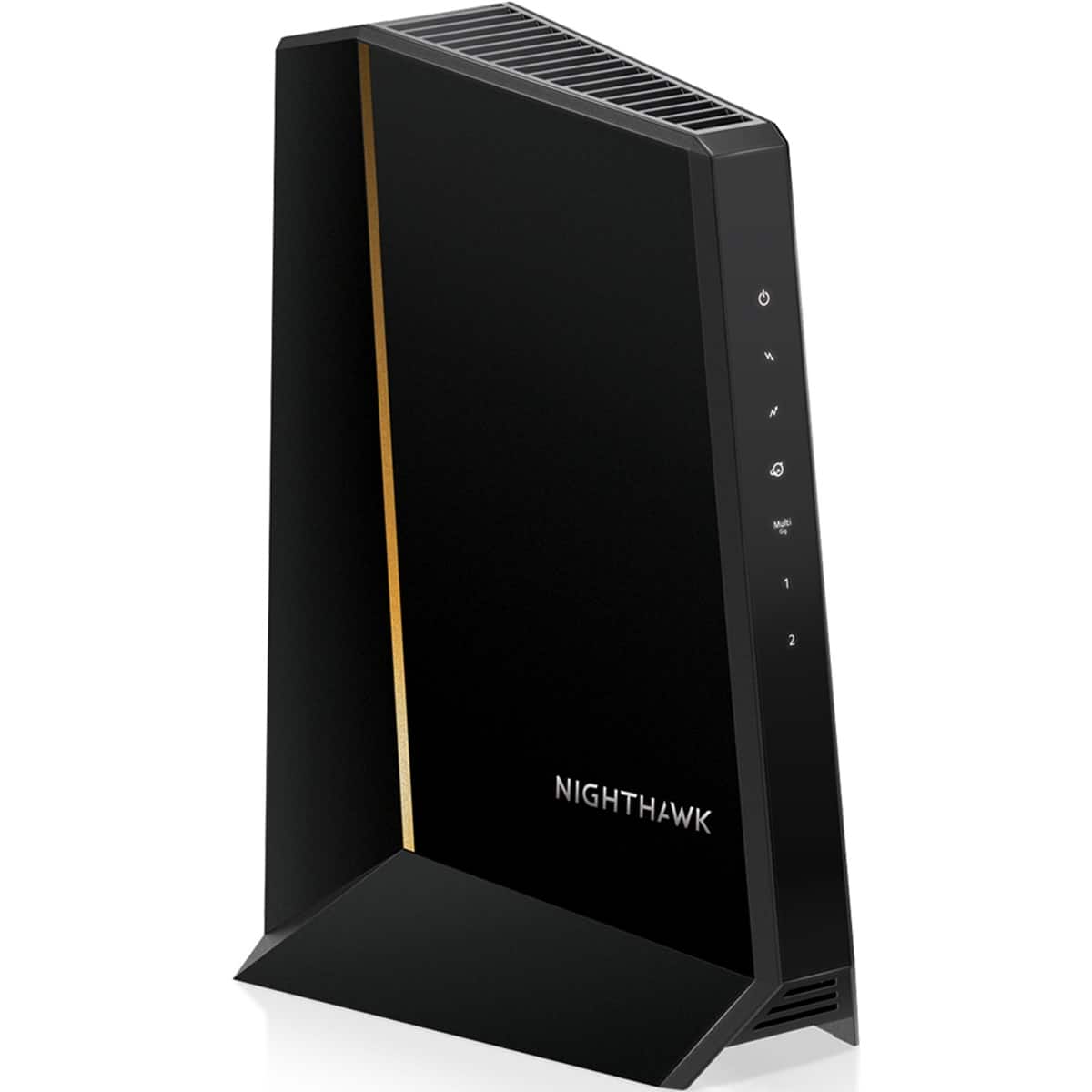



- Model:
- CM3000-100NAS
- |
- SKU:
- 11987459
Customer reviews
Rating 4.8 out of 5 stars with 245 reviews
(245 customer reviews)Rating by feature
- Connection Quality4.8
Rating 4.8 out of 5 stars
- Performance4.8
Rating 4.8 out of 5 stars
- Setup4.8
Rating 4.8 out of 5 stars
Rated 5 out of 5 stars
The Netgear CM3000 Modem Produces Blazing Speeds!!
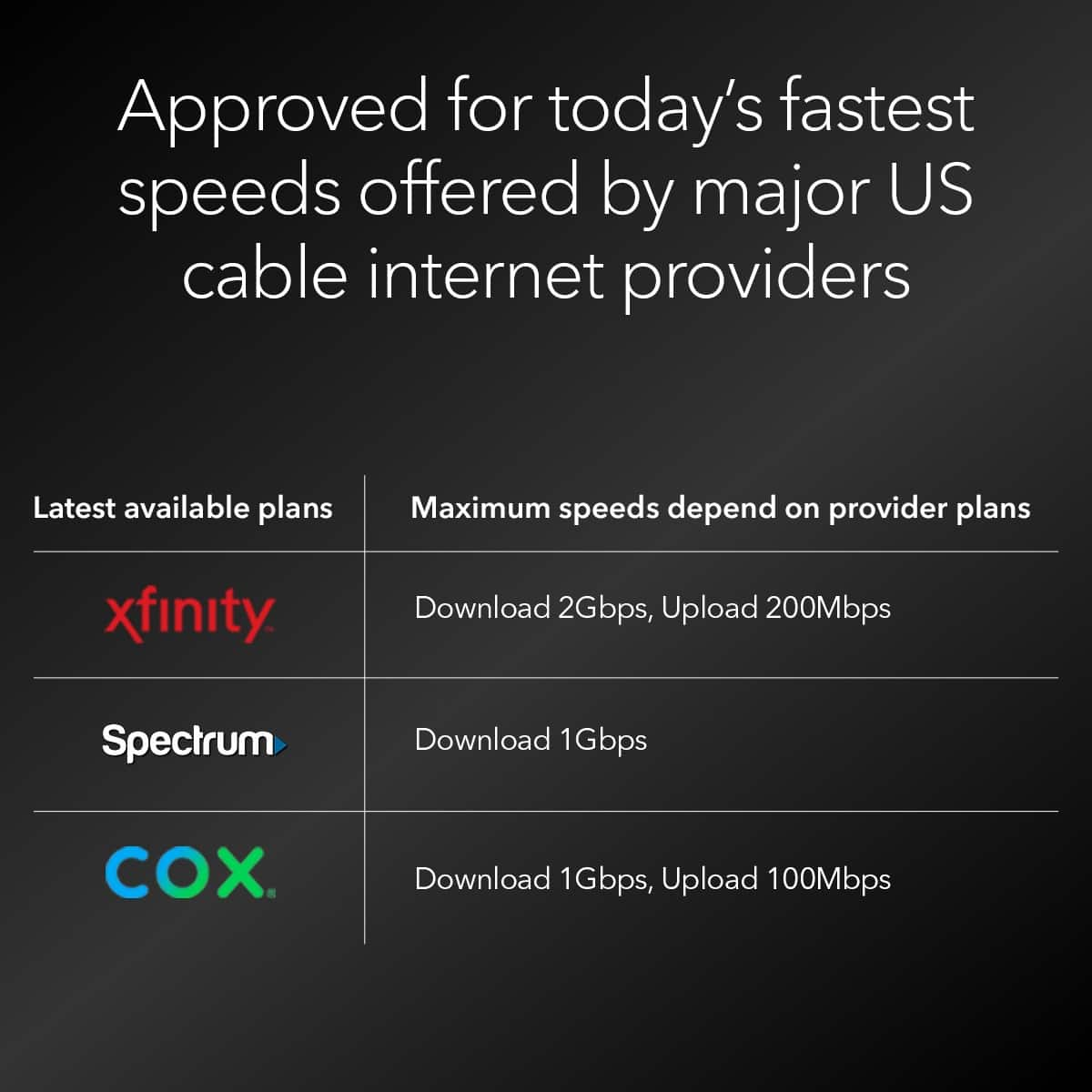
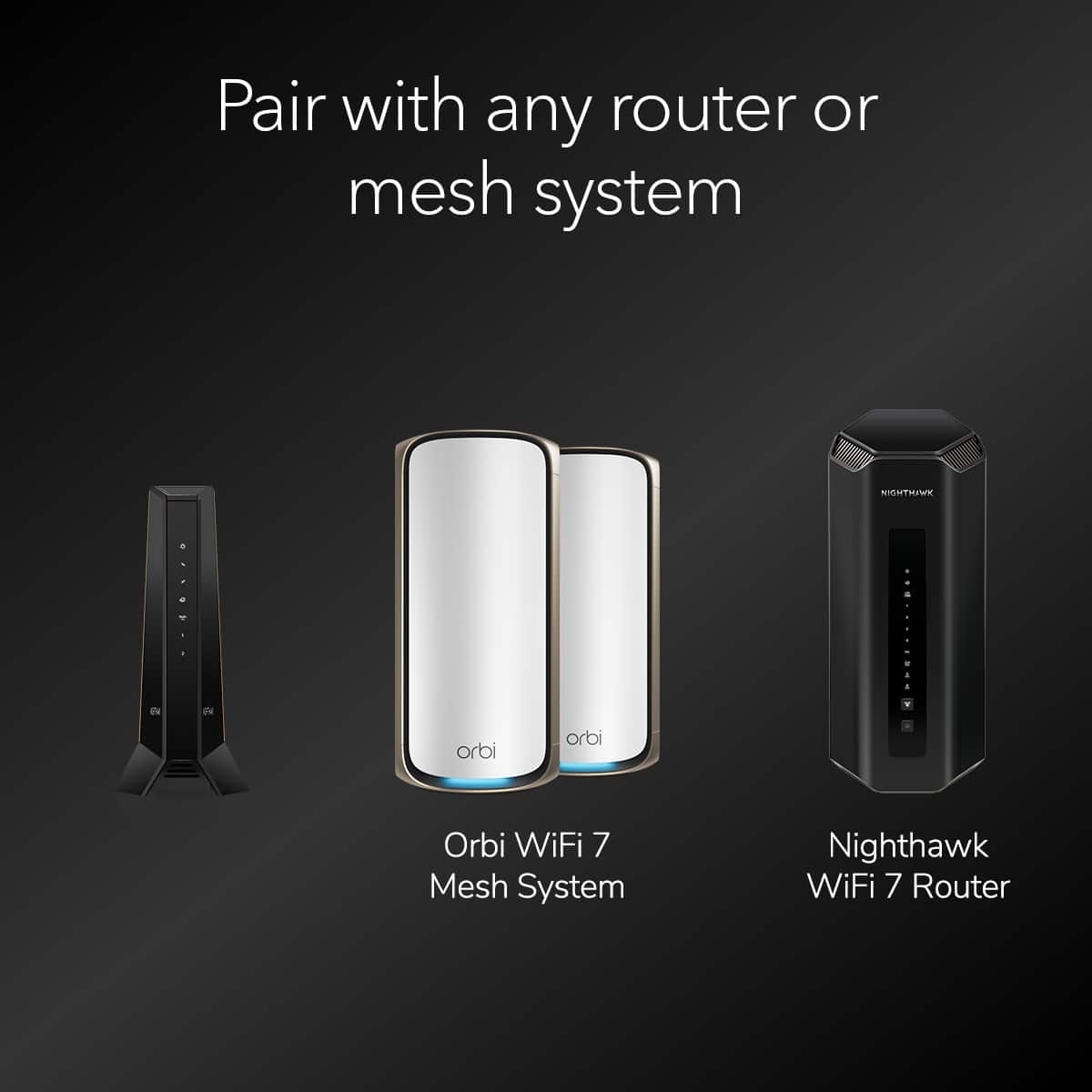
||Posted .This reviewer received promo considerations or sweepstakes entry for writing a review.The Netgear CM3000 is an outstanding cable modem that delivers exceptional performance and reliability. Paired with the Orbi 870 series mesh system, it provides blazing-fast and consistent connectivity throughout the home. I’m consistently seeing download speeds around 2.3 Gbps and upload speeds near 300 Mbps, even with multiple devices running at the same time. I have a Xfinity 2 Gbps internet plan. The CM3000 easily handles a large number of connected smart home devices, streaming, gaming, and work-from-home demands without slowdowns and seldom drops. Setup is straightforward, and once running, it’s truly a “set it and forget it” modem. If you want multi-gig speeds and rock-solid performance with a high-end mesh system, the CM3000 is a fantastic choice.
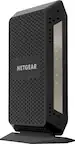
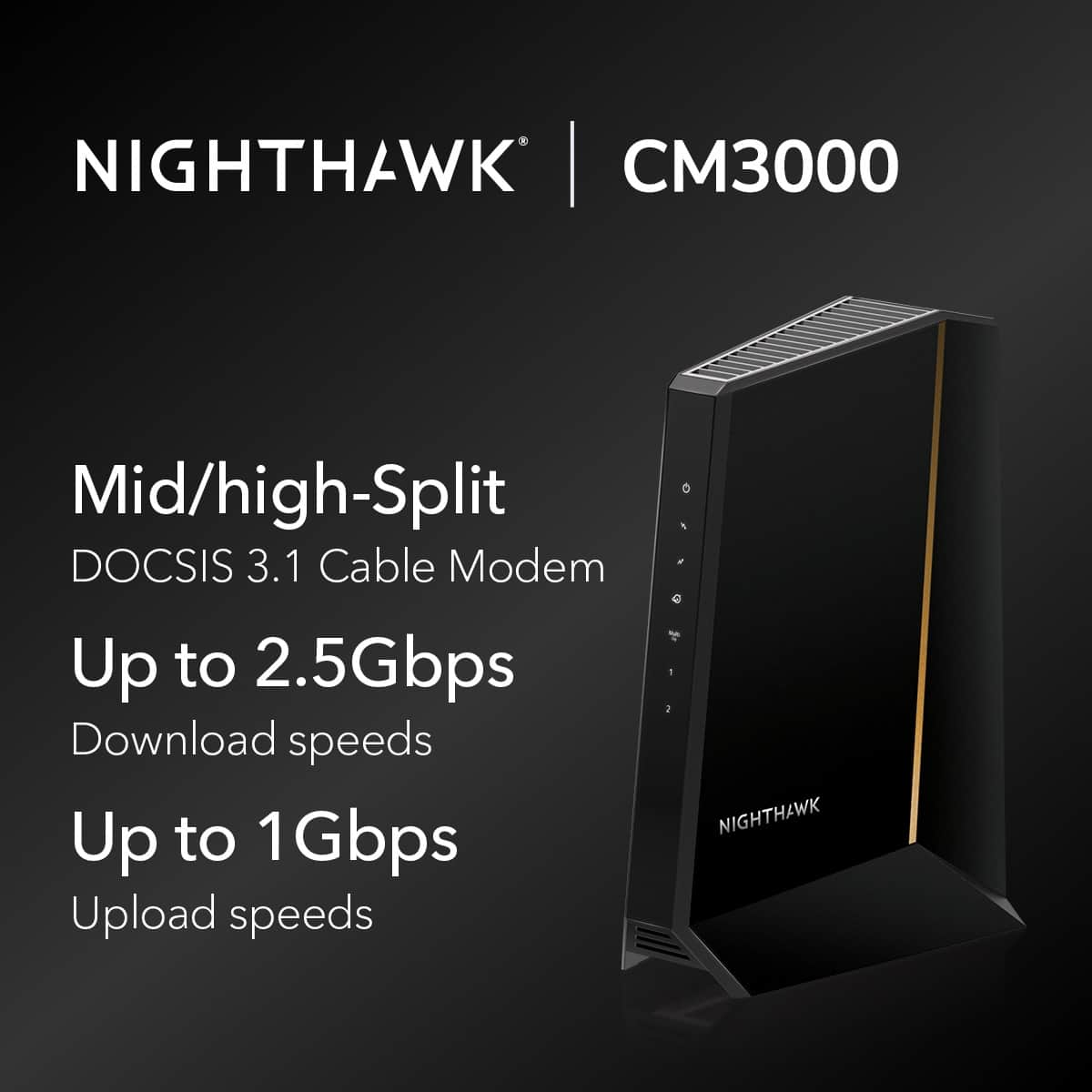
This review is from NETGEAR - Nighthawk Mid/High-Split DOCSIS 3.1 Cable Modem - Black
I would recommend this to a friendRated 5 out of 5 stars
Rock-solid speed, flawless stability finally
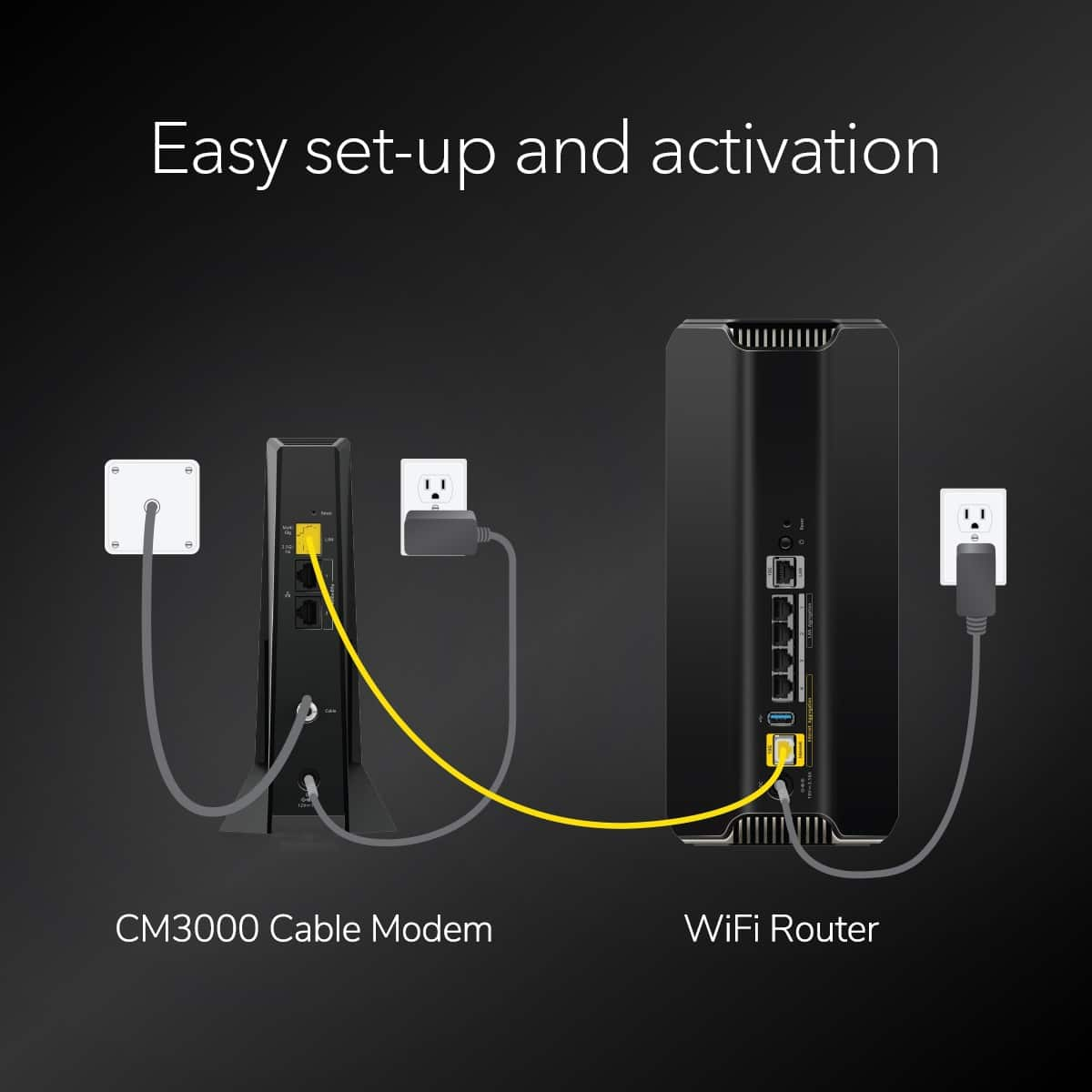
||Posted .This reviewer received promo considerations or sweepstakes entry for writing a review.I’ve tried multiple modem/router combos over the years, and most of them promise high speeds but choke under real-world load. This one is different. I’m on Xfinity 2 Gbps plan, have a house full of smart devices, cameras, TVs, and heavy gaming/streaming happening at the same time – and the connection stays solid. No drops, no buffer, no overheating, and the upload speeds are noticeably faster than what I used to get with my older Netgear C7000v2. Setup was painless – literally plug in, activate through Xfinity, and done. It handles WiFi 6 perfectly, and I finally see consistent speeds on all floors of my house without needing mesh extenders. Zero hiccups during Zoom calls or Xbox online gaming. Price isn’t cheap, but if you’re tired of replacing weak equipment or paying rental fees for mediocre ISP devices, this is 100% worth it. It does what it claims – stable, fast, and reliable. Highly recommend.
This review is from NETGEAR - Nighthawk Mid/High-Split DOCSIS 3.1 Cable Modem - Black
I would recommend this to a friendRated 5 out of 5 stars
Best for Gig speeds
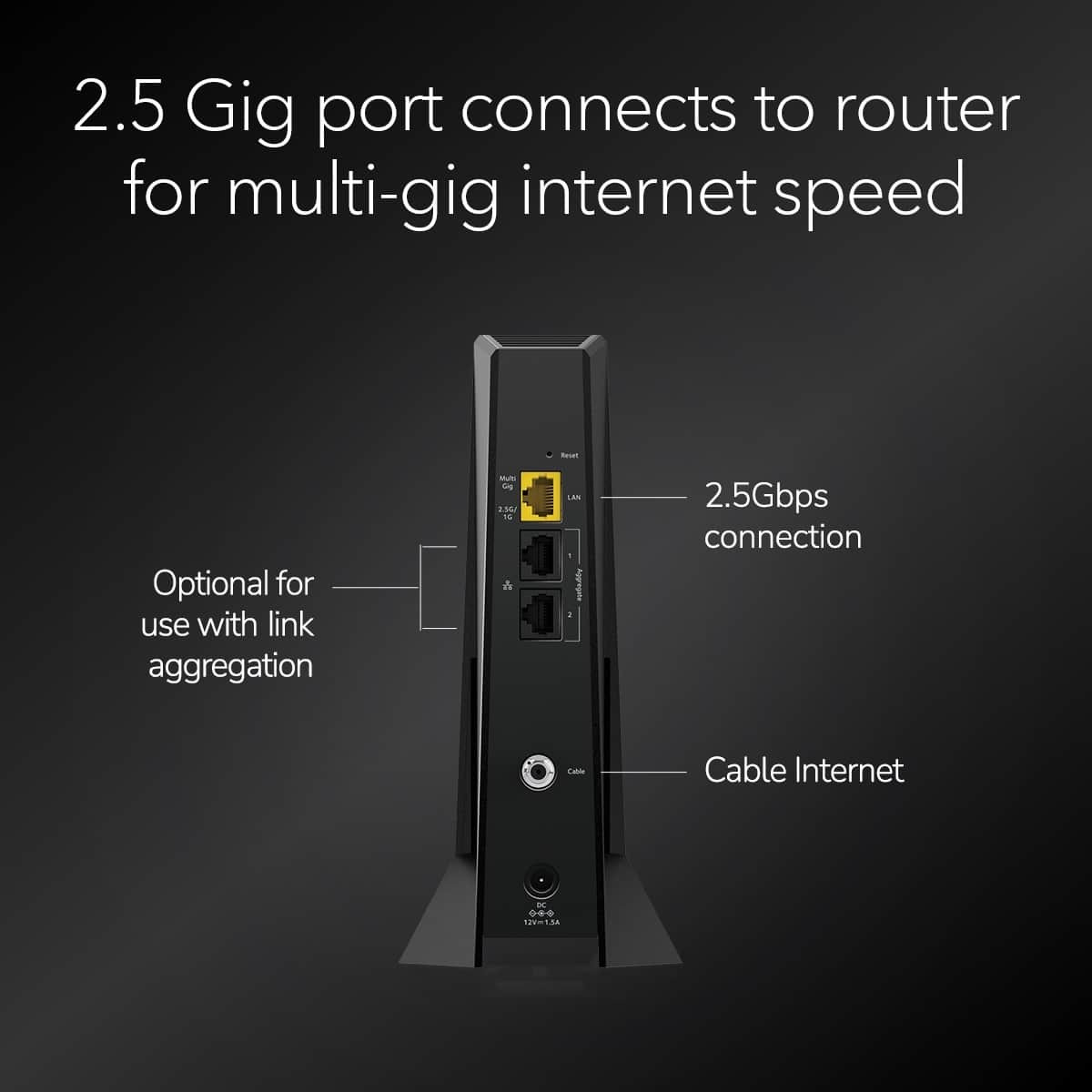
||Posted . Owned for 2 weeks when reviewed.This reviewer received promo considerations or sweepstakes entry for writing a review.I purchased this modem for my recent upgrade to Gig speed internet. Modem is working flawlessly and doesn't get hot. Only hiccup I had was during the initial setup. Despite being listed as preferred modem in my ISP's recommended modems list, I was having very hard time to initiate the signal transmission. But don't panic just make an appointment with their tech like I did. Prrocess went like a breeze and it's working fine and delivering close to 1Gbps and sometimes even over that too. Modem boots up within 1-2 minutes if you do a power reset. It has two ethernet ports that can handle Gig speed and one extra port that can be used for multi Gig internet. It's bit pricy but maybe one can wait for some time to get this on reduced price.
This review is from NETGEAR - Nighthawk Mid/High-Split DOCSIS 3.1 Cable Modem - Black
I would recommend this to a friendRated 5 out of 5 stars
200Mbps upload, a success!!
||Posted .This reviewer received promo considerations or sweepstakes entry for writing a review.This is what you need to access updated Xfinity internet speeds. I needed a modem that was approved for the 200 Mbps upload. I learned the hard way that even though a modem is capable, Xfinity has to approve it and they keep the list short. Whether this a way to force you to rent one of theirs…you decide. My current modem was a CM1100 that Xfinity no longer supported. I needed a modem that allowed link aggregation because the Orbi mesh router I have only has 1Gbps internet port and Ethernet so to access the 1.2Gbps I am paying for, I needed a second link. Surprised to find most modems do not have this. Keep in mind it has a 2.5Gbps internet port for those that have routers with the same. With the CM1100 and link aggregate I was getting 1250Mbps down and 40Mbps up. With the CM3000 and a single Ethernet, I am getting 900Mbps down and 220Mbps up. With link aggregate (two Ethernet setup) I am getting 1450Mbps down and 240 up. I took about 20 minutes to get it set up. I unplugged the old one and plugged in the new one to coax and power. After two rounds of letting the lights fully boot to solid, I used the Xfinity app to manually add the MAC address. There was a link below the internet modem status to add new equipment. I finally plugged in the Ethernet and powered up the router.
This review is from NETGEAR - Nighthawk Mid/High-Split DOCSIS 3.1 Cable Modem - Black
I would recommend this to a friendRated 5 out of 5 stars
Excellent product
||Posted . Owned for less than 1 week when reviewed.This reviewer received promo considerations or sweepstakes entry for writing a review.Excellent modem, super fast, instant jump in connection dpeed. Runs quiet and cold. Great workhorse… literally no setup required, just plug and play…
This review is from NETGEAR - Nighthawk Mid/High-Split DOCSIS 3.1 Cable Modem - Black
I would recommend this to a friendRated 5 out of 5 stars
You need this for Xfinity’s high upload speeds
||Posted . Owned for less than 1 week when reviewed.This reviewer received promo considerations or sweepstakes entry for writing a review.I recently upgraded to Xfinity’s gigabyte X2 internet package, which gives you 2000 mbps on download and up to 200 mbps on upload. To take advantage of the high speeds, I decided to upgrade both my modem and router. I purchased the TP-Link BE800 router and the Arris Surfboard S33. When I hooked everything up, my download speeds were capped around 1200 mbps and upload speed around 41 mbps. After reading multiple reviews online through Xfinity’s community forum, and other reviews, basically I found out I needed to upgrade to a modem to get the higher upload speed, so I purchased the Netgear CM3000, since the Arris S34 isn’t available yet. After hooking up the Netgear modem, my upload speed was still capped at 41 mbps, so I chatted with Xfinity technical support. During the chat, the Xfinity tech updated my firmware on my modem, and my download speed increased to 1500 mbps and my upload speed increased from 41 mbps to around 360 mbps! Basically, not only do you need this modem to get the high upload speed, you also need to have Xfinity update your modem on their end. All in all, it was definitely worth the extra time and money since i now can take full advantage of my high Internet speeds!
This review is from NETGEAR - Nighthawk Mid/High-Split DOCSIS 3.1 Cable Modem - Black
I would recommend this to a friendRated 5 out of 5 stars
Best cable modem on the market
||Posted .This reviewer received promo considerations or sweepstakes entry for writing a review.Incredible product. Rock solid. Easy to setup with the cable company. Getting 2200mbps down and 300 mbps up on Comcast Xfinity 2gig in SF on mid split!
This review is from NETGEAR - Nighthawk Mid/High-Split DOCSIS 3.1 Cable Modem - Black
I would recommend this to a friendRated 5 out of 5 stars
Sleak and powerful
||Posted . Owned for 2 weeks when reviewed.This reviewer received promo considerations or sweepstakes entry for writing a review.The Netgear night hawk works great and is fast!! Looks good and hidden out of the way
This review is from NETGEAR - Nighthawk Mid/High-Split DOCSIS 3.1 Cable Modem - Black
I would recommend this to a friendRated 5 out of 5 stars
Works great
||Posted . Owned for 3 weeks when reviewed.This reviewer received promo considerations or sweepstakes entry for writing a review.Works great and was easy to set up and connect. Our Internet has been noticeably faster.
This review is from NETGEAR - Nighthawk Mid/High-Split DOCSIS 3.1 Cable Modem - Black
I would recommend this to a friendRated 5 out of 5 stars
Easy set up
||Posted . Owned for 2 weeks when reviewed.This reviewer received promo considerations or sweepstakes entry for writing a review.Ordered online and picked up in the store. Very easy to setup. I just called my internet provider, told them the MAC number and then hook it to the router, done! Strong signal. I have 1G plan, and got 540 download and 57 upload speed.
This review is from NETGEAR - Nighthawk Mid/High-Split DOCSIS 3.1 Cable Modem - Black
I would recommend this to a friendRated 5 out of 5 stars
Great Modem
||Posted . Owned for 1 month when reviewed.This reviewer received promo considerations or sweepstakes entry for writing a review.Great overall experience!!! Easy setup with our eero WiFi router. Excellent choice!!
This review is from NETGEAR - Nighthawk Mid/High-Split DOCSIS 3.1 Cable Modem - Black
I would recommend this to a friendRated 5 out of 5 stars
Great Modem
||Posted . Owned for 2 weeks when reviewed.This reviewer received promo considerations or sweepstakes entry for writing a review.Purchased to take advantage of Xfinity 2G speeds and boy does it. Very happy with this modem so far.
This review is from NETGEAR - Nighthawk Mid/High-Split DOCSIS 3.1 Cable Modem - Black
I would recommend this to a friendRated 5 out of 5 stars
Netgear Cable Modem
||Posted . Owned for 1 year when reviewed.This reviewer received promo considerations or sweepstakes entry for writing a review.The Netgear Cable Modem has consistent, reliable connectivity. The features and value make it a good Cable Modem.
This review is from NETGEAR - Nighthawk Mid/High-Split DOCSIS 3.1 Cable Modem - Black
I would recommend this to a friendRated 5 out of 5 stars
Worth looking at
||Posted .This reviewer received promo considerations or sweepstakes entry for writing a review.I bought this modem for faster speeds since I have the 1 GIG internet with Spectrum and it definitely did not disappoint. Would buy again and recommend to others.
This review is from NETGEAR - Nighthawk Mid/High-Split DOCSIS 3.1 Cable Modem - Black
I would recommend this to a friendRated 5 out of 5 stars
Nighthawk
||Posted . Owned for 1 month when reviewed.This reviewer received promo considerations or sweepstakes entry for writing a review.One of the best modems I’ve had got rid of my old internet providers equipment due to laggy connection and not getting the full gig , this nighthawk exceeds the gig I pay for from time to time I truly get the connection I’m paying for it fixed the lag and never drops connection 10/10 for me !
This review is from NETGEAR - Nighthawk Mid/High-Split DOCSIS 3.1 Cable Modem - Black
I would recommend this to a friendRated 4 out of 5 stars
Cm3000 Review
||Posted . Owned for 1 month when reviewed.This reviewer received promo considerations or sweepstakes entry for writing a review.Better than why xfinity gave me. Wish it had a few more settings in the management app. Also, web interface is a bit slow and throughout degradation seems to be an issue after a while until rebooting the device.
This review is from NETGEAR - Nighthawk Mid/High-Split DOCSIS 3.1 Cable Modem - Black
I would recommend this to a friendRated 5 out of 5 stars
Exactly what I needed for Xfinity
||Posted . Owned for less than 1 week when reviewed.This reviewer received promo considerations or sweepstakes entry for writing a review.I upgraded my modem due to only getting 900mbps out of the 1.2gbps I was paying for through xfinity. This modem nearly doubled my speed and I am now getting the full speed I pay for plus some. Well worth it if you have the 1.2Gbps plan with xfinity.
This review is from NETGEAR - Nighthawk Mid/High-Split DOCSIS 3.1 Cable Modem - Black
I would recommend this to a friendRated 5 out of 5 stars
Modem rocks
||Posted .This reviewer received promo considerations or sweepstakes entry for writing a review.Such a great modem. Fast and reliable. Must buy…..
This review is from NETGEAR - Nighthawk Mid/High-Split DOCSIS 3.1 Cable Modem - Black
I would recommend this to a friendRated 5 out of 5 stars
Upgrade
||Posted . Owned for 1 week when reviewed.This reviewer received promo considerations or sweepstakes entry for writing a review.Recent replaced my 1 gig service modem for a 2.5 gig modem. It's insanely fast
This review is from NETGEAR - Nighthawk Mid/High-Split DOCSIS 3.1 Cable Modem - Black
I would recommend this to a friendRated 5 out of 5 stars
A .odem that is FAST
||Posted .This reviewer received promo considerations or sweepstakes entry for writing a review.I got so much increased bandwidth with this at my home that I bought again for my winter home. It is amazing!
This review is from NETGEAR - Nighthawk Mid/High-Split DOCSIS 3.1 Cable Modem - Black
I would recommend this to a friend