Customer Ratings & Reviews


- Model:
- B09JZ5BG26
- SKU:
- 12481235
Rating by feature
- Value
Rating 4.7 out of 5 stars
- Quality
Rating 4.7 out of 5 stars
- Ease of Use
Rating 4.7 out of 5 stars
It always misses the important moments.
||Posted . Owned for 1 year when reviewed.This reviewer received promo considerations or sweepstakes entry for writing a review.I recently installed a Ring Security Camera, hoping for a reliable security solution. However, my experience has been quite disappointing for several reasons: Inconsistent Recording: The camera only records for a short duration when motion is detected. This poses a significant problem as it often misses crucial moments. For instance, if a criminal triggers the motion sensor but conducts their wrongdoing a few minutes later, the camera fails to capture the important part of the incident. Limited Storage: Although Ring advertises a 180-day video storage period, the default setting is only 60 days. This discrepancy led to the loss of vital evidence I needed for an ongoing lawsuit, as I was under the impression that my videos were stored for the advertised 180 days. Poor Customer Service: The customer service regarding these issues has been poor. There's no effective way to resolve problems or get assistance. This lack of support adds to the frustration of dealing with an unreliable product. Overall, the Ring Security Camera Doorbell has proven to be a waste of money and resources. Given its performance, a dummy camera would have been just as effective. I cannot recommend this product to anyone seeking a dependable security solution.
No, I would not recommend this to a friendBrand response from Ring
Posted .Hi Park.
Thank you for taking the time to share your experience with us. We understand the importance of having your Ring Spotlight Cam Plus capture all the correct motion events. The Ring Spotlight Cam Plus was designed to capture motions based on your specifications to help keep your home secure. Rest assured, we are here today to provide you with some information in order to ensure you get the most out of your motion detection! We are confident we can find a solution that works well for you and your home’s environment.
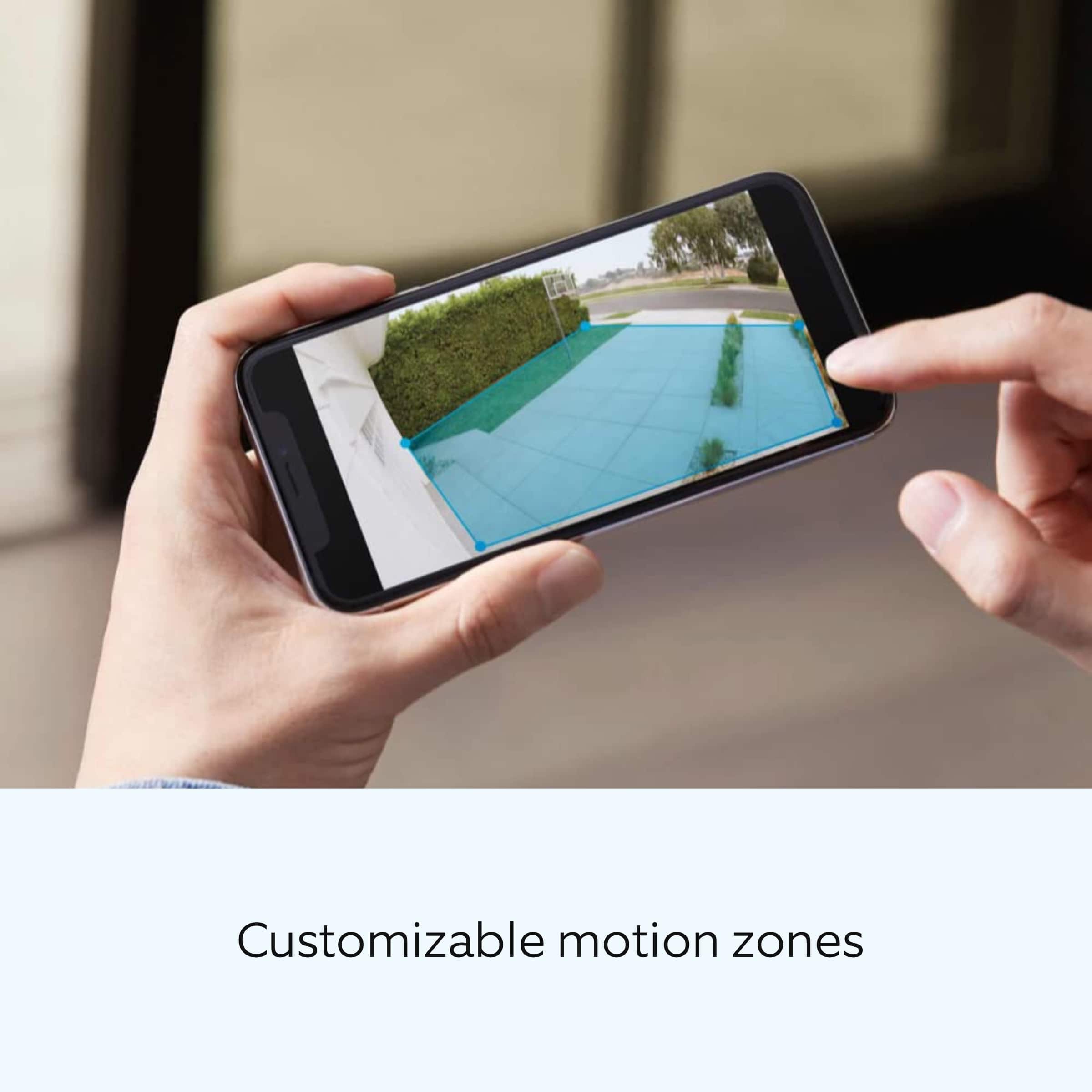
It sounds like the device is not performing as intended in regards to motion detection and recording. It is important to ensure that you have the proper motion settings in place for your environment. This camera uses adjustable motion detection and runs on passive infrared sensors. The system identifies visitors via a moving heat signature and sends a notification to your smart device when one is detected. You can adjust three preset motion zones and their distances under the "Motion Settings" tab on the device's page in the Ring app. Additionally, you can choose how often the camera checks for movement in those predefined zones via the "Motion Frequency" setting. If you find that your camera is missing some motions, please set the motion frequency to "Frequently."
Open the Ring app and tap on the Menu (≡).
Tap Devices.
Tap on the device you wish to adjust.
Tap Device Settings.
Tap Video Settings.
Tap Recording Length.
Tap Record For.
When the list appears, you can select a preferred recording length such as:
15 seconds
20 seconds
25 seconds
30 seconds
60 seconds
90 seconds
120 seconds.
You may get a warning that your choice will affect your battery life. Remember, you can always make a selection and change it to a shorter time if you feel your battery is draining too fast.
Each device has its own individual video recording length setting and can be set to a personalized recording length at any time.
Ring Community is our first peer-to-peer community forum, giving our customers the ability to help one another and share their feedback and experiences with Ring. We invite you to reach out at if any additional information is needed regarding your Ring Spotlight Cam Plus.
Thank you,
Melissa from Ring.
excellent
||Posted . Owned for 1 month when reviewed.This reviewer received promo considerations or sweepstakes entry for writing a review.It has given me confidence for the security in my house
I would recommend this to a friendRing Spotlight Cam Plus Outdoor/Indoor Camera
||Posted . Owned for 1 month when reviewed.This reviewer received promo considerations or sweepstakes entry for writing a review.Great protection. Spot on for capturing outdoor surroundings!
I would recommend this to a friendRing security cameras
||Posted . Owned for 1 week when reviewed.This reviewer received promo considerations or sweepstakes entry for writing a review.Great home security system won’t regret it definitely worth the money
I would recommend this to a friendGot to love them
||Posted . Owned for 1 month when reviewed.This reviewer received promo considerations or sweepstakes entry for writing a review.I just love everything 100% on. This ring cameras
I would recommend this to a friendJ
||Posted . Owned for 1 month when reviewed.This reviewer received promo considerations or sweepstakes entry for writing a review.Sound quality and screen resolution is good. Weather resistance
I would recommend this to a friendNeed to be improved. Not that good.
||Posted . Owned for 2 months when reviewed.This reviewer received promo considerations or sweepstakes entry for writing a review.I have used the spotlight camera before this and the previous one used to be good. We need to go near the camera and wave your hand multiple times to get captured.
No, I would not recommend this to a friendBrand response from Ring
Posted .Hi Raju.
Thank you for sharing your experience with us. We understand how critical it is for your Ring Spotlight Cam Plus to detect motion accurately so that you can be alerted within the Ring app to any motion activity around your home. Rest assured, we are here today to provide you with some information in order to ensure you get the most out of your motion detection! We are confident we can find a solution that works well for you and your home’s environment.
It sounds like the device is not performing as expected. Ring devices can detect motion up to 30 feet with the Motion Sensitivity slider at the maximum level. If you turn the Motion Sensitivity down, this range will be lower, decreasing false motion. If your device is not detecting motion, we recommend increasing the Motion Sensitivity using the slider.
If any additional information is needed regarding your Ring Spotlight Cam Plus, please reach out to our community team. The Ring Community is our first peer-to-peer community forum, giving our customers the ability to help one another by sharing their feedback and experiences with each other.
Thank you,
Miyuki from Ring.
Nice upgrade.
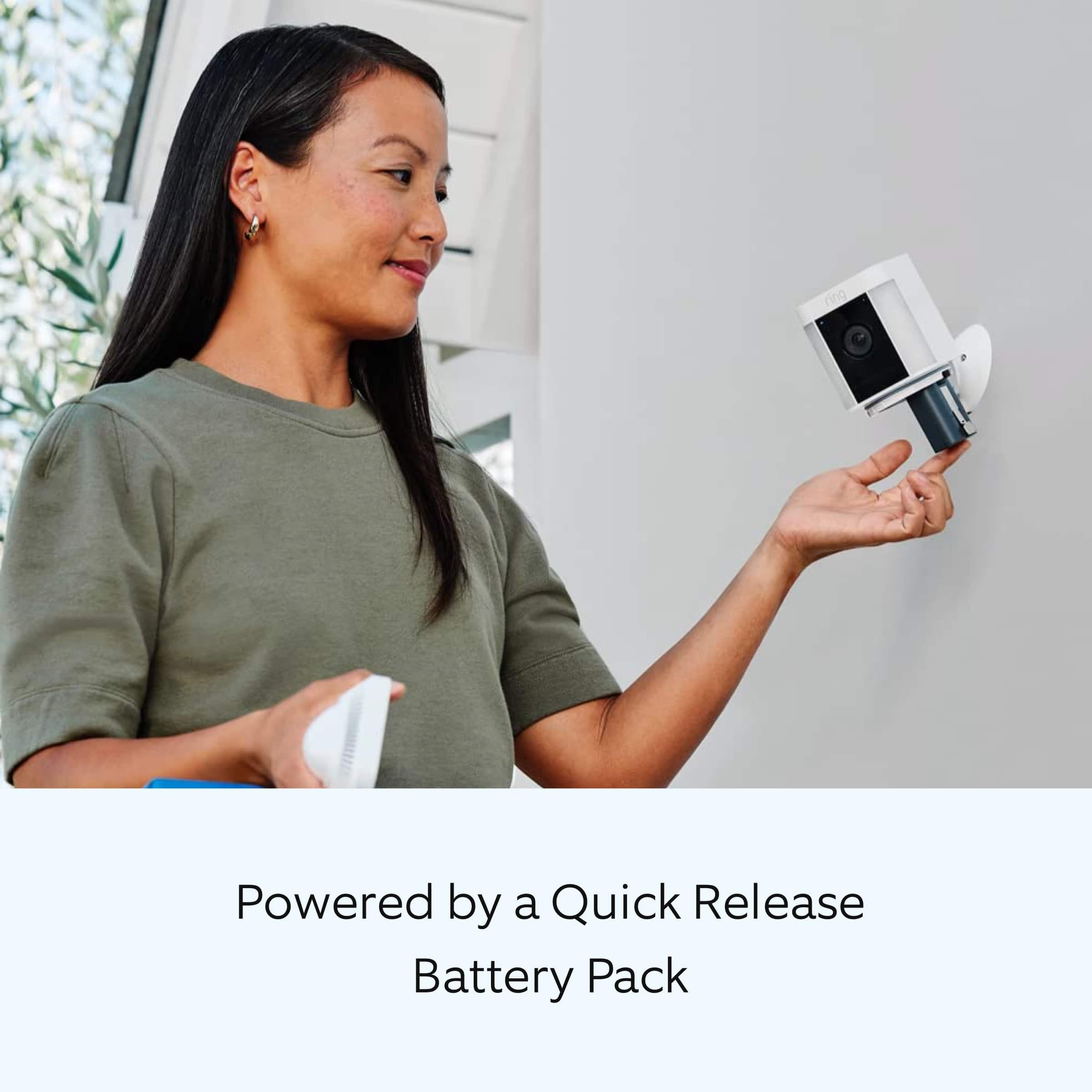
||Posted . Owned for 1 week when reviewed.This reviewer received promo considerations or sweepstakes entry for writing a review.Nice upgrades to the original design. Easier to open and swap the batteries.
I would recommend this to a friendBrand response from Ring
Posted .Hi Promoboy.
Thank you for taking the time to share your experience with us. We are pleased to read that you are enjoying your new Ring Spotlight Cam Plus and that the features included are meeting your expectations. At Ring, we believe in keeping people close to what’s important. That is why we are driven to create products that help you protect what matters most at home and empower you to connect with your visitors from wherever you are. Together, we’ll make neighborhoods safer!
Ring Community was launched to help deliver the most current news and educational information to our neighbors. This online forum is divided into four categories: Product Boards, Ring Updates, Tips and Tricks, and a Moderators’ Corner. The Product Boards are where you can begin new topics with your questions or feedback; there is also a search option that helps you find topics that have already been posted by other neighbors. We invite you to visit our community today.
Thank you,
Melissa from Ring.
Ring is A+ for home security!
||Posted . Owned for less than 1 week when reviewed.This reviewer received promo considerations or sweepstakes entry for writing a review.Ring makes it easy to set up and secure your home!
I would recommend this to a friendFantastic product
||Posted . Owned for 3 weeks when reviewed.This reviewer received promo considerations or sweepstakes entry for writing a review.Exactly product. Love this product and the idea of it
I would recommend this to a friendGreat camera
||Posted . Owned for 3 weeks when reviewed.This reviewer received promo considerations or sweepstakes entry for writing a review.The camera works great but sometimes doesn’t pick up the movement. Make sure to adjust your movement zones.
I would recommend this to a friendWorks great
||Posted . Owned for 1 month when reviewed.This reviewer received promo considerations or sweepstakes entry for writing a review.Works great and definitely recommend buying this now.
I would recommend this to a friendSmile
||Posted . Owned for 1 month when reviewed.This reviewer received promo considerations or sweepstakes entry for writing a review.Really like the clarity of the video and easy to use
I would recommend this to a friendDisappointing
||Posted . Owned for 1 month when reviewed.This reviewer received promo considerations or sweepstakes entry for writing a review.The camera quality is good. But the sound is the worst. If you are trying to listen to whats on the other side you won’t be able to hear a clear conversation unless someone screams directly within a close range of the cam. Too much static in the sound. Ring sent me a replacement, but it was no different than the first.
No, I would not recommend this to a friendBrand response from Ring
Posted .Hi Bogady.
Thank you for taking the time to share your experience with us. We understand how important it is for your Ring Spotlight Cam Plus to record clear and concise videos so that you can effectively monitor your home. The features and technology provided by the Ring Spotlight Cam Plus are incredibly valuable and help provide you with peace of mind about your home security. We want to ensure that your device is working as intended by providing you with solutions to resolve the concern you mentioned in your review.
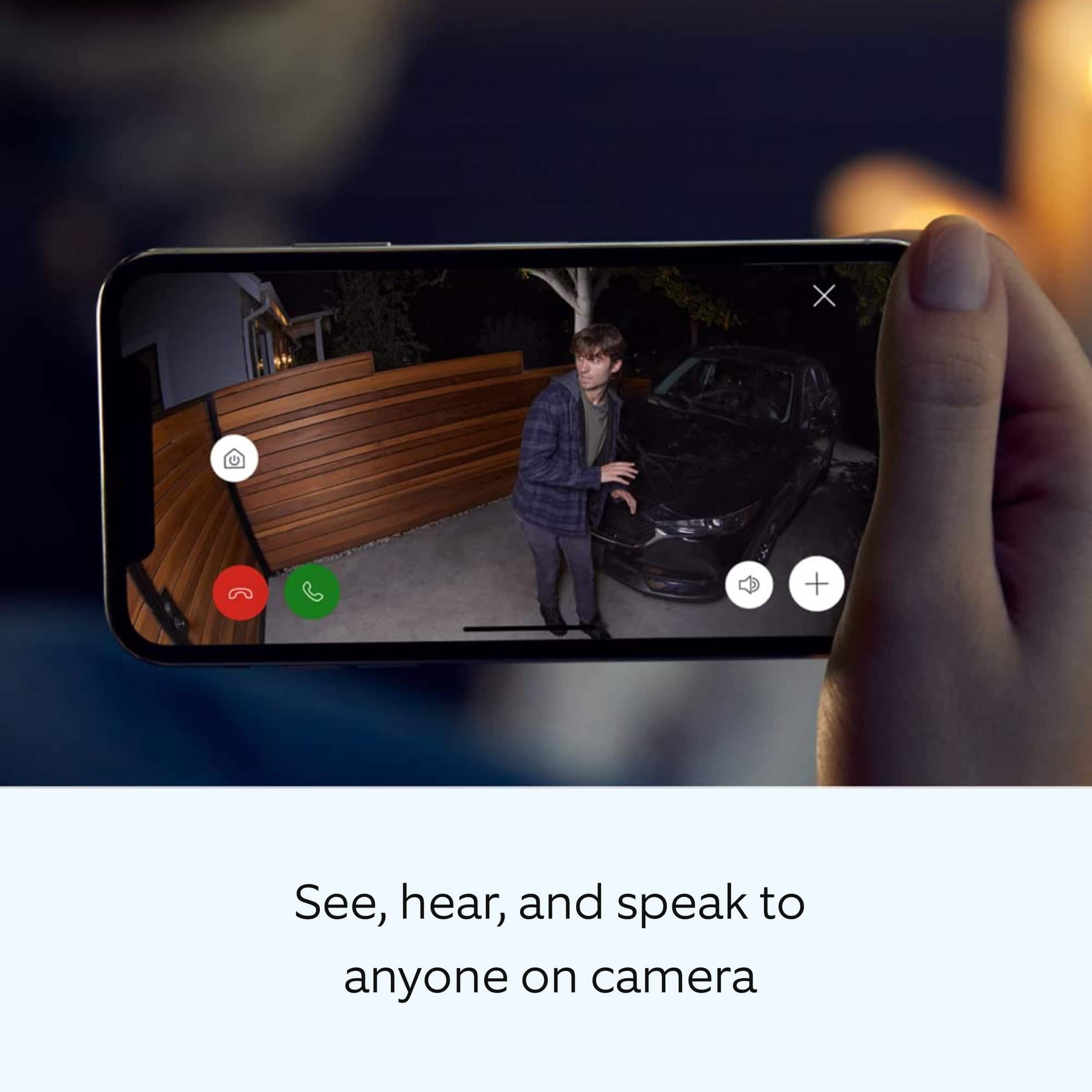
It sounds like the device is not performing as expected in regards to audio. Ring Spotlight Cam Plus is a wired video doorbell that offers 1080p HD video with night vision and two-way audio with noise cancellation. With Ring Spotlight Cam Plus, you can check in on your front door anytime, from anywhere, and can see and speak to visitors at your door in real time using your Ring app or Alexa-enabled device.
We are happy to share some tips with you to help you troubleshoot why your Ring device may be experiencing warped sound or no audio. Make sure the external volume is up on your mobile device (on the device where you're viewing your Ring videos or "Live View"). If your phone or tablet has poor service or internet, it could be affecting "Live View" or your video downloads. Try turning Bluetooth off, then open "Live View" or view a recorded Ring video. Poor wifi can often cause Ring device issues, including capturing audio. We recommend following these steps in the Ring app: Tap the top menu (☰), then Devices. Choose your Ring Spotlight Cam Plus. Tap "Device Health." Under the "Network" section, you'll see your device's "Signal Strength." If your "Signal Strength" (RSSI) is amber or red, your Ring device likely has a poor connection to your location's wifi. Try moving your wifi router closer to your Ring device. Open "Live View" in the Ring app and see if your Ring device's microphone is enabled. Open the Ring app. Tap the top menu (☰), then "Devices." Choose your Ring Spotlight Cam Plus. Tap the "Live View" button. Check to make sure the microphone icon is enabled. You can also press the green phone icon. If you have a Ring Protect subscription, you can view the recording to see what the audio sounds like. Check your audio privacy settings You may have your audio settings turned off for privacy reasons. Open the Ring app. Tap the top menu (☰), then "Devices." Choose your doorbell. Tap the "Device Settings" tile. Tap "Privacy Settings." Make sure "Audio Streaming" and "Recording" is enabled. Reboot your Ring doorbell by following these steps: Open the Ring app. Tap the top menu (☰), then "Devices." Choose your doorbell. Tap the "Device Settings" tile. Tap "Device Health." Scroll down and tap "Reboot This Device." Wait a few minutes for your device to reboot.
We invite you to reach out to our community if any additional information is needed regarding your Ring Spotlight Cam Plus. The Ring Community is our first peer-to-peer community forum, giving our customers the ability to help one another by sharing their feedback and experiences with each other.
Thank you,
Melissa from Ring.
Good Cameras
||Posted . Owned for 1 week when reviewed.This reviewer received promo considerations or sweepstakes entry for writing a review.Ring cameras work perfectly as advertised. Depending on traffic you may need an additional battery or solar charger.
I would recommend this to a friendMe.
||Posted . Owned for 3 weeks when reviewed.This reviewer received promo considerations or sweepstakes entry for writing a review.Very good very nice very professional very knowledgeable
I would recommend this to a friendV and Y Ring - Spotlight Cam Plus O/I Door WL 1080
||Posted . Owned for 1 month when reviewed.This reviewer received promo considerations or sweepstakes entry for writing a review.The camera need to be more flexibly when mounting on the wall/ the corner of the walls
I would recommend this to a friendVideo camera
||Posted . Owned for 3 weeks when reviewed.This reviewer received promo considerations or sweepstakes entry for writing a review.Great for my purpose Bbbbbbbbbbbbbbbbbbbbbbnbbbbbb
I would recommend this to a friendRing spotlight plus
||Posted . Owned for 2 months when reviewed.This reviewer received promo considerations or sweepstakes entry for writing a review.Works well enough. Definitely need a solar panel or it will die quickly. Even with an extra battery
I would recommend this to a friendStolen
||Posted . Owned for 3 weeks when reviewed.This reviewer received promo considerations or sweepstakes entry for writing a review.I have not used it at all,it was stolen from me..together with my Car...
I would recommend this to a friendBrand response from Ring
Posted .Hi Leom.
Thank you for taking the time to share your feedback with us. At Ring, we believe in keeping people close to what’s important. That is why we are driven to create products that help you protect what matters most at home and empower you to connect with your visitors from wherever you are. Together, we’ll make neighborhoods safer!
We are sorry to hear that your Ring Spotlight Cam Plus was stolen. That is definitely not the experience we want you to have. We recommend that you reach out to our Ring Customer Support at 1-800-656-1918. Our agents are available 24/7 and ready to assist you.
We also invite you to reach out to our community if any additional information is needed regarding your new Ring Spotlight Cam Plus. Ring Community is our first peer-to-peer community forum, giving our customers the ability to help one another and share their feedback and experiences with Ring.
Thank you,
Melissa from Ring.