Early Black Friday DealsNew Doorbusters through SundayShop now

Skip to content
Gift Ideas
Main Content

Customer Ratings & Reviews
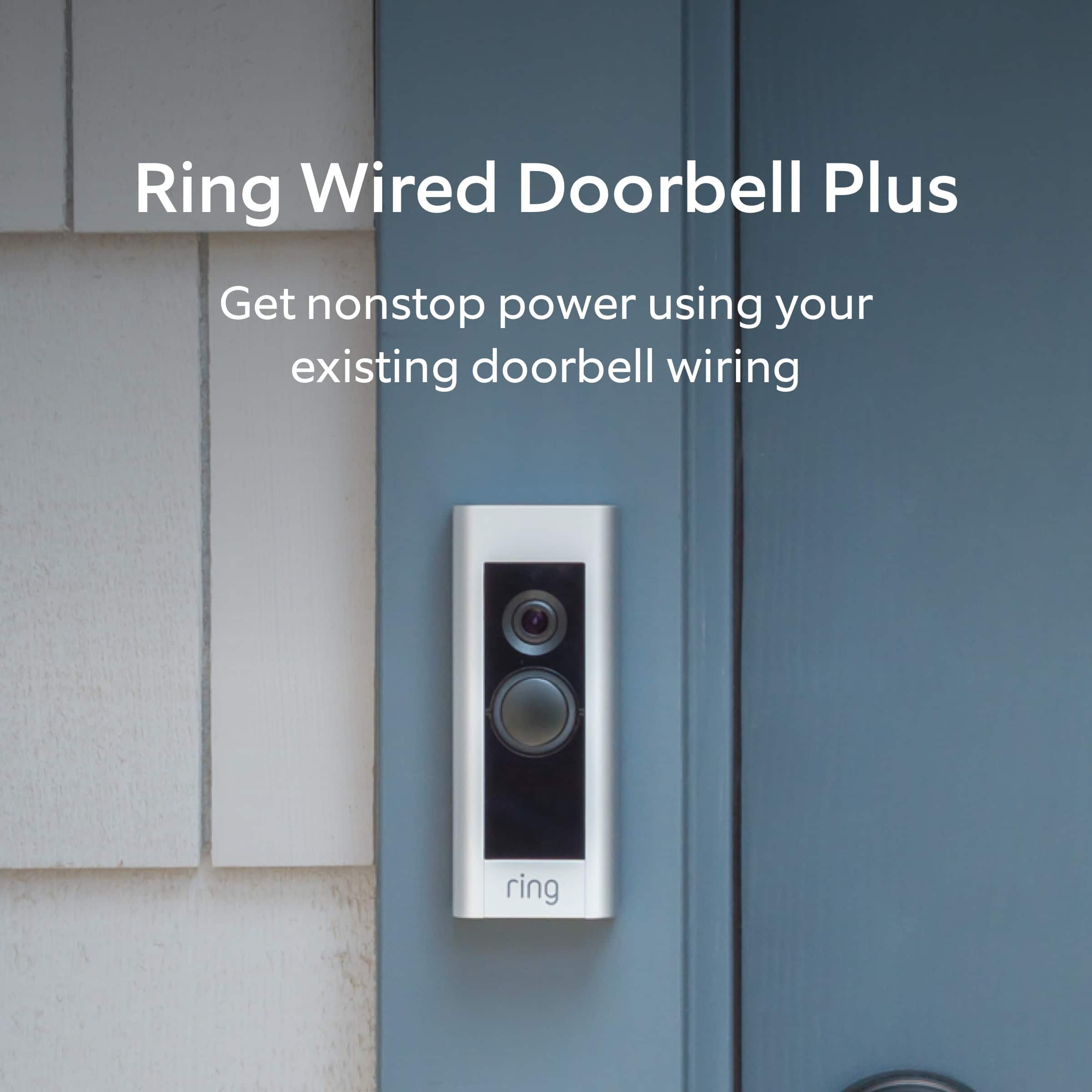
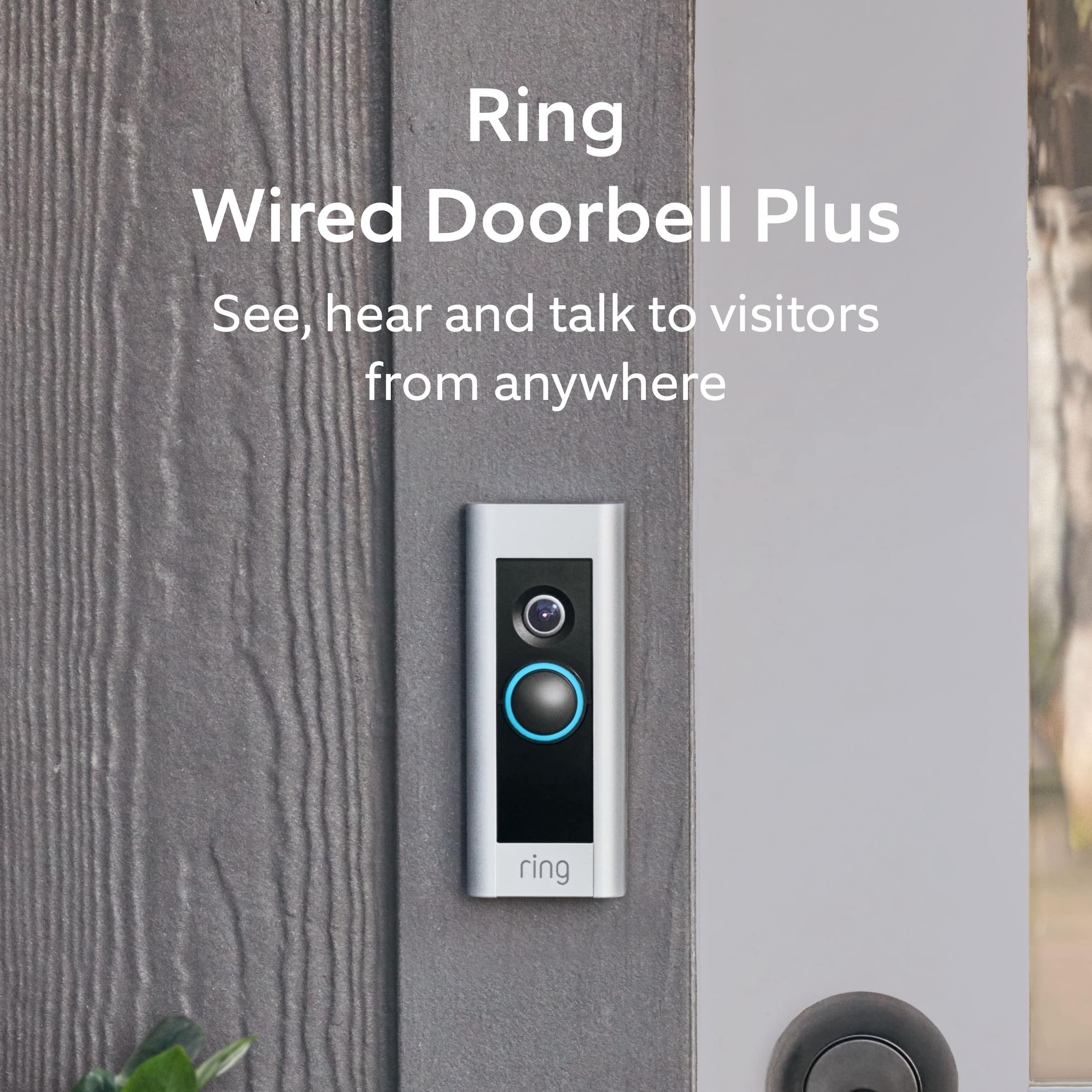
Your price for this item is $22.99
Clearance
The comparable value price is $149.99

Customer reviews

Rating 4.5 out of 5 stars with 1170 reviews

Rating Filter

Rating by feature

  • Video Quality

    Rating 4.6 out of 5 stars

  • Mobile App

    Rating 4.6 out of 5 stars

  • Sound Quality

    Rating 4.5 out of 5 stars

Pros mentioned filter

Cons mentioned filter

91%would recommend to a friend

Customers are saying

Customers are enthusiastic about the Wired Doorbell Plus Smart Wi-Fi Video Doorbell, particularly praising its great audio and video quality and ease of use. Users find the installation process straightforward and appreciate the overall performance and security features. While the motion detection and battery life receive positive feedback, some customers feel the price is a bit high and have experienced occasional Wi-Fi connectivity issues.

This summary was generated by AI based on customer reviews.

The vast majority of our reviews come from verified purchases. Reviews from customers may include My Best Buy members, employees, and Tech Insider Network members (as tagged). Select reviewers may receive discounted products, promotional considerations or entries into drawings for honest, helpful reviews.
Applied Filters:
Page 1 Showing 1-20 of 31 reviews
  • Rated 2 out of 5 stars

    It’s okay during the day

    |
    |
    Posted . Owned for 2 weeks when reviewed.
    This reviewer received promo considerations or sweepstakes entry for writing a review.

    This doorbell is okay, and I love the app. Unfortunately it only really works during the daytime because the night vision reflects off the wall and washes out the camera view. It would be nice if we could turn off the light on the doorbell to remedy this issue. The setting that allows you to set custom areas for motion alerts also doesn’t work. It alerts me of motion outside the boundary, even after I lower the sensitivity. I wish there was also an option to continuously record video instead of just view snapshots.

    No, I would not recommend this to a friend
    • Brand response from Ring
      Posted .

      Hello BeeReal,

      Thank you for leaving a review on the Ring Video Doorbell Pro. We love knowing what products/features our Ring community members would like to see considered. Thank you for taking the time to share your feedback with us.

      We greatly appreciate your feedback and welcome you to share your request on our community support board. We would love to hear your feedback on how we might improve this experience for you, and kindly ask for your feedback to be directed to our Ring Community page on Ring.com (http://ring.com/): https://community.ring.com/.

      Thank you, Jamila, with Ring Ring

  • Pros mentioned:
    Video quality

    Rated 2 out of 5 stars

    Was NOT “Buttoned” Up on design.

    Posted .
    This reviewer received promo considerations or sweepstakes entry for writing a review.

    I have had the ring doorbell for just over a year and a half. My door is a covered area out of sun and weather elements. We are empty nesters and have VERY few visitors. Yet I have a cracked button…..when you go to the website, they blame this on “aggressive” delivery drivers…..really? Go on the blogs and this IS a thing. They point you to a video on how to replace the video. PLEASE WATCH THE VIDEO….Madness as it is quite involved as this is NOT an easy undertaking. This is how Ring deals with a design flaw. In saying that, I hope they fixed this issue as it is an awesome product….just poor quality in the button design. If your doorbell is exposed to sun or weather….buyer beware.

    No, I would not recommend this to a friend
    • Brand response from Ring
      Posted .

      Hello Trombley,

      Thank you for taking the time to share your Ring Doorbell Pro experience with us. We appreciate it. Our products are designed to give you peace of mind in your home security, long term. Ring devices all include a one-year limited warranty on parts and hardware: https://ring.com/warranty. If you are a Ring Protect Plus member, an added benefit of this plan is an extended product warranty that would cover replacement for the lifetime of the device. Rest assured, whether you are a Protect Plus member or not, we do have some solutions that can resolve your concerns and ensure you have a Ring device that is capturing visitors around your home when you need it most!

      To obtain the benefit of the limited warranty, please contact Ring community support at http://support.ring.com/ or 1(800) 656-1918 (US). For any additional questions or concerns, please feel free to reach out on our community forum at https://community.ring.com/. This forum was launched in 2019 to allow our neighbors to share their experiences and feedback directly with Ring.
      We are eager to get a solution in place for you, so you can monitor your home and get notified in a timely manner of visitors approaching your door. We look forward to hearing from you soon!

      Thank you,
      Jamila with Ring Ring

  • Pros mentioned:
    Ease of use, Video quality

    Rated 2 out of 5 stars

    Great unit if you intend to pay for a subscription

    |
    |
    Posted . Owned for 1 week when reviewed.
    This reviewer received promo considerations or sweepstakes entry for writing a review.

    Pros: Great camera, very adjustable trigger settings, easy setup, nice app. Cons: You need to subscribe to keep the video recording and adjustable trigger features. That leaves you with no recording capability and not being able to isolate trigger events to just human movement. It triggers on everything that moves within 60 feet. That's a deal-breaker for me. I returned it.

    No, I would not recommend this to a friend
    • Brand response from Ring
      Posted .

      Hello Grandpops,

      As Ring users ourselves, we know how important it is to detect only the motion events we care about the most. Even without a Ring Protect subscription, your Ring Video Doorbell Pro should provide you with accurate motion detection. You can also count on instant Live View video with two-way audio. Our team is here to help you get the most out of your device.

      The following Motion Settings are available to everyone, regardless of having a Ring Protect subscription.

      - Customizable Motion Zones.
      - Motion Frequency.
      - Motion Sensitivity.
      - Motion Schedules.

      By adjusting your motion zones to more immediate areas of your yard, you should be able to reduce irrelevant motion events. Additionally, you can set your Motion Frequency settings to Standard or Periodically, which helps reduce excessive motion events. Below are two articles that go into more detail.

      https://support.ring.com/hc/en-us/articles/115003477106-Understanding-and-Optimizing-Motion-Detection-with-Motion-Frequency

      https://support.ring.com/hc/en-us/articles/360042728431-Advanced-Motion-Detection-in-Ring-Devices

      Although you may no longer have your Ring doorbell, we still value the investment you made in home security through Ring. We'd love to hear more of your feedback on our Community Forums. Please visit us at https://community.ring.com/.

      All the best,
      Marlom at Ring Ring

  • Rated 2 out of 5 stars

    Customer Service and Quality

    |
    |
    Posted . Owned for 9 months when reviewed.
    This reviewer received promo considerations or sweepstakes entry for writing a review.

    Ring lasted less than a year. When I purchased this product in September of 2023 it worked fine at my apartment but after one move in December 2024 my ring door bell stopped charging. I tried returning my ring but Best Buy said the product I was returning didn’t match the product I purchased which was not true. By the time I found my receipt at home it was too late, I threw the camera away out of frustration. Total waste of time and money, I’d rather buy directly from the product website when it’s acceptable

    No, I would not recommend this to a friend
    • Brand response from Ring
      Posted .

      Hi Disflex.

      Thank you for taking the time to share your experience with us. At Ring, we want to ensure that you have the best possible experience with our products. Your peace of mind and security are extremely important to us. You should be able to enjoy the peace of mind that the Ring Wired Doorbell Plus is designed to add to your home security.

      It sounds like the device is not performing as intended. The Ring Wired Doorbell Plus requires a doorbell transformer rated at 16-24 VAC 50/60HZ, 10-40VA max.
      If your Wired Doorbell Plus or Wired Doorbell Pro is hooked up to an internal doorbell chime, check if your Pro Power Kit is properly installed.
      If you have an older version of the Wired Doorbell Plus and are using it with an internal chime, check the cable installation of your Pro Power Kit.
      The Pro Power Cable (with orange fastening clips) is no longer necessary with newer versions of the Wired Doorbell Plus and Wired Doorbell Pro.
      Make sure your Wired Doorbell Plus or Wired Doorbell Pro is properly hooked up directly to a transformer.

      If you still have the device in your possession, for additional support, we recommend reaching out to our Ring Customer Support team. We also invite you to reach out to our community. The Ring Community is our first peer-to-peer community forum, giving our customers the ability to help one another by sharing their feedback and experiences with each other.

      Thank you,
      Melissa from Ring. Ring

  • Rated 2 out of 5 stars

    Poor reliability

    |
    |
    Posted . Owned for 1.5 years when reviewed.
    This reviewer received promo considerations or sweepstakes entry for writing a review.

    Im not too keen on this product it misses a lot of stuff within its zone at max sensitivity its a hit and miss unless they are nearly right up on your door iv had strangers walk up to my door and check the door knob to the house and this thing missed it and i got it from a secondary camera that i have that records 24/7 that i picked up for 20$ and its more reliable then this

    No, I would not recommend this to a friend
    • Brand response from Ring
      Posted .

      Hi OrlandoP.

      Thank you for taking the time to share your experience with us. We understand how important it is to have your Ring Wired Doorbell Plus capture all the correct motion events. The Ring Wired Doorbell Plus was designed to capture motions based on your specifications to help keep your home secure. We are here to provide you with some information to resolve the issue you mentioned in your review.

      It sounds like the device is not performing as expected in regards to motion detection. It is important to ensure that you have the proper motion settings in place for your environment.

      Accuracy in motion detection can be improved by enabling the "Smart Alerts" feature for people only in your Ring app. To enable "Smart Alerts," please follow these steps:
      Tap the menu (≡) on the top left.
      Tap "Devices."
      Tap the device that you want to adjust.
      Tap "Motion Settings."
      Tap "Smart Alerts."
      Tap "Enable Feature."
      Tap "Continue."
      Select the notification options that you want for "Person" and "Other Motion."
      You'll see a video camera where you can select or de-select recording and a bell icon to represent alert notifications.
      After you've adjusted your settings, tap "Done."

      If any additional information is needed regarding your Ring Wired Doorbell Plus. question, please reach out to our community team. The Ring Community is our first peer-to-peer community forum, giving our customers the ability to help one another by sharing their feedback and experiences with each other.

      Thank you,
      Amilia from Ring. Ring

  • Rated 2 out of 5 stars

    Defected item

    |
    |
    Posted . Owned for less than 1 week when reviewed.
    This reviewer received promo considerations or sweepstakes entry for writing a review.

    This device only worked for two (2) days then went offline. Technician came back on September 3 to tell us that it was defective. So we have exchanged this but have not been able to connect it yet, will soon.

    I would recommend this to a friend
    • Brand response from Ring
      Posted .

      Hi GayleG.

      Thank you for taking the time to share your experience with us. We understand the importance of having your Ring Wired Doorbell Plus function consistently and reliably so that you can effectively monitor your home. The Ring Wired Doorbell Plus is designed to be a DIY home security solution that can be trusted to provide you with lasting coverage. Rest assured, we're here to help!

      We are happy to hear that you were able to exchange the device.

      We are happy to provide you with the instructions for installing the Ring Wired Doorbell Plus without an existing doorbell.

      Please follow these steps:

      1. Install the transformer. For your safety, only use an existing doorbell transformer within the range specified below or compatible Ring accessories to power your device. Since you’ll be working with high-voltage electricity, first turn off the main power switch on your fusebox or consumer unit.
      Ring accessories are sold separately and may include:
      Plug-In Adapter (24VDC, 500mA)
      The Ring Wired Doorbell Plus is not compatible with third-party DC adapters, halogen transformers, or garden-lighting transformers. Using incompatible power sources can damage your device and cause electric shock.

      If you need help with this process, you should consult a qualified electrician.


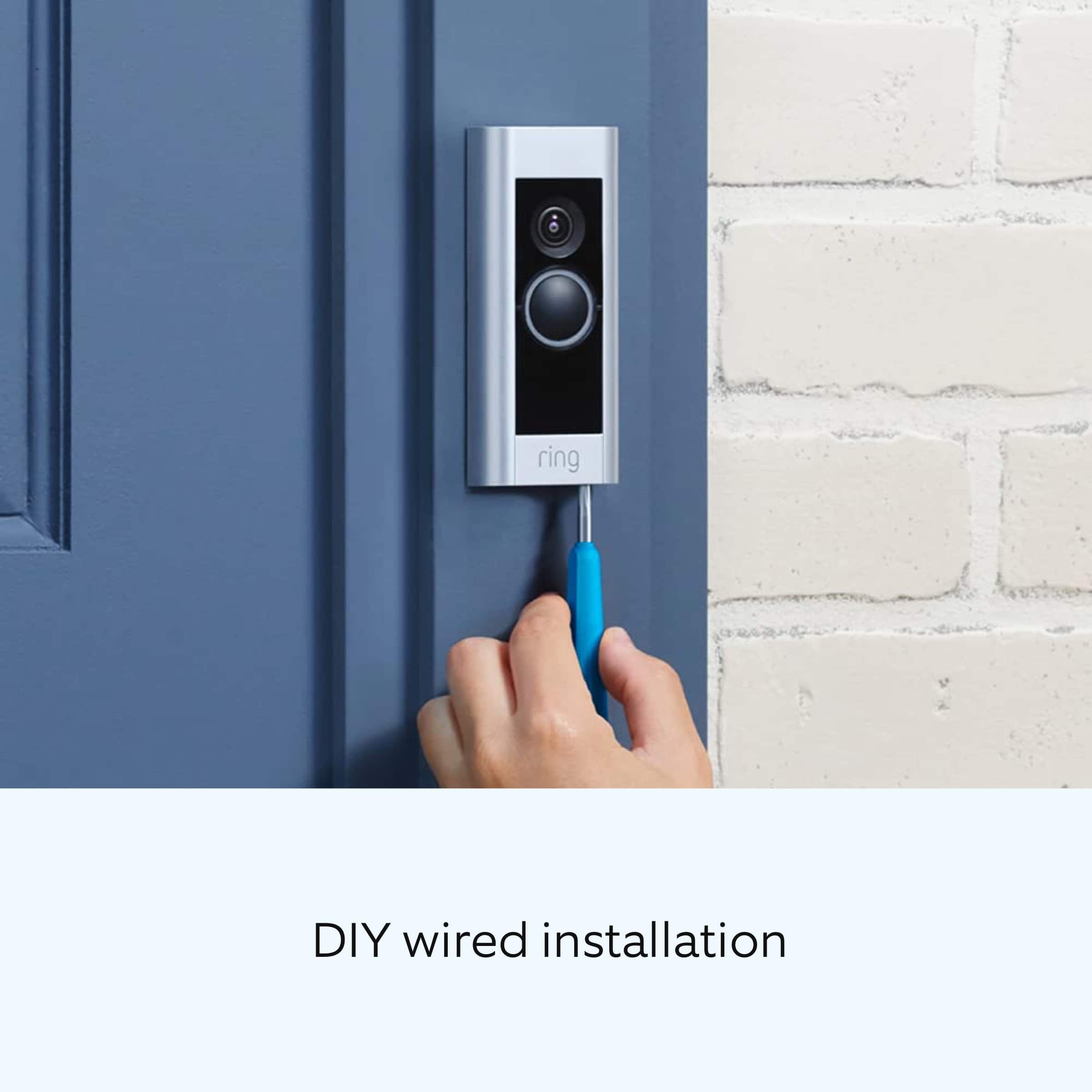
      2. Connect the Pro Power Kit. The Pro Power Kit V2 is designed to bypass your existing doorbell. Even if you are not bypassing an existing doorbell, connecting the Pro Power Kit is a required step with AC transformers in order to protect your new doorbell and transformer.


      3. Install your Video Doorbell Pro. Use the Phillips end for the mounting screws and the star-shaped end for the security screw. Use a 6mm drill bit with a power drill to drill holes for the (optional) anchors if installing on concrete, stucco, or brick. Use two mounting screws to mount your Ring Doorbell. Secure the faceplate with one of the security screws.


      4. Restore power at the breaker. You’re almost there! After turning the power back on, it’s time to set up your doorbell in the Ring app.


      5. Finish setting up your Video Doorbell Pro by following the steps in the Ring app. The Ring app connects your Ring Doorbell to your mobile device running iOS or Android, making sure you’re always home. Open the Ring app and tap Set Up Device to begin the setup process. Select Ring Video Doorbell Pro from the list and follow the in-app instructions.


      We invite you to reach out to our community if any additional information is needed regarding your Ring Wired Doorbell Plus. The Ring Community is our first peer-to-peer community forum, giving our customers the ability to help one another by sharing their feedback and experiences with each other.


      Thank you,
      Melissa from Ring. Ring

  • Rated 2 out of 5 stars

    Ring doorbell is a bit over-rated

    |
    |
    Posted . Owned for 1 month when reviewed.
    This reviewer received promo considerations or sweepstakes entry for writing a review.

    There is a lot to like about this product, but unfortunately, a lot to dislike too. I like having access to what is going on in the front of my house, which is it's main appeal. But, I found the installation instructions an app very confusing. The app is laid out very poorly and is non-intuitive. It forces you to search for the poorly worded functions under each tile until you find it one that you think is the right one. Then have to experiment with it to see if it is actually the function you wanted. The pause/sleep function does not work, so you keep getting alerts even after you have put it into sleep mode. One other thing that was annoying was the constant "advertising" pushing you to get their cloud service. This is very clearly a marketing-centric company rather than an engineering-centric one. Needs work, not sure I would buy again.

    No, I would not recommend this to a friend
    • Brand response from Ring
      Posted .

      Hi Catman.

      Thank you for taking the time to share your experience with us. We understand the importance of a seamless setup process so that you can begin using your Ring Wired Doorbell Plus right away. We are happy to hear that you are enjoying the benefits of having a Ring doorbell on the front of your home for security. We can definitely provide you with more information on the "Motion Snooze" concern that you mentioned in your review.

      We are always looking for ways to better our neighbor experience, and your feedback is an invaluable part of this process.

      To activate Motion Snooze, follow these steps:

      Open the Ring app.
      Tap the menu (≡) on the top left side of your Dashboard.
      Tap Devices and select your device.
      Tap Motion Snooze.
      Move the Motion Snooze slider to the desired duration.
      Tap Start Snooze.
      This feature will only affect notifications coming from the Ring app, and not from an Alexa-enabled device.

      To disable Motion Snooze:

      Open your Ring app.
      Tap the menu (≡) on the top left of the Dashboard.
      Tap Devices and select your device.
      Tap Motion Snooze.
      Tap Disable Motion Snooze.
      This feature will only affect notifications coming from the Ring app, and not from an Alexa-enabled device.

      To change the duration of the Motion Snooze, please follow these steps:

      Open the Ring app.
      Tap the menu (≡) on the top left of the Dashboard.
      Tap Devices and select your device.
      Tap Motion Snooze.
      Move the Motion Snooze slider to the desired duration.
      Tap Snooze Motion.

      We have included the steps to install your Ring Wired Doorbell Plus here:
      Turn off power at the breaker.
      Remove the button on your existing doorbell and disconnect the wires.
      Install your Pro Power Kit
      Remove the device’s faceplate.
      If mounting it on a masonry surface, place your Wired Doorbell Plus where you want to mount it and mark pilot holes. Then, drill holes where you've marked the holes and insert the anchors.
      Connect the wires to the screws on the back of the device.
      It doesn't matter which order the wires are connected.
      Be sure the wires don't touch each other.
      Be careful of over-tightening these screws as well.
      Place the device against the wall. Make sure that it is level, then drive the screws in.
      Wired Doorbell Plus will never require a diode to be installed.
      Double check each portion of your wiring and then turn the power back on. The device will require up to an hour to charge its internal power cell. After it has been charged, the device will automatically move into setup mode.
      Now that the device has been installed, set it up in the Ring app.
      Place the faceplate on the doorbell and ensure it is secured to the device.
      Install the security screw at the bottom of the device.

      Ring Community was launched to help deliver the most current news and educational information to our neighbors. This online forum is divided into four categories: Product Boards, Ring Updates, Tips + Tricks, and a Moderators’ Corner. The Product Boards are where you can begin new topics with your questions or feedback; there is also a search option that helps you find topics that have already been posted by other neighbors. We invite you to visit our community today for more information on your Ring Wired Doorbell Plus.

      Thank you,
      Melissa from Ring. Ring

  • Pros mentioned:
    Installation

    Rated 2 out of 5 stars

    Bad video quality

    |
    |
    Posted . Owned for 2 weeks when reviewed.
    This reviewer received promo considerations or sweepstakes entry for writing a review.

    It was easy to install, and the app works well. But the video quality is horrible. I can make out a figure, but facial features and any other details are a blur. I’m assuming it’s because of the lighting/sunshine with our south facing covered door. But neighbors with other brands don’t have this issue. I would not purchase again.

    No, I would not recommend this to a friend
    • Brand response from Ring
      Posted .

      Hi Nanny.

      Thank you for sharing your feedback with us.

      We understand how important it is to be able to see who is at your door with the Ring Video Doorbell Pro. The features and technology provided by the Ring Video Doorbell Pro are incredibly valuable and help provide you with peace of mind about your home security. Rest assured, we are here to provide you with a concrete resolution as quickly as possible.

      It sounds like the video quality is not what you expected. This could be due to sun exposure. While there are no video settings that allow you to change exposure to sunlight, there are other ways you can fix overexposed, washed-out videos:

      Use a wedge kit or corner kit to change the angle of the doorbell.
      There are many different corner kits and wedge kits, so make sure you get one that is compatible with your particular model of doorbell.

      Visit our support center for more information.

      Ring Community was launched to help deliver the most current news and educational information to our neighbors. This online forum is divided into four categories: Product Boards, Ring Updates, Tips + Tricks, and a Moderators’ Corner. The Product Boards are where you can begin new topics with your questions or feedback; there is also a search option that helps you find topics that have already been posted by other neighbors.

      All the best,
      Nicole from Ring. Ring

  • Pros mentioned:
    Ease of use

    Rated 2 out of 5 stars

    Doorbell not working

    |
    |
    Posted . Owned for 3 weeks when reviewed.
    This reviewer received promo considerations or sweepstakes entry for writing a review.

    Doorbell setup was easy. Unfortunately the installer could not get our door chime to work with the ring doorbell. He said the voltage dropped to low to make the chime work. After he left the doorbell went off line and is not working. I will try to reset it.

    No, I would not recommend this to a friend
    • Brand response from Ring
      Posted .

      Hello DonZ,

      Thank you for reaching out to us. Rest assured, we hear your concerns and are here to lend you some assistance. The Ring Pro was designed to give you real-time alerts and give you peace of mind about your home security. Moving forward, if the Ring products and features are not meeting your expectations, we have some options available for you.

      Based on your review, it seems that you are having trouble with your Ring Pro connecting to power.  We would like to note that the Ring Video Doorbell Pro is a hardwired-only doorbell. If you are noticing that your Ring Pro is having trouble with power, we recommend checking your home's transformer. We recommend a transformer with a power output of 16VAC 30 VA. For more information, please see our help center article: https://support.ring.com/hc/en-us/articles/209622213-Ring-Video-Doorbell-Pro-Information.

       If you still have your Ring Video Doorbell Pro, we would love to connect you with an online forum to discuss your concerns in more detail. For any additional installation questions or set up concerns, please feel free to reach out on our community forum at https://community.ring.com/. Thank you, Jamila, with Ring. Ring

  • Rated 2 out of 5 stars

    SueC

    |
    |
    Posted . Owned for 1 month when reviewed.
    This reviewer received promo considerations or sweepstakes entry for writing a review.

    Turns out the Ring is not compatible with our doorbell. Your man worked with it but had no schematic or technical info. He gave up in frustration. I learned enough that I traded this doorbell for an independent battery powered one. Another Geek Squad man is to come on June 13 to get this one installed. We can ask smarted questions now, but I am deeply disappointed in Ring for their lack of information either in the box or on the website. It is poor! We cannot read the QR code and you do not have it on the website. We put the battery in and get a string of 4 or so LED lights running in a circle on the camera. No troubleshooting guide, no help that we can find. You must have a tech writter that can do better...

    No, I would not recommend this to a friend
    • Brand response from Ring
      Posted .

      Hi Sue.

      Thank you for taking the time to share your experience with us. We understand the importance of a seamless setup and installation process so that you can begin using your Ring doorbell right away. The features and technology provided by Ring doorbells are incredibly valuable and help provide you with peace of mind about your home security. We can definitely provide you with more information regarding the concern mentioned in your review.

      It sounds like you are experiencing an issue when trying to set up your device. Please follow these steps to connect your Ring doorbell to the Ring app:
      Open the Ring app.
      Tap the menu (☰).
      Tap Set Up a Device.
      Tap Video Doorbells.
      Tap the blue I’m Ready to Scan button.
      Use your mobile device’s camera to scan the QR code on the device’s packaging.
      When a green square and a pop-up with your device image appear, the code has been recognized.
      If you continue to experience issues and are unable to scan the code, please follow these additional steps:
      Tap Other Options below the scanner.
      Select Can’t Scan the QR code.
      Confirm by selecting Enter code manually (this corresponds to PIN code digits underneath the QR code).
      Find your device in the list.
      Enter your five digit PIN which can be found below the QR code.
      Enter the location where your Ring Battery Doorbell Plus is being set up.
      If this is your first time setting up a Ring device, the Ring app will ask you to use your phone’s location services to pinpoint your location.
      Give your doorbell a device name.
      You can proceed with the device’s default name or give it a custom name.
      The LED light around the button on the doorbell should be spinning white when the device is in setup mode. If it is not spinning, you may need to press the setup button on the device. Follow the instructions in the Ring app.
      Connect your doorbell to Ring.
      iOS: Tap Join when the Ring app asks to join the Ring wifi network.
      Android: If your device does not automatically connect to the Ring wifi network:
      Exit the Ring app.
      Go to your mobile device’s Settings.
      Tap wifi.
      Select either Ring- or Ring Setup.
      Once connected, close your Settings app and return to the Ring app.
      Tap Continue in the app when the blue light stops flashing.
      Connect to your preferred wifi network.
      Once your device automatically finalizes the setup process, it will be ready to use.

      If any additional information is needed regarding your Ring doorbell, we invite you to reach out to our community. Ring Community is our first peer-to-peer community forum, giving our customers the ability to help one another and share their feedback and experiences directly with Ring.

      Thank you,
      Melissa from Ring. Ring

  • Pros mentioned:
    Video quality

    Rated 2 out of 5 stars

    Not impressed

    |
    |
    Posted . Owned for 2 months when reviewed.
    This reviewer received promo considerations or sweepstakes entry for writing a review.

    Not as impressed as everyone told me I would be. Many false notifications and other time no notification at all. Picture is crisp and clear day or night. Really wish it worked better. And the fact that I can't save to my own hard drive or NAS but must pay more to Ring is really the killer.

    No, I would not recommend this to a friend
    • Brand response from Ring
      Posted .

      Hello KenS7979,

      Thank you for sharing your user experience with us. Here at Ring, we fully understand the importance of having the motion detection work as intended. It is a valuable feature that is designed to notify you as to who may be near your home. Please know that it is a priority for us to be of assistance and find a resolution to your concern.

      If you are having trouble with your device picking up the correct motion. We recommend adjusting your motion settings and zones. Motion Zones allow you to define a specific area that you want your Ring device to cover while ignoring everything outside that area. By selecting Motion Zones to cover only areas you want the Ring device to monitor, you can effectively monitor the area you want as well as reduce the number of “false positive” motion alert. For more information on adjusting your motion settings to better fit your needs, please see our help center article titled:https://support.ring.com/hc/en-us/articles/360021842611-Utilizing-Motion-Zones-With-Your-Powered-Ring-Devices.

      Also, if you are having trouble with answering your doorbell from your Ring App. Rapid Ring is a "light" version of the classic Ring app with most of the features stripped out except for the ability to activate a Live View and respond to an event as quickly as possible. By using the Rapid Ring app in conjunction with the original Ring app, you'll be able to answer your notifications as quickly as possible. Please see our help center article for more information on the Rapid Ring App: https://support.ring.com/hc/en-us/articles/360028023571-Rapid-Ring-App-Information.


      If after trying these steps, you are still experiencing issues, we would love to investigate this further with you. Please feel free to check out our community forum at https://community.ring.com/ for additional tips and support!

      Thank you, Jamila with Ring. Ring

  • Rated 2 out of 5 stars

    Didn’t Last

    |
    |
    Posted . Owned for 3 weeks when reviewed.
    This reviewer received promo considerations or sweepstakes entry for writing a review.

    Worked for about a month. Then randomly stopped. Can’t get it to reconnect. Tried everything. Ended up buying a battery-powered doorbell to replace it.

    No, I would not recommend this to a friend
    • Brand response from Ring
      Posted .

      Hi Chey. Thank you for taking the time to share your experience with us. We understand how important it is for your Ring Video Doorbell Wired to function consistently and reliably, so you are alerted to any wanted or unwanted activity in or around your home. Having a solid connection ensures you do not miss any activity around your home. We would like to provide you with solutions to the connection concerns you are experiencing today!

      It sounds like the device is not performing as intended. Wired Doorbell Plus is Ring’s ultra-slim design video doorbell with a variety of advanced features. With Wired Doorbell Plus, you’ll always be connected to your home, so you can watch over your property and answer the door from anywhere. If your Ring device is having trouble connecting, the Ring app will show an error with a code that will help you determine your issue. Here are a few top reasons for poor connectivity:

      Your wired Ring device may not be receiving power, is unplugged, or the power is out.
      Your location's internet may not be working, or your internet service provider is experiencing high traffic.
      You recently changed to your wifi network, wifi password, or internet service provider (ISP).
      You moved to a new location.
      Your Ring device may be too far from your wifi router.
      Your Ring Chime Pro or wifi extender may be unplugged.
      Your wired Ring device may not be receiving power, is unplugged, or the power is out.
      Your location's internet may not be working, or your internet service provider is experiencing high traffic.
      You recently changed to your wifi network, wifi password, or internet service provider (ISP)
      You moved to a new location.
      Your Ring device may be too far from your wifi router.
      Your Ring Chime Pro or wifi extender may be unplugged.
      When an internet connection is available, Wired Doorbell Plus will automatically attempt to connect to your location's wifi.

      Things to check:
      Check to make sure your wifi router is plugged in and on.
      Check other devices around your home to see if they’re connected or disconnected to wifi. If other devices are not working, there may be an outage in your area.
      Make sure your Ring device has your most updated wifi network and password.
      Check the power at your location, and at the circuit breaker.
      When a Ring device is offline, you'll see a red no wifi icon displayed over your Ring device in the Ring app. Tap this icon to pull up an error screen to help troubleshoot your issue. If you have a poor internet connection, your Ring device is likely too far from your wifi router, or your wifi router is obstructed by walls or furniture.

      A poor wifi signal can cause connectivity with your Ring device to be unreliable. Check the Device Health section of your Ring application to ensure the device’s RSSI is within an acceptable range. The recommended range for optimal performance is 0 to -60 for the RSSI. Follow these steps to check your device's signal strength:
      Open the Ring app.
      Tap the menu (☰).
      Tap Devices.
      Select the Ring device you would like to test.
      Tap on the Device Health tile.
      Scroll to Signal Strength under the Network section.

      If your networking equipment hasn’t been power cycled in a while, try unplugging it for 30 seconds and plugging it back in. Wireless networks utilize different channels for communication. In the United States, the 2.4 GHz band uses channels 1-11 and the 5 GHz band uses channels 36-165. In some cases, setting up your Ring device(s) can fail due to wireless interference or congestion.

      If you still have the Ring device in your possession, we invite you to reach out to our Community. Ring Community is our first peer-to-peer community forum, giving our customers the ability to help one another and share their personal feedback and experiences with Ring. We look forward to hearing from you if we can be of any further assistance!

      Thank you,
      Melissa from Ring. Ring

  • Rated 2 out of 5 stars

    No thumbnails on activity log

    |
    |
    Posted . Owned for 2 months when reviewed.
    This reviewer received promo considerations or sweepstakes entry for writing a review.

    Everything about this camera/doorbell is great EXCEPT one major flaw: the lack of thumbnails in the activity log. I have the settings set to pick up light/moderate activity so I get about 15-20 notifications a day. The activity log shows a list of all the activity picked up, as just that: a list; there are no thumbnail images for each activity item, so in order to know which item may or may not have concerning activity, I have to click on and watch every clip in the list. Most of the time it’s just a car driving past. It would be so much more helpful if thumbnails were included so you could at least get an idea of whether or not an activity looks out of the norm. But as it stands, I have to sift through a bunch of videos of cars passing by. I know other security cameras out there do include the thumbnails, so I can’t understand why a big player like Ring hasn’t added that feature.

    No, I would not recommend this to a friend
    • Brand response from Ring
      Posted .

      Hello JennieLee,

      Thank you for taking the time to share your Ring Video Doorbell Wired experience with us. The all-new Ring Video Doorbell Wired will send you a notification when someone presses the doorbell or triggers the built-in motion sensors. With Advanced Motion Detection and customizable motion zones, Ring Video Doorbell Wired makes it easy to tailor the settings for your specific needs, detecting motion in specific areas and sending an alert as soon as a visitor approaches the door.

      It sounds like you are referring to Snapshot Capture is a feature from the Event History Timeline, which is a Ring mobile app-exclusive feature. The timeframes for this feature can be adjusted. Here is a helpful article that elaborates on this feature: https://support.ring.com/hc/en-us/articles/360034443672-Using-Your-Snapshot-Capture-Feature.

      Ring Community is our first peer-to-peer community forum, giving our customers the ability to help one another and share their feedback/experiences with Ring. We invite you to reach out at https://community.ring.com/ if you have any additional questions or feedback regarding your Ring Video Doorbell Wired.

      Thank you,
      Alexis with Ring Ring

  • Rated 2 out of 5 stars

    Somewhat disappointing

    |
    |
    Posted . Owned for 1 month when reviewed.
    This reviewer received promo considerations or sweepstakes entry for writing a review.

    I thought this was also supposed to have a backup battery.

    No, I would not recommend this to a friend
    • Brand response from Ring
      Posted .

      Hi Jh11.

      Thank you for taking the time to share your feedback with us.

      We understand the importance of having all relevant product information prior to purchasing. The features and technology provided by the Ring Wired Doorbell Plus are incredibly valuable and help provide you with peace of mind about your home security. We can definitely provide you with more information regarding the concern mentioned in your review.

      It sounds like you have some concerns with the features of your device. The Ring Wired Doorbell Plus is a hardwired device. It requires a transformer rated between 16-24VAC, 50/60HZ. Out of the box, the Ring Wired Doorbell Plus comes with the following:

      Ring Wired Doorbell Plus
      Satin Nickel faceplate
      Installation hardware and tools
      User manual & Quick-start guide
      Security sticker

      Ring offers a variety of battery-powered devices, if that is a better fit for your home. We invite you to visit our support center to compare the features of the various Ring doorbell devices.

      Ring Community was established to assist in providing our neighbors with the most recent news and instructional material. Four sections make up this online forum: Ring Updates, Product Boards, Tips & Tricks, and a Moderators' Corner. You can start new topics on the Product Boards with your questions or suggestions; a search function will assist you in locating subjects that other neighbors have previously posted.

      All the best,
      Nicole from Ring. Ring

  • Rated 2 out of 5 stars

    Un-Stable Performance

    |
    |
    Posted . Owned for 1 month when reviewed.
    This reviewer received promo considerations or sweepstakes entry for writing a review.

    I contacted Ring 3 times. Voltage issues even after replacing transformer. Ring had no more ideas. Returned to Best buy.

    No, I would not recommend this to a friend
    • Brand response from Ring
      Posted .

      Hi Saute.


      Thank you for taking the time to share your experience with us. We understand the importance of having all relevant product information prior to purchasing. The features and technology provided by the Ring Wired Doorbell Plus are incredibly valuable and help provide you with peace of mind about your home security. We can definitely provide you with more information regarding the concern mentioned in your review.

      It sounds like the device is not working as expected. Wired Doorbell Plus is Ring’s ultra-slim video doorbell with a variety of advanced features. The Wired Doorbell Plus offers "Advanced Motion Detection," 1080p video, "Two-Way Talk," "Quick Replies," "Color Night Vision," and "Alexa Greetings." With Ring’s advanced doorbell, you can check in on your front door anytime, from anywhere, and see and speak to visitors at your door in real-time using your Ring app or Alexa-enabled device.

      We are happy to provide you with the instructions for installing the Ring Wired Doorbell Plus without an existing doorbell.

      Please follow these steps:
      1. Install the transformer. For your safety, only use an existing doorbell transformer within the range specified below or compatible Ring accessories to power your device. Since you’ll be working with high-voltage electricity, first turn off the main power switch on your fusebox or consumer unit.
      Ring accessories are sold separately and may include:
      Plug-In Adapter (24VDC, 500mA)
      The Ring Wired Doorbell Plus is not compatible with third-party DC adapters, halogen transformers, or garden-lighting transformers. Using incompatible power sources can damage your device and cause electric shock.
      If you need help with this process, you should consult a qualified electrician
      2. Connect the Pro Power Kit. The Pro Power Kit V2 is designed to bypass your existing doorbell. Even if you are not bypassing an existing doorbell, connecting the Pro Power Kit is a required step with AC transformers in order to protect your new doorbell and transformer.
      3. Install your Video Doorbell Pro. Use the Phillips end for the mounting screws and the star-shaped end for the security screw. Use a 6mm drill bit with a power drill to drill holes for the (optional) anchors if installing on concrete, stucco, or brick. Use two mounting screws to mount your Ring Doorbell. Secure the faceplate with one of the security screws.
      4. Restore power at the breaker. You’re almost there! After turning the power back on, it’s time to set up your doorbell in the Ring app.
      5. Finish setting up your Video Doorbell Pro by following the steps in the Ring app. The Ring app connects your Ring Doorbell to your mobile device running iOS or Android, making sure you’re always home. Open the Ring app and tap Set Up Device to begin the setup process. Select Ring Video Doorbell Pro from the list and follow the in-app instructions.

      We invite you to reach out to our community if any additional information is needed regarding your Ring Wired Doorbell Plus. The Ring Community is our first peer-to-peer community forum, giving our customers the ability to help one another by sharing their feedback and experiences with each other.

      Thank you,
      Matthew from Ring. Ring

  • Rated 2 out of 5 stars

    RIng video door bell

    |
    |
    Posted . Owned for 3 weeks when reviewed.
    This reviewer received promo considerations or sweepstakes entry for writing a review.

    Ring door bell is not compatable with every door bell chime. I could get the WIFI working but not the door bell chime. Talked with Ring support to find this out. This was after checking the voltage and rewiring the door bell chime back up. Bottom line was not going to be a new door bell chime return the product.

    No, I would not recommend this to a friend
    • Brand response from Ring
      Posted .

      Hi Kirk19.

      Thank you for taking the time to share your experience with us. We understand the importance of having all relevant product information prior to purchasing. The features and technology provided by the Ring Wired Doorbell Plus are incredibly valuable and help provide you with peace of mind about your home security. We can definitely provide you with more information regarding the concern mentioned in your review.

      It sounds like the device is not performing as expected. The Ring Wired Doorbell Plus is Ring’s ultra-slim design video doorbell with a variety of advanced features. The Ring Wired Doorbell Plus offers "Advanced Motion Detection," 1080p video, "Two-Way Talk" & "Quick Replies," "Color Night Vision" and "Alexa Greetings." With Ring’s advanced doorbell, you can check in on your front door anytime, from anywhere, and can see and speak to visitors at your door in real-time using your Ring app or Alexa-enabled device.

      To enable your in-home chime, please follow these steps in the Ring app: Open the Ring app. Tap the menu (☰), then tap Devices. Tap on your Ring Wired Doorbell Plus. Tap "Device Settings." Select "In-Home Chime Settings." Tap the toggle to turn on or turn off your in-home doorbell chime. If the toggle is blue, the feature is turned on. If the toggle is white, the feature is turned off. Tap "Save" in the upper right to save your changes. If your doorbell is functioning but you can’t hear your internal chime, there are several possible reasons. A Ring doorbell that’s hardwired should ring your internal doorbell if it:
      *Has adequate power from the transformer
      *Is wired properly
      *Is set up in the Ring app and is connected to the appropriate chime type: mechanical chime - has traditional short ding-dong sound digital chime - has longer, more melodic sound
      *Is using a compatible chime kit

      For your safety, only use an existing doorbell transformer within the range specified below or compatible Ring accessories to power your device. For connecting to an existing doorbell system use a hardwired transformer (16 to 24 VAC, 50/60Hz, 10VA to 40VA). Using incompatible power sources can damage your device and cause electric shock. To identify which type or doorbell chime you have, listen to the sound it makes.

      A mechanical chime uses a physical bell and a mechanical hammer and makes a traditional ding-dong sound. A digital chime plays pre-recorded digital tones through an electronic speaker and often has a selection of different tones you can choose from. If you're unsure what type of doorbell chime you have, remove the front of your chime box and look inside for a bell and hammer or an electronic speaker.

      Check whether your existing doorbell chime kit is compatible with Ring Wired Doorbell Plus, from our list of tested and confirmed mechanical chimes here: Adamax CMH1 Air King Limited / Berns Air King Corp CK100, CK110, CK250, CY-1, SBK200 Angelo Brothers Co. 76001, 76003, 76006, 76020, 76034, 76040, 76200, 76205, 76210, 76515 Atticus Electronic Wired Door Bell Deluxe Contractor Kit B077HTD67L Aubrey 5010 Broan 950W, 971, 972, 973, 978, C105, CBP972, CBP978, CD-110NB, RC140WH-A, 210, RC210 Byron D422 "SURF KIT", D117 Ding Dong Carlon CK225, CK221RP, DH120, DH130, DH213, DH254, DH257, DH315, DH504, DH506, DH600, DH636, DH257 (device marked DH213/254) Craftmade C102X2L, CBB-PR, CH1202-DO, CH1405-PT, CH1415-OBG, CH5202-DO Dimango DH3XX Dongguan Smart Hero 3109-HD Droog Bottoms Up Edwards C-110, C210, C210-W, C211, C211-W, 580, C212, C212W, C212-W, C212W-2L, C213, C213-W ElectraChime[all models] Comet, Coronet, Empire, Metro, Ribbon Emerson C8326, C8204, C8229, C8270, C8272, C8355, C8359, C8361, C8365, 08359, 202, C8203 Fasco 240, 276 Friedland Friedland York Tubular Doorbell C963 GE CL11, CL22 Grothe LTW 1171A 24V AC Hampton Bay CH-2796-02, HB-27102-03 (103 008 630), HB-2748-03, HB-2749-03 Heath Zenith 95B-B, 32SN, DW-2735-02, SL-2735, SL-2735-02, DW-48 (50 BASE), SL-2796, SL-2796-02, LE-96, 615-0090-LE-DXX (90 BASE), WD-1 BASE, 907/M (95 BASE), 96/M-B (WD-1 BASE), 99-A, DW-907 (95 BASE), 35 BASE, 615-0090-TR-CXX Home Depot 216598 (1001 406 918), 216599 (1001 406 920) Honeywell RCW100N, E2609 Liberty Bell Manufacturing Company Model 56 QUALITY Maple Chase 60515 Marks Products Co. Snapit 600C Single Door, Snapit 630C Golden Tone Door Signal Chime Miami Carey EC-525-VP, L-110, L-113, 237 Encore Nautilus N950W, NC103 Newhouse Hardware CHM3D Nicor 18001, 18002, 18002LRD, 18002LRT NuTone BK240LWH, BK242LWH, K16, L34 Heirloom, LA100WH, LA120K, LA120WL, LA202WH, LA202WH-1, LA126WH, LA208K, LA208WH, LA164, LA164WH, LA20, LA39WH, L-42, LA-107, LA-43, 5763, C39854, LB-32, BK105, BK110NBWH, BK115LWH-1, BK120NBWH-1, BK125LWH-1, BK131LSN-1, BK131LRBZ-1, BK131LPB-1, BK131LSN-1, LA139WH-1, BK140LWH, BK142LWH, BK142LWH-1, C105, CD130, KA10, KA-10, KB10, KB-10, CD131SWH, CD131SN, L12, L14, LA9, LA12, LA13, LA14, LA15, LA109, LA110, LA111, LA114, LA116, LA117, LA119, LA130, LA139WH, LA140, LA152, LA11BG, LA11WH, LA-107, LA141, LA144, LA148, LA143, LA14WH, LA149, LA30SAVVY, LA37, KB10, LB-12WW-1, LB-18, LB-76, LB12, LB13, LB14, LD21, VG130, VG190, LB-14WH, Scovill NuTone Broan C100, C105, C120, C121, C122, C200, C201, C202, C203, C204, C205, C206, C206P, C206WH, C207, C208, C208p, C208WH, C225, C300, C301, C302, C303, C308, C309, C310, C322, CBP103, CD-131SWH-1, 99521100 Quorum 101-1-6, 101-2-6, 102-1-6, 102-2-6 Rittenhouse 382, C8230, Model 220 Sears Roebuck 746.14760, 746.14960, 1410, 746-14490, 746-14536 Siemans 5WB1500 Snapit 600C Signle Door, 630C Golden Tone Steens / Rejuvenation Resonator C4742 Style Selections SS-2735-03 Tamlite Lighting DB1-2WH, DB3-2WH Tieber/Craftmade CTPW-RG, CH5202 Tieber ICH-1505-BK Trine R604743 USI Electric BCK1-PDWH-2, BCK1-PDWH2UN, BCK1-PDWH1UN Utilitech 0568981 universal doorbell, UT-27103-02, UT-2735-02, UT-2747-02,0009736 (is Heath Zenith WD-1 BASE), UT-2796-02, UT-2796-03, UT-2797-03 Compatible Digital Chimes: Manufacturer Model BCS Ideas YourBell Carlon DH840E Dongguan Smart Hero Friedland D525ST Phonicia, D844 Seattle Hampton Bay (Home Depot) HB-7611-02 (1001 407 347), HB-7612-02 (1001 407 776), HB7612-03, HB-7613-02 (1001 407 776), HB-7614-02 (1001 407 811), HB-7615-02 (1001 411 352), HB-7616-02 (1001 407 817), HB-7617-02 (1001 407 818), HB-7618-02 (1001 407 820), HB-7619-02, HB-7620-02, HB-7621-02 (1001 407 821), HB-7621-03, HB-7623-03, HB-7624-03 (1003 008 626), HB-7625-03 (1002 967 182), WL-108, WL-108-A Heath-Zenith BC3330, DC-3335, DC-3338, DC-3344, DC-3360 (3300-RX), DC-3361, DC-3362, DW-57, 57/M, HE-2219-CH (DS220) (2200/2300 BASE), HE-2215-CH, SL-7560-02, TR-0070-BX, WL-106, WL-106A, WL-106-A, WL-106-B, TR-0081-BX (74 BASE), TR-0081-8X Home Depot 216590 (1001 406 912) Honeywell RCW250N1003, RCW3502N1003/N, RCW3504N1001/N, RCW3506N1009/N, RCW35, RCW3501N, RCW3502N, RCW3506N, Series 3 DW311S, DW313S, DW313xx iChime iChime, iChime-1, iChime-2, iChime rev 2 IQ America DW1401A, DW1402A, DW2403A, DW2404-ACTB, DW3404-ACCB, DW4404-ACBD, DW2405, PC-5610, PC-5870, PC-7420, PC-5810, DW3404-ACCB, PC-5870, PC-7420, UNIVERSAL CHIME BASE, DW2840, DW2850, DW2860, KAKADU premium classic music Musical Doorbell MDB-2 Nicor PRCP2 (PrimeChime+2, PrimeChime Plus2) NuTone LA600WH Style Selection SS-7575, SS-7580, SS-7582, SS-7581-03, SS-7582-03, SS-7584-03 Trine 64-2 Westminster, 75-2 Musical Door Chime, No.75 Selectronic Musical Chime Utilitech UT-7574, UT-7575-02 (#0568974), UT-7577-02, UT-7578-02 (#0568978), UT-7579-02, UT-7580-02.

      If your Ring Wired Doorbell Plus is not compatible with your existing in-home chime, we recommend using the Ring Chime with your Ring Video Doorbell Wired. When plugged into a standard wall socket, the Ring Chime produces an audio signal whenever you receive an alert from a Ring device for motion and doorbell announcements. Simply plug it in to a power outlet, set it up in the Ring app, and you'll be able to hear alerts from your Ring devices at home.

      We invite you to reach out to our community if any additional information is needed regarding your Ring Wired Doorbell Plus. The Ring Community is our first peer-to-peer community forum, giving our customers the ability to help one another by sharing their feedback and experiences with each other.

      Thank you,
      Melissa from Ring. Ring

  • Rated 2 out of 5 stars

    wish it worked

    |
    |
    Posted . Owned for 1 month when reviewed.
    This reviewer received promo considerations or sweepstakes entry for writing a review.

    When it works it’s great but it doesn’t work 70% of the time. I hope geek squad can fix it

    I would recommend this to a friend
    • Brand response from Ring
      Posted .

      Hello bestbuyer,

      Thank you for reaching out to us. Rest assured, we hear your concerns and are here to lend you some assistance. The Ring Pro was designed to give you real time alerts and give you peace of mind in your home security. Moving forward if the Ring products and features are not matching your expectations, we have some options available for you.
      Based on your review, it seems that you are having trouble with your Ring Pro. If your Ring Pro is not working as intended, we recommend resetting the device. To reset your Ring Pro press and hold the setup button for 10-15 seconds. Once the white light stops spinning you can continue with setup. For more information on how to troubleshoot your Ring Pro please see our help center article: https://support.ring.com/hc/en-us/articles/216536983-What-to-Do-if-Your-Ring-Video-Doorbell-Pro-Goes-Offline.
      Additionally, if you have not already, please check out our Ring Community forum where other Ring users, like yourself, have an open discussion platform to share their experiences, as well as solutions to issues experienced: https://community.ring.com/.
      Thank you, Jamila with Ring. Ring

  • Rated 2 out of 5 stars

    Video clarity is not the best

    |
    |
    Posted . Owned for 1 month when reviewed.
    This reviewer received promo considerations or sweepstakes entry for writing a review.

    I returned this item as I did not like the visual clarity that was listed. I ended up going with an upgraded ring doorbell.

    No, I would not recommend this to a friend
    • Brand response from Ring
      Posted .

      Hi JenniferG.

      Thank you for taking the time to share your experience with us.

      We understand how important it is to be able to clearly see who is at your door with the Ring Wired Doorbell Plus. The features and technology provided by the Ring Wired Doorbell Plus are incredibly valuable and help provide you with peace of mind about your home security. We can definitely provide you with more information regarding the concern mentioned in your review.

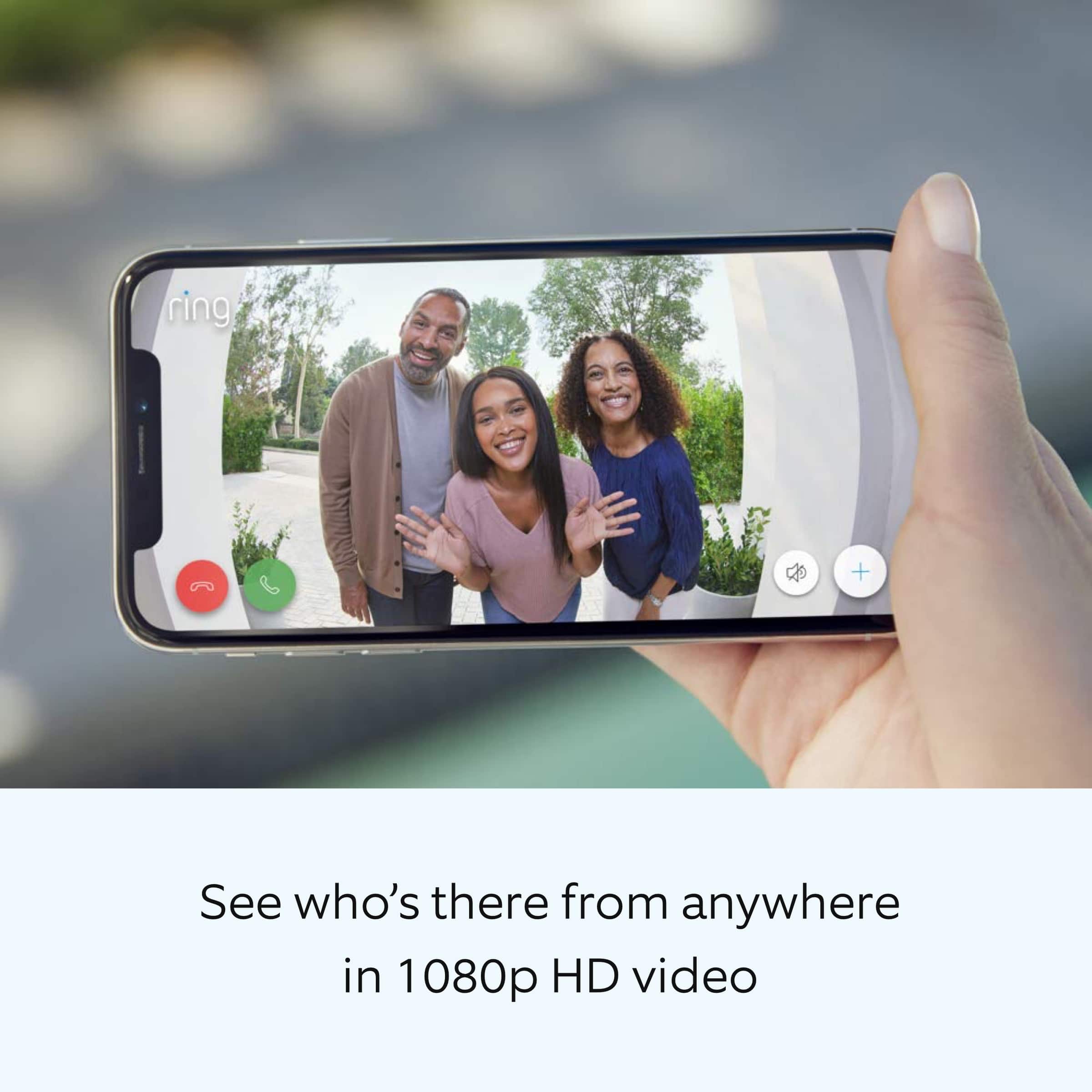
      It sounds like you have some concerns with the video quality of the Ring Wired Doorbell Plus. The Ring Wired Doorbell Plus offers 1080p video. Poor wifi signal strength from your router could be the culprit for poor video quality problems. Follow these steps to test your wifi signal strength:

      Turn off your mobile device's cellular data and connect to the same wifi network as your Ring device.
      Open the Ring app.
      Tap the menu (☰).
      Tap Devices.
      Select your device.
      Trigger an event on your Ring device. This could mean pressing the button on a doorbell or activating the motion sensors on a camera.
      Answer the event and examine the resulting video.
      Possible outcomes from this test include the following:

      Footage is crisp and clear: If your video appears good when next to the router, the issue may be caused by a disruption in between your router and your Ring device’s normal location. To fix this, try moving your device closer to the router or extend your wifi signal with a wifi extender like the Ring Chime Pro.
      Footage is heavily pixelated: If you’re seeing heavy pixilation, even next to the router, this may be due to slow wifi speeds.
      Severe pauses in Live Video: If your video pauses, stutters, or gets frozen and your wifi speed meets the minimum standards, try rebooting your router. Unplug your router, wait 30 seconds, and then plug it back in. It should take three to four minutes to reboot. Then, test your Ring device again and see if there's any difference.
      Long delay before your video starts: This is also caused by slow wifi speeds. Assuming you have high speed internet, reboot your router and the mobile phone, tablet, or PC you're accessing the video feed on, Then see if there's any difference when it's back on line.

      Visit our support center for more information.

      Ring Community was established to assist in providing our neighbors with the most recent news and instructional material. Four sections make up this online forum: Ring Updates, Product Boards, Tips & Tricks, and a Moderators' Corner. You can start new topics on the Product Boards with your questions or suggestions; a search function will assist you in locating subjects that other neighbors have previously posted.

      All the best,
      Nicole from Ring. Ring

  • Rated 2 out of 5 stars

    Defective Product

    |
    |
    Posted . Owned for 3 weeks when reviewed.
    This reviewer received promo considerations or sweepstakes entry for writing a review.

    Product was defective. We could not get it working. We contacted Ring and they confirmed it being defective. We are still waiting for a replacement from Ring. It is still not operational.

    No, I would not recommend this to a friend
    • Brand response from Ring
      Posted .

      Hi JosephandmaryB.

      Thank you for taking the time to share your experience with us. We understand the importance of a smooth setup and installation process so that you can begin using your Ring Wired Doorbell Plus right away. The security features and technology provided by the Ring Wired Doorbell Plus are incredibly valuable to your peace of mind, and receiving a damaged device is not the experience we want any of our neighbors to encounter during the purchase process. We would like to provide you with solutions to the replacement status concerns that you are experiencing today!

      Thank you for working with our Ring Customer Support team to find a resolution. We hope that you have received the replacement and that the device is operating as intended. Wired Doorbell Plus is Ring’s ultra-slim design video doorbell with a variety of advanced features. The Wired Doorbell Plus offers "Advanced Motion Detection," 1080p video, "Two-Way Talk" & "Quick Replies," "Color Night Vision" and "Alexa Greetings." With Ring’s advanced doorbell, you can check in on your front door anytime, from anywhere, and can see and speak to visitors at your door in real-time using your Ring app or Alexa-enabled device. With the Ring Wired Doorbell Plus, you’ll always be connected to your home, so you can watch over your property and answer the door from anywhere.

      If you need additional information regarding your Ring Wired Doorbell Plus, we invite you to reach out to our we invite you to reach out to our community if any additional information is needed regarding your question. The Ring Community is our first peer-to-peer community forum, giving our customers the ability to help one another by sharing their feedback and experiences with each other.

      Thank you,
      Melissa from Ring. Ring

  • Rated 2 out of 5 stars

    Faulty bell

    |
    |
    Posted . Owned for 3 weeks when reviewed.
    This reviewer received promo considerations or sweepstakes entry for writing a review.

    Had to call ring defective bell send me a new one no charge but spent over 350$ to install then uninstall and install the new one nit fault if Best Buy Just bad luck

    I would recommend this to a friend

    • Brand response from Ring
      Posted .

      Hi NatalieS.

      Thank you for taking the time to share your experience with us. We understand the importance of a seamless setup process so that you can begin using your Ring Wired Doorbell Plus right away. The features and technology provided by the Ring Wired Doorbell Plus are incredibly valuable and help provide you with peace of mind about your home security. We can definitely provide you with more information regarding the concern mentioned in your review.

      It sounds like the device is not working as expected. Wired Doorbell Plus is Ring’s ultra-slim video doorbell with a variety of advanced features. The Wired Doorbell Plus offers "Advanced Motion Detection," 1080p video, "Two-Way Talk," "Quick Replies," "Color Night Vision," and "Alexa Greetings." With Ring’s advanced doorbell, you can check in on your front door anytime, from anywhere, and see and speak to visitors at your door in real-time using your Ring app or Alexa-enabled device.

      We are happy to provide you with the instructions for installing the Ring Wired Doorbell Plus.

      Please follow these steps:

      1. Install the transformer. For your safety, only use an existing doorbell transformer within the range specified below or compatible Ring accessories to power your device. Since you’ll be working with high-voltage electricity, first turn off the main power switch on your fusebox or consumer unit.
      Ring accessories are sold separately and may include:
      Plug-In Adapter (24VDC, 500mA)
      The Ring Wired Doorbell Plus is not compatible with third-party DC adapters, halogen transformers, or garden-lighting transformers. Using incompatible power sources can damage your device and cause electric shock.

      If you need help with this process, you should consult a qualified electrician.

      2. Connect the Pro Power Kit. The Pro Power Kit V2 is designed to bypass your existing doorbell. Even if you are not bypassing an existing doorbell, connecting the Pro Power Kit is a required step with AC transformers in order to protect your new doorbell and transformer.

      3. Install your Ring Wired Doorbell Plus. Use the Phillips end for the mounting screws and the star-shaped end for the security screw. Use a 6mm drill bit with a power drill to drill holes for the (optional) anchors if installing on concrete, stucco, or brick. Use two mounting screws to mount your Ring Doorbell. Secure the faceplate with one of the security screws.

      4. Restore power at the breaker. You’re almost there! After turning the power back on, it’s time to set up your doorbell in the Ring app.

      5. Finish setting up your Ring Wired Doorbell Plus by following the steps in the Ring app. The Ring app connects your Ring Doorbell to your mobile device running iOS or Android, making sure you’re always home. Open the Ring app and tap Set Up Device to begin the setup process. Select Ring Wired Doorbell Plus from the list and follow the in-app instructions.

      We invite you to reach out to our community if any additional information is needed regarding your Ring Wired Doorbell Plus. The Ring Community is our first peer-to-peer community forum, giving our customers the ability to help one another by sharing their feedback and experiences with each other.

      Thank you,
      Melissa from Ring. Ring