Customer Ratings & Reviews
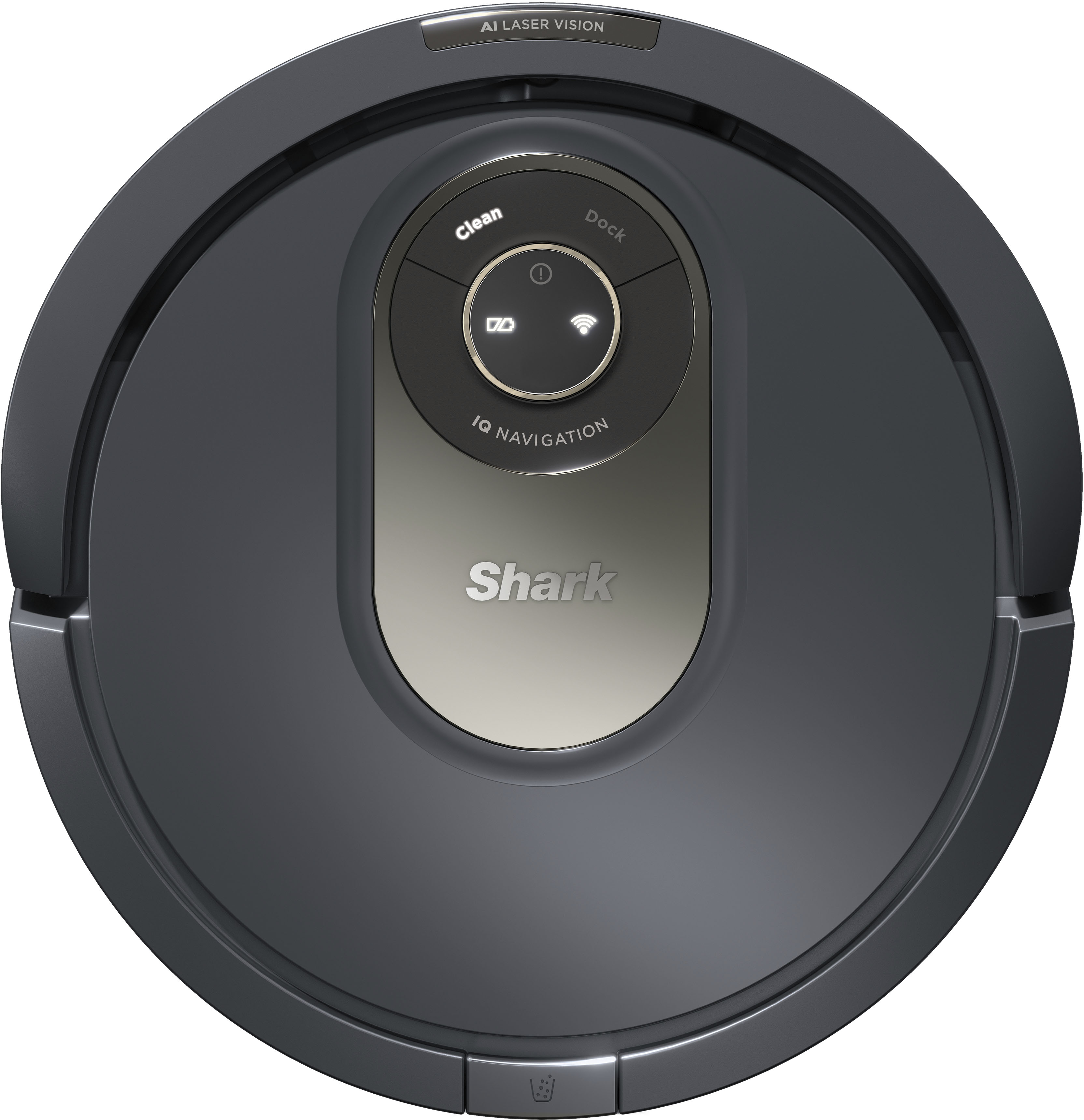
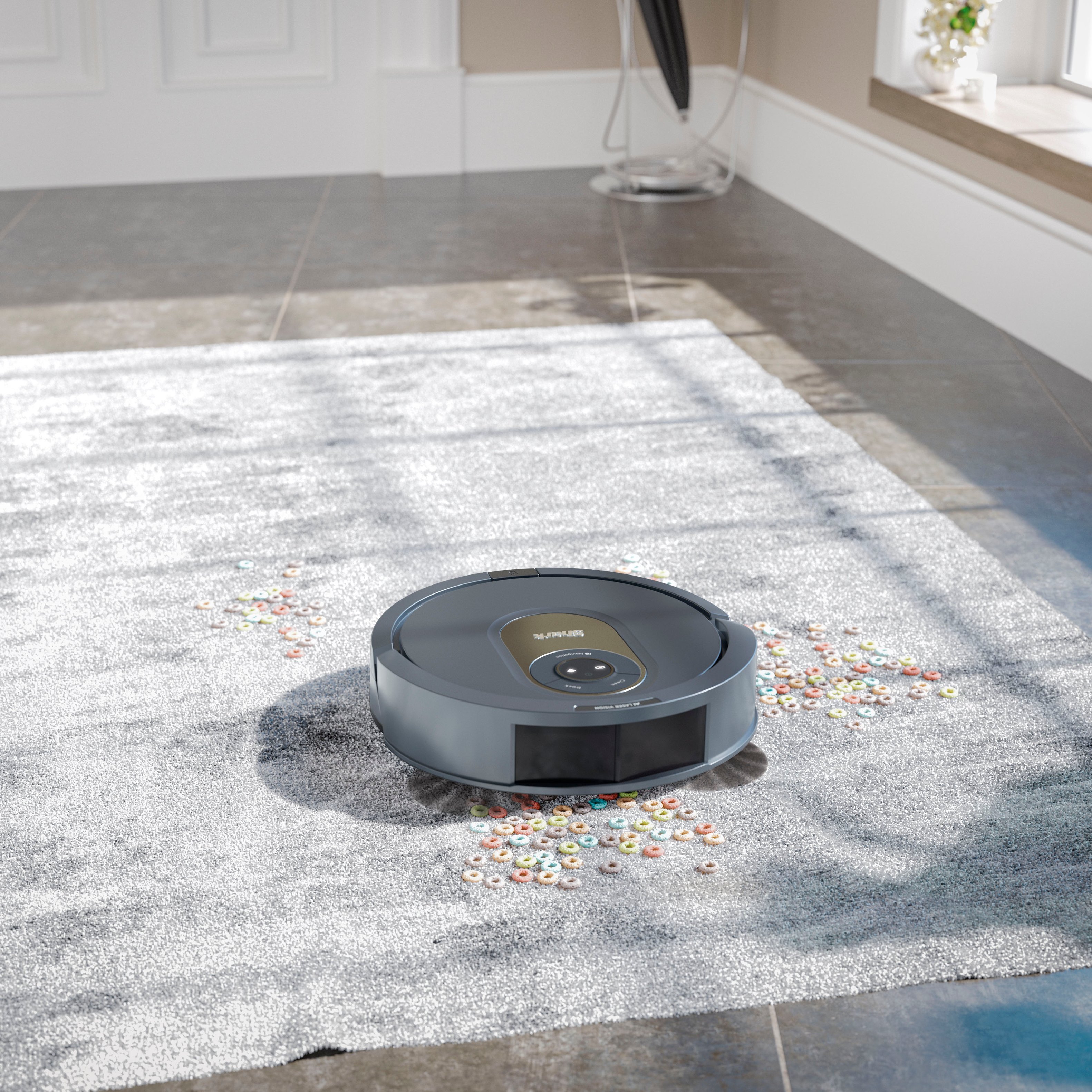

- Model:
- AV2001
- SKU:
- 6492862
Rating by feature
- Value
Rating 4.4 out of 5 stars
- Quality
Rating 4.4 out of 5 stars
- Ease of Use
Rating 4.3 out of 5 stars
Customers are saying
Customers are delighted by the AI Robot Vacuum's cleaning performance, ease of use, and mapping capabilities, with many praising its navigation and quiet operation. However, some users experienced issues with the app's functionality and WiFi connectivity, while others noted limitations in object detection. Positive feedback frequently highlighted the robot's ability to efficiently clean and navigate various floor plans. Despite some minor drawbacks, the overall sentiment suggests a generally positive customer experience.
This summary was generated by AI based on customer reviews.
Shark vacuum
||Posted . Owned for 1 month when reviewed.This reviewer received promo considerations or sweepstakes entry for writing a review.Perfect vacuum for every day used for pet hair. Great price fast shipping as always from Best Buy.
I would recommend this to a friendGreat for the price
||Posted . Owned for 3 weeks when reviewed.This reviewer received promo considerations or sweepstakes entry for writing a review.Works well, good suction and quiet. Solid run time.
I would recommend this to a friend- Pros mentioned:Ease of use, Navigation

I love my new robot maid!
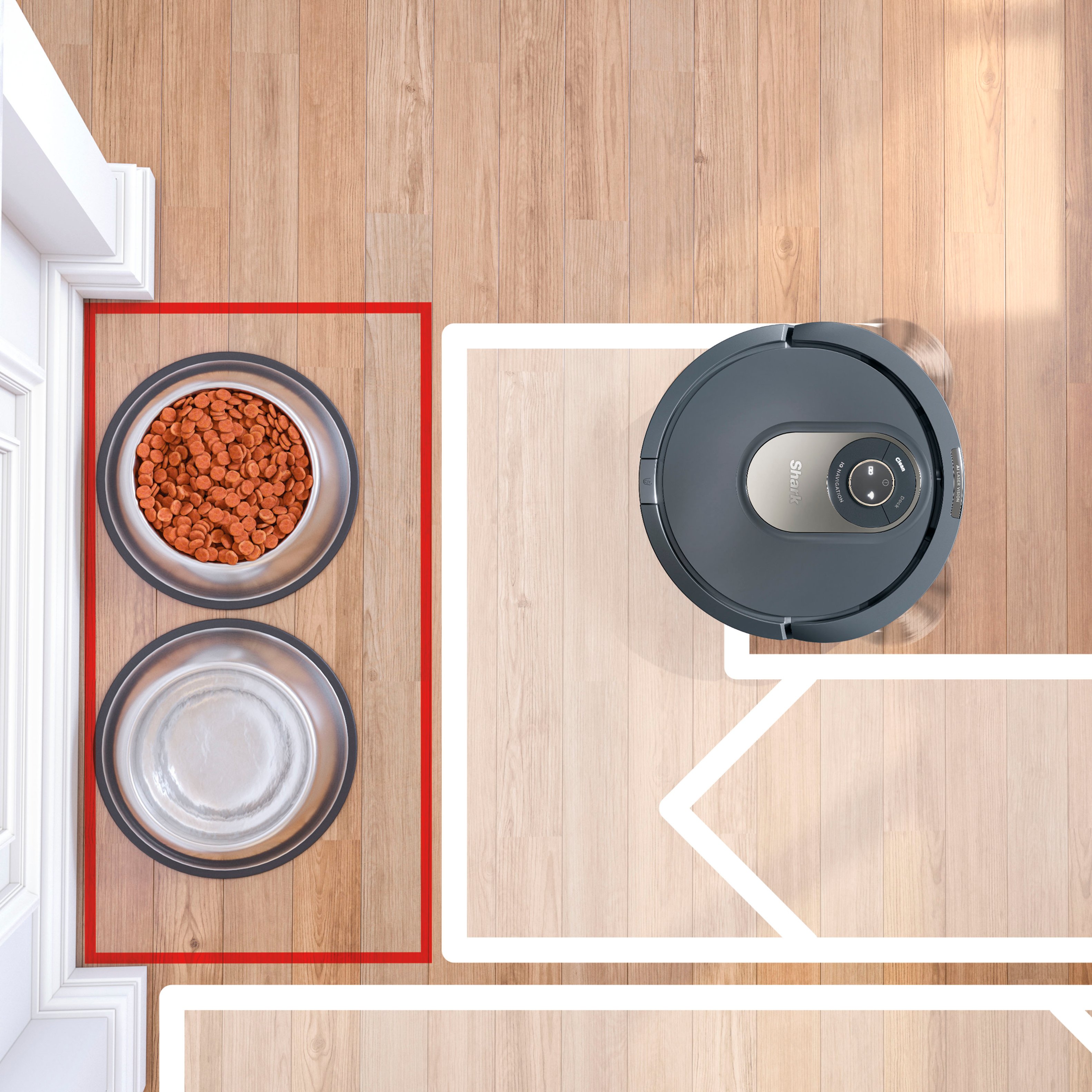
|Posted .This reviewer received promo considerations or sweepstakes entry for writing a review.I love my new robot maid!! I wasn't sure I needed this robot vacuum as I am capable of sweeping and vacuuming my floors when needed, but boy I was wrong! This Shark vacuum is awesome!! Set up was super easy following the enclosed directions. My only tricky issue was finding a place in my home for the docking station that didn't have a baseboard/place that was completely flat. I also wanted it to be somewhat out of sight so I was able to set up the dock in an area of my kitchen where the cabinetry is flat at the floor level. Once through the set up process the it completes a "explore run" to map your home. This takes a little while but after that the daily cleaning is quicker. I was able to create a "no-go" zone where I keep my dogs water and food so that the vacuum does not knock it over. The app allows you to program schedule cleaning days/times, no-go zones, run now, etc. When it's cleaning cycle is complete the robot finds its docking station on it's own to dock and recharge for it's next cycle. The robot easily navigates from wood floors to carpet and over door thresholds. Occasionally the vacuum will get stuck behind a closed door but not a bid deal. I am amazed at how much dirt/dust it collects even when I run it every day and we have no indoor pets! I realize that my own sweeping and mopping once a week was not doing near the cleaning job that this Shark robot does! I empty the dust bin every few days or as needed. I'm so impressed!!
I would recommend this to a friend Great vac
||Posted . Owned for 3 weeks when reviewed.This reviewer received promo considerations or sweepstakes entry for writing a review.Great vacuum. The mapping feature works well and prevents obstacles.
I would recommend this to a friendYep
||Posted .This reviewer received promo considerations or sweepstakes entry for writing a review.Great vacuum robot. We call him Tony and he’s always hungry
I would recommend this to a friendexellent
||Posted . Owned for 2 months when reviewed.This reviewer received promo considerations or sweepstakes entry for writing a review.exellent...........................................
I would recommend this to a friend- Pros mentioned:Cleaning performance, Navigation
Vacuum Shark doot doo doo doo!
|Posted .This reviewer received promo considerations or sweepstakes entry for writing a review.The Shark - AV2001 AI Robot Vacuum with LIDAR Navigation has taken robot vacuums to the next level. Shark's AV2001 with LIDAR has the ability to scan multiple rooms for precision cleaning and peace of mind. I found this baby shark to be a perfect addition to our large family room downstairs. The shark has taken our vacuuming necessity to about once every other week rather than a few times per week. The new LIDAR sensing has nearly eliminated the accidental snags, hang-ups, and getting lost. The Shark easily covers over 1000 sq ft without needing to return to the charger navigating various furniture shapes and sizes. The only issue our Shark has had is with the baby swing. The carpet color and bars are the same and the bars are very low. I have found the Shark high-centered a few times on the baby swing. Easy to clean tray. Good app. PROS - Shark Name, Brand, and Innovation - LIDAR technology - Effective cleaning for light vacuuming needs such as pet hair - Detailed and precision room scanning and cleaning - Easy to set up - Easy to clean - App is effective CONS - Minor high-centering on short items (see above)
Not working properly
||Posted . Owned for 1 week when reviewed.This reviewer received promo considerations or sweepstakes entry for writing a review.After just one use, and on full charge, it continues to tell me to change its location no matter where I place it.
No, I would not recommend this to a friendMeh
||Posted . Owned for 6 months when reviewed.This reviewer received promo considerations or sweepstakes entry for writing a review.Malfunctioned a week in and we have to continuously reset it. When it is working properly, it gets the job done.
No, I would not recommend this to a friend- Pros mentioned:Navigation
Great little worker
|Posted .This reviewer received promo considerations or sweepstakes entry for writing a review.This robot does an excellent job of vacuuming. It picks up as well or better than any other robot I have used in the past. There are three settings in the app to adjust suction power. The drive wheels have very good suspension, and I have not had a problem with it getting stuck or hung up on small thresholds or bumps. It is smart enough to not get itself stuck in tight areas like other robots I have used. The app is user-friendly and allows you to set up no-go areas or zones, or to set areas for spot-cleaning or extra cleaning for high-traffic areas. It also seems to do a good job of not getting hair tangled in the brush. My only critique is that the battery life is much shorter than other robots I have used, and a screwdriver is necessary to remove a plastic shield to fully access the filter area. Seems like that could have been designed better. Thankfully it's not something you have to do after every cleaning. Overall, this is a very good and very smart robot, and I highly recommend it over other brands I have used in the past.
I would recommend this to a friend - Pros mentioned:Mapping
Good Robot Vacuum
|Posted .This reviewer received promo considerations or sweepstakes entry for writing a review.The Shark. AIROBOT ROBOT VACUUM 2000 SERIES came well packaged yet easy to unpackage and set up. Following the Quick Start Guide I Set up the docking station and charged the unit. Product instructions display setting the docking station, in a permanent location, with a strong Wi-Fi signal, against the wall, 3 feet of clear space from both sides of the docking station, and 5 feet of clear space out to the front of the docking station. It was not easy finding a space with this type of clear space in our home. I did speak with a couple of people that set their Shark Robot Vacuums up in less open space and their robot vacuums did fine. Downloading the app on my phone (android) and on a Chromebook was fast and easy. Connecting to our Wi-Fi was quick. You will have to connect using your 2.4 GHz band, 5 GHz will not work for the Shark app. Had trouble starting out with what is called “Exploring”. This is where the Shark AIROBOT explores your floor space and sets up a map for vacuuming. The app showed the vacuum was ready to start exploring however the vacuum would back off the charging unit, make a couple of circles, then return to the docking station. After allowing the AIROBOT to charge longer I attempted the exploring process and the vacuum finally backed off the docking station and began exploring. Very interesting to watch the Shark AIROBOT go through the process of exploring. I had to re-explore 3 times to get a map that I was happy with, so be patient. Raise up or remove any electrical wiring off the floor during the exploring process. The AIROBOT did get hung up on one large extension cord, I will try one of the floor cord covers. Once the vacuum has completed the exploring process it will give you the opportunity to accept the mapping or re-explore. The Shark AIROBOT did a good job vacuuming the floors. The exploring procedure is totally different from the vacuuming process. The exploring process does not take long and appears to travel all over the house erratically. When vacuuming it will take longer as it is covering the entire floor areas thoroughly and generally in a better organized manner. The ability to target rooms or specific areas is a very cool option. Open the Shark app, pick the area/zone you would prefer to vacuum, press the CLEAN button on your phone or tablet, and off goes your Shark AIROBOT vacuum to clean; you can press the CLEAN button on the top of the Shark AIROBOT vacuum also. The AIROBOT did vacuum one room a couple of times, completely, before it finally exited that room and moved on. Judging total time to vacuum our home will not be accurate for the first complete vacuuming session. Our home is 1385 sq. ft., and it took 118 minutes, with 20% battery remaining after completion, not sure if the Shark AIROBOT vacuumed the entire home and it did vacuum one room twice and I believe it missed one room. Not sure if the Shark AIROBOT finished vacuuming or went back to the docking station to re-charge. A lot of bumping into items or walls hard, hard enough to move lighter items. It will also take some time for the Shark AIROBOT to adjust and move away from objects, such as closed doors or low furniture, where it cannot access. Cleans some areas multiple times and it appears to be the same areas each vacuuming session. The spot cleaning feature is sufficient. You cannot adjust the size of the area to be spot cleaned and you cannot change the vacuum strength mode, UltraClean only. You move the approximately 7-foot square to the area you would like to spot clean. The Shark app, like many apps, has limitations, and I found some processes would not work as stated. I was attempting to merge two small areas and the app would not allow me to do so, not the end of the world, however the app should allow me to merge the two open areas, they were designated areas adjoining one and other. The area of concern is a small hallway that is broken into 3 designated areas, and I cannot merge them into one. The final mapping, that I accepted, has 10 areas. The kitchen and the laundry room came up as one zone even though there is a doorway. Part of the hallway is part of the living room zone, and the remaining part of the hallway is separated into two zones. The remainder of the rooms mapped out nicely. UPDATE: After enlarging the map on my Chromebook I was able to merge the areas I was concerned with. The AIROBOT app has a “Find Robot” feature, when pressed the vacuum will emit tones, the tones are not very loud at 100% volume. It would be a nice feature if you were able to move the docking station without having to re-map your home. I want to move the docking station however it took 4 mapping (exploring) events to get a good mapping of our home, so I chose not to move the docking station, yet. The Shark AIROBOT has 3 vacuum modes which is very nice, along with Scheduling, No-Go Zones, Go Zones, Room Select, and more. I would recommend the Shark AIROBOT 2000 series vacuum. A lot of money, yes, does a good job of vacuuming, however, the Shark AIROBOT will take a lot longer vacuuming a room or your home than it would take manually vacuuming these areas.
Not good quality
||Posted . Owned for 2 weeks when reviewed.This reviewer received promo considerations or sweepstakes entry for writing a review.2 weeks and already makes noises. Got lost a few times - forced me to explore the map again
No, I would not recommend this to a friend- Pros mentioned:Navigation
Great navigation skills, not so great at cleaning
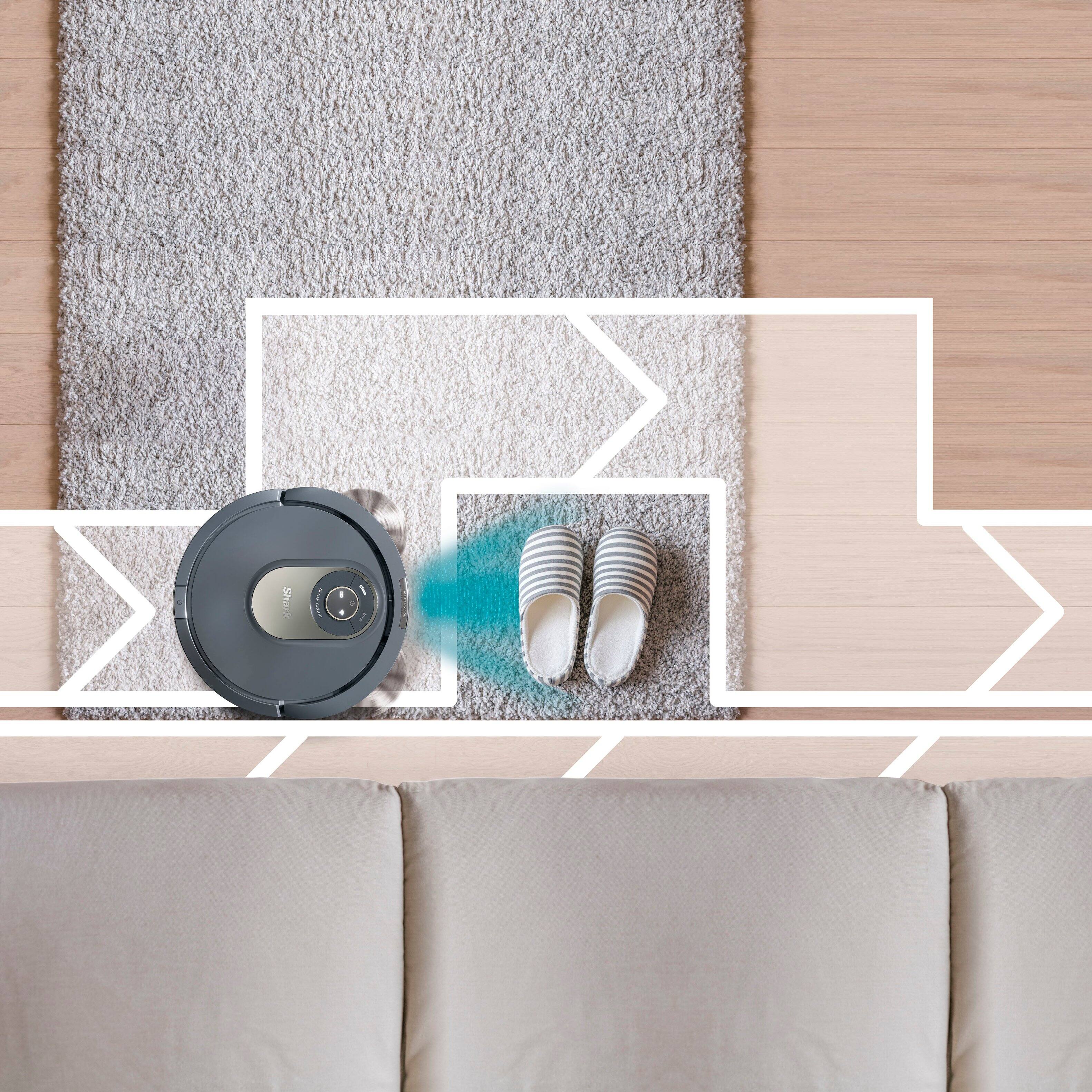
|Posted .This reviewer received promo considerations or sweepstakes entry for writing a review.Pros: -- Great navigation skills -- Comprehensive app provides lots of control -- Easy setup Cons: -- Weak cleaning ability -- Short running time -- Long charging time The success or failure of any robot vac hinges on its ability to navigate with the least amount of human assistance possible. By that measure, this new Shark AI robot vac is among the best out there. I have used three or four different devices of this type over the years this one has the potential, at least, to be the best at finding its way around your house without you doing a lot of prep work first. Those who already own one of these know what I am talking about. Older, less intelligent models could easily get lost or hung up in a wide variety of ways, ranging from getting tangled in electrical cords to simply getting boxed into some tight area, or caught up on some threshold, and not being able to figure out how to escape. Thanks to Sharks' new AI laser navigation system, which allows the vac to actually "see" obstacles as opposed to blindly bumping their way around them, this vac has a much easier time finding its way around. In fact, before you can even use it, you must turn it lose to "explore" your house first . It's really a mapping mission to give the vac a rough idea of the shape of the rooms it must vac. And where the obstacles are. The end result, hopefully, is a map that shows up in the vac's essential sidekick, the new Shark Clean app. I said "hopefully" because my vac's attempt at doing this resulted in map that looked nothing like the footprint of my home. I am not sure why, but I had more success the second time around. Once you have an accurate map, the app gives you lots of choices about what to do next. You can clean the whole house, just one room, or a combination of rooms of your choice. You can also block out "no-go" areas or designate certain areas for extra cleaning. You even tell it to spot clean a specific area. And of course you can schedule the vac run to run whenever you want. That said, the new Shark AI, is still not smart enough to just turn it loose and forget about it. Sadly, it I can still get tangled up in electric cords, and still get hung up on low obstacles (less than 2 inches high) because it cannot see them. But it is better at navigation than any other robot vac I have tried. Setup is easy too. Just pop on the two rotating "cat whiskers," put in on the charger (make sure the blue light is on to indicate it is actually charging) and download the Shark Clean app. Then follow the instructions. In actual use, I found the vac a little schizophrenic at times. It would start to clean one area, then return to an area already cleaned for no apparent reason, and then return to the first area to complete that room. Very inefficient and somewhat puzzling, given its clearly superior mapping capabilites. In the end, these vacs are only as good as the programming and it appears that this one still needs some work. Hopefully there will be future firmware updates to correct these deficiences and improve efficiency. Another big disappointment is the vac's cleaning chops, which frankly are not that good. In normal setting (default) , suction seems quite weak, with vac unable to pick up anything heavier than light debris and pet hair. It left behind objects as small as a grain of cat litter in some case, even on bare floors. You can set the vac to run at a higher power cleaning mode. But that burns more battery power, another big shortcoming. It does not run very long on a charge -- about 30 minutes -- so most users probably will find they have to run the vac through at least two charging cycles to do their entire home. Even worse, charging times are agonizingly slow, up to six hours per charge. (The vac does return to its charging stand automatically, when needed) As for cleanup, well there is no auto-empty function with this one (although Shark does sell some models that do that). So you must manually empty the dirt cup and clean the filter after each cycle. The filter IS washable at least so you should not have to replace it often, But Shark recommends new brushes every six to 12 months. The bottom line here is this new Shark Vac has a lot of potential that is not yet fully realized. The hardware for state of the art naviagtion is built in but the programming is still a work in progress, it appears, which leaves the vac a lot less efficient than it should be.
Not worth it.
||Posted .This reviewer received promo considerations or sweepstakes entry for writing a review.Good at pushing the dirt around, not so much for picking it up.
No, I would not recommend this to a friendBrand response from SharkNinja Product Expert
Posted .Thank you for taking the time to provide us with your review on the Shark AI Robot Vacuum. We are sorry to learn that the robot is not picking up as it should. We would like to assist you with this. We would like to invite you to reach out to our Robot Customer Care Team at 1-888-228-5531 Monday to Friday, 9:00 am - 9:00 pm EST, as well as Saturday from 9:00 am to 6:00 pm EST.
Finally, A Robot Vacuum for ALL Floor Plans
|Posted .This reviewer received promo considerations or sweepstakes entry for writing a review.The Shark AI Robot makes a lot of promises that make it sound like the perfect robot vacuum. I've had one a few years ago before and because I didn't have an open concept floor plan, it just didn't work for me. Based on what the AV2001 offers it sounds like robot vacuums have come a long way. I've been extremely happy with all my Shark products and if there is one brand I know that could live up to the hype, it's them. Therefore my expectations were high. ROBOT VACUUM It impressed me with it's strength. It handles most terrain really well thanks to some strong wheels and significant "suspension". Other than my thick area rug, which any vacuum we have ever used has issues with due to it being so thick it creates extreme suction, it went over everything and pushed anything else out of its way that it could. We have some interactive cat toys I left on the ground like a round scratcher with a ball on a track and it easily kept moving it out of the way to clean. It's nice not having to pick up absolutely everything before it runs. We even have two cardboard boxes laying on their sides for the cats and the vacuum actually cleaned both of the insides which I thought was really amusing. They weren't kidding with the Laser Navigation. It really does follow a grid pattern significantly well. I had perfect lines in my carpet each time as if a professional did it. Occasionally I did find it doing some spots more than once for some reason. It's not the worst thing but it potentially loses some efficiency with the battery. We have two cats with one whom particularly likes to make a mess all over with litter and sheds a lot. My wife and I were pretty impressed when we opened the collection bin after we let it do our entire first floor on normal mode. It sucked up as much as our stick vacuum and then some. We expected much less yet it was nearly overflowing. I was also very happy to see they added their fin technology to the brushroll, too. My upright Shark vacuum has me spoiled with that feature and I don't think I'd want another without it. There's a few downsides worth mentioning. I will say it's a bit messy to dump and clean. I'm tempted to just rinse the whole bin each time it does a large cleaning because all the loose dust just covers and sticks to every corner and crevice. The more you handle and try to brush it off the more particles start to fly out and start getting all over your hands and the outside. I hate bags but if they ever made a little bag insert for the tray that would be pretty convenient. The biggest issue I have is they should had really put some rubber bumpers on the front. After just a use or two the front is already scratched up. I may try to find some kind of stick on rubber pads before it gets worse. As for the battery itself, if I had to guess how long it can last on a charge I'd say up to 2 hours on normal mode. I can't say for sure because when it was doing my whole house it finished all but my large foyer with 50% left and decided to fully charge back up before returning to finish. I guess that means it needed whatever battery left to finish. I do appreciate it finishing the other rooms to completion first, though. It took around 2 hours to recharge so I'd also have to guess it takes at least 4-5 hours to charge to full from a depleted battery. Can't complain much because with Recharge and Resume mode and considering the vacuum is doing the cleaning for you, it will get the job done no matter how long it takes. Just make sure to plan around times you may have increased traffic so it doesn't impede your daily routine. Including recharge it can take a significant amount of time for larger homes. APP The foundation of what the machine does relies on the Explore mode which is the first thing you need to do. The only spot it struggled with was my one area rug but I let it work it out. It was persistent which I admire because instead of it giving up and causing an error resulting in you needing to manually help it and possibly requiring it to Explore all over again, it was determined to figure it out. Fortunately I can tell it to avoid that spot in the future. I recommend paying close attention when Exploring because this is the best opportunity to watch the machine to plan your no-go zones. Something neat I noticed is you could tell that it understood it was heading into a new room and knew it had to still finish mapping the current room so it turned around and finished before coming back. After it finished exploring, it shows you a map of your home. I found it incredibly accurate. From here you can combine, delete or label rooms as well as set your high traffic or no-go zones. A big let down of this mode though is you can't target single rooms to re-explore in case of a circumstance change like new/rearranged furniture so you'd have to Explore the whole floor again. So make sure things are optimal before running it. I love being able to set high traffic areas, selecting a spot clean (for local cleanups/dry spills) and selecting specific rooms. I appreciate having the option to do either Eco, Normal or Max power so it can more efficiently handle the cleaning I require at the time. There's even an Ultraclean mode you can use for specific rooms which is supposedly best for carpet. But these things have to be set manually. Scheduling is disappointing. All it can do is be set to run once a day at one designated time. You can't tell it what to specifically clean or to clean multiple times a day under this mode. It would be nice to be able to schedule specific rooms on different days or different times in one day as well as choosing the cleaning mode for each run. Besides a few shortcomings the app does still offer a lot of options. Overall everything worked for me except the display got stuck on the running screen/in pause for me, several times. Eventually after some time it fixed itself. Mostly it was after it finished cleaning except one time it was while it was still running but good thing the vacuum finished what it was doing and wasn't hindered by the bug. Based on the Play Store reviews it seems like issues were much worse for other users. Unfortunately this is a big deal because the product ultimately depends on it. We have Alexa at home and the things you can have it do using your voice is extensive but you wouldn't even know because the manual doesn't alert you to the fact. When you add the Shark skill to Alexa, read the description there. It lists all the commands you can use in coordination of the Shark Clean app. It only lists 3 examples in the Shark app itself making you think it's limited when it actually is far from it. PROS: - Will map and clean any home. - Great suction - Navigation ensures row-by-row thorough cleaning - Has Shark's self-cleaning brushroll with PowerFins CONS: - A bit messy to clean. - App reliability/missing features It's great to finally have a Robot Vacuum that can finally handle what most would call a closed concept floor plan. Overall, we're very impressed. It promised a lot of features using "fancy" technology and I'd say it lives up to the hype. I'm confident the LIDAR would be able to map any shape home. Just a buggy app and lack of some features holds back an otherwise amazing machine at the moment. Apps can be fixed but the machine can not so it has even more potential if they do fix the kinks. Hopefully Shark works it out but for now, some caution must be given.
I would recommend this to a friendWaste of time
||Posted . Owned for less than 1 week when reviewed.This reviewer received promo considerations or sweepstakes entry for writing a review.This was a complete waste of time ..I have no idea how this cost more then 50 dollars
No, I would not recommend this to a friend- Pros mentioned:Navigation
Mighty Vacuum
|Posted .This reviewer received promo considerations or sweepstakes entry for writing a review.This is my 3rd vacuum robot, so I have a general idea of what to expect. Opened the box and allowed the vacuum to charge up. After charging, I moved the vacuum to test its ability to recognize stairs. As the vacuum started to explore the areas, it started to make its way to the stairs. Multiple times, the vacuum recognized the stairs, but it wasn’t able to reverse itself. I rescued the vacuum three times and it continued to get stuck at the top of the stairs. Eventually, I setup a barrier at the top of stairs and with this, the vacuum was able to turn around and finish exploring. Once the exploring was complete, I allowed it to recharge and set to clean. Cleaning was actually pretty easy. If anything, please move any cords or anything loose from the front. Downloading the app and connecting the vacuum to the Wi-Fi was an easy task. The map on the app is a nice layout as well. Overall, the vacuum is nice to have and it does the job.
I would recommend this to a friend - Pros mentioned:Cleaning performance, Mapping
Great Vacuum, Great Price
Posted .This reviewer received promo considerations or sweepstakes entry for writing a review.This vacuum is a huge upgrade from a “dumb” Roomba. The AI mapping works great and the vacuum cleans very well. Got a great price too!
I would recommend this to a friend - Pros mentioned:Battery life
Great for pet hair!
|Posted .This reviewer received promo considerations or sweepstakes entry for writing a review.Review for Shark AV2001 Robot Vacuum The roller on this vac is so much better than a more traditional brush that can get tangled with dog hair. I’m impressed by the roller design that scoops up pet hair and sucks it into the vacuum storage bin without any tangles. It’s strong vacuum also works great on carpets, collecting more dust running four times a week than a typical weekly upright vacuuming. The app is easy to install, set up went smoothly, and scheduling is great. I especially like that the Shark vac can return to its doc when the battery is low, recharge, and return to work. The “AI” guides it around objects and the initial mapping of your space makes it more efficient in its run. It goes up and down in rows, like a lawnmower, instead of wandering randomly and bumping into things.
I would recommend this to a friend Making Life Easier One Little Robot at a Time
|Posted .This reviewer received promo considerations or sweepstakes entry for writing a review.We have owned a couple of robot vacuums, but we definitely noticed a big upgrade when we started using our Shark AV2001 AI Robot Vacuum after replacing our old Shark robot vacuum. We scanned the QR code to download and install the Shark app. After the initial charge for a couple hours, we connected it to our WI-Fi & Alexa with no problem and set it off on its first mission: mapping the house. It was an odd thing to watch, but we let it do it’s thing. After completion, we had a pretty accurate rendition of our home’s floor plan on the Shark-Clean app. We set a few “No-Go” Zones that we knew would cause issues (areas with lots of cords, tight spots like near the fridge, etc.). It took some time to set it up, but now we are able to control what rooms we want the AV2001 to clean, and when. We were shocked how quickly the Shark filled up with dust, hair and debris that we didn’t even know was on the floor. After running it a couple times a week, we have made it part of our routine and have noticed a decrease in how often it needs to be emptied. The Lidar navigation is a game changer. The new vacuum has mapped our home and cleans the spaces methodically, unlike our old robot vacuum that would bump into anything and everything like a billiard ball. Our old robot vacuum would need “supervision” so it wouldn’t get stuck and would constantly need to be rescued. Now that we have set up the new AV2001 with the Shark-Clean app and Alexa, we can set it and forget it. We set up our “No-Go Zones” on the Shark App and now we can run it while we are away and not worry about the vacuum being immediately stuck. We do not have a dog, but we frequently have doggy guests and pet hair is always an issue. We noticed a difference with the “Power-fins” picking up hair without getting all caught up in the brush roll. What used to take several runs now of our old robot vacuum and traditional upright vacuum is covered in one session with its ability to target specific areas during Ultra-Clean mode. We use Ultra-Clean on our high traffic areas, like our entry rug and runner in the kitchen. Best use of battery power and it cleans where you really need it! Speaking of battery power, I was surprised and pleased to discover that when your AV2001 needs to recharge, it returns to its dock to charge and then when charged, it picks up exactly where it left off. Overall, the vacuuming process feels much more strategic and purposeful, without the effort of manual up-right vacuums or the utter randomness of non “smart” robot vacuums. Very satisfying to sit back and watch! FEATURES: - Shark-Clean App supports mapping, scheduling, etc. - Pairs with Alexa, able to control the vacuum through Voice commands - “Power-Fins” silicone fins is way superior to traditional brush rolls. Avoids the nasty buildup of hair while picking up more of it! - Ultra-Clean mode, allows you to focus on specific areas - 4” tall and about 13” wide, able to fit in tight areas like under the bed or sofa PROS: • With Lidar & mapping, the vacuum very rarely gets stuck, which would happen CONSTANTLY with our old robot vacuum. • Multiple cleaning modes allows you to customize the vacuuming for what you need in each area. Love using Ultra- Clean in high traffic areas. • Much quieter than upright vacuum • More methodical in its cleaning rather than randomly bumping around like previous robot vacuum. Cleans in rows with some overlap so it doesn’t miss any spots. • Customizable “No Go” spots set through the app, much better and more reliable than unsightly magnetic strips that old vacuum had to avoid areas. CONS: - Takes some time upfront to set up the app and connect to Wi-Fi/Alexa, but it is worth it once it’s set up - Robot vacuums will never be as efficient and precise as a human with an upright vacuum, but the AV2001 is a good supplement to your daily/weekly cleaning process without much effort on your part CONCLUSION: A great supplement to your regular cleaning routine. If you are looking to upgrade your cleaning regime with a hands-free cleaning assistance, you’ve found your match!
I would recommend this to a friend