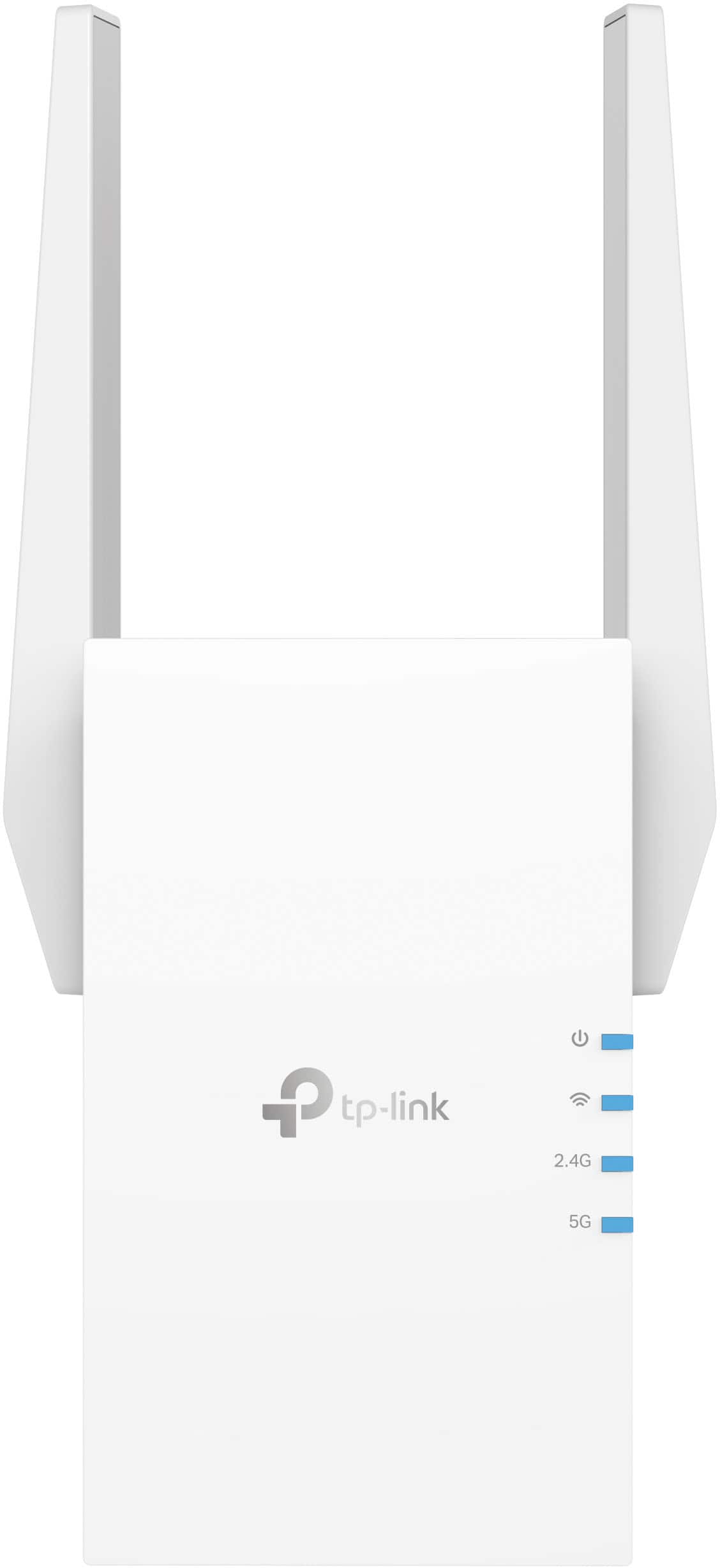
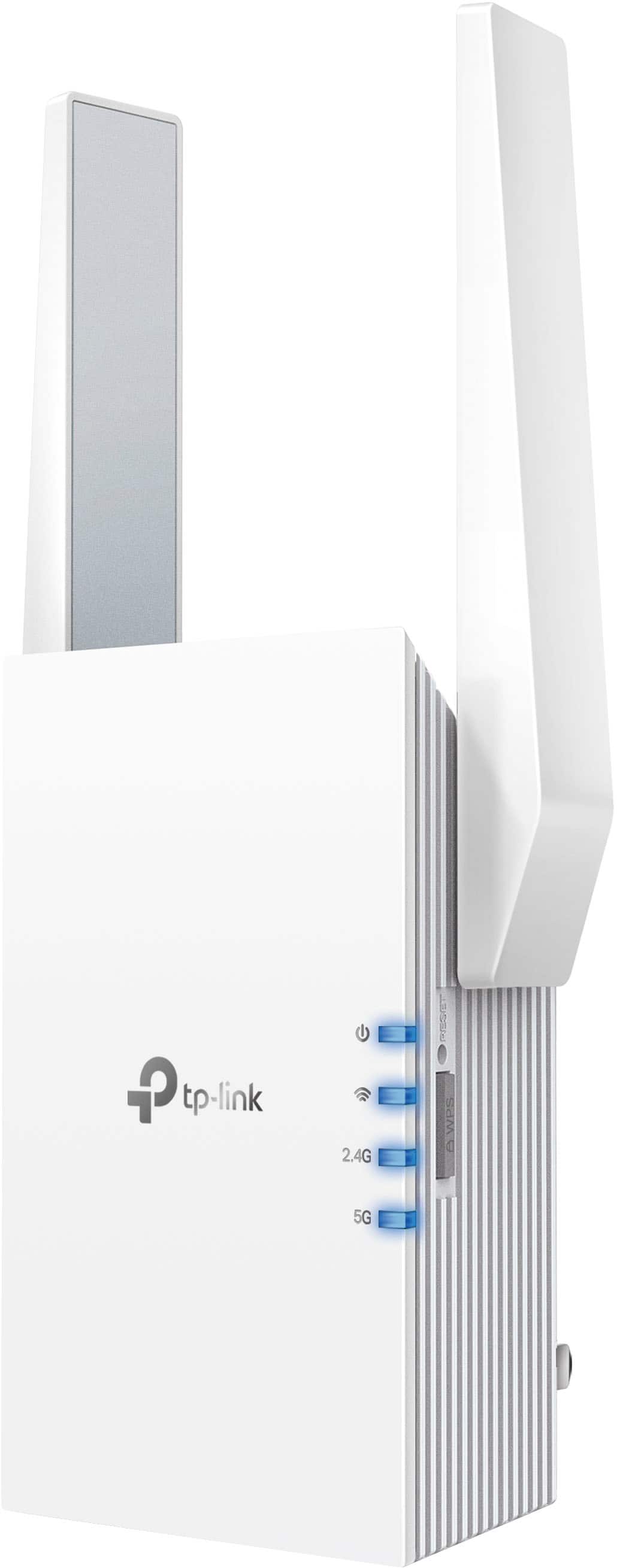
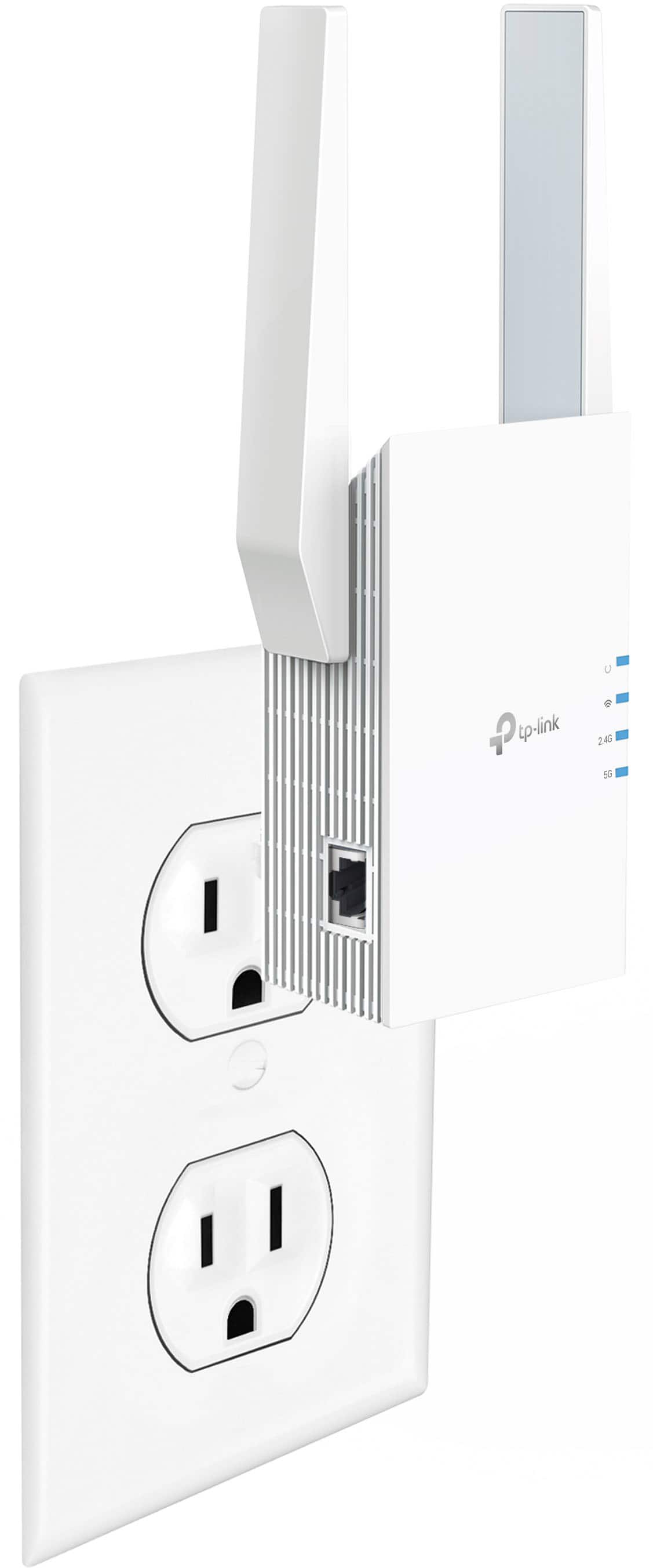
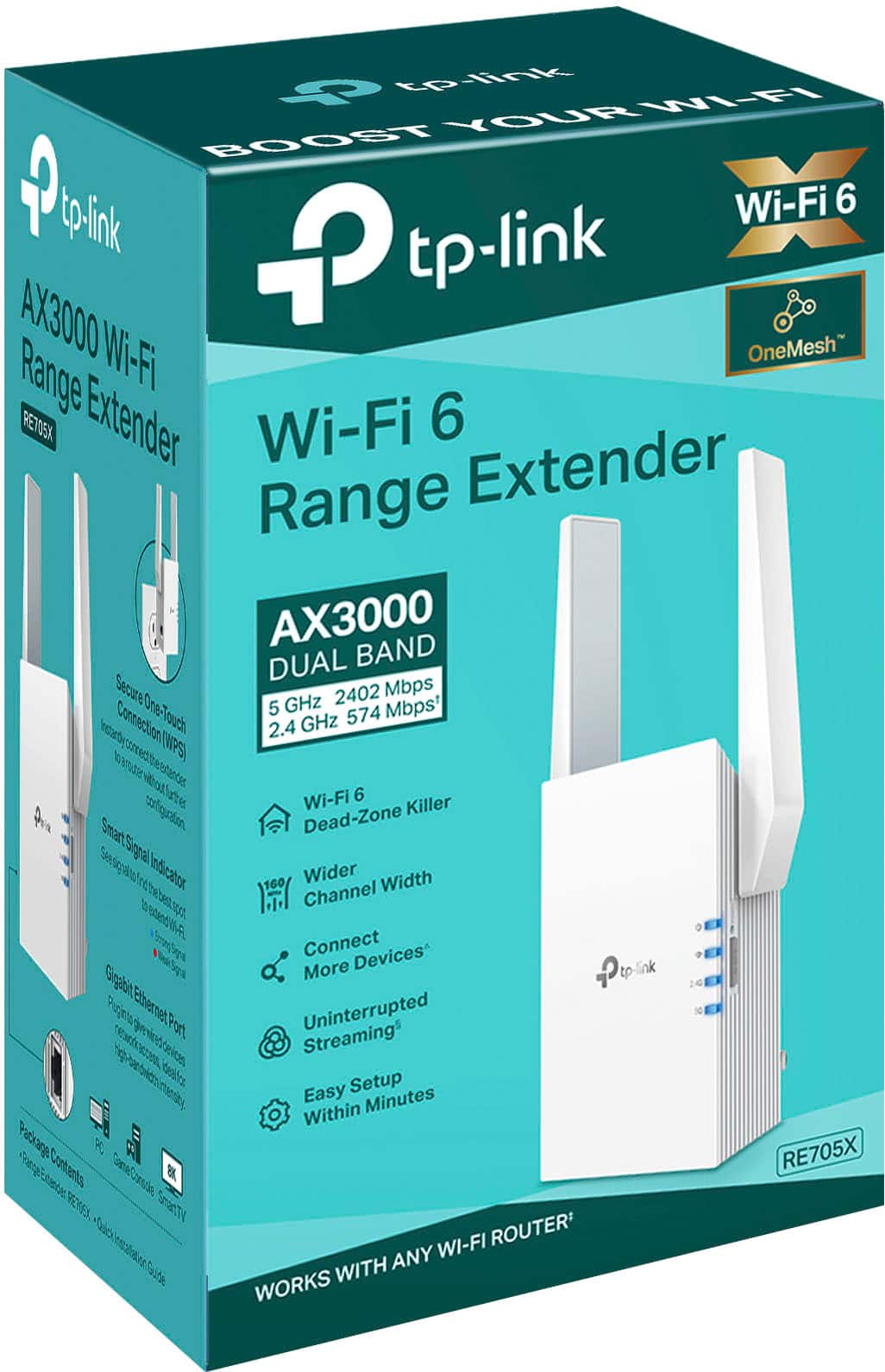
Customers admire the AX3000 Dual-Band Wi-Fi 6 Range Extender's ease of use, extended Wi-Fi range, and strong signal strength, resulting in improved performance and better coverage throughout their homes. Many appreciate the simple setup process and the added benefit of an Ethernet port. While some users noted the device can get warm and is somewhat bulky, the positive experiences with connection stability and performance outweigh these minor drawbacks for most.
This summary was generated by AI based on customer reviews.
The vast majority of our reviews come from verified purchases. Reviews from customers may include My Best Buy members, employees, and Tech Insider Network members (as tagged). Select reviewers may receive discounted products, promotional considerations or entries into drawings for honest, helpful reviews.
Page 35 Showing 681-700 of 769 reviews
Rated 3 out of 5 stars
TP-Link - AX3000 Dual-Band Wi-Fi 6 Range Extender
|
|
Posted . Owned for 3 weeks when reviewed.
This reviewer received promo considerations or sweepstakes entry for writing a review.
It hasn't help with our 5G. We are testing out 4G now.
No, I would not recommend this to a friend
Brand response from TPLinkSupport
Posted .
Hi,
Thank you for your review. If by "5G" and "4G", you are referring to cellular data signals from your phone provider, please bear in mind that cellular signal is not Wi-Fi, and cannot be extended by a Wi-Fi extender. However, if you are referring to 5GHz and 2.4GHz Wi-Fi from your router, then the extender is designed to provide robust, AX3000 dual-band extension.
Our support team is always happy to help answer any questions you may have about our products. Please feel free to reach out using any of the resources included with the product, or from our official website, and we'll gladly have a Support Agent follow up with you directly.
Thank you, TP-Link Support
Rated 3 out of 5 stars
Not worth what they charge
|
|
Posted . Owned for 1 week when reviewed.
This reviewer received promo considerations or sweepstakes entry for writing a review.
Works well enough but the speed isn't quite there.
I would recommend this to a friend

Brand response from TPLinkSupport
Posted .
Hi,
Thank you for your review. Please bear in mind, Wi-Fi extenders utilize half-duplex transmission. As a result, throughput when connecting to the extender may be potentially reduced when compared to the router. This is an industry standard for Wi-Fi extenders and is not exclusive to TP-Link.
In your case, we recommend relocating the unit to a position in your home where the router's Wi-Fi signal is sufficiently strong; yet far enough from the router to effectively extend its range. We also highly suggest making sure its firmware is fully up to date, as shown in our FAQ here: https://www.tp-link.com/us/support/faq/1406/
If you'd like assistance with any of these steps, please reach out to our free support team using any of the resources included with the product, or from our official website, and we'll gladly have a Support Agent follow up with you directly.
Thank you, TP-Link Support
Rated 1 out of 5 stars
TP-Link-AX3000 Dual Band Wi Fi 6 Range Extender
|
|
Posted . Owned for 2 months when reviewed.
This reviewer received promo considerations or sweepstakes entry for writing a review.
Useless. Did not connect to my router consistently. When it did connect my internet upload and download decreased compared not having this device. I returned this $110 product to the store.
No, I would not recommend this to a friend
Brand response from TPLinkSupport
Posted .
Hi,
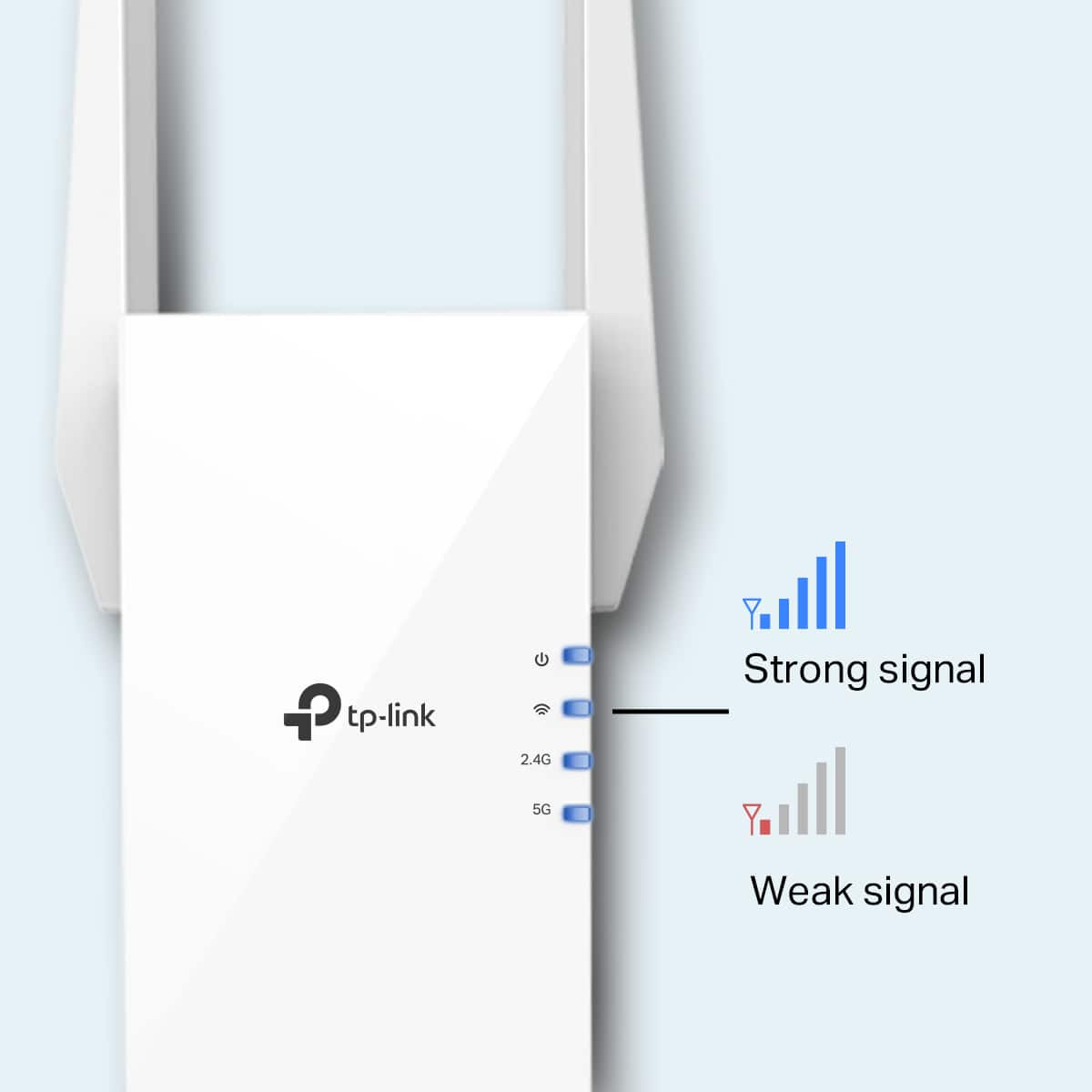
Thank you for your review. If you haven't noticed a significant improvement in Wi-Fi coverage after installing the extender, we recommend relocating the unit to a position within your home where the router's Wi-Fi signal is sufficiently strong; yet far enough from the router to effectively extend its range. Please verify the RE status LED is indicating a solid connection.
We also recommend ensuring the extender's firmware is fully up to date using the steps outlined in FAQ 1406 on our official website: https://www.tp-link.com/us/support/faq/1406/
If you would like assistance with any of these steps, please reach out to our free support team using any of the resources included with the product, or from our official website, and we'll gladly have a Support Agent follow up with you directly.
Thank you, TP-Link Support
Pros mentioned:
Performance, Setup, Signal strength
Rated 5 out of 5 stars
Simple and Effective way to extend your network
|
Posted .
This reviewer received promo considerations or sweepstakes entry for writing a review.
We’ve all got “that spot”. That spot in your house, office, or yard that just barely gets WiFi if you hold your phone at just the right angle, in just the right direction, at just the right height. For me, “that spot” is in the basement in a corner. We’ve got a smart TV there now and it just barely gets enough signal to stream videos “most of the time”, plus my oldest son would like to make this his new “gaming area” so we needed to do something about the signal ASAP. Enter the RE705x, and this weekend I was finally able to bring good signal to that location to reliably stream movies and provide a good gaming experience.
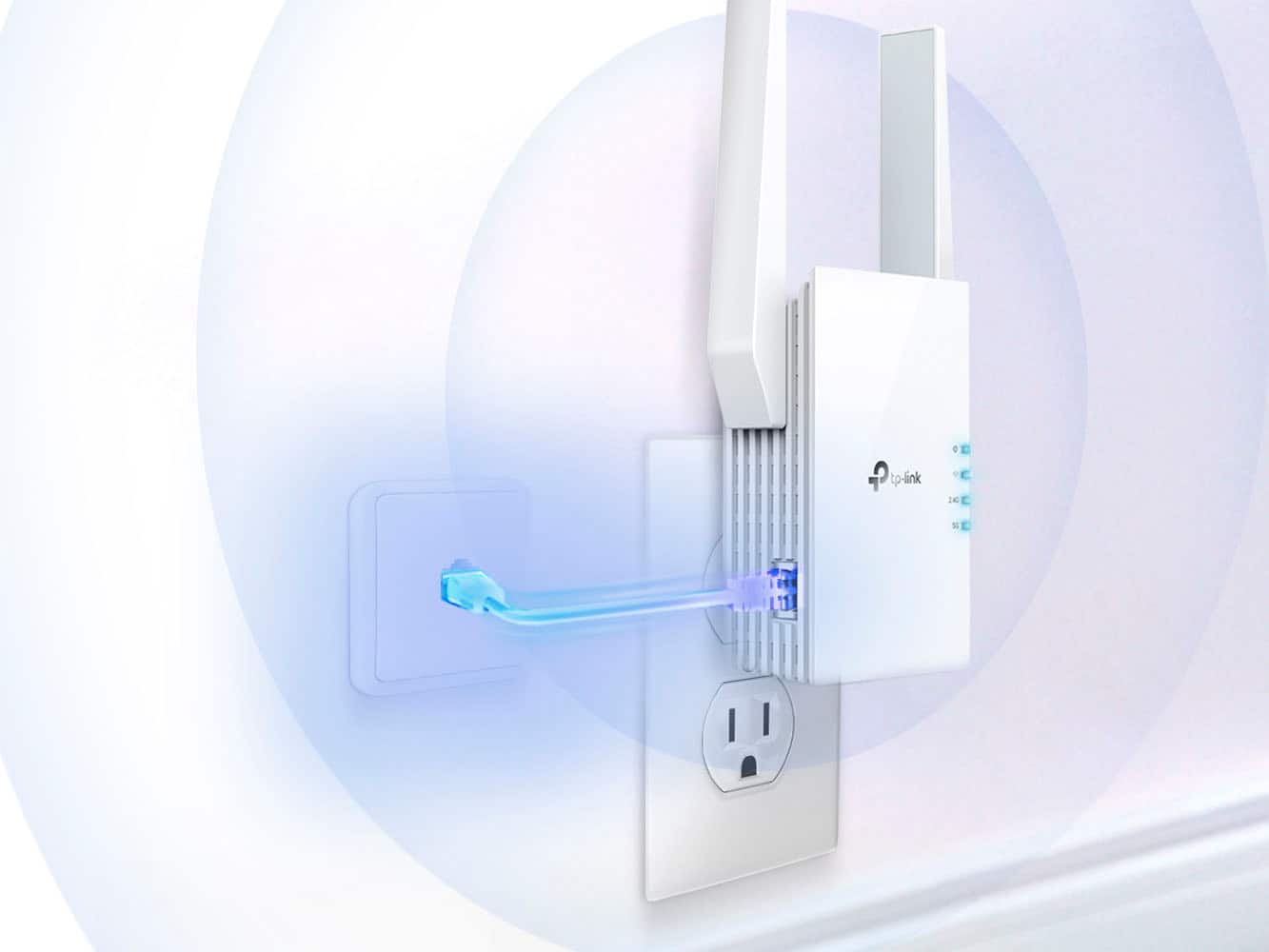
Setup was simple, I chose to use the “web browser” method because I didn’t want an app for something I plan to leave alone once it’s working, but if you prefer apps you can download and use the TPLink Tether app method. That said, I found a spot elsewhere in the basement that gets good signal, plugged the the RE705x into a power outlet there, then wired my laptop to the Ethernet port. In its default configuration the RE705x will detect if it should provide IP addresses for initial setup, which then allows you to access its web page to do the rest of the configuration. It was a simple matter from there to set a non-default password, scan for and choose the wifi network I wanted to extend, and then configure the properties for the repeater WiFi signal (if desired), or leave the repeater off and allow the RE705x to instead bridge the WiFi to just the ethernet port. Both methods worked fine for me with no fuss, though for sake of a simpler setup and a little better performance I ultimately opted to leave the repeater WiFi off and just use the RE705x to bridge the signal to Ethernet, and then used a small switch and some Ethernet cables to split that into additional wired connections for the TV and gaming consoles. Doing it this way shaved some latency off my son’s gaming consoles which was a high priority to him.
In the end we ended up with a setup in that corner that reliably pulls ~100Mbps with <10ms of latency. This has been more than enough to meet the practical streaming needs of the TV, which we streamed music and videos from nearly all day to stress test the link and it worked flawlessly. Later that night my son put the latency more to task with some online gaming and he didn’t have any noticeable issues. A direct-wired connection would probably shave a few more milliseconds off but the RE705x did the trick well enough without the need to pull cable or drill any holes in walls which is a win, and now “that spot” in the basement is a fully functional TV and gaming center.
The RE705x can also be used as a more traditional AP (Access Point), although I didn’t use this mode beyond some testing just to familiarize myself with its capabilities and options. Just change the mode in the UI to AP (Access Point), reboot, configure the AP properties, and use the Ethernet port as the uplink to the rest of the network.
The RE705x was simple to setup, and seems to do its job reliably and effectively, and that’s exactly what I suspect most people want out of it.
I would recommend this to a friend

Rated 2 out of 5 stars
Owner
|
|
Posted . Owned for less than 1 week when reviewed.
This reviewer received promo considerations or sweepstakes entry for writing a review.
Did not work at the campground we were at. Maybe to far from the office. We had 2 bars of slow Wi-Fi before we started , and that did not improve after I hooked up the Extender.
No, I would not recommend this to a friend
Brand response from TPLinkSupport
Posted .
Hi,
Thank you for your review. For Wi-Fi extenders to function optimally, they should be installed in a location where they receive an adequately stable signal from the source network, while also being far enough from it to effectively extend its range. This is because range extenders repeat the quality of signal that they receive from the root network. If the extender in your case was installed in a location where the source signal was already poor, then it will likely extend a poor signal, if at all.
Our support team is always happy to help answer any questions you may have about our products. Please feel free to reach out using any of the resources included with the product, or from our official website, and we'll gladly have a Support Agent follow up with you directly.
Thank you, TP-Link Support
Rated 1 out of 5 stars
Wi fi extender
|
|
Posted . Owned for 3 weeks when reviewed.
This reviewer received promo considerations or sweepstakes entry for writing a review.
Doesn’t boot the signal all that well. Falls out of the plug as it is too heavy for the way it is designed. Would not recommend it.
No, I would not recommend this to a friend
Rated 2 out of 5 stars
wifi booster
|
|
Posted . Owned for 3 weeks when reviewed.
This reviewer received promo considerations or sweepstakes entry for writing a review.
this did not work at all for my application. Returned it, just bought a stronger router now I have coverage where I need it.
No, I would not recommend this to a friend
Brand response from TPLinkSupport
Posted .
Hi,
Thank you for your review. If you haven't noticed a significant improvement in Wi-Fi coverage after installing the extender, we recommend relocating the unit to a position within your home where the router's Wi-Fi signal is sufficiently strong; yet far enough from the router to effectively extend its range. Please verify the RE status LED is indicating a solid connection.
We also recommend ensuring the extender's firmware is fully up to date using the steps outlined in FAQ 1406 on our official website: https://www.tp-link.com/us/support/faq/1406/
If you would like assistance with any of these steps, please reach out to our support team using any of the resources included with the product, or from our official website, and we'll gladly have a Support Agent follow up with you directly.
Thank you, TP-Link Support
Rated 1 out of 5 stars
Weird
|
|
Posted . Owned for 1 month when reviewed.
This reviewer received promo considerations or sweepstakes entry for writing a review.
Weird connection and activity , did NOT work as expected or help issue so I returned it after one day
No, I would not recommend this to a friend
Rated 2 out of 5 stars
not worth it
|
|
Posted . Owned for 1 month when reviewed.
This reviewer received promo considerations or sweepstakes entry for writing a review.
did not increase range as advertised, small house, still same issues with limited wifi
No, I would not recommend this to a friend
Brand response from TPLinkSupport
Posted .
Hi,
Thank you for your review. If you haven't noticed a significant improvement in Wi-Fi coverage after installing the extender, we recommend relocating the unit to a position within your home where the router's Wi-Fi signal is sufficiently strong; yet far enough from the router to effectively extend its range. Please verify the RE status LED is indicating a solid connection.
We also recommend ensuring the extender's firmware is fully up to date using the steps outlined in FAQ 1406 on our official website: https://www.tp-link.com/us/support/faq/1406/
If you would like assistance with any of these steps, please reach out to our support team using any of the resources included with the product, or from our official website, and we'll gladly have a Support Agent follow up with you directly.
Thank you, TP-Link Support
Rated 1 out of 5 stars
Unreliable
|
|
Posted . Owned for 4 months when reviewed.
This reviewer received promo considerations or sweepstakes entry for writing a review.
Barely works and has a very annoying set up and reset up. When it does work it works for a little while and then all of a sudden the same spot doesn’t work and is too far. Makes no sense and should work better for the cost.
No, I would not recommend this to a friend
Brand response from TPLinkSupport
Posted .
Hi,
Thank you for your review. If you haven't noticed a significant improvement in Wi-Fi coverage after installing the extender, we recommend relocating the unit to a position within your home where the router's Wi-Fi signal is sufficiently strong; yet far enough from the router to effectively extend its range. Please verify the RE status LED is indicating a solid connection.
We also recommend ensuring the extender's firmware is fully up to date using the steps outlined in FAQ 1406 on our official website: https://www.tp-link.com/us/support/faq/1406/
If you would like assistance with any of these steps, please reach out to our support team using any of the resources included with the product, or from our official website, and we'll gladly have a Support Agent follow up with you directly.
Thank you, TP-Link Support
Rated 5 out of 5 stars
Tripled download/upload speed
|
|
Posted .
This reviewer received promo considerations or sweepstakes entry for writing a review.
Tripled download and upload speed to my home office on the other side of house and upstairs from from router. Easy install through guided app.
I would recommend this to a friend

Rated 1 out of 5 stars
Frozen movies..
|
|
Posted . Owned for 2 weeks when reviewed.
This reviewer received promo considerations or sweepstakes entry for writing a review.
My wifi signal getting poorer when I added it as a extender ,
When you watched movies , it frozed anytime.. It’s better not to add this extender..
No, I would not recommend this to a friend
Brand response from TPLinkSupport
Posted .
With extenders, placement is everything. An extender should be placed in an open and unobstructed area with a strong signal from the router. It should placed between where you have the router and where additional coverage is needed. If this does not correct the drops in connect, please reach out to support.
Cons mentioned:
Compatibility
Rated 1 out of 5 stars
Wireless extender
|
|
Posted . Owned for 1 month when reviewed.
This reviewer received promo considerations or sweepstakes entry for writing a review.
Not compatible w my router from spectrum ,just wasted my money
No, I would not recommend this to a friend
Pros mentioned:
Setup, Signal strength
Rated 5 out of 5 stars
Excellent, more range extension than expected
Posted .
This reviewer received promo considerations or sweepstakes entry for writing a review.
I purchased this device to overcome a small dead zone on my deck and got much more coverage than I anticipated. I now have a relatively strong wifi signal over my entire yard (~1/3 acre) and I have the option to decrease the strength of the extender's signal for security reasons.
The setup was very easy through the app and the quick start guide was easy to follow and contained information on how to create a seamless mesh network with roaming which is essential for use with portable devices like smartphones, tablets, and laptops.
If you plan on using this only for a fixed device, I would suggest allowing the tp-link to broadcast separate wifi network with the _EXT suffix as it automatically sets up as it will make managing the extender easier.
My only complaints are (1) that I could not use the web browser setup as my internet browser would hang while loading the interface and (2) when set up for a seamless mesh, the app will often have difficulty connecting to the device if it is switching between your main network and the extender network. That said, I strongly recommend downloading the app as it has a powerful suite of tools to tailor the extender's function to your use-case and is easy to use and navigate.
I would recommend this to a friend

Rated 1 out of 5 stars
Terrible
|
|
Posted . Owned for 1 month when reviewed.
This reviewer received promo considerations or sweepstakes entry for writing a review.
Kept taking us off of our nighthawk router. Reset four times and find my gave up. Used for an extension to upstairs and then not meet our expectations
No, I would not recommend this to a friend
Brand response from TPLinkSupport
Posted .
Hi,
Thank you for your review. If you haven't noticed a significant improvement in Wi-Fi coverage after installing the extender, we recommend relocating the unit to a position within your home where the router's Wi-Fi signal is sufficiently strong; yet far enough from the router to effectively extend its range. Please verify the RE status LED is indicating a solid connection.
We also recommend ensuring the extender's firmware is fully up to date using the steps outlined in FAQ 1406 on our official website: https://www.tp-link.com/us/support/faq/1406/
If you would like assistance with any of these steps, please reach out to our support team using any of the resources included with the product, or from our official website, and we'll gladly have a Support Agent follow up with you directly.
Thank you, TP-Link Support
Pros mentioned:
Ease of use, Signal strength
Rated 4 out of 5 stars
Just the boost my house needed
|
Posted .
This reviewer received promo considerations or sweepstakes entry for writing a review.
I finally have stable wifi in my garage area! I am not sure why I waited so long to try a range extender device, but now that I have, I can say that it is well worth it. When working in my garage, which is the farthest place at our home from the wifi router, I was having issues staying connected with a strong signal. Now that I have this device hooked up in the garage, I am getting the signal needed to stream content to my devices with ease. Using the app WiFiman, I have found that the signal strength to my extender is staying strong. So far I have had zero issues with the extender staying connected to the main router. One thing that would make range extenders better IMO, would be to seamlessly have your phone and devices auto switch to the strongest signal source (main router or extender) without having to select manually. As it stands, you need a third party app to manage this task, therefore I am taking one star for this reason alone. It would seem to me like this would be a very easy thing to have as an out of box experience. I am not sure if it is due to Android / iOS software, or the router/extender device itself. Nonetheless, manually switching between wifi points is not ideal.
Installation and setup was a breeze with the Tether app. I had no issues getting up and running within minutes. Again, the speed is sufficient for my home. I am not sure how these would work if you had a lot of distance between the main router and the extender, but for our modest sized home, it is great.
Another thing that is great about these extenders is that if you live in an older home, but use smart wifi security cameras that are placed a good distance from the main router, you can always use the extender to connect your camera and relay the signal for better performance.
All in all, wifi extenders come in handy for a variety of reasons. Whether you want a separate access point for guests, or you have areas of your home that are simply too far and need a boost, you can’t go wrong trying this wifi extender.
PROS:
Speeds are fast and stable in my setup
Antennas are large and amplify the reach to the router well
Plug and play
CONS:
Tether app only performs basic functions but works well
Tether app does not include an auto switch feature
I would recommend this to a friend

Pros mentioned:
Ease of use, Setup
Rated 5 out of 5 stars
Good extender
|
Posted .
This reviewer received promo considerations or sweepstakes entry for writing a review.
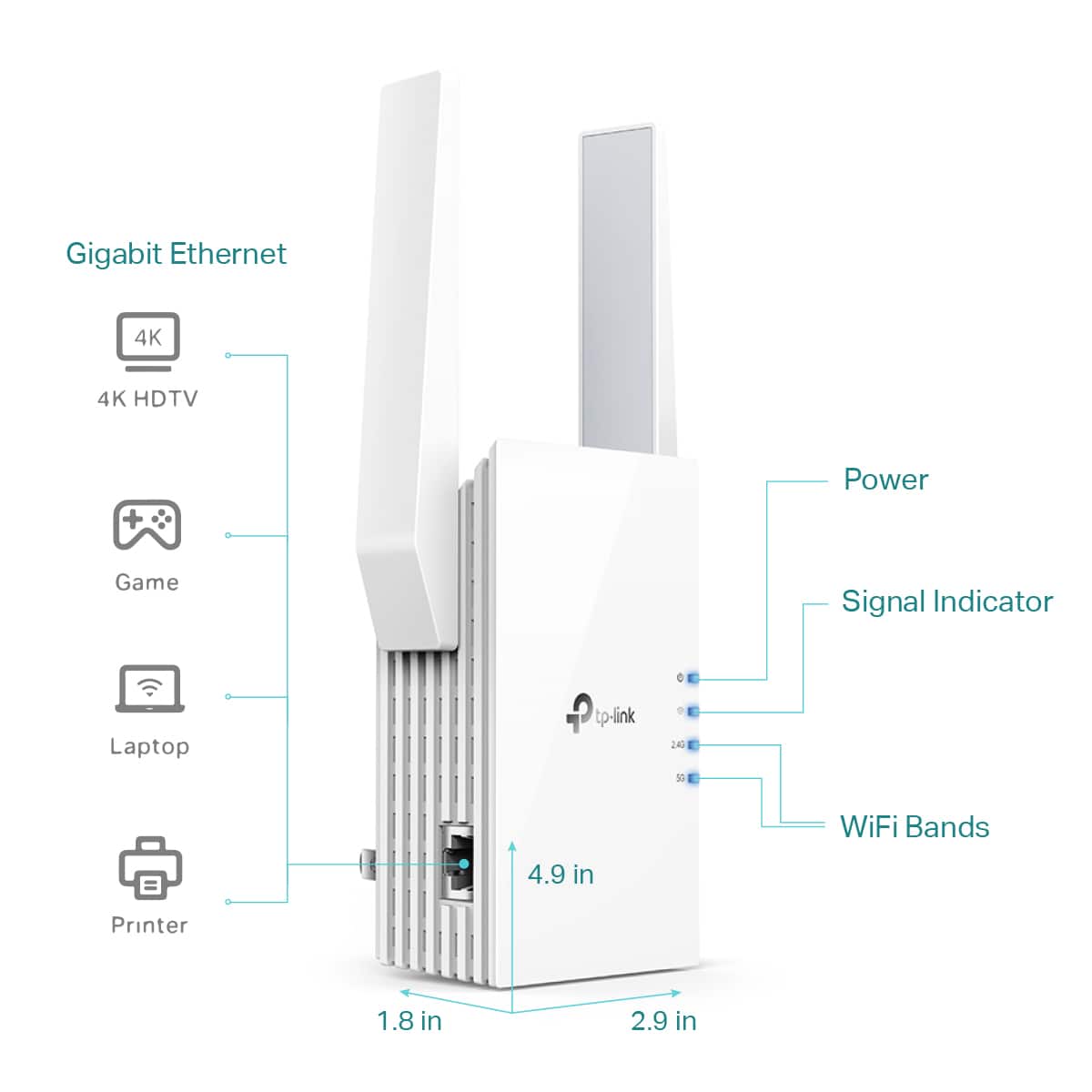
I received this wifi range extender to test. I have had one from netgear in the past before I upgraded my system to a mesh in my house. The extender worked ok, but was not as easy tp set up as this one. I plugged this in at my office so that I could have coverage to the back room more consistently. This app is really easy to use, I created an account logged in, and the followed the instructions to on the ap set up this device. The quickstart guide given with the device leads your right down the order of things to do and well written, and i appreciate it. Overall it took maybe 5 minutes and I was set up. You start with the setup near the wifi device you want to extend, then once programed move it about 1/2 to the area you want covered, and make sure it has a good signal. All was good in my dead spot, but I had to login to the other network (id'd by "ext" added to other network name). Unfortunately the wireless routers I have does not support the onemesh setting, which it appears to be only their brands do, so this will not work as seamlessly with your devices as they claim unless you have one of the 19 main routers supported. Sure this will work with any device, just not the mesh feature. It appears easy enough to change which network you extend also. I did it between office and my home just to try and it worked good. You also have a lan line connector on it for devices that you want wired or may not habe wifi. So far, I'm pleased and would reccomed this to friends and family. 5 stars as an extender only, easy to set up and go. "works with existing router" is correct only as a simple extender. Onmesh feature is a gimmick they highlight, but bury in fine print limited to only their other products, and not something you should buy this for unless you have one of their devices. Still good extender.
I would recommend this to a friend

Rated 5 out of 5 stars
Internet Booster
|
|
Posted . Owned for 1 month when reviewed.
This reviewer received promo considerations or sweepstakes entry for writing a review.
It was awesome. Works great! It really helped the internet service in our area.
I would recommend this to a friend

Rated 4 out of 5 stars
Wireless Extender
|
|
Posted . Owned for 3 weeks when reviewed.
This reviewer received promo considerations or sweepstakes entry for writing a review.
Works good only complaint is it has to have different network name from primary router.
I would recommend this to a friend

Rated 1 out of 5 stars
Save your money
|
|
Posted . Owned for 3 months when reviewed.
This reviewer received promo considerations or sweepstakes entry for writing a review.
The only thing it extended was the amount of time I wasted trying to get it to connect and then having to return it. Very poor user interface via the required app and zero improvement in wifi reach, regardless of where it was set up.
No, I would not recommend this to a friend

Brand response from TPLinkSupport
Posted .
Hi,
Thank you for your review. If you haven't noticed a significant improvement in Wi-Fi coverage after installing the extender, we recommend relocating the unit to a position within your home where the router's Wi-Fi signal is sufficiently strong; yet far enough from the router to effectively extend its range. Please verify the RE status LED is indicating a solid connection.
We also recommend ensuring the extender's firmware is fully up to date using the steps outlined in FAQ 1406 on our official website. To locate this FAQ, visit our website and enter 1406 in the top-right search field, then click the corresponding FAQ in the search results.
If you would like assistance with any of these steps, please reach out to our support team using any of the resources included with the product, or from our official website, and we'll gladly have a Support Agent follow up with you directly.