Skip to contentGo to Product SearchGo to Footer
Main Content

Customer Ratings & Reviews
Your price for this item is $79.99
The comparable value price is $129.99

Customer reviews

Rating 4.6 out of 5 stars with 806 reviews

Rating Filter

Rating by feature

  • Value

    Rating 4.5 out of 5 stars

  • Quality

    Rating 4.6 out of 5 stars

  • Ease of Use

    Rating 4.6 out of 5 stars

Pros mentioned filter

Cons mentioned filter

90%would recommend to a friend

Customers are saying

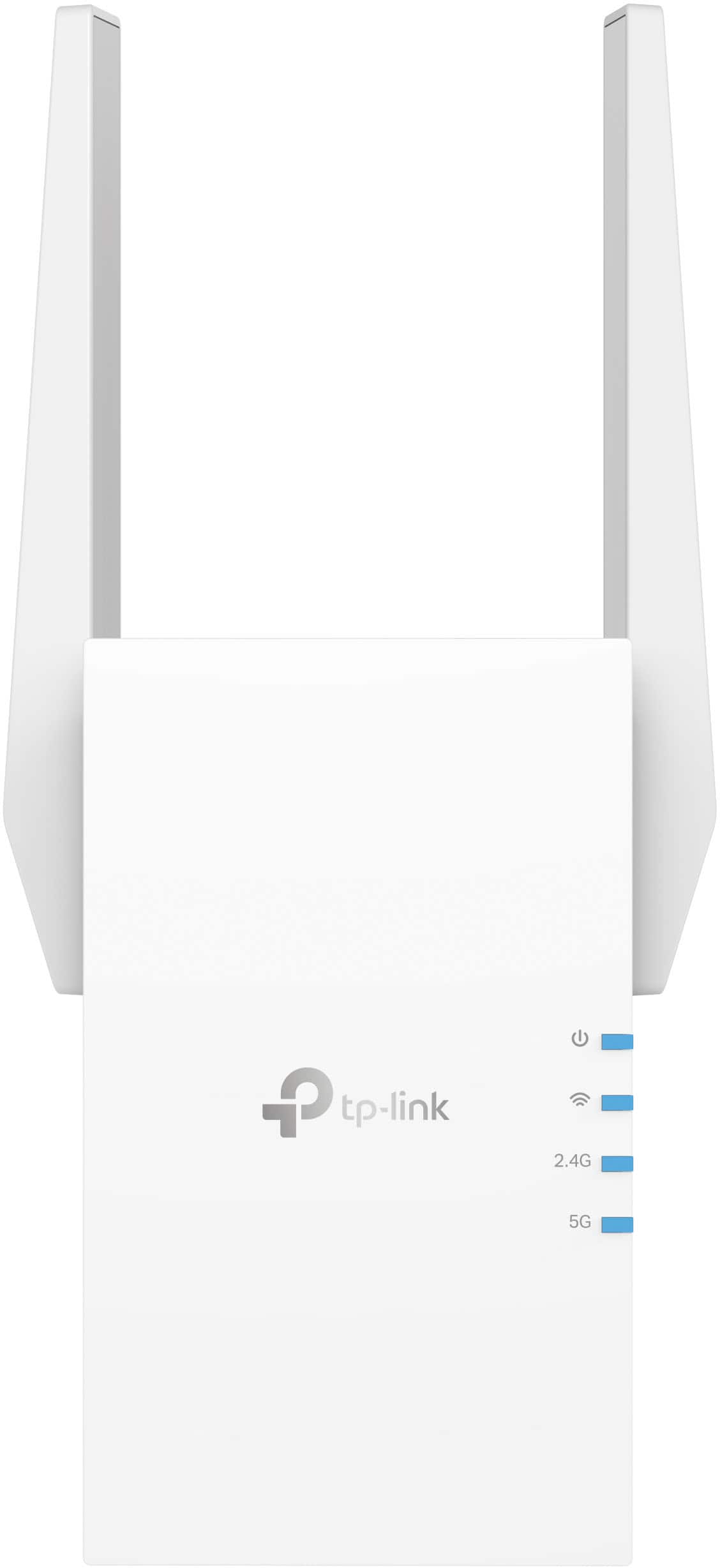
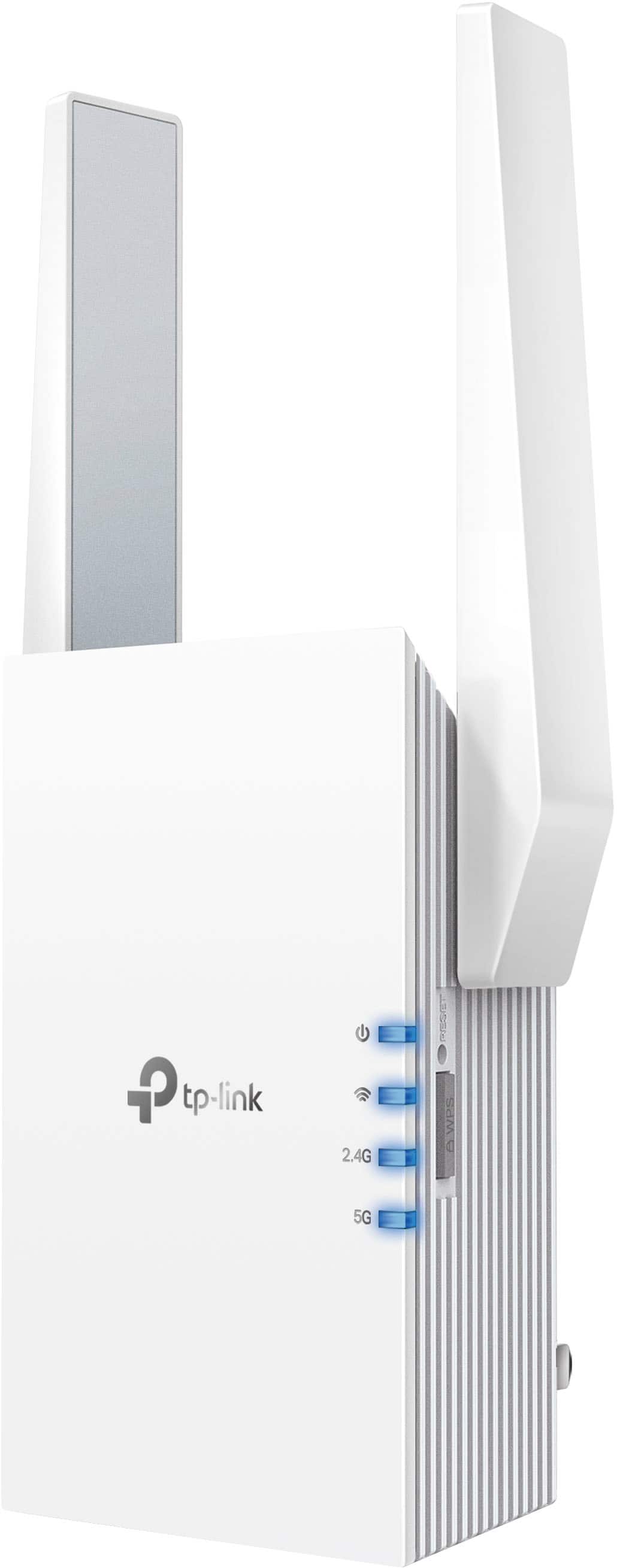
Customers are satisfied with the AX3000 Dual-Band Wi-Fi 6 Range Extender, particularly its ease of use and extended range. Many users also appreciate the strong signal strength and reliable connectivity it provides. However, some customers have reported compatibility issues and that the device can get warm.

This summary was generated by AI based on customer reviews.

The vast majority of our reviews come from verified purchases. Reviews from customers may include My Best Buy members, employees, and Tech Insider Network members (as tagged). Select reviewers may receive discounted products, promotional considerations or entries into drawings for honest, helpful reviews.
Page 36 Showing 701-720 of 806 reviews
  • Pros mentioned:
    Range

    Rated 5 out of 5 stars

    Wi-Fi extender

    |
    |
    Posted . Owned for 1 month when reviewed.
    This reviewer received promo considerations or sweepstakes entry for writing a review.

    Really good product does everything it says it does exceeds my expectation

    I would recommend this to a friend
  • Rated 3 out of 5 stars

    WI-FI Extender

    |
    |
    Posted . Owned for 1 month when reviewed.
    This reviewer received promo considerations or sweepstakes entry for writing a review.

    Cannot get it to connect to my WIFI. Need to be more specific on WI-FI speed do that it will connect.

    No, I would not recommend this to a friend
  • Rated 3 out of 5 stars

    Review

    |
    |
    Posted . Owned for 1 month when reviewed.
    This reviewer received promo considerations or sweepstakes entry for writing a review.

    Wouldn’t reach another building close by. Didn’t work for my needs.

    I would recommend this to a friend
    • Brand response from TPLinkSupport
      Posted .

      Hi,

      Thank you for your review. If you haven't noticed a significant improvement in Wi-Fi coverage after installing the extender, we recommend relocating the unit to a position within your home where the router's Wi-Fi signal is sufficiently strong; yet far enough from the router to effectively extend its range. Please verify the RE status LED is indicating a solid connection.

      We also recommend ensuring the extender's firmware is fully up to date using the steps outlined in FAQ 1406 on our official website: https://www.tp-link.com/us/support/faq/1406/

      If you would like assistance with any of these steps, please reach out to our support team using any of the resources included with the product, or from our official website, and we'll gladly have a Support Agent follow up with you directly.

      Thank you,
      TP-Link Support tplink

  • Rated 3 out of 5 stars

    Its alright

    |
    |
    Posted . Owned for 1 week when reviewed.
    This reviewer received promo considerations or sweepstakes entry for writing a review.

    I have 500 mbps but with this wifi extender the max speed is 100 to 150

    No, I would not recommend this to a friend
    • Brand response from TPLinkSupport
      Posted .

      Hi,

      Thank you for your review. Please bear in mind, Wi-Fi extenders utilize half-duplex transmission. As a result, throughput when connecting to the extender may be reduced when compared to the router. This is an industry standard for Wi-Fi extenders and is not exclusive to TP-Link.

      In your case, we recommend relocating the unit to a position in your home where the router's Wi-Fi signal is sufficiently strong; yet far enough from the router to effectively extend its range. Additionally, we recommend prioritizing use of the 5 GHz band for maximum bandwidth, and ensuring the extender's firmware is fully up to date, as shown in TP-Link FAQ 1406: https://www.tp-link.com/us/support/faq/1406/

      If you'd like assistance with any of these steps, please reach out to our free support team using any of the resources included with the product, or from our official website, and we'll gladly have a Support Agent follow up with you directly.

      Thank you,
      TP-Link Support tplink

  • Rated 5 out of 5 stars

    TP Link

    |
    |
    Posted . Owned for 3 months when reviewed.
    This reviewer received promo considerations or sweepstakes entry for writing a review.

    Have tp link router already, so east compatibility. Great speed

    I would recommend this to a friend
  • Rated 5 out of 5 stars

    Nice thing

    |
    |
    Posted . Owned for 2 weeks when reviewed.
    This reviewer received promo considerations or sweepstakes entry for writing a review.

    This helped me alot i need more internet sometimes. Thank you

    I would recommend this to a friend
  • Pros mentioned:
    Ease of use

    Rated 5 out of 5 stars

    TP-Link-AX3000 Wi-Fi 6 Range Extender Review

    |
    |
    Posted . Owned for 1 month when reviewed.
    This reviewer received promo considerations or sweepstakes entry for writing a review.

    Works great. I use it as an access point. Easy setup.

    I would recommend this to a friend
  • Rated 1 out of 5 stars

    I wish I knew if this was good...

    |
    |
    Posted . Owned for 1 month when reviewed.
    This reviewer received promo considerations or sweepstakes entry for writing a review.

    I would not know. This was delivered to the wrong address, which was acknowledged by FedEx, who told me to tell Best Buy to file a claim since they lost it. Best Buy then told me to file a police report since it was delivered to somebody else, BUT nobody knows what address. My local Sheriff's office stated it is not a crime to have an item delivered to the wrong address, and FedEx acknowledged the error; therefore, there is no crime, and a police report cannot be filed. However, I have a report number I spoke to the sheriff's office. Three months later, I am still trying to get them to give me a refund and am sitting on the phone again, waiting for them to find "the best option" for me, which needs to be a full refund.

    I would recommend this to a friend
    • Brand response from TPLinkSupport
      Posted .

      Hi,

      Thank you for your review. If you have any questions or concerns regarding order fulfillment or shipping, please contact Best Buy customer service for further assistance.

      If you have any questions about your experience with your TP-Link Wi-Fi extender or its features, our support team is always happy to help. Please feel free to reach out using any of the resources included with the product, or from our official website, and we'll gladly have a Support Agent follow up with you directly.

      Thank you,
      TP-Link Support tplink

  • Rated 2 out of 5 stars

    It didnt help!

    |
    |
    Posted . Owned for 1 month when reviewed.
    This reviewer received promo considerations or sweepstakes entry for writing a review.

    Waste of money. Would have returned it but time ran out. Easy install instructions, but the overall area of wifi extension was extremely limited. I even relocated the extender to several different area of this single level, ranch style home, with little or no fifference.

    No, I would not recommend this to a friend
    • Brand response from TPLinkSupport
      Posted .

      Hi,

      Thank you for your review. If you haven't noticed a significant improvement in Wi-Fi coverage after installing the extender, we recommend relocating the unit to a position within your home where the router's Wi-Fi signal is sufficiently strong; yet far enough from the router to effectively extend its range. Please verify the RE status LED is indicating a solid connection.

      We also recommend ensuring the extender's firmware is fully up to date using the steps outlined in FAQ 1406 on our official website: https://www.tp-link.com/us/support/faq/1406/

      If you would like assistance with any of these steps, please reach out to our support team using any of the resources included with the product, or from our official website, and we'll gladly have a Support Agent follow up with you directly.

      Thank you,
      TP-Link Support tplink

  • Rated 3 out of 5 stars

    work alright

    |
    |
    Posted . Owned for 1 week when reviewed.
    This reviewer received promo considerations or sweepstakes entry for writing a review.

    this product allows for extension of your internet. A mesh network might be a better optom

    I would recommend this to a friend
    • Brand response from TPLinkSupport
      Posted .

      Hi,

      Thank you for your review. If you haven't noticed a significant improvement in Wi-Fi coverage after installing the extender, we recommend relocating the unit to a position within your home where the router's Wi-Fi signal is sufficiently strong; yet far enough from the router to effectively extend its range. Please verify the RE status LED is indicating a solid connection.

      We also recommend ensuring the extender's firmware is fully up to date using the steps outlined in FAQ 1406 on our official website. To locate this FAQ, visit our website and enter 1406 in the top-right search field, then click the corresponding FAQ in the search results.

      If you would like assistance with any of these steps, please reach out to our support team using any of the resources included with the product, or from our official website, and we'll gladly have a Support Agent follow up with you directly.

      Thank you,
      TP-Link Support tplink

  • Rated 2 out of 5 stars

    Ms

    |
    |
    Posted . Owned for 1.5 years when reviewed.
    This reviewer received promo considerations or sweepstakes entry for writing a review.

    Not worth the money. Disappointed.will not be purchasing again.

    No, I would not recommend this to a friend
    • Brand response from TPLinkSupport
      Posted .

      Hello Sonya

      We would like to know more about your experience. Please take a moment to email us at ussupportteam@tp-link.com and provide extra details. We would like to see if this is a situation we can improve.

      Best Regards

      TP-Link Systems Support tplink

  • Rated 2 out of 5 stars

    Router doesn't help ME

    |
    |
    Posted . Owned for 1.5 years when reviewed.
    This reviewer received promo considerations or sweepstakes entry for writing a review.

    I had issues with buffering in upstairs of my house. This item was highly recommended to help correct this. I still have buffering, really don't notice a difference. Looking for help and better advice.

    No, I would not recommend this to a friend
    • Brand response from TPLinkSupport
      Posted .

      Hi,

      Thank you for your review. If you haven't noticed a significant improvement in Wi-Fi coverage after installing the extender, we recommend relocating the unit to a position within your home where the router's Wi-Fi signal is sufficiently strong; yet far enough from the router to effectively extend its range. Please verify the RE status LED is indicating a solid connection.

      We also recommend ensuring the extender's firmware is fully up to date using the steps outlined in FAQ 1406 on our official website: https://www.tp-link.com/us/support/faq/1406/

      If you would like assistance with any of these steps, please reach out to our support team using any of the resources included with the product, or from our official website, and we'll gladly have a Support Agent follow up with you directly.

      Thank you,
      TP-Link Support tplink

  • Rated 3 out of 5 stars

    Stopped working

    |
    |
    Posted . Owned for 3 weeks when reviewed.
    This reviewer received promo considerations or sweepstakes entry for writing a review.

    Actually stopped working , not sure if something went out on it I returned it

    No, I would not recommend this to a friend
    • Brand response from TPLinkSupport
      Posted .

      Hi,

      Thank you for your review. Your TP-Link Wi-Fi extender comes with a 2-year warranty, and we would greatly appreciate the opportunity to help address your concerns. At your convenience, please reach out to our support team using any of the resources included with the product, or from our official website, and we'll gladly have a Support Agent follow up with you directly.

      Thank you,
      TP-Link Support tplink

  • Rated 3 out of 5 stars

    3 out of 5

    |
    |
    Posted . Owned for 3 weeks when reviewed.
    This reviewer received promo considerations or sweepstakes entry for writing a review.

    it works great once you get its signal set up. but setting it up is a pain.

    I would recommend this to a friend
    • Brand response from TPLinkSupport
      Posted .

      Hi,

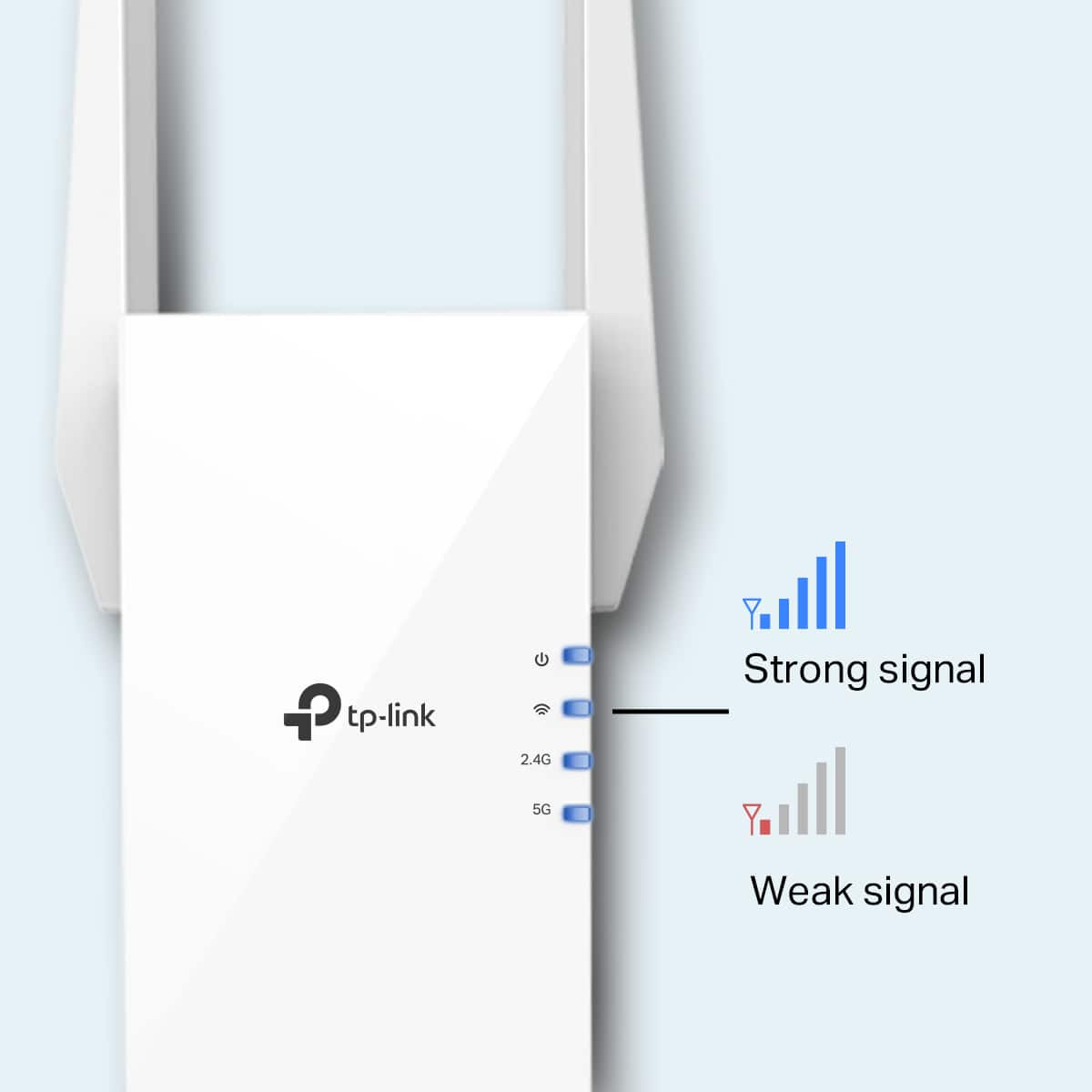
      Thank you for your review. If you are experiencing difficulty connecting the extender to your router, we recommend setting up the device in the same room as your router, then relocating it after setup is complete. We also suggest re-verifying your router's Wi-Fi password during setup, or if using the WPS setup method, ensuring the WPS process is performed in the correct order. The extender's indicator LEDs will help you determine which position in your home is ideal.

      We also highly recommend ensuring the extender's firmware is fully up to date using the steps outlined in FAQ 1406 on our official website: https://www.tp-link.com/us/support/faq/1406/

      If you would like assistance with any of these steps, please reach out to our free support team using any of the resources included with the product, or from our official website, and we'll gladly have a Support Agent follow up with you directly.

      Thank you,
      TP-Link Support tplink

  • Rated 3 out of 5 stars

    Set up

    |
    |
    Posted . Owned for 3 weeks when reviewed.
    This reviewer received promo considerations or sweepstakes entry for writing a review.

    This item has not been easy to set up.............

    No, I would not recommend this to a friend
  • Rated 2 out of 5 stars

    Disappointed

    |
    |
    Posted . Owned for 3 weeks when reviewed.
    This reviewer received promo considerations or sweepstakes entry for writing a review.

    My computers have to continually turn off and on the Wi-Fi to connect to this extender every time we try to connect, we have this issue didn’t have it with our old Netgear

    No, I would not recommend this to a friend
    • Brand response from TPLinkSupport
      Posted .

      Hi,

      Thank you for your review. If you haven't noticed a significant improvement in Wi-Fi coverage after installing the extender, we recommend relocating the unit to a position within your home where the router's Wi-Fi signal is sufficiently strong yet far enough from the router to effectively extend its range. Please verify the RE status LED is indicating a solid connection.

      We also recommend ensuring the extender's firmware is fully up to date using the steps outlined in FAQ 1406 on our official website: https://www.tp-link.com/us/support/faq/1406/

      If you would like assistance with any of these steps, please contact our support team using any of the resources included with the product or from our official website, and we'll gladly have a Support Agent follow up with you directly.

      Thank you,
      TP-Link Support tplink

  • Rated 3 out of 5 stars

    TP-Link - AX3000 Dual-Band Wi-Fi 6 Range Extender

    |
    |
    Posted . Owned for 3 weeks when reviewed.
    This reviewer received promo considerations or sweepstakes entry for writing a review.

    It hasn't help with our 5G. We are testing out 4G now.

    No, I would not recommend this to a friend
    • Brand response from TPLinkSupport
      Posted .

      Hi,

      Thank you for your review. If by "5G" and "4G", you are referring to cellular data signals from your phone provider, please bear in mind that cellular signal is not Wi-Fi, and cannot be extended by a Wi-Fi extender. However, if you are referring to 5GHz and 2.4GHz Wi-Fi from your router, then the extender is designed to provide robust, AX3000 dual-band extension.

      Our support team is always happy to help answer any questions you may have about our products. Please feel free to reach out using any of the resources included with the product, or from our official website, and we'll gladly have a Support Agent follow up with you directly.

      Thank you,
      TP-Link Support tplink

  • Rated 3 out of 5 stars

    Not worth what they charge

    |
    |
    Posted . Owned for 1 week when reviewed.
    This reviewer received promo considerations or sweepstakes entry for writing a review.

    Works well enough but the speed isn't quite there.

    I would recommend this to a friend
    • Brand response from TPLinkSupport
      Posted .

      Hi,

      Thank you for your review. Please bear in mind, Wi-Fi extenders utilize half-duplex transmission. As a result, throughput when connecting to the extender may be potentially reduced when compared to the router. This is an industry standard for Wi-Fi extenders and is not exclusive to TP-Link.

      In your case, we recommend relocating the unit to a position in your home where the router's Wi-Fi signal is sufficiently strong; yet far enough from the router to effectively extend its range. We also highly suggest making sure its firmware is fully up to date, as shown in our FAQ here: https://www.tp-link.com/us/support/faq/1406/

      If you'd like assistance with any of these steps, please reach out to our free support team using any of the resources included with the product, or from our official website, and we'll gladly have a Support Agent follow up with you directly.

      Thank you,
      TP-Link Support tplink

  • Rated 1 out of 5 stars

    TP-Link-AX3000 Dual Band Wi Fi 6 Range Extender

    |
    |
    Posted . Owned for 2 months when reviewed.
    This reviewer received promo considerations or sweepstakes entry for writing a review.

    Useless. Did not connect to my router consistently. When it did connect my internet upload and download decreased compared not having this device. I returned this $110 product to the store.

    No, I would not recommend this to a friend
    • Brand response from TPLinkSupport
      Posted .

      Hi,

      Thank you for your review. If you haven't noticed a significant improvement in Wi-Fi coverage after installing the extender, we recommend relocating the unit to a position within your home where the router's Wi-Fi signal is sufficiently strong; yet far enough from the router to effectively extend its range. Please verify the RE status LED is indicating a solid connection.

      We also recommend ensuring the extender's firmware is fully up to date using the steps outlined in FAQ 1406 on our official website: https://www.tp-link.com/us/support/faq/1406/

      If you would like assistance with any of these steps, please reach out to our free support team using any of the resources included with the product, or from our official website, and we'll gladly have a Support Agent follow up with you directly.

      Thank you,
      TP-Link Support tplink

  • Pros mentioned:
    Performance, Setup, Signal strength
    Tech Insider Network Member

    Rated 5 out of 5 stars

    Simple and Effective way to extend your network

    |
    Tech Insider Network Member
    Posted .
    This reviewer received promo considerations or sweepstakes entry for writing a review.

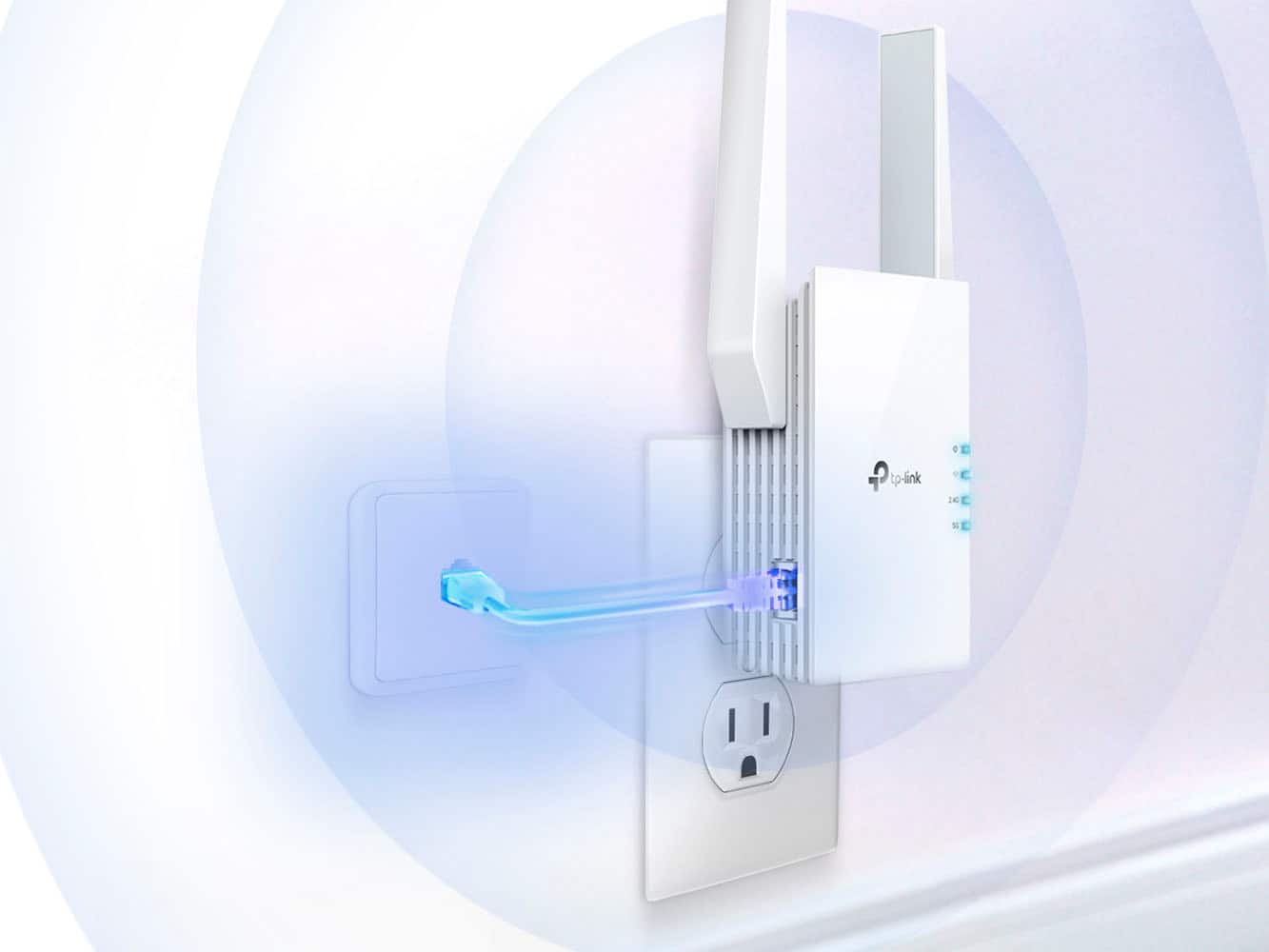
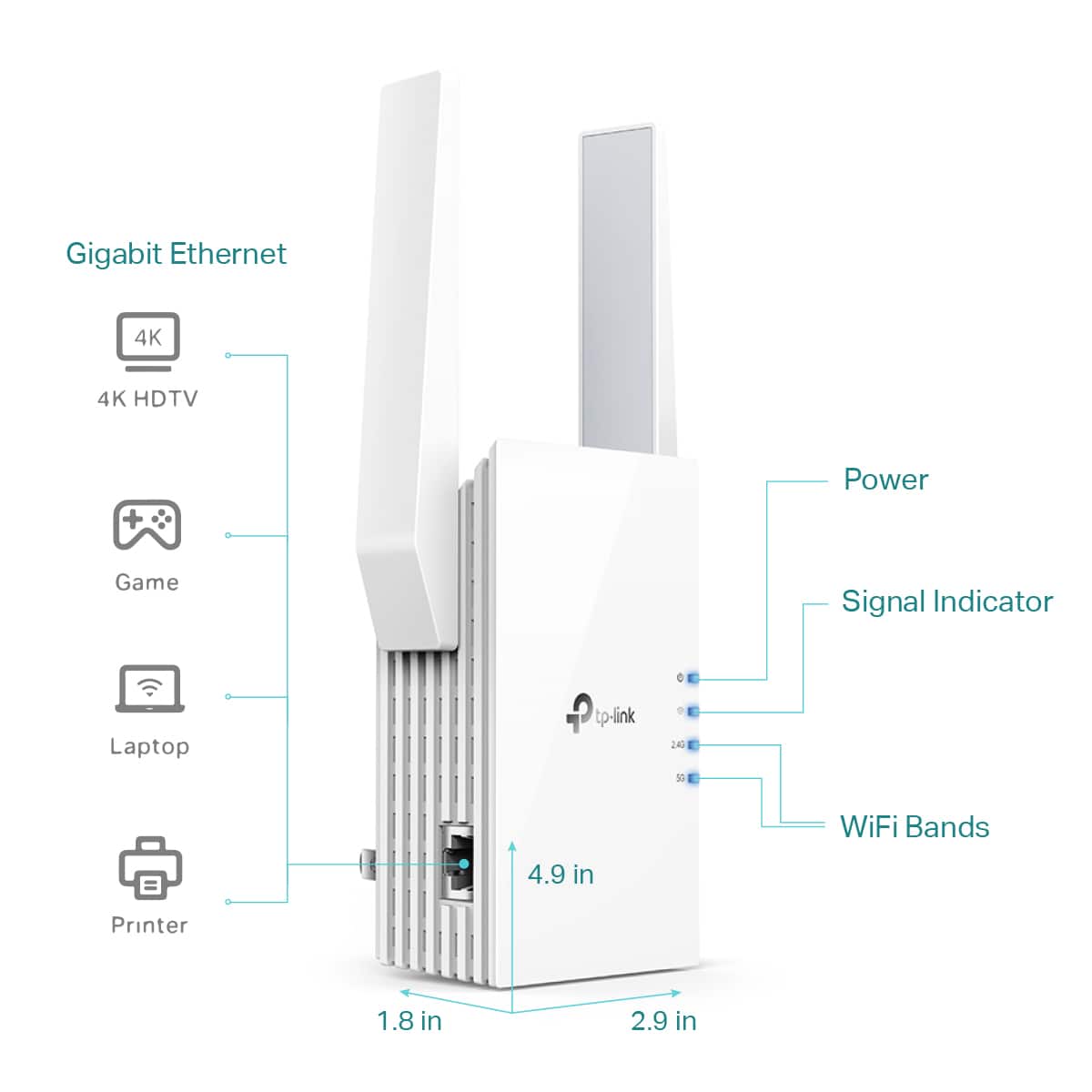
    We’ve all got “that spot”. That spot in your house, office, or yard that just barely gets WiFi if you hold your phone at just the right angle, in just the right direction, at just the right height. For me, “that spot” is in the basement in a corner. We’ve got a smart TV there now and it just barely gets enough signal to stream videos “most of the time”, plus my oldest son would like to make this his new “gaming area” so we needed to do something about the signal ASAP. Enter the RE705x, and this weekend I was finally able to bring good signal to that location to reliably stream movies and provide a good gaming experience. Setup was simple, I chose to use the “web browser” method because I didn’t want an app for something I plan to leave alone once it’s working, but if you prefer apps you can download and use the TPLink Tether app method. That said, I found a spot elsewhere in the basement that gets good signal, plugged the the RE705x into a power outlet there, then wired my laptop to the Ethernet port. In its default configuration the RE705x will detect if it should provide IP addresses for initial setup, which then allows you to access its web page to do the rest of the configuration. It was a simple matter from there to set a non-default password, scan for and choose the wifi network I wanted to extend, and then configure the properties for the repeater WiFi signal (if desired), or leave the repeater off and allow the RE705x to instead bridge the WiFi to just the ethernet port. Both methods worked fine for me with no fuss, though for sake of a simpler setup and a little better performance I ultimately opted to leave the repeater WiFi off and just use the RE705x to bridge the signal to Ethernet, and then used a small switch and some Ethernet cables to split that into additional wired connections for the TV and gaming consoles. Doing it this way shaved some latency off my son’s gaming consoles which was a high priority to him. In the end we ended up with a setup in that corner that reliably pulls ~100Mbps with <10ms of latency. This has been more than enough to meet the practical streaming needs of the TV, which we streamed music and videos from nearly all day to stress test the link and it worked flawlessly. Later that night my son put the latency more to task with some online gaming and he didn’t have any noticeable issues. A direct-wired connection would probably shave a few more milliseconds off but the RE705x did the trick well enough without the need to pull cable or drill any holes in walls which is a win, and now “that spot” in the basement is a fully functional TV and gaming center. The RE705x can also be used as a more traditional AP (Access Point), although I didn’t use this mode beyond some testing just to familiarize myself with its capabilities and options. Just change the mode in the UI to AP (Access Point), reboot, configure the AP properties, and use the Ethernet port as the uplink to the rest of the network. The RE705x was simple to setup, and seems to do its job reliably and effectively, and that’s exactly what I suspect most people want out of it.

    I would recommend this to a friend