Customer Ratings & Reviews
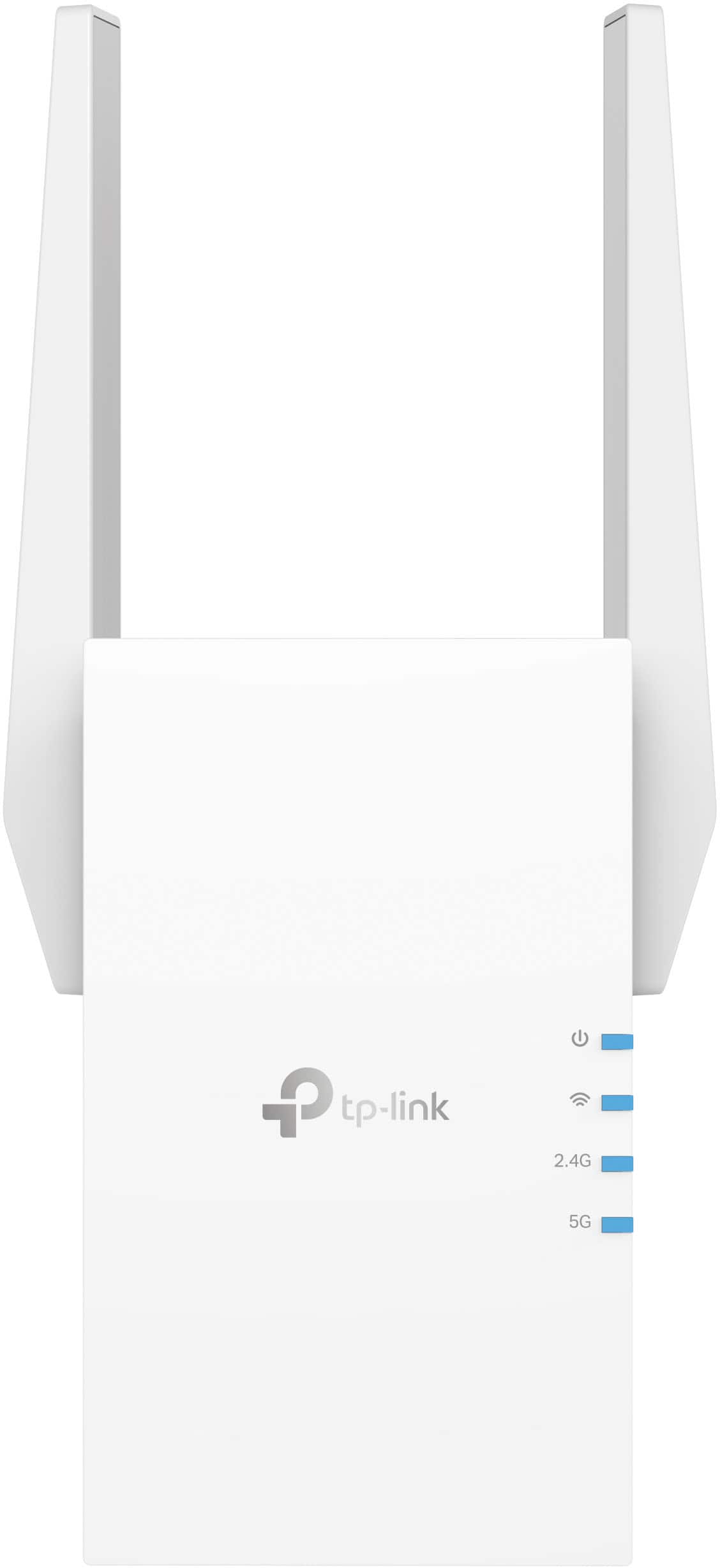

- Model:
- RE705X
- SKU:
- 6502060
Rating by feature
- Value
Rating 4.5 out of 5 stars
- Quality
Rating 4.6 out of 5 stars
- Ease of Use
Rating 4.6 out of 5 stars
Customers are saying
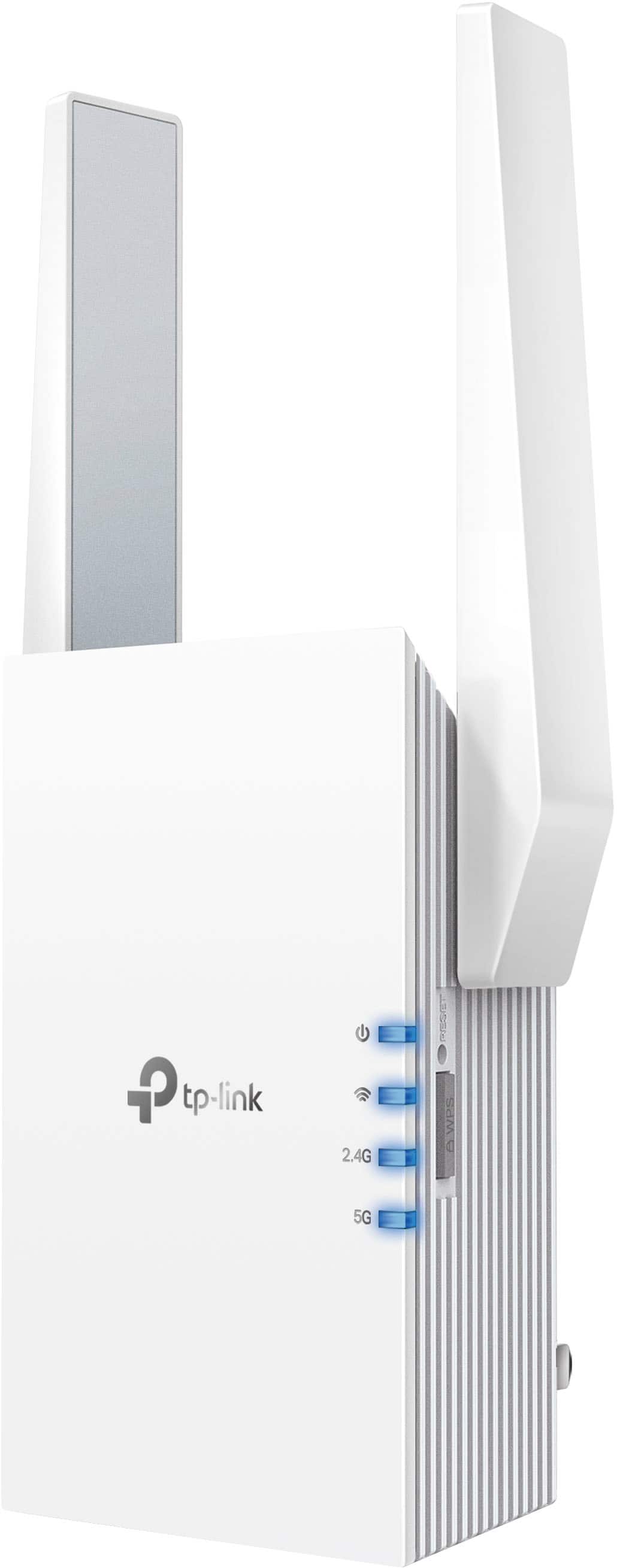
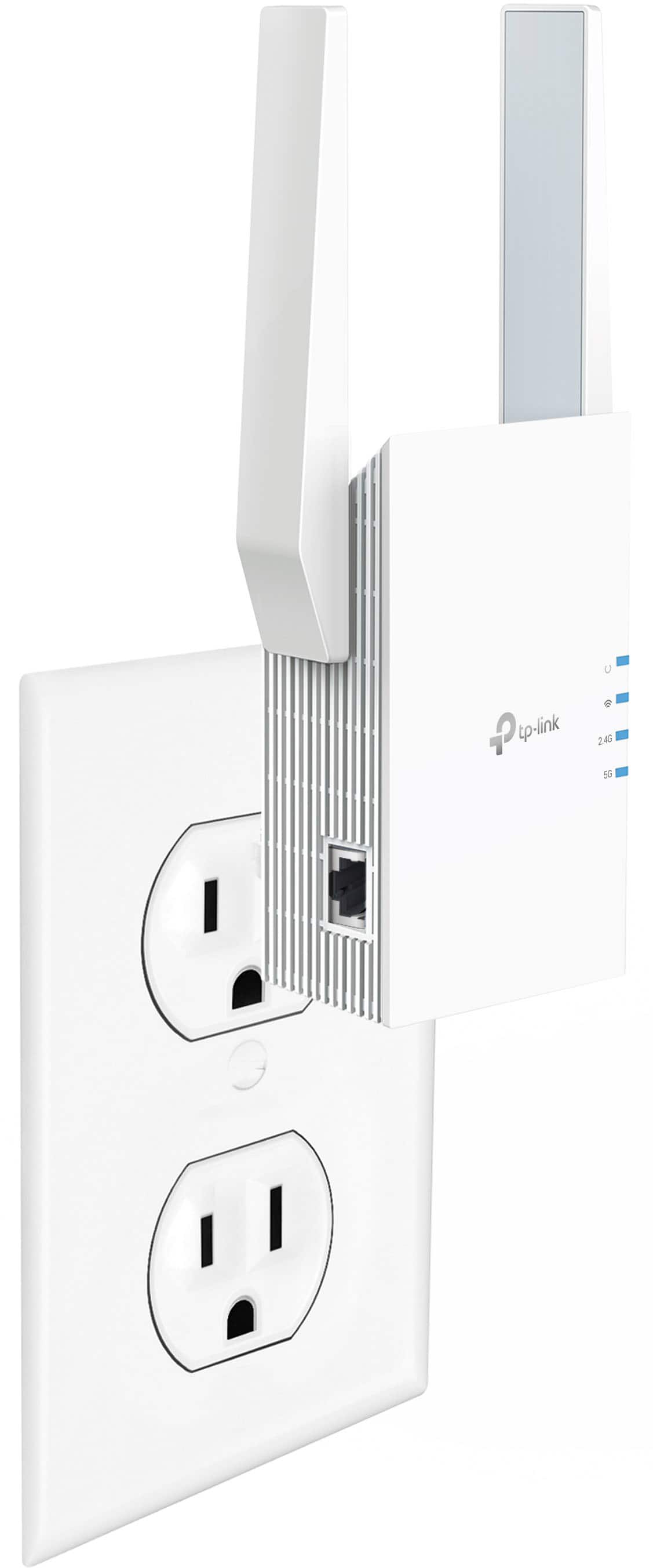
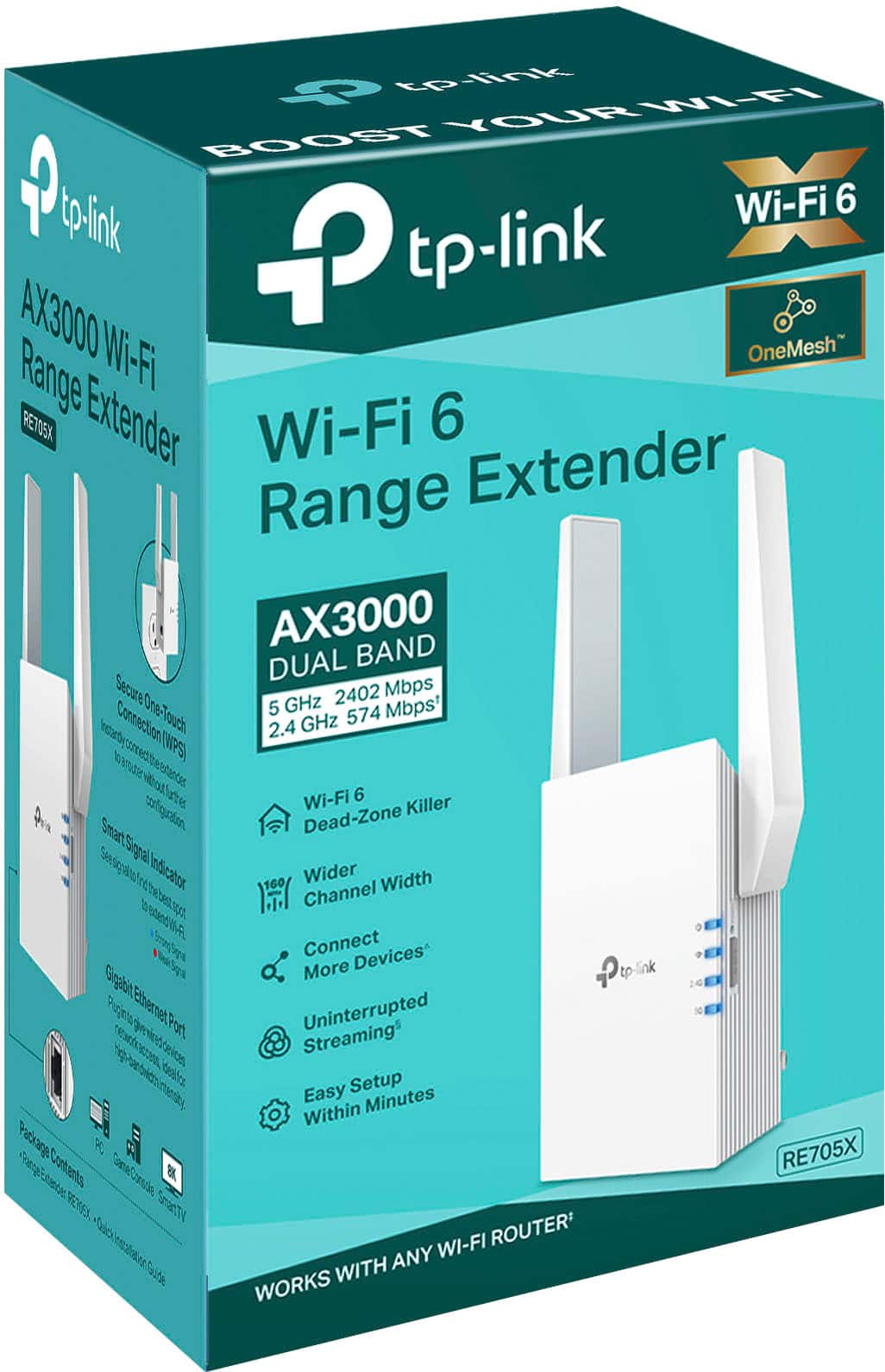
Customers appreciate the AX3000 Dual-Band Wi-Fi 6 Range Extender for its ease of use, extended range, and strong signal strength. Many users have found the setup process to be simple, and they are experiencing fast speeds and reliable connectivity. However, some customers have reported that the device can get warm, and a few have mentioned compatibility issues and its size being a potential concern.
This summary was generated by AI based on customer reviews.
Good connectivity
||Posted . Owned for 1 week when reviewed.This reviewer received promo considerations or sweepstakes entry for writing a review.Theres good connection id you are on the same floor
I would recommend this to a friendok
||Posted . Owned for 1 month when reviewed.This reviewer received promo considerations or sweepstakes entry for writing a review.ok just not the easiest thing to set up initially .
I would recommend this to a friend- Pros mentioned:Ease of use
Easy to use and effective.
||Posted . Owned for 4 months when reviewed.This reviewer received promo considerations or sweepstakes entry for writing a review.So much better than other WiFi Extenders! The ease of use is the best part. Just download the app and follow through the steps. It's so easy that your auntie can figure it out on her own.
I would recommend this to a friend WiFi
||Posted . Owned for 3 weeks when reviewed.This reviewer received promo considerations or sweepstakes entry for writing a review.It worked. It didn’t boost as much as we expected.
I would recommend this to a friendWe shall see.
||Posted . Owned for 1 month when reviewed.This reviewer received promo considerations or sweepstakes entry for writing a review.Not sure if it really adds a difference in speed. The app to set up didn’t work so just used the reboot buttons to get it set up. The device wants to fall out of the wall plugs if they are loose.
No, I would not recommend this to a friendBrand response from TPLinkSupport
Posted .Hi,
Thank you for your review. Wi-Fi range extenders primarily serve the purpose of providing additional Wi-Fi coverage and range, to help mitigate Wi-Fi dead zones. Your Internet speed is determined primarily by your Internet provider and speed plan.
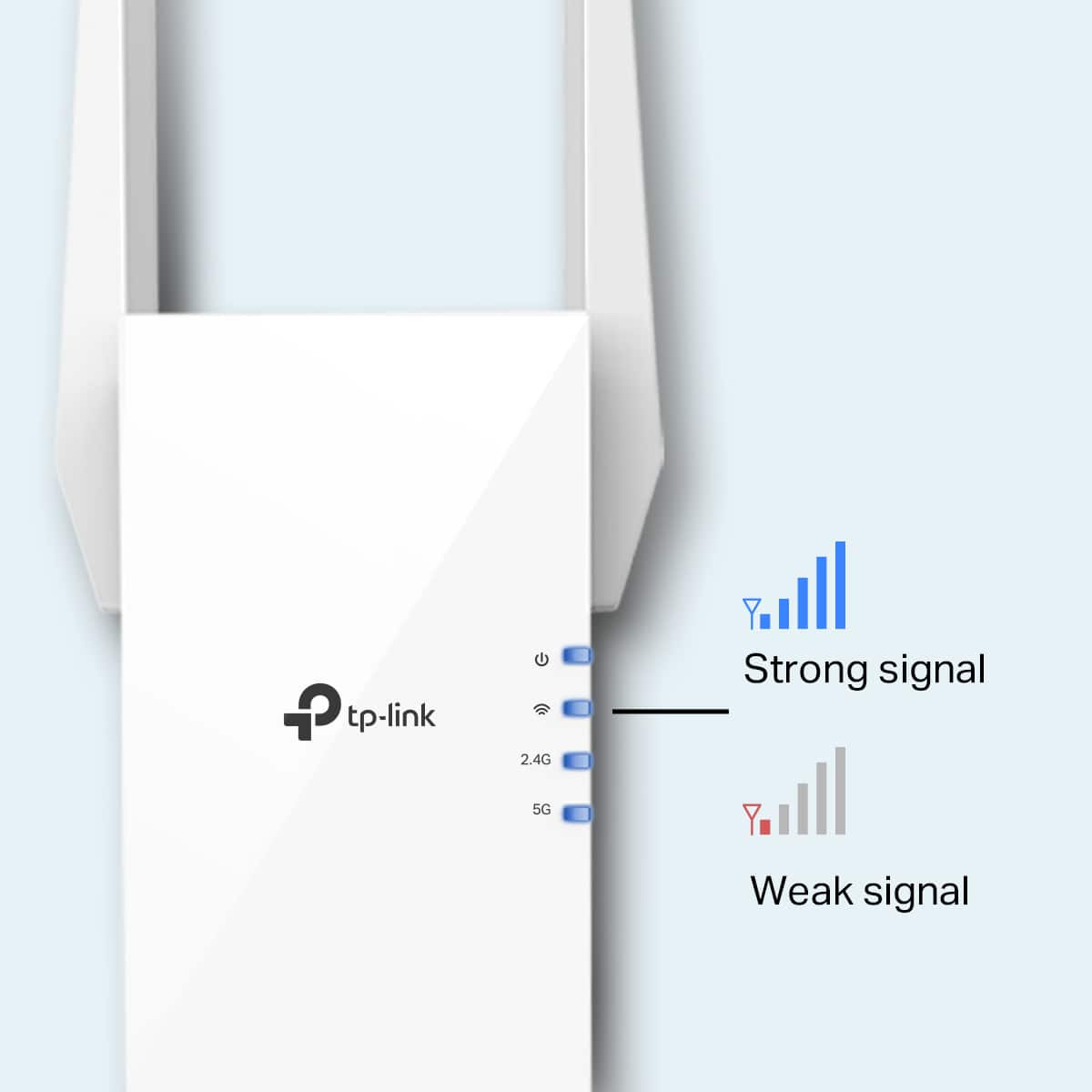
If you haven't noticed a significant improvement in Wi-Fi coverage after installing the extender, we recommend relocating the unit to a position within your home where the router's Wi-Fi signal is sufficiently strong; yet far enough from the router to effectively extend its range. Please verify the RE status LED is indicating a solid connection.
We also recommend ensuring the extender's firmware is fully up to date using the steps outlined in FAQ 1406 on our official website: https://www.tp-link.com/us/support/faq/1406/
If you would like assistance with any of these steps, please reach out to our support team using any of the resources included with the product, or from our official website, and we'll gladly have a Support Agent follow up with you directly.
Thank you,
TP-Link Support
- Cons mentioned:Compatibility
Ineffective
||Posted . Owned for 1 month when reviewed.This reviewer received promo considerations or sweepstakes entry for writing a review.Told it would interact properly with our booster and doesn’t. Also product doesn’t allow for total protection from outside exposure.
No, I would not recommend this to a friendBrand response from TPLinkSupport
Posted .Hi,
Thank you for your review. If you haven't noticed a significant improvement in Wi-Fi coverage after installing the extender, we recommend relocating the unit to a position within your home where the router's Wi-Fi signal is sufficiently strong; yet far enough from the router to effectively extend its range. Please verify the RE status LED is indicating a solid connection.
We also recommend ensuring the extender's firmware is fully up-to-date, using the steps outlined in FAQ 1406 on our official website: https://www.tp-link.com/us/support/faq/1406/
If you would like assistance with any of these steps, please reach out to our support team using any of the resources included with the product, or from our official website, and we'll gladly have a Support Agent follow up with you directly.
Thank you,
TP-Link Support
Did not work
||Posted .This reviewer received promo considerations or sweepstakes entry for writing a review.Did not work. Did not see any difference once I plugged this into the router.
No, I would not recommend this to a friendBrand response from TPLinkSupport
Posted .Hi MandyT,
If you haven't noticed a significant improvement in Wi-Fi coverage after installing the extender, we recommend relocating the unit to a position within your home where the router's Wi-Fi signal is sufficiently strong; yet far enough from the router to effectively extend its range. Please verify the RE status LED is indicating a solid connection.
We also recommend ensuring the extender's firmware is fully up to date using the steps outlined in FAQ 1406 on our official website: https://www.tp-link.com/us/support/faq/1406/
If you would like assistance with any of these steps, please reach out to our support team using any of the resources included with the product, or from our official website, and we'll gladly have a Support Agent follow up with you directly.
Thank you,
TP-Link Systems Support
TP-Link-AX3000
||Posted . Owned for 2 weeks when reviewed.This reviewer received promo considerations or sweepstakes entry for writing a review.This unit did not work very well from the start and quit working about 3 weeks after
No, I would not recommend this to a friendBrand response from TPLinkSupport
Posted .Hi AlvinG,
Thank you for your review. Your TP-Link Wi-Fi Router comes with a manufacturer's warranty, and we would greatly appreciate the opportunity to help address your concerns. At your convenience, please reach out to our support team using the phone, live chat, or email contact options on our Support Portal, and we'll gladly have a Support Agent follow up with you directly:
https://www.tp-link.com/us/support/contact-technical-support/
Thank you,
TP-Link Systems Support
Disappointing
||Posted . Owned for 2 weeks when reviewed.This reviewer received promo considerations or sweepstakes entry for writing a review.The item didn't increase my Wi-Fi connection whatsoever !
No, I would not recommend this to a friendNot as advertised
||Posted . Owned for 3 weeks when reviewed.This reviewer received promo considerations or sweepstakes entry for writing a review.Didn't perform as indicated in the description. The device had a clear path and wouldnt connect
No, I would not recommend this to a friendBrand response from TPLinkSupport
Posted .Hi MichaelC,
Thank you for your review. If you're having trouble connecting the extender to your router, try setting it up in the same room as your router first, then moving it after the setup is complete. We also recommend double-checking your router's Wi-Fi password during setup. If you're using the WPS setup method, make sure to perform the WPS process in the correct order. The extender's indicator LEDs will help you find the best spot in your home.
We also strongly recommend updating the extender's firmware by following the steps outlined in FAQ 1406 on our official website: https://www.tp-link.com/us/support/faq/1406/
If you need help with any of these steps, please get in touch with our TP-Link support team using any of the resources provided with the product or from our official TP-Link website. We'll gladly have a Support Agent follow up with you directly.
Thank you,
TP-Link Systems Support
range extender
||Posted . Owned for 3 weeks when reviewed.This reviewer received promo considerations or sweepstakes entry for writing a review.this product did not work for me but everybodys situation is different. it might work for for you.
No, I would not recommend this to a friendBrand response from TPLinkSupport
Posted .Hi DennisC,
If you haven't noticed a significant improvement in Wi-Fi coverage after installing the extender, we recommend relocating the unit to a position within your home where the router's Wi-Fi signal is sufficiently strong; yet far enough from the router to effectively extend its range. Please verify the RE status LED is indicating a solid connection.
We also recommend ensuring the extender's firmware is fully up to date using the steps outlined in FAQ 1406 on our official website: https://www.tp-link.com/us/support/faq/1406/
If you would like assistance with any of these steps, please reach out to our support team using any of the resources included with the product, or from our official website, and we'll gladly have a Support Agent follow up with you directly.
Thank you,
TP-Link Systems Support
Extender
||Posted . Owned for 1 month when reviewed.This reviewer received promo considerations or sweepstakes entry for writing a review.It didn’t make much difference, I thought I would see improvement on my wifi but it didn’t work as I expected
No, I would not recommend this to a friendBrand response from TPLinkSupport
Posted .Hi,
Thank you for your review. If you haven't noticed a significant improvement in Wi-Fi coverage after installing the extender, we recommend relocating the unit to a position within your home where the router's Wi-Fi signal is sufficiently strong; yet far enough from the router to effectively extend its range. Please verify the RE status LED is indicating a solid connection.
We also recommend ensuring the extender's firmware is fully up to date using the steps outlined in FAQ 1406 on our official website: https://www.tp-link.com/us/support/faq/1406/
If you would like assistance with any of these steps, please reach out to our support team using any of the resources included with the product, or from our official website, and we'll gladly have a Support Agent follow up with you directly.
Thank you,
TP-Link Support
Wasted Money
||Posted .This reviewer received promo considerations or sweepstakes entry for writing a review.Terrible. The extender is just above my router on the next level in a semi-open air area. The extender signal-EXT is the exact same level as the base router. The device is NOT boosting the signal to extend it from the router. If I could give it negative stars I would.
No, I would not recommend this to a friendBrand response from TPLinkSupport
Posted .Hi,
Thank you for your review. If you haven't noticed a significant improvement in Wi-Fi coverage after installing the extender, we recommend relocating the unit to a position within your home where the router's Wi-Fi signal is sufficiently strong; yet far enough from the router to effectively extend its range. Please verify the RE status LED is indicating a solid connection.
We also recommend ensuring the extender's firmware is fully up to date using the steps outlined in FAQ 1406 on our official website: https://www.tp-link.com/us/support/faq/1406/
If you would like assistance with any of these steps, please reach out to our support team using any of the resources included with the product, or from our official website, and we'll gladly have a Support Agent follow up with you directly.
Thank you,
TP-Link Systems Support
- Pros mentioned:Performance
Great Product
||Posted . Owned for 1 month when reviewed.This reviewer received promo considerations or sweepstakes entry for writing a review.Works amazing!! It really makes a huge difference and couldn’t be happier!
I would recommend this to a friend - Pros mentioned:Range
Wi-Fi extender
||Posted . Owned for 1 month when reviewed.This reviewer received promo considerations or sweepstakes entry for writing a review.Really good product does everything it says it does exceeds my expectation
I would recommend this to a friend WI-FI Extender
||Posted . Owned for 1 month when reviewed.This reviewer received promo considerations or sweepstakes entry for writing a review.Cannot get it to connect to my WIFI. Need to be more specific on WI-FI speed do that it will connect.
No, I would not recommend this to a friendReview
||Posted . Owned for 1 month when reviewed.This reviewer received promo considerations or sweepstakes entry for writing a review.Wouldn’t reach another building close by. Didn’t work for my needs.
I would recommend this to a friendBrand response from TPLinkSupport
Posted .Hi,
Thank you for your review. If you haven't noticed a significant improvement in Wi-Fi coverage after installing the extender, we recommend relocating the unit to a position within your home where the router's Wi-Fi signal is sufficiently strong; yet far enough from the router to effectively extend its range. Please verify the RE status LED is indicating a solid connection.
We also recommend ensuring the extender's firmware is fully up to date using the steps outlined in FAQ 1406 on our official website: https://www.tp-link.com/us/support/faq/1406/
If you would like assistance with any of these steps, please reach out to our support team using any of the resources included with the product, or from our official website, and we'll gladly have a Support Agent follow up with you directly.
Thank you,
TP-Link Support
Its alright
||Posted . Owned for 1 week when reviewed.This reviewer received promo considerations or sweepstakes entry for writing a review.I have 500 mbps but with this wifi extender the max speed is 100 to 150
No, I would not recommend this to a friendBrand response from TPLinkSupport
Posted .Hi,
Thank you for your review. Please bear in mind, Wi-Fi extenders utilize half-duplex transmission. As a result, throughput when connecting to the extender may be reduced when compared to the router. This is an industry standard for Wi-Fi extenders and is not exclusive to TP-Link.
In your case, we recommend relocating the unit to a position in your home where the router's Wi-Fi signal is sufficiently strong; yet far enough from the router to effectively extend its range. Additionally, we recommend prioritizing use of the 5 GHz band for maximum bandwidth, and ensuring the extender's firmware is fully up to date, as shown in TP-Link FAQ 1406: https://www.tp-link.com/us/support/faq/1406/
If you'd like assistance with any of these steps, please reach out to our free support team using any of the resources included with the product, or from our official website, and we'll gladly have a Support Agent follow up with you directly.
Thank you,
TP-Link Support
TP Link
||Posted . Owned for 3 months when reviewed.This reviewer received promo considerations or sweepstakes entry for writing a review.Have tp link router already, so east compatibility. Great speed
I would recommend this to a friendNice thing
||Posted . Owned for 2 weeks when reviewed.This reviewer received promo considerations or sweepstakes entry for writing a review.This helped me alot i need more internet sometimes. Thank you
I would recommend this to a friend